第1名 open-design:让你电脑里的 agent 变成设计师No. 1 open-design: Turn the Agents Already on Your Machine into Designers
星数 97,449,兼容工具榜第 1,Apache-2.0 协议。
97,449 stars, No. 1 on the compatible tools list, Apache-2.0 license.
星数 97,449,兼容工具榜第 1,Apache-2.0 协议。
它是什么
open-design 是一个本地优先的桌面设计软件,macOS 和 Windows 都能装。它给自己的定位写得很直接:开源版的 Claude Design。Claude Design 是闭源产品,open-design 做的事是把那一整套"跟 agent 对话出设计稿"的流程,搬到一个你自己能掌控、文件全在本地的软件里。
它的核心思路一句话:你电脑上已经装着的那些编程 agent,就是它的设计引擎。你不用再单独学一个画图工具、不用在画布上一个像素一个像素推,你描述需求,agent 出成品,open-design 负责把成品接住、预览、导出。
能干什么
产出范围比"做个海报"宽得多:
- 网页、桌面端、移动端的原型
- 实时数据看板
- 演示文稿(幻灯片)
- 图片和视频
- HyperFrames 动态图形
软件自带可组合的设计技能、品牌级的 DESIGN.md 设计系统、开箱即用的插件。做完的东西在沙盒化的 iframe 里预览,可以导出成 HTML、PDF、PPTX、MP4。这几种格式基本把"交给开发"和"拿去汇报"两条路都覆盖了。
兼容 DSH 到什么程度
这是它排第 1 的关键。open-design 支持 26 个本地编程 agent 的命令行,DeepSeek Harness、Claude Code、Codex、Cursor、Copilot、Qwen 都在列;你也可以用 BYOK 模式(自带密钥)接任何兼容 OpenAI 格式的接口,不绑死厂商。
接上 DSH 之后,它把 DSH 当作一个原生运行时来用,支持结构化思考、工具调用、模型发现、取消、会话恢复。生成的文件留在 open-design 的工作流里做实时预览和交付。换句话说,DSH 不是被简单"调一下",而是当底层引擎在跑。
谁适合用
- 要快速出原型、落地页、看板,又不想从零画 UI 的开发者和小团队
- 用一个 DESIGN.md 把品牌规范管起来,让所有产出都走同一套设计系统的团队
- 在意文件在本地、不想被闭源工具锁住的人
有一点要说清楚。它有官方云服务 OpenDesign Cloud,充一次值能同时用多家的 agent 模型和图像模型,新用户有两周免费试用;但云是可选项,不是必须,本地那套不依赖它。另外,它的上限取决于你接的那个 agent——agent 画得糙,软件也救不回来,它解决的是流程和出口,不是替你做设计判断。
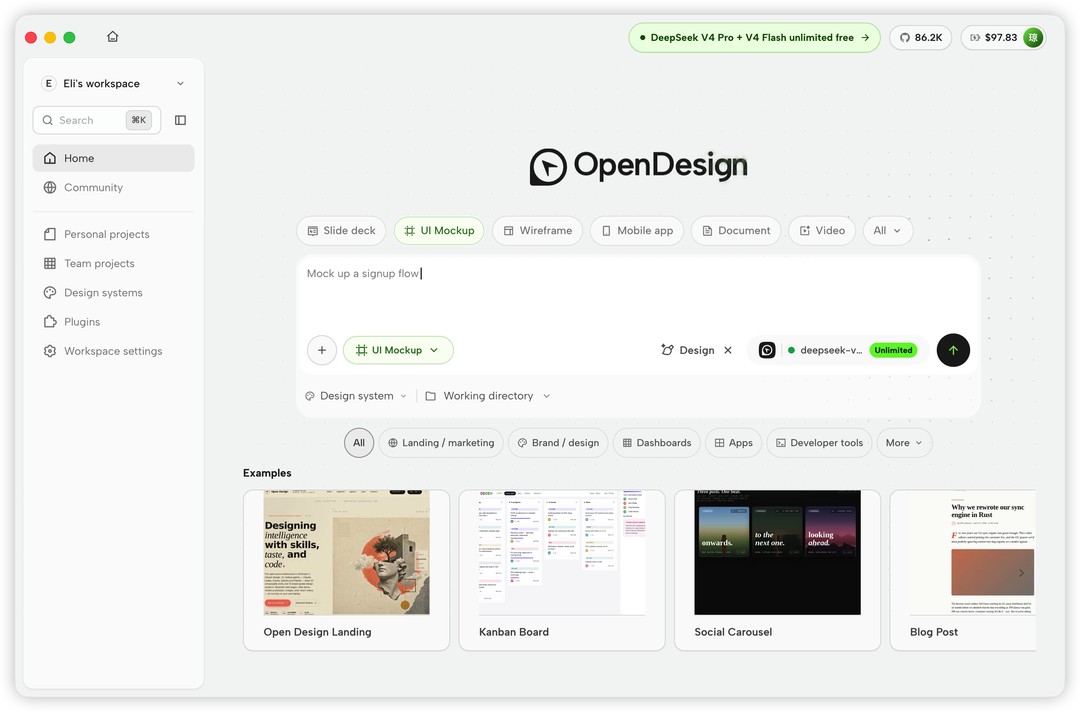
下面是它的主界面,首页直接选产出类型、写需求、挑 agent:
图为 open-design 首页,可选幻灯片、UI 原型、线框图、移动应用、文档、视频等类型,底部是社区示例。
在工作室里做网页原型,左侧对话、右侧实时预览:
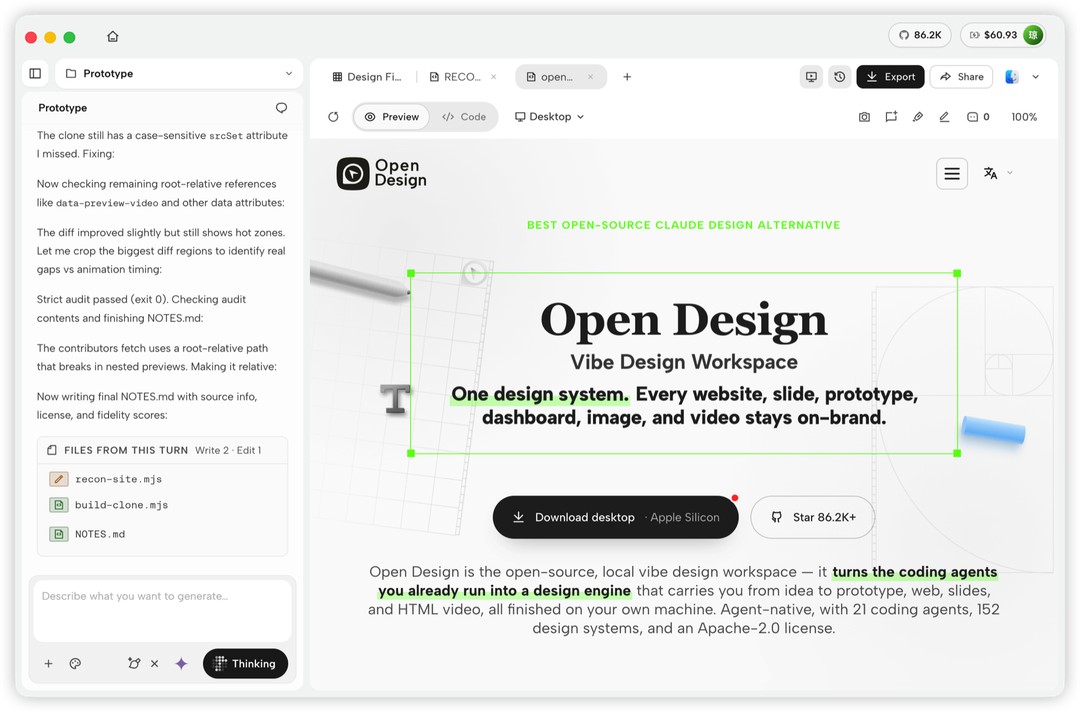
图为 open-design 工作室界面,agent 在对话区生成网页原型,右侧实时渲染效果。
做演示文稿和移动端原型也是同一套流程:
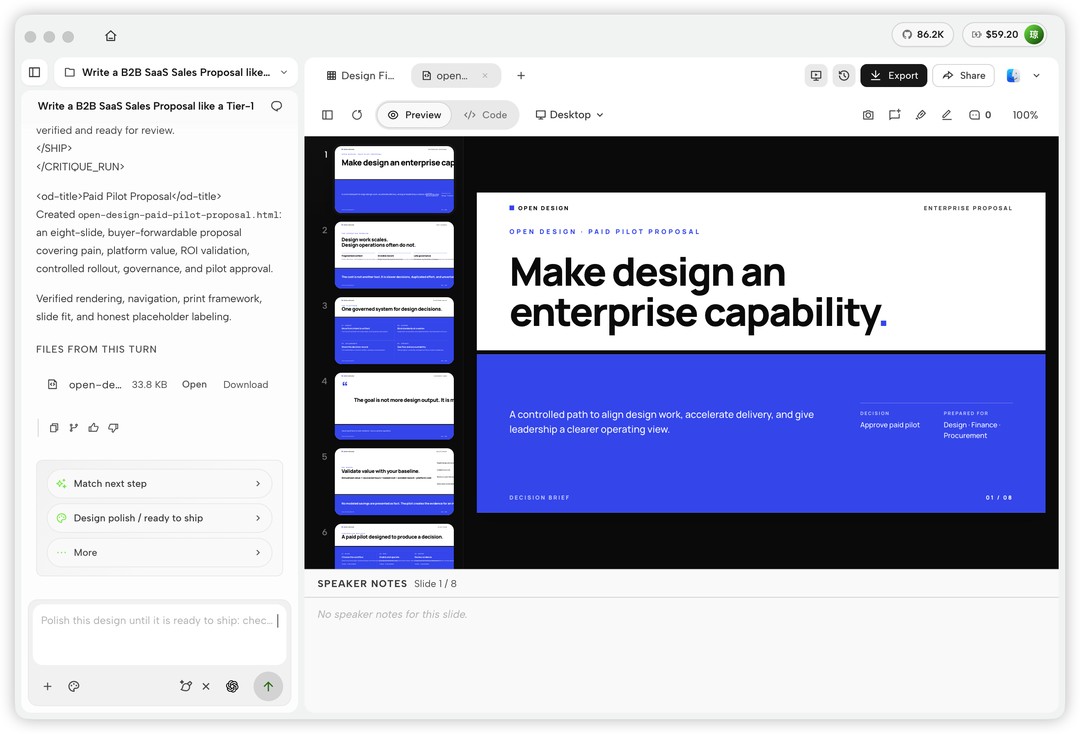
图为 open-design 生成的演示文稿,可直接导出 PPTX。
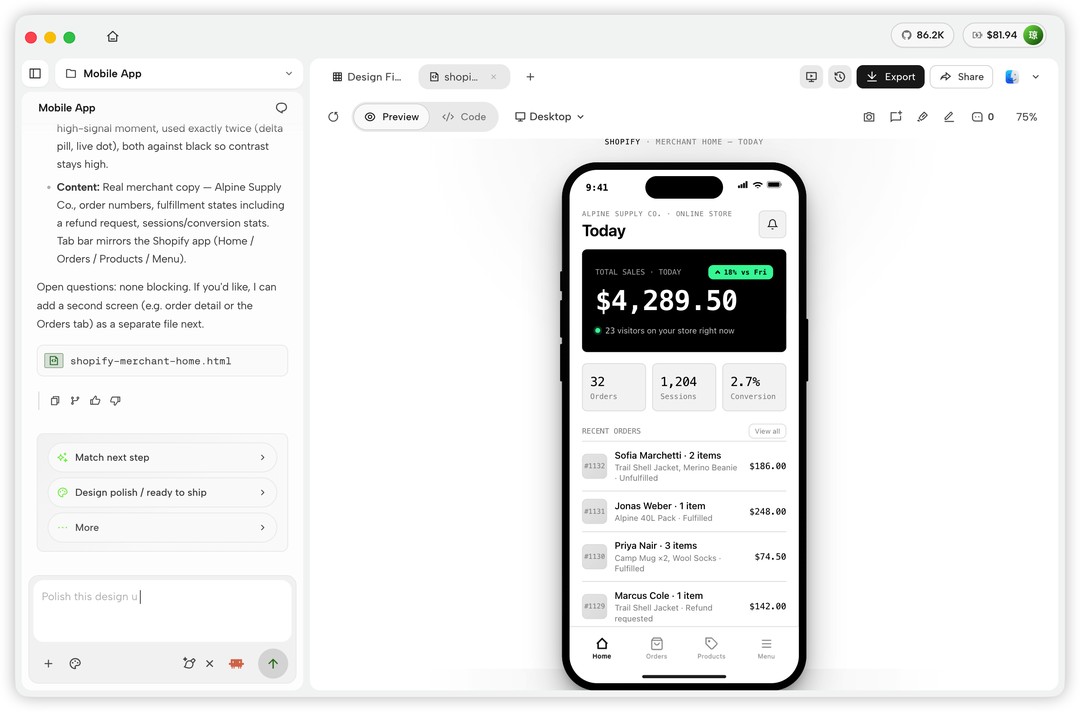
图为 open-design 生成的移动端应用原型。
还能出实时数据看板这类更贴近业务的东西:
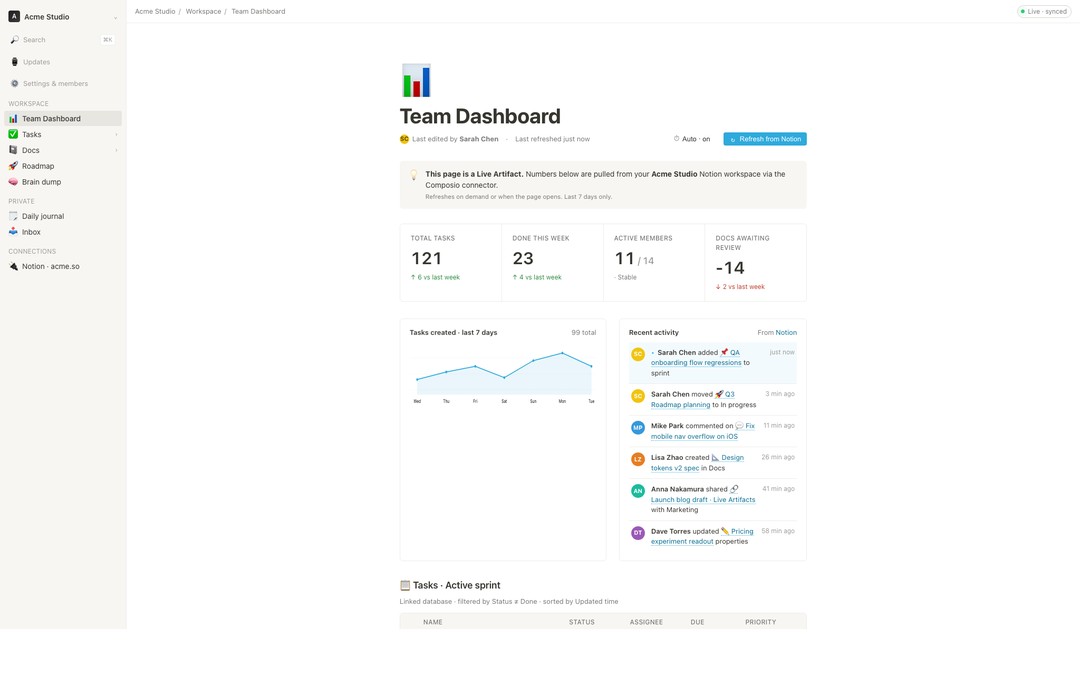
图为 open-design 生成的实时数据看板。
推荐理由
第 1 名给它不算意外。它同时占了三样:星数最高、开源协议最有保障、对 DSH 的兼容是"当原生引擎"那一档而不是表面调一下。你的需求如果是"让 agent 帮我把想法变成能看、能导出、还守品牌规范的设计稿",它就是这个榜里最直接的答案。
数据来源:DSH 插件市场兼容工具榜及 nexu-io/open-design 仓库,星数为 2026 年 9 月 22 日快照。
97,449 stars, No. 1 on the compatible tools list, Apache-2.0 license.
What it is
open-design is a local-first desktop design application that installs on both macOS and Windows. It states its own positioning plainly: the open-source version of Claude Design. Claude Design is a closed-source product, and what open-design does is move that entire "talk to an agent, get a design out" workflow into software you control yourself, with every file staying on your own machine.
Its core idea in one sentence: the coding agents already installed on your computer are its design engine. You don't have to learn a separate drawing tool, and you don't have to nudge things pixel by pixel on a canvas — you describe what you need, the agent produces the finished piece, and open-design catches it, previews it, and exports it.
What it can do
The range of output is far wider than "make a poster":
- Web, desktop, and mobile prototypes
- Real-time data dashboards
- Presentations (slide decks)
- Images and video
- HyperFrames motion graphics
The software ships with composable design skills, a brand-grade DESIGN.md design system, and plug-ins that work out of the box. Finished work previews inside a sandboxed iframe and can be exported to HTML, PDF, PPTX, and MP4. Those formats essentially cover both paths: handing work to developers and taking it into a review meeting.
How compatible it is with DSH
This is the key to its No. 1 spot. open-design supports the command lines of 26 local coding agents, with DeepSeek Harness, Claude Code, Codex, Cursor, Copilot, and Qwen all on the list; you can also use BYOK mode (bring your own key) to connect any OpenAI-compatible endpoint, so you are not locked to one vendor.
Once connected to DSH, it treats DSH as a native runtime, supporting structured thinking, tool calls, model discovery, cancellation, and session resume. Generated files stay inside the open-design workflow for live preview and delivery. In other words, DSH isn't simply "called" — it runs as the underlying engine.
Who it's for
- Developers and small teams who need prototypes, landing pages, and dashboards fast and don't want to draw UI from scratch
- Teams that want to govern brand standards with a single DESIGN.md so every deliverable follows the same design system
- People who care about files staying local and don't want to be locked into a closed-source tool
One thing needs to be clear. It has an official cloud service, OpenDesign Cloud, where one top-up lets you use agent models and image models from several vendors at once, and new users get a two-week free trial; but the cloud is optional, not required — the local setup doesn't depend on it. Also, its ceiling depends on the agent you connect — if the agent draws crudely, the software can't rescue it. What it solves is the workflow and the output, not design judgment on your behalf.
Below is its main interface, where the home screen lets you pick an output type, write your requirements, and choose an agent:
The image shows the open-design home page, where you can choose slide decks, UI prototypes, wireframes, mobile apps, documents, video, and other types, with community examples at the bottom.
Building a web prototype in the studio, with conversation on the left and a live preview on the right:
The image shows the open-design studio interface, where the agent generates a web prototype in the conversation area and the result renders live on the right.
Making presentations and mobile prototypes follows the same workflow:
The image shows a presentation generated by open-design, ready to export directly to PPTX.
The image shows a mobile app prototype generated by open-design.
It can also produce things closer to actual business needs, like real-time data dashboards:
The image shows a real-time data dashboard generated by open-design.
Why it's recommended
Giving it the No. 1 spot isn't a surprise. It hits three things at once: the highest star count, the most reassuring open-source license, and DSH compatibility at the "acts as a native engine" tier rather than a surface-level call. If your need is "have an agent turn my idea into a design deliverable I can look at, export, and that still respects brand standards," this is the most direct answer on this list.
Data sources: the DSH Plugin Hub compatible tools list and the nexu-io/open-design repository; star counts are a snapshot from September 22, 2026.