2026 年,哪些 AI 工具最适合起步?Which AI Tools Are Easiest to Begin With in 2026?
刚接触这些?那正是最好的开始位置。下面每款工具都不要求任何技术能力,试用不花一分钱,5 分钟之内就能看到结果。不写代码、不用费解——只是简单、能用、真管用的 AI。
New to all of this? That is exactly the right place to begin. Every tool below asks nothing in the way of technical skill, costs nothing to try, and will have you getting results inside 5 minutes. No code, no head-scratching — just plain, useful AI that does the job.
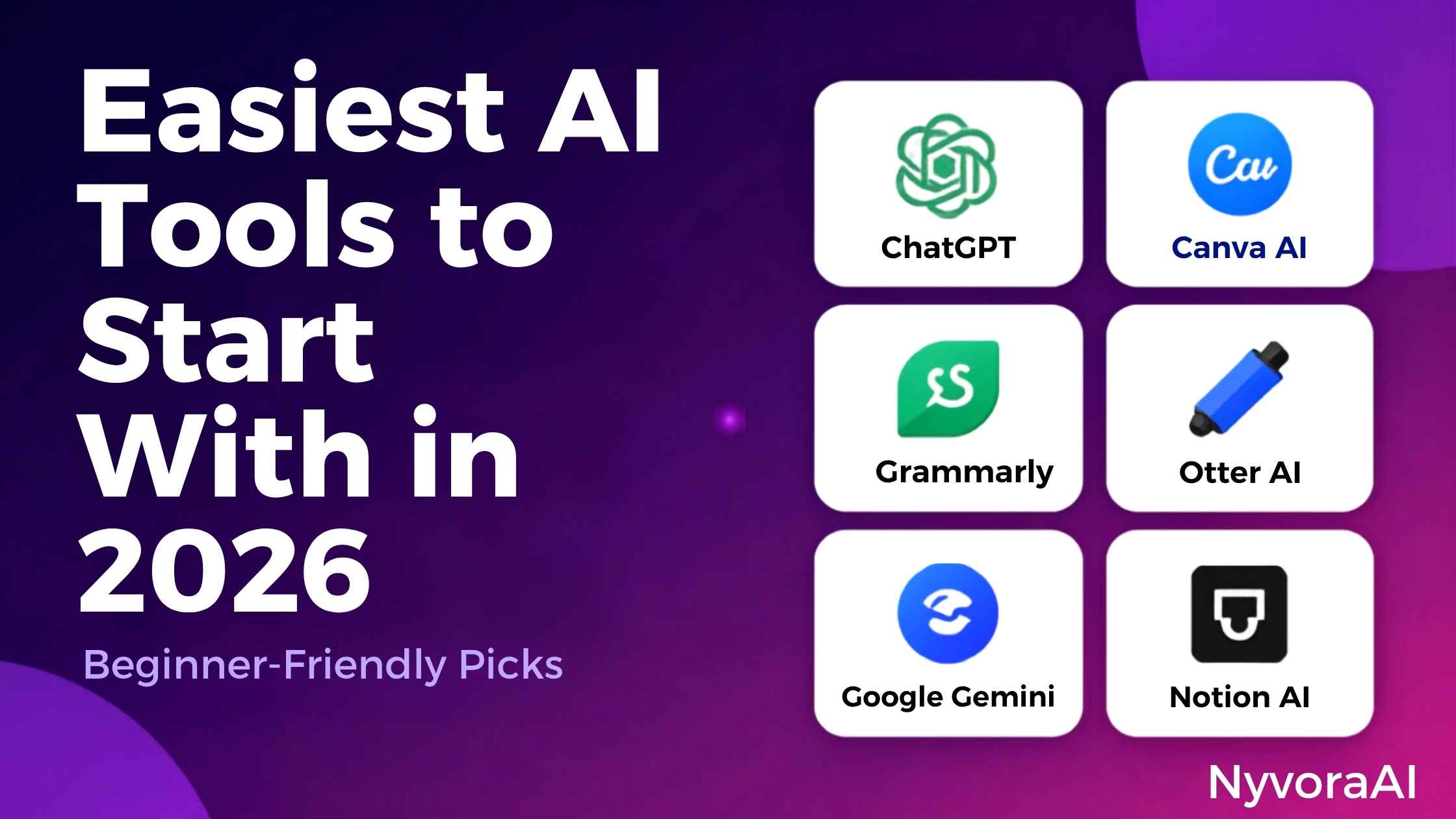
新手一打听 AI,最先被量级吓到:几百款产品、一堆还看不懂的行话,而且每个人的说法都不一样。让人安心的是,技术专长从来不是入场券。市面上好几款最强的工具简单到什么程度呢?会发短信、会用 Google 搜索,就已经算具备所需资格了。
下面这份内容把噪声滤掉,只点名 2026 年最好上手的几个起点——不需要任何安装仪式,没有前期账单,第一天就能看到收益。无论是想把邮件写得更利落、搞定作业、随手抛几个点子,还是单纯满足一下好奇心,下面全都覆盖到了。
01快速通道:3 分钟把第一款 AI 工具跑起来
与其先把整份清单读完,不如立刻就试。如果你想在下一分钟就摸到 AI,这条路径最短:
- 1
打开 chat.openai.com
1 这个地址就是 ChatGPT 的官网。进去之后一切都在浏览器里运行——不需要下载任何东西。
- 2
免费注册一个账号
2 注册只需要一个邮箱或 Google 账号,大约花你 60 秒。
- 3
提出你的第一个问题
3 随便提个小要求——「有什么简单的晚餐推荐?」或者「帮我处理一封工作邮件」。整件事就这么多!
AI 你已经正式用过了。想要节奏更慢、更细致的讲解,可以看我们这篇完整指南:没有技术背景时该怎么开始用 AI。
02五款对新手最友好的 AI 工具
就当下的易用程度而言,这五款排在最前面。它们起步都不收费,都不预设你有技术知识,界面也足够朴素,任何人都能上手。
ChatGPT
Google Gemini
Microsoft Copilot
Claude
Leonardo.AI
03ChatGPT:为什么它是理想的起点
如果只打算试用一款工具,那就选 ChatGPT。从全球范围看,它被采用得最广、适应性最强、也最好上手——这份口碑是挣来的,不是碰巧得来的。
它对新手的友好之处在于:
- 核心就是「聊」。像给朋友发消息那样写就行,不用记任何指令或格式。
- 不花钱。连免费版的实力都相当可观,用它来练手毫无压力。
- 什么都能接。邮件、作业、想点子、啃陌生领域、查代码里的 bug,或者纯粹闲聊。
- 处处可用。手机、平板、电脑,同一款工具跟着你走。
我们这篇 第一次使用 ChatGPT 的完整指南 会带你走完开场那段对话。
04Google Gemini:一个本来就熟悉你 Google 生活的助手
如果一天到晚都泡在 Gmail、Google Docs 和 Google Drive 里,Gemini 会显得像是量身定做的。它是 Google 对 ChatGPT 的回应,而最大的优势就在于与 Google 各项服务的深度打通。
Gemini 的独特之处:
- 信息是新的。需要时它会去网上查找,不会让你拿到过时的内容。
- 它能在你的 Google 数据里工作。获得授权后,它可以读你的邮件、压缩一篇 Google 文档,或者从 Drive 里取材料。
- 它会看图。上传一张照片,然后想问什么就问什么。
- 基础功能不收费,没有付费墙拦在常用功能前面。
有两个用法值得试试:「把我老板最近三封邮件总结一下」,以及「说说我刚上传的这张照片里有什么」。
05Microsoft Copilot:早就在你电脑里的助手
只要在用 Windows 11 或者在 Edge 里上网,Copilot 其实已经装在你机器上了。这位微软助手与 ChatGPT 建立在同一套底层技术之上(GPT-4),另外还带了几手自己的绝活。
新手喜欢它的理由:
- 不用安装。Windows 11 和 Edge 里都已经备好。
- 免费用上进阶 AI。不必订阅就能获得 GPT-4 的能力。
- 现场就能生成图片。DALL-E 3 已经内置,能把文字变成画面。
- 它能上网。搜索网络之后还会附上引用来源。
在 Windows 任务栏或者 Edge 里找到 Copilot 图标,点一下就能开始打字,其余什么都不用做。
06Claude:一个先想清楚再回答的助手
由 Anthropic 打造的 Claude,以「对话有思考、自然得不像机器」著称。它最擅长的领域是写作、编辑,以及处理篇幅极长的文档。
Claude 好在哪儿:
- 回复像人写的,很少出现别家那种僵硬机械的腔调。
- 它扛得住真正的篇幅。整本书或很长的报告都能读完并处理。
- 写作是它的主场。文章、邮件、创意文本都能写得像样。
- 免费版额度相当宽裕。
上传一份 PDF,让 Claude 帮你压缩成摘要,或者把关键要点挑出来。
07横向对比:哪款工具更合你的需求
| 工具 | 最擅长 | 有免费版? | 上手难度 |
|---|---|---|---|
| ChatGPT | 通用场景、灵活多变 | 是 | 非常容易 |
| Google Gemini | 资料检索、深度使用 Google 的人 | 是 | 非常容易 |
| Microsoft Copilot | 图片处理、Windows 用户 | 是 | 非常容易 |
| Claude | 长文档、文字写作 | 是 | 非常容易 |
| Leonardo.AI | 生成图片 | 是 | 容易 |
08用 AI 的第一周:一份简单计划
不知道从哪里开始?这份 7 天计划专门用来一点一点建立信心:
- Day 1
注册 ChatGPT
Day 1 开好账号,然后向它提 5 个简单问题。比如:「今天天气怎么样?」「讲个笑话给我。」「晚饭做点什么好?」
- Day 2
让它写点东西
Day 2 让 ChatGPT 帮你写一封邮件、一条社交媒体文案,或者一个小故事,看看它的反应。
- Day 3
试试 Google Gemini
Day 3 用 Google 账号登录,然后让它把一篇新闻压缩一下,或者把一个复杂话题讲得浅显易懂。
- Day 4
上传一份文件
Day 4 把 PDF 或 Word 文档交给 Claude 或 Gemini,要一份摘要或者几个关键要点。
- Day 5
玩一玩图片生成
Day 5 用 Copilot 或 Leonardo.AI 把文字变成图片。可以试这句:「一只戴着墨镜躺在沙滩上的猫。」
- Day 6
解决一个真实问题
Day 6 把 AI 用在真正实用的事情上——做行程、排健身计划、修代码,或者学一项新技能。
- Day 7
回顾一下,再往深走
Day 7 想想哪款工具你最喜欢、哪些任务做起来最顺,然后就顺着这个偏好再往深处走。
有一点值得记住:用 AI 没有所谓的错误方式。多试、多出错、享受过程。如果想把基础先打牢,可以读我们这篇 用大白话讲 AI。
09常见问题解答
对完全的新手来说,最简单的 AI 工具是哪个?
完全不懂技术也能用这些工具吗?
有免费的 AI 工具可以先上手吗?
写东西的话,哪款工具最好用?
学会这些工具要花多长时间?
需要下载什么东西吗?
我的数据放在这些工具里安全吗?
Start looking into AI as a newcomer and the sheer volume is daunting: hundreds of products, jargon that means nothing yet, and no two people describing it the same way. The encouraging part is that expertise in technology was never the price of admission. Several of the strongest tools around are so straightforward that sending a text message or running a Google search already counts as the required qualification.
What follows filters out the hype to name the gentlest starting points available in 2026 — products with no setup ritual, no opening bill, and a payoff you notice on day one. Writing sharper emails, working through homework, tossing around ideas, or simply scratching an itch of curiosity: every one of those needs is covered below.
01Fast Track: A First AI Tool Up and Running in 3 Minutes
Rather than read the whole list first, try the thing immediately. Should you want to touch AI within the next minute, this is the shortest route in:
- 1
Open chat.openai.com
1 That address belongs to ChatGPT, and the whole thing runs in your browser the moment you arrive — nothing to install.
- 2
Set up an account, free of charge
2 An email address or a Google login is all the sign-up asks for. Roughly 60 seconds of your time.
- 3
Pose a first question
3 Put a small request to it — "Any easy dinner ideas?" or "Give me a hand with a work email." That is the whole exercise!
That is AI, officially used. For a slower and more thorough walkthrough, our full guide on getting started with AI when you have no technical background is the place to look.
02Five of the Friendliest AI Tools for Newcomers
Right now, these five sit at the top for ease of use. None of them charges you to begin, none assumes prior technical knowledge, and the interfaces are plain enough for absolutely anyone.
ChatGPT
Google Gemini
Microsoft Copilot
Claude
Leonardo.AI
03ChatGPT: Where to Begin, and Why
Should just one tool get a test run, let it be ChatGPT. Globally, it is the most widely adopted, the most adaptable, and the easiest to pick up — a reputation earned rather than accidental.
What makes it so newcomer-friendly:
- Chat is all it is. Write the way you would text a friend; no commands, no syntax to memorise.
- Nothing to pay. Even the free tier is remarkably capable, which makes learning on it painless.
- It wears many hats. Emails, homework, idea generation, unfamiliar subjects, hunting down bugs in code, or plain conversation.
- Available anywhere. Phone, tablet, laptop — the same tool follows you.
Our guide to using ChatGPT for the very first time walks through that opening conversation step by step.
04Google Gemini: An Assistant That Already Knows Your Google Life
For anyone whose day runs through Gmail, Google Docs and Google Drive, Gemini feels made to measure. Google built it as its own answer to ChatGPT, and the standout advantage is how deeply it plugs into Google's services.
Where Gemini stands apart:
- Up-to-date answers. Gemini reaches out to the web as needed, so you are not stuck with stale information.
- It works across your Google data. Given permission, it can read your mail, condense a Google Doc, or fetch material out of Drive.
- It can look at pictures. Upload a photo, then ask whatever you like about it.
- The basics cost nothing. No paywall stands in front of standard features.
Two things worth trying: "Recap the last three messages from my boss," and "Tell me what is in the photo I just added."
05Microsoft Copilot: An Assistant Already Sitting Inside Your PC
Anyone running Windows 11 or browsing in Edge has Copilot on the machine already. Microsoft's assistant draws on the same underlying technology as ChatGPT (GPT-4), while adding a few tricks of its own.
Reasons newcomers take to it:
- Nothing to install. Windows 11 and Edge both have it ready.
- Advanced AI at no cost. GPT-4 capability is available without a subscription.
- Images, generated on the spot. DALL-E 3 is built in and turns words into pictures.
- It can go online. Web searches come back with sources cited.
Find the Copilot icon on the Windows taskbar, or in Edge, click once and begin typing. Nothing else is involved.
06Claude: The Assistant That Thinks Before It Answers
Built by Anthropic, Claude has a reputation for exchanges that feel considered and uncommonly natural. Its strongest ground is writing, editing, and making sense of very long documents.
What makes Claude approachable:
- The replies read as human. Little of the stiff, mechanical tone found elsewhere.
- It handles real length. Whole books or lengthy reports can be read and worked through.
- Writing is its home turf. Essays, emails and creative pieces all come out well.
- A free tier with room to spare.
Upload a PDF and set Claude the task of condensing it, or of pulling out the points that matter.
07Side by Side: Matching a Tool to Your Needs
| Platform | Where It Shines | Free Tier? | Effort Needed |
|---|---|---|---|
| ChatGPT | All-round use, flexibility | Yes | Very Easy |
| Google Gemini | Research, people deep in Google | Yes | Very Easy |
| Microsoft Copilot | Image work, Windows users | Yes | Very Easy |
| Claude | Lengthy documents, prose | Yes | Very Easy |
| Leonardo.AI | Making images | Yes | Easy |
08A First Week With AI: One Easy Plan
Unsure how to begin? This 7-day plan is designed to build confidence one small step at a time:
- Day 1
Register for ChatGPT
Day 1 Open an account, then put 5 easy questions to it. Something like: "How's the weather looking today?" "Got a joke for me?" "Any ideas for dinner?"
- Day 2
Produce some text
Day 2 Have ChatGPT draft an email, a social post, or a short story, and see what comes back.
- Day 3
Give Google Gemini a go
Day 3 Log in through Google, then ask for a news article to be condensed, or a complicated subject explained in everyday terms.
- Day 4
Upload a file
Day 4 Hand a PDF or Word file to Claude or Gemini, and request either a summary or the key points.
- Day 5
Play with image generation
Day 5 Turn text into a picture with Copilot or Leonardo.AI. One idea: "A cat in sunglasses lounging on a beach."
- Day 6
Tackle something real
Day 6 Put AI to genuinely practical use — planning a trip, building a workout, fixing code, or picking up a new skill.
- Day 7
Review, then go deeper
Day 7 Decide which tool you liked most and which tasks came naturally, then go further with that favourite.
Worth keeping in mind: no way of using AI counts as wrong. Try things, get them wrong, enjoy the process. Should the fundamentals come first, our guide to artificial intelligence in plain terms is a good place to start.