2026 年给本地大模型挑外壳:11 个开源选择,按文档扎实程度排Choosing a Harness for Local LLMs in 2026: 11 Open-Source Options, Ranked by How Solid the Docs Are
智能体由两部分组成:一个模型,加一个外壳。外壳负责调工具、存状态、管权限,再把上下文喂回模型。一旦换成跑在本地的模型,外壳的分量就更重了——上下文窗口短、工具调用能力弱,设计上任何一点偷懒都会被放大。
An agent is made of two parts: a model, plus a harness. The harness calls tools, stores state, manages permissions, and feeds context back to the model. Once you switch to a model running locally, the harness carries more weight — short context windows and weak tool calling mean any corner cut in the design gets magnified.
一个智能体 = 一个模型 + 一个外壳。本地模型上下文短、工具调用弱,外壳设计上任何一点偷懒都会被放大成肉眼可见的毛病。这份榜单按"本地推理的文档写得有多扎实"给 11 个开源外壳排序,仓库信息取自 2026 年 9 月 18 日。
为什么外壳比模型更值得挑
智能体由两部分组成:一个模型,加一个外壳。外壳负责调工具、存状态、管权限,再把上下文喂回模型。一旦换成跑在本地的模型,外壳的分量就更重了——上下文窗口短、工具调用能力弱,设计上任何一点偷懒都会被放大。
这份榜单按"本地推理的文档写得有多扎实"给 11 个开源外壳排序。所有仓库信息都是 2026 年 9 月 18 日从 GitHub 上读的。排序看四件事:是不是 OSI 认可的许可证、本地运行时有没有写进文档、维护是否还在线、安全上有多少控制手段。
三条对所有外壳都成立的规矩
① 先把上下文窗口拉上去。 按 Ollama 的上下文长度文档,默认值跟着显存走:显存不到 24 GiB 给 4k,24 到 48 GiB 给 32k,48 GiB 以上给 256k。同一页还写着,智能体和编程类工具至少该拿到 64,000 tokens。改法就一行:OLLAMA_CONTEXT_LENGTH=64000 ollama serve。
② 挑一个支持工具调用的模型。 Goose 的 provider 文档里说,不带工具调用能力的模型只能做对话补全。用 llama.cpp 时,Pi 的文档提到 --jinja 这个参数能启用兼容的对话模板和工具调用。
③ 内存要算实在。 Cline 的本地指南画了个对照:16 到 32GB 内存配小型量化模型,32 到 64GB 配中量级编程模型,64GB 以上再考虑更大的。Ollama 的 Hermes 页面给出的是 gemma4 大约 16GB 显存、qwen3.6 大约 24GB。
1|OpenCode
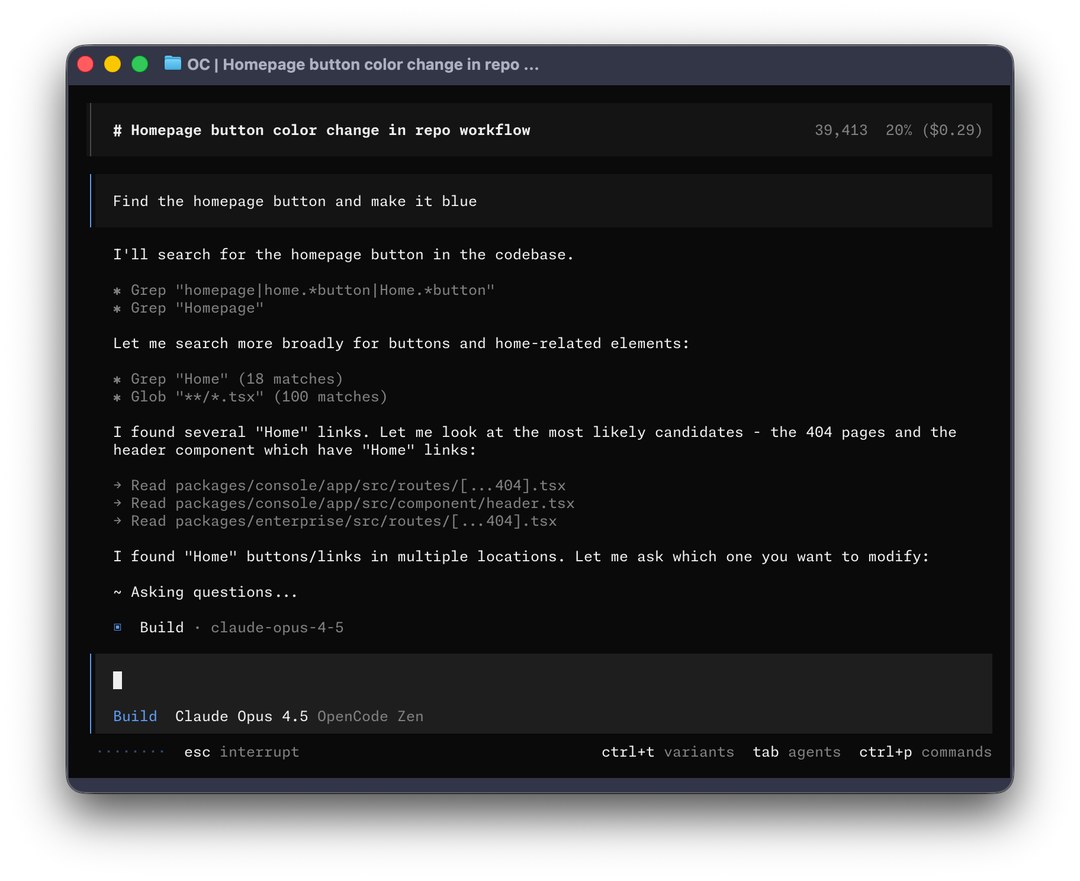
OpenCode 在自己的 provider 文档里写了三条本地路线:Ollama、LM Studio,以及 llama.cpp 的 llama-server。三条都靠 @ai-sdk/openai-compatible 这个包,配一个本地 baseURL 就行。文档说总共支持 75 家以上的 provider。
装它可能只需要一条命令。Ollama 的 OpenCode 页面上写的是 ollama launch opencode,并建议上下文窗口至少开到 64k tokens。OpenCode 自己的文档还补了个实操经验:工具调用失败的话,把 num_ctx 提到 16k 到 32k 左右试试。
它自带两个智能体:build 权限全开;plan 是只读的,跑 bash 之前会先问一句。
最适合:想在一个终端工具里拿到最全本地配置方案的开发者。
2|Pi
Pi 走的是极简路线。README 里只给模型四个工具:读、写、改、跑命令。它故意不做 MCP、子智能体、计划模式和权限弹窗——这些要靠 TypeScript 扩展和包来补。
Pi 原生支持 llama.cpp 的 router server。router 会自己扫描多个 GGUF 文件,按需加载。你在 Pi 里用 /llama 管理模型。Ollama 这边也支持,ollama launch pi 一条命令就把 Pi 装上、把 provider 配好并打开会话。
本地用有个坎要注意:Pi 没有内置权限系统,它是拿你当前的用户权限在跑。README 建议用 Docker、micro-VM 扩展或者策略沙箱把它关起来。
老的 badlogic/pi-mono 地址现在会跳到 earendil-works/pi。Earendil 在 2026 年 4 月收购了 Pi,作者 Mario Zechner 也加入了这家公司。The Pragmatic Engineer 报道说,OpenClaw 就是在 Pi 的基础上长出来的。
最适合:小体量的本地模型——工具清单短,省下来的上下文留给代码。
3|Goose
Goose 记录下来的本地运行时,是这份榜单里最多的。它的 provider 文档列了 Ollama、LM Studio、Docker Model Runner、Ramalama 和 Atomic Chat。vLLM 和 KServe 走 OpenAI 兼容的 provider 接进来。自定义 provider 面对本地服务器时可以不要 API key。
真正的差异点在治理结构。Linux 基金会在 2025 年 12 月 9 日成立了 Agentic AI Foundation,Block 把 goose 捐了进去,仓库现在在 aaif-goose/goose 下。Goose 用 Rust 写,有桌面应用、CLI 和 API 三种形态,README 里提到 70 多个 MCP 扩展。
配 Ollama 很短:跑 goose configure,选 Ollama,填个模型名。
最适合:不只想写代码、还想要中立基金会治理的一般自动化。
4|Cline
Cline 是编辑器派里最强的那个。它的本地指南把一条设置摆在所有建议前面:本地推理一定要打开 Use Compact Prompt。另外建议任务要聚焦,上下文涨起来就开新会话。
默认情况下,改一次文件、跑一条命令都要你点头,自动批准是可选项。Plan 和 Act 两个模式把想和做分开。
许可证上有个细节值得留意:Cline 自己的 README 写明 JetBrains 插件没有开源,只有 VS Code 扩展、CLI 和 SDK 在 Apache-2.0 仓库里。
最适合:想一边用本地模型一边保持人工把关的 VS Code 用户。
5|OpenHands
OpenHands 的本地指引是这几家里写得最具体的。它的本地 LLM 指南推荐第一个试的本地模型是 Qwen3.6-35B-A3B(这个建议更新到 2026 年 5 月 21 日)。硬件要求也说得不含糊:量化版本至少 24GB 显存,或者一台 64GB 统一内存的 Apple Silicon Mac。
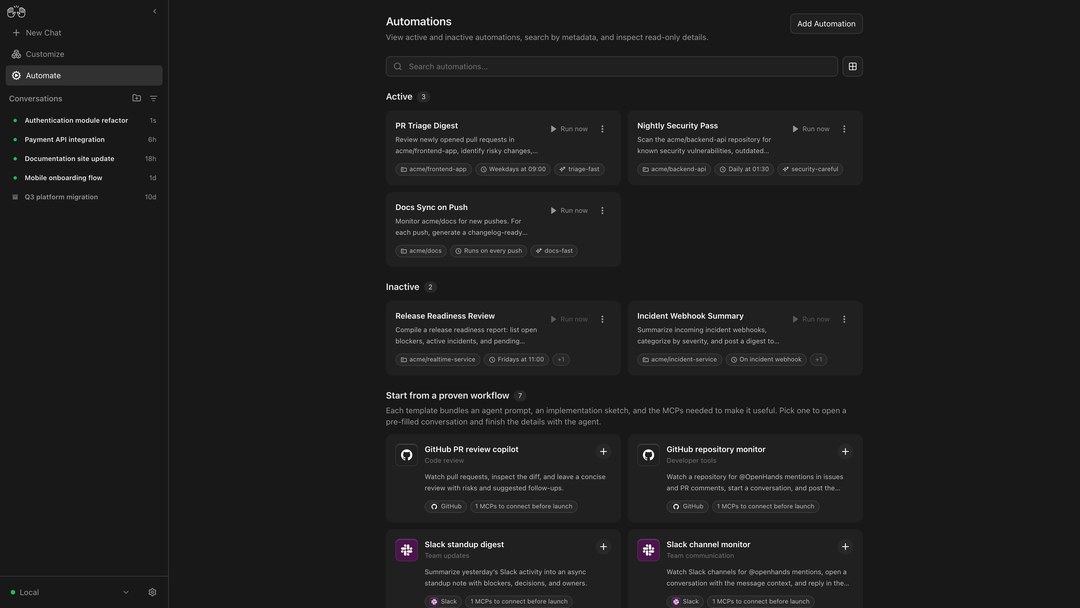
上下文怎么设也说得直接:上下文长度至少 22,000 tokens,推荐 32,768。指南还提醒,Ollama 默认的 4,096 连系统提示词都塞不下。
Linux 用户有个坑:LM Studio 默认只绑 127.0.0.1,容器里的 OpenHands 够不着,把 Serve on Local Network 打开就好了。
最适合:在带 GPU 的工作站或服务器上跑容器化、耗时长任务。
6|Aider
Aider 解决弱工具调用的办法不太一样:它的编辑格式是让模型把改动当文本吐出来。whole 格式返回整份文件,diff 格式返回查找替换块。每次请求它还会捎上一份关键符号的仓库地图。
它的 Ollama 文档点破了一个真实的坑:Ollama 会把超出窗口的上下文悄悄丢掉。Aider 的应对是按每次请求的量来算窗口大小,另外再留 8k tokens 给回复。注意那一页引用的还是更早的 2k 默认值。
这里真正让人担心的其实是维护节奏。PyPI 上 0.86.2 版是 2026 年 2 月 12 日发的,上一个版本要追溯到 2025 年 8 月 13 日。
最适合:模型函数调用不太行,又想做 Git 原生结对编程的场景。
7|Codex CLI
Codex CLI 是 Apache-2.0,内置两个本地 provider。源码里写死了 ollama(11434 端口)和 lmstudio(1234 端口)。按 Ollama 的 Codex 页面,codex --oss 默认跑 gpt-oss:20b,换模型用 -m。
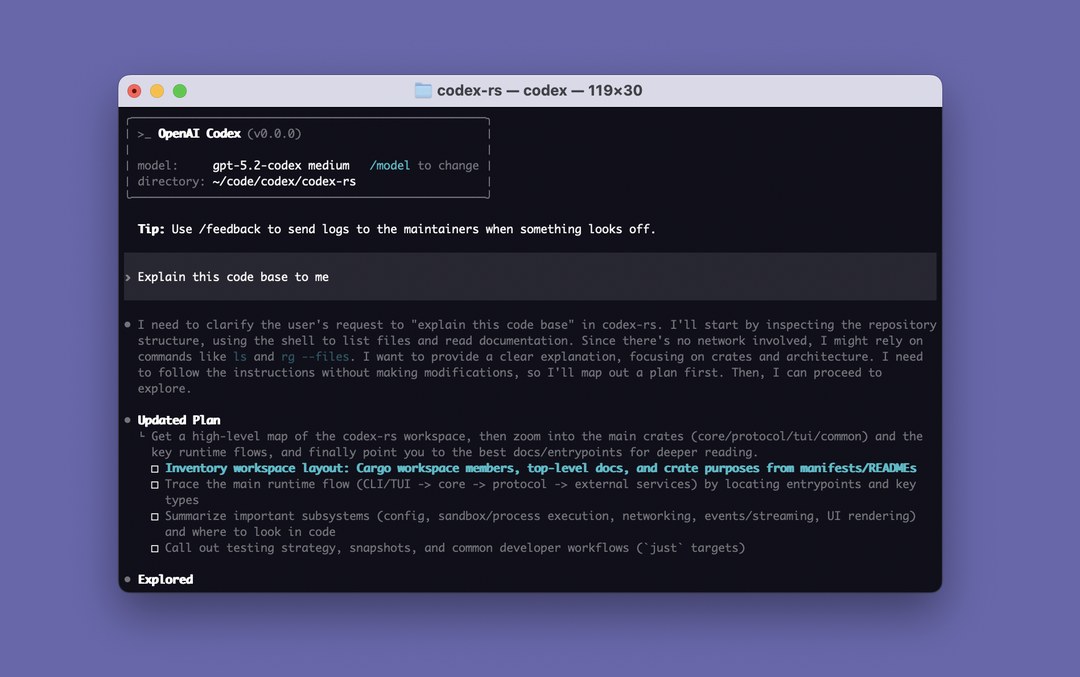
有一条硬门槛:Codex 现在只认 Responses API。源码里直接拒掉 wire_api = "chat",并指向相关讨论。所以你的本地服务器必须把那个接口暴露出来。
仓库里带了 Linux 和 Windows 各自的沙箱 crate。
最适合:统一用 gpt-oss、又想要内置沙箱的团队。
8|Qwen Code
Qwen Code 的 README 列了 OpenAI、Anthropic、Gemini 和 Qwen 四套协议,本地模型点名 Ollama 和 vLLM。项目是从 Google Gemini CLI v0.8.2 分出来的,到 v0.1 之后就不再跟上游同步。npm 安装要求 Node.js 22 以上。
最适合:拿开源权重的 Qwen 模型,配同一家实验室调过的外壳。
9|Kilo Code
Kilo 的 README 说 Kilo CLI 是 OpenCode 的一个分支,另外也提到自己 2025 年是从 Roo 分出来的。2026 年 4 月 2 日它发布了重写过的 VS Code 扩展。本地模型文档覆盖了 Ollama、LM Studio 和 Atomic Chat,同一页提醒说本地模型常常缺提示词缓存和操控电脑的能力。
最适合:原来用 Roo Code、想找一条还在维护又支持本地的路子的人。
10|Hermes Agent
Nous Research 的 Hermes Agent 是通用智能体,不是写代码的。README 描述了它的一套学习循环,能从经验里长出技能。Ollama 那边说它自带 70 多个技能和跨会话记忆。配置上把 Hermes 指向本机 Ollama 的 11434 端口就行,上下文长度能自动探测。消息渠道支持 Telegram、Discord、Slack、WhatsApp、Signal 和邮件。
最适合:想在本地模型上养一个长期在线的个人智能体。
11|OpenClaw
OpenClaw 是这份榜单里 star 最多的。Ollama 对它的描述是:一个把各种消息服务通过中央网关接到 AI 智能体上的私人助理。跑本地模型的话,Ollama 建议上下文窗口至少 64k。第一次启动会弹一份安全提示,讲清楚开放工具访问会带来什么风险。这个提示要认真看——它连的是你自己的消息账号。
最适合:以消息为入口的助理,前提是你愿意自己盯住安全这一面。
关键要点
- 编程类外壳里,OpenCode 写的本地路线最多:Ollama、LM Studio、llama.cpp
- 先别急着怪外壳或模型,把上下文设成 64,000 tokens 再说
- Pi 的四个工具适合小模型,但沙箱得你自己准备
- Codex CLI 要跑本地,服务器必须暴露 Responses API
- 许可证要按组件逐个确认:Crush 是 FSL,Cline 的 JetBrains 插件是闭源的
本文为原文的完整中文翻译,按整句语义用中文习惯重写,配图取自原文,另补入公开媒体报道与项目仓库的公开截图。原文作者 Asif Razzaq,2026 年 9 月 18 日发布。排序、许可证与版本信息均按原文口径翻译,未作补充或删减。
An agent = a model + a harness. Local models have short context windows and weak tool calling, so any corner cut in harness design gets magnified into a visible defect. This list ranks 11 open-source harnesses by how well local inference is documented, with repository details read from GitHub on September 18, 2026.
Why the Harness Matters More Than the Model
An agent is made of two parts: a model, plus a harness. The harness calls tools, stores state, manages permissions, and feeds context back to the model. Once you switch to a model running locally, the harness carries more weight — short context windows and weak tool calling mean any corner cut in the design gets magnified.
This list ranks 11 open-source harnesses by how well local inference is documented. All repository details were read from GitHub on September 18, 2026. The ranking looks at four things: whether the license is OSI-approved, whether local runtimes are documented, whether maintenance is still active, and how many security controls are available.
Three Rules That Hold for Every Harness
① Turn the context window up first. According to Ollama's context length docs, the default follows VRAM: under 24 GiB of VRAM gets 4k, 24 to 48 GiB gets 32k, and above 48 GiB gets 256k. The same page notes that agent and coding tools should get at least 64,000 tokens. The fix is one line: OLLAMA_CONTEXT_LENGTH=64000 ollama serve.
② Pick a model that supports tool calling. Goose's provider docs say a model without tool-calling ability can only do chat completions. With llama.cpp, Pi's docs mention that the --jinja flag enables a compatible chat template and tool calling.
③ Do the memory math honestly. Cline's local guide lays out a comparison: 16 to 32GB of RAM pairs with small quantized models, 32 to 64GB with mid-size coding models, and above 64GB you can consider something larger. Ollama's Hermes page puts gemma4 at roughly 16GB of VRAM and qwen3.6 at roughly 24GB.
1 | OpenCode
OpenCode's own provider docs lay out three local routes: Ollama, LM Studio, and llama.cpp's llama-server. All three rely on the @ai-sdk/openai-compatible package with a local baseURL. The docs say it supports more than 75 providers in total.
Installing it may take just one command. Ollama's OpenCode page lists ollama launch opencode and suggests a context window of at least 64k tokens. OpenCode's own docs add a practical tip: if tool calls fail, try raising num_ctx to around 16k to 32k.
It ships with two agents built in: build has full permissions; plan is read-only and asks before running bash.
Best for: developers who want the most complete local setup options inside a single terminal tool.
2 | Pi
Pi takes the minimalist route. The README gives the model only four tools: read, write, edit, and run commands. It deliberately omits MCP, subagents, plan mode, and permission prompts — those are left to TypeScript extensions and packages.
Pi natively supports llama.cpp's router server. The router scans multiple GGUF files itself and loads them on demand. Inside Pi you manage models with /llama. Ollama is supported too: ollama launch pi installs Pi, configures the provider and opens a session in one command.
There's one catch for local use: Pi has no built-in permission system and runs with your current user privileges. The README recommends confining it with Docker, micro-VM extensions, or a policy sandbox.
The old badlogic/pi-mono address now redirects to earendil-works/pi. Earendil acquired Pi in April 2026, and author Mario Zechner joined the company. The Pragmatic Engineer reported that OpenClaw grew out of Pi.
Best for: small local models — a short tool list leaves more context for the code.
3 | Goose
Goose documents more local runtimes than anything else on this list. Its provider docs list Ollama, LM Studio, Docker Model Runner, Ramalama and Atomic Chat. vLLM and KServe come in through OpenAI-compatible providers. Custom providers facing a local server can skip the API key.
The real differentiator is governance. The Linux Foundation established the Agentic AI Foundation on December 9, 2025, and Block donated goose to it; the repository now lives under aaif-goose/goose. Goose is written in Rust and ships as a desktop app, a CLI and an API, and the README mentions more than 70 MCP extensions.
Configuring Ollama is short: run goose configure, pick Ollama, and enter a model name.
Best for: general automation where you want neutral foundation governance, not just code writing.
4 | Cline
Cline is the strongest of the editor-native options. Its local guide puts one setting ahead of all its other advice: always turn on Use Compact Prompt for local inference. It also suggests keeping tasks focused and starting a new session once context grows.
By default, every file edit and every command needs your approval; auto-approve is optional. The Plan and Act modes separate thinking from doing.
One licensing detail worth noting: Cline's own README states that the JetBrains plugin is not open source — only the VS Code extension, the CLI and the SDK live in the Apache-2.0 repository.
Best for: VS Code users who want to run local models while keeping a human in the loop.
5 | OpenHands
OpenHands' local guidance is the most specific of the bunch. Its local LLM guide recommends Qwen3.6-35B-A3B as the first local model to try (that advice was updated on May 21, 2026). The hardware requirements are equally blunt: at least 24GB of VRAM for a quantized version, or an Apple Silicon Mac with 64GB of unified memory.
Context sizing is stated just as directly: at least 22,000 tokens of context length, with 32,768 recommended. The guide also warns that Ollama's 4,096 default can't even fit the system prompt.
Linux users hit one trap: LM Studio binds to 127.0.0.1 by default, so OpenHands inside a container can't reach it. Turning on Serve on Local Network fixes it.
Best for: containerized, long-running tasks on a workstation or server with a GPU.
6 | Aider
Aider solves weak tool calling differently: its edit formats have the model emit changes as text. The whole format returns the entire file, and the diff format returns search-and-replace blocks. Each request also carries a repo map of key symbols.
Its Ollama docs call out a real trap: Ollama silently drops context that exceeds the window. Aider's answer is to size the window per request and reserve another 8k tokens for the reply. Note that the page still cites the older 2k default.
What's genuinely worrying here is the maintenance cadence. Version 0.86.2 on PyPI was released on February 12, 2026, and the previous release goes back to August 13, 2025.
Best for: Git-native pair programming where the model's function calling isn't great.
7 | Codex CLI
Codex CLI is Apache-2.0 and ships with two local providers built in. The source hardcodes ollama (port 11434) and lmstudio (port 1234). According to Ollama's Codex page, codex --oss runs gpt-oss:20b by default, and you switch models with -m.
There's one hard requirement: Codex only speaks the Responses API now. The source rejects wire_api = "chat" outright and points to the relevant discussion. So your local server has to expose that interface.
The repository ships separate sandbox crates for Linux and Windows.
Best for: teams standardized on gpt-oss that also want a built-in sandbox.
8 | Qwen Code
Qwen Code's README lists four protocol families — OpenAI, Anthropic, Gemini and Qwen — and names Ollama and vLLM for local models. The project was forked from Google Gemini CLI v0.8.2 and stopped syncing with upstream after v0.1. The npm install requires Node.js 22 or newer.
Best for: open-weight Qwen models paired with a harness tuned by the same lab.
9 | Kilo Code
Kilo's README says Kilo CLI is a fork of OpenCode, and also notes that it forked from Roo in 2025. On April 2, 2026 it shipped a rewritten VS Code extension. Its local model docs cover Ollama, LM Studio and Atomic Chat, and the same page warns that local models often lack prompt caching and computer control.
Best for: people coming from Roo Code who want a path that's still maintained and supports local models.
10 | Hermes Agent
Nous Research's Hermes Agent is a general-purpose agent, not a coding one. The README describes a learning loop that grows skills from experience. Ollama says it ships with more than 70 skills and cross-session memory. Setup is just pointing Hermes at Ollama on localhost port 11434, and context length is detected automatically. Messaging channels include Telegram, Discord, Slack, WhatsApp, Signal and email.
Best for: growing a long-running personal agent on a local model.
11 | OpenClaw
OpenClaw has the most stars on this list. Ollama describes it as a personal assistant that connects messaging services to an AI agent through a central gateway. For local models, Ollama recommends a context window of at least 64k. The first launch shows a safety notice explaining the risks of open tool access. Read that notice carefully — it's wired into your own messaging accounts.
Best for: a messaging-first assistant, provided you're willing to watch the security side yourself.
Key Takeaways
- Among coding harnesses, OpenCode documents the most local routes: Ollama, LM Studio, llama.cpp
- Before blaming the harness or the model, set context to 64,000 tokens
- Pi's four tools suit small models, but you have to bring your own sandbox
- To run Codex CLI locally, the server must expose the Responses API
- Check licenses component by component: Crush is FSL, and Cline's JetBrains plugin is closed source
This is a complete translation of the original article, rewritten sentence by sentence into natural English, with images taken from the original and supplemented by public screenshots from media coverage and project repositories. Original author: Asif Razzaq, published September 18, 2026. Rankings, licenses and version information are translated as stated in the original, with nothing added or removed.