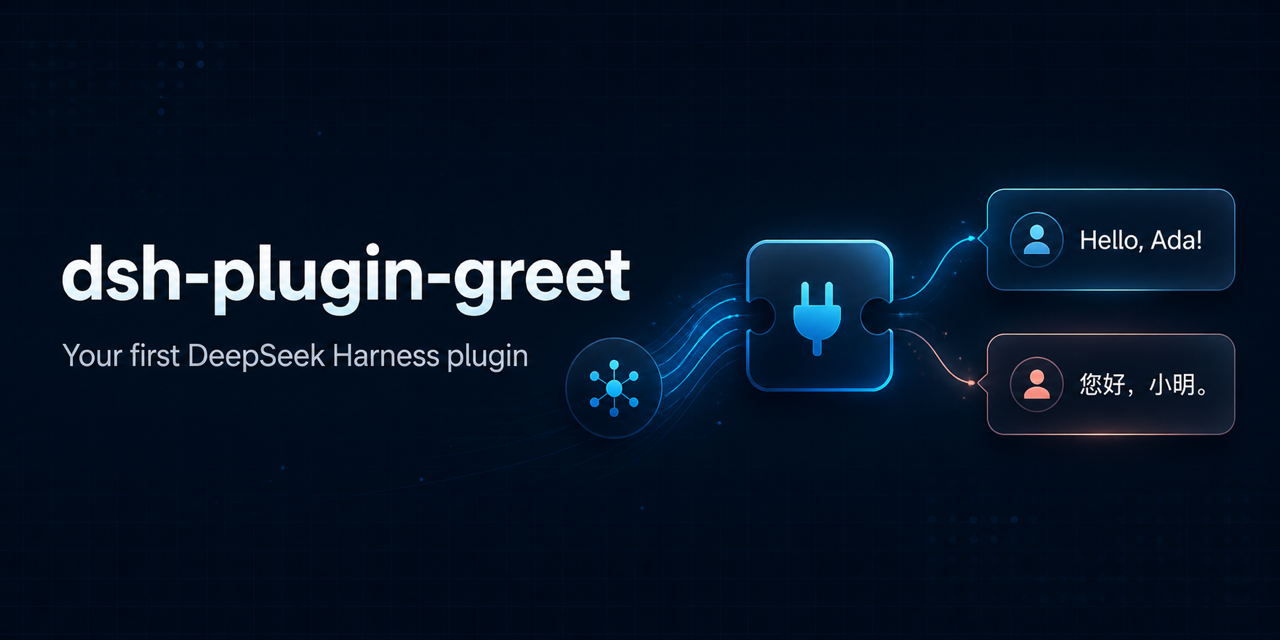
0lidaxiang/dsh-plugin-greet
DeepSeek Harness 是一个基于插件的系统,用于构建AI代理。从工具和模型到网页界面,所有内容都可以作为插件添加或替换。
项目介绍Project Overview
dsh-plugin-greet 是一款面向新手的 DeepSeek Harness 入门插件,演示从配置导出、defineTool() API、参数校验到真实模型工具调用的完整流程。它注册一个名为 greet 的模型可调用工具,支持中英文及友好/正式风格,并提供结构化输出与文本渲染。适合用于学习插件打包、Profile 组合和测试规范。注意:0.3.x 版本要求 Node.js ≥22.19 或 ≥24.0.0,并针对 Harness 0.1.1-rc.1,升级时需重新验证。
dsh-plugin-greet is a beginner-friendly DeepSeek Harness plugin that demonstrates the full lifecycle: config export, the typed defineTool() API, argument validation, structured output, testing, and a real model-driven tool call. It registers one model-callable greet tool supporting English and Chinese, friendly and formal styles, with whitespace normalization and clear validation errors. Use it as a reference template when authoring a first plugin or learning bundle distribution and profile composition. The 0.3.x line requires Node.js 22.19+ or 24.0+ and targets Harness 0.1.1-rc.1, so re-run tests and verify your profile when upgrading.
请帮我了解并安装插件:【dsh-plugin-greet】【https://github.com/0lidaxiang/dsh-plugin-greet】把上面这条消息直接发给当前会话里的 DSH,让它帮你了解并安装。安装命令不一定准确,发给 DSH 更稳。Send this message to DSH in your current session. CLI install commands may not be accurate across systems — DSH will figure it out for you.
或使用命令行安装(适合开发者)Or use CLI install (for developers)
命令行安装CLI Install
npx @deepseek-ai/dsh plugin --profile web add dsh-plugin-greet@0.3.0把 0lidaxiang/dsh-plugin-greet 加入你的 DSH 配置(web profile)即可启用。
READMEREADME
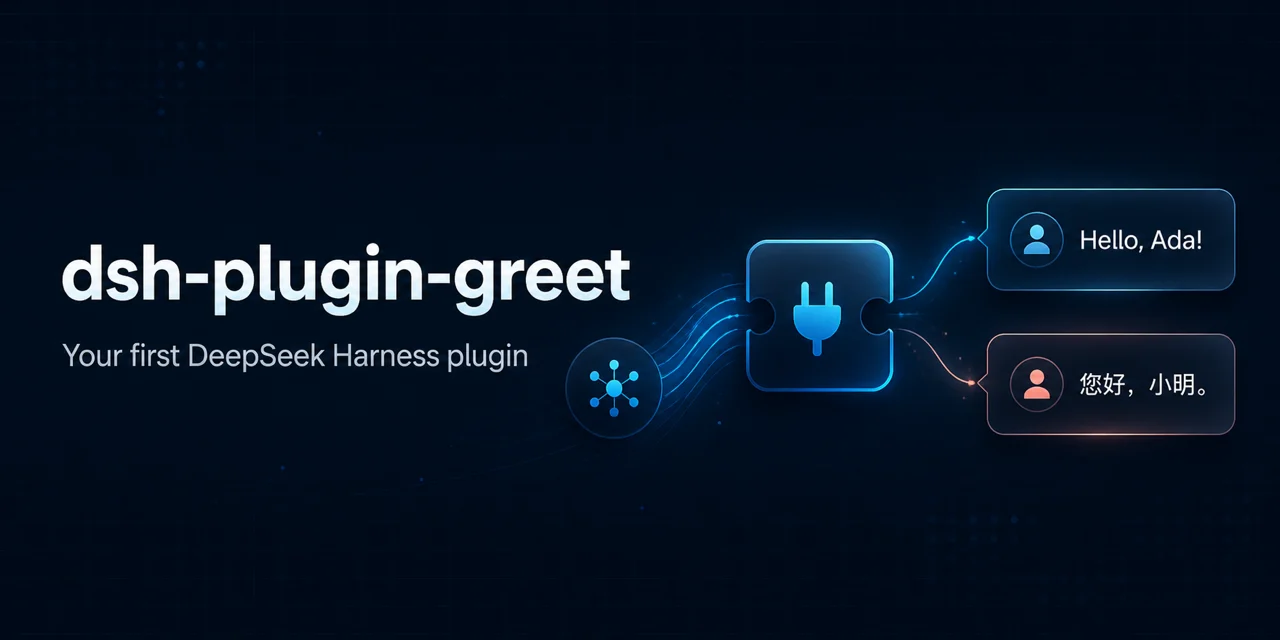
dsh-plugin-greet
English | 简体中文
A beginner-friendly, installable DeepSeek Harness plugin that demonstrates bundle distribution, profile composition, plugin configuration, the typed defineTool() API, structured output, validation, testing, and a real model-driven tool call.
This is a community example, not an official DeepSeek AI plugin. DeepSeek Harness is currently in Developer Preview, so future releases may require compatibility updates.
What you will learn
This repository keeps the implementation in one small entry file so that a new plugin author can follow the complete path:
User prompt
  → model chooses the greet tool
  → argument schema checks the shape
  → execute validates and normalizes values
  → the tool returns structured data
  → output.render creates model-facing text
  → the model writes its final response
The example covers:
- exporting a validated plugin
Config - injecting and using the Harness
toolsservice - registering a tool with the current
defineTool()schema DSL - required and optional tool arguments
- English and Chinese greetings
- friendly and formal styles
- structured canonical output with a text renderer
- actionable validation errors
- unit tests and CI packaging checks
Tool contract
The plugin registers one model-callable tool named greet.
Input
| Field | Required | Values | Default |
|---|---|---|---|
name |
Yes | Non-empty string, at most 80 characters | — |
language |
No | en, zh |
Plugin configuration |
style |
No | friendly, formal |
Plugin configuration |
Leading and trailing whitespace is removed from name. Unknown arguments, empty names, unsupported languages, and unsupported styles are rejected with clear errors.
Output
The canonical result is structured data:
{
  "message": "Hello, Ada!",
  "name": "Ada",
  "language": "en",
  "style": "friendly"
}
output.render converts that value into the model-facing text:
Hello, Ada!
This separation lets other plugins or policies use the structured fields without making the model read raw JSON.
Greeting examples
| Language | Style | Result |
|---|---|---|
| English | Friendly | Hello, Ada! |
| English | Formal | Greetings, Ada. |
| Chinese | Friendly | 你好,小明! |
| Chinese | Formal | 您好,小明。 |
Install from npm
Version 0.3.x requires Node.js ^22.19.0 or >=24.0.0 and targets the DeepSeek Harness 0.1.1 release-candidate line.
Stop any running DeepSeek Harness instance, then install the package into the web profile:
npx @deepseek-ai/dsh plugin --profile web add dsh-plugin-greet@0.3.0
This command does more than a regular npm install: it installs the package into the selected Harness profile and adds its declared bundle to the profile composition.
Before starting, confirm that the bundle is present in the final configuration:
npx @deepseek-ai/dsh --profile web --dump-config
Then start the Web UI:
npx @deepseek-ai/dsh web
Try the tool
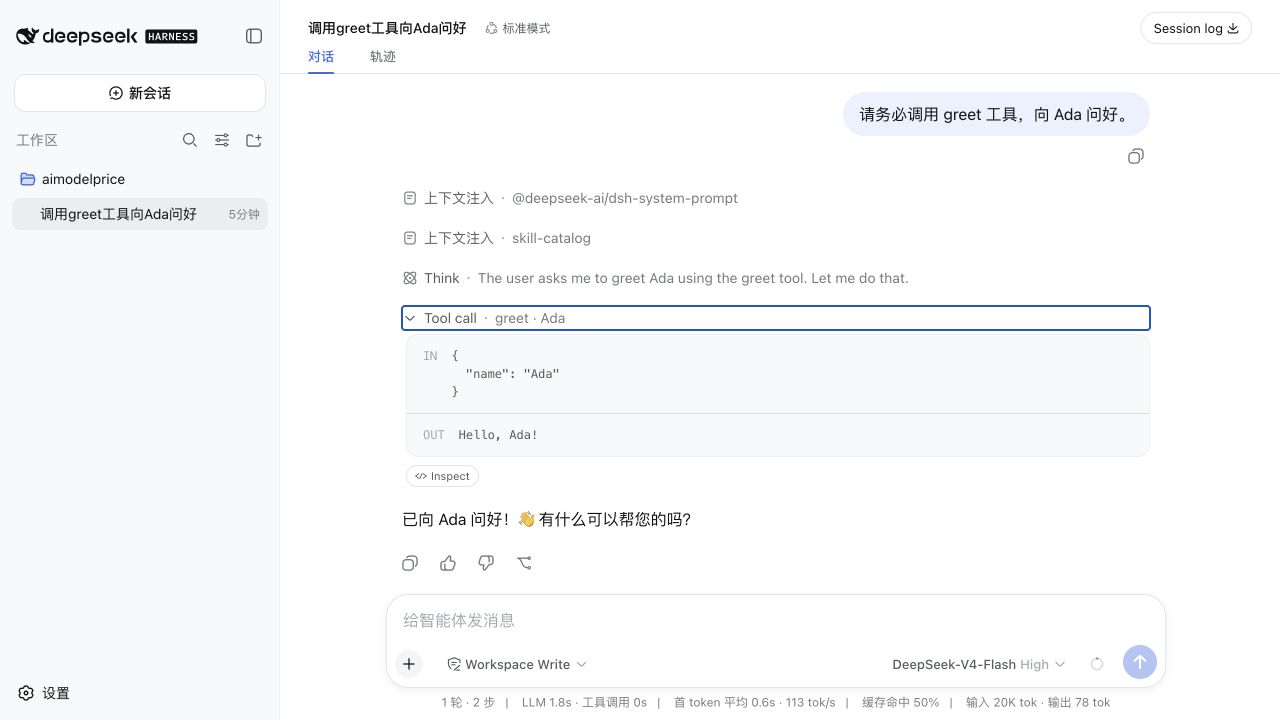
Open http://127.0.0.1:3080 and send:
You must use the greet tool to greet Ada in a friendly English style.
The expected tool call is:
IN  { "name": "Ada", "language": "en", "style": "friendly" }
OUT Hello, Ada!
Try Chinese formal output:
You must use the greet tool to greet 小明 in formal Chinese.
Expected result:
IN  { "name": "小明", "language": "zh", "style": "formal" }
OUT 您好,小明。
The plugin does not listen for keywords such as Hello. It makes the tool available to the model, and the model decides whether to call it. Explicitly naming the greet tool makes the behavior easier to verify.
Configure the plugin
The exported configuration schema supplies these defaults:
greeting: Hello
punctuation: "!"
defaultLanguage: en
defaultStyle: friendly
To override them, restate the plugin row in a later patch layer, such as the profile's cordis.patch.yml:
- insert:
    - id: greet-tool
      name: dsh-plugin-greet
      config:
        greeting: Hi
        punctuation: "!"
        defaultLanguage: en
        defaultStyle: friendly
With that configuration, a call containing only { "name": "Grace" } returns Hi, Grace!.
greeting and punctuation customize friendly English output. Chinese and formal wording use the built-in examples shown above. defaultLanguage and defaultStyle are used only when the model omits those arguments.
Later patch layers replace the entire row configuration rather than deep-merging individual keys, so keep id, name, and the complete desired config together.
Install from GitHub
To install the current development branch:
npx @deepseek-ai/dsh plugin --profile web add \
  github:0lidaxiang/dsh-plugin-greet#master
For stable usage, prefer a published npm version, release tag, or specific commit SHA.
Install from a local checkout
Run this command from the parent directory of the repository:
npx @deepseek-ai/dsh plugin --profile web add ./dsh-plugin-greet
After changing the code, restart DeepSeek Harness and verify the tool through the chat interface.
Develop and test
Install dependencies and run the unit tests:
npm install
npm test
Run the complete local check, including the npm package preview:
npm run check
The test suite imports the real Harness tool API and verifies configuration defaults, registration metadata, all four greeting modes, structured output rendering, whitespace normalization, invalid values, unknown arguments, and length limits. GitHub Actions runs the same checks on Node.js 22.19 and 24.
Troubleshooting
The model replies but does not call greet
Say explicitly: You must use the greet tool.... A normal greeting such as Hello does not force a tool call.
The tool is not listed
Stop the running Harness process, reinstall the plugin into the same profile, inspect --dump-config, and then restart the Web UI.
npm install dsh-plugin-greet worked, but the tool is missing
A regular npm install only adds a dependency to the current Node.js project. Use dsh plugin --profile <name> add ... to install and compose the bundle into a Harness profile.
My configuration did not take effect
Make sure your later patch restates the row with the same id (greet-tool), the package name, and the complete config object.
A Harness source checkout stopped working after git pull
Use a supported Node.js version, refresh dependencies, and remove stale generated output before rebuilding:
nvm use 22.22.3
pnpm install --frozen-lockfile
pnpm run clean
pnpm run build
pnpm dsh --profile web --no-open
Project structure
dsh-plugin-greet/
├── .github/
│   ├── assets/social-preview.png # GitHub social preview image
│   └── workflows/ci.yml          # Tests and package checks
├── docs/
│   ├── README.zh-CN.md       # Chinese documentation
│   ├── greet-tool-result.png # README screenshot
│   └── readme-hero.webp      # Lightweight README hero
├── tests/greet.test.js       # Node.js unit tests
├── cordis.patch.yml          # Inserts the plugin into a profile
├── index.js                  # Config and greet tool implementation
├── package-lock.json         # Reproducible dependency versions
├── package.json              # Package and dsh.bundle metadata
└── LICENSE
Security and compatibility
DeepSeek Harness plugins run inside the host process. Review third-party plugin source code before installation, and prefer a pinned release tag or commit SHA.
The plugin has no network, filesystem, shell, or credential access. It uses the official @deepseek-ai/dsh-tools package for typed tool registration and @deepseek-ai/schemastery for configuration validation.
The 0.3.x release line is verified with @deepseek-ai/dsh 0.1.1-rc.1. The original 0.1.x line targeted 0.1.0-rc.6. Run the included tests and a real profile installation when upgrading Harness versions.
License
相关推荐Related
-
 ruvnet/ruflo
🌊 The original agent meta-harness. Deploy intelligent multi-player swarms, coordinate autonomous workflows, and build c…
ruvnet/ruflo
🌊 The original agent meta-harness. Deploy intelligent multi-player swarms, coordinate autonomous workflows, and build c…
-
 amruthpillai/reactive-resume
A one-of-a-kind resume builder that keeps your privacy in mind. Completely secure, customizable, portable, open-source a…
amruthpillai/reactive-resume
A one-of-a-kind resume builder that keeps your privacy in mind. Completely secure, customizable, portable, open-source a…
-
 esengine/DeepSeek-Reasonix
DeepSeek-native AI coding agent for your terminal. Engineered around prefix-cache stability — leave it running.
esengine/DeepSeek-Reasonix
DeepSeek-native AI coding agent for your terminal. Engineered around prefix-cache stability — leave it running.
-
 volcengine/OpenViking
Self-evolving Context Database for AI Agents. Unify Agent Memory, Knowledge RAG and Skills.
volcengine/OpenViking
Self-evolving Context Database for AI Agents. Unify Agent Memory, Knowledge RAG and Skills.
-
 Molunerfinn/PicGo
:rocket: The Ultimate Image Uploader for Efficient Creators. Supports Obsidian, Typora, VS Code etc. and 60+ image hosti…
Molunerfinn/PicGo
:rocket: The Ultimate Image Uploader for Efficient Creators. Supports Obsidian, Typora, VS Code etc. and 60+ image hosti…
-
 titanwings/colleague-skill
将冰冷的离别化为温暖的 Skill,欢迎加入数字生命1.0!Transforming cold farewells into warm skills? It's giving rebirth era. Welcome to Digital …
titanwings/colleague-skill
将冰冷的离别化为温暖的 Skill,欢迎加入数字生命1.0!Transforming cold farewells into warm skills? It's giving rebirth era. Welcome to Digital …
-
 nocobase/nocobase
NocoBase is an open-source AI + no-code platform for building business systems fast. Instead of generating everything fr…
nocobase/nocobase
NocoBase is an open-source AI + no-code platform for building business systems fast. Instead of generating everything fr…
-
 Tencent/WeKnora
Open-source LLM knowledge platform: turn raw documents into a queryable RAG, an autonomous reasoning agent, and a self-m…
Tencent/WeKnora
Open-source LLM knowledge platform: turn raw documents into a queryable RAG, an autonomous reasoning agent, and a self-m…