
aceice01/dsh-whale-pet
DeepSeek 鲸鱼娘桌宠:DSH Desktop 桌宠 + Web 版悬浮桌宠,晓伊神经网络语音、撒娇互动、任务完成提醒
Project Overview项目介绍
This is a DSH-native desktop pet plugin built exclusively for DeepSeek Harness, that adds an interactive anthropomorphic whale-girl desktop pet to your DSH workflow. It comes in two flavors: a standalone transparent always-on-top window for the DSH Desktop Electron client, and a floating overlay that loads inside the DSH Web version. It can be installed directly via the DSH plugin command line, which automatically mounts the plugin after installation, requiring only a restart of DSH to take effect. You can also use the provided PowerShell install script, which supports custom installation targets and automatic backup of original DSH configuration files.
The whale-girl pet includes multiple animated states for different DSH workflow events, like task completion, error, idle, and more, plus 49 pre-generated offline voice lines using Xiaoyi neural TTS. It supports multiple user interactions including dragging to reposition, clicking for random reactions, long press for a happy response, double click to mute, and right click to access the settings menu. It also offers task completion alerts with animation, voice, and confetti effects to keep you updated on your DSH workflow progress. This plugin is ideal for users who want to add a lighthearted cute companion to their DeepSeek Harness experience.
Alongside the pet, the plugin also includes a DeepSeek account balance badge that displays your current balance in the DSH session header, auto-refreshes every minute, and links directly to the DeepSeek open platform recharge page. This project is an unofficial non-commercial fan work, not affiliated with or endorsed by DeepSeek, and character copyright belongs to the original creator. It only works on Windows systems, and requires an existing installation of DeepSeek Harness desktop or the npx DSH package to run. Custom voice lines can be added using the provided Python build tools.
这是专为DeepSeek Harness打造的原生插件,提供一款蓝发女仆造型的鲸鱼娘同人桌宠,包含待机、工作、完成、出错、撒娇、跳跃等多种状态动画,内置晓伊神经网络离线合成语音,支持点击戳一戳、长按摸头、拖动移动等交互,同时提供任务完成提醒、出错安慰、进度播报等功能。它同时支持桌面版和Web版两种形态,适配DSH桌面客户端和DSH Web服务。
可通过DSH内置插件命令一键安装,也可使用项目提供的PowerShell一键安装脚本,脚本支持选择仅安装桌面版、仅安装Web版,还支持卸载和预览操作。项目额外提供了可选的DSH Desktop主程序补丁,可修复原版客户端关闭后桌宠残留在屏幕的问题。适合想要为日常DSH使用增添可爱互动陪伴的用户。
插件额外附带DeepSeek账户余额徽章功能,可在会话头部实时显示账户余额,支持一键跳转DeepSeek开放平台充值页面,每分钟自动刷新余额。本项目是非官方同人创作,仅允许个人非商业使用,禁止商业用途,角色素材版权归原作者所有。项目仅支持Windows系统,要求提前安装DeepSeek Harness桌面客户端或npx版DSH。
请帮我安装这个 DSH 插件。安装前先完成【兼容性检查 + 安全性检查】,检查通过再动手。

插件:dsh-whale-pet(aceice01/dsh-whale-pet)
仓库:https://github.com/aceice01/dsh-whale-pet
本站详情页:https://www.yhbd.top/plugins/aceice01-dsh-whale-pet/
本站登记:类型 client · 归类 原生 DSH 插件 · 许可证 NOASSERTION · ⭐ 12 · 最近提交 2026-08-15 · 主语言 HTML

按下面顺序执行,每步先把结论告诉我,再进入下一步:

【1 兼容性检查】
① 我这边:DSH 版本、Node 版本、操作系统、当前 profile(web / desktop)。
② 读它的 README、package.json、插件 manifest,列出它要求的 DSH 版本 / Node 版本 / 操作系统 / 外部依赖 / 需要另外先装的运行时。
③ 逐条比对,结论只写「满足 / 不满足 / 未知」三种;不满足的给出可行替代方案。
④ 检查是否和我已装的插件冲突:命令名重复、skill / tool 重名、端口占用、重复注册的 MCP server。

【2 安全性检查】
① 仓库可信度:和上面「本站登记」是否一致;star / fork 数、创建时间、最近提交,是否归档或长期停更。
② 安装脚本:逐行看 package.json 的 preinstall / install / postinstall,以及 install.sh、setup.ps1 之类脚本。出现 curl|bash、下载后直接执行、混淆代码、访问与插件功能无关的域名,立刻停下来告诉我,不要继续装。
③ 依赖:列出新增依赖,标出无人维护、或与知名包拼写近似的可疑包(typosquatting)。
④ 权限与副作用:它会读写哪些目录、访问哪些域名、需要哪些 DSH 权限(filesystem / network / shell / clipboard 等),以及怎么卸载和回滚。
⑤ 如果它要求 sudo / 管理员权限,或权限明显超出功能所需,先停下来问我。

【3 安装】
上面两步没有「不满足」和「高危项」时才执行;用官方推荐方式安装,不要自行提权。

【4 汇报】
用表格输出:检查项 / 结论 / 依据 / 是否需要我决策。拿不准的一律写「未知」并说明要我怎么确认——不要猜,也不要替我决定。
Send this message to DSH in your current session: it verifies compatibility and security first (answering met / not met / unknown item by item) and only installs once everything checks out — it will stop and ask you if it finds a high-risk item. The box scrolls; the copy is the full prompt. CLI install commands may not be accurate across systems, so DSH is the safer route.把上面这条消息直接发给当前会话里的 DSH:它会先核对兼容性与安全性(逐条给「满足 / 不满足 / 未知」),确认没问题再安装,有高危项会停下来问你。框内可滚动,复制到的是完整提示词;安装命令不一定准确,发给 DSH 更稳。
- 12 stars - an early-stage project星标 12,属于早期项目
- Desktop client: installation downloads an executable - verify the publisher and checksums桌面客户端:安装会下载可执行文件,请核对发布者与校验和
DSH walks through these 9 checksDSH 会逐条核对这 9 项
Compatibility兼容性
- DSH, Node, OS and profile requirementsDSH 版本 / Node 版本 / 操作系统 / profile 是否满足要求
- External dependencies and runtimes (Electron / Python / Docker, ...)外部依赖与运行时(Electron / Python / Docker 等)是否齐备
- Conflicts with installed plugins: command names, skill / tool names, ports, duplicate MCP registration与已装插件是否冲突:命令名、skill / tool 重名、端口占用、重复 MCP 注册
Security安全性
- Repo matches the facts registered here; archived or abandoned?仓库是否与页面登记一致,是否归档或长期停更
- Safety of preinstall / install / postinstall and install.sh / setup.ps1preinstall / install / postinstall 与 install.sh、setup.ps1 是否安全
- curl|bash, download-then-execute, obfuscation, unrelated domains → stop immediatelycurl|bash、下载即执行、混淆代码、无关域名 → 立刻停止
- Typosquatting or unmaintained packages among the new dependencies新增依赖里有没有 typosquatting 或无人维护的包
- Requested permissions vs. what the feature actually needs申请了哪些权限、是否超出功能所需(filesystem / network / shell / clipboard)
- Any sudo / admin requirement, plus uninstall and rollback是否要求 sudo / 管理员权限,以及卸载与回滚方式
Anything uncertain must be marked unknown with a note on how to confirm it. This site's signal screen is a static snapshot, not a security audit.拿不准的必须标「未知」并说明要我怎么确认。本站的信号筛查是静态快照,不能替代安全审计。
Or use CLI install (for developers)或使用命令行安装(适合开发者)
CLI Install命令行安装
dsh plugin --profile web add github:aceice01/dsh-whale-pet把 aceice01/dsh-whale-pet 加入你的 DSH 配置(web profile)即可启用。
READMEREADME

🐋 DeepSeek 鲸鱼娘桌宠
DeepSeek Harness 桌面宠物 — 蓝发女仆 + 鲸鱼尾动画 · 晓伊神经网络语音 · 撒娇互动 · 任务完成提醒




⚠️ 免责声明
这是一个非官方同人项目,与 DeepSeek 官方(深度求索)无隶属或背书关系。 本项目不用于商业用途。角色素材版权归原作者所有(见文末致谢), 使用 DeepSeek 品牌名称仅为指明所适配的工具,不构成任何官方授权或关联。
✨ 功能
| 功能 | 说明 |
|---|---|
| 🐋 同人形象 | DeepSeek 鲸鱼娘同人动画(透明背景,已去绿幕/品红残留) |
| 🎞️ 状态动画 | 待机 / 工作 / 完成 / 出错 / 撒娇 / 跳跃,待机变体轮换 |
| 🗣️ 晓伊语音 | 神经网络人声,49 条台词预合成,完全离线播放 |
| 🥰 互动 | 戳一戳随机反应 · 长按摸头 · 双击静音 · 右键菜单 · 三击诊断 |
| 📢 提醒 | 任务完成(跳跃+纸屑+琶音+语音)· 出错安慰 · 审批提示 · 进度播报 |
| 🎛️ 音量 | 总音量 + 语音/音效/庆祝分动作音量(持久保存) |
| 🖱️ 拖动 | 桌面版全身拖动 · Web 版按住鲸鱼娘拖动 |
支持 两种形态:
- 🖥️ 桌面版:DSH Desktop(Electron)右下角独立透明置顶小窗
- 🌐 Web 版:浏览器访问
dsh --profile web时,页面右下角悬浮层
💰 附带功能:余额徽章 + 充值入口
插件还包含一个会话头部余额徽章(/api/balance 代理官方接口):
| 功能 | 说明 |
|---|---|
| 💰 余额显示 | 会话头部显示 DeepSeek 账户余额(如 余额 ¥12.34),每分钟自动刷新 |
| 🔄 点击刷新 | 点击徽章立即刷新余额 |
| ⚡ 充值入口 | 徽章旁的 "充值" 链接,一键跳转 DeepSeek 开放平台充值页 |
| 🔒 安全 | API Key 只在服务端使用,不会传到浏览器(通过 credentialRef 解析) |
| 🛡️ 容错 | 网络失败时保留上次余额并标记 stale,不闪断 |
余额徽章默认随插件一起启用;不需要的话可在
cordis.patch.yml中移除client.js的注入,或保持插件但忽略徽章(不影响桌宠功能)。
📦 安装
要求
- Windows
- 已安装 DeepSeek Harness 桌面客户端 和/或 npx 版 dsh
方式一:DSH 插件命令(推荐,自动激活)
dsh plugin --profile web add github:aceice01/dsh-whale-pet
无 dsh 命令时用:
npx @deepseek-ai/dsh plugin --profile web add github:aceice01/dsh-whale-pet
插件自带 dsh.bundle 声明,安装后自动挂载(余额徽章 + Web 悬浮桌宠),无需手动编辑 cordis.patch.yml。
安装后重启 DSH 桌面应用 / dsh web 服务生效。
方式二:一键安装脚本
powershell -ExecutionPolicy Bypass -File install.ps1
脚本自动安装到两个 profile 并启用插件(自动备份原文件):
| 版本 | Profile 路径 |
|---|---|
| 桌面版 | %APPDATA%\dsh-desktop-client\dsh\profiles\web |
| Web 版 | %USERPROFILE%\.dsh\profiles\web |
Showing the opening section of the README — the full document lives in the repository以上为 README 开头摘要,完整文档在仓库内 · View the full README on GitHub →在 GitHub 查看完整 README →
Related相关推荐
-
 MemTensor/memmy-agent
🍙 A personal AI agent & local memory hub for all AI agents, gives every AI one shared, fully controlled memory and per…
MemTensor/memmy-agent
🍙 A personal AI agent & local memory hub for all AI agents, gives every AI one shared, fully controlled memory and per…
-
 OpenPetsHQ/openpets
Local first, desktop companion platform with animated pets, plugin SDK and coding-agent integrations.
OpenPetsHQ/openpets
Local first, desktop companion platform with animated pets, plugin SDK and coding-agent integrations.
-
 PC2005-cloud/dsh-pet
DSH 桌面宠物:一行命令装好即用的透明动画小桌宠,支持多开、大小位置随心配置;还内置 DIY 素材链,能用 AI 视频自造专属宠物
PC2005-cloud/dsh-pet
DSH 桌面宠物:一行命令装好即用的透明动画小桌宠,支持多开、大小位置随心配置;还内置 DIY 素材链,能用 AI 视频自造专属宠物
-
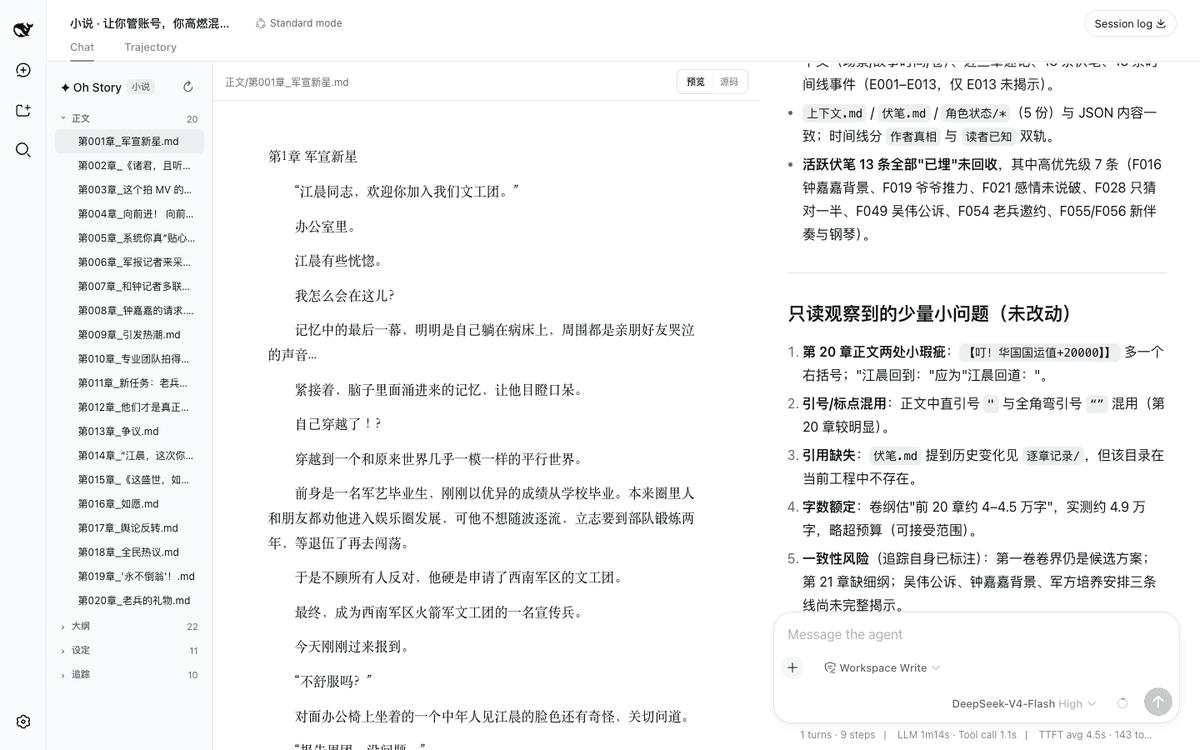 zenstory-ai/oh-story-dsh
DeepSeek 写网文/小说的工作流插件:DeepSeek Harness 社区插件,内置小说、短剧、游戏、视频解说四个工作台 | Community DeepSeek Harness plugin with novel, short-d…
zenstory-ai/oh-story-dsh
DeepSeek 写网文/小说的工作流插件:DeepSeek Harness 社区插件,内置小说、短剧、游戏、视频解说四个工作台 | Community DeepSeek Harness plugin with novel, short-d…
-
 QCYTSN/dsh-dafeiyu
Desktop-native BigFish companion for DeepSeek Harness — real Agent status, always on top on Windows.
QCYTSN/dsh-dafeiyu
Desktop-native BigFish companion for DeepSeek Harness — real Agent status, always on top on Windows.
-
 vlln/whale-girl
DSH Web GUI 桌面宠物插件(QQ 宠物形态):右下角悬浮、可拖拽/投喂/玩耍的积累型伙伴。
vlln/whale-girl
DSH Web GUI 桌面宠物插件(QQ 宠物形态):右下角悬浮、可拖拽/投喂/玩耍的积累型伙伴。
-
 ChisaAlter/WhaleIsle
鲸屿 Whale Isle · DeepSeek Harness 社区增强桌面版:官方核心功能齐备,扩展主题壁纸、鲸鱼娘桌宠、用量统计与手机远程连接。Community-enhanced DeepSeek Harness desktop c…
ChisaAlter/WhaleIsle
鲸屿 Whale Isle · DeepSeek Harness 社区增强桌面版:官方核心功能齐备,扩展主题壁纸、鲸鱼娘桌宠、用量统计与手机远程连接。Community-enhanced DeepSeek Harness desktop c…
-
 Sutera-Diffusus/dsh-whale-musume
DeepSeek Harness 桌宠插件:元气鲸鱼娘看板娘陪你写代码 🐋 支持 DSH 桌面端 0.2.0-rc.2 与旧版 Web(desktop pet / mascot,local-first)
Sutera-Diffusus/dsh-whale-musume
DeepSeek Harness 桌宠插件:元气鲸鱼娘看板娘陪你写代码 🐋 支持 DSH 桌面端 0.2.0-rc.2 与旧版 Web(desktop pet / mascot,local-first)