Across2005/harness-self-evolution-plugin
DeepSeek Harness 全盘自进化升级插件:启动扫描全部插件、实时监控性能、基于信号生成进化提案、Sub-Agent 协同完成升级。MCP Server,13 个工具。v2.5.0 MoonBit native。
Project Overview项目介绍
This is a self-evolution plugin for multiple Harness platforms, with primary support for DeepSeek Harness. It automatically scans and monitors plugins, generates evolution proposals after issue detection, and only executes upgrades after manual approval. Use it to maintain your Harness plugin ecosystem. Note: only Windows native build is available currently.
这是一款面向多种Harness平台的自进化插件,主打DeepSeek Harness。核心能力为自动扫描、监控插件状态,识别问题后生成进化提案,需人工审批才可执行升级。适合需要持续维护优化Harness插件生态的场景。注意:目前仅提供Windows原生构建,Linux/macOS首次安装需手动放行构建。
请帮我了解并安装插件:【harness-self-evolution-plugin】【https://github.com/Across2005/harness-self-evolution-plugin】Send this message to DSH in your current session. CLI install commands may not be accurate across systems — DSH will figure it out for you.把上面这条消息直接发给当前会话里的 DSH,让它帮你了解并安装。安装命令不一定准确,发给 DSH 更稳。
Or use CLI install (for developers)或使用命令行安装(适合开发者)
CLI Install命令行安装
dsh plugin --profile web add github:Across2005/harness-self-evolution-plugin把 Across2005/harness-self-evolution-plugin 加入你的 DSH 配置(web profile)即可启用。
READMEREADME
Harness Self-Evolution Plugin
让多种 Harness 平台的插件生态持续自我进化 —— 扫描 → 监控 → 识别 → 提案 → 人工审批 → 真实升级。
支持:DeepSeek Harness(首打)/ Minimax Code / ZCode / Claude Code / OpenClaw







目录
中文
一句话定位
挂在多种 Harness 平台上的自进化插件(首打 DeepSeek Harness)。用户全程只介入一处:看提案,点同意或不同意。
特性
- 插件扫描:解析
plugin.json/SKILL.md,评复杂度、接口清晰度、文档质量 - 指标采集:按调用记录延迟、成功率、Token 开销;热路径不读盘,深度检查按节流间隔
- 信号识别:强信号(用户纠正 / 连续失败 ≥ 3 / 指标下滑 > 20%)立即触发;中信号累积;弱信号只记录
- 提案生成:八类进化提案绑定 Matt Pocock 工程原则;24 小时冷却、每会话上限 3 条、重复丢弃
- 执行验证:状态机
pending → approved → executing → completed,非approved拒绝执行 - 子 Agent 工厂:3 个 MCP 工具管理两个作用域的 Markdown + YAML frontmatter 定义文件
- DSH 集成:与 DeepSeek Harness 的
subagent工具对接,支持任务 DAG 编排 - DSH Watcher 集成:可选的只读会话观察插件,可视化进化执行过程、模型推理时间和工具调用链路
- 学术写作进化:支持学术写作规范化、反 AI 写作检测、引用规范化三类进化,基于 AI 痕迹检测和学术规范检查
- 安全沙箱:executor 写操作前置防护 — 6 类敏感数据扫描(API Key/Token/Password/PrivateKey/EnvAssignment/AuthHeader)、路径边界检查、文件级自动备份与回滚;所有 I/O 沉淀到
store/sandbox_store.mbt,满足架构守卫 G3
v2.5.0 更新要点
v2.5.0 是工程质量版本:全仓代码评审后修复 56 个问题,测试从 383 增至 420(+37 回归用例),三级验证(T0 语法 / T1 功能 / T2 回归)全绿。
- 2 个 blocker:config watcher 任务句柄保存与 EOF 时机取消(防任务泄漏与竞态);沙箱路径词法消解(
path_lexical_resolve),杜绝..段穿透数据根 - 14 个 major:依赖分析、沙箱备份完善、MCP 错误处理、文档引擎对接等
- 40 个 minor:提案状态机守卫、JSONL 加固(UTF-8 BOM 剥离 / 尾部残行清理 / 唯一 tmp 路径)、死代码清理
- 工具链备注:moon 0.1.20260904 实测支持
errdefer,错误路径清理已改用该官方写法;async@0.20.1锁定维持(见「构建」注)
DSH 生态提报证据(L1–L3)
L1 仓库:https://github.com/Across2005/harness-self-evolution-plugin(GitHub)/ https://www.gitlink.org.cn/Across2005/harness-self-evolution-plugin(GitLink 镜像)— 公开,2026-09-16 发布 v2.5.0,MoonBit native,MIT。
L2 manifest:
package.json声明dsh.bundle(指向.zcode-plugin/plugin.json),同时为 5 个宿主(DeepSeek Harness / Minimax Code / ZCode / Claude Code / OpenClaw)各有一份 capability 投影。13 个 MCP 工具 + DSH subagent 三件套(get_execution_plan/report_task_result/finalize_execution)。420 测试全过(0 失败)、11 条架构守卫 G1–G6 机器化卡死。L3 安装规范:
dsh plugin --profile web add "github:Across2005/harness-self-evolution-plugin#v2.5.0"数据存
~/.harness-evolution/v2/(可由$HARNESS_EVOLUTION_HOME覆盖),配置源链$HARNESS_EVOLUTION_CONFIG→/.zcode-plugin/plugin.json→ 内置默认。
平台兼容性
v2.5.0 产物为 Windows native(
bin/harness-evolution.exe,1,513,984 B)。Linux/macOS 沙盒首次安装可能需要allowBuilds显式放行。跨平台分发是 v2.6 路线图项,详见ROADMAP.md。
已知限制
- F5 —
intensity=50时手动信号不触发提案:propose_evolution的signals参数按设计是 medium 强度,默认 50% 只放行 strong。要把手动信号生效需将intensity设为"100%"。 record_tool_call/record_user_feedback暂无生产调用方:这两个 MCP 工具在本仓库里没有生产路径上的调用方(1.0 也一样)。可走手动路径,但自动信号需 Harness 侧注入事件(注入点已就绪,待平台回调)。- 自动审批故意不接通:
auto_approve字段在 2.0 起遇true显式告警并回落false—— 人工审批是「自动改代码失控」的唯一闸门。
兼容性
本插件兼容多种 Harness 平台:
| 平台 | 宿主标识 | 插件目录 | 子 Agent 目录 |
|---|---|---|---|
| DeepSeek Harness | deepseek-harness |
~/.deepseek/harness/plugins/, ~/.deepseek/harness/extensions/ |
~/.deepseek/harness/agents/ |
| Minimax Code | minimax-code |
~/.minimax/plugins/, ~/.minimax/extensions/ |
~/.minimax/agents/ |
| ZCode | zcode |
~/.zcode/cli/plugins/, ~/.zcode/skills/ |
~/.zcode/agents/ |
| Claude Code | — | 作为 MCP 服务器调用 | — |
| OpenClaw | — | 作为 MCP 服务器调用 | — |
本插件是 DSH 插件,默认宿主为 DeepSeek Harness(user 作用域缺省写 ~/.deepseek/harness/agents/);可通过环境变量 HARNESS_EVOLUTION_HOST 切换宿主类型(如 zcode、minimax-code)。
架构
flowchart TB
    subgraph 宿主
        Client["DeepSeek Harness / Minimax Code / ZCode / Claude Code"]
    end

    subgraph "harness-self-evolution(MCP server, stdio JSON-RPC)"
        direction TB
        HE["harness_evolution/<br/>装配与启动"]
        MCP["mcp/<br/>13 工具 · stdio JSON-RPC"]
        ENG["engine/<br/>决策树 + 风险评估"]
        EXE["executor/<br/>DAG 分层 + Sub-Agent 编排 + 安全沙箱"]
        FAC["factory/<br/>子 Agent 定义管理"]
        SCN["scanner/<br/>插件发现 + 信息提取"]
        MON["monitor/<br/>性能采集 + 信号检测"]
        PLN["planner/<br/>提案 → 执行计划(无状态预处层)"]
        ST["store/<br/>唯一持久化层<br/>(JSONL / 缓存 / 提案 / 子 Agent)"]
        TY["types/<br/>19 张 wire 表 · 词汇表单一事实来源"]
        UT["util/<br/>路径 / 时间 / 日志 / 4 个零依赖 Deep Module"]
    end

    Client -- "scan_plugins / propose_evolution /<br/>approve_proposal / execute_evolution /<br/>create_sub_agent ..." --> MCP
    HE --> MCP
    MCP --> ENG
    MCP --> EXE
    MCP --> SCN
    MCP --> MON
    MCP --> FAC
    ENG --> ST
    EXE --> ST
    FAC --> ST
    SCN --> ST
    MON --> ST
    SCN --> TY
    ENG --> TY
    EXE --> TY
    FAC --> TY
    MON --> TY
    ENG --> MON
    EXE --> MON
    EXE --> PLN
    PLN --> TY
    ST --> UT
    TY --> UT
    ENG --> UT
    EXE --> UT
    FAC --> UT
    SCN --> UT
    MON --> UT
依赖图是严格分层的(util → types → store → scanner/monitor/planner → engine/executor/factory → mcp → harness_evolution),由 src/mcp/architecture_test.mbt 的 11 条守卫(G1–G6)机器化验证;任何新增反向边、往 stdout 写日志、绕过 store/ 持久化,都会在 moon test 里立刻变红。
安装
前置要求
- MoonBit 工具链(
moon):从 MoonBit 官网 下载安装 - Windows:Visual Studio 的 C++ 生成工具(
cl.exe)+ Windows SDK(build.ps1会自动探测) - 宿主环境(任选其一):
- DeepSeek Harness
- Minimax Code CLI:
npm install -g mmx-cli - ZCode CLI
- Claude Code / OpenClaw(作为 MCP 服务器)
运行时不需要 Node.js —— 产物是独立的 native 可执行文件。
构建
# 克隆(任选一)
git clone https://github.com/Across2005/harness-self-evolution-plugin.git
# 或
git clone https://www.gitlink.org.cn/Across2005/harness-self-evolution-plugin.git

cd harness-self-evolution-plugin

# 构建:check + test + build,产物复制到 bin\harness-evolution.exe
.\build.ps1 all

# 链接到 ZCode(可选)
zcode plugin link .
为什么锁死
async@0.20.1:0.21.x 开始使用noraise + nocancel效果注解语法,实测 moon 0.1.20260819 解析它会报[3002] Parse error, unexpected token '+'。当前工具链 moon 0.1.20260904 已实测支持errdefer,但对该 0.21.x 语法未复测,维持锁定;复测通过后方可放开约束。
快速开始
1. 环境准备
确保已安装以下工具:
- MoonBit 工具链(
moon):从 MoonBit 官网 下载安装 - Windows 用户:Visual Studio 的 C++ 生成工具(
cl.exe)+ Windows SDK(build.ps1会自动探测) - 宿主环境(任选其一):
- DeepSeek Harness
- Minimax Code CLI:
npm install -g mmx-cli - ZCode CLI
- Claude Code / OpenClaw(作为 MCP 服务器)
2. 获取与构建
# 克隆仓库(任选一)
git clone https://github.com/Across2005/harness-self-evolution-plugin.git
cd harness-self-evolution-plugin

# 完整构建(检查 + 测试 + 构建)
.\build.ps1 all
构建成功后,产物位于 bin/harness-evolution.exe。
3. 链接到宿主(ZCode)
# 将插件链接到 ZCode(使宿主能发现并加载插件)
zcode plugin link .
4. 启动插件
插件作为 MCP 服务器运行,由宿主自动启动。启动流程:
- 宿主(ZCode)读取
.zcode-plugin/plugin.json配置 - 宿主启动
bin/harness-evolution.exe进程 - 插件通过 stdio JSON-RPC 与宿主通信
- 插件自动扫描 配置的插件目录(
scan_targets) - 监控开始,记录性能事件和进化信号
5. 验证运行
# 检查插件是否正常运行
zcode plugin list
应该能看到 harness-self-evolution (v2.5.0) - Active。
6. 使用插件功能
通过宿主调用 MCP 工具:
// 全量扫描(默认模式)
const result = await callMcpTool('scan_plugins', {});

// 定向重扫(只扫描指定插件的目录,其他插件保留不变)
const result = await callMcpTool('scan_plugins', { plugin_ids: ['browser-use'] });

// 路径重定向(自定义扫描路径)
const result = await callMcpTool('scan_plugins', { target_paths: ['/custom/path'] });

// 获取插件性能指标
const metrics = await callMcpTool('get_plugin_metrics', { plugin_id: 'browser-use-0.4.1' });

// 生成进化提案
const proposal = await callMcpTool('propose_evolution', { plugin_id: 'browser-use-0.4.1' });
build.ps1 子命令
| 命令 | 作用 |
|---|---|
.\build.ps1 check |
moon check --deny-warn --target native(零错零警才算过) |
.\build.ps1 test |
moon test --target native |
.\build.ps1 build |
release 构建 + 复制到 bin\harness-evolution.exe |
.\build.ps1 fmt |
moon fmt |
.\build.ps1 all |
依次执行 check → test → build |
配置
配置只来自 .zcode-plugin/plugin.json 的 evolution_config 段(查找顺序:$HARNESS_EVOLUTION_CONFIG → <cwd>/.zcode-plugin/plugin.json → 内置默认值)。AGENTS.md 不参与任何配置解析。
{
  "scan_targets": [
    "~/.deepseek/harness/plugins/",
    "~/.deepseek/harness/extensions/",
    "~/.minimax/plugins/",
    "~/.minimax/extensions/",
    "~/.zcode/cli/plugins/",
    "~/.zcode/skills/"
  ],
  "evolution_config": {
    "intensity": "50%",
    "auto_approve": false,
    "cooldown_hours": 24,
    "max_log_bytes": 33554432,
    "signal_thresholds": {
      "consecutive_failures": 3,
      "loop_detection": 5,
      "latency_regression": 0.2
    }
  }
}
配置字段说明
| 字段 | 默认值 | 说明 |
|---|---|---|
intensity |
"50%" |
"100%" 强信号或两个中信号均可触发;"50%" 仅强信号触发;"0%" 关闭所有进化检查 |
auto_approve |
false |
故意不接通。人工审批是「自动改代码失控」的唯一闸门 |
cooldown_hours |
24 |
同一插件两次提案的最短间隔(小时),下界 1 |
max_log_bytes |
33554432 |
metrics.jsonl / signals.jsonl 的保留上限(字节,默认 32 MiB) |
signal_thresholds.consecutive_failures |
3 |
连续失败次数阈值 |
signal_thresholds.loop_detection |
5 |
循环检测次数阈值 |
signal_thresholds.latency_regression |
0.2 |
性能回归比例阈值 |
MCP 工具
本插件提供 13 个 MCP 工具:
核心工具
| 工具 | 作用 | 版本 |
|---|---|---|
scan_plugins |
扫描插件(支持定向重扫/路径重定向/全量扫描三种模式) | v2.4 |
get_plugin_metrics |
获取插件性能指标 | v1.0 |
propose_evolution |
生成进化提案(可带手动 signals) |
v1.0 |
approve_proposal |
批准提案(必经环节) | v1.0 |
reject_proposal |
拒绝提案 | v1.0 |
list_proposals |
列出所有提案 | v1.0 |
execute_evolution |
执行已批准提案 | v1.0 |
子 Agent 工厂工具
| 工具 | 作用 | 版本 |
|---|---|---|
create_sub_agent |
创建子 Agent 定义文件 | v2.1 |
list_sub_agents |
列出子 Agent 定义(可按 scope 过滤) |
v2.1 |
delete_sub_agent |
删除子 Agent 定义 | v2.1 |
合并工具
| 工具 | 作用 | 版本 |
|---|---|---|
analyze_plugins |
合并工具:扫描并/或获取指标(mode=scan/metrics/both) |
v2.3 |
evolve_plugin |
合并工具:生成或执行提案(action=propose/execute) |
v2.3 |
manage_sub_agent |
合并工具:管理子 Agent 定义(action=create/list/delete) |
v2.3 |
项目结构
harness-self-evolution-plugin/
├── src/                          # MoonBit 源代码(72 个 .mbt 文件)
│   ├── engine/                   # 进化引擎:决策树 + 风险评估
│   │   ├── engine.mbt            # 进化引擎核心
│   │   ├── planning.mbt          # 提案规划(含学术写作变更生成)
│   │   ├── academic_writing.mbt  # 学术写作进化引擎
│   │   └── risk.mbt              # 风险评估
│   ├── executor/                 # 执行器:DAG 分层 + Sub-Agent 编排
│   │   ├── dag.mbt               # 拓扑排序
│   │   ├── executor.mbt          # 执行器核心
│   │   ├── runner.mbt            # 任务执行器(模拟/真实)
│   │   └── sandbox.mbt           # 安全沙箱:敏感数据扫描 + 边界检查 + 备份回滚
│   ├── planner/                  # 计划生成模块
│   │   └── planner.mbt           # 计划生成与清理
│   ├── factory/                  # 子 Agent 工厂
│   │   └── factory.mbt
│   ├── harness_evolution/        # 入口:装配与启动
│   │   └── main.mbt
│   ├── mcp/                      # MCP 服务器:13 工具 · stdio JSON-RPC
│   │   ├── jsonrpc.mbt           # JSON-RPC 2.0 协议
│   │   ├── schema.mbt            # 工具 Schema
│   │   ├── server.mbt            # stdio 传输层
│   │   └── tools.mbt             # 工具定义与派发
│   ├── monitor/                  # 性能监控:信号检测
│   │   ├── deep_check.mbt        # 深度检查
│   │   ├── flush.mbt             # 缓冲刷新
│   │   ├── monitor.mbt
│   │   ├── statistics.mbt        # 统计聚合
│   │   └── trailing.mbt          # 尾计数状态
│   ├── scanner/                  # 插件扫描:发现 + 信息提取
│   │   ├── discover.mbt          # 目录遍历
│   │   ├── extract.mbt           # 元数据提取
│   │   ├── metrics.mbt           # 指标计算
│   │   └── scanner.mbt
│   ├── store/                    # 持久化层:JSONL / 缓存 / 提案 / 子 Agent
│   │   ├── agent_defs.mbt        # 子 Agent 定义存储
│   │   ├── cache.mbt             # 插件缓存
│   │   ├── exec_log.mbt          # 执行日志
│   │   ├── jsonl.mbt             # JSONL 读写
│   │   ├── paths.mbt             # 数据路径
│   │   ├── proposals.mbt         # 提案存储
│   │   └── sandbox_store.mbt     # 沙箱文件 I/O(备份/读写/恢复/清理)
│   ├── types/                    # 类型定义:19 张 wire 表
│   │   ├── agent_scope.mbt
│   │   ├── change.mbt
│   │   ├── config.mbt            # 配置类型
│   │   ├── config_helpers.mbt    # 配置解析辅助
│   │   ├── dependency.mbt
│   │   ├── event.mbt
│   │   ├── plugin.mbt
│   │   ├── proposal.mbt
│   │   ├── signal.mbt
│   │   ├── task.mbt
│   │   └── wire_tables.mbt       # wire 表定义
│   └── util/                     # 工具库:4 个零依赖 Deep Module
│       ├── log.mbt               # 日志(唯一 stderr 出口)
│       ├── path.mbt              # 路径处理
│       ├── time.mbt              # 时间处理
│       └── wire.mbt              # wire 表工具
├── agents/                       # 子 Agent 出厂模板(5 个)
│   ├── code-generator.md
│   ├── doc-writer.md
│   ├── integration.md
│   ├── test-writer.md
│   └── validator.md
├── skills/                       # Skill 定义
│   └── harness-evolution/
│       └── SKILL.md
├── bin/                          # 构建产物
│   └── harness-evolution.exe
├── docs/                         # 文档
├── specs/                        # 规格文档
├── .zcode-plugin/                # 插件配置
│   └── plugin.json
├── build.ps1                     # 构建脚本
├── moon.mod                      # MoonBit 模块配置
├── CONTEXT.md                    # 领域词汇表
├── DESIGN.md                     # 详细设计
├── DSH_INTEGRATION.md            # DSH 集成指南
└── README.md                     # 本文件
子 Agent 系统
插件内置 5 个子 Agent 角色,用于协同执行进化提案:
| Agent | 职责 | 触发条件 |
|---|---|---|
code-generator |
实现工具合并/中间件/能力扩展代码 | 提案包含代码变更 |
test-writer |
编写测试用例 | 存在代码生成任务 |
doc-writer |
更新文档 | 提案包含文档变更 |
integration |
处理依赖关系与兼容性 | 任务数 > 1 |
validator |
执行 T0/T1/T2 三级验证 | 所有任务完成后 |
任务执行流程
flowchart LR
    P[提案审批] --> E[Executor 启动]
    E --> PL[Planner 生成执行计划]
    PL --> D[任务分解]
    D --> CG[code-generator]
    D --> TW[test-writer]
    D --> DW[doc-writer]
    D --> IT[integration]
    D --> VA[validator]
    CG --> T0[T0 语法]
    TW --> T1[T1 功能]
    VA --> T2[T2 回归]
    T0 --> R[更新 Registry]
    T1 --> R
    T2 --> R
三级验证
| 级别 | 验证内容 | 超时 |
|---|---|---|
| T0 | 语法验证(moon check) |
50ms |
| T1 | 功能验证(moon test) |
100ms |
| T2 | 回归验证(build.ps1 all) |
150ms |
数据存储
所有数据以 JSONL / JSON 格式存储在同一个数据根目录下(默认 ~/.harness-evolution/v2/,可用 $HARNESS_EVOLUTION_HOME 覆盖):
~/.harness-evolution/v2/
├── plugin-cache.json   # 扫描缓存(每条带目录指纹:mtime + 子项数 + 子项 mtime)
├── metrics.jsonl       # 性能事件(monitor 写,受 max_log_bytes 约束)
├── signals.jsonl       # 进化信号(monitor 写 / engine 读,受 max_log_bytes 约束)
├── proposals.jsonl     # 进化提案(ProposalStore 唯一读写口,不裁剪)
├── execution.log       # 执行日志(executor,不裁剪)
├── sandbox/            # 沙箱备份目录(executor 进入沙箱时自动创建,退出后清理)
└── agents/             # 子 Agent 定义(factory 写,scope=plugin)
窗口裁剪
metrics.jsonl / signals.jsonl 受 max_log_bytes(默认 32 MiB)约束:flush 成功后若超限,裁到只保留最新的完整行。proposals.jsonl(审计事实来源)与 execution.log 不裁剪。
架构守卫
| 守卫 | 约束 |
|---|---|
| G1 / G1b | 包依赖图与声明完全一致,且每条边严格向下(构造性无环) |
| G2 / G2b | @stdio.stdout 只在 mcp/server.mbt,@stdio.stderr 只在 util/log.mbt |
| G3 / G3b | @fs 的写操作只在 store/ |
| G4 / G4b | 数据目录字面量只在 store/paths.mbt |
| G5 / G5b | MoonBit 测试覆盖 420 个用例,包含完整的架构守卫验证 |
| G6 | moon.mod 只有一个外部依赖,且 native 是首选目标 |
每条守卫都做过负向探针验证(人为引入违规确认会变红),否则「永远通过的测试」只是装饰。
安全沙箱
executor 执行进化提案时,所有写操作经过安全沙箱预处理:
- 前置扫描(
sandbox_pre_check):扫描目标文件是否包含 6 类敏感数据(API Key / Token / Password / Private Key / 环境变量赋值 / Auth Header),发现则中止执行 - 路径边界(
is_within_boundary):确保写操作不超出数据根目录(~/.harness-evolution/),防止路径穿越 - 文件备份(
backup_file):执行前自动备份每个目标文件到沙箱目录 - 后置验证(
sandbox_post_verify):执行后验证敏感数据未被破坏、路径未越界 - 回滚机制(
sandbox_restore_all):验证失败时自动从备份恢复所有文件
沙箱纯逻辑层在 src/executor/sandbox.mbt(6 个函数),文件 I/O 层在 src/store/sandbox_store.mbt(7 个方法),严格遵守架构守卫 G3(@fs 写操作只在 store/)。
风险缓解
- 只读扫描:Scanner 不修改任何插件代码
- 审批强制:所有进化必须经
approve_proposal - 状态机约束:提案只能从
pending → approved → executing → completed(或被reject_proposal回到rejected),非法跃迁一律拒 - 信号缓冲有界:
signal_buffer上限 500 条(max_buffered_signals),溢出丢最旧 - 数值防御:
num_field拒绝NaN/Infinity,回落默认值并点名告警 - 观测日志有界:
metrics.jsonl/signals.jsonl受max_log_bytes约束,超限保留最新完整行 - 安全沙箱:executor 写操作前扫描敏感数据、验证路径边界、自动备份;执行后验证完整性;失败自动回滚
文档
| 文档 | 说明 |
|---|---|
CONTEXT.md |
领域词汇表、设计上下文、缺陷清单、配置来源、架构守卫 |
DESIGN.md |
详细设计、模块边界、调用链 |
DSH_INTEGRATION.md |
DSH Sub-Agent 集成指南(371 行) |
docs/subagent-factory.md |
子 Agent 工厂的设计与研究结论 |
specs/minimax-code-support.md |
Minimax Code 扫描支持规格 |
贡献
欢迎提交 Issue 和 Pull Request。请先读 CONTEXT.md 的「架构不变量」与「Matt Pocock 原则」两节 —— 任何反向边、往 stdout 写日志、绕过 store/ 持久化、引入裸配置孤岛,都会被架构守卫在 moon test 阶段直接拒。
许可证
English
What is this
A self-evolution plugin for multiple Harness platforms (primary: DeepSeek Harness). It scans plugins, monitors performance, detects signals, drafts upgrade proposals, and (only after explicit human approval) executes the upgrade. The user touches it in exactly one place: reviewing proposals.
Supported platforms: DeepSeek Harness / Minimax Code / ZCode / Claude Code / OpenClaw
Features
- Plugin scanning: Parses
plugin.json/SKILL.md, evaluates complexity, interface clarity, documentation quality - Metrics collection: Records latency, success rate, token usage per call; hot path avoids disk I/O, deep checks throttled
- Signal detection: Strong signals (user correction / consecutive failures ≥ 3 / metric regression > 20%) trigger immediately; medium signals accumulate; weak signals only recorded
- Proposal generation: Eight evolution types bound to Matt Pocock engineering principles; 24h cooldown, max 3 per session, deduplication
- Execution verification: State machine
pending → approved → executing → completed, non-approvedrejected - Sub-Agent factory: 3 MCP tools manage two scopes of Markdown + YAML frontmatter definition files
- DSH integration: Integrates with DeepSeek Harness's
subagenttool for task DAG orchestration - DSH Watcher integration: Optional read-only session observation plugin for visualizing evolution execution
- Safety sandbox: Pre-execution protection for executor write operations — 6-category sensitive data scanning (API Key/Token/Password/PrivateKey/EnvAssignment/AuthHeader), path boundary checks, file-level auto-backup and rollback; all I/O delegated to
store/sandbox_store.mbt, satisfying architecture guard G3
What's New in v2.5.0
v2.5.0 is an engineering-quality release: 56 issues fixed after a full-repo code review, tests grew from 383 to 420 (+37 regression cases), with all three verification levels (T0 syntax / T1 functional / T2 regression) green.
- 2 blockers: config-watcher task handle retention and EOF-time cancellation (prevents task leaks and races); sandbox path lexical resolution (
path_lexical_resolve), eliminating..-segment traversal past the data root - 14 majors: dependency analysis, sandbox backup hardening, MCP error handling, documentation engine integration, and more
- 40 minors: proposal state-machine guards, JSONL hardening (UTF-8 BOM stripping / tail partial-line cleanup / unique tmp paths), dead-code cleanup
- Toolchain note:
errdeferverified working on moon 0.1.20260904 and adopted for error-path cleanup; theasync@0.20.1pin stays (see the Build note)
DSH Ecosystem Submission Evidence (L1–L3)
L1 Repository: https://github.com/Across2005/harness-self-evolution-plugin (GitHub) / https://www.gitlink.org.cn/Across2005/harness-self-evolution-plugin (GitLink 镜像) — public, released 2026-09-16 (v2.5.0), MoonBit native, MIT.
L2 Manifest:
package.jsondeclaresdsh.bundle(pointing at.zcode-plugin/plugin.json); capability projections are provided for 5 hosts (DeepSeek Harness, Minimax Code, ZCode, Claude Code, OpenClaw). 13 MCP tools plus the DSH subagent triple (get_execution_plan/report_task_result/finalize_execution). 420 tests passing (0 failures), 11 architecture guards G1–G6 enforced by machine.L3 Install Spec:
dsh plugin --profile web add "github:Across2005/harness-self-evolution-plugin#v2.5.0"State stored at
~/.harness-evolution/v2/(overridable via$HARNESS_EVOLUTION_HOME); config resolution chain is$HARNESS_EVOLUTION_CONFIG→/.zcode-plugin/plugin.json→ built-in defaults.
Platform Compatibility
v2.5.0 artifact is Windows-native (
bin/harness-evolution.exe, 1,513,984 B). First-time install on Linux/macOS sandboxes may require an explicitallowBuildsallowlist entry. Cross-platform distribution is a v2.6 roadmap item, seeROADMAP.md.
Known Limitations
- F5 — at
intensity=50, manual signal does not trigger a proposal: thesignalsparameter ofpropose_evolutionis designed as medium strength; at default 50% only strong signals pass. Raiseintensityto"100%"to enable manual signals. record_tool_call/record_user_feedbackhave no production caller: these MCP tools have no production-path caller in this repo (1.0 was the same). Manual path works, but automatic signals require Harness-side event injection (injection point ready, awaiting platform callback).- Auto-approve intentionally not wired: the
auto_approvefield warns and falls back tofalsesince 2.0 — manual approval is the only gate against "auto-code-goes-wild".
Compatibility
| Platform | Host ID | Plugin Directory | Agent Directory |
|---|---|---|---|
| DeepSeek Harness | deepseek-harness |
~/.deepseek/harness/plugins/, ~/.deepseek/harness/extensions/ |
~/.deepseek/harness/agents/ |
| Minimax Code | minimax-code |
~/.minimax/plugins/, ~/.minimax/extensions/ |
~/.minimax/agents/ |
| ZCode | zcode |
~/.zcode/cli/plugins/, ~/.zcode/skills/ |
~/.zcode/agents/ |
| Claude Code | — | Called as MCP server | — |
| OpenClaw | — | Called as MCP server | — |
This is a DSH plugin; the default host is DeepSeek Harness (user scope writes to ~/.deepseek/harness/agents/ by default). Switch host type via the HARNESS_EVOLUTION_HOST environment variable (e.g. zcode, minimax-code).
Quickstart
1. Prerequisites
- MoonBit toolchain (
moon): download from MoonBit website - Windows: Visual Studio C++ Build Tools (
cl.exe) + Windows SDK (auto-detected bybuild.ps1) - Host environment (choose one):
- DeepSeek Harness
- Minimax Code CLI:
npm install -g mmx-cli - ZCode CLI
- Claude Code / OpenClaw (as MCP server)
2. Clone and Build
# Clone (either one)
git clone https://github.com/Across2005/harness-self-evolution-plugin.git
# or
git clone https://www.gitlink.org.cn/Across2005/harness-self-evolution-plugin.git

cd harness-self-evolution-plugin

# Full build: check + test + build
.\build.ps1 all
The output binary is at bin/harness-evolution.exe.
3. Link to Host (ZCode)
zcode plugin link .
4. Run
The plugin runs as an MCP server, automatically started by the host:
- Host reads
.zcode-plugin/plugin.jsonconfiguration - Host launches
bin/harness-evolution.exe - Plugin communicates via stdio JSON-RPC
- Plugin auto-scans configured plugin directories (
scan_targets) - Monitoring begins, recording performance events and evolution signals
5. Verify
zcode plugin list
# Should show: harness-self-evolution (v2.5.0) - Active
6. Use Plugin Features
// Full scan (default mode)
const result = await callMcpTool('scan_plugins', {});

// Incremental rescan (only scan directories of specified plugins, keep others unchanged)
const result = await callMcpTool('scan_plugins', { plugin_ids: ['browser-use'] });

// Path redirect (custom scan paths)
const result = await callMcpTool('scan_plugins', { target_paths: ['/custom/path'] });

// Get plugin metrics
const metrics = await callMcpTool('get_plugin_metrics', { plugin_id: 'browser-use-0.4.1' });

// Generate evolution proposal
const proposal = await callMcpTool('propose_evolution', { plugin_id: 'browser-use-0.4.1' });
MCP Tools
The plugin provides 13 MCP tools:
Core Tools
| Tool | Description | Version |
|---|---|---|
scan_plugins |
Scan plugins (incremental rescan / path redirect / full scan) | v2.4 |
get_plugin_metrics |
Get plugin performance metrics | v1.0 |
propose_evolution |
Generate evolution proposal | v1.0 |
approve_proposal |
Approve proposal (required step) | v1.0 |
reject_proposal |
Reject proposal | v1.0 |
list_proposals |
List all proposals | v1.0 |
execute_evolution |
Execute approved proposal | v1.0 |
Sub-Agent Factory Tools
| Tool | Description | Version |
|---|---|---|
create_sub_agent |
Create sub-agent definition file | v2.1 |
list_sub_agents |
List sub-agent definitions | v2.1 |
delete_sub_agent |
Delete sub-agent definition | v2.1 |
Composite Tools
| Tool | Description | Version |
|---|---|---|
analyze_plugins |
Composite: scan and/or get metrics | v2.3 |
evolve_plugin |
Composite: generate or execute proposal | v2.3 |
manage_sub_agent |
Composite: manage sub-agent definitions | v2.3 |
Safety Sandbox
When executing evolution proposals, all executor write operations pass through a safety sandbox:
- Pre-scan (
sandbox_pre_check): Scans target files for 6 categories of sensitive data (API Key / Token / Password / Private Key / Environment variable assignment / Auth Header); aborts if found - Path boundary (
is_within_boundary): Ensures writes stay within the data root (~/.harness-evolution/), preventing path traversal - File backup (
backup_file): Auto-backs up each target file to the sandbox directory before execution - Post-verify (
sandbox_post_verify): Validates sensitive data integrity and path boundaries after execution - Rollback (
sandbox_restore_all): Auto-restores all files from backup on verification failure
The sandbox logic layer lives in src/executor/sandbox.mbt (6 functions), and the file I/O layer in src/store/sandbox_store.mbt (7 methods), strictly observing architecture guard G3 (@fs writes only in store/).
Documentation
| Document | Description |
|---|---|
CONTEXT.md |
Domain vocabulary, design context, defect ledger, config source, architecture guards |
DESIGN.md |
Detailed design, module boundaries, call chains |
DSH_INTEGRATION.md |
DSH Sub-Agent integration guide (371 lines) |
docs/subagent-factory.md |
Sub-Agent factory design and research conclusions |
specs/minimax-code-support.md |
Minimax Code scanning support spec |
License
Related相关推荐
- Yts1919/dsh-vision-complete 给 DeepSeek 补上「眼睛和耳朵」的多模态视觉插件:看图 / OCR / 物体检测 / 视频理解 / 语音转写 / 截图直读,一键安装(DSH 插件)。
-
 988hj7tczd-oss/dsh-computer-use
Cross-platform Computer Use plugin for DeepSeek Harness: observable desktop automation with an isolated virtual cursor, …
988hj7tczd-oss/dsh-computer-use
Cross-platform Computer Use plugin for DeepSeek Harness: observable desktop automation with an isolated virtual cursor, …
- MrmoLabs/dsh-mermaid Render Mermaid code blocks as SVG diagrams in DeepSeek Harness Web, with diagram/code switching, streaming support, dark…
-
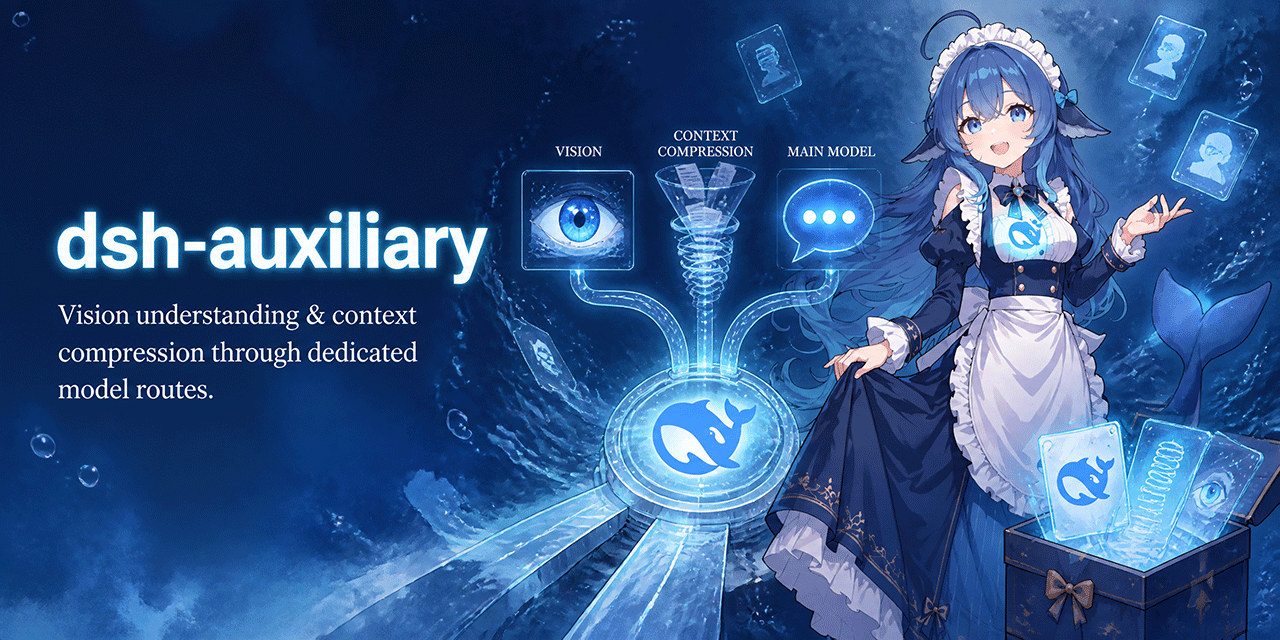 dsh-plugins/dsh-auxiliary
Auxiliary models for DeepSeek Harness: vision understanding and context compression through dedicated model routes. Deep…
dsh-plugins/dsh-auxiliary
Auxiliary models for DeepSeek Harness: vision understanding and context compression through dedicated model routes. Deep…
- lhh010/dsh-bash-encoding DSH bash 输出编码自动识别插件:替换 ctx.bash,自管 spawn 收集原始字节,自动检测 UTF-16LE/UTF-8/GBK 等编码并正确解码,修复 WSL/Windows 下 bash 工具的中文乱码。
- lynote-ai/dsh-humanizer
-
 dttxorg/deepseekeyes
Auditable vision and cross-platform Computer Use runtime for DeepSeek Harness — strict evidence, health-checked failover…
dttxorg/deepseekeyes
Auditable vision and cross-platform Computer Use runtime for DeepSeek Harness — strict evidence, health-checked failover…
- Machine-126/dsh-alert-sound Notification sound + Chinese voice alerts for the DeepSeek Harness web GUI (approval / answer / completion / error), wit…