AikenFra/dsh-alive
项目介绍Project Overview
dsh-alive 是 DeepSeek Harness(dsh)Web 界面的零 token 在线状态指示器插件。它在会话窗口右上角常驻显示在线/离线状态点,每 15 秒自动检测一次,完全通过进程内 HTTP 心跳实现,不调用任何 LLM。适用于需要实时监控服务可用性的场景。注意:依赖 dsh 的 slot 系统与 webServer 服务,需匹配客户端框架版本。
dsh-alive is a zero-token online status indicator plugin for the DeepSeek Harness (dsh) web UI. It displays a persistent online/offline dot in the conversation header, auto-refreshing every 15 seconds via a process-local HTTP heartbeat—no LLM calls, no token consumption. Use it to monitor service availability in real time. Caveat: it depends on dsh's slot system and webServer service, requiring a matching client framework version.
请帮我了解并安装插件:【dsh-alive】【https://github.com/AikenFra/dsh-alive】把上面这条消息直接发给当前会话里的 DSH,让它帮你了解并安装。安装命令不一定准确,发给 DSH 更稳。Send this message to DSH in your current session. CLI install commands may not be accurate across systems — DSH will figure it out for you.
或使用命令行安装(适合开发者)Or use CLI install (for developers)
命令行安装CLI Install
dsh plugin --profile web add dsh-alive把 AikenFra/dsh-alive 加入你的 DSH 配置(web profile)即可启用。
READMEREADME
dsh-alive · 零 token 在线状态指示器




A zero-token online status indicator for the DeepSeek Harness (dsh) web UI. 为 DeepSeek Harness (dsh) Web 界面提供零 token 消耗的在线状态指示器。
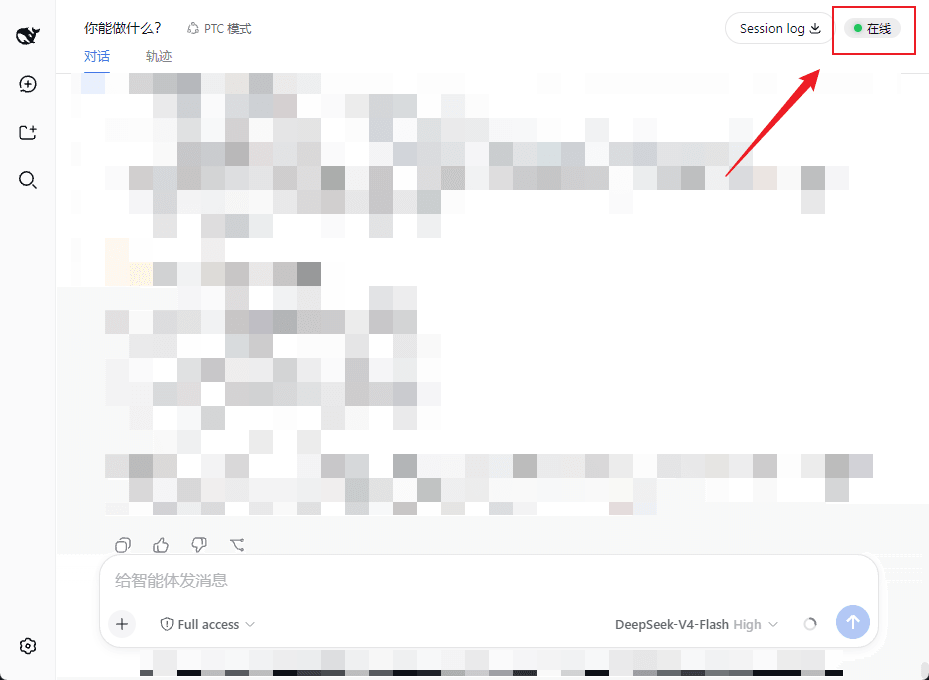
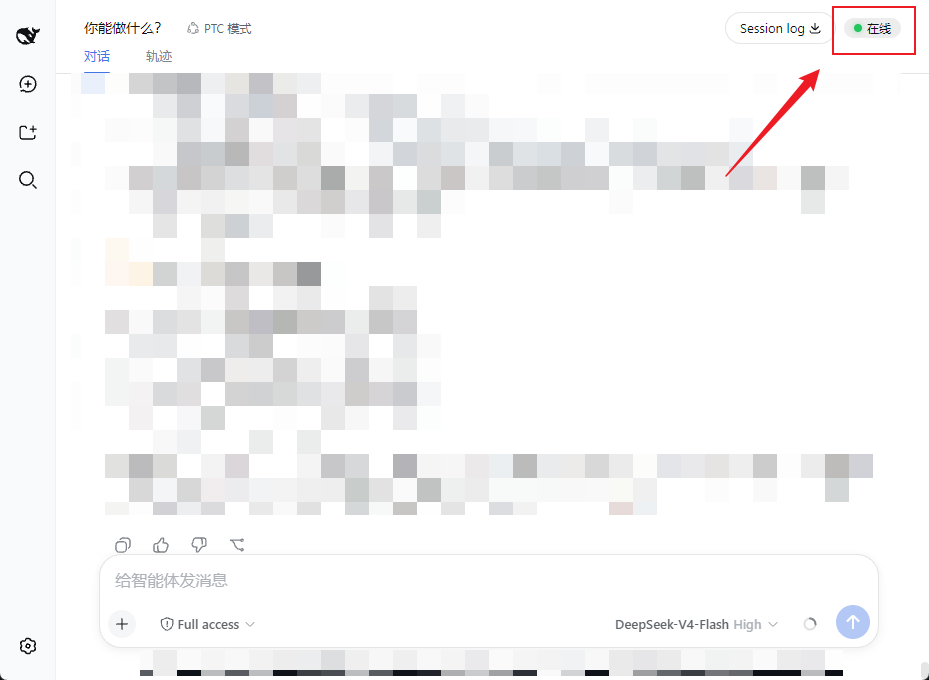
在会话窗口右上角常驻显示 ● 在线 / ● 离线 状态点,每 15 秒自动检测一次。完全不调用 LLM,零 token 消耗——只是浏览器对本地服务做一次进程内的 HTTP 心跳。
An always-visible ● Online / ● Offline indicator in the conversation header, auto-refreshed every 15 seconds. It costs zero tokens — the browser simply polls a process-local HTTP endpoint.
功能 / Features
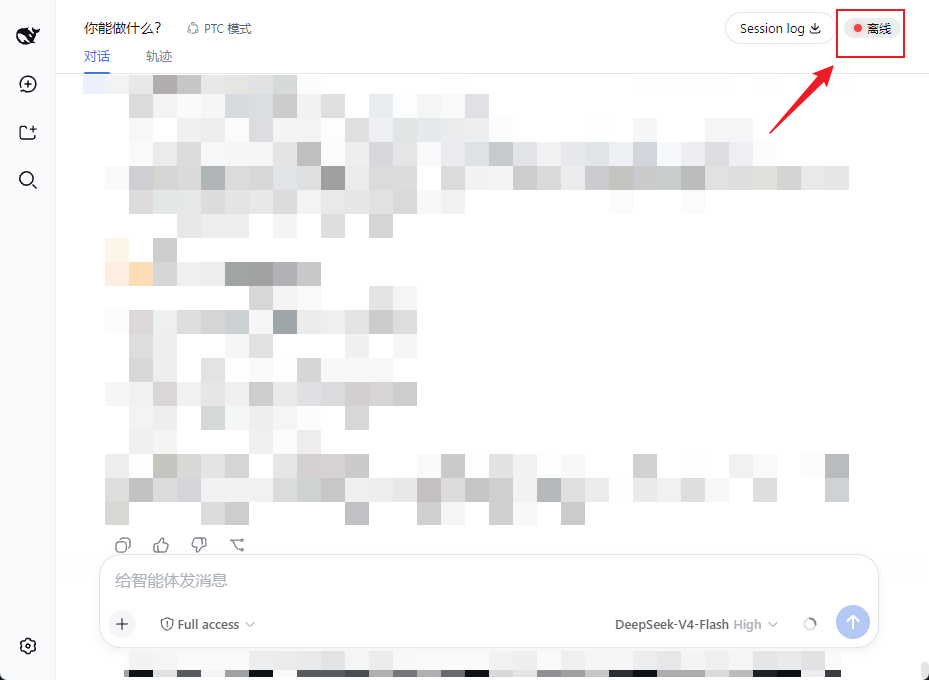
- ✅ 会话头部右上角常驻状态点(绿色 = 在线,红色 = 离线,黄色 = 检测中)
- ✅ 每 15 秒自动检测,无需手动刷新
- ✅ 零 token 消耗:纯进程内 ping,不调用任何 LLM
- ✅ 开箱即用,无需任何配置
- ✅ 服务挂了立刻变红点,恢复后自动变回绿点
截图 / Screenshots
● 在线(绿色)| ● 离线(红色) — 会话窗口右上角常驻显示:
| 在线 / Online | 离线 / Offline |
|---|---|
 |
 |
工作原理 / How it works
浏览器页面 --(每 15s fetch)--> GET /dsh-alive/ping --> dsh 服务进程(直接应答)
                              | 零 LLM 调用,零 token
- 后端:注册一个进程内 HTTP 端点
GET /dsh-alive/ping,立即返回{"ok":true},不经过任何模型。 - 前端:通过 dsh 的 slot 系统注入一个小组件到
conversation.session.header.utilities,用setInterval每 15 秒轮询一次 ping 端点,根据响应更新状态点。
安装 / Install
需要已安装 DeepSeek Harness(
dsh)。适用于webprofile。
# 装进 web profile(npm 发布后)
dsh plugin --profile web add dsh-alive

# 重启服务
dsh web
重启后打开页面,按 Ctrl+F5 强制刷新,右上角即可看到状态点。
本地/手动安装(未发布时)
把本仓库放到 ~/.dsh/profiles/web/dsh-alive,然后:
- 在
~/.dsh/profiles/web/package.json的dependencies加"dsh-alive": "file:./dsh-alive" - 在
dsh.profile.bundles列表追加"dsh-alive" - 重启
dsh web并硬刷新页面
卸载 / Uninstall
dsh plugin --profile web remove dsh-alive
dsh web
兼容性 / Compatibility
- 测试于
dsh 0.1.0-rc.6(webprofile) - 依赖 dsh 的 slot 系统(
conversation.session.header.utilities)与webServer服务注入,要求 dsh web 客户端框架版本匹配
开发 / Development
dsh-alive/
├── package.json        # 插件清单(dsh.bundle / dsh.client)
├── cordis.patch.yml    # bundle 挂载声明
├── dsh/
│   └── index.js        # 后端:/dsh-alive/ping 进程内端点
└── client/
    └── client.js       # 前端:状态点组件 + 15s 轮询
License
相关推荐Related
-
 nexu-io/open-design
🎨 Best DeepSeek Harness Design Plugin. The open-source Claude Design alternative. 🖥️ Local-first desktop app. 🖼️ Your…
nexu-io/open-design
🎨 Best DeepSeek Harness Design Plugin. The open-source Claude Design alternative. 🖥️ Local-first desktop app. 🖼️ Your…
-
 freestylefly/awesome-gpt-image-2
Prompt as Code | GPT-Image2 工业级提示词引擎与模板库,530+ 个案例逆向工程,20+ 套工业级模板,并提炼出Skills,持续更新中
freestylefly/awesome-gpt-image-2
Prompt as Code | GPT-Image2 工业级提示词引擎与模板库,530+ 个案例逆向工程,20+ 套工业级模板,并提炼出Skills,持续更新中
-
 anywhere-labs/dsh-desktop
为 DeepSeek Harness (DSH) 插件生态打造的现代化桌面端解决方案。万物皆「插件」,桌面本身也是「插件」。
anywhere-labs/dsh-desktop
为 DeepSeek Harness (DSH) 插件生态打造的现代化桌面端解决方案。万物皆「插件」,桌面本身也是「插件」。
- Nagi-ovo/voyager Enhancement suite for Gemini, AI Studio, Claude & ChatGPT — plus a prompt manager for any web UI, DeepSeek Harness inclu…
-
 walkinglabs/learn-harness-engineering
Harness engineering beginner tutorial, from 0 to 1
walkinglabs/learn-harness-engineering
Harness engineering beginner tutorial, from 0 to 1
-
 awesome-dsh-plugin/awesome-dsh-plugin
A curated list of plugins for DeepSeek Harness (dsh) · DeepSeek Harness 插件精选列表
awesome-dsh-plugin/awesome-dsh-plugin
A curated list of plugins for DeepSeek Harness (dsh) · DeepSeek Harness 插件精选列表
-
 MemTensor/MemOS
Self-evolving memory OS for LLM & AI Agents: ultra-persistent memory, hybrid-retrieval, and cross-task skill reuse, with…
MemTensor/MemOS
Self-evolving memory OS for LLM & AI Agents: ultra-persistent memory, hybrid-retrieval, and cross-task skill reuse, with…
- yjh051108/dsh-routing-suite dsh-routing-suite — injector + router-standard kit: install the runtime injector first, then the task-aware reasoning-mo…