AIRIKE1/dsh-client-ui-tweakcn
DSH Client Theme Plugin: Maps the index.css exported from tweakcn.com to DSH semantic tokens (colors/radii/shadows/fonts), supporting theme saving/switching/editing.
Project Overview项目介绍
This is a client-side theme plugin for DeepSeek Harness (DSH). It automatically maps shadcn theme CSS exported from tweakcn.com to DSH design tokens, supports saving and switching multiple themes, and works with both light and dark mode. When using, confirm you paste exported index.css not layout.tsx.
这是DeepSeek Harness(DSH)的客户端换肤插件,可将tweakcn.com导出的shadcn主题CSS自动映射到DSH设计token,支持保存切换多套主题,适配深浅色模式。使用时需要确认粘贴的是正确导出的index.css,而非layout.tsx。
请帮我了解并安装插件:【dsh-client-ui-tweakcn】【https://github.com/AIRIKE1/dsh-client-ui-tweakcn】Send this message to DSH in your current session. CLI install commands may not be accurate across systems — DSH will figure it out for you.把上面这条消息直接发给当前会话里的 DSH,让它帮你了解并安装。安装命令不一定准确,发给 DSH 更稳。
Or use CLI install (for developers)或使用命令行安装(适合开发者)
CLI Install命令行安装
dsh plugin --profile web add github:AIRIKE1/dsh-client-ui-tweakcn把 AIRIKE1/dsh-client-ui-tweakcn 加入你的 DSH 配置(web profile)即可启用。
READMEREADME
🎨 dsh-client-ui-tweakcn
"在 tweakcn.com 设计主题 —— 复制 index.css 粘贴进来 —— 让 DeepSeek Harness 穿上它。"






🎨 你在 tweakcn.com 设计了一款惊艳的 shadcn/ui 主题,但 DSH 还穿着默认灰? |
✨ 粘贴一次,整个应用换肤。
一个 DeepSeek Harness 客户端插件:把 tweakcn.com 导出的 index.css 映射到 DSH 语义设计 token —— 配色 · 圆角 · 阴影 · 字体,并支持保存主题随时切换。
index.css → 约 78 个 --dsw-* token → 浅色/深色都跟随你的「外观」偏好
🎨 功能 · ⚡ 安装 · 🚀 使用 · 🗺️ 映射表 · ❓ 常见问题 · 🗺️ Roadmap · 🔧 原理 · 🧪 测试
🔷 2026.08.16 — v0.1.0 发布。 粘贴 tweakcn.com 的
index.css,配色 · 圆角 · 阴影 · 字体 全部映射到 DSH 语义 token;支持保存/切换/编辑多套主题;递归 CSS 解析器(合并:root, .dark块、@media prefers-color-scheme、:not(.dark));侧栏可读化 + 解析反馈;启动安全、本地优先。已上线 DSH 插件市场。
⭐ 觉得好用? 给仓库点个 Star,让更多人看到它。
🎨 功能
| 🎨 粘贴即用 | 把 tweakcn.com 导出的 index.css 粘贴进设置——配色、--radius、--shadow-* 阴影尺度和 --font-sans/--font-mono 字体全部自动映射(支持 oklch / hsl / hex;@theme、@layer 等无关内容自动忽略)。 |
| 💾 保存与切换 | 任何粘贴内容都能命名保存为主题;在 DSH 默认 / Violet(内置) / 已保存主题之间随时切换;支持 ✎ 编辑、✕ 删除。 |
| 🌗 浅色/深色 | 主题的 :root / .dark 值跟随 DSH「外观」偏好——合并选择器 :root, .dark { … } 也能正确处理,「浅色模式没效果」的问题已修复。 |
| 🔲 圆角适配 | --radius: 0px → 全直角(neo-brutalist);--radius: 1rem → 16px 圆角;圆形元素(状态点、徽章、开关、滑杆 thumb 等)保持圆形。 |
| 🌑 阴影适配 | --shadow-2xs…2xl 尺度 → --dsw-shadow-lv1/2/3(菜单、面板、卡片、输入框)——硬偏移阴影也支持。 |
| 🔤 字体适配 | --font-sans → 消息区等正文,--font-mono → 代码。 |
| 📊 解析反馈 | 点「应用/保存」后显示「已解析:浅色 N 项 / 深色 M 项」;粘贴了 layout.tsx 会明确报错提示。 |
| 🛡️ 启动安全 · 本地优先 | 本地状态是唯一权威,陈旧回包永远无法撤销你的选择;插件任何环节都不抛错,DSH 一定能正常启动。 |
| 🔗 tweakcn 直达按钮 | 一键打开 tweakcn.com 设计下一个主题。 |
⚡ 安装
都 2026 年了,你有 Agent,让它自己装。打开你用的 Claude Code / Hermes / OpenClaw / Codex / DeepSeek Harness,把下面这句丢给它:
🛎️ 帮我安装 dsh-client-ui-tweakcn 这个插件:https://github.com/AIRIKE1/dsh-client-ui-tweakcn
Agent 会自动识别当前宿主的插件目录(%USERPROFILE%\.dsh\profiles\desktop\node_modules)、clone 仓库、执行 install.ps1 并注册 bundle。重启 DSH Desktop,然后在「设置 → tweakcn 主题」里粘贴你的主题。
最简单的:仓库带 dsh-plugin topic,会出现在 DSH 内置的插件市场里——打开设置 → 插件市场,搜 dsh-client-ui-tweakcn,一键安装。
🛠️ 想自己手动装?点开看路径
一键脚本(在仓库目录执行):
.\install.ps1
手动(DeepSeek Harness 桌面版):
- 把
dsh-client-ui-tweakcn文件夹放到%USERPROFILE%\.dsh\profiles\desktop\node_modules\下; - 在
%USERPROFILE%\.dsh\profiles\desktop\package.json的dsh.profile.bundles追加"dsh-client-ui-tweakcn"; - 重启 DSH Desktop——新插件 bundle 需要重新生成启动图,无法热加载。
Windows 说明:桌面 profile 是扁平 pnpm 管理的 node_modules,手动放包即可被 Node 解析;卸载 = 移除 bundles 条目 + 删除文件夹。详细步骤与排障见 INSTALL.md。
| 宿主 | 状态 |
|---|---|
| 🔷 DeepSeek Harness(桌面版) | ✅ 原生支持——就是本插件 |
| 🌐 DSH web profile | ✅ 手动——同一套 dsh.profile.bundles 机制 |
| 🛒 DSH 插件市场 | ✅ 一键安装——topic dsh-plugin |
🚀 使用
- 在 DSH 设置 → tweakcn 主题 里点 打开 tweakcn.com 设计主题,导出 index.css(⚠️ 不是
layout.tsx——那只是 Next.js 页面外壳,没有颜色); - 粘贴 CSS,点 应用——会提示「已解析:浅色 N 项 / 深色 M 项」;
- 或输入名称点 保存为主题 随时切换;✎ 编辑、✕ 删除;
- 点 DSH 默认主题 还原原始外观。
侧栏可读化——DSH 侧栏文字用全局文字色,当主题侧栏与文字同深同浅(如浅色模式的深绿侧栏)时,侧栏自动回退背景色;深栏浅字/浅栏深字保持主题原值。
圆角/阴影只在粘贴的 CSS 声明了
--radius/--shadow-*时生效,否则保持 DSH 原生样式。
🗺️ shadcn 变量 → DSH token 映射
| shadcn 变量 | 映射的 DSH token(举例) |
|---|---|
--background / --card / --popover |
--dsw-alias-bg-base/-layer-1/-layer-2、--dsw-specific-input-major |
--primary / --primary-foreground |
--dsw-alias-brand-primary、按钮、--dsw-alias-state-business-primary |
--muted / --muted-foreground |
面板表面、Markdown 代码块、label secondary/tertiary |
--border / --input |
--dsw-alias-border-l1..l4 |
--destructive |
--dsw-alias-state-error-* |
--sidebar |
--dsw-specific-sidebar-fill(含可读化适配) |
--radius |
--tweakcn-radius(圆角覆盖,上限 16px) |
--shadow-2xs…2xl |
--dsw-shadow-lv1/2/3 |
--font-sans / --font-mono |
--dsw-font-family / --ds-font-family-code |
❓ 常见问题
| 问题 | 解答 |
|---|---|
| 粘贴后提示「没解析到任何 CSS 变量」 | 你贴的是 layout.tsx(Next.js 页面代码)——复制 tweakcn 导出的整段 index.css |
| 显示「浅色 0 项 / 深色 N 项」 | 那是旧版合并块误判 bug(:root, .dark { … } 被当成纯深色)——已修复,浅色/深色都会统计 |
| 浅色模式没变化 | 仅深色块的主题不会回填浅色(浅色保持 DSH 默认)——检查主题是否有浅色块 |
| 装了没效果 | 重启 DSH Desktop——新插件要重新生成启动图,无法热加载 |
| 怎么完全卸载 | 移除 package.json 的 bundles 条目 + 删除插件文件夹 |
| 成功/警告色为什么没被主题化 | 那是 DSH 的语义绿/琥珀——shadcn 主题没有对应变量,刻意保留 |
🗺️ Roadmap
- 配色 / 圆角 / 阴影 / 字体四类 token 适配
- 保存主题:保存 / 切换 / 编辑 / 删除 + 解析反馈
- 中英文双语 README + INSTALL.md
- 内置主题预设库(一键导入热门 tweakcn 主题)
- 从主题 URL 直接导入(
tweakcn.com/themes/<id>) - 阴影强度 / 圆角上限可调
- 更多宿主(headless profile)
🔧 原理
cordis.patch.yml通过 bundle 补丁层把插件插入 loader 配置;package.json的dsh.client声明让启动图收录lib/client.js;apply()注册「设置 → tweakcn 主题」分区(settings.section槽位);CSS 经递归块解析器(:root/.dark/ 合并:root, .dark/:not(.dark)/@media prefers-color-scheme)解析后映射为--dsw-*token,通过官方主题服务(ctx.theme.overrideTokens)应用;- 持久化(Host settings 的
tweakcn.active / previewCss / saved)只在启动时采纳一次,之后本地状态是唯一权威——陈旧回包不会撤销你的选择; - 主机侧 schema 注册带 try/catch 兜底——插件故障绝不会阻止 DSH 启动。
🧪 测试
node --check lib\client.js
node --check lib\index.js
node tests\smoke.mjs    # 期望:全部通过 ✓(77 项)
📝 License
Related相关推荐
-
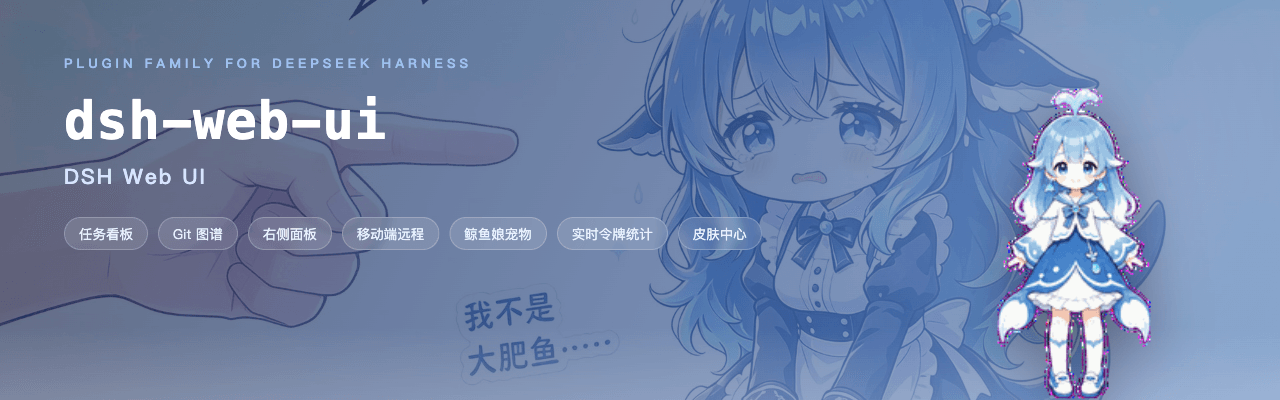 ningbainb/deepseek-harness-desktop
Open-source Windows desktop client and GUI for DeepSeek Harness — zero-setup installer with Codex, plugins, skills, SSH,…
ningbainb/deepseek-harness-desktop
Open-source Windows desktop client and GUI for DeepSeek Harness — zero-setup installer with Codex, plugins, skills, SSH,…
-
 ChisaAlter/Deepseek-Harness-Desktop
DSH桌面端,支持主题和背景图等多种个性化配置。Electron desktop shell for DeepSeek Harness web UI
ChisaAlter/Deepseek-Harness-Desktop
DSH桌面端,支持主题和背景图等多种个性化配置。Electron desktop shell for DeepSeek Harness web UI
-
 rison114514/dsh-endfield-ui
Endfield-inspired industrial UI shell for DeepSeek Harness (dsh) — non-official fan theme. Install: dsh plugin --profile…
rison114514/dsh-endfield-ui
Endfield-inspired industrial UI shell for DeepSeek Harness (dsh) — non-official fan theme. Install: dsh plugin --profile…
-
 Links2008/DeepSeek-Harness-Desktop
Windows 桌面版 DeepSeek Harness 发行版,支持原生通知、流畅的窗口控制、捆绑运行时和自动更新。追踪官方主分支。针对官方版本进行了桌面美化和功能补充
Links2008/DeepSeek-Harness-Desktop
Windows 桌面版 DeepSeek Harness 发行版,支持原生通知、流畅的窗口控制、捆绑运行时和自动更新。追踪官方主分支。针对官方版本进行了桌面美化和功能补充
-
 XCNXNXNX/dsh-portable-tavern
DeepSeek Harness 的「便携酒馆」插件:RPG 式 SillyTavern V2/V3 角色卡生成器 + 酒馆角色扮演聊天。支持世界书、角色卡 JSON/PNG 导入导出、面板主题与本地音乐。独立插件,仅依赖官方 @deeps…
XCNXNXNX/dsh-portable-tavern
DeepSeek Harness 的「便携酒馆」插件:RPG 式 SillyTavern V2/V3 角色卡生成器 + 酒馆角色扮演聊天。支持世界书、角色卡 JSON/PNG 导入导出、面板主题与本地音乐。独立插件,仅依赖官方 @deeps…
-
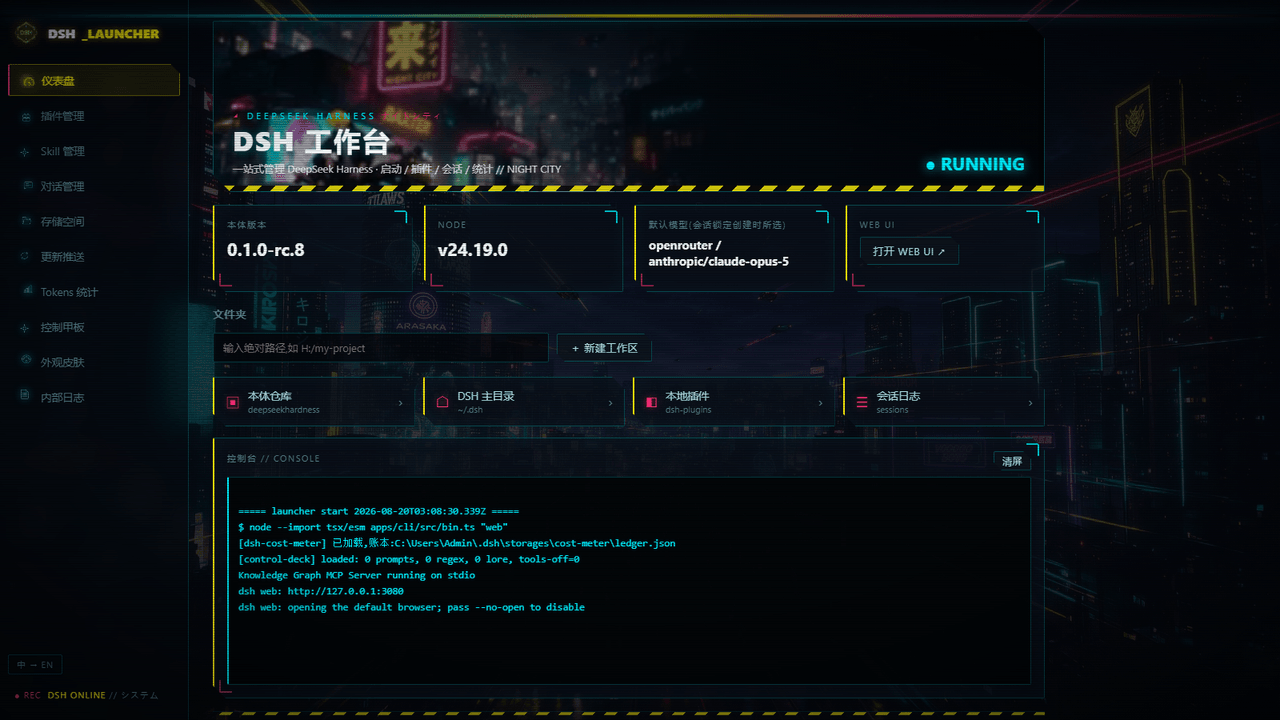 WZZNNE/DSH-CyberWorkStation
DSH CyberWorkStation — one-click DeepSeek Harness (dsh) bundle: cyberpunk desktop launcher, SillyTavern-grade Control De…
WZZNNE/DSH-CyberWorkStation
DSH CyberWorkStation — one-click DeepSeek Harness (dsh) bundle: cyberpunk desktop launcher, SillyTavern-grade Control De…
-
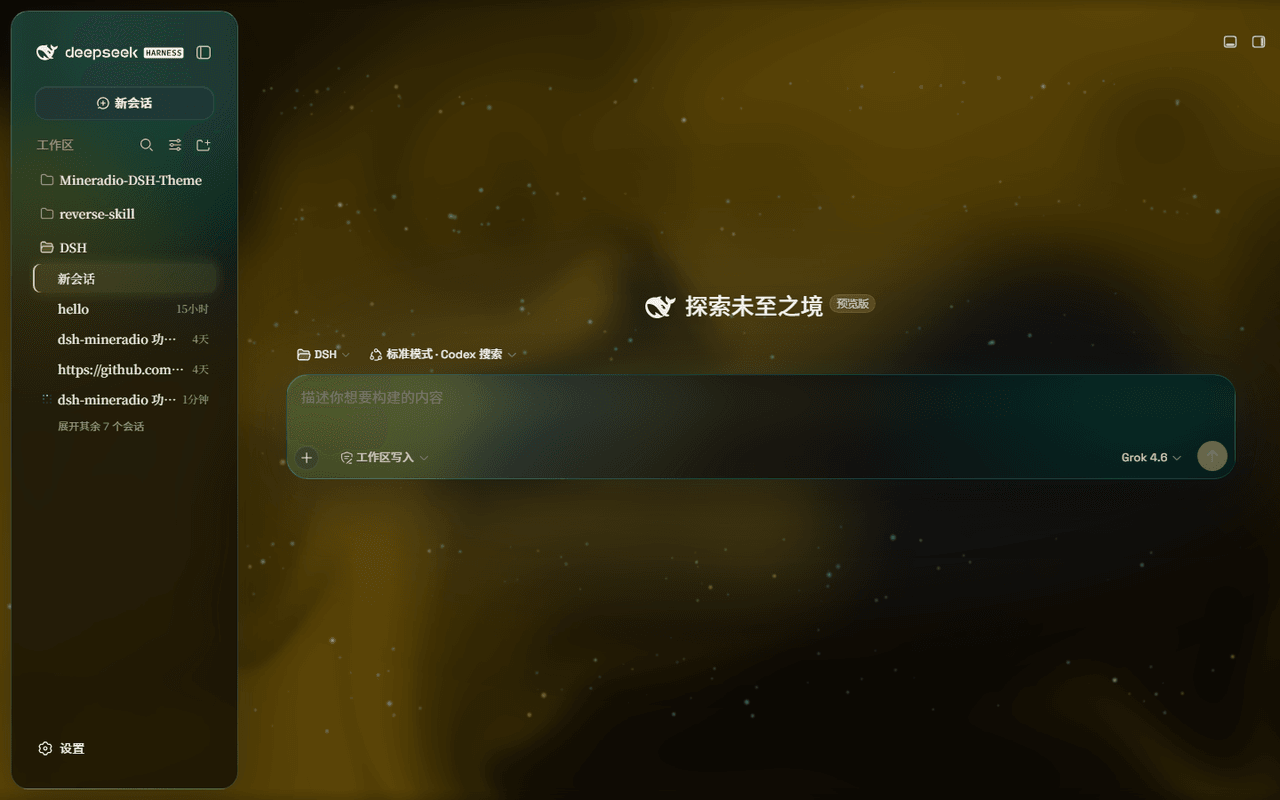 dhicoc/dsh-theme-mineradio
A cinematic visual-radio glass theme for DeepSeek Harness (DSH) Desktop — port of the Mineradio music player's champagne…
dhicoc/dsh-theme-mineradio
A cinematic visual-radio glass theme for DeepSeek Harness (DSH) Desktop — port of the Mineradio music player's champagne…
-
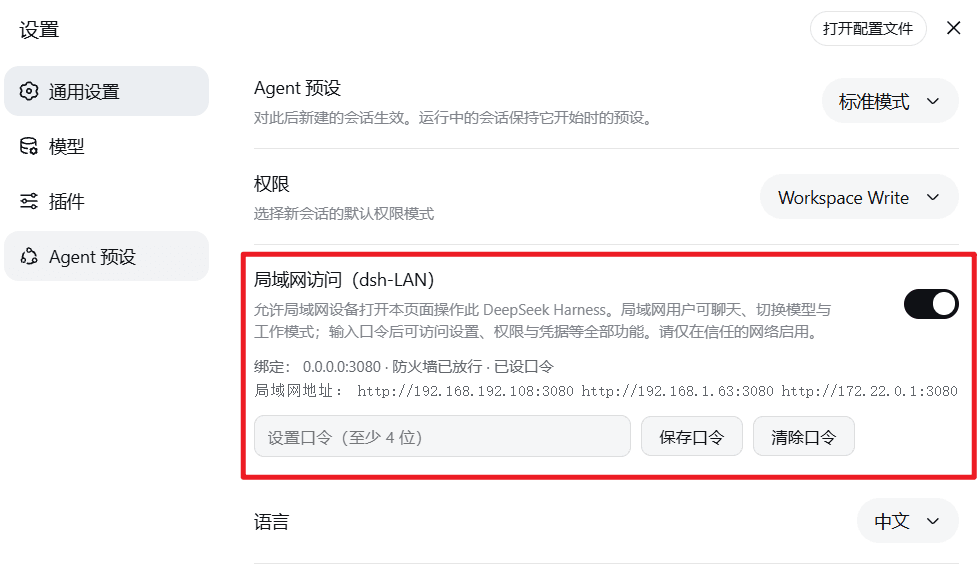 MrMu666/dsh-LAN
为DeepSeek harness开启局域网访问及移动端页面的插件,移动端界面适配
MrMu666/dsh-LAN
为DeepSeek harness开启局域网访问及移动端页面的插件,移动端界面适配