AKI2253/Sidor_UI
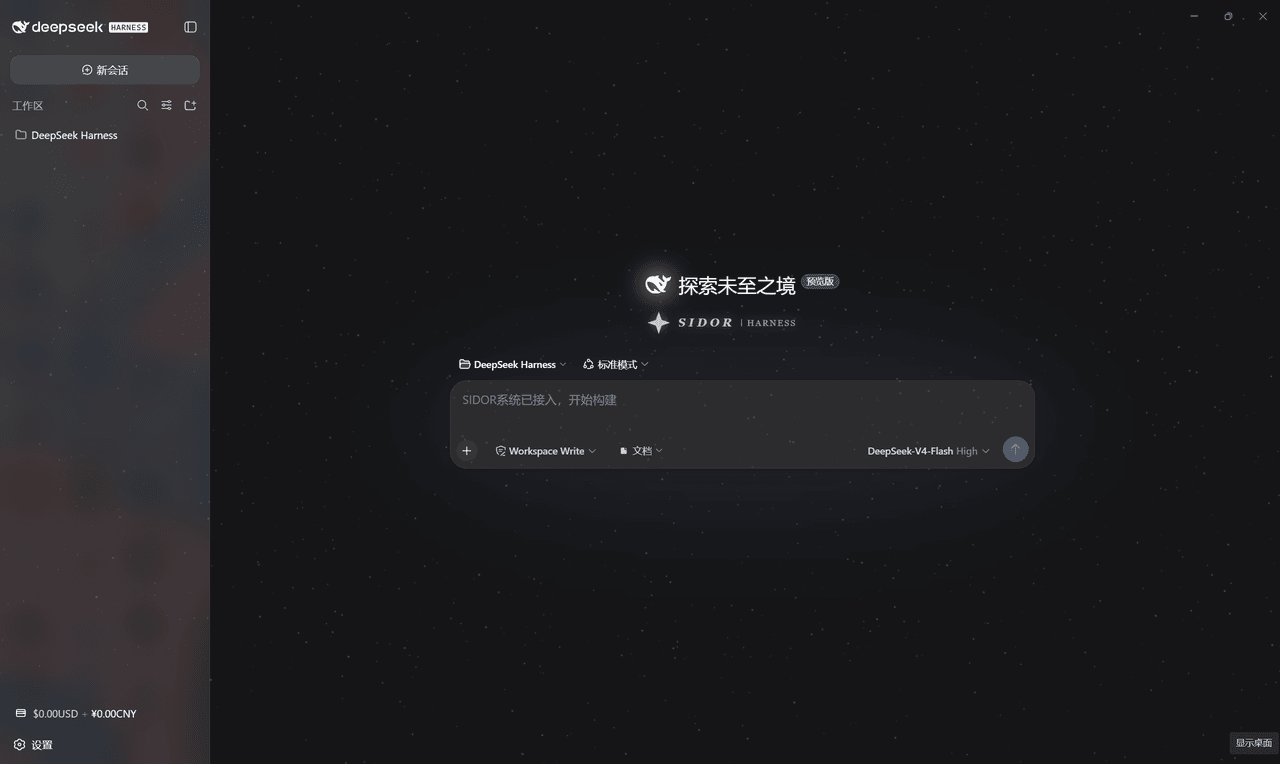
SIDOR starfield skin for DeepSeek Harness Web GUI: intro animation, starfield, balance badge, settings FX, low-balance alerts
项目介绍Project Overview
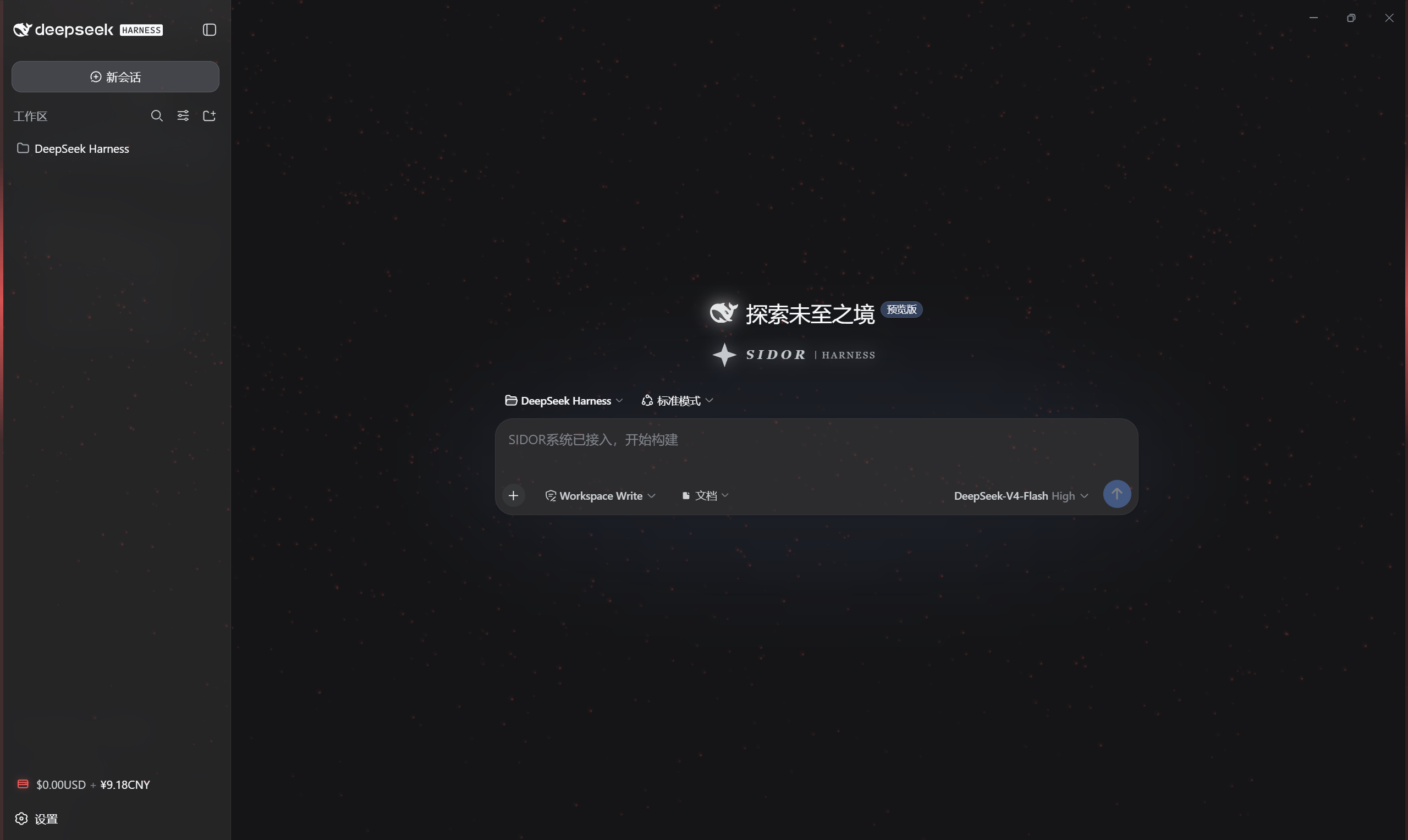
Sidor_UI 是 DeepSeek Harness 的 Web GUI 主题皮肤(MIT,包名 sidor-ui)。它提供开屏粒子动画、常驻星野背景、侧边栏余额徽章、SIDOR 品牌徽记、设置页流光特效、四级低余额红色警告,以及插件管理(关闭/启用/卸载,红色流光二次确认)。支持懒人版、本地版(PowerShell)、命令版(pnpm)、全功能版(动态插件 sidf-4,可落盘文件)四种安装方式。适用于追求星野主题视觉与低余额预警的 DSH 用户。注意:动态插件功能最完整但需每次重启后在 Cordis 面板重新运行;静态插件无法将文件落盘到工作区。
Sidor_UI is a Web GUI theme skin for DeepSeek Harness (MIT, package sidor-ui). It delivers a particle splash, persistent starfield background, sidebar balance badge, SIDOR brand marks, settings page streaming effects, a four-tier low-balance red warning, and plugin management (disable/enable/uninstall with red streaming double confirm). It offers four install paths: lazy, local PowerShell, pnpm CLI, and the full dynamic plugin sidf-4 with file persistence. It suits DSH users wanting a starfield theme and low-balance alerts. Note: the dynamic plugin is most complete but must be re-run in the Cordis panel after each process restart, and static plugins cannot persist files to the workspace.
请帮我了解并安装插件:【Sidor_UI】【https://github.com/AKI2253/Sidor_UI】把上面这条消息直接发给当前会话里的 DSH,让它帮你了解并安装。安装命令不一定准确,发给 DSH 更稳。Send this message to DSH in your current session. CLI install commands may not be accurate across systems — DSH will figure it out for you.
或使用命令行安装(适合开发者)Or use CLI install (for developers)
命令行安装CLI Install
dsh plugin --profile web add github:AKI2253/Sidor_UI把 AKI2253/Sidor_UI 加入你的 DSH 配置(web profile)即可启用。
READMEREADME
Sidor_UI · SIDOR 星野控制台皮肤



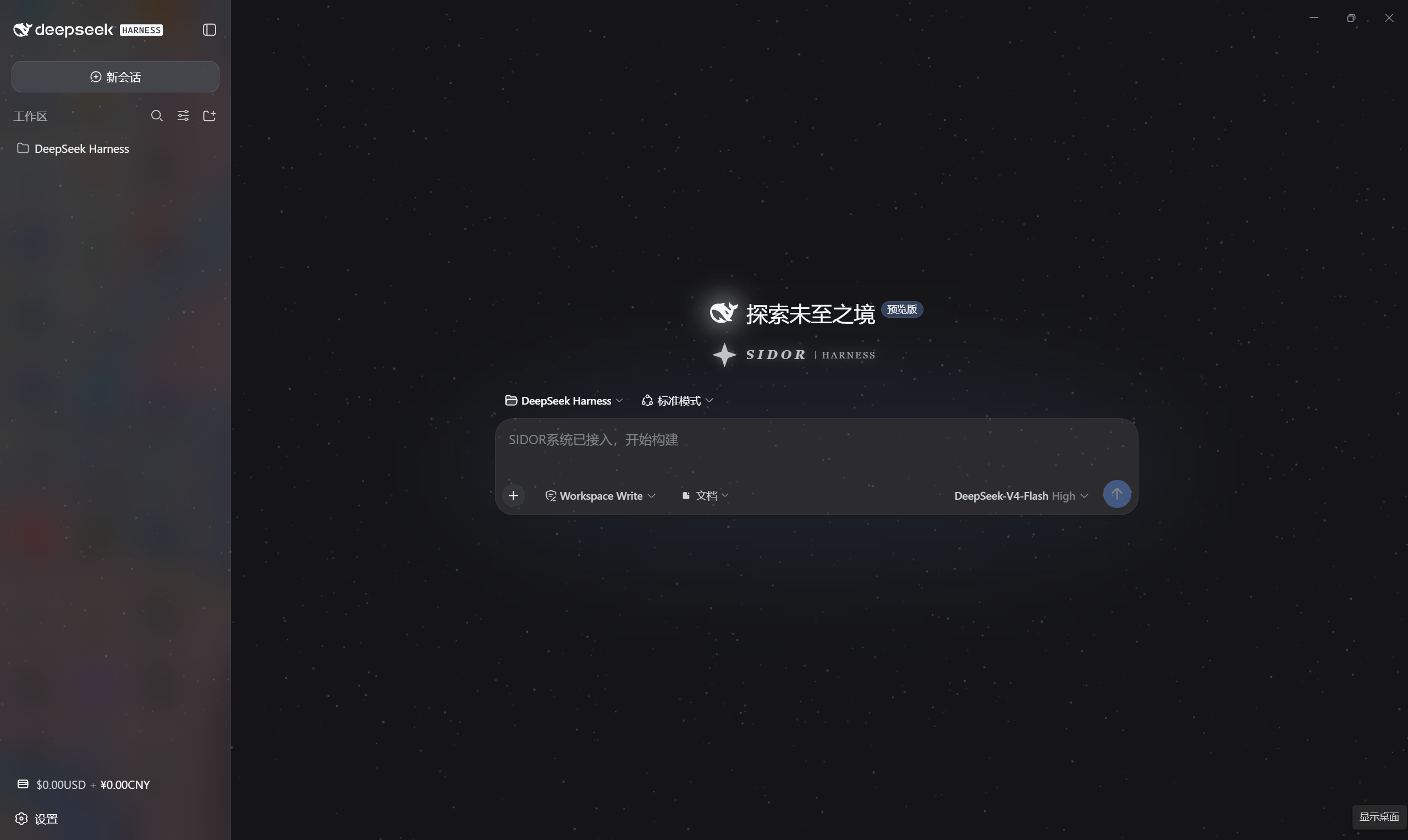
DeepSeek Harness Web GUI 的 SIDOR 星野主题皮肤(独立分发仓库)。 开屏动画、常驻星野、侧边栏余额徽章、设置页特效与低余额警告体系。
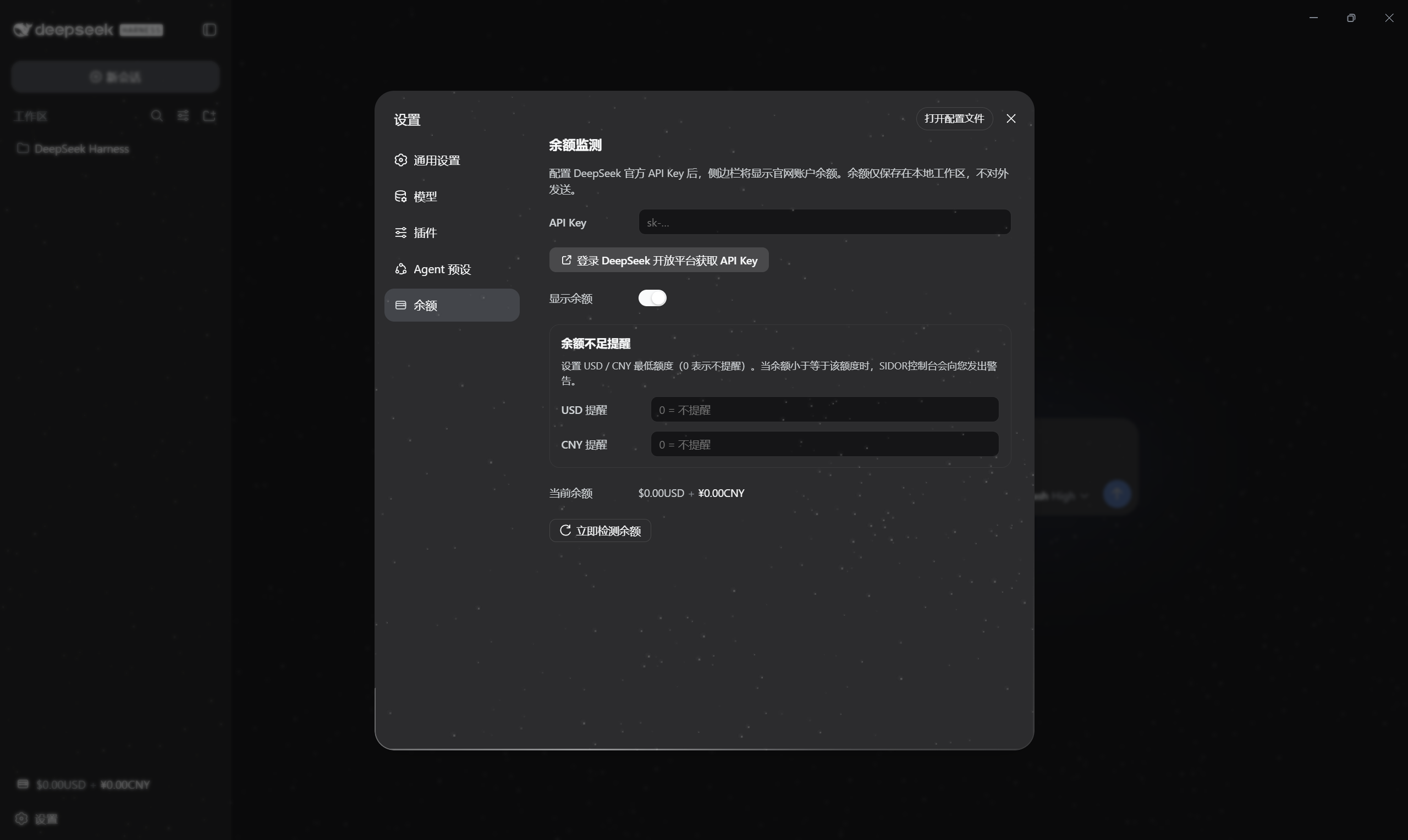
效果预览
点击图片可查看完整尺寸。
| 主界面 | 设置页 | 余额不足警告 |
|---|---|---|
 |
 |
 |
住户
| 皮肤 | 包名 | 说明 | 许可 |
|---|---|---|---|
| sidor-ui | sidor-ui |
星野主题:✦ 开屏粒子动画(1/50 红色太阳风暴彩蛋)、常驻星野、SIDOR 品牌徽记、余额徽章、设置页流光特效、低余额四重红色警告、输入框文档路径附加(agent 工具直接读取)、插件管理(设置→插件列表 关闭/启用/卸载,红色流光二次确认) | MIT |
安装
懒人版
把你的 dsh 打开,对它说:
安装一下这个皮肤包:https://github.com/AKI2253/Sidor_UI
说明:dsh 助手会
git clone/ 读取该仓库并自动完成安装。仓库自带sidor-install技能(.agents/skills/),会自动询问你确认、交代许可后再安装。
本地版(PowerShell,无需 GitHub)
cd <Sidor_UI 仓库路径>
powershell -ExecutionPolicy Bypass -File .\scripts\install.ps1            # 安装
powershell -ExecutionPolicy Bypass -File .\scripts\install.ps1 -Remove    # 卸载
命令版(需 pnpm)
cd <harness 目录>
dsh plugin --profile web add <Sidor_UI 仓库路径>
全功能版(动态插件)
动态插件(pluginId sidf-4)功能最完整(host curl 查询 + 文件落盘),但进程重启后需在
Cordis 面板重新运行:Client 代码用 src/sidor-fx-client.js,Host 代码用
src/sidor-fx-host.js。
「文档」按钮两种形态都可用:点击后选择/输入文件或文件夹路径,贴入输入框, 由 agent 工具直接读取。静态插件(本地版/命令版)无法把文件落盘到工作区, 故路径选择是主要方式(文件夹可用原生选择器,文件请填绝对路径); 动态插件额外保留"上传到工作区
.sidor-uploads/"(文件落盘后贴相对路径)。
插件管理(设置 → 插件列表)
官方"设置 → 插件"列表里,每张插件卡片会多出「关闭 / 启用 / 卸载」按钮(SIDOR
注入,样式与官方一致)。点击后弹出二次确认菜单,确认键带红色流光(防误操作)。
确认后,精确的操作指令会发送给当前会话的 agent 执行(改 cordis.patch.yml /
删包),需要权限时 DSH 会弹出授权;完成后重启 DSH 生效。
许可
本仓库整体以 MIT 发布。SIDOR 品牌标识归本项目所有。署名与使用边界见各皮肤
NOTICE / LICENSE。
未来规划:Sidor 附属插件生态
Sidor_UI 按可扩展平台设计:官方插槽(Slot)的 list 型插槽天然支持多插件共存,
附属插件可无冲突接入设置页(settings.section)、侧边栏(sidebar.footer.action),
并复用余额数据。开发规范见 docs/DEVELOPER.md。
首个附属插件已独立发布(与 Sidor_UI 互相独立的两个插件,可并存):
| 插件 | 包名 | 说明 |
|---|---|---|
| Sidor_box | sidor-box |
设置页「工具箱」分区(选页先行,功能待填入) |
相关推荐Related
-
 ruvnet/ruflo
🌊 The original agent meta-harness. Deploy intelligent multi-player swarms, coordinate autonomous workflows, and build c…
ruvnet/ruflo
🌊 The original agent meta-harness. Deploy intelligent multi-player swarms, coordinate autonomous workflows, and build c…
-
 Tencent/WeKnora
Open-source LLM knowledge platform: turn raw documents into a queryable RAG, an autonomous reasoning agent, and a self-m…
Tencent/WeKnora
Open-source LLM knowledge platform: turn raw documents into a queryable RAG, an autonomous reasoning agent, and a self-m…
- Nagi-ovo/voyager Enhancement suite for Gemini, AI Studio, Claude & ChatGPT — plus a prompt manager for any web UI, DeepSeek Harness inclu…
-
 freestylefly/awesome-gpt-image-2
Prompt as Code | GPT-Image2 工业级提示词引擎与模板库,470+ 个案例逆向工程,20+ 套工业级模板,并提炼出Skills,持续更新中
freestylefly/awesome-gpt-image-2
Prompt as Code | GPT-Image2 工业级提示词引擎与模板库,470+ 个案例逆向工程,20+ 套工业级模板,并提炼出Skills,持续更新中
-
 EverMind-AI/EverOS
One portable memory layer for every AI agent: local-first, Markdown-native, user-owned, and self-evolving across apps, t…
EverMind-AI/EverOS
One portable memory layer for every AI agent: local-first, Markdown-native, user-owned, and self-evolving across apps, t…
-
 MemTensor/MemOS
Self-evolving memory OS for LLM & AI Agents: ultra-persistent memory, hybrid-retrieval, and cross-task skill reuse, with…
MemTensor/MemOS
Self-evolving memory OS for LLM & AI Agents: ultra-persistent memory, hybrid-retrieval, and cross-task skill reuse, with…
-
 zhu1090093659/dsh-web-ui
Plugin and skin collection for DeepSeek Harness (DSH) Web UI - task board, git graph, right-side panel, remote mobile UI…
zhu1090093659/dsh-web-ui
Plugin and skin collection for DeepSeek Harness (DSH) Web UI - task board, git graph, right-side panel, remote mobile UI…
-
 edison7009/EchoBird
One-click install + model switch:Claude Code,Codex CLI (OpenAI), Grok Build (xAI), DeepSeek Harness, Kimi Code (Moonshot…
edison7009/EchoBird
One-click install + model switch:Claude Code,Codex CLI (OpenAI), Grok Build (xAI), DeepSeek Harness, Kimi Code (Moonshot…