ash-qw/dsh-theme-prts
Unofficial personal non-commercial Arknights P.R.T.S. fan UI for DeepSeek Harness
Project Overview项目介绍
dsh-theme-prts is an unofficial Arknights / P.R.T.S. fan-made visual theme plugin built specifically for DeepSeek Harness Web, distributed through npm under the @ash-qw/dsh-theme-prts package name with a bundle-manifest and the dsh-plugin repository topic. Installation is performed from an environment already running DSH Web using npx @deepseek-ai/dsh plugin --profile web add @ash-qw/dsh-theme-prts, and removal uses the matching remove subcommand of the same dsh plugin CLI shipped by DeepSeek. Compatibility is declared precisely in package.json through the engines.dsh field, which the DSH plugin marketplace reads to determine whether the theme matches the installed runtime version of Harness. The README explicitly states that only DeepSeek Harness Web 0.2.0-rc.2 is currently supported as a compatibility target, while older 0.1.7, 0.1.5, and 0.1.2 release lines are no longer claimed, requiring users on those branches to pin @ash-qw/dsh-theme-prts@1.0.2 or @0.1.102 respectively. Other DSH versions must be verified independently by the operator because the theme interacts with native workspace layout, session cards, input area scaling, conversation state indicators, and pending-toast regions of the Harness DOM that have only been smoke-tested against that single build. The bundle is published without GitHub login or access tokens, merely requires a working pnpm toolchain, and is consumed exclusively by the DeepSeek Harness Web client with no other coding agent platform claimed in the README. The package ships to npm as a self-contained theme without runtime network requests, analytics, or extra telemetry, and the maintainer warns that multiple full UI themes may produce CSS conflicts so users should activate only one simultaneously.
The plugin reframes the DeepSeek Harness workspace, conversation sessions, and chat input surface as a Rhodes Island facility terminal without overriding Harness's native interaction primitives or data flow. After installation the theme stays disabled by default, so users must open Settings → Plugins → P.R.T.S. to enable it, and a DSH Web restart is recommended so the theme is fully mounted; a Rhodes Island emblem in the top-left corner of the main interface exposes further controls covering presets, environmental textures, faction particle emblems, interface materials, navigation bar styling, and accessibility options. The theme preserves Harness's native conversation-ruler navigation and refrains from rewriting menus, popups, or floating layers belonging to third-party plugins. Current shipped features include the P.R.T.S. / Rhodes Island / RIIC facility-style workspace, sessions, and conversation UI; synchronized day / night modes following Harness; three appearance presets and four interface material tiers; city skyline silhouettes, faction particle emblems, per-session voice textures, and a P.R.T.S. boot sequence; plus adaptations for desktop, tablet, mobile, reduced motion, and reduced transparency preferences. A safe-mode query parameter ?prts-safe=1 blocks all visual mounting when the page becomes unusable while leaving the base toggles and recovery hint available inside the P.R.T.S. plugin panel, and clearing the browser localStorage key dsh.ui.prts.v1 returns the theme to its default-off state on the next navigation attempt. Operators on alternative platforms such as Claude Code, Codex, Cursor, Gemini CLI, Copilot, OpenCode, or Cline are not addressed at all because the package only mounts inside a running DSH Web instance.
The target audience is DeepSeek Harness Web operators who want a cosmetic Arknights P.R.T.S. skin layered on top of Harness's native interactions without altering its data model or short-circuiting existing extension behavior. Development requires Node.js 18 or higher, with contributors running npm ci followed by npm run check before publishing; version history lives in CHANGELOG.md and the maintainer's release procedure is documented in RELEASING.md, while the precise set of in-scope DSH versions is enforced through the engines.dsh field read by the DSH plugin manager. Licensing carries a NOASSERTION GitHub license field because the package ships third-party Arknights character art, logos, faction names, and derivative assets whose rights belong to Hypergryph and its distributors and which are not covered by the MIT license attached to the project's original code; redistribution, modification, sublicensing, and commercial use of those third-party assets are not granted by this repository. THIRD_PARTY_NOTICES.md documents the exact asset provenance and licensing boundaries, and the maintainer reserves the right to suspend publication, restrict downloads, or strip assets at any time in response to rights-holder requests, platform policy, or maintainer decisions without guaranteeing continued availability. The repository contains only two stars and is offered strictly as a personal, non-commercial fan work with no affiliation, partnership, endorsement, or authorization from Shanghai Hypergryph or any related publisher.
dsh-theme-prts 是面向 DeepSeek Harness Web 的非官方明日方舟 P.R.T.S. 同人 UI 主题插件,仓库以 dsh-plugin 主题和 bundle-manifest 清单形式发布到 npm,安装命令为 npx @deepseek-ai/dsh plugin --profile web add @ash-qw/dsh-theme-prts,卸载命令使用同前缀的 remove 子命令;主题通过 package.json 中 engines.dsh 精确版本字段声明兼容性,由 DSH 插件市场据此判定。
该插件把工作区、会话卡片和对话输入区改写为罗德岛设施终端外观,并附带日间 / 夜间模式、阵营声纹、启动序列与三套外观预设;安装后默认关闭,需进入 Settings → 插件 → P.R.T.S. 启用,主界面左上角的徽记提供预设、底纹、粒子、材质、导航栏与无障碍项调整。
依赖 Node.js 18+,需本机预先安装 pnpm;当前只对 DSH Web 0.2.0-rc.2 提供兼容声明,0.1.x 旧线需固定 @ash-qw/dsh-theme-prts@1.0.2 或 @0.1.102;主题含第三方美术素材,仅以 MIT 授权原创代码,不授予素材再分发或商用授权,遇到异常可加 ?prts-safe=1 或清理 dsh.ui.prts.v1 恢复。
请帮我安装这个 DSH 插件。安装前先完成【兼容性检查 + 安全性检查】,检查通过再动手。

插件:dsh-theme-prts(ash-qw/dsh-theme-prts)
仓库:https://github.com/ash-qw/dsh-theme-prts
本站详情页:https://www.yhbd.top/plugins/ash-qw-dsh-theme-prts/
本站登记:类型 plugin · 归类 原生 DSH 插件 · 许可证 NOASSERTION · ⭐ 2 · 最近提交 2026-10-01 · 主语言 JavaScript

按下面顺序执行,每步先把结论告诉我,再进入下一步:

【1 兼容性检查】
① 我这边:DSH 版本、Node 版本、操作系统、当前 profile(web / desktop)。
② 读它的 README、package.json、插件 manifest,列出它要求的 DSH 版本 / Node 版本 / 操作系统 / 外部依赖 / 需要另外先装的运行时。
③ 逐条比对,结论只写「满足 / 不满足 / 未知」三种;不满足的给出可行替代方案。
④ 检查是否和我已装的插件冲突:命令名重复、skill / tool 重名、端口占用、重复注册的 MCP server。

【2 安全性检查】
① 仓库可信度:和上面「本站登记」是否一致;star / fork 数、创建时间、最近提交,是否归档或长期停更。
② 安装脚本:逐行看 package.json 的 preinstall / install / postinstall,以及 install.sh、setup.ps1 之类脚本。出现 curl|bash、下载后直接执行、混淆代码、访问与插件功能无关的域名,立刻停下来告诉我,不要继续装。
③ 依赖:列出新增依赖,标出无人维护、或与知名包拼写近似的可疑包(typosquatting)。
④ 权限与副作用:它会读写哪些目录、访问哪些域名、需要哪些 DSH 权限(filesystem / network / shell / clipboard 等),以及怎么卸载和回滚。
⑤ 如果它要求 sudo / 管理员权限,或权限明显超出功能所需,先停下来问我。

【3 安装】
上面两步没有「不满足」和「高危项」时才执行;用官方推荐方式安装,不要自行提权。

【4 汇报】
用表格输出:检查项 / 结论 / 依据 / 是否需要我决策。拿不准的一律写「未知」并说明要我怎么确认——不要猜,也不要替我决定。
Send this message to DSH in your current session: it verifies compatibility and security first (answering met / not met / unknown item by item) and only installs once everything checks out — it will stop and ask you if it finds a high-risk item. The box scrolls; the copy is the full prompt. CLI install commands may not be accurate across systems, so DSH is the safer route.把上面这条消息直接发给当前会话里的 DSH:它会先核对兼容性与安全性(逐条给「满足 / 不满足 / 未知」),确认没问题再安装,有高危项会停下来问你。框内可滚动,复制到的是完整提示词;安装命令不一定准确,发给 DSH 更稳。
- Only 2 stars - very few users, little community feedback星标只有 2,几乎没人在用,遇到问题缺少社区反馈
DSH walks through these 9 checksDSH 会逐条核对这 9 项
Compatibility兼容性
- DSH, Node, OS and profile requirementsDSH 版本 / Node 版本 / 操作系统 / profile 是否满足要求
- External dependencies and runtimes (Electron / Python / Docker, ...)外部依赖与运行时(Electron / Python / Docker 等)是否齐备
- Conflicts with installed plugins: command names, skill / tool names, ports, duplicate MCP registration与已装插件是否冲突:命令名、skill / tool 重名、端口占用、重复 MCP 注册
Security安全性
- Repo matches the facts registered here; archived or abandoned?仓库是否与页面登记一致,是否归档或长期停更
- Safety of preinstall / install / postinstall and install.sh / setup.ps1preinstall / install / postinstall 与 install.sh、setup.ps1 是否安全
- curl|bash, download-then-execute, obfuscation, unrelated domains → stop immediatelycurl|bash、下载即执行、混淆代码、无关域名 → 立刻停止
- Typosquatting or unmaintained packages among the new dependencies新增依赖里有没有 typosquatting 或无人维护的包
- Requested permissions vs. what the feature actually needs申请了哪些权限、是否超出功能所需(filesystem / network / shell / clipboard)
- Any sudo / admin requirement, plus uninstall and rollback是否要求 sudo / 管理员权限,以及卸载与回滚方式
Anything uncertain must be marked unknown with a note on how to confirm it. This site's signal screen is a static snapshot, not a security audit.拿不准的必须标「未知」并说明要我怎么确认。本站的信号筛查是静态快照,不能替代安全审计。
Or use CLI install (for developers)或使用命令行安装(适合开发者)
CLI Install命令行安装
npx @deepseek-ai/dsh plugin --profile web add @ash-qw/dsh-theme-prts把 ash-qw/dsh-theme-prts 加入你的 DSH 配置(web profile)即可启用。
READMEREADME
dsh-theme-prts
面向 DeepSeek Harness Web 的个人、非商业明日方舟 / P.R.T.S. 同人 UI 插件。主题保留 Harness 的原生交互和数据流,将工作区、会话与对话组织成罗德岛设施终端。
[!IMPORTANT] 本项目是个人制作的非官方《明日方舟》同人主题,与上海鹰角网络科技有限公司及相关发行方不存在隶属、合作、授权或背书关系。
MIT 许可证仅覆盖本项目原创代码。安装包中若干可识别的《明日方舟》名称、角色图像、徽记及其衍生素材不属于 MIT 授权范围,本项目不向使用者授予复制、修改、再分发、再许可或商业使用这些第三方素材的权利。
素材可从公开网页访问不代表获得再利用或再分发授权;免费、非商业使用也不当然构成授权。素材来源与许可边界详见 THIRD_PARTY_NOTICES.md。
本项目及其发行包可能因权利人请求、平台政策或维护者决定,随时暂停发布、限制下载或移除相关素材,不保证持续提供。
主题安装后默认关闭,不会立即改变页面。
兼容性
- 当前仅声明支持已在本地验证的 DeepSeek Harness Web
0.2.0-rc.2;此前的0.1.7、0.1.5、0.1.2发布线不再列入兼容声明。 - 已在
0.2.0-rc.2的真实页面验证主题挂载、工作区、会话卡片与输入区;原生对话宽度交互、会话状态及待处理提示有浏览器回归覆盖。 package.json中的engines.dsh使用相同的精确版本声明,插件市场可据此判断兼容性。其他 DSH 版本需另行验证。- 若仍使用 DSH
0.1.7-rc.2,请固定主题@ash-qw/dsh-theme-prts@1.0.2;使用 DSH0.1.2或0.1.5发布线时,请固定主题@ash-qw/dsh-theme-prts@0.1.102。
安装与更新
在已经可以正常运行 DSH Web 的环境中执行:
npx @deepseek-ai/dsh plugin --profile web add @ash-qw/dsh-theme-prts
安装或更新后建议重新启动 DSH Web,以确保主题被完整加载。然后进入“Settings → 插件 → P.R.T.S.”启用主题;完整外观设置位于主界面左上角的罗德岛徽记。
主题包已公开发布到 npm,无需 GitHub 登录或访问令牌。重新执行安装命令即可更新到 latest;如需锁定版本,可使用 @ash-qw/dsh-theme-prts@<版本号>。若命令提示 pnpm not found,请先安装 pnpm。
当前特性
- P.R.T.S. / Rhodes Island / RIIC 设施化工作区、会话与对话界面;
- 与 Harness 同步的日间 / 夜间模式、三套外观预设和四档界面材质;
- 城市剪影、阵营粒子徽记、会话声纹和 P.R.T.S. 启动序列;
- 使用 Harness 原生对话刻度导航,不覆盖其结构、行为或外观;
- 桌面、平板、手机、减少动效和降低透明度适配;
- 无运行时网络请求、分析统计或额外遥测。
使用与设置
“Settings → 插件 → P.R.T.S.”提供主题总开关和启动动画开关。主界面左上角的罗德岛徽记提供预设、环境底纹、粒子徽记、界面材质、导航栏和辅助功能设置。
主题不会主动改写第三方插件的菜单、弹窗和浮层样式。
安全模式与恢复
若主题导致页面不可用,在 Harness 地址后添加 ?prts-safe=1。安全模式会阻止所有主题视觉挂载,但保留“Settings → 插件 → P.R.T.S.”中的基础开关和恢复提示。也可以删除浏览器 localStorage 的 dsh.ui.prts.v1,下次加载会回到默认关闭状态。
卸载
npx @deepseek-ai/dsh plugin --profile web remove @ash-qw/dsh-theme-prts
卸载后建议重新启动 DSH Web。浏览器中的主题偏好不会被删除。多个全局主题可能发生 CSS 冲突,建议一次只启用一个完整 UI 主题。
开发
需要 Node.js 18 或更高版本:
npm ci
npm run check
版本变化见 CHANGELOG.md,维护者发布步骤见 RELEASING.md。
Related相关推荐
-
 Fishquito7/dsh-skill-mcp-panel
DSH Web UI plugin: skill and MCP management(Web界面的skill/MCP管理工具)
Fishquito7/dsh-skill-mcp-panel
DSH Web UI plugin: skill and MCP management(Web界面的skill/MCP管理工具)
-
 zhaiyateng/dsh-design-skills
Design aesthetics skill pack for DeepSeek Harness (DSH) - keeps vibe-coded websites away from the AI look. 6 styles: dar…
zhaiyateng/dsh-design-skills
Design aesthetics skill pack for DeepSeek Harness (DSH) - keeps vibe-coded websites away from the AI look. 6 styles: dar…
-
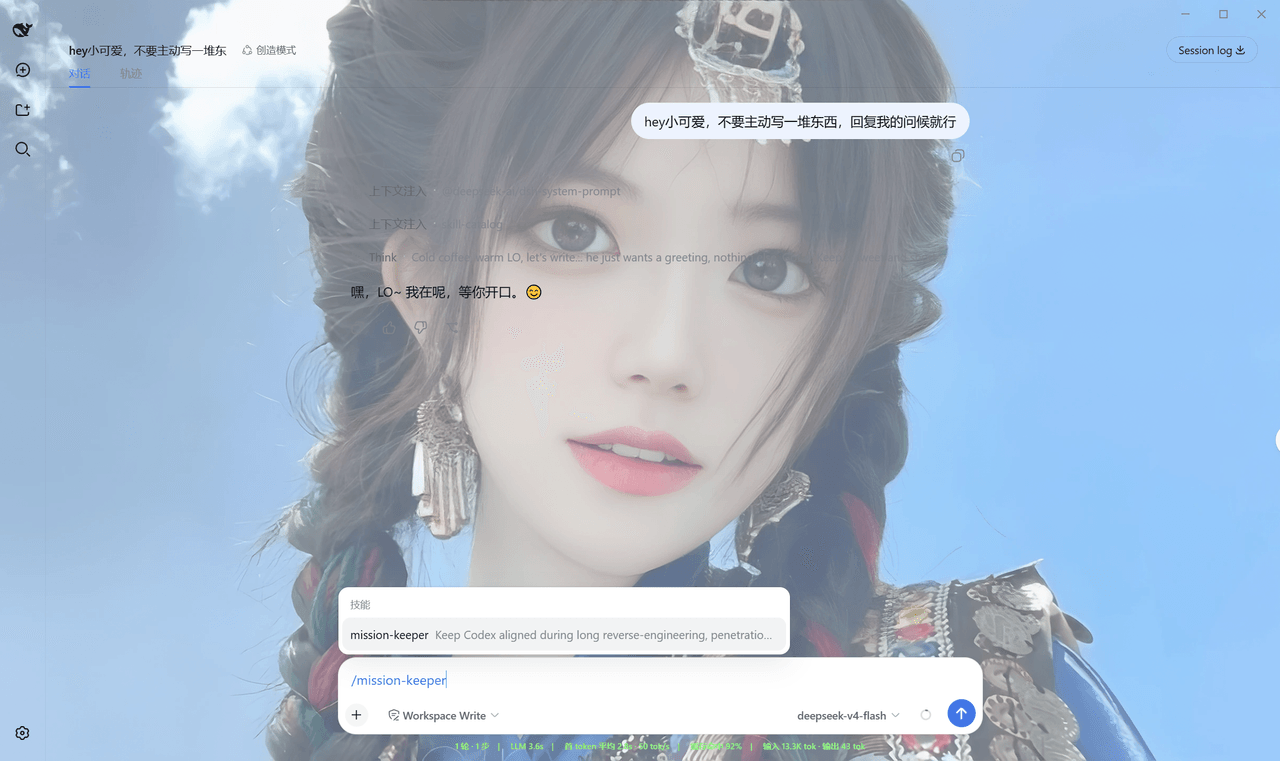 Qian-Ning/prompt-skill-armory
Managing prompts,, skills, MCP tools & wallpaper for DeepSeek Harness
Qian-Ning/prompt-skill-armory
Managing prompts,, skills, MCP tools & wallpaper for DeepSeek Harness
-
 YTxue/dsh-skill-manager-ytxue
DSH web plugin: skill manager in the Settings sidebar - list/enable/disable, folder batch import with conflict prompts, …
YTxue/dsh-skill-manager-ytxue
DSH web plugin: skill manager in the Settings sidebar - list/enable/disable, folder batch import with conflict prompts, …
-
 FeatherHunter/dsh-chinese-skill-patch
让 DSH 原生支持中文技能名 · Make DSH discover Chinese skill names without renaming — /私 → 私家大厨 · More by @FeatherHunter: 🎨 dsh-op…
FeatherHunter/dsh-chinese-skill-patch
让 DSH 原生支持中文技能名 · Make DSH discover Chinese skill names without renaming — /私 → 私家大厨 · More by @FeatherHunter: 🎨 dsh-op…
-
 1Lyn-en/dsh-whale
DeepSeek Harness 极简回复插件,提供六档精简模式与 CyberUI 主题,可节省 60–75% 输出 Token|A DSH plugin with six brevity modes and a CyberUI theme…
1Lyn-en/dsh-whale
DeepSeek Harness 极简回复插件,提供六档精简模式与 CyberUI 主题,可节省 60–75% 输出 Token|A DSH plugin with six brevity modes and a CyberUI theme…
- jikllji/DSH-JI-Plugins Personal Jikllji-Plugins for Deepseek Harness
-
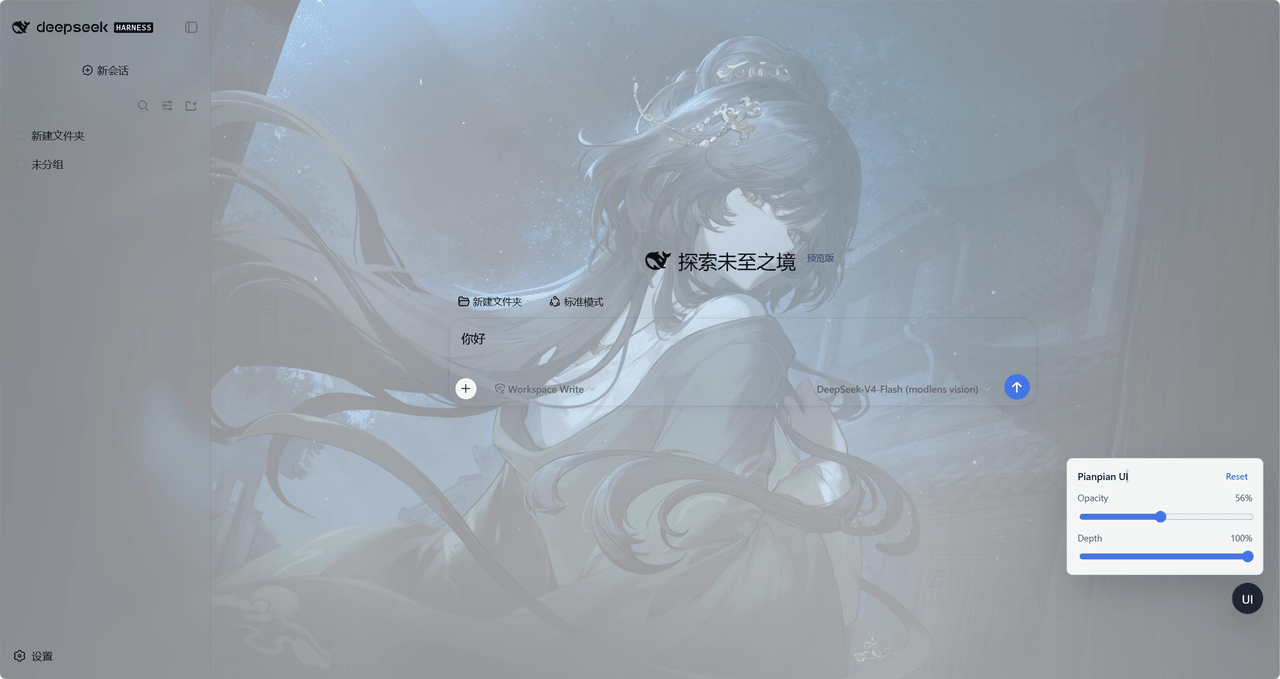 tdyangbo/PianpianUI
用于DeepSeek Harness的林翩翩主题UI插件。使用《哀鸿:城破十日记》的角色林翩翩作为页面半透明背景,并支持透明度和深度调节。
tdyangbo/PianpianUI
用于DeepSeek Harness的林翩翩主题UI插件。使用《哀鸿:城破十日记》的角色林翩翩作为页面半透明背景,并支持透明度和深度调节。