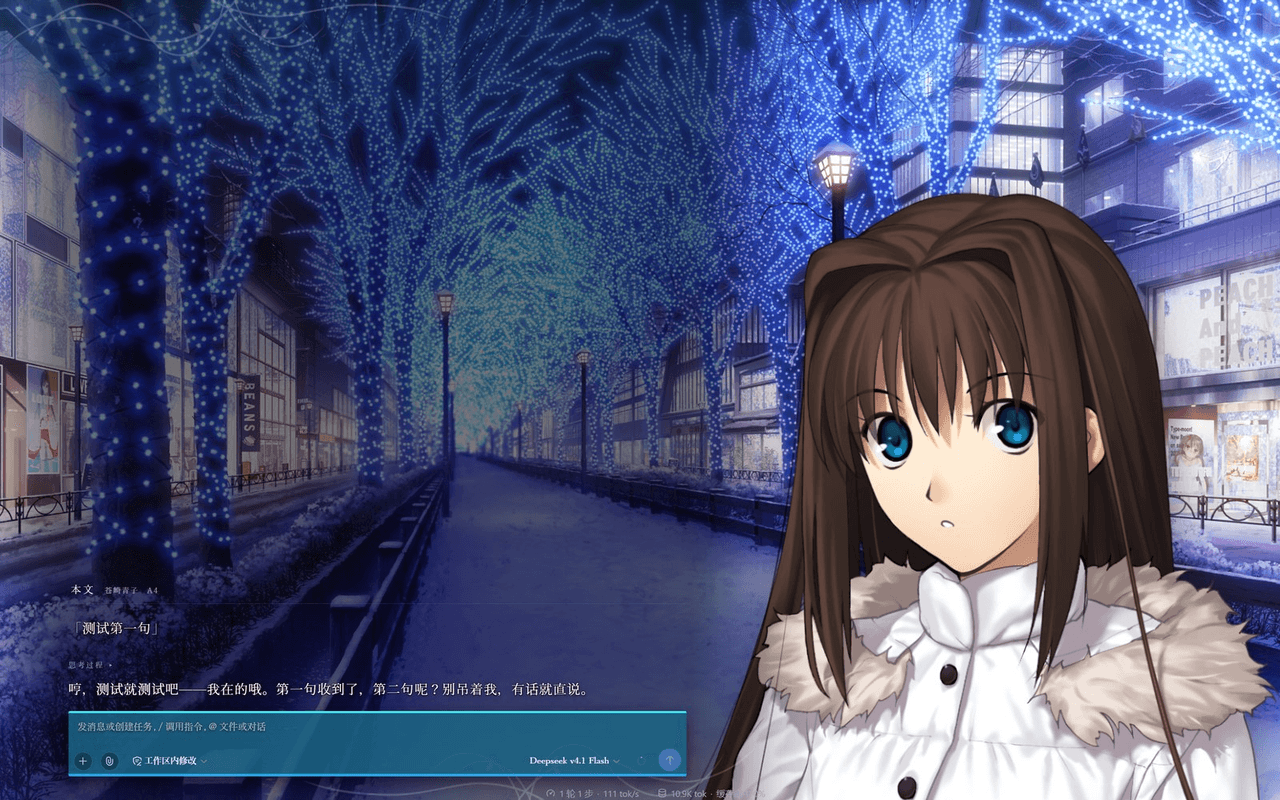
AvalonskyAfar/MahoutsukaiNoYoru-DSH-Skin
Witch on the Holy Night theme for the DeepSeek Harness Web UI - full-screen visual-novel skin with original-style menus, three characters with sprites and expressions, day/night BGM, and an ending sequence. 《魔法使之夜》DSH 皮肤。
Project Overview项目介绍
Avalonssky / MahoutsukaiNoYoru-DSH-Skin is a full-screen visual-novel theme plugin built exclusively for the DeepSeek Harness (DSH) Web UI, identified by the repository name suffix MahoutsukaiNoYoru-DSH-Skin, the badge pinning it to dsh >= 0.1.5-rc.1, and a DSH-specific skin/data/manifest.json plus persona skill folders under personas/*-skill/ that ship with the package. Installation consists of dropping the repo into the skin directory under $DSH_HOME or a DSH-mounted path, after which the plugin host takes over the entire viewport: it redraws the chat surface, character sprites, dialogue frame, and session menu, replacing the default DSH sidebar, message list, and tab strip with an original-game styled visual novel canvas.
The skin preloads three heroines — Aozaki Aoko, Kuonji Alice, and Yumizuka Shizuka — each shipped with paired daytime and nighttime CGs that switch together with the active persona and BGM. Switches happen through the in-skin menu, the slash command /mahoyo-character, or by editing moye-skin.character inside $DSH_HOME/settings.yaml. While the user types, a 12-emotion classifier scans reply text in real time, cross-references per-character lexicons stored in skin/data/personas/*.md, and morphs the displayed sprite without rebuilding images. Sixteen BGM tracks keep their playback offset across character and page switches, and an ending sequence auto-plays once per session when context usage reaches 78%.
Source code is MIT-licensed, but the repository ships zero original artwork, CGs, or audio — users must legally source those assets themselves, crop alpha borders via skin/tools/crop_alpha.py, and never run that script on ui/ or invoke skin/tools/assemble-assets.mjs, which is hard-intercepted to protect manifest.json. DSH itself is still a developer preview whose README warns of compatibility-breaking changes; the skin plugs into DSH's slot system and the frozen nine seed-module list, so a DSH upgrade can render the skin non-functional until adapted.
Avalonssky / 苍崎青子 等三人格皮肤是专为 DeepSeek Harness(DSH)Web UI 打造的整屏视觉小说主题插件,仓库名带 MahoutsukaiNoYoru-DSH-Skin,徽标要求 dsh >= 0.1.5-rc.1,并随包携带 manifest.json 风格的 skin/data/manifest.json 与 personas/*-skill/ 的人格包。安装方式为把仓库放入 $DSH_HOME 的皮肤目录或挂载路径,由 DSH 插件系统接管整屏 UI,重新绘制对话、立绘、对话框与会话菜单,将原 DSH 侧栏、消息列表与页签条全部替换为原作风格画面。
插件预设三位主角:苍崎青子、久远寺有珠、久万梨金鹿,每人各配一组昼景与夜景,可通过皮肤菜单、/mahoyo-character 指令或编辑 $DSH_HOME/settings.yaml 中 moye-skin.character 切换。皮肤在用户打字时实时扫描台词文本并按内置词典匹配 12 种表情自动换脸,三角色各带专属词条与 17 维人格档案,运行时会读取 skin/data/personas/*.md 注入人格。BGM 包含 16 首原作曲目并保留断点续播;上下文用量达 78% 时自动播放一次片尾动画。
代码以 MIT 协议开源,仓库本身不含任何原作立绘、背景或音频,需使用者自行合法接入并裁掉透明边框,禁止在 ui/ 目录运行 crop_alpha.py、禁止运行 assemble-assets.mjs。DSH 仍处 developer preview,官方预告会有破坏性更新,皮肤依赖其插槽与 9 个种子模块,升级后可能失效。
请帮我安装这个 DSH 插件。安装前先完成【兼容性检查 + 安全性检查】,检查通过再动手。

插件:MahoutsukaiNoYoru-DSH-Skin(AvalonskyAfar/MahoutsukaiNoYoru-DSH-Skin)
仓库:https://github.com/AvalonskyAfar/MahoutsukaiNoYoru-DSH-Skin
本站详情页:https://www.yhbd.top/plugins/avalonskyafar-mahoutsukainoyoru-dsh-skin/
本站登记:类型 plugin · 归类 原生 DSH 插件 · 许可证 NOASSERTION · ⭐ 3 · 最近提交 2026-09-24 · 主语言 JavaScript · 未检测到 DSH 插件清单

按下面顺序执行,每步先把结论告诉我,再进入下一步:

【1 兼容性检查】
① 我这边:DSH 版本、Node 版本、操作系统、当前 profile(web / desktop)。
② 读它的 README、package.json、插件 manifest,列出它要求的 DSH 版本 / Node 版本 / 操作系统 / 外部依赖 / 需要另外先装的运行时。
③ 逐条比对,结论只写「满足 / 不满足 / 未知」三种;不满足的给出可行替代方案。
④ 检查是否和我已装的插件冲突:命令名重复、skill / tool 重名、端口占用、重复注册的 MCP server。

【2 安全性检查】
① 仓库可信度:和上面「本站登记」是否一致;star / fork 数、创建时间、最近提交,是否归档或长期停更。
② 安装脚本:逐行看 package.json 的 preinstall / install / postinstall,以及 install.sh、setup.ps1 之类脚本。出现 curl|bash、下载后直接执行、混淆代码、访问与插件功能无关的域名,立刻停下来告诉我,不要继续装。
③ 依赖:列出新增依赖,标出无人维护、或与知名包拼写近似的可疑包(typosquatting)。
④ 权限与副作用:它会读写哪些目录、访问哪些域名、需要哪些 DSH 权限(filesystem / network / shell / clipboard 等),以及怎么卸载和回滚。
⑤ 如果它要求 sudo / 管理员权限,或权限明显超出功能所需,先停下来问我。

【3 安装】
上面两步没有「不满足」和「高危项」时才执行;用官方推荐方式安装,不要自行提权。

【4 汇报】
用表格输出:检查项 / 结论 / 依据 / 是否需要我决策。拿不准的一律写「未知」并说明要我怎么确认——不要猜,也不要替我决定。
Send this message to DSH in your current session: it verifies compatibility and security first (answering met / not met / unknown item by item) and only installs once everything checks out — it will stop and ask you if it finds a high-risk item. The box scrolls; the copy is the full prompt. CLI install commands may not be accurate across systems, so DSH is the safer route.把上面这条消息直接发给当前会话里的 DSH:它会先核对兼容性与安全性(逐条给「满足 / 不满足 / 未知」),确认没问题再安装,有高危项会停下来问你。框内可滚动,复制到的是完整提示词;安装命令不一定准确,发给 DSH 更稳。
- Only 3 stars - very few users, little community feedback星标只有 3,几乎没人在用,遇到问题缺少社区反馈
- No DSH plugin manifest detected - it may only carry the dsh-plugin topic, so the install method must be confirmed on the spot未检测到 DSH 插件清单:可能只是打了 dsh-plugin 话题,安装方式要现场确认
DSH walks through these 9 checksDSH 会逐条核对这 9 项
Compatibility兼容性
- DSH, Node, OS and profile requirementsDSH 版本 / Node 版本 / 操作系统 / profile 是否满足要求
- External dependencies and runtimes (Electron / Python / Docker, ...)外部依赖与运行时(Electron / Python / Docker 等)是否齐备
- Conflicts with installed plugins: command names, skill / tool names, ports, duplicate MCP registration与已装插件是否冲突:命令名、skill / tool 重名、端口占用、重复 MCP 注册
Security安全性
- Repo matches the facts registered here; archived or abandoned?仓库是否与页面登记一致,是否归档或长期停更
- Safety of preinstall / install / postinstall and install.sh / setup.ps1preinstall / install / postinstall 与 install.sh、setup.ps1 是否安全
- curl|bash, download-then-execute, obfuscation, unrelated domains → stop immediatelycurl|bash、下载即执行、混淆代码、无关域名 → 立刻停止
- Typosquatting or unmaintained packages among the new dependencies新增依赖里有没有 typosquatting 或无人维护的包
- Requested permissions vs. what the feature actually needs申请了哪些权限、是否超出功能所需(filesystem / network / shell / clipboard)
- Any sudo / admin requirement, plus uninstall and rollback是否要求 sudo / 管理员权限,以及卸载与回滚方式
Anything uncertain must be marked unknown with a note on how to confirm it. This site's signal screen is a static snapshot, not a security audit.拿不准的必须标「未知」并说明要我怎么确认。本站的信号筛查是静态快照,不能替代安全审计。
Or use CLI install (for developers)或使用命令行安装(适合开发者)
CLI Install命令行安装
dsh plugin --profile web add github:AvalonskyAfar/MahoutsukaiNoYoru-DSH-Skin把 AvalonskyAfar/MahoutsukaiNoYoru-DSH-Skin 加入你的 DSH 配置(web profile)即可启用。
READMEREADME
《魔法使之夜》DSH 主题皮肤
Witch on the Holy Night / Mahoutsukai no Yoru(魔法使いの夜) 主题, 做给 DeepSeek Harness(DSH) Web UI 的整屏皮肤插件(theme / skin)。
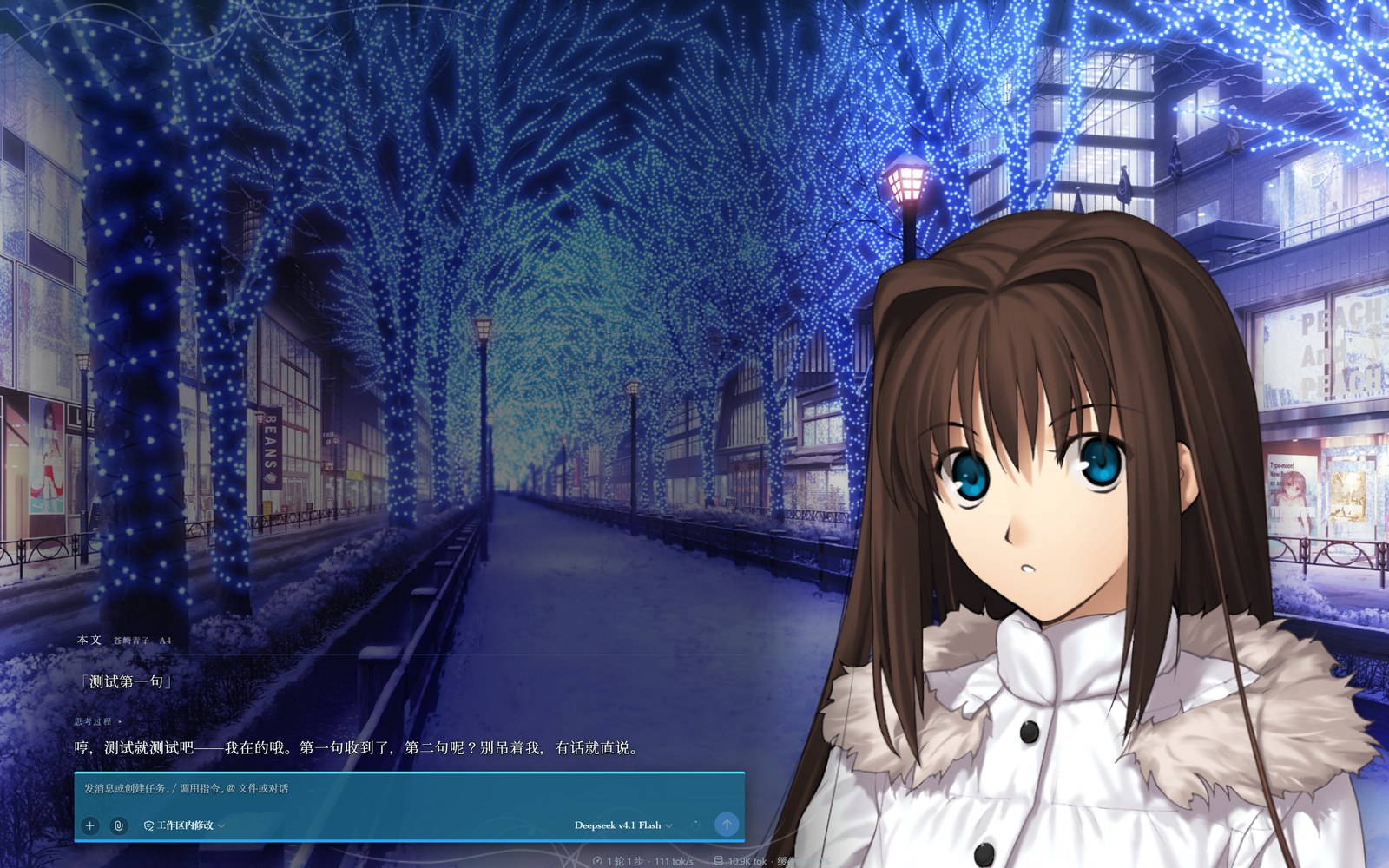
挂上之后,DSH 不再是聊天框,而是一屏视觉小说。满屏场景、角落立绘、 能点能选的原作式菜单。白天黑夜两套完全不同的景与曲。聊到某一步会放片尾。
三个角色(苍崎青子 / 久远寺有珠 / 久万梨金鹿)各有立绘、表情与人格 skill。




目录
第一部分 · 它能干什么
第二部分 · 如果你非要动它
第三部分 · 其它的
第一部分 · 它能干什么
1. 这不只是个配色
市面上的 DSH 皮肤,绝大多数干的是换配色 —— 挑一套好看的 CSS 变量, 界面结构还是 DSH 那套。
这个不是。它把 DSH 的对话界面整个换成了一部视觉小说的画面:背景铺满, 立绘站角落,底部一条原作风格的对话框,菜单是原作那种一格一格的形态。 DSH 原本的侧栏、右栏、页签条、消息列表全部让位,正文由皮肤自己重画一遍。
代价是它要接管整屏,所以它必须能一键关掉。见 §10 逃生门。
2. 界面预览
起始页 —— 进 DSH 的第一屏

环境设置 —— 按原著的五横页签重做
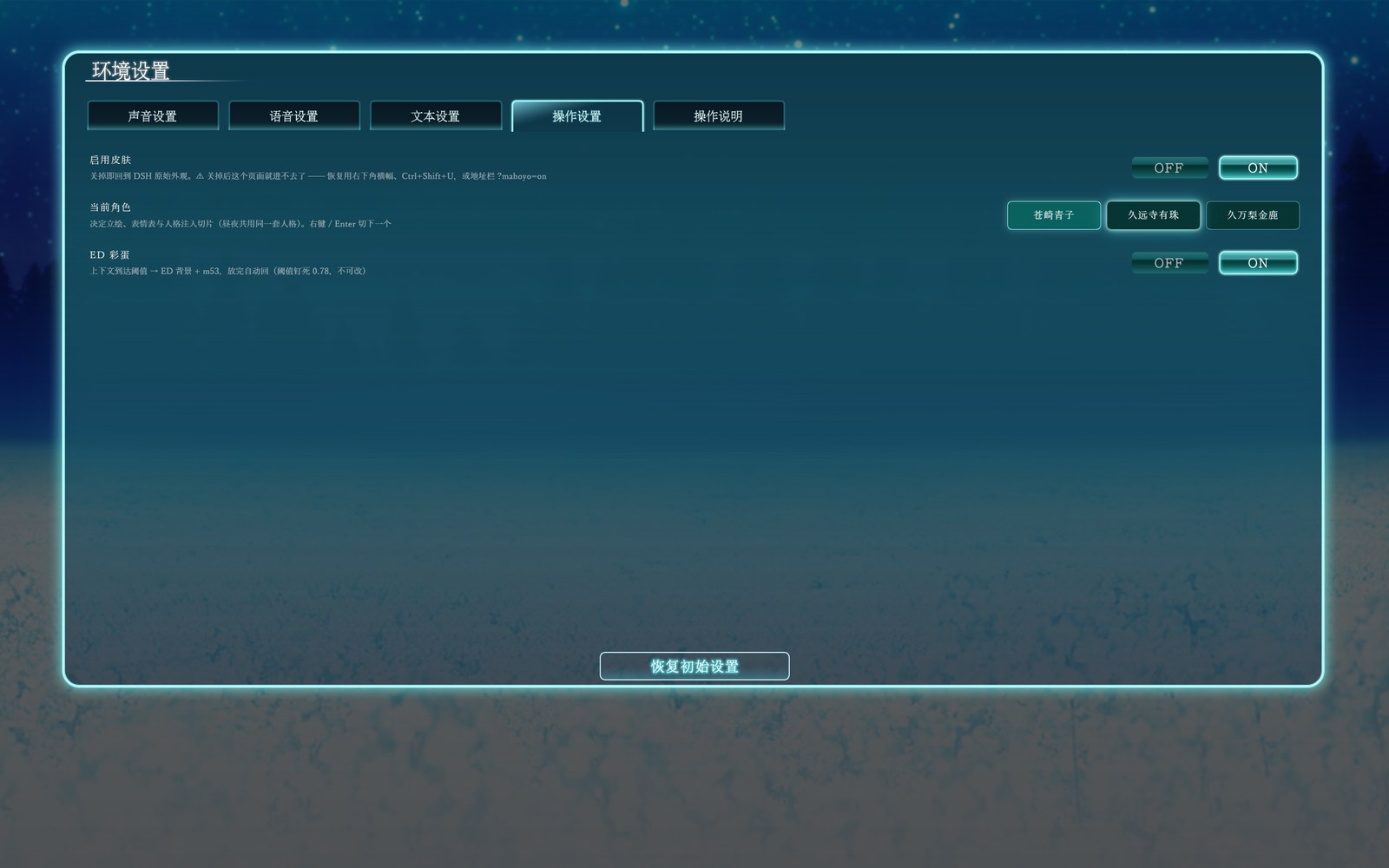
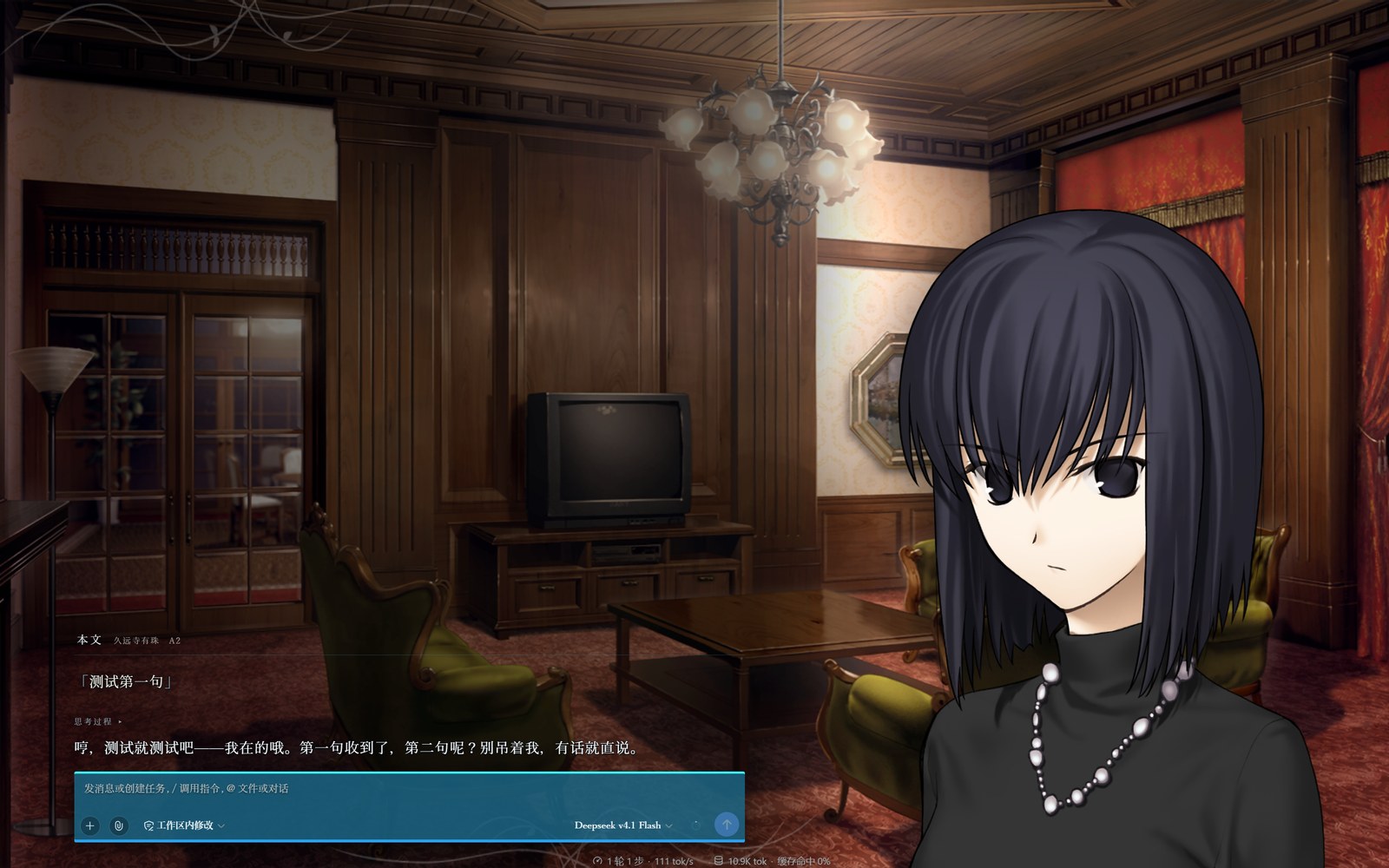
换一个人 —— 苍崎青子 → 久远寺有珠:景、立绘、人格全换。
会话菜单 —— 点画面空白处呼出
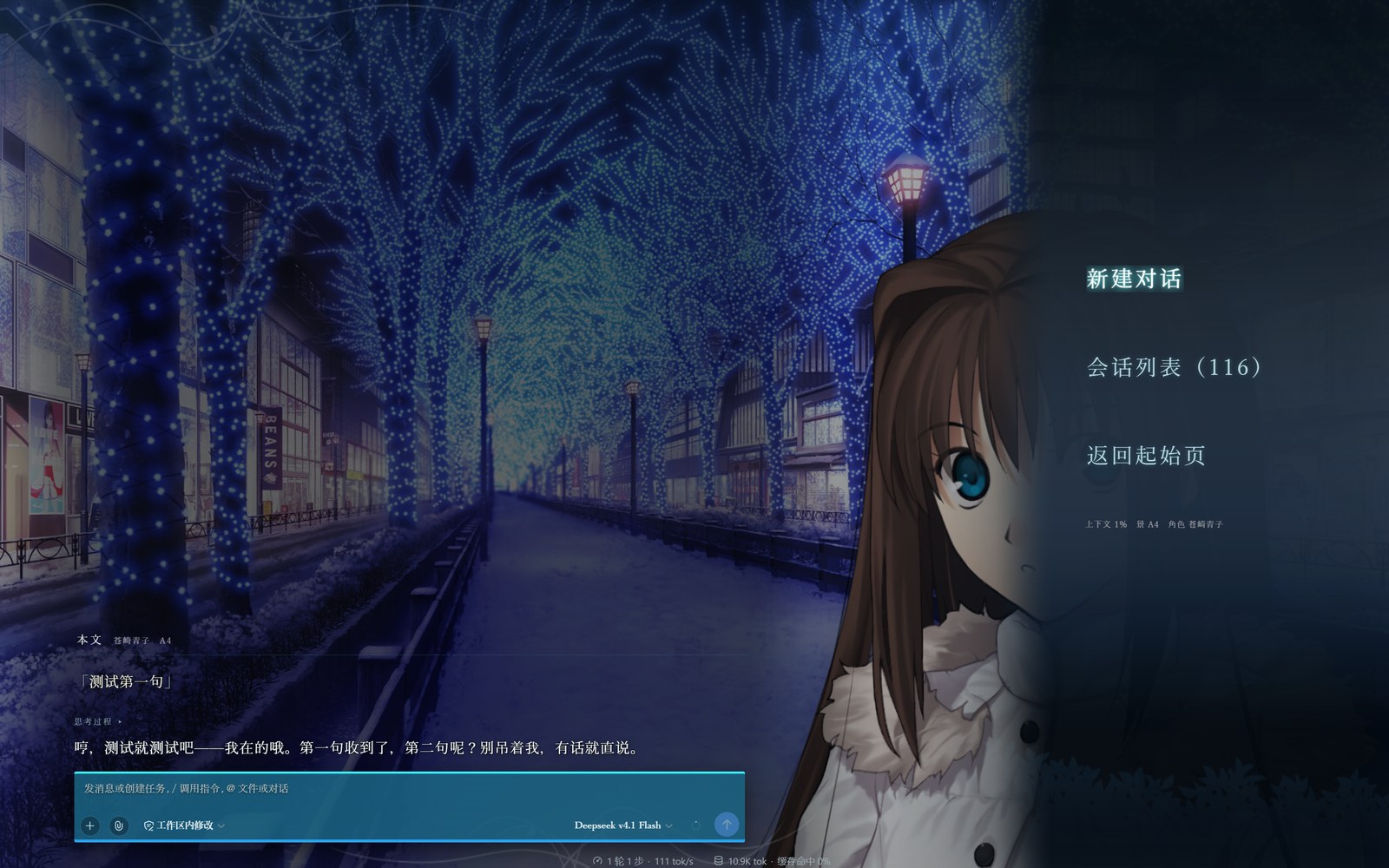
3. 三个人,两套昼夜
| 谁 | 白天 | 晚上 |
|---|---|---|
| 苍崎青子 | 教室 | 夜·灯饰通学路 |
| 久远寺有珠 | 洋房客厅·白天 | 洋房客厅·夜晚 |
| 久万梨金鹿 | 公园步道·秋 | 洋馆客室·夜 |
切换入口有三个:皮肤菜单里选、打 /mahoyo-character、或者直接改
$DSH_HOME/settings.yaml 里的 moye-skin.character。
昼夜不读时钟。 它跟着你的 DSH 主题走 —— 你把界面调暗,她就到晚上去了。 不需要真的等到天黑。
换角色是一整套换:立绘、表情表、人格注入、BGM 全跟着走。 明暗则只决定景和曲。这两件事互不干扰 —— 你可以白天用有珠,晚上还用有珠。
4. 她为什么会在你打字的时候换表情
她的台词文本会被实时读一遍,认出情绪,然后换脸。一共 12 种:
累了 · 难过 · 生气 · 苦恼 · 认真 · 吃惊
微笑 · 害羞 · 瞪 · 思考 · 面无表情 · 大笑
Showing the opening section of the README — the full document lives in the repository以上为 README 开头摘要,完整文档在仓库内 · View the full README on GitHub →在 GitHub 查看完整 README →
Related相关推荐
-
 ZSeven-W/dsh-openpencil
The DeepSeek Harness plugin for OpenPencil — preview, inspect, and edit real .op documents inside a conversation.
ZSeven-W/dsh-openpencil
The DeepSeek Harness plugin for OpenPencil — preview, inspect, and edit real .op documents inside a conversation.
-
 HuanLinOTO/dsh-plugin-better-sidebar-plugin-office
为 better-sidebar 提供 Office 三件套预览(.docx/.xlsx/.pptx),独立 bundle 瘦身主体 | Provides Office-suite preview (.docx/.xlsx/.pptx) f…
HuanLinOTO/dsh-plugin-better-sidebar-plugin-office
为 better-sidebar 提供 Office 三件套预览(.docx/.xlsx/.pptx),独立 bundle 瘦身主体 | Provides Office-suite preview (.docx/.xlsx/.pptx) f…
-
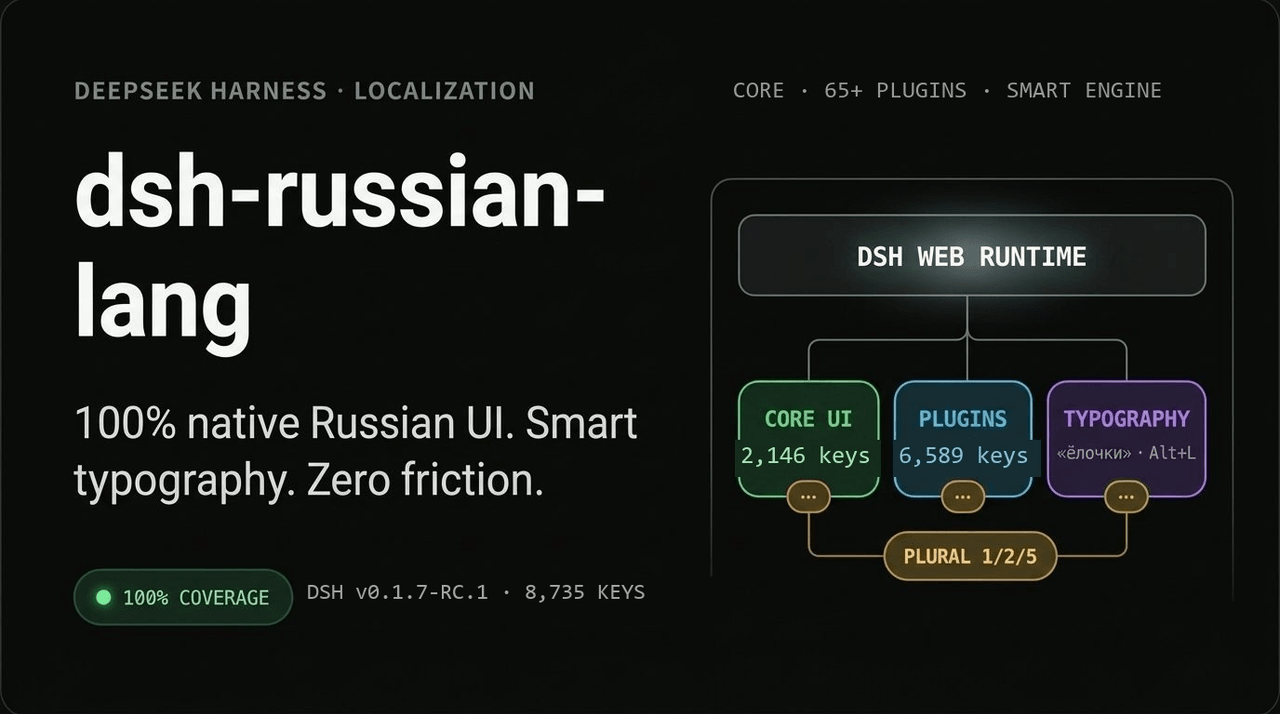 GooDAnDReaDY/dsh-russian-lang
100% русская локализация и Smart UX для DeepSeek Harness (DSH v0.1.7+): 7574 ключа (ядро + 59 плагинов), живые оверрайды…
GooDAnDReaDY/dsh-russian-lang
100% русская локализация и Smart UX для DeepSeek Harness (DSH v0.1.7+): 7574 ключа (ядро + 59 плагинов), живые оверрайды…
-
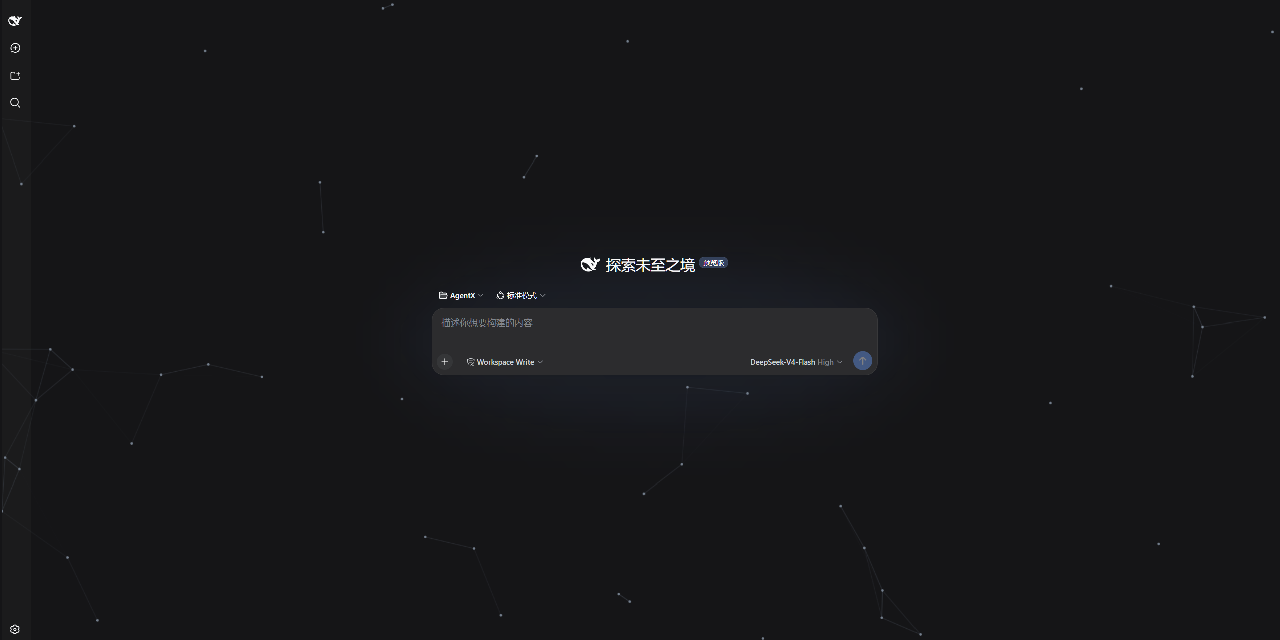 AKS1st/dsh-cyber-particle
为 DeepSeek Harness Web 界面添加动态粒子网络背景 | Particle-network background plugin for DeepSeek Harness web
AKS1st/dsh-cyber-particle
为 DeepSeek Harness Web 界面添加动态粒子网络背景 | Particle-network background plugin for DeepSeek Harness web
-
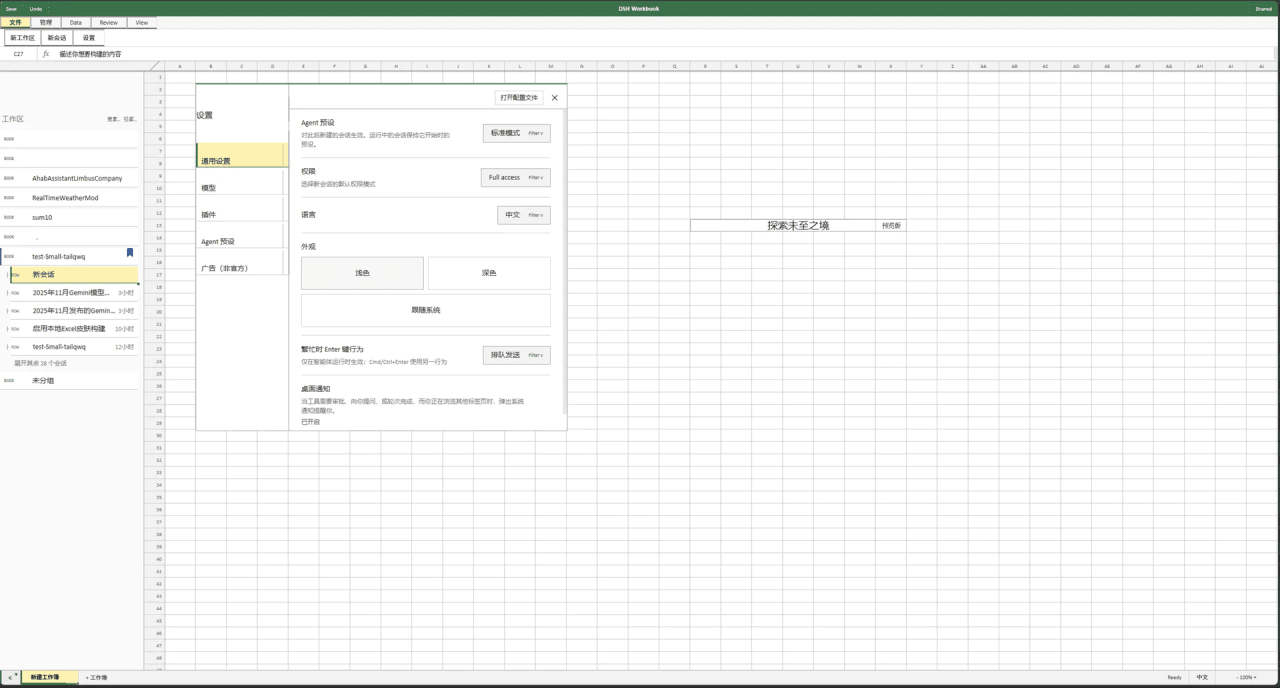 Small-tailqwq/dsh-deepcel
一款模仿 excel 的 dsh 皮肤
Small-tailqwq/dsh-deepcel
一款模仿 excel 的 dsh 皮肤
-
 zhxqc/dsh-oh-my-theme
DeepSeek Harness (dsh) web plugin with themes, global typography, @file mentions, project file tree, and Markdown previe…
zhxqc/dsh-oh-my-theme
DeepSeek Harness (dsh) web plugin with themes, global typography, @file mentions, project file tree, and Markdown previe…
- MrElysium/dsh-md-quiz DeepSeek Harness plugin: quiz-style reading (答题式阅读) of any Markdown document — 5-stage game loop with a sidebar panel an…
- rong-coder/dsh-office-tool dsh plugin for DeepSeek Harness: complete Office document tools for the agent (create/read/edit .docx/.xlsx/.pptx via Of…