ayingQAQ/dsh-web-launcher
Windows 上的 DeepSeek Harness Web 一键启动器|支持后台重启和浏览器刷新的一键启动器。
项目介绍Project Overview
DSH Web Launcher 是一款 Windows 桌面一键启动器,为 DeepSeek Harness Web 创建快捷方式。核心能力:首次双击运行 dsh web 并打开浏览器;再次双击在后台重启 DSH 并刷新已开页面,使新增、卸载或更新的插件立即生效,并通过 web profile 管理所有记录。适用于频繁增删插件的 DSH 用户。使用注意:当前仅支持 Windows、默认 web profile 与 3080 端口;卸载前需先在 DSH 设置中移除桌面快捷方式。
DSH Web Launcher is a Windows desktop one-click starter for DeepSeek Harness Web. Core capability: first double-click runs dsh web and opens the browser; subsequent double-clicks restart DSH in the background and reload the existing page so newly installed, removed, or updated plugins take effect immediately, with all records managed via the web profile. Use it when frequently adding, removing, or updating DSH plugins. Caveat: Windows only, supports only the default web profile and port 3080; remove the desktop shortcut from DSH settings before uninstalling.
请帮我了解并安装插件:【dsh-web-launcher】【https://github.com/ayingQAQ/dsh-web-launcher】把上面这条消息直接发给当前会话里的 DSH,让它帮你了解并安装。安装命令不一定准确,发给 DSH 更稳。Send this message to DSH in your current session. CLI install commands may not be accurate across systems — DSH will figure it out for you.
或使用命令行安装(适合开发者)Or use CLI install (for developers)
命令行安装CLI Install
dsh plugin --profile web add github:ayingQAQ/dsh-web-launcher把 ayingQAQ/dsh-web-launcher 加入你的 DSH 配置(web profile)即可启用。
READMEREADME
DSH Web Launcher
由 DSH 管理的 Windows 一键启动器。它为 DeepSeek Harness Web 创建桌面快捷方式:
首次双击启动 dsh web 并打开浏览器,再次双击则在后台重启 DSH 并刷新现有页面,
让刚安装、卸载或修改的插件立即生效。
通过 DSH 安装
dsh plugin --profile web add github:ayingQAQ/dsh-web-launcher
重新启动一次 DSH Web。插件加载后会自动创建或更新桌面的 DSH Web 快捷方式, 以后插件的安装、更新和卸载记录均由 web profile 管理。
在 DSH 的 设置 → 通用设置 → DSH 一键启动器 中可以检查状态、重新创建或 移除桌面快捷方式。卸载插件前若不再需要快捷方式,请先在这里将其移除。
卸载插件:
dsh plugin --profile web remove dsh-web-launcher
独立安装
不希望把它加入 DSH profile 时,也可以继续作为普通 npm 工具使用:
npm install -g dsh-web-launcher
dsh-web-launcher setup
可用命令:
dsh-web-launcher start
dsh-web-launcher setup
dsh-web-launcher status
dsh-web-launcher remove
行为
- 默认地址为
http://127.0.0.1:3080,使用默认 web profile。 - 首次启动显示 DSH 自身的终端窗口,服务就绪后自动打开浏览器。
- 再次双击会确认 3080 端口属于 DSH,再在后台重启对应进程。
- 重启完成后刷新标题含“DeepSeek Harness”的现有浏览器窗口;找不到时打开新页面。
- 连续点击会合并成一次操作,避免重复停止、启动和刷新。
- 稳定运行文件位于
%LOCALAPPDATA%\dsh-web-launcher\runtime。 - 日志位于
%LOCALAPPDATA%\dsh-web-launcher\logs,最多保留当前和上一份日志。 - 快捷方式使用原生 Windows Shell Link API 创建,不调用 PowerShell。
限制
当前版本仅支持 Windows、默认 web profile 和默认端口 3080。DSH 删除插件时不会 主动执行第三方卸载脚本,因此应先从插件设置项移除桌面快捷方式,再卸载插件。
许可与归属
本项目采用 MIT License。DeepSeek Harness 图标来源与许可见
THIRD_PARTY_NOTICES.md。本项目是独立工具,不是 DeepSeek 官方产品。
相关推荐Related
-
 nexu-io/open-design
🎨 Best DeepSeek Harness Design Plugin. The open-source Claude Design alternative. 🖥️ Local-first desktop app. 🖼️ Your…
nexu-io/open-design
🎨 Best DeepSeek Harness Design Plugin. The open-source Claude Design alternative. 🖥️ Local-first desktop app. 🖼️ Your…
-
 esengine/DeepSeek-Reasonix
DeepSeek-native AI coding agent for your terminal. Engineered around prefix-cache stability — leave it running.
esengine/DeepSeek-Reasonix
DeepSeek-native AI coding agent for your terminal. Engineered around prefix-cache stability — leave it running.
- Nagi-ovo/voyager Enhancement suite for Gemini, AI Studio, Claude & ChatGPT — plus a prompt manager for any web UI, DeepSeek Harness inclu…
-
 anywhere-labs/deepseek-harness-desktop
为 DeepSeek Harness (DSH) 插件生态打造的现代化桌面端解决方案。万物皆「插件」,桌面本身也是「插件」。
anywhere-labs/deepseek-harness-desktop
为 DeepSeek Harness (DSH) 插件生态打造的现代化桌面端解决方案。万物皆「插件」,桌面本身也是「插件」。
-
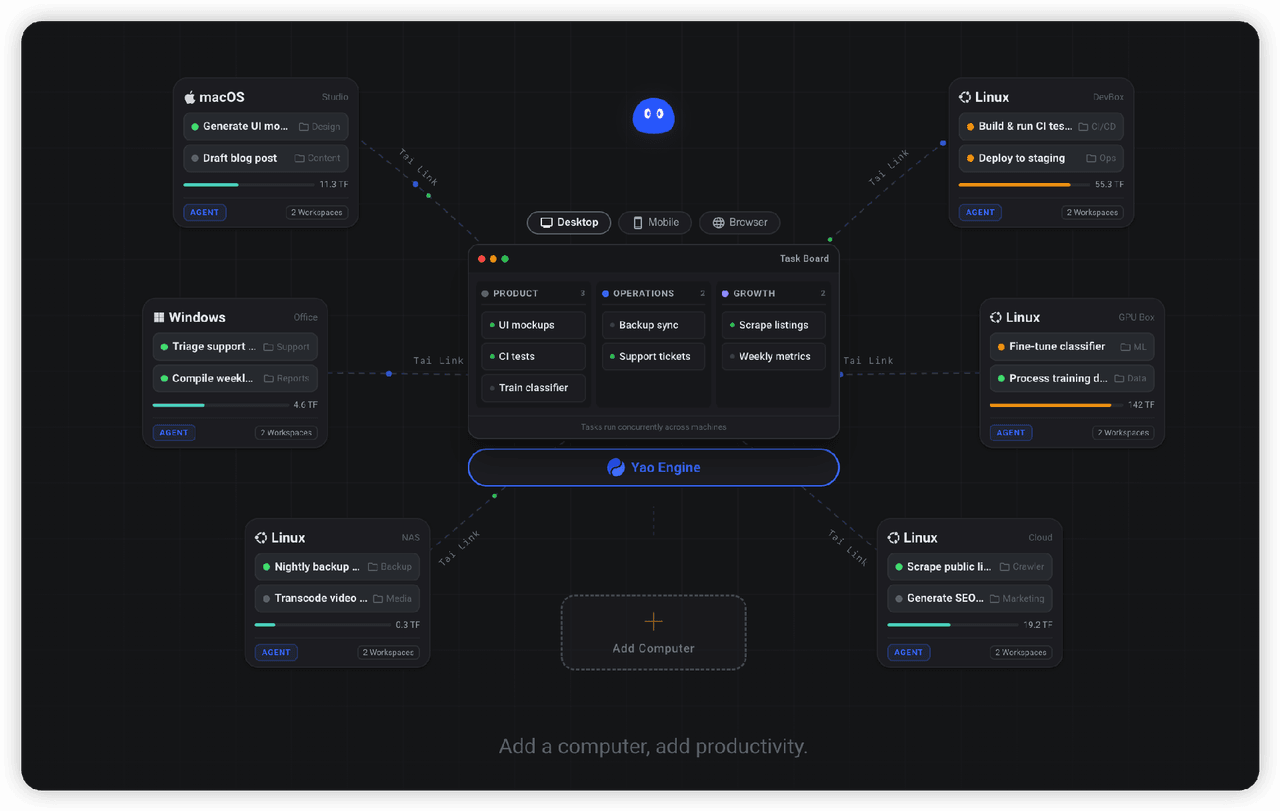 YaoApp/yao
✨ All your agents and workspaces in one place, on every device you own. Track tasks on a board, accessible from desktop,…
YaoApp/yao
✨ All your agents and workspaces in one place, on every device you own. Track tasks on a board, accessible from desktop,…
-
 Devin-AXIS/iPolloWork
Enterprise-grade, local-first Agent Workbench for people and agent teams. A unified multi-engine workspace for Codex Har…
Devin-AXIS/iPolloWork
Enterprise-grade, local-first Agent Workbench for people and agent teams. A unified multi-engine workspace for Codex Har…
-
 edison7009/EchoBird
One-click install + model switch:Claude Code,Codex CLI (OpenAI), Grok Build (xAI), DeepSeek Harness, Kimi Code (Moonshot…
edison7009/EchoBird
One-click install + model switch:Claude Code,Codex CLI (OpenAI), Grok Build (xAI), DeepSeek Harness, Kimi Code (Moonshot…
-
 omdsh-dev/DSH-better-sidebar
开放的侧边栏底座,支持三方拓展注册新侧边栏页面。内置文件渲染编辑/终端/侧边对话/Git/子代理页面 | Open sidebar foundation, supports third-party extensions to registe…
omdsh-dev/DSH-better-sidebar
开放的侧边栏底座,支持三方拓展注册新侧边栏页面。内置文件渲染编辑/终端/侧边对话/Git/子代理页面 | Open sidebar foundation, supports third-party extensions to registe…