AzureHalcyon/dsh-deepseek-usage
DSH 插件:极简的 DeepSeek 余额/用量面板,无任何多余窗口,极简配置
项目介绍Project Overview
这是 DSH 设置页插件,用于查看 DeepSeek 余额与用量。它通过 API Key 获取余额,通过手动粘贴的 userToken 拉取今日/本月 token、消费、请求数、缓存构成,并支持分模型、分 API Key、历史总消费及 60 秒自动刷新。适合在 DSH 内监控账户消耗;用量接口依赖 platform.deepseek.com 私有网页接口,可能随时变更。
This is a DSH settings-page plugin for viewing DeepSeek balance and usage. It uses an API Key for balance and a manually pasted userToken for daily/monthly tokens, cost, requests, cache breakdown, per-model and per-API-Key usage, lifetime spend, and optional 60-second auto-refresh. Use it to monitor DeepSeek consumption inside DSH. Note that usage data relies on private platform.deepseek.com web endpoints, which may change without notice.
请帮我了解并安装插件:【dsh-deepseek-usage】【https://github.com/AzureHalcyon/dsh-deepseek-usage】把上面这条消息直接发给当前会话里的 DSH,让它帮你了解并安装。安装命令不一定准确,发给 DSH 更稳。Send this message to DSH in your current session. CLI install commands may not be accurate across systems — DSH will figure it out for you.
或使用命令行安装(适合开发者)Or use CLI install (for developers)
命令行安装CLI Install
dsh plugin --profile web add github:AzureHalcyon/dsh-deepseek-usage#2bb93b9把 AzureHalcyon/dsh-deepseek-usage 加入你的 DSH 配置(web profile)即可启用。
READMEREADME
dsh-deepseek-usage
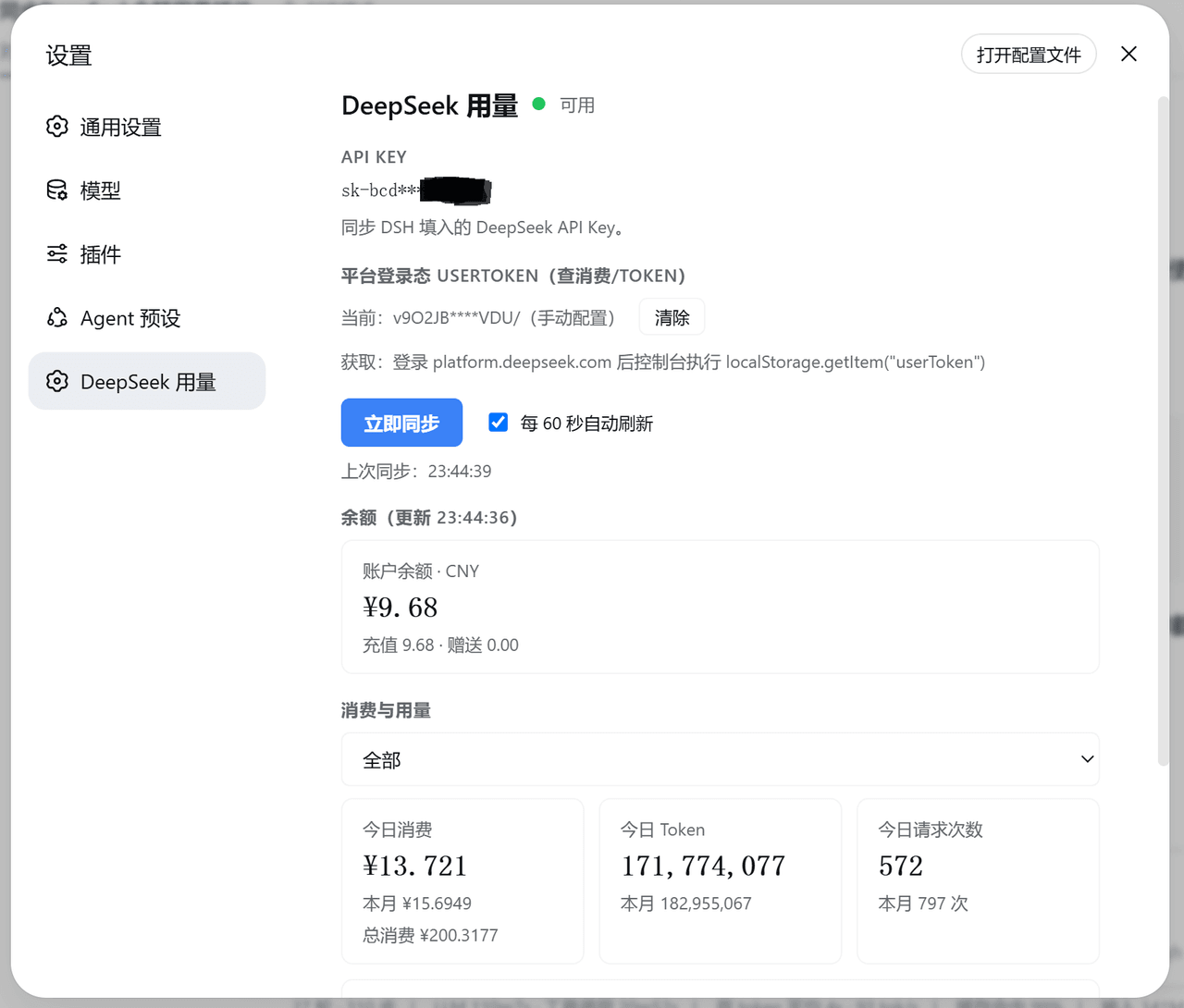
在 DSH 设置页查看 DeepSeek 余额与用量。
功能
| 功能 | 说明 |
|---|---|
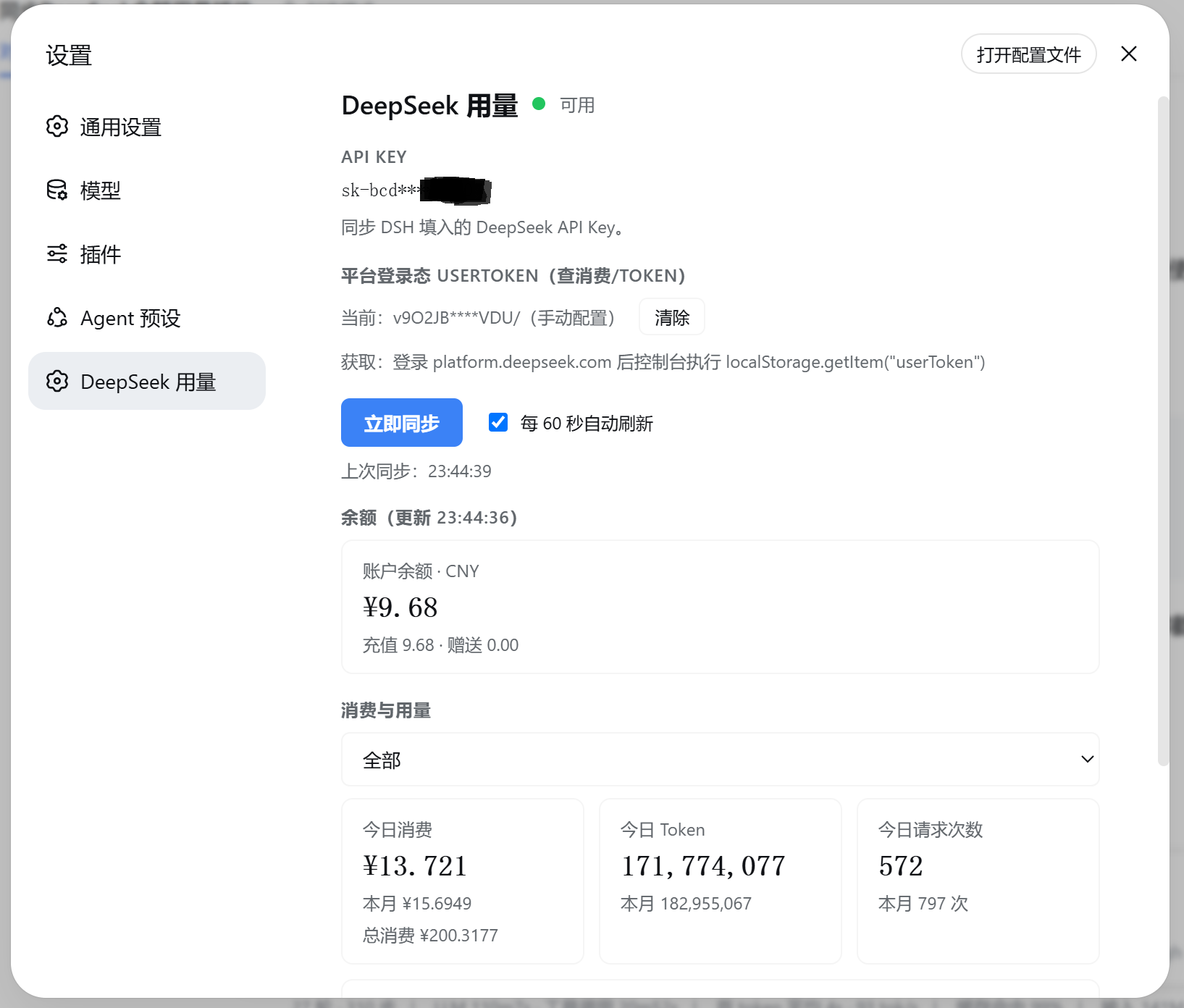
| 账户余额 | 官方 GET /user/balance,多币种(总余额 / 充值 / 赠送)+ 可用状态灯(绿/黄/红/灰) |
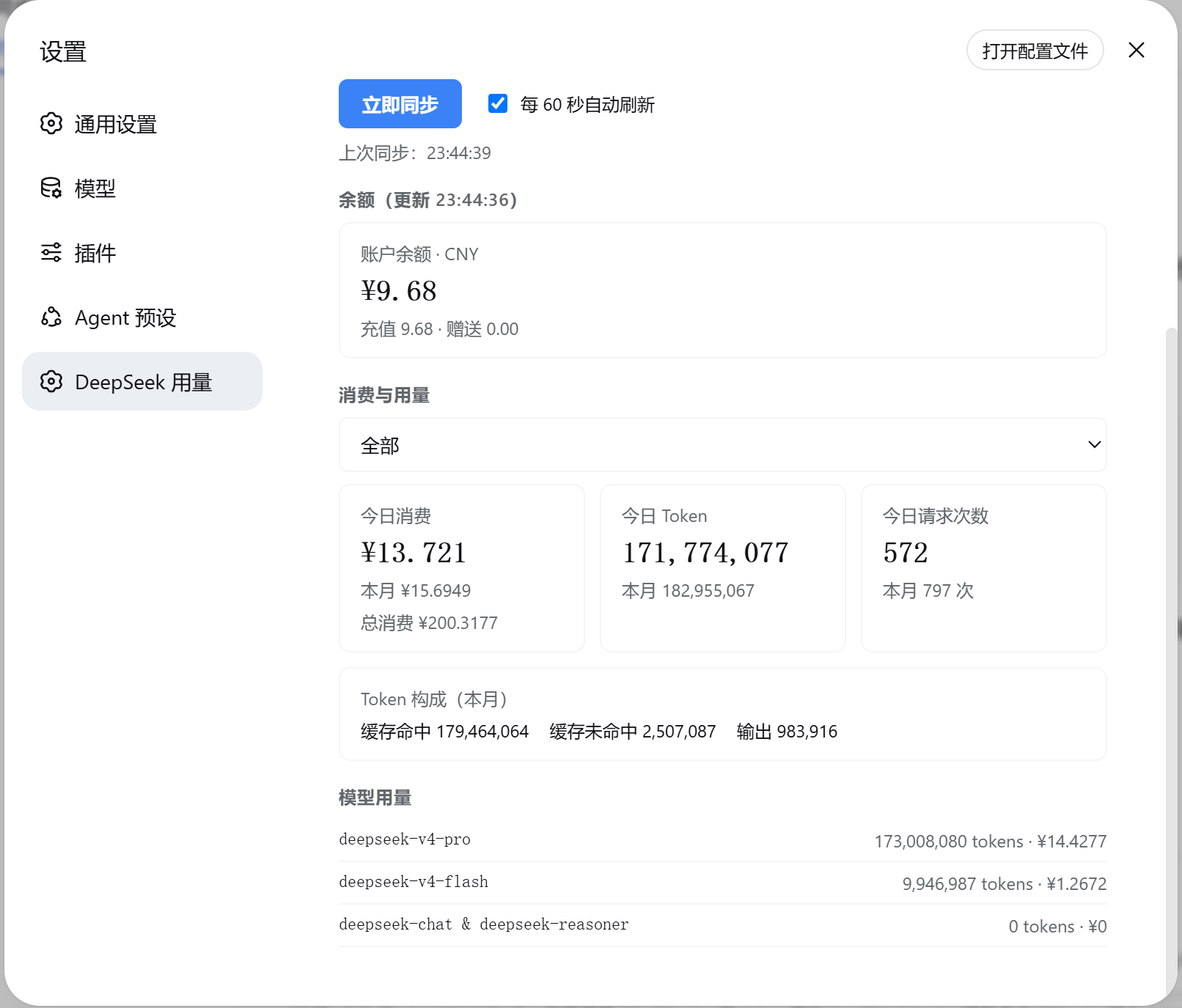
| 用量统计 | 今日 / 本月 token、消费、请求次数(今日按北京时间 0 点起算),以及缓存命中 / 未命中 / 输出的 token 构成 |
| 分模型拆分 | 每个模型的 token 用量与消费 |
| 分 API Key | 按 api_key_name 筛选单个 key 的用量(对应官方页面的「按 API 筛选」) |
| 总消费 | 全部历史累计消费(逐月汇总) |
| 自动刷新 | 可勾选「每 60 秒自动刷新」,偏好持久化 |
截图
细节说明
数据来源
| 数据 | 接口 | 认证 |
|---|---|---|
| 余额 | api.deepseek.com/user/balance(官方公开) |
API Key |
| 本月用量 / 消费 | platform.deepseek.com/api/v0/usage/amount、usage/cost(网页接口) |
登录态 userToken |
| 今日用量 / 消费 | platform.deepseek.com/api/v0/usage/export(北京时间窗口) |
登录态 userToken |
今日按北京时间(本地时区)0 点起算:平台月接口按 UTC 切分日数据,今日口径按
usage/export窗口统计。
用量 / 消费接口是 platform.deepseek.com 的私有接口,非官方公开 API,可能随时变更。
凭据
| 凭据 | 存放 | 说明 |
|---|---|---|
| API Key | DSH 凭据服务 DEEPSEEK_API_KEY(与调用 LLM 共用,只读) |
在 DSH 模型设置中更改 |
| userToken | DSH 凭据服务 DEEPSEEK_USER_TOKEN |
由用户手动粘贴,不读取浏览器数据 |
安全设计
- 凭据服务端保存:API Key 和 userToken 都走 DSH 凭据服务;手动输入的 Token 会通过设置页的一次性请求提交到本地 DSH 服务,插件不会读取浏览器数据库。
- Node 原生
fetch直连:无 shell / 子进程中间层,凭据只在进程内存流转。 - 回环 + 同源守卫:所有路由仅接受 127.0.0.1 回环与同源请求,内置 DNS-rebinding 防护;这不是对同机其他进程的独立认证。
- 稳定错误码 + 最小日志:日志只记录
{code, status}。
安装
正式使用(从 GitHub 安装):
dsh plugin --profile web add github:AzureHalcyon/dsh-deepseek-usage#2bb93b9
本地开发(link 安装):
dsh plugin --profile web add link:<本仓库绝对路径>
装完重启 DSH。
使用
- 打开 设置 → DeepSeek 用量;
- API Key 自动复用 DSH 的
DEEPSEEK_API_KEY(只读展示,无需额外配置); - 登录 DeepSeek 开放平台后,在浏览器控制台执行
localStorage.getItem("userToken"),将结果手动粘贴到插件中;插件不会扫描浏览器数据; - 点「立即同步」。
插件管理
已装插件建议用 plugin-registry 的薄控制台管理(浏览器面板):管理 profile 插件安装态(bundle 层栈 + insert 行 + 启停),无需手改配置。安装:
dsh plugin --profile web add "github:vlln/plugin-registry#b0ae1ea03a6c04c548dd10bf58f0fe7a70a92b29&path:/packages/plugin/console"
相关推荐Related
-
 nexu-io/open-design
🎨 Best DeepSeek Harness Design Plugin. The open-source Claude Design alternative. 🖥️ Local-first desktop app. 🖼️ Your…
nexu-io/open-design
🎨 Best DeepSeek Harness Design Plugin. The open-source Claude Design alternative. 🖥️ Local-first desktop app. 🖼️ Your…
-
 freestylefly/awesome-gpt-image-2
Prompt as Code | GPT-Image2 工业级提示词引擎与模板库,530+ 个案例逆向工程,20+ 套工业级模板,并提炼出Skills,持续更新中
freestylefly/awesome-gpt-image-2
Prompt as Code | GPT-Image2 工业级提示词引擎与模板库,530+ 个案例逆向工程,20+ 套工业级模板,并提炼出Skills,持续更新中
-
 anywhere-labs/dsh-desktop
为 DeepSeek Harness (DSH) 插件生态打造的现代化桌面端解决方案。万物皆「插件」,桌面本身也是「插件」。
anywhere-labs/dsh-desktop
为 DeepSeek Harness (DSH) 插件生态打造的现代化桌面端解决方案。万物皆「插件」,桌面本身也是「插件」。
- Nagi-ovo/voyager Enhancement suite for Gemini, AI Studio, Claude & ChatGPT — plus a prompt manager for any web UI, DeepSeek Harness inclu…
-
 walkinglabs/learn-harness-engineering
Harness engineering beginner tutorial, from 0 to 1
walkinglabs/learn-harness-engineering
Harness engineering beginner tutorial, from 0 to 1
-
 awesome-dsh-plugin/awesome-dsh-plugin
A curated list of plugins for DeepSeek Harness (dsh) · DeepSeek Harness 插件精选列表
awesome-dsh-plugin/awesome-dsh-plugin
A curated list of plugins for DeepSeek Harness (dsh) · DeepSeek Harness 插件精选列表
-
 MemTensor/MemOS
Self-evolving memory OS for LLM & AI Agents: ultra-persistent memory, hybrid-retrieval, and cross-task skill reuse, with…
MemTensor/MemOS
Self-evolving memory OS for LLM & AI Agents: ultra-persistent memory, hybrid-retrieval, and cross-task skill reuse, with…
- yjh051108/dsh-routing-suite dsh-routing-suite — injector + router-standard kit: install the runtime injector first, then the task-aware reasoning-mo…