BAIKAI23333/dsh-skills-manager
众所周知,梁子的 DSH 发布之后,很多人都想从 Claude Code、Codex 以及其他 Agent 工具转过来,体验一下 DS 的原生工具。
catalog 简介 / catalog descriptioncatalog description:一个方便管理skills的deepseekharness插件
项目介绍Project Overview
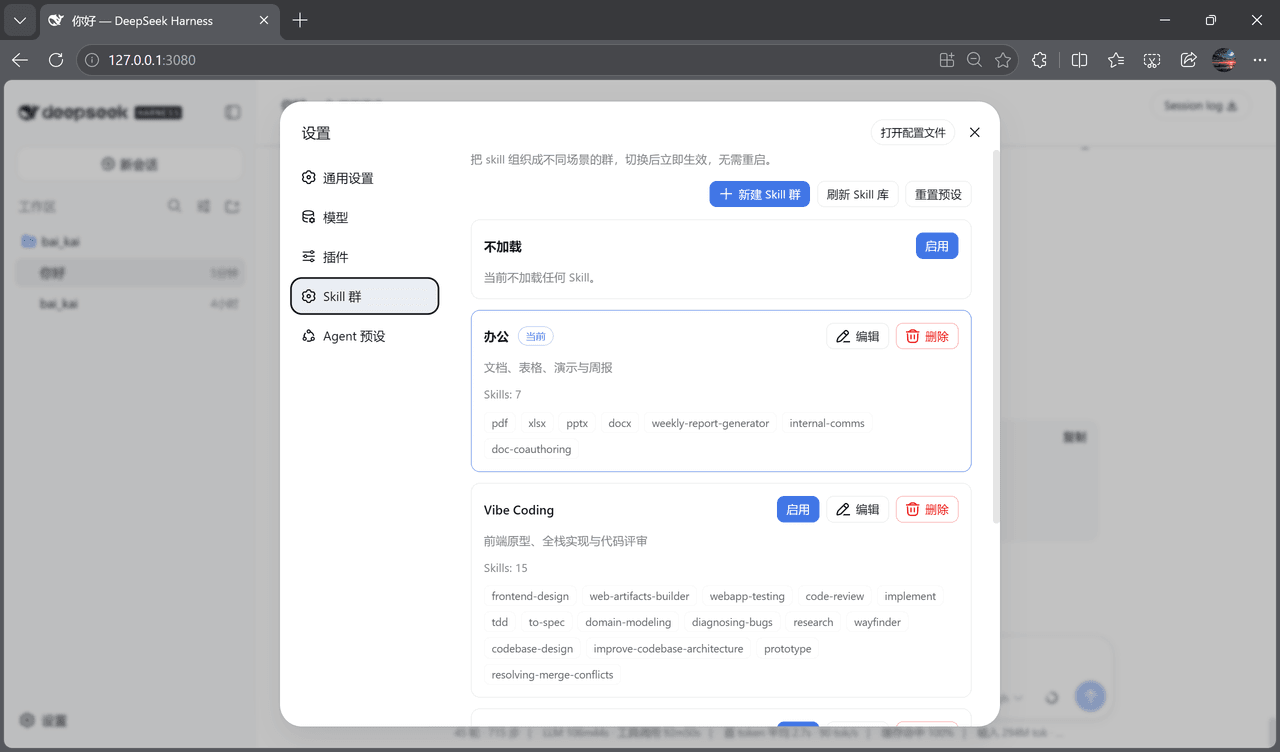
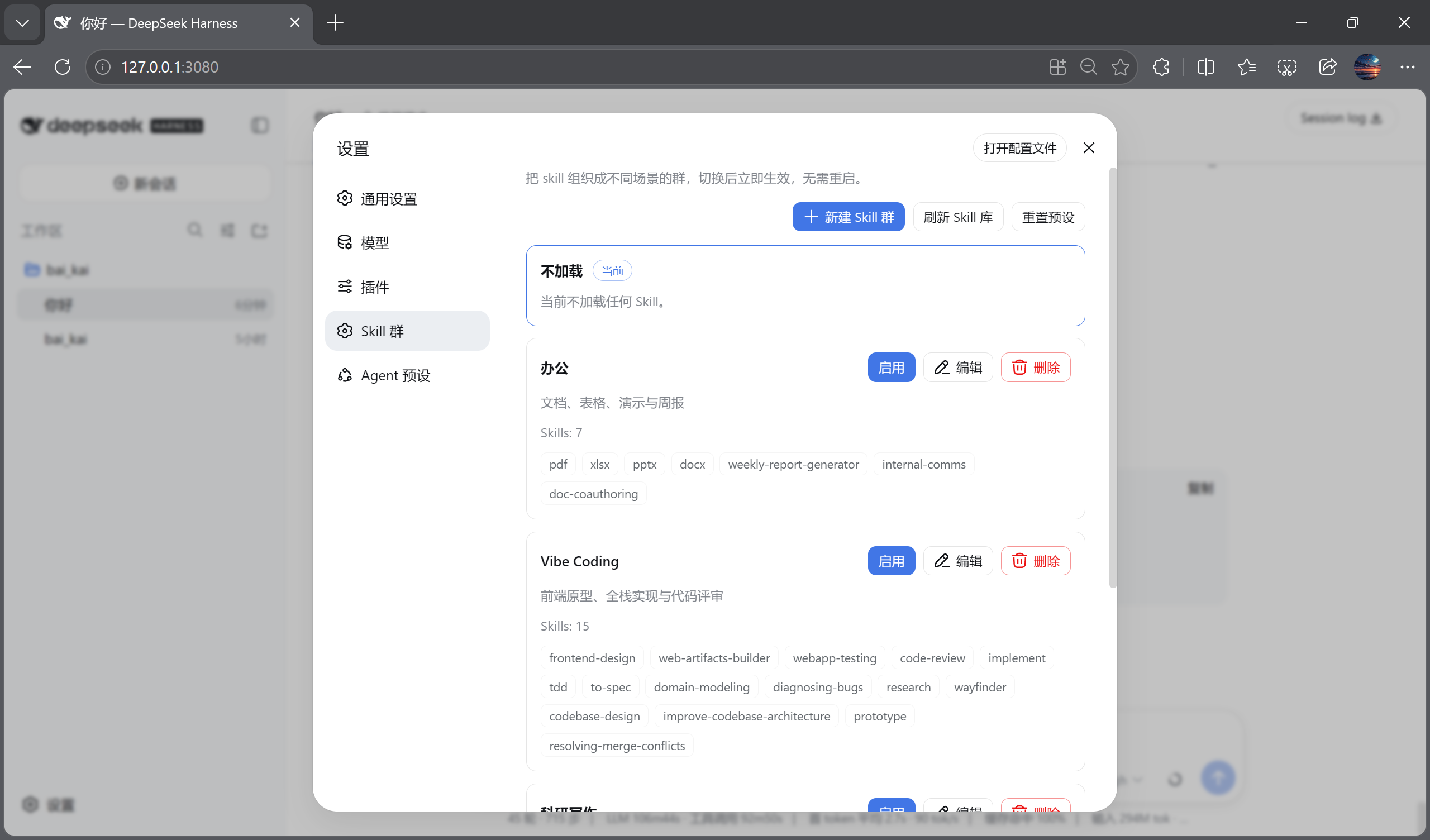
dsh-skills-manager 是一款面向 DSH 的开源插件,用于导入并管理 Skill。支持拖拽 SKILL.md 或填写宿主路径批量导入,可创建、编辑、删除 Skill 群,预设办公、Vibe Coding、科研写作等场景,并支持全部启用与不加载切换。切换群后立即生效,无需重启。建议安装前确保 DSH profile 路径默认配置一致。
dsh-skills-manager is an open-source DSH plugin for importing and managing Skills. It supports drag-and-drop of SKILL.md files or batch import via host folder paths, enabling users to create, edit, and delete Skill groups with presets for office, Vibe Coding, and academic writing, plus all-enabled and none states. Group switching takes effect immediately without restarting DSH. Ensure your DSH profile path matches the default before installation.
请帮我了解并安装插件:【dsh-skills-manager】【https://github.com/BAIKAI23333/dsh-skills-manager】把上面这条消息直接发给当前会话里的 DSH,让它帮你了解并安装。安装命令不一定准确,发给 DSH 更稳。Send this message to DSH in your current session. CLI install commands may not be accurate across systems — DSH will figure it out for you.
或使用命令行安装(适合开发者)Or use CLI install (for developers)
命令行安装CLI Install
npx @deepseek-ai/dsh plugin --profile web add @baikai233/dsh-skills-manager把 BAIKAI23333/dsh-skills-manager 加入你的 DSH 配置(web profile)即可启用。
READMEREADME
dsh-skills-manager
众所周知,梁子的 DSH 发布之后,很多人都想从 Claude Code、Codex 以及其他 Agent 工具转过来,体验一下 DS 的原生工具。
但 DSH 的 Skill 支持目前做得还不太直观。移民过来以后,我们很难把原来那套开发习惯原封不动地带进 DSH。
于是我用 DSH + DS 开发了这个开源插件:dsh-skills-manager(Skills Manager)。
它能够方便地完成 Skill 的导入和管理,并且提供按任务场景分类的 Skill 集群自由切换能力,帮我们省 Token;同时支持一键全关,让你体会原汁原味的大鲸鱼。
能力
- 拖拽
SKILL.md文件导入,或填写宿主文件夹路径批量导入 - 新建 / 编辑 / 删除 Skill 群
- 预设场景:
- 办公
- Vibe Coding
- 科研写作
- 全部启用(自动跟随 Skill 库,后续导入也自动纳入)
- 不加载
- 切换 Skill 群后立即生效,无需重启 DSH
- 一键刷新 Skill 库
- 一键重置预设
- 与 DSH Web UI 的设计语言保持一致
安装
普通用户:一条命令(已发布到 npm)
通过 DSH 官方推荐的 npx 命令使用 DSH:
npx @deepseek-ai/dsh plugin --profile web add @baikai233/dsh-skills-manager
npx @deepseek-ai/dsh web
如果你已经全局安装了 dsh:
dsh plugin --profile web add @baikai233/dsh-skills-manager
dsh web
两种方式都会写入同一个 DSH profile(默认 ~/.dsh),插件安装后自动生效。
headless 用户:
npx @deepseek-ai/dsh plugin --profile headless add @baikai233/dsh-skills-manager
如果已全局安装 dsh:
dsh plugin --profile headless add @baikai233/dsh-skills-manager
开发者:从源码构建
git clone https://github.com/BAIKAI23333/dsh-skills-manager.git
cd dsh-skills-manager

# 需要一份 deepseek-harness 源码(用于 client bundle 构建预设)
HARNESS=~/AI_Coding/deepseek-harness ./scripts/make-release.sh
构建产物输出到:
release/dsh-skills-manager-0.1.0-rc.3.tgz
本地 tarball 验证:
dsh plugin --profile web add ./release/dsh-skills-manager-0.1.0-rc.3.tgz
使用
dsh web
打开 设置 → Skill 群。
截图
| Skill 群 | 新建 + 导入 | 编辑导入 | 不加载 / 全部启用 |
|---|---|---|---|
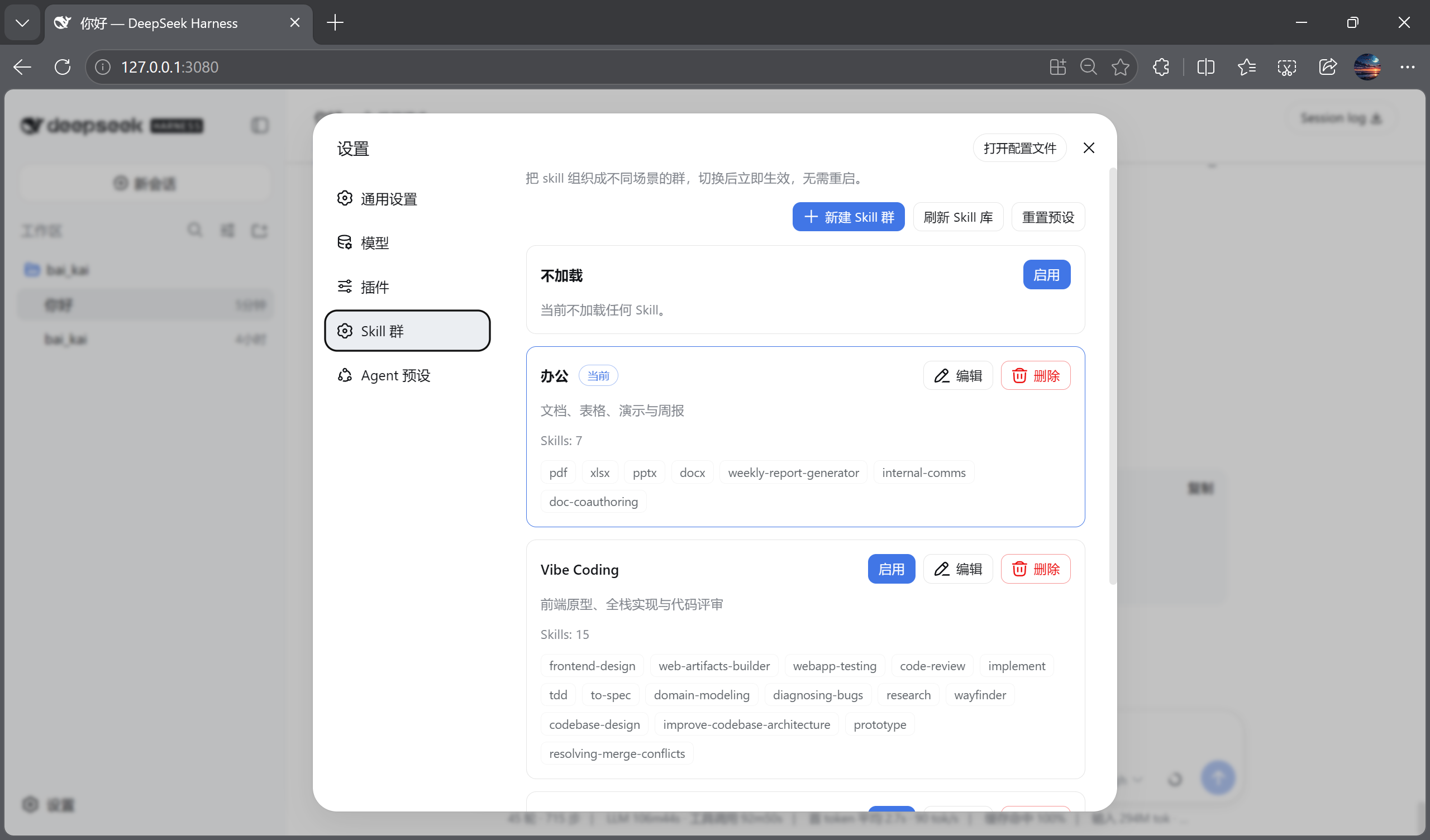 |
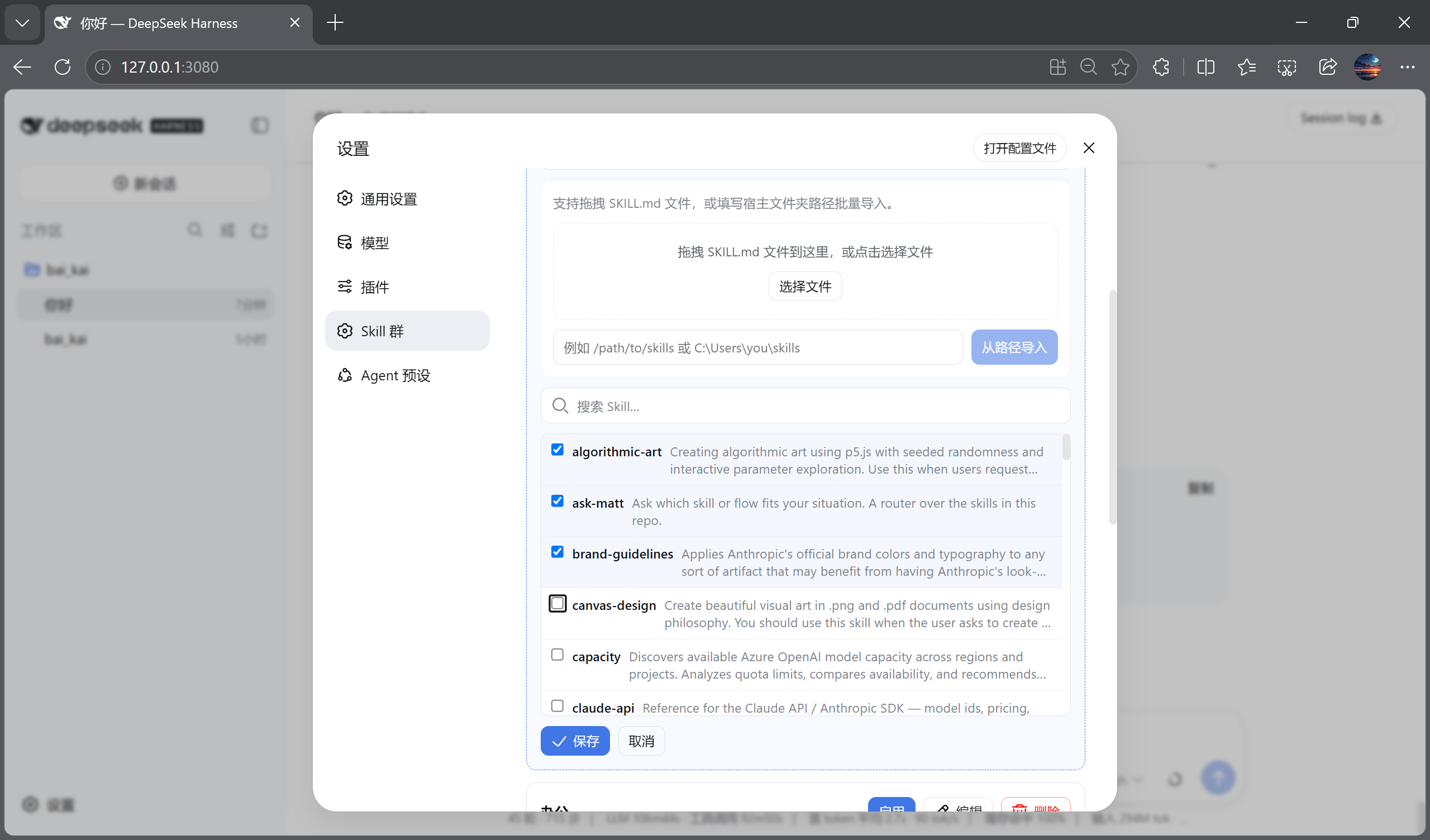 |
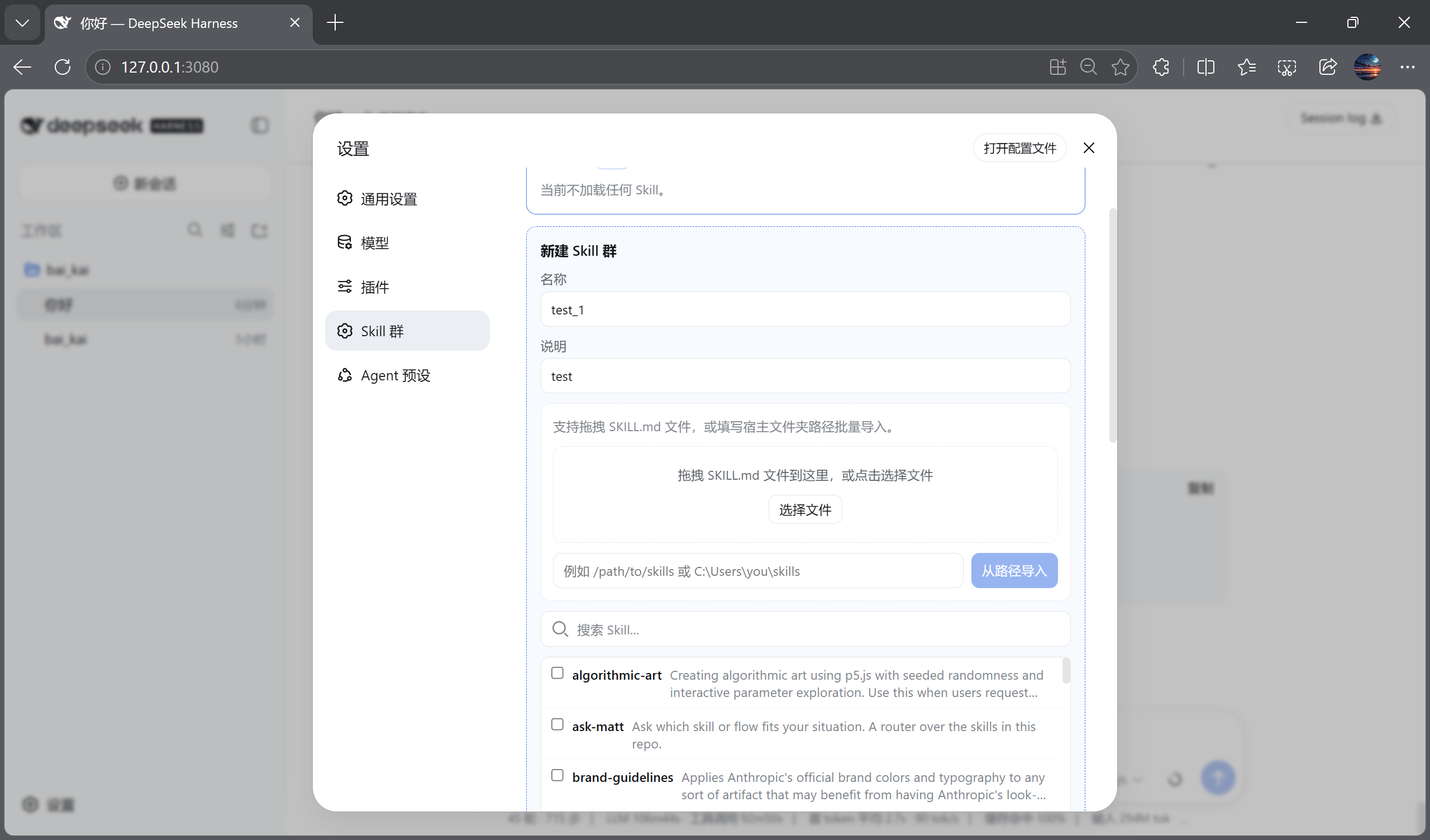 |
 |
仓库结构
dsh-skills-manager/
├── packages/
│   ├── dsh-skills-manager/          # 宿主插件
│   └── dsh-client-ui-skills-manager/ # Web 设置页插件
├── docs/screenshots/                 # 界面截图
├── tests/
│   └── skills-manage-visual.mjs      # Playwright 浏览器回归
├── dsh-skills-manager                # 安装/卸载/状态 CLI
└── install.sh
开发
# 单元测试(在 deepseek-harness 内)
cd ~/AI_Coding/deepseek-harness
pnpm exec vitest run packages/client/ui-skills-manage/tests/browser-plugin.client.spec.tsx

# 浏览器自动化 + 截图
node apps/web/tests/skills-manage-visual.mjs
License
MIT
相关推荐Related
-
 amruthpillai/reactive-resume
A one-of-a-kind resume builder that keeps your privacy in mind. Completely secure, customizable, portable, open-source a…
amruthpillai/reactive-resume
A one-of-a-kind resume builder that keeps your privacy in mind. Completely secure, customizable, portable, open-source a…
-
 anywhere-labs/deepseek-harness-desktop
为 DeepSeek Harness (DSH) 插件生态打造的现代化桌面端解决方案。万物皆「插件」,桌面本身也是「插件」。
anywhere-labs/deepseek-harness-desktop
为 DeepSeek Harness (DSH) 插件生态打造的现代化桌面端解决方案。万物皆「插件」,桌面本身也是「插件」。
-
 walkinglabs/learn-harness-engineering
Harness engineering beginner tutorial, from 0 to 1
walkinglabs/learn-harness-engineering
Harness engineering beginner tutorial, from 0 to 1
- yjh051108/dsh-routing-suite dsh-routing-suite — injector + router-standard kit: install the runtime injector first, then the task-aware reasoning-mo…
-
 crafter-station/petdex
A public gallery of animated pets for Codex, Claude Code, DeepSeek Harness, Hermes, OpenCode, Gemini CLI, and more.
crafter-station/petdex
A public gallery of animated pets for Codex, Claude Code, DeepSeek Harness, Hermes, OpenCode, Gemini CLI, and more.
- xiaobright/dsh-anchored-standard Two-phase DeepSeek Harness preset: Minimal-aligned bootstrap, then full Standard tools (Project2 98/99)
-
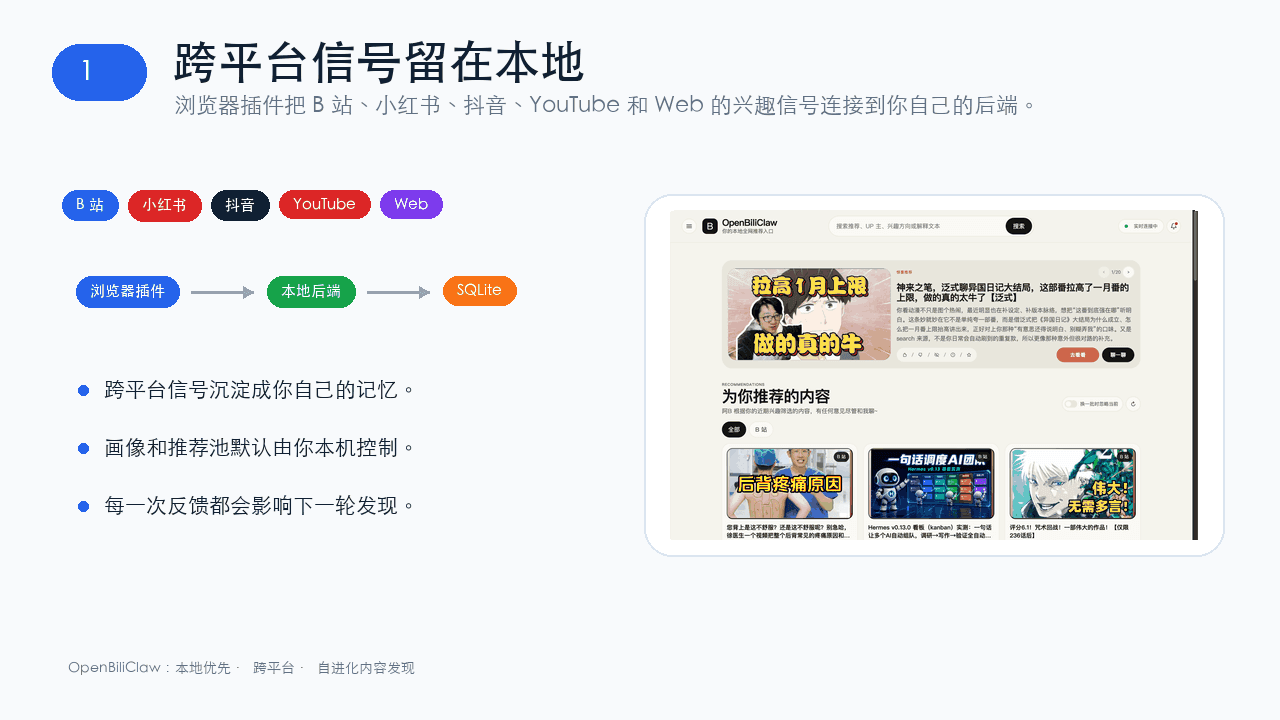 whiteguo233/OpenBiliClaw
本地私有、开源的自进化跨平台 AI 内容发现 Agent:先理解你,再主动从 B站、小红书、抖音、YouTube、X、知乎、Reddit、微博等平台与开放 Web 寻找内容。(支持 deepseek harness 插件) | Local-…
whiteguo233/OpenBiliClaw
本地私有、开源的自进化跨平台 AI 内容发现 Agent:先理解你,再主动从 B站、小红书、抖音、YouTube、X、知乎、Reddit、微博等平台与开放 Web 寻找内容。(支持 deepseek harness 插件) | Local-…
- Tiger3807861189/J-Space-Cognition-Suite-V3.6