baixianger/dsh-chat
Project Overview项目介绍
dsh-chat is a DSH-native plugin that adds group chat rooms inside the standard DSH session view, gathering humans and multiple DSH agents into a single shared timeline. It is installed through the DSH web profile with the command dsh plugin --profile web add dsh-bridge@latest dsh-chat@latest, after which the user runs dsh web, asks an agent to create a room such as "Release", and opens it in the Chatrooms workspace to choose members via a Host → Workspace → Session drawer; local rooms work without any extra setup, while remote rooms require a paired Weave host. Delivery is strictly structured: an email-like address or a literal @alias does not wake any agent, and only the agents selected in the mention picker receive the message, with @all broadcasting to every eligible member.
A typical workflow has an agent call four tools — chat_create, chat_join, chat_invite, chat_send — to manage room lifecycle and post messages with explicit mentions, while ordinary replies still stay inside the agent's own session and only reach the room through chat_send. The plugin targets teams that need multi-agent collaboration with a fixed, human-readable timeline: release coordination, on-call handoff, or cross-environment operations where authorship and membership must remain auditable. Rooms have exactly one authoritative host that owns membership and messages, while linked hosts retain a capability, a cursor, and a bounded read-only cache for offline viewing, and archived members stay visible for removal but no longer receive agent delivery. Cancel operations stop further sends but preserve committed state; user-cancelled remote sends are dropped from the retry queue, while interrupted network delivery can otherwise be retained for up to seven days.
Dependencies are the dsh-bridge package for local agent delivery and dsh-weave for cross-host transport, both published on npm; room state lives in $DSH_HOME/dsh-chat/rooms.json (default ~/.dsh) under owner-only permissions, and the host must expose the session-persistence service for visible room sessions. The package is MIT, but rich task handoff, remote approval and result cards, and session export/replay remain future work, so first-run users should expect the current scope to cover only rooms and explicit delivery, then layer Weave pairing for remote members through Settings → Weave.
dsh-chat 是 DSH 原生插件,在 DSH 会话视图内增加群聊房间能力,把人类用户与多个 DSH 代理汇总到共享时间线。用户通过 dsh plugin --profile web add dsh-bridge@latest dsh-chat@latest 安装后运行 dsh web,即可让代理创建名为 "Release" 的群聊房间,在 Chatrooms 工作区中打开,并通过成员抽屉按 Host → Workspace → Session 维度选择发言对象,本地房间无需额外配置即可使用。
典型工作流是让代理调用 chat_create、chat_join、chat_invite、chat_send 等工具,在房间内以结构化提及时定向投递消息,普通回复仍保留在各自会话中,需要回应房间时才走 chat_send。远程成员则需要同时安装 dsh-weave,在 Settings → Weave 中配对受信主机,支持最多七天的网络中断重试缓存。该插件面向需要多人多代理协同、固定会话视图交付以及跨主机桥接的开发与运维团队,适合做发布协同、值班轮换与跨环境任务协作。
依赖方面,插件以 npm 包形式分发,运行时依赖 DSH web profile、dsh-bridge 本地投递以及 dsh-weave 跨主机传输;状态文件位于 $DSH_HOME/dsh-chat/rooms.json,默认 ~/.dsh,需会话持久化服务,房间写入采用属主权限。当前范围仅覆盖房间与显式投递,富任务交接、远程审批/结果卡与导出会话回放尚为未来计划,首次使用时请先创建房间再邀请会话。
请帮我安装这个 DSH 插件。安装前先完成【兼容性检查 + 安全性检查】,检查通过再动手。

插件:dsh-chat(baixianger/dsh-chat)
仓库:https://github.com/baixianger/dsh-chat
本站详情页:https://www.yhbd.top/plugins/baixianger-dsh-chat/
本站登记:类型 plugin · 归类 原生 DSH 插件 · 许可证 MIT · ⭐ 2 · 最近提交 2026-09-14 · 主语言 JavaScript

按下面顺序执行,每步先把结论告诉我,再进入下一步:

【1 兼容性检查】
① 我这边:DSH 版本、Node 版本、操作系统、当前 profile(web / desktop)。
② 读它的 README、package.json、插件 manifest,列出它要求的 DSH 版本 / Node 版本 / 操作系统 / 外部依赖 / 需要另外先装的运行时。
③ 逐条比对,结论只写「满足 / 不满足 / 未知」三种;不满足的给出可行替代方案。
④ 检查是否和我已装的插件冲突:命令名重复、skill / tool 重名、端口占用、重复注册的 MCP server。

【2 安全性检查】
① 仓库可信度:和上面「本站登记」是否一致;star / fork 数、创建时间、最近提交,是否归档或长期停更。
② 安装脚本:逐行看 package.json 的 preinstall / install / postinstall,以及 install.sh、setup.ps1 之类脚本。出现 curl|bash、下载后直接执行、混淆代码、访问与插件功能无关的域名,立刻停下来告诉我,不要继续装。
③ 依赖:列出新增依赖,标出无人维护、或与知名包拼写近似的可疑包(typosquatting)。
④ 权限与副作用:它会读写哪些目录、访问哪些域名、需要哪些 DSH 权限(filesystem / network / shell / clipboard 等),以及怎么卸载和回滚。
⑤ 如果它要求 sudo / 管理员权限,或权限明显超出功能所需,先停下来问我。

【3 安装】
上面两步没有「不满足」和「高危项」时才执行;用官方推荐方式安装,不要自行提权。

【4 汇报】
用表格输出:检查项 / 结论 / 依据 / 是否需要我决策。拿不准的一律写「未知」并说明要我怎么确认——不要猜,也不要替我决定。
Send this message to DSH in your current session: it verifies compatibility and security first (answering met / not met / unknown item by item) and only installs once everything checks out — it will stop and ask you if it finds a high-risk item. The box scrolls; the copy is the full prompt. CLI install commands may not be accurate across systems, so DSH is the safer route.把上面这条消息直接发给当前会话里的 DSH:它会先核对兼容性与安全性(逐条给「满足 / 不满足 / 未知」),确认没问题再安装,有高危项会停下来问你。框内可滚动,复制到的是完整提示词;安装命令不一定准确,发给 DSH 更稳。
- Only 2 stars - very few users, little community feedback星标只有 2,几乎没人在用,遇到问题缺少社区反馈
DSH walks through these 9 checksDSH 会逐条核对这 9 项
Compatibility兼容性
- DSH, Node, OS and profile requirementsDSH 版本 / Node 版本 / 操作系统 / profile 是否满足要求
- External dependencies and runtimes (Electron / Python / Docker, ...)外部依赖与运行时(Electron / Python / Docker 等)是否齐备
- Conflicts with installed plugins: command names, skill / tool names, ports, duplicate MCP registration与已装插件是否冲突:命令名、skill / tool 重名、端口占用、重复 MCP 注册
Security安全性
- Repo matches the facts registered here; archived or abandoned?仓库是否与页面登记一致,是否归档或长期停更
- Safety of preinstall / install / postinstall and install.sh / setup.ps1preinstall / install / postinstall 与 install.sh、setup.ps1 是否安全
- curl|bash, download-then-execute, obfuscation, unrelated domains → stop immediatelycurl|bash、下载即执行、混淆代码、无关域名 → 立刻停止
- Typosquatting or unmaintained packages among the new dependencies新增依赖里有没有 typosquatting 或无人维护的包
- Requested permissions vs. what the feature actually needs申请了哪些权限、是否超出功能所需(filesystem / network / shell / clipboard)
- Any sudo / admin requirement, plus uninstall and rollback是否要求 sudo / 管理员权限,以及卸载与回滚方式
Anything uncertain must be marked unknown with a note on how to confirm it. This site's signal screen is a static snapshot, not a security audit.拿不准的必须标「未知」并说明要我怎么确认。本站的信号筛查是静态快照,不能替代安全审计。
Or use CLI install (for developers)或使用命令行安装(适合开发者)
CLI Install命令行安装
dsh plugin --profile web add dsh-bridge@latest dsh-chat@latest把 baixianger/dsh-chat 加入你的 DSH 配置(web profile)即可启用。
READMEREADME


Bring people and DSH agents into shared rooms. Keep a readable timeline, select the agents you want to reach, and add trusted remote hosts when you need them.
A room with clear delivery
| In the room | What happens |
|---|---|
| Send a normal message | It appears in the shared timeline. |
| Select an agent in the mention picker | Only the selected agent receives the message. |
Select @all |
All eligible room agents receive it. |
| Add a remote member | The room uses an explicitly paired Weave host. |
Typing an email address or a literal @alias does not wake an agent. Delivery uses the separate, structured mention selection.
Quick start
dsh plugin --profile web add dsh-bridge@latest dsh-chat@latest
dsh web
- Ask an agent to create a chat room, for example: “Create a group chat called Release.”
- Open the room in the Chatrooms workspace.
- Use the member drawer to choose a Host → Workspace → Session.
- Write a message and select mentions when an agent should receive it.
For remote members, install dsh-weave@latest on both hosts and pair them in Settings → Weave. Local rooms work without Weave.
Designed for everyday conversations
- A dedicated room composer and authoritative timeline inside the normal DSH session view.
- Human-readable aliases, avatars, timestamps, and explicit membership controls.
- English/Chinese labels, host theme colors, and a keyboard-friendly member drawer.
- Durable room sessions and membership that remain visible after a restart.
- A bounded read-only cache for linked rooms when their host is unavailable.
Agent tools
| Tool | Purpose |
|---|---|
chat_create |
Create a named room. |
chat_join |
Join a room. |
chat_invite |
Invite a session to the room. |
chat_send |
Send a room message with explicit mentions. |
Showing the opening section of the README — the full document lives in the repository以上为 README 开头摘要,完整文档在仓库内 · View the full README on GitHub →在 GitHub 查看完整 README →
Related相关推荐
-
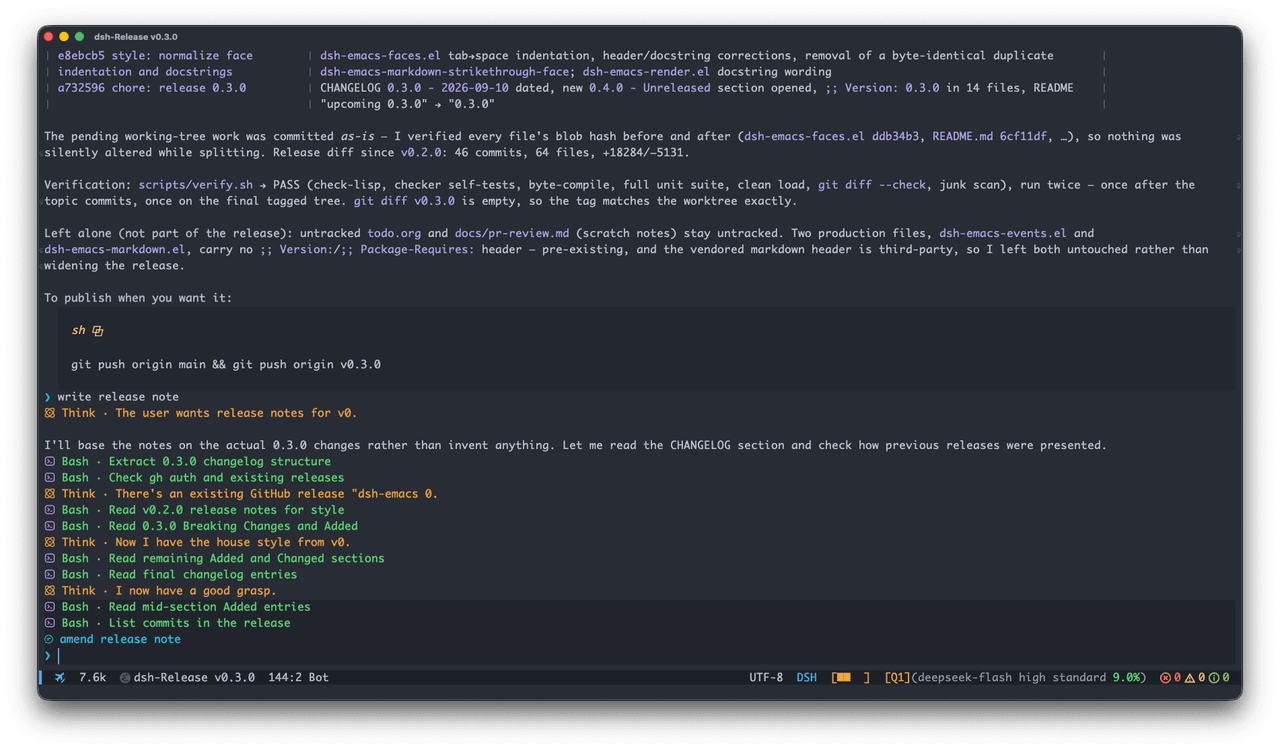 vritser/dsh-emacs
An Emacs client for DeepSeek Harness
vritser/dsh-emacs
An Emacs client for DeepSeek Harness
- acnlabs/dsh-plugin-acn DeepSeek Harness plugin: join ACN so this agent can discover, message, and collaborate with other agents. Defaults to th…
- JiuMeng329/dsh-completion-notifier
- ranxianglei/billion-context 基本稳定可用 A context-compression plugin for small context windows (a 100K context is enough), token savings (5x fewer tokens…
-
 liangmianya/dsh-synapse
A visual, non-linear conversation workspace plugin for DeepSeek Harness ; A canvas-based session explorer and branching …
liangmianya/dsh-synapse
A visual, non-linear conversation workspace plugin for DeepSeek Harness ; A canvas-based session explorer and branching …
-
 alaliqing/claude-paper
📖 Cross-agent research paper toolkit for Claude Code, Codex, OpenCode, and DeepSeek Harness—quick summaries, deep study…
alaliqing/claude-paper
📖 Cross-agent research paper toolkit for Claude Code, Codex, OpenCode, and DeepSeek Harness—quick summaries, deep study…
-
 acryldev/acryl
ACRYL - Agent Context Relay Yielding Lifecycles. One persistent workspace, one canonical context, any coding agent.
acryldev/acryl
ACRYL - Agent Context Relay Yielding Lifecycles. One persistent workspace, one canonical context, any coding agent.
-
 omdsh-dev/dsh-annotation
DSH Web 选中批注插件:选文字→批注→回车随消息发送;气泡隐藏批注块(零闪烁);回复按 Annotation N 逐条对照(可悬浮芯片)。官方 bundle,零核心改动
omdsh-dev/dsh-annotation
DSH Web 选中批注插件:选文字→批注→回车随消息发送;气泡隐藏批注块(零闪烁);回复按 Annotation N 逐条对照(可悬浮芯片)。官方 bundle,零核心改动