banlanzs/dsh-web-enhanced
[构建中……] DeepSeek Harness 的网页增强插件——为 DSH 网页界面带来任务仪表盘、Git 图表、工作区文件面板、余额显示和图识别功能。
Project Overview项目介绍
dsh-web-enhanced is a native plugin built exclusively for DeepSeek Harness (DSH), adding multiple quality-of-life enhancements to DSH's web client. It taps into officially published DSH client extension slots and does not modify any core DSH source code, so it can be installed and managed directly through DSH's built-in plugin management interface. You can also install it manually by adding it to your DSH profile via the pnpm package manager, and it loads automatically whenever you start DSH with your configured profile. The feature set includes a kanban-style task board, interactive git commit graph visualization, an improved workspace file explorer panel, DeepSeek API balance tracking, and image understanding support for text-only models.
The task board feature adds a dedicated tab to the DSH workspace, with five columns for different task statuses that let you organize your work before running it. Clicking the run button on a task card opens a new DSH agent session that executes the pre-written task prompt, and automatically updates the task status and result when the session finishes. It also supports standard 5-field cron scheduling, so repeating tasks can run automatically at the pre-defined time, and catches up on missed runs after a host restart. This plugin is ideal for developers who run regular repeating tasks and need quick, in-context access to git history.
This plugin is released under the permissive MIT open source license, and requires the pnpm package manager to be available on your system PATH to work correctly. To use the image understanding feature, you need to configure at least one transcription source, which can be a DSH-configured multimodal model, a local Ollama instance, or a dedicated external VLM endpoint. You cannot install this plugin alongside the dsh-image-vision (DSH-vision) plugin, because both patch the same image admission pipeline. All plugin updates or removals require a DSH restart to take effect, as DSH loads plugins only at boot time.
dsh-web-enhanced 是专为 DeepSeek Harness (DSH) 开发的原生插件,为 DSH 的网页客户端添加多项增强功能,包含任务看板、Git 提交图形可视化、工作区文件预览面板、DeepSeek API 余额显示以及仅文本模型的图像理解能力。它基于 DSH 官方开放的客户端插槽开发,不修改 DSH 核心源码,可通过 DSH 内置的插件管理机制安装加载。
插件提供的任务看板支持 cron 定时任务,可自动按计划启动 DSH 代理会话执行任务,执行结果自动回写任务卡片。Git 图形可展示分支提交历史,未提交变更也会单独显示,点击即可查看文件差异,还支持快捷切换分支,适合日常需要定时执行重复任务、频繁查看 Git 提交记录的开发者。
本插件采用 MIT 许可证开源,使用时需要系统 PATH 中存在 pnpm 包管理器,若要使用图像理解功能,需要配置多模态模型、本地 Ollama 或专用端点作为转录源。插件不支持与 DSH-vision 同时安装,更新或移除插件需要重启 DSH 生效,不支持热重载。
请帮我安装这个 DSH 插件。安装前先完成【兼容性检查 + 安全性检查】,检查通过再动手。

插件:dsh-web-enhanced(banlanzs/dsh-web-enhanced)
仓库:https://github.com/banlanzs/dsh-web-enhanced
本站详情页:https://www.yhbd.top/plugins/banlanzs-dsh-web-enhanced/
本站登记:类型 plugin · 归类 原生 DSH 插件 · 许可证 MIT · ⭐ 2 · 最近提交 2026-08-31 · 主语言 JavaScript

按下面顺序执行,每步先把结论告诉我,再进入下一步:

【1 兼容性检查】
① 我这边:DSH 版本、Node 版本、操作系统、当前 profile(web / desktop)。
② 读它的 README、package.json、插件 manifest,列出它要求的 DSH 版本 / Node 版本 / 操作系统 / 外部依赖 / 需要另外先装的运行时。
③ 逐条比对,结论只写「满足 / 不满足 / 未知」三种;不满足的给出可行替代方案。
④ 检查是否和我已装的插件冲突:命令名重复、skill / tool 重名、端口占用、重复注册的 MCP server。

【2 安全性检查】
① 仓库可信度:和上面「本站登记」是否一致;star / fork 数、创建时间、最近提交,是否归档或长期停更。
② 安装脚本:逐行看 package.json 的 preinstall / install / postinstall,以及 install.sh、setup.ps1 之类脚本。出现 curl|bash、下载后直接执行、混淆代码、访问与插件功能无关的域名,立刻停下来告诉我,不要继续装。
③ 依赖:列出新增依赖,标出无人维护、或与知名包拼写近似的可疑包(typosquatting)。
④ 权限与副作用:它会读写哪些目录、访问哪些域名、需要哪些 DSH 权限(filesystem / network / shell / clipboard 等),以及怎么卸载和回滚。
⑤ 如果它要求 sudo / 管理员权限,或权限明显超出功能所需,先停下来问我。

【3 安装】
上面两步没有「不满足」和「高危项」时才执行;用官方推荐方式安装,不要自行提权。

【4 汇报】
用表格输出:检查项 / 结论 / 依据 / 是否需要我决策。拿不准的一律写「未知」并说明要我怎么确认——不要猜,也不要替我决定。
Send this message to DSH in your current session: it verifies compatibility and security first (answering met / not met / unknown item by item) and only installs once everything checks out — it will stop and ask you if it finds a high-risk item. The box scrolls; the copy is the full prompt. CLI install commands may not be accurate across systems, so DSH is the safer route.把上面这条消息直接发给当前会话里的 DSH:它会先核对兼容性与安全性(逐条给「满足 / 不满足 / 未知」),确认没问题再安装,有高危项会停下来问你。框内可滚动,复制到的是完整提示词;安装命令不一定准确,发给 DSH 更稳。
- Only 2 stars - very few users, little community feedback星标只有 2,几乎没人在用,遇到问题缺少社区反馈
DSH walks through these 9 checksDSH 会逐条核对这 9 项
Compatibility兼容性
- DSH, Node, OS and profile requirementsDSH 版本 / Node 版本 / 操作系统 / profile 是否满足要求
- External dependencies and runtimes (Electron / Python / Docker, ...)外部依赖与运行时(Electron / Python / Docker 等)是否齐备
- Conflicts with installed plugins: command names, skill / tool names, ports, duplicate MCP registration与已装插件是否冲突:命令名、skill / tool 重名、端口占用、重复 MCP 注册
Security安全性
- Repo matches the facts registered here; archived or abandoned?仓库是否与页面登记一致,是否归档或长期停更
- Safety of preinstall / install / postinstall and install.sh / setup.ps1preinstall / install / postinstall 与 install.sh、setup.ps1 是否安全
- curl|bash, download-then-execute, obfuscation, unrelated domains → stop immediatelycurl|bash、下载即执行、混淆代码、无关域名 → 立刻停止
- Typosquatting or unmaintained packages among the new dependencies新增依赖里有没有 typosquatting 或无人维护的包
- Requested permissions vs. what the feature actually needs申请了哪些权限、是否超出功能所需(filesystem / network / shell / clipboard)
- Any sudo / admin requirement, plus uninstall and rollback是否要求 sudo / 管理员权限,以及卸载与回滚方式
Anything uncertain must be marked unknown with a note on how to confirm it. This site's signal screen is a static snapshot, not a security audit.拿不准的必须标「未知」并说明要我怎么确认。本站的信号筛查是静态快照,不能替代安全审计。
Or use CLI install (for developers)或使用命令行安装(适合开发者)
CLI Install命令行安装
dsh plugin --profile web add dsh-web-enhanced把 banlanzs/dsh-web-enhanced 加入你的 DSH 配置(web profile)即可启用。
READMEREADME
dsh-web-enhanced
English · 简体中文
A Web-enhanced plugin for DeepSeek Harness: task board with cron scheduling, git graph, preview/files/SCM right panel, DeepSeek API balance line, and image understanding for text-only models.
🔌 Ecosystem: the repo carries the
#dsh·#dsh-plugintopics — welcome to be listed by @dsh-plugin.
Developed and built independently of the deepseek-harness repo — the plugin only consumes the officially published @deepseek-ai/* packages and the existing Web client slots. No harness source is modified.
Features
| Feature | Description |
|---|---|
| Task board | A Task Board tab inside the Workspace view with five columns (Planned / To do / Running / Done / Failed). 「Run」opens a real DSH agent session that executes the task prompt — composed from the deployment's agent preset (so it has bash / read_file / write_file) and attached to the task's project — and the status and result write back automatically when it finishes. 「View session」jumps to the execution session. Each card has an inline edit form (title / prompt / cron / column — done or failed tasks reopen via planned/todo). A card in the Done column starts collapsed to a single title line (click to expand); Failed does not collapse, because that column's message is the thing you came to read. Supports 5-field cron scheduling (e.g. 0 23 * * *): runs automatically at the due time, catches up after a host restart, and recovers interrupted runs. |
| Git graph | A Git Graph tab inside the Workspace view; branch lanes + commit history rendered as SVG (first-parent continuous lanes + horizontal merge links). The branch dropdown filters which commits the graph DRAWS (all branches, or one) and changes nothing in the repository; clicking a commit expands its full hash, parents, author and email, date, message body, and per-file added/removed line counts. An「Uncommitted changes」row sits on HEAD: a hollow dashed dot on HEAD's own lane, joined to it by a dashed stub, expanding to the staged / unstaged / untracked files with their added and removed line counts (an untracked file's count comes from reading it on the host; binary or over-cap files report —). Every changed file row — uncommitted and committed alike — is clickable: it opens that file's unified diff as an explorer preview tab, so a diff stays inspectable after it is committed. The branch switcher beside the session title (header titleCluster) is the other operation — it checks a branch out, and asks first when the work tree is dirty, counting tracked and untracked entries apart. |
| Long-paste attachment | Pasting 2000+ characters of plain text into the composer no longer stretches the draft: the plugin intercepts the paste before the host, stores the text, and inserts an 已粘贴文本 reference chip (the input machine renders it like an image attachment). A dock row above the composer lists the chip; clicking it opens a modal to preview, edit, save, or remove. Sending serializes the chip back into the full text for the model; removing the chip deletes the draft reference. Entries persist in localStorage, bounded per entry and in count. |
| Global system prompt | Settings → Plugins → Web Enhanced → Global prompt: one switch and one text block saved into the dsh-web-enhanced-global-prompt settings namespace. The host registers the text as a global systemPrompt section (order 50 — after the selected agent preset's persona, before tool guidance), so it is appended to every mode, session, and subagent. The section text is read per assembly: a save reaches the next model request immediately, with no dsh web restart; switching it off or leaving it empty injects nothing. (The Minimal preset declares its persona complete — it replaces the whole system prompt — so the global prompt is not appended there.) |
| Workspace view | A Workspace tab in the conversation's view ring, beside Chat and Trajectory, with four panes (Explorer / Changes / Task Board / Git Graph). The Explorer is VSCode-style: a collapsible file-tree sidebar on the left (collapse state persists) and the open file's preview on the right; the tree expands, searches by name, and opens files into that preview side; preview supports markdown (GFM tables, HTML tables, and inline HTML) / HTML (sandboxed iframe) / code / diff (line-highlighted unified diff) / CSV / images / PDF / text / Office docx & xlsx (host-side structural conversion) with source / split (editor + preview side by side) / view modes and save. The Changes pane is backed by real git status with stage / unstage / discard and per-file diffs. The active pane and the open directories persist per workspace. |
| Conversation node navbar | An equidistant node strip on the chat flow's right edge, one node per user message: the active pill follows the reading position, hover/focus opens a 6-line-clamped preview card, a click jumps to that message, >11 nodes slide a window around the active one, the wheel over the strip steps node by node, and the whole strip is clickable (no pixel-perfect aiming). The strip stays inside a viewport-bounded scroll container and never materializes every turn: unrendered earlier turns keep at most 6 individual virtual dots, and anything older folds into one "load older" marker (it still pages the transcript back — only the NAVBAR dots are bounded); wheeling up from the first rendered node loads and jumps to the previous turn instead of dead-ending at the transcript's load-older marker. Auto-hides below two user messages or off the chat surface. Pinned turns: a pin button in the assistant action bar (persisted per session in localStorage) turns the turn's node into an always-visible gold pill whose click jumps straight to the curated reply. Zero data channel — everything reads the host's own DOM anchors (data-time-hover-root / data-chat-flow / data-turn-tail). |
| Interface skins | Settings → Plugins → Web Enhanced → Skins: five built-in skins (Stock / Ocean / Amber / Forest / Violet) recolor the whole surface through the theme service override stack, light and dark palettes defined in pairs and following the Appearance preference; the choice persists in the browser. Custom background image: PNG / JPG / WebP / GIF / AVIF / BMP / ICO / SVG, stored locally with automatic compression over the storage budget, stacking with any skin; every custom background gets the same uniform fade (a high-opacity veil plus a slight blur) while content surfaces stay opaque, so readability never depends on the picture. |
| File mentions | 「Mention file」and「Mention folder」in the composer's + menu: an indented project directory view (folders and files, locally filterable) whose folder rows enter that folder — they open the plugin's own file browser at it, which works like a file manager (breadcrumbs / parent / home / per-level listing / filter by name; a file click picks, a folder click enters). The first row opens the same browser at the project root, and it can also walk outside the project. Picking a file inserts its @path into the draft (paths with spaces are quoted). |
| Balance line | The DeepSeek-aware info row below the composer, auto-refreshed every minute. It shows the provider/model display names read from the same LLM directory as the model picker, the balance from GET /user/balance in the currency the endpoint reports (¥ / $ / €, hover: granted / topped-up amounts), a ⚠ warning below 20 units, the current Beijing peak / off-peak price period with a countdown to the next switch (hover shows the 2026-08-17 CNY peak-valley table used for the cost), and this conversation's estimated cost (token buckets × that table for DeepSeek V4/chat; models.dev USD elsewhere). Failed refreshes keep the last good snapshot and mark it stale instead of blinking away. Only while the session's model route actually bills that account — switching to another channel (or repointing deepseek-official at a private gateway) hides the row, because the number would then be about somebody else's account. |
| OpenCode Go quota line | When the session's provider is opencode-go / opencode, the same row switches to subscription mode: OpenCode Go · <model> plus the three quota windows (5h / 周 / 月) as remaining percentages from opencode.ai/zen/go/v1/usage, and a countdown to the tightest window's reset. Key resolution: DSH credentials OPENCODE_GO_API_KEY first, then ~/.local/share/opencode/auth.json (opencode-go, then opencode). Any window remaining ≤20% is amber with ⚠; a missing key shows a configuration hint, and failures keep the last good snapshot. Quota is consumed in the opencode CLI, so it is displayed independently of DSH conversation accounting (ChatGPT/Codex are deliberately NOT included). |
| Image understanding | Transparent image support for text-only models, built in (supersedes DSH-vision). Sending an image to a text-only model passes the「model does not support images」gate and the read_image tool gate; the transcript keeps the image (the UI shows it exactly like on a multimodal route) while the model sees a [图片内容描述] text transcription; multimodal models are detected through the REAL pre-patch resolver and pass through untouched, so no token is spent describing images they can see. Two user-selected model pools, in fallback order: the DSH pool (multi-select the DSH models that declare image input; empty = auto-detect) → local Ollama (auto-detected) → the dedicated API pool (fetched from the endpoint's /models, multi-selected and saved; an optional preferred model goes first, otherwise pool order) → the static visionFallbackModels chain. Content-hash cache, classified errors, anonymous-endpoint timeout caps, and cooldowns apply to the endpoint path; only after every source fails does the model get the failure placeholder, and each failed attempt is kept in memory and listed in the Vision tab's status card (source, model, error, time). The Vision tab in Settings → Plugins → Web Enhanced is a full configuration form whose saves apply immediately through a settings namespace — the static vision* keys in cordis.patch.yml remain as the base layer. |
| Settings page + plugin management | "Web Enhanced" is a tab inside the Settings Plugins page (registered into settings.plugins.tab). Its own Plugins tab lists what the current profile has installed — name, version, dependency spec, whether it is an active layer — and offers Update and Remove. What it lists is the profile package.json's dependencies, because that is the set pnpm can act on; template layers (@deepseek-ai/dsh-base and friends) are shown apart with no buttons, since no dependency provides them. Only the profile this host started with is visible (dsh --profile web lists web's dependencies and nothing else); the profile name and path are printed under the title. Every operation takes effect on the next start (the layer stack is composed at boot) and the UI says so. Removing this plugin itself is not blocked — the confirmation just spells out what it costs. |
| Model capabilities page | The Model Capabilities tab inside Settings → Plugins → Web Enhanced edits the fields the host Models editor deliberately leaves out, through the same settings.mutate path-op discipline. For DeepSeek official: provider-wide thinking (enabled / disabled) and reasoningEffort (off / high / max), validated against the adapter's disabled-thinking rule. For every configured pi-ai provider: route-level defaultInput and default reasoning level, plus per-model input (text / image) and reasoningEfforts (inherit / non-reasoning / custom wire spellings for the seven pi-ai levels). Catalog routes edit via minimal modelOverrides entries (pick a model to add one); profiles that already own a models list edit its rows in place. Saves apply immediately; unknown fields and host-page fields survive untouched. |
Showing the opening section of the README — the full document lives in the repository以上为 README 开头摘要,完整文档在仓库内 · View the full README on GitHub →在 GitHub 查看完整 README →
Related相关推荐
-
 Make0209/dsh-usage-stats
DeepSeek Harness 插件:GitHub 风格用量热力图 + Token / 缓存命中 / 账户余额看板 + 工作区别名管理。
Make0209/dsh-usage-stats
DeepSeek Harness 插件:GitHub 风格用量热力图 + Token / 缓存命中 / 账户余额看板 + 工作区别名管理。
-
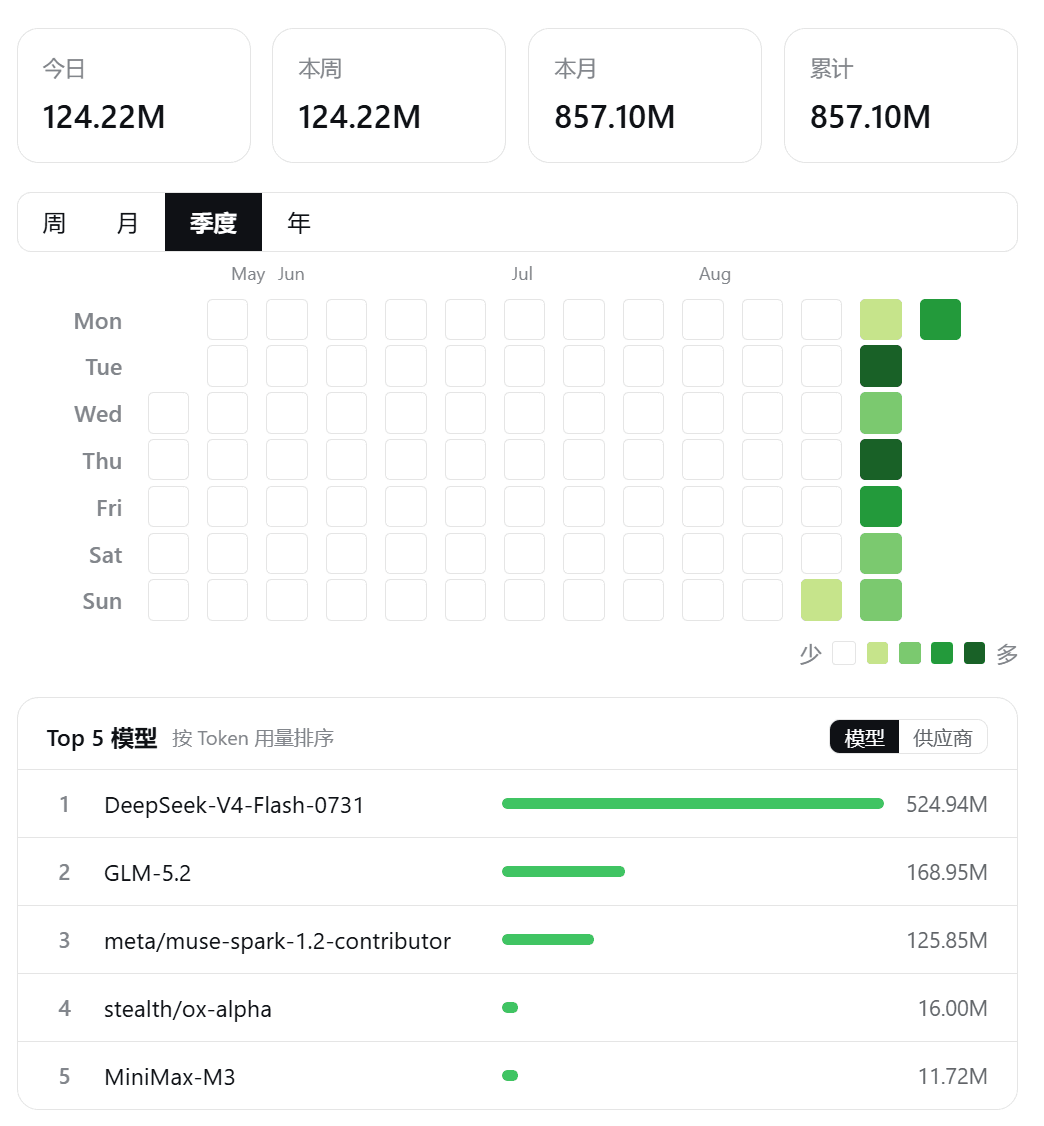 Hou-DL/dsh-token-pulse
Local Token heatmap plugin for DSH Web — GitHub-style calendar views, per-hour/week/month/quarter/year, fully local, zer…
Hou-DL/dsh-token-pulse
Local Token heatmap plugin for DSH Web — GitHub-style calendar views, per-hour/week/month/quarter/year, fully local, zer…
-
 edison7009/EchoBird
Manage ChatGPT, Codex CLI, and Claude Code accounts and track quota in one place. Use multi-model smart routing with pri…
edison7009/EchoBird
Manage ChatGPT, Codex CLI, and Claude Code accounts and track quota in one place. Use multi-model smart routing with pri…
-
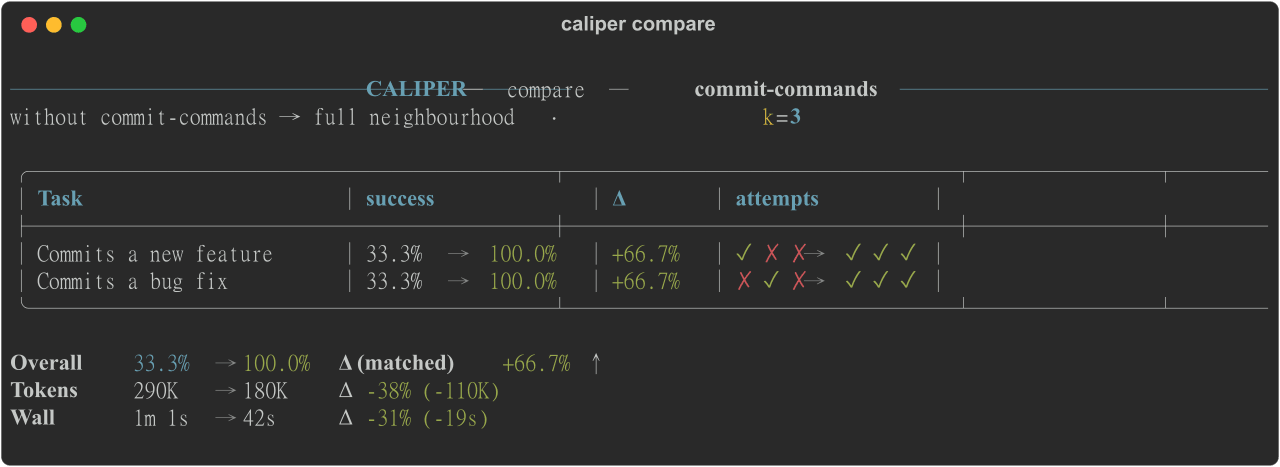 edonadei/caliper
Run your real agent with and without your skills, MCPs, and rules. See which ones actually help, and what they cost in t…
edonadei/caliper
Run your real agent with and without your skills, MCPs, and rules. See which ones actually help, and what they cost in t…
-
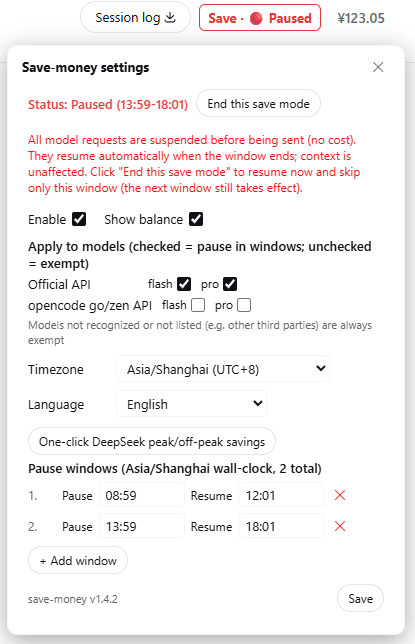 zhu168/dsh-save-money
Save-money plugin for DSH (DeepSeek Harness) — define your own "pause / resume" time windows; at pause time running long…
zhu168/dsh-save-money
Save-money plugin for DSH (DeepSeek Harness) — define your own "pause / resume" time windows; at pause time running long…
-
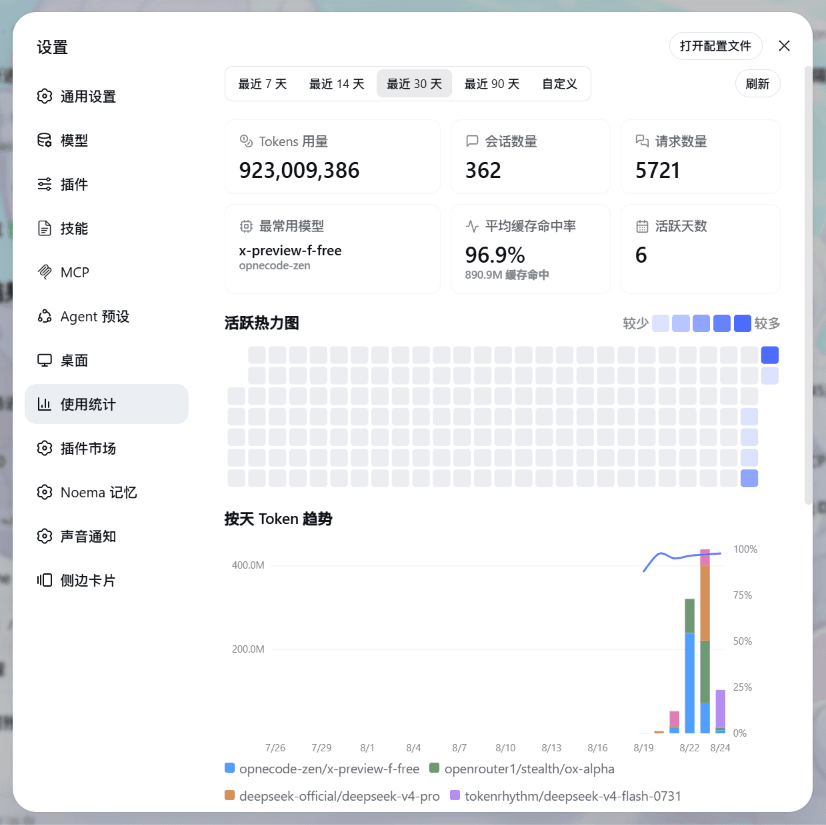 HaoyueQin/dsh-usage-statistics-panel
DSH web plugin: per-day token usage statistics with a GitHub-style activity heatmap, cache hit-rate curve and per-model …
HaoyueQin/dsh-usage-statistics-panel
DSH web plugin: per-day token usage statistics with a GitHub-style activity heatmap, cache hit-rate curve and per-model …
- siweina/dsh-novel-writer 给中文网文作者的本地写作工作台(18 个工具):动笔前取齐上一章承接口/大纲/人物卡/待回收伏笔/用语规范,写完按六维文笔基线对照原著波动带自检,并排出带原句行号的改稿待办;跨章查伏笔埋设跨度、人物连续缺席与大纲偏离。24MB 中文模型随包…
-
 133563825as-ai/dsh-api-dashboard
多平台 API 余额看板插件 for DeepSeek Harness Web GUI
133563825as-ai/dsh-api-dashboard
多平台 API 余额看板插件 for DeepSeek Harness Web GUI