bearllfleed/Dsh-FileExplorer
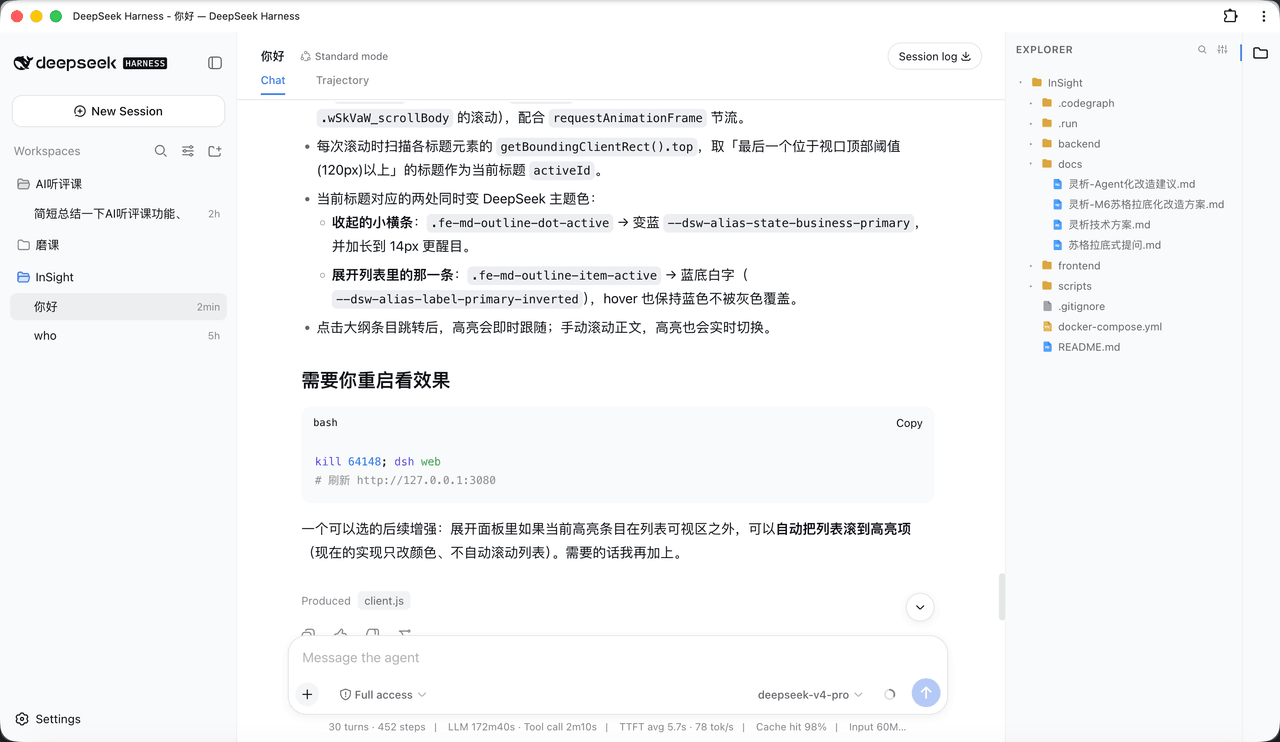
给 DeepSeek Harness (DSH) Web 界面加一个 VS Code 风格的工作区文件浏览器:右侧文件树 + 可编辑标签页 + Markdown 阅读/编辑/分屏 + 悬浮大纲 + Quick Open 搜索。
项目介绍Project Overview
DSH 插件,在 Web UI 内提供 VS Code 风格的文件浏览器:右侧文件树、中心可编辑标签页、Markdown 读/编辑/分屏、浮动大纲、⌘/Ctrl+P 快速打开。适合需要在 DSH 中直接浏览、编辑工作区文件并管理 Markdown 文档的场景。安装后须编辑 cordis.patch.yml 注册,且更新后要完全重启 dsh web 并硬刷新页面(⌘/Ctrl+Shift+R)才能生效。
A DSH plugin that adds a VS Code-style file explorer to the DSH web UI: a right-side file tree, editable center tabs with syntax highlighting, Markdown read/edit/split modes, a floating outline, and ⌘/Ctrl+P Quick Open. Use it to browse, edit, and organize workspace files and Markdown documents directly inside DSH. After install or update, you must edit cordis.patch.yml to register it, fully restart the dsh web process, and hard-refresh the browser with ⌘/Ctrl+Shift+R; otherwise new features and host routes won't load.
请帮我了解并安装插件:【Dsh-FileExplorer】【https://github.com/bearllfleed/Dsh-FileExplorer】把上面这条消息直接发给当前会话里的 DSH,让它帮你了解并安装。安装命令不一定准确,发给 DSH 更稳。Send this message to DSH in your current session. CLI install commands may not be accurate across systems — DSH will figure it out for you.
或使用命令行安装(适合开发者)Or use CLI install (for developers)
命令行安装CLI Install
dsh plugin --profile web add dsh-plugin-file-explorer把 bearllfleed/Dsh-FileExplorer 加入你的 DSH 配置(web profile)即可启用。
READMEREADME
dsh-plugin-file-explorer
English | 中文
A VS Code-style workspace file explorer for the DeepSeek Harness (DSH) web UI: right-side file tree + editable tabs + Markdown read/edit/split + floating outline + Quick Open.
Features
- File tree: right-side explorer with type-colored icons and collapsible folders; click a file to open it in the center area.
- Right-click menu: right-click the file tree → New File / New Folder / Rename / Delete / Copy Path (like the VS Code explorer).
- Drag-and-drop move: drag a file or folder onto a folder to move it (like VS Code); open tabs update their path automatically when a file is moved.
- Import from your OS: paste files copied in Finder / Windows Explorer (
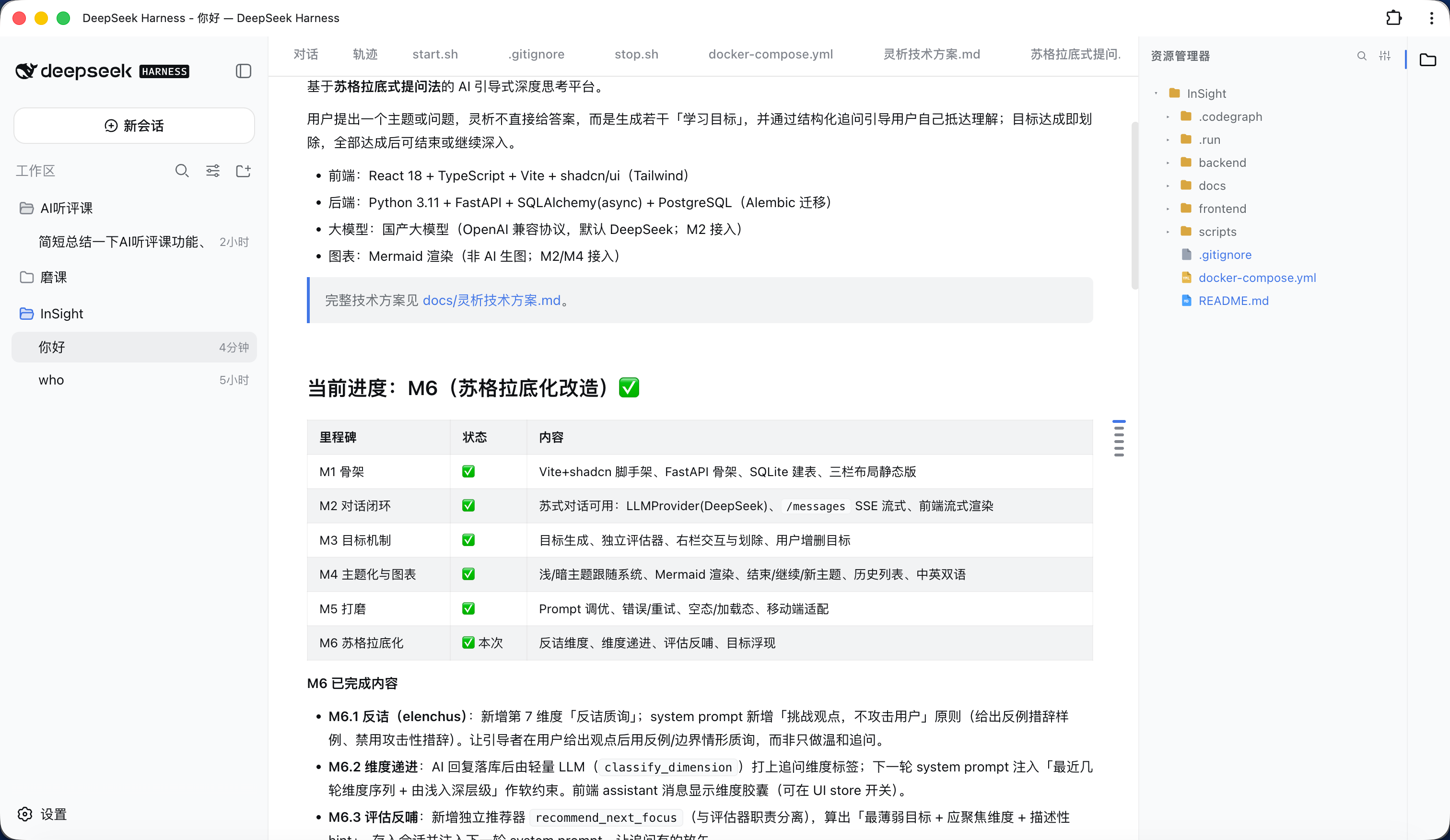
⌘/Ctrl+V) or drag them in from the desktop — folders keep their structure and name clashes are auto-renamed. - Editable tabs: center tabs (after the conversation/trace tabs) with syntax highlighting, Tab indent,
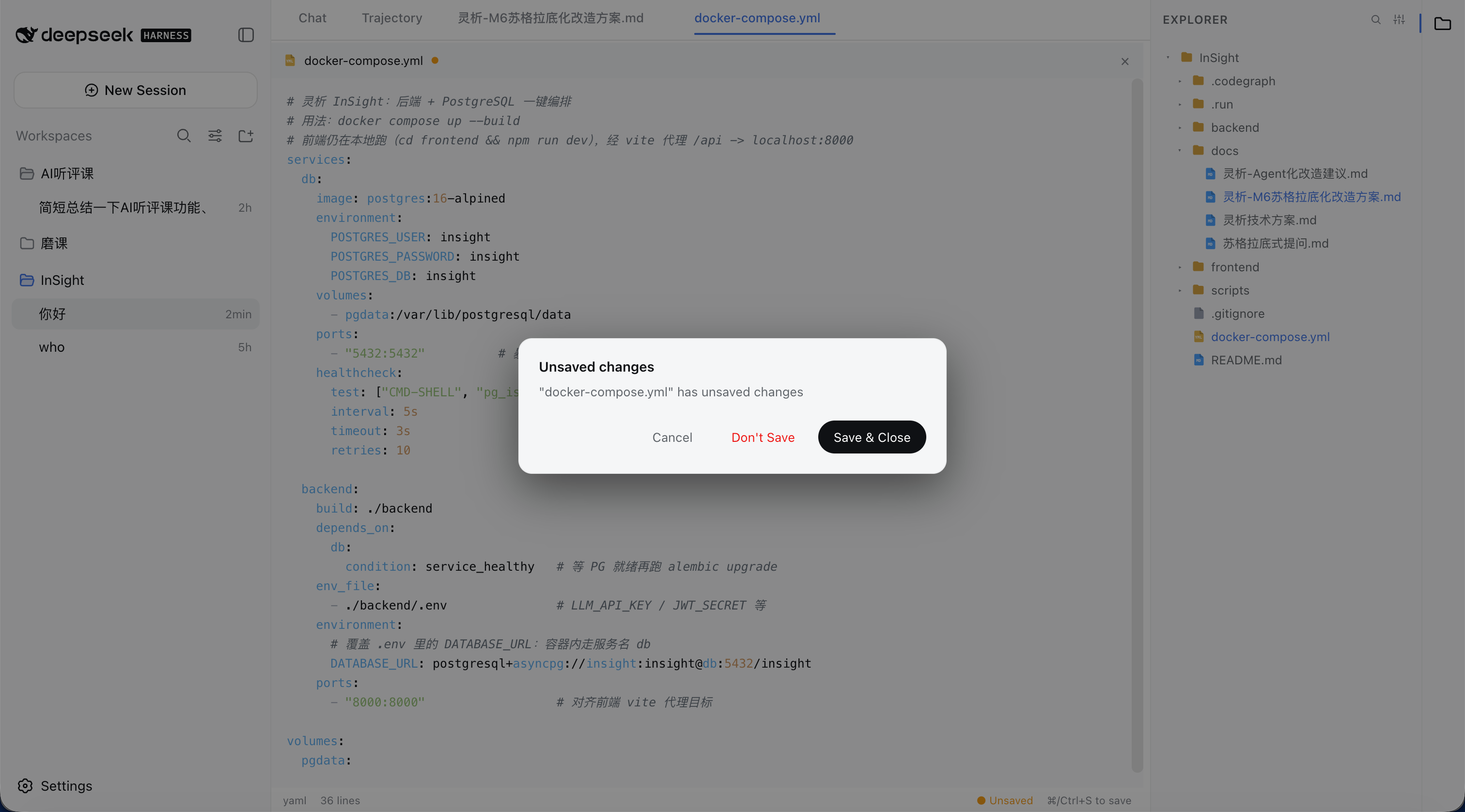
⌘/Ctrl+Ssave, hover×close, and a right-click menu (Close / Close Others / Close to the Right / Close Saved / Close All / Copy Path / Pin). - Auto-save: configurable "Off / After delay / On focus lost"; a confirm dialog guards closing unsaved files.
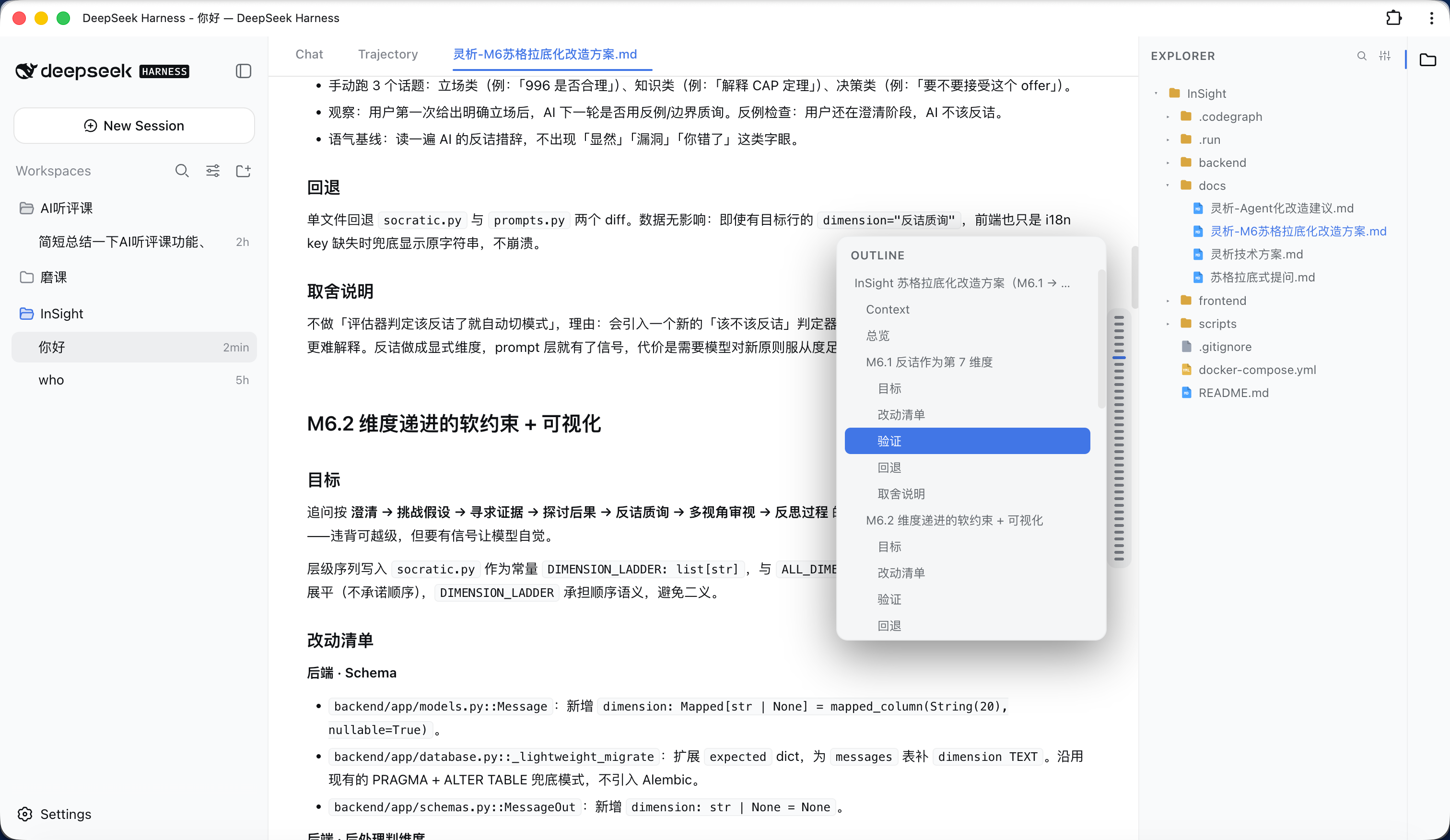
- Markdown: Typora/Obsidian-style "Read / Edit / Split" modes; a floating outline on the right in read mode that expands on hover (like ChatGPT's hover bar).
- Quick Open:
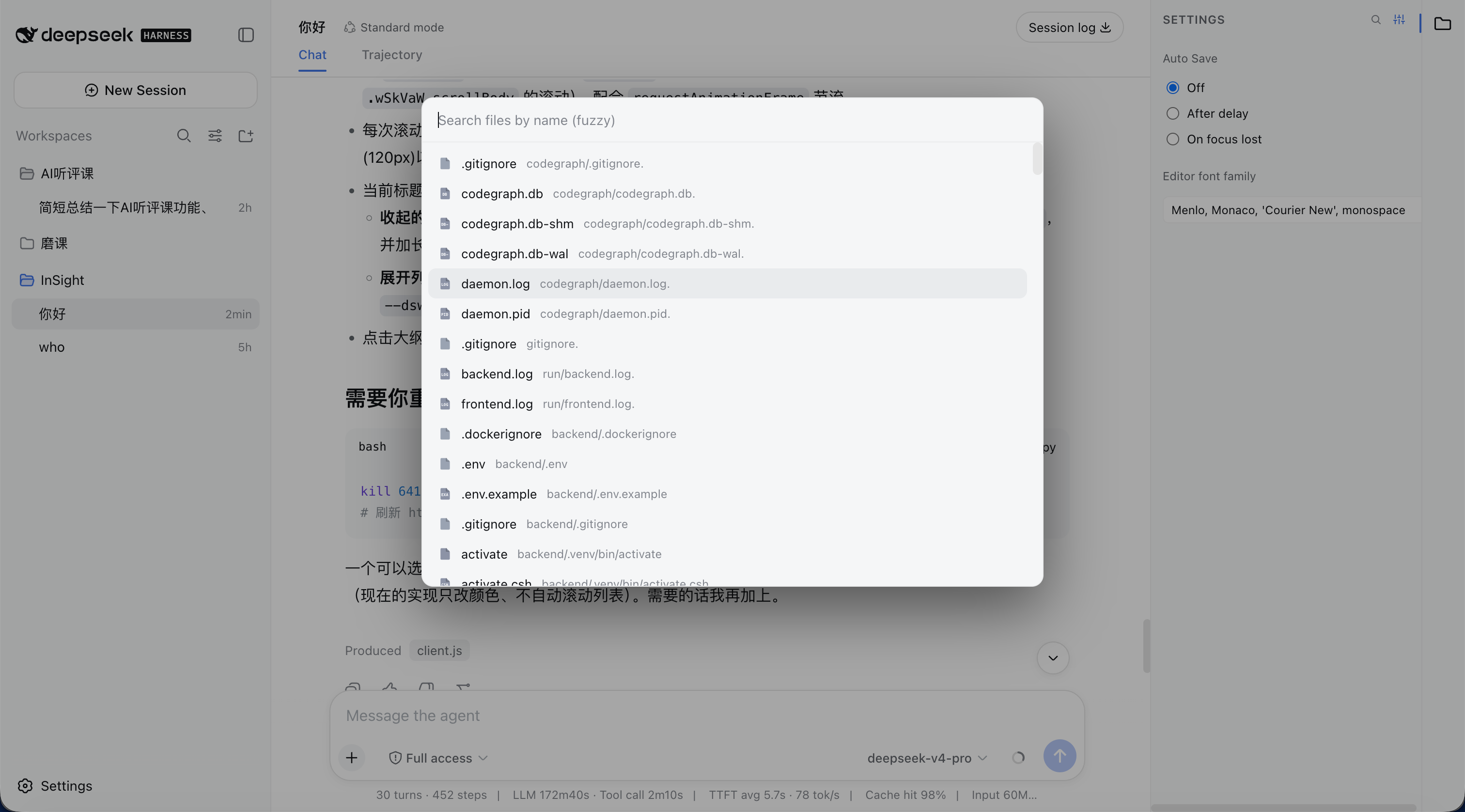
⌘/Ctrl+Pfuzzy file search and open (same as VS Code); also reachable via the magnifier button in the sidebar header. - i18n: switches between Chinese and English by following the DSH general setting.
- Editor font: customize the editor font for opened files in the settings panel (monospace contexts).
- Open chat files in-app: clicking a file in the chat (a produced-file chip, an inline path mention, or a tool card's file link) opens it in the explorer editor tab instead of the browser/Finder.
Screenshots
Explorer expanded
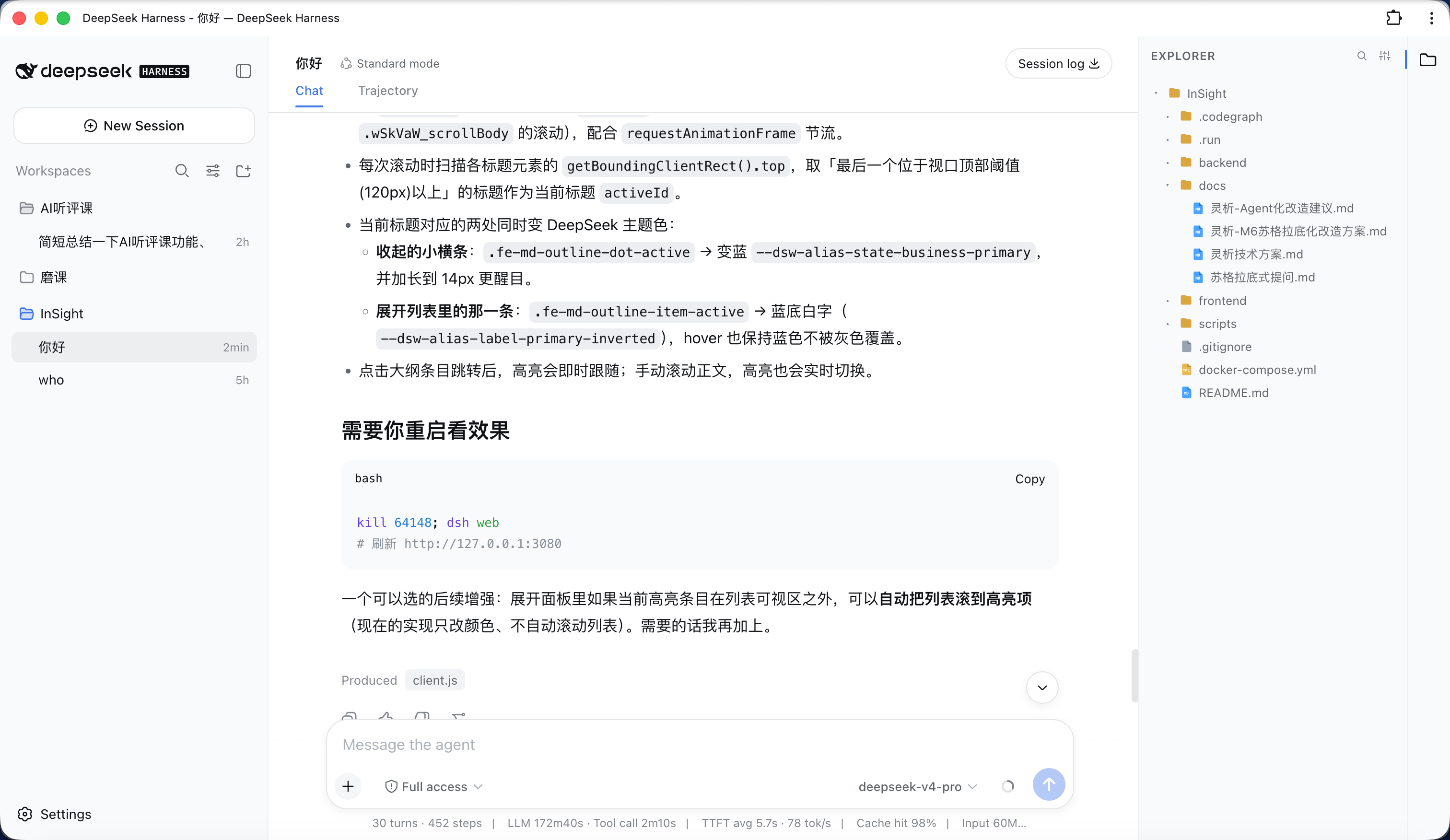
Explorer collapsed
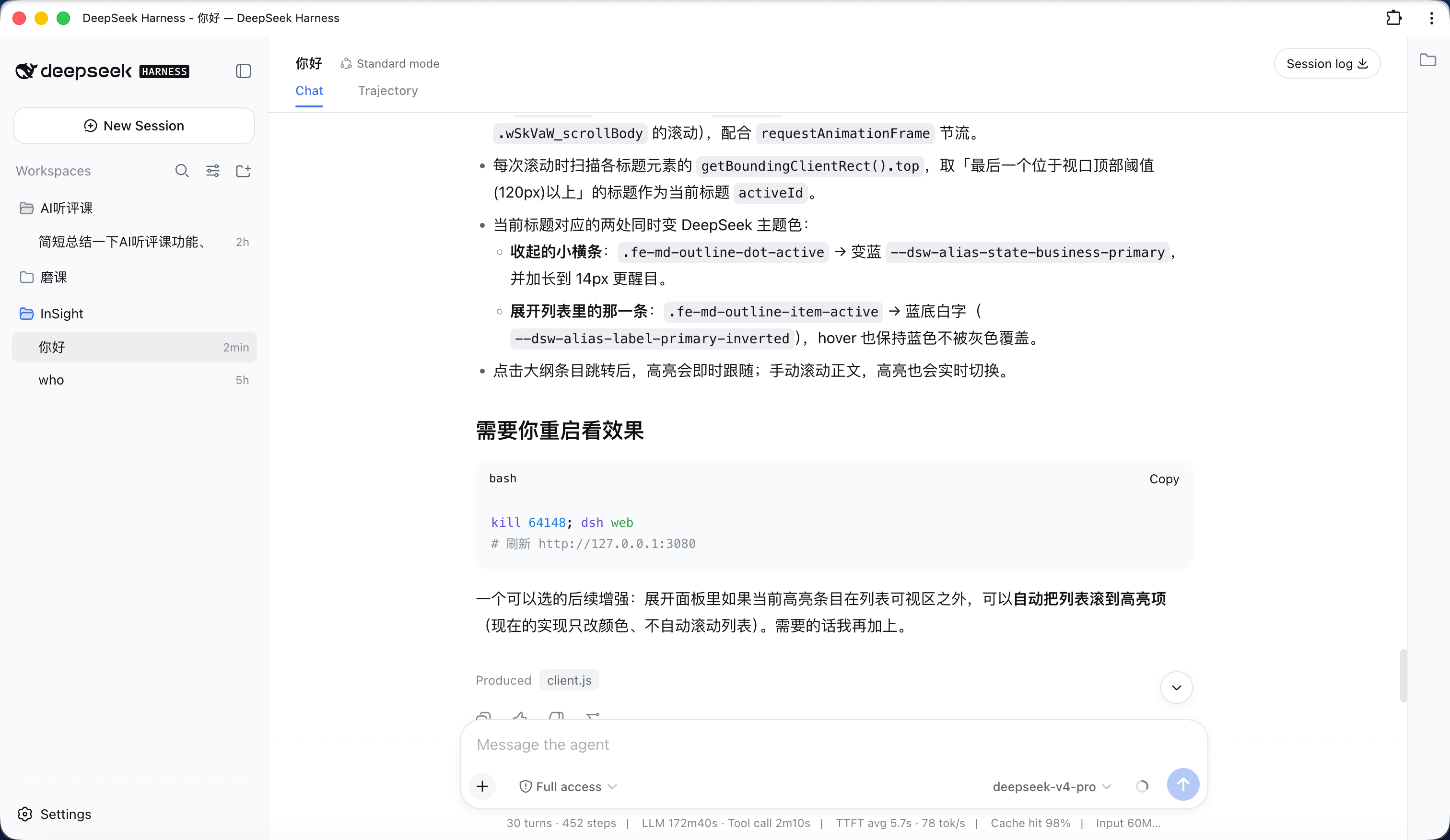
File settings
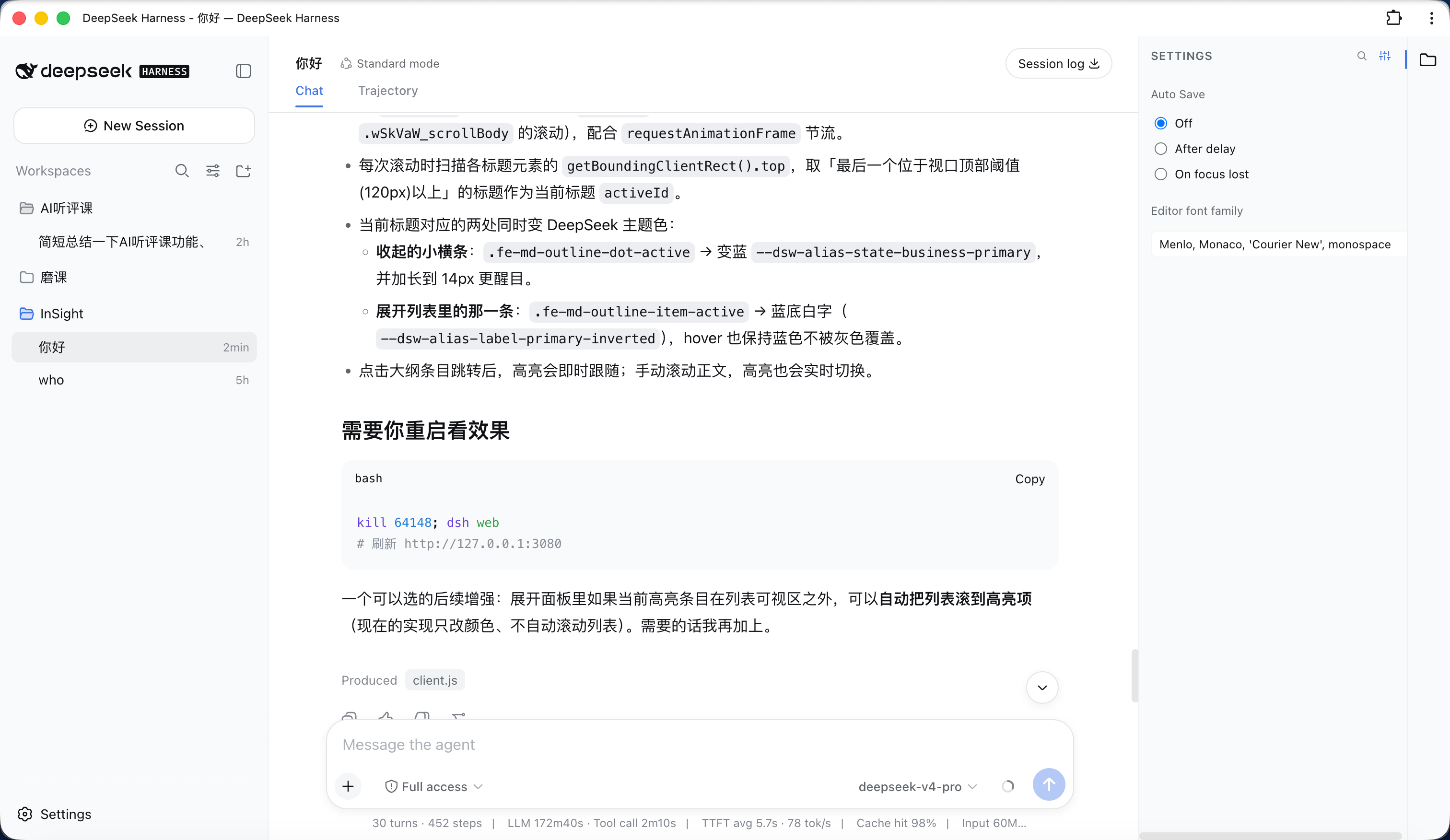
File search
Open file
Markdown outline
Closing an unsaved file
Installation
Requires DSH with an initialized
webprofile (auto-created on firstdsh web).
dsh plugin is DSH's built-in plugin manager; it forwards the arguments to pnpm inside the profile directory. Always use it, not npm install -g — DSH loads plugins from $DSH_HOME/profiles/web/node_modules, and it never reads the global directory (Windows AppData\Roaming\npm), so a global install has no effect.
Prerequisite:
dsh pluginshells out to pnpm, so install pnpm first (npm install -g pnpm), otherwise it fails withpnpm not found on PATH.
Option 1: install from npm
# install into the web profile (equivalent to running `pnpm add` in that profile)
dsh plugin --profile web add dsh-plugin-file-explorer
Option 2: install from GitHub (no npm publish required)
dsh plugin --profile web add github:bearllfleed/dsh-plugin-file-explorer
Update
dsh plugin --profile web update dsh-plugin-file-explorer
Uninstall
dsh plugin --profile web remove dsh-plugin-file-explorer
Check installed / latest version
# version actually loaded (looked up inside the profile)
dsh plugin --profile web list dsh-plugin-file-explorer
# latest on npm
npm view dsh-plugin-file-explorer version
Then enable the plugin
Installing only adds the package as a dependency; you must also register it in the profile's cordis.patch.yml so DSH loads it. Edit $DSH_HOME/profiles/web/cordis.patch.yml and add:
- insert:
    - id: file-explorer
      name: 'dsh-plugin-file-explorer'
id is a unique identifier in the config tree (customizable); name must be the npm package name.
Restart
dsh web
# then refresh http://127.0.0.1:3080
After install/update you must fully quit and restart the
dsh webprocess (host routes are registered at startup) and hard-refresh the page with⌘/Ctrl+Shift+R(the browser bundle is cached). A plain page refresh won't pick up new features.
New features don't show up after updating?
Check in order:
- DSH not fully restarted — host routes (new file / rename / delete) are registered at process startup; quit
dsh weband start it again, not just refresh the page. - Browser cache — the right-click menu and drag-and-drop live in the browser bundle; hard-refresh or use an incognito window.
- Wrong location / wrong version —
dsh plugin --profile web list dsh-plugin-file-explorershows the actually-loaded version; if it's an old one, it was likely installed withnpm install -ginto the global directory (which DSH ignores). Re-rundsh plugin --profile web add ...above.
Usage
| Action | Shortcut / entry |
|---|---|
| Toggle file tree | file icon in the right activity bar |
| Open a file | click in the tree; or ⌘/Ctrl+P then Enter |
| New / rename / delete | right-click menu in the tree |
| Move a file / folder | drag it onto the target folder |
| Save | ⌘/Ctrl+S |
| Close a tab | hover × on the tab, or right-click menu |
| Markdown mode | "Read / Edit / Split" at the top of the file |
| Markdown outline | hover the right floating bar in read mode |
| Editor font / auto-save | gear button in the sidebar header |
Layout
lib/index.js    host (Node) routes: list / read / raw / write / create / rename / delete / files
lib/client.js   browser bundle: tree, editor, Markdown, outline, Quick Open
package.json    plugin manifest (dsh.client.inject / platform)
Development
After editing lib/, if the plugin is installed via a file: link, sync to $DSH_HOME/profiles/web/node_modules/dsh-plugin-file-explorer/lib/; otherwise re-run dsh plugin add and restart.
License
相关推荐Related
-
 ruvnet/ruflo
🌊 The original agent meta-harness. Deploy intelligent multi-player swarms, coordinate autonomous workflows, and build c…
ruvnet/ruflo
🌊 The original agent meta-harness. Deploy intelligent multi-player swarms, coordinate autonomous workflows, and build c…
-
 amruthpillai/reactive-resume
A one-of-a-kind resume builder that keeps your privacy in mind. Completely secure, customizable, portable, open-source a…
amruthpillai/reactive-resume
A one-of-a-kind resume builder that keeps your privacy in mind. Completely secure, customizable, portable, open-source a…
-
 esengine/DeepSeek-Reasonix
DeepSeek-native AI coding agent for your terminal. Engineered around prefix-cache stability — leave it running.
esengine/DeepSeek-Reasonix
DeepSeek-native AI coding agent for your terminal. Engineered around prefix-cache stability — leave it running.
-
 volcengine/OpenViking
Self-evolving Context Database for AI Agents. Unify Agent Memory, Knowledge RAG and Skills.
volcengine/OpenViking
Self-evolving Context Database for AI Agents. Unify Agent Memory, Knowledge RAG and Skills.
-
 Molunerfinn/PicGo
:rocket: The Ultimate Image Uploader for Efficient Creators. Supports Obsidian, Typora, VS Code etc. and 60+ image hosti…
Molunerfinn/PicGo
:rocket: The Ultimate Image Uploader for Efficient Creators. Supports Obsidian, Typora, VS Code etc. and 60+ image hosti…
-
 titanwings/colleague-skill
将冰冷的离别化为温暖的 Skill,欢迎加入数字生命1.0!Transforming cold farewells into warm skills? It's giving rebirth era. Welcome to Digital …
titanwings/colleague-skill
将冰冷的离别化为温暖的 Skill,欢迎加入数字生命1.0!Transforming cold farewells into warm skills? It's giving rebirth era. Welcome to Digital …
-
 nocobase/nocobase
NocoBase is an open-source AI + no-code platform for building business systems fast. Instead of generating everything fr…
nocobase/nocobase
NocoBase is an open-source AI + no-code platform for building business systems fast. Instead of generating everything fr…
-
 Tencent/WeKnora
Open-source LLM knowledge platform: turn raw documents into a queryable RAG, an autonomous reasoning agent, and a self-m…
Tencent/WeKnora
Open-source LLM knowledge platform: turn raw documents into a queryable RAG, an autonomous reasoning agent, and a self-m…