benz-ai-x/dsh-research-graph
--- description: "A DeepSeek Harness Web plugin for AI conversation graphs, research topics, and source-linked Knowledge Cards. Explore capabilities, check compatibility, and install the research workbench." kind: "package-bundle"
catalog descriptioncatalog 简介 / catalog description:DSH Research Graph · 研图 — DeepSeek Harness plugin for research topics, traceable knowledge cards, and reusable AI discussions.
Project Overview项目介绍
This is an open-source AI research workbench plugin for DeepSeek Harness (DSH). It organizes conversations into research topics and creates traceable knowledge cards, supporting branching, merging, knowledge extraction and result export. It is suitable for product research, technical research and ongoing knowledge management, and requires a compatible DSH Web environment to run.
这是DeepSeek Harness(DSH)的开源AI研究工作台插件,可整理对话为研究主题,生成可溯源知识卡片,支持对话分支合并、知识提取和结果导出。适用于产品研究、技术研究和持续性知识管理,需要对应版本的DSH Web环境才可安装使用。
请帮我了解并安装插件:【dsh-research-graph】【https://github.com/benz-ai-x/dsh-research-graph】Send this message to DSH in your current session. CLI install commands may not be accurate across systems — DSH will figure it out for you.把上面这条消息直接发给当前会话里的 DSH,让它帮你了解并安装。安装命令不一定准确,发给 DSH 更稳。
Or use CLI install (for developers)或使用命令行安装(适合开发者)
CLI Install命令行安装
dsh plugin --profile web add @benz-ai-x/dsh-research-graph@0.1.5-rc.2.8把 benz-ai-x/dsh-research-graph 加入你的 DSH 配置(web profile)即可启用。
READMEREADME
description: "A DeepSeek Harness Web plugin for AI conversation graphs, research topics, and source-linked Knowledge Cards. Explore capabilities, check compatibility, and install the research workbench." kind: "package-bundle"
DSH Research Graph



English | 简体中文
An independently maintained, open-source AI research workbench plugin for DeepSeek Harness (DSH), running inside DSH Web. Organize conversations into research topics and traceable Knowledge Cards for product research, technical research, and ongoing knowledge management.
Capability map
---
config:
  flowchart:
    nodeSpacing: 16
    rankSpacing: 32
---
flowchart LR
  G["DSH Research Graph"] --> O["Organize research"] & K["Capture knowledge"] & R["Extend research"]
  O --> O1["Cross-workspace topics"] & O2["Conversation graph<br/>Branches · Merges<br/>Subagent records"]
  K --> K1["History search<br/>Sources · Digests"] & K2["Knowledge Cards<br/>AI extraction · Review · Revisions"]
  R --> R1["Synthesis · Frozen materials"] & R2["Follow-up discussions<br/>Markdown export"]
  classDef brand fill:#2563eb,stroke:#2563eb,color:#fff
  classDef group fill:#eff6ff,stroke:#93c5fd,color:#1e3a8a
  classDef feature fill:#f8fafc,stroke:#cbd5e1,color:#0f172a
  class G brand
  class O,K,R group
  class O1,O2,K1,K2,R1,R2 feature
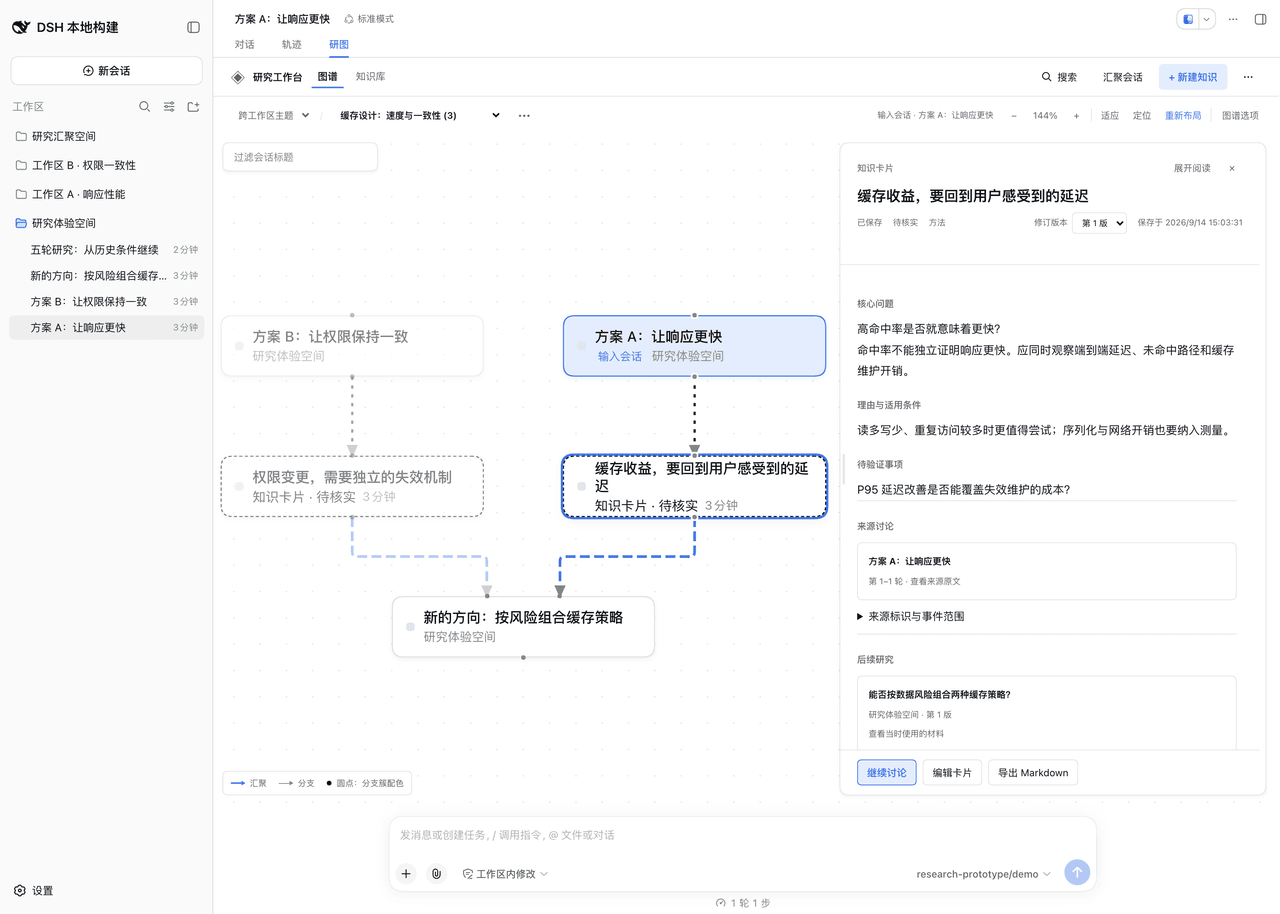
Workbench screenshot
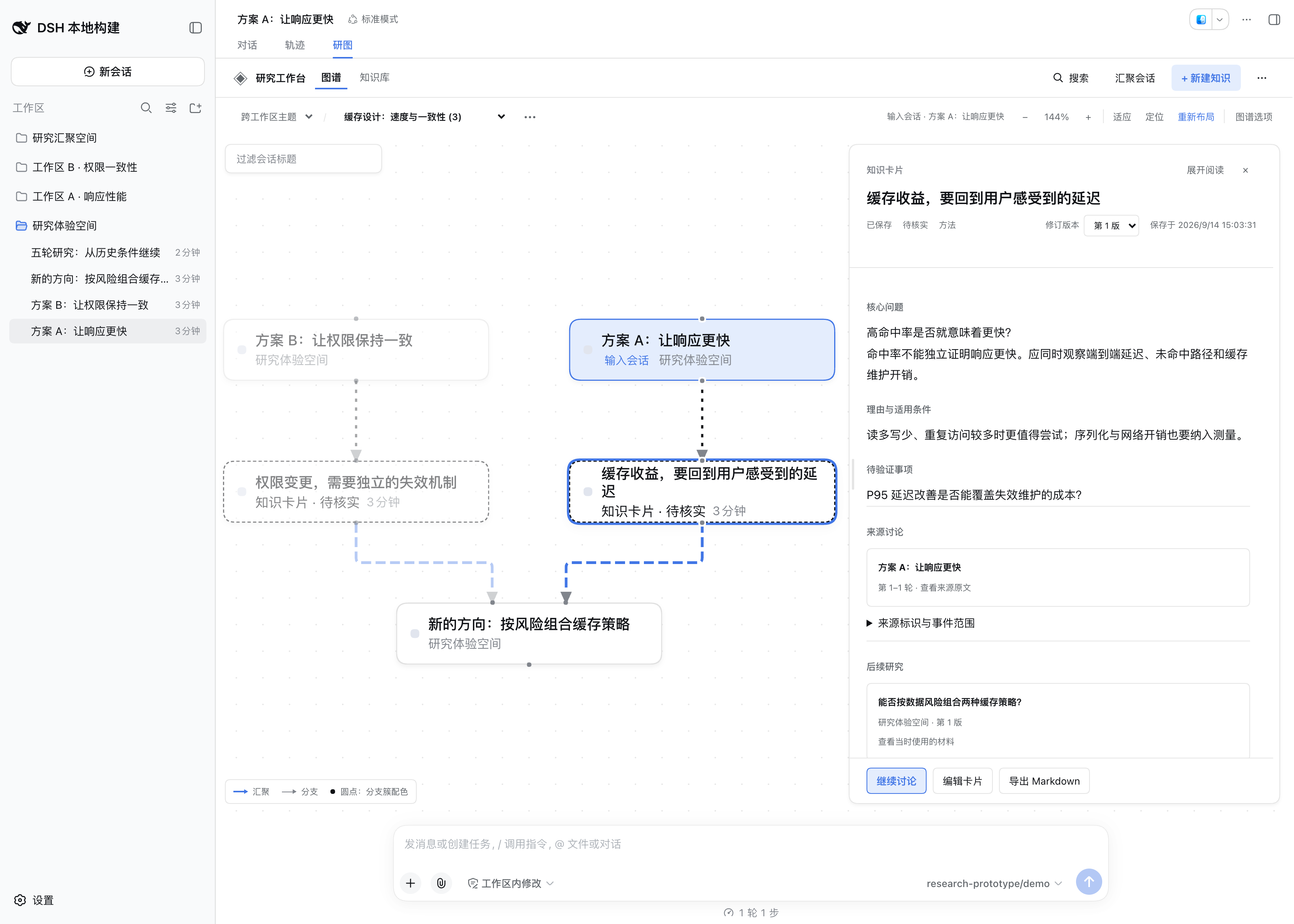
Version 0.1.5-rc.2.8 with demo data. Click the image for the full-resolution screenshot.
Key capabilities
| Capability | What you can do |
|---|---|
| Research graph | Organize discussions, inspect branches and merges; drag, collapse, and relayout |
| Source tracing | Search discussion text and return to the exact original turns |
| Knowledge capture | Save conclusions, conditions, and open questions; edit through new revisions |
| AI analysis | Extract selected discussion and compare 2–3 materials; review before saving |
| Follow-up research | Start from a historical turn or chosen card revision, retaining the materials used |
| Tasks and delivery | Inspect existing subagent records and export Markdown research results |
Key facts
| Item | Details |
|---|---|
| Plugin release | 0.1.5-rc.2.8, npm next |
| Required Host | DSH 0.1.5-rc.2 · Web, Node.js ^22.19.0 || >=24.0.0 |
| Data | Research records live on the DSH Host; working positions stay in the browser and Topic arrangements require explicit saving |
| Model calls | Browsing, manual capture, and export make no model call; AI generation and new discussions use models on demand |
| Agent capabilities | DSH provides models, tools, presets, and agent execution; this plugin includes no preset or Agent Team launcher. Details |
| Stack and license | TypeScript · React · MIT |
Quick start
Requires DSH 0.1.5-rc.2, with both dsh and pnpm on your PATH. Stop any running dsh web, then run:
dsh plugin --profile web add @benz-ai-x/dsh-research-graph@0.1.5-rc.2.8
dsh web
Open the login URL printed in the terminal, enter a non-blank Session, and select Research Graph: read a source → save knowledge → continue the discussion. See installation options if you run DSH through npx or from source.
Docs and support
User guide · Troubleshooting · Development and release · Release acceptance · Report an issue
Related相关推荐
-
 vshulcz/deja-vu
One memory shared by Claude Code, Codex, Cursor, Copilot CLI, OpenClaw and 20 more coding agents, built from the session…
vshulcz/deja-vu
One memory shared by Claude Code, Codex, Cursor, Copilot CLI, OpenClaw and 20 more coding agents, built from the session…
-
 mnemon-dev/mnemon
LLM-supervised persistent memory for AI agents — graph-based recall, cross-session knowledge, single binary. Works with …
mnemon-dev/mnemon
LLM-supervised persistent memory for AI agents — graph-based recall, cross-session knowledge, single binary. Works with …
-
 syncable-dev/memtrace-public
Structural memory for AI coding agents. Bi-temporal graph, MCP-native, zero LLM calls. Cursor · Claude Code · Codex · De…
syncable-dev/memtrace-public
Structural memory for AI coding agents. Bi-temporal graph, MCP-native, zero LLM calls. Cursor · Claude Code · Codex · De…
-
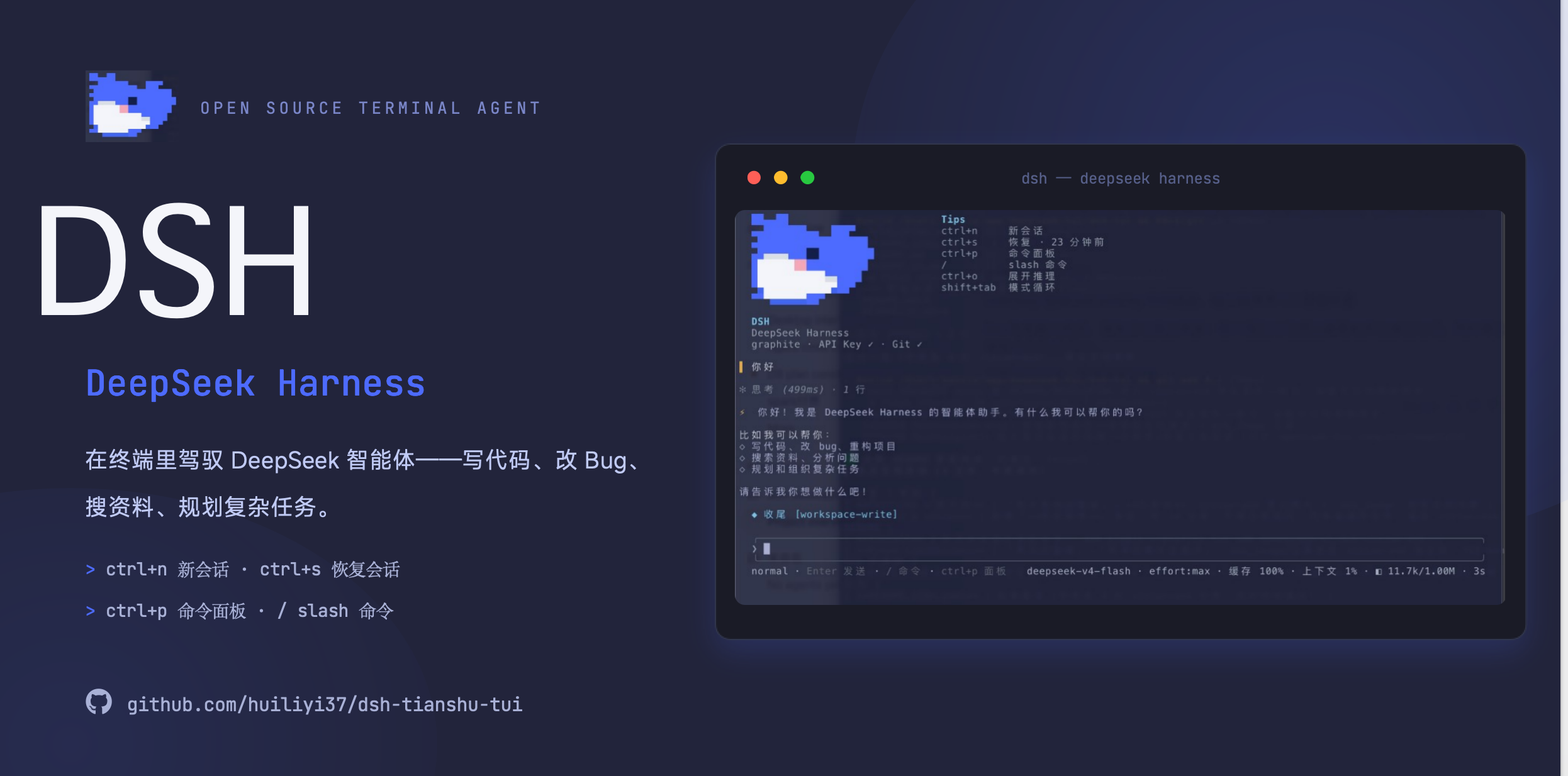 huiliyi37/dsh-tianshu-tui
官方 DeepSeek Harness 的交互式终端 UI 插件:自研 ANSI 极简交互渲染、流式 Markdown/工具卡、16+ 主题、slash 命令与选择器、输入历史与本地偏好持久化、LSP 诊断、memory记忆,很丝滑的开发体…
huiliyi37/dsh-tianshu-tui
官方 DeepSeek Harness 的交互式终端 UI 插件:自研 ANSI 极简交互渲染、流式 Markdown/工具卡、16+ 主题、slash 命令与选择器、输入历史与本地偏好持久化、LSP 诊断、memory记忆,很丝滑的开发体…
-
 xiehuan123/dsh-deepread
Evidence-first reading for AI agents — turn articles, books and PDFs into traceable claims, evidence, source locations a…
xiehuan123/dsh-deepread
Evidence-first reading for AI agents — turn articles, books and PDFs into traceable claims, evidence, source locations a…
-
 PerryLink/dsh-plugin-guide
Installable DSH bundle: the dsh-plugin-guide plugin-development knowledge base as an on-demand agent skill. Official doc…
PerryLink/dsh-plugin-guide
Installable DSH bundle: the dsh-plugin-guide plugin-development knowledge base as an on-demand agent skill. Official doc…
-
 1na-ko/dsh-hdc-bridge
DSH 原生鸿蒙开发助手:hdc 设备闭环调试 + 设备面板(官方 client 插件形态)+ 离线官方知识层(Tier-1 随包)+ DevEco CLI 构建/签名/模拟器控制 / DSH-native HarmonyOS dev as…
1na-ko/dsh-hdc-bridge
DSH 原生鸿蒙开发助手:hdc 设备闭环调试 + 设备面板(官方 client 插件形态)+ 离线官方知识层(Tier-1 随包)+ DevEco CLI 构建/签名/模拟器控制 / DSH-native HarmonyOS dev as…
-
 1841220388zzzcccxxx-star/dsh-git-graph
Embedded git repository graph visualizer for the DeepSeek Harness Web GUI | 嵌入式 Git 仓库图谱可视化插件(提交历史图 / 分支过滤 / 文件 diff / V…
1841220388zzzcccxxx-star/dsh-git-graph
Embedded git repository graph visualizer for the DeepSeek Harness Web GUI | 嵌入式 Git 仓库图谱可视化插件(提交历史图 / 分支过滤 / 文件 diff / V…