blooming-fang/dsh-feishu-notifier
DeepSeek Harness 飞书通知插件:在需要用户操作或对话结束时发送飞书机器人提醒,并支持持久化配置。
Project Overview项目介绍
dsh-feishu-notifier is a DeepSeek Harness bundle that forwards agent interaction events to a Feishu bot via a custom webhook. Core capability: it listens for approval requests, ask_user_question prompts, exit_plan_mode plan confirmations, and turn/end events, converting completion, error, cancel, and abort reasons into readable text. When to use: when you need real-time Feishu visibility into DSH agent activity for remote review and approval. Caveat: requires DSH 0.1.0-rc.5 and Node.js 22.19+, each user must configure their own webhook, and the URL is sensitive and must never be committed or published.
dsh-feishu-notifier 是 DeepSeek Harness 飞书通知插件。核心能力:监听智能体审批请求、ask_user_question 提问、exit_plan_mode 计划确认及 turn/end 回合结束事件,转换为可读文本后通过飞书机器人 Webhook 推送。适用场景:需在飞书端实时感知 DSH 智能体交互状态、远程审阅与确认流程。需配合 DSH 0.1.0-rc.5 及 Node.js 22.19+ 使用,每个用户须自行配置 Webhook,且地址属敏感信息,不应提交至 GitHub 或随 npm 发布。
请帮我了解并安装插件:【dsh-feishu-notifier】【https://github.com/blooming-fang/dsh-feishu-notifier】Send this message to DSH in your current session. CLI install commands may not be accurate across systems — DSH will figure it out for you.把上面这条消息直接发给当前会话里的 DSH,让它帮你了解并安装。安装命令不一定准确,发给 DSH 更稳。
Or use CLI install (for developers)或使用命令行安装(适合开发者)
CLI Install命令行安装
dsh plugin --profile web add dsh-feishu-notifier把 blooming-fang/dsh-feishu-notifier 加入你的 DSH 配置(web profile)即可启用。
READMEREADME
dsh-feishu-notifier
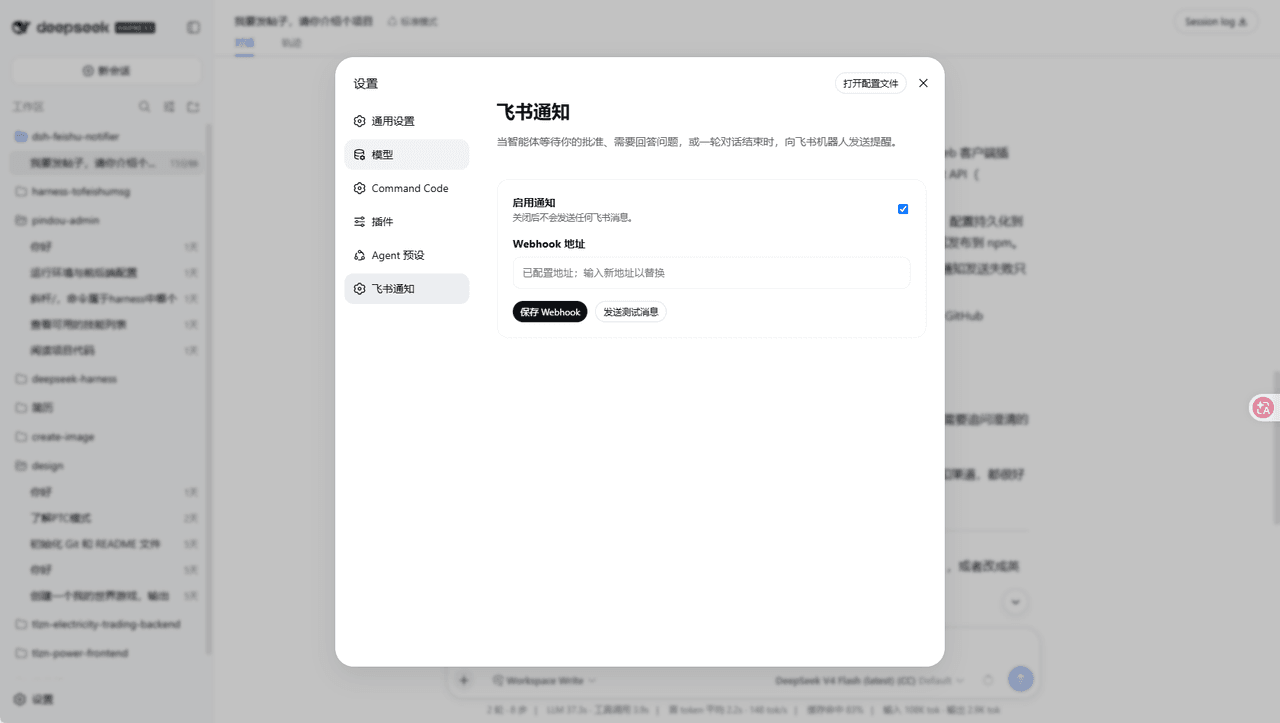
一个 DeepSeek Harness Bundle:当智能体请求用户批准、等待用户回答问题或确认计划,以及一轮对话结束时,向飞书机器人发送文本通知。
使用要求
- DeepSeek Harness
0.1.5-rc.1或兼容版本。 - Node.js
22.19+。 - 在 Web 设置中配置飞书自定义机器人 Webhook。
本地开发
pnpm install
pnpm run build
pnpm pack:check
构建会生成:
lib/index.js:Node/Cordis Loader 入口;lib/client.js:Web 浏览器插件入口。
从 npm 安装
将插件发布到 npm 后,用户可以直接使用以下命令安装到 web Profile:
dsh plugin --profile web add dsh-feishu-notifier
dsh --profile web
如果使用源码方式运行 DeepSeek Harness,则将 dsh 替换为 pnpm dsh:
pnpm dsh plugin --profile web add dsh-feishu-notifier
pnpm dsh --profile web
启动后打开:
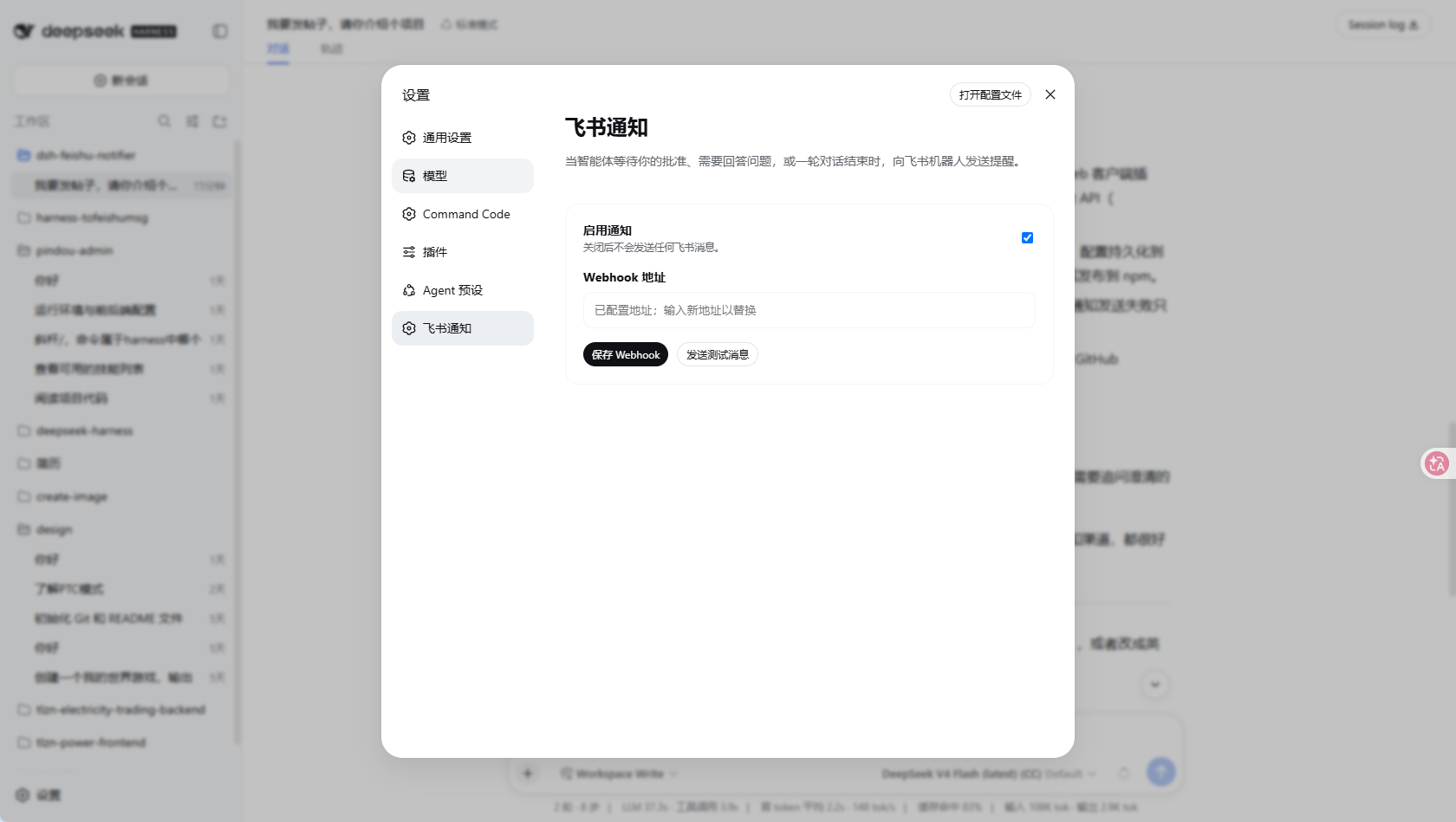
设置 → 飞书通知
填写飞书机器人 Webhook,点击“保存 Webhook”,然后点击“发送测试消息”验证连接。配置会通过插件自己的 Host API 持久化到 DSH 的 settings.yaml,通常位于 C:\Users\<用户名>\.dsh\settings.yaml。真实 Webhook 不会包含在 npm 包中,每位用户都需要配置自己的地址。
从 GitHub 安装
建议使用 release tag 或 commit SHA,确保安装内容可复现:
pnpm dsh plugin --profile demo add github:blooming-fang/dsh-feishu-notifier
从 GitHub 安装时会执行 prepare 构建插件。只应安装可信仓库中的代码;pnpm 可能要求在 Profile 的 workspace 配置中加入 allowBuilds 授权。
通知事件
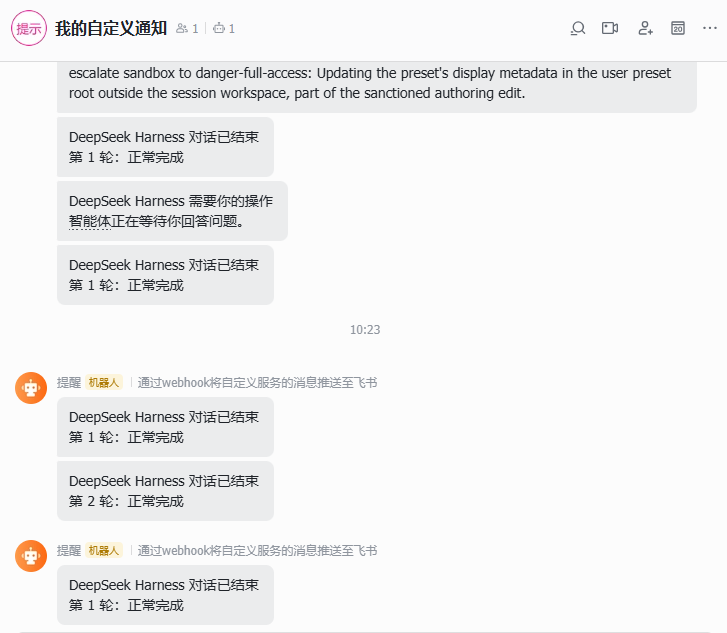
插件会发送以下通知:
- 用户审批请求;
ask_user_question用户问题请求;exit_plan_mode计划确认请求;turn/end对话轮次结束事件,并将完成、错误、取消和中断原因转换为可读文本。
Webhook 属于敏感设置,保存后不会返回给浏览器。不要把真实 Webhook 地址提交到 GitHub 或发布到 npm。
Related相关推荐
- cpj-dev/dsh-plugin-cc Bridge Deepseek-harness into Claude Code for review, critique, delegation, and session import.
-
 whiteguo233/dsh-openbiliclaw
OpenBiliClaw 是本地运行的跨平台个性化内容推荐 Agent,持续理解你的兴趣并主动找内容。本仓库是它的 DeepSeek Harness 插件:DSH 界面常驻第四栏(推荐/内容库/对话/画像/设置),注册 22 个 Agent…
whiteguo233/dsh-openbiliclaw
OpenBiliClaw 是本地运行的跨平台个性化内容推荐 Agent,持续理解你的兴趣并主动找内容。本仓库是它的 DeepSeek Harness 插件:DSH 界面常驻第四栏(推荐/内容库/对话/画像/设置),注册 22 个 Agent…
-
 hanshanyike/dsh-yolo
把对话里说过的重要事情,变成持续可跟进的计划。 为 deepseek-harness 打造的个人助手:从对话中整理事项、跟踪变化,并在需要时提醒你。
hanshanyike/dsh-yolo
把对话里说过的重要事情,变成持续可跟进的计划。 为 deepseek-harness 打造的个人助手:从对话中整理事项、跟踪变化,并在需要时提醒你。
-
 AX1202/ax-feishu-bridge
飞书/Lark 机器人桥接,同时支持 Pi 和 DeepSeek Harness(DSH)双平台,随时随地远程与你的编程助手对话
AX1202/ax-feishu-bridge
飞书/Lark 机器人桥接,同时支持 Pi 和 DeepSeek Harness(DSH)双平台,随时随地远程与你的编程助手对话
-
 amlyczz/dsh-lark-link
High-reliability Feishu/Lark bridge for DeepSeek Harness — QR one-click auth, multi-mode agents, card-based commands, ze…
amlyczz/dsh-lark-link
High-reliability Feishu/Lark bridge for DeepSeek Harness — QR one-click auth, multi-mode agents, card-based commands, ze…
-
 caoyiwei850/dsh-ssh-ops
DeepSeek Harness SSH 运维插件:主对话驱动 SSH,带高危命令保护与右侧终端。
caoyiwei850/dsh-ssh-ops
DeepSeek Harness SSH 运维插件:主对话驱动 SSH,带高危命令保护与右侧终端。
-
 jiezeng2004-design/dsh-chatgpt-bridge
MCP bridge that lets ChatGPT web create, view, continue, and control DeepSeek Harness (DSH) agent sessions.
jiezeng2004-design/dsh-chatgpt-bridge
MCP bridge that lets ChatGPT web create, view, continue, and control DeepSeek Harness (DSH) agent sessions.
- gtaifu/dsh-wechat-bridge DeepSeek Harness (dsh) transport plugin: chat with your agents on WeChat via official Tencent iLink bot API — zero runti…