chinaRXQ/dsh-wallpaper
DeepSeek Harness(dsh)网页界面的壁纸皮肤:支持图片背景、透明度、遮罩和模糊控制。
项目介绍Project Overview
dsh-wallpaper 是一款 DSH Web 界面的壁纸皮肤插件,将一张图片设为窗口背景。核心能力:在右下角面板实时调节图片透明度、面板透明度、压暗遮罩与背景模糊;支持本地图片与 http(s) 链接,配置存于 localStorage。适用于希望个性化 DSH 视觉风格的场景。注意:需支持 color-mix() 的较新浏览器;高优先级主题 token 覆盖可能影响自定义效果。
dsh-wallpaper is a skin plugin for the DSH web interface that sets an image as the window background. Core capability: a bottom-right panel lets users adjust image opacity, panel opacity, dimming mask, and background blur in real time; it supports local images and http(s) URLs, with settings stored in localStorage. Use it to personalize the DSH visual environment. Caveat: requires a modern browser supporting color-mix(); higher-priority theme token overrides may interfere with customization.
请帮我了解并安装插件:【dsh-wallpaper】【https://github.com/chinaRXQ/dsh-wallpaper】把上面这条消息直接发给当前会话里的 DSH,让它帮你了解并安装。安装命令不一定准确,发给 DSH 更稳。Send this message to DSH in your current session. CLI install commands may not be accurate across systems — DSH will figure it out for you.
或使用命令行安装(适合开发者)Or use CLI install (for developers)
命令行安装CLI Install
dsh plugin --profile web add dsh-wallpaper把 chinaRXQ/dsh-wallpaper 加入你的 DSH 配置(web profile)即可启用。
READMEREADME
dsh-wallpaper — DeepSeek Harness 图片壁纸皮肤插件
用一张图片作为 DSH Web 界面的窗口背景,并可通过右下角小面板实时控制:
- 图片透明度(0–100%)
- 面板透明度(0–100%,越小背景图越透)
- 压暗遮罩(0–100%,提高文字可读性)
- 背景模糊(0–40px)
原理
- 在
<body>里插入两个固定全屏层:#dsh-wallpaper-bg(背景<img>,object-fit: cover+referrerpolicy="no-referrer"以绕开防盗链)与#dsh-wallpaper-mask(遮罩),并把应用根节点#root抬到z-index: 1,图片层垫在应用之下。 - 把
--dsw-alias-*语义 token 用color-mix()改为半透明(!important压过主题 presenter 的内联 token),让图片从所有面板后面透出来;浅色 / 深色两套底色分别处理。 - 配置存于浏览器
localStorage(key:dsh-wallpaper:v1)。图片支持本地文件(自动缩放并压缩成 JPEG,稳稳落进 localStorage 配额)或 http(s) 链接(应用前先探测能否加载,失败会在面板提示)。
文件
| 文件 | 说明 |
|---|---|
package.json |
包元数据:dsh.bundle.patch(可被 dsh plugin add 安装)+ dsh.client.platform=web、immediately=true、exports["./client"] |
cordis.patch.yml |
bundle patch:把 dsh-wallpaper 插入 composition |
index.js |
host half(空实现,仅满足 cordis loader 导入) |
client.js |
浏览器 half:window.__ModuleLoader__.load({ id: "dsh-wallpaper", factory }),含样式注入、背景层、控制面板 |
安装
发布到 npm 后(或直接以 GitHub 仓库 owner/repo 形式),一条命令装进 web profile:
dsh plugin --profile web add dsh-wallpaper     # npm 包名
# 或
dsh plugin --profile web add <owner>/dsh-wallpaper   # GitHub 仓库
然后启动 web:
dsh --profile web
本机开发时的做法(源码在
~/Desktop/harness/dsh-wallpaper/):改动后把client.js index.js package.json cordis.patch.yml同步到~/.dsh/profiles/web/node_modules/dsh-wallpaper/,并在~/.dsh/profiles/web/cordis.patch.yml里保留- insert: [{ id: wallpaper, name: 'dsh-wallpaper' }],再重启 web 服务。
使用
- 页面右下角出现 🖼 按钮,点开面板:
- 选本地图片 / 粘贴图片链接 → 应用;
- 拖动滑块实时调整透明度 / 遮罩 / 模糊;
- 「移除图片」或「恢复默认」关闭壁纸。
- 配置自动保存在浏览器本地,刷新 / 重开浏览器仍生效(换浏览器需重新设置)。
卸载
dsh plugin --profile web remove dsh-wallpaper
然后重启 web 服务。
备注
- 需要较新的浏览器(
color-mix(),Chrome/Safari/Firefox 2023+ 均支持)。 - 第三方主题(
ctx.theme.register注册的皮肤)与壁纸半透明层可共存;壁纸层的 token 覆盖优先级更高。 - 显示不出来的常见原因已做处理:HEIC(iPhone 照片)无法解码会明确提示、过大的本地图会自动压缩、链接失效/防盗链会在面板报错;如仍显示黑色背景,请打开浏览器开发者工具 Console 看
[dsh-wallpaper]开头的报错。
相关推荐Related
-
 liustack/modlens
The first vision plugin for DeepSeek Harness, and the vision bridge for every text-only coding agent. Paste an image, ge…
liustack/modlens
The first vision plugin for DeepSeek Harness, and the vision bridge for every text-only coding agent. Paste an image, ge…
-
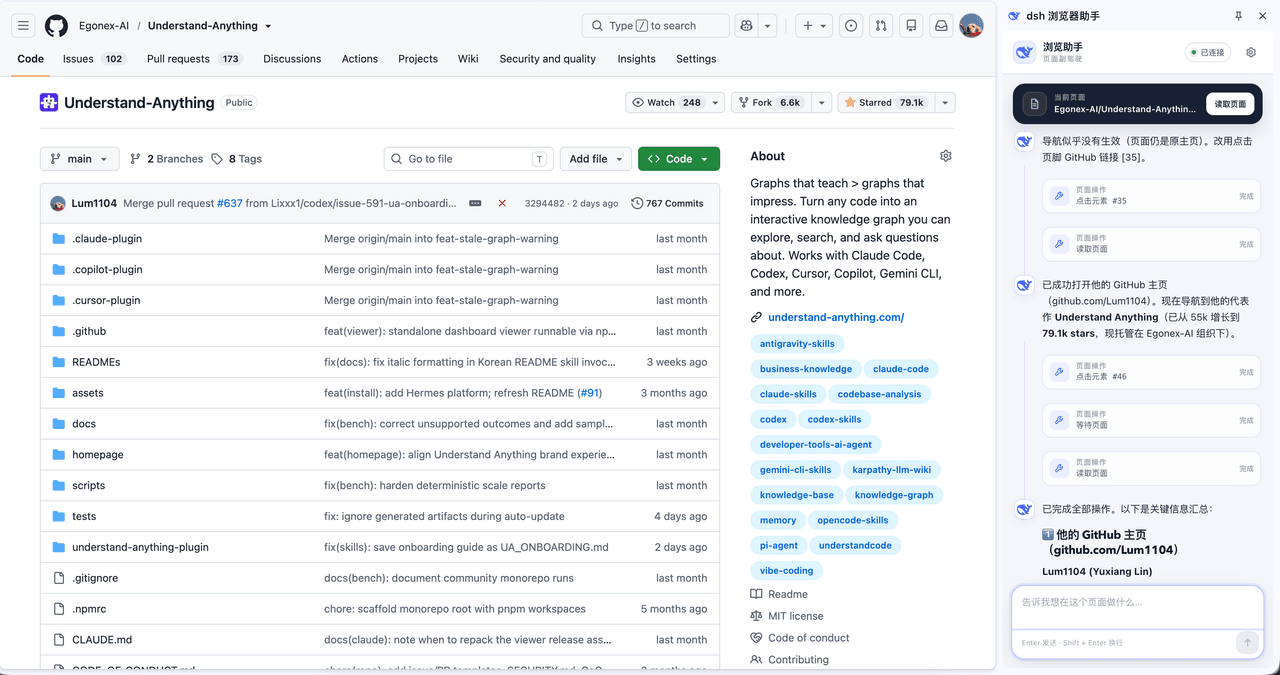 Lum1104/dsh-browser
Chrome sidebar extension that lets DeepSeek Harness operate your browser directly, no vision capabilities required. 一款 C…
Lum1104/dsh-browser
Chrome sidebar extension that lets DeepSeek Harness operate your browser directly, no vision capabilities required. 一款 C…
-
 elysia395/dsh-wallpaper-engine
把本机 Wallpaper Engine 的壁纸变成 DSH 网页界面的背景:Video 动态播放、Web 以 iframe 加载、Scene 壁纸提取主纹理作为静态帧;iOS 液态玻璃设置窗口(配色 / 玻璃颜色 / 透明度)、内容分级与…
elysia395/dsh-wallpaper-engine
把本机 Wallpaper Engine 的壁纸变成 DSH 网页界面的背景:Video 动态播放、Web 以 iframe 加载、Scene 壁纸提取主纹理作为静态帧;iOS 液态玻璃设置窗口(配色 / 玻璃颜色 / 透明度)、内容分级与…
-
 starsstreaming/beautiCode
面向 AI 编程客户端的动态、可响应环境——视频背景、氛围场景与主题,适用于 DeepSeek Harness 与 Codex Desktop。
starsstreaming/beautiCode
面向 AI 编程客户端的动态、可响应环境——视频背景、氛围场景与主题,适用于 DeepSeek Harness 与 Codex Desktop。
-
 01Virex/dsh-status-rotator
A DeepSeek Harness (dsh) web plugin: rotate the "Deep diving…" status label with typewriter-animated rainbow phrases, a …
01Virex/dsh-status-rotator
A DeepSeek Harness (dsh) web plugin: rotate the "Deep diving…" status label with typewriter-animated rainbow phrases, a …
-
 Tkingxiao/dsh-any-background
Deepseek Harness 自定义主题插件,支持自定义图片/视频壁纸,对话框,侧边栏等透明度模糊度调整,全局主题色的色轮调整插件
Tkingxiao/dsh-any-background
Deepseek Harness 自定义主题插件,支持自定义图片/视频壁纸,对话框,侧边栏等透明度模糊度调整,全局主题色的色轮调整插件
-
 TQSY114514/dsh-ui-appearance
Appearance customization plugin for DeepSeek Harness: theme color palette, background image, opacity/blur, glass effect
TQSY114514/dsh-ui-appearance
Appearance customization plugin for DeepSeek Harness: theme color palette, background image, opacity/blur, glass effect
-
 caoyiwei850/dsh-client-ui-skins
DSH Web skin plugin with built-in themes and custom image skins
caoyiwei850/dsh-client-ui-skins
DSH Web skin plugin with built-in themes and custom image skins