ChuanTianML/dsh-chat-tidy
DeepSeek Harness Web 的克制式聊天排版与布局
Project Overview项目介绍
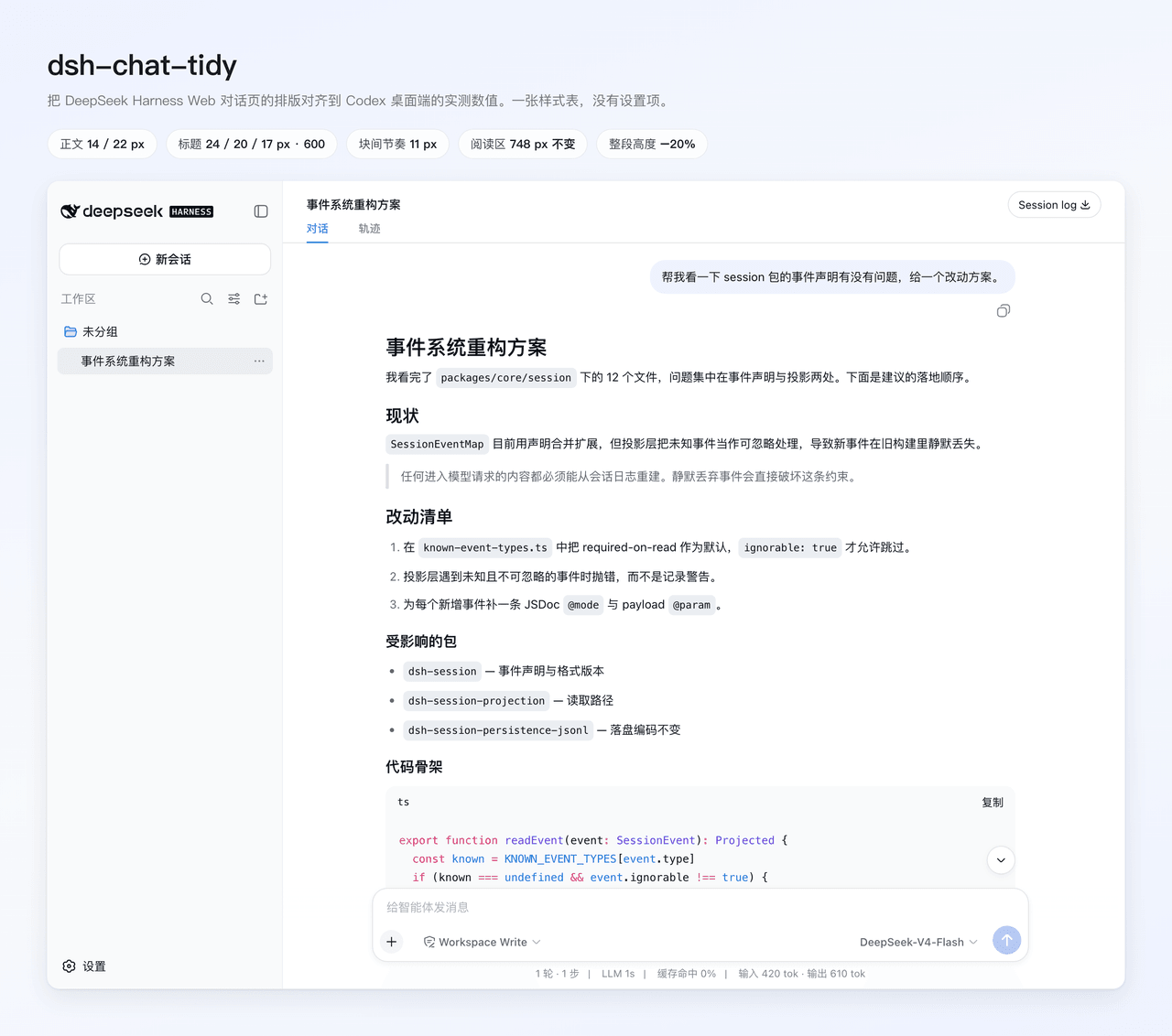
dsh-chat-tidy is a DSH-native UI plugin that adjusts the typography and layout of DeepSeek Harness's Web conversation page. It borrows spacing and typography measurements from the Codex desktop coding agent client, applying these to DSH's existing chat UI elements to improve reading rhythm. It only modifies CSS styles for layout and geometry, and does not change DSH's core behavior, including the Markdown renderer, theme colors, tool calls, reasoning display, or session logging. To install the plugin, run dsh plugin --profile web add github:ChuanTianML/dsh-chat-tidy, then restart DSH Web to apply changes, with no extra build steps required.
The plugin addresses the issue of excessive vertical spacing in DSH's default chat layout, which often leads to unnecessary scrolling for long conversations. By adjusting font sizes, line heights, and margins for body text, headings, lists, blockquotes, and horizontal rules, it cuts the total height of a typical reply by around 20% without sacrificing readability. It also adds polished styling to Markdown tables, giving them rounded borders, themed headers, and internal dividers that make structured data easier to follow. It is designed for users who read long conversations or technical documentation regularly in the DSH Web interface.
dsh-chat-tidy is released under the permissive MIT open source license, and it makes no outgoing network requests nor stores any user data, so it poses no privacy or security risks for regular use. It is compatible with DSH's built-in light and dark themes, and works alongside color-focused theme plugins like dsh-skin, but users should avoid running multiple layout-focused plugins like dsh-ux at the same time to prevent conflicting styles. It targets DSH version 0.1.0-rc.6 and newer, and local development requires Node.js 22.19+ or 24+ and pnpm 11.
这是一款专为DeepSeek Harness (DSH) Web端打造的原生UI排版优化插件,核心功能是参照Codex桌面客户端的阅读节奏调整DSH对话页的文字排版、间距和表格样式,提升长内容阅读体验。插件仅修改布局和几何样式,不改动DSH原有的Markdown渲染器、主题色、工具调用、推理过程和会话行为,安装后即可立即生效。可通过命令dsh plugin --profile web add github:ChuanTianML/dsh-chat-tidy安装,无需额外编译构建。
针对DSH默认排版存在的纵向间距过大、单条回复滚动过长问题,插件重新调整了正文、各级标题的字号和行高,合理压缩了不同块元素之间的间距,相同内容可减少约20%的滚动需求。同时还优化了Markdown表格样式,给原生表格增加了圆角外壳、主题化表头和行列分隔线,让表格的阅读体验更连贯统一。这款插件适合经常在DSH Web端阅读长对话、长技术文档的用户使用。
插件遵循MIT开源协议,不会发起网络请求,也不存储任何用户数据,隐私安全性有保障。开发环境要求Node.js 22.19以上版本和pnpm 11,本地开发可通过dsh plugin --profile web add -w 本地路径加载。它支持DSH自带的深浅主题,可和颜色类主题插件兼容,但不建议同时使用多款排版优化插件,当前版本适配DSH >=0.1.0-rc.6。
请帮我安装这个 DSH 插件。安装前先完成【兼容性检查 + 安全性检查】,检查通过再动手。

插件:dsh-chat-tidy(ChuanTianML/dsh-chat-tidy)
仓库:https://github.com/ChuanTianML/dsh-chat-tidy
本站详情页:https://www.yhbd.top/plugins/chuantianml-dsh-chat-tidy/
本站登记:类型 plugin · 归类 原生 DSH 插件 · 许可证 MIT · ⭐ 5 · 最近提交 2026-09-19 · 主语言 TypeScript

按下面顺序执行,每步先把结论告诉我,再进入下一步:

【1 兼容性检查】
① 我这边:DSH 版本、Node 版本、操作系统、当前 profile(web / desktop)。
② 读它的 README、package.json、插件 manifest,列出它要求的 DSH 版本 / Node 版本 / 操作系统 / 外部依赖 / 需要另外先装的运行时。
③ 逐条比对,结论只写「满足 / 不满足 / 未知」三种;不满足的给出可行替代方案。
④ 检查是否和我已装的插件冲突:命令名重复、skill / tool 重名、端口占用、重复注册的 MCP server。

【2 安全性检查】
① 仓库可信度:和上面「本站登记」是否一致;star / fork 数、创建时间、最近提交,是否归档或长期停更。
② 安装脚本:逐行看 package.json 的 preinstall / install / postinstall,以及 install.sh、setup.ps1 之类脚本。出现 curl|bash、下载后直接执行、混淆代码、访问与插件功能无关的域名,立刻停下来告诉我,不要继续装。
③ 依赖:列出新增依赖,标出无人维护、或与知名包拼写近似的可疑包(typosquatting)。
④ 权限与副作用:它会读写哪些目录、访问哪些域名、需要哪些 DSH 权限(filesystem / network / shell / clipboard 等),以及怎么卸载和回滚。
⑤ 如果它要求 sudo / 管理员权限,或权限明显超出功能所需,先停下来问我。

【3 安装】
上面两步没有「不满足」和「高危项」时才执行;用官方推荐方式安装,不要自行提权。

【4 汇报】
用表格输出:检查项 / 结论 / 依据 / 是否需要我决策。拿不准的一律写「未知」并说明要我怎么确认——不要猜,也不要替我决定。
Send this message to DSH in your current session: it verifies compatibility and security first (answering met / not met / unknown item by item) and only installs once everything checks out — it will stop and ask you if it finds a high-risk item. The box scrolls; the copy is the full prompt. CLI install commands may not be accurate across systems, so DSH is the safer route.把上面这条消息直接发给当前会话里的 DSH:它会先核对兼容性与安全性(逐条给「满足 / 不满足 / 未知」),确认没问题再安装,有高危项会停下来问你。框内可滚动,复制到的是完整提示词;安装命令不一定准确,发给 DSH 更稳。
- Only 5 stars - very few users, little community feedback星标只有 5,几乎没人在用,遇到问题缺少社区反馈
DSH walks through these 9 checksDSH 会逐条核对这 9 项
Compatibility兼容性
- DSH, Node, OS and profile requirementsDSH 版本 / Node 版本 / 操作系统 / profile 是否满足要求
- External dependencies and runtimes (Electron / Python / Docker, ...)外部依赖与运行时(Electron / Python / Docker 等)是否齐备
- Conflicts with installed plugins: command names, skill / tool names, ports, duplicate MCP registration与已装插件是否冲突:命令名、skill / tool 重名、端口占用、重复 MCP 注册
Security安全性
- Repo matches the facts registered here; archived or abandoned?仓库是否与页面登记一致,是否归档或长期停更
- Safety of preinstall / install / postinstall and install.sh / setup.ps1preinstall / install / postinstall 与 install.sh、setup.ps1 是否安全
- curl|bash, download-then-execute, obfuscation, unrelated domains → stop immediatelycurl|bash、下载即执行、混淆代码、无关域名 → 立刻停止
- Typosquatting or unmaintained packages among the new dependencies新增依赖里有没有 typosquatting 或无人维护的包
- Requested permissions vs. what the feature actually needs申请了哪些权限、是否超出功能所需(filesystem / network / shell / clipboard)
- Any sudo / admin requirement, plus uninstall and rollback是否要求 sudo / 管理员权限,以及卸载与回滚方式
Anything uncertain must be marked unknown with a note on how to confirm it. This site's signal screen is a static snapshot, not a security audit.拿不准的必须标「未知」并说明要我怎么确认。本站的信号筛查是静态快照,不能替代安全审计。
Or use CLI install (for developers)或使用命令行安装(适合开发者)
CLI Install命令行安装
dsh plugin --profile web add dsh-chat-tidy把 ChuanTianML/dsh-chat-tidy 加入你的 DSH 配置(web profile)即可启用。
READMEREADME
dsh-chat-tidy
Keep the answer in view. Open the work when you need it.
Tidy Chat adds Codex-inspired work disclosure, live turn timing, compact typography, and polished Markdown tables to DeepSeek Harness Web. Your original reasoning and tool cards remain available, with their native interactions intact.
Tidy Work · new in 0.4.0
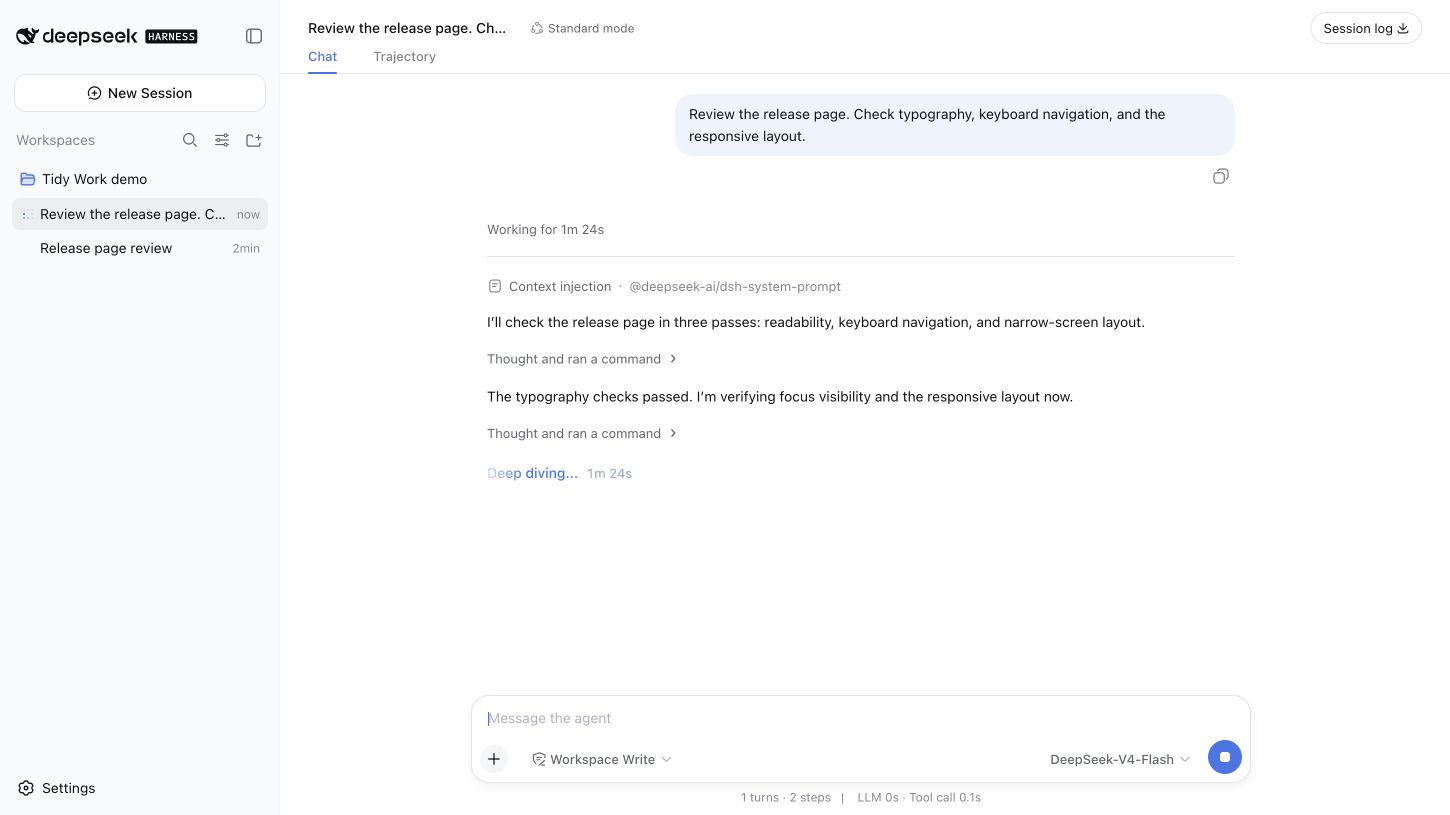
- While working: a turn header shows “Working for …”. Progress commentary stays visible; consecutive reasoning and supported tool calls share an expandable activity summary.
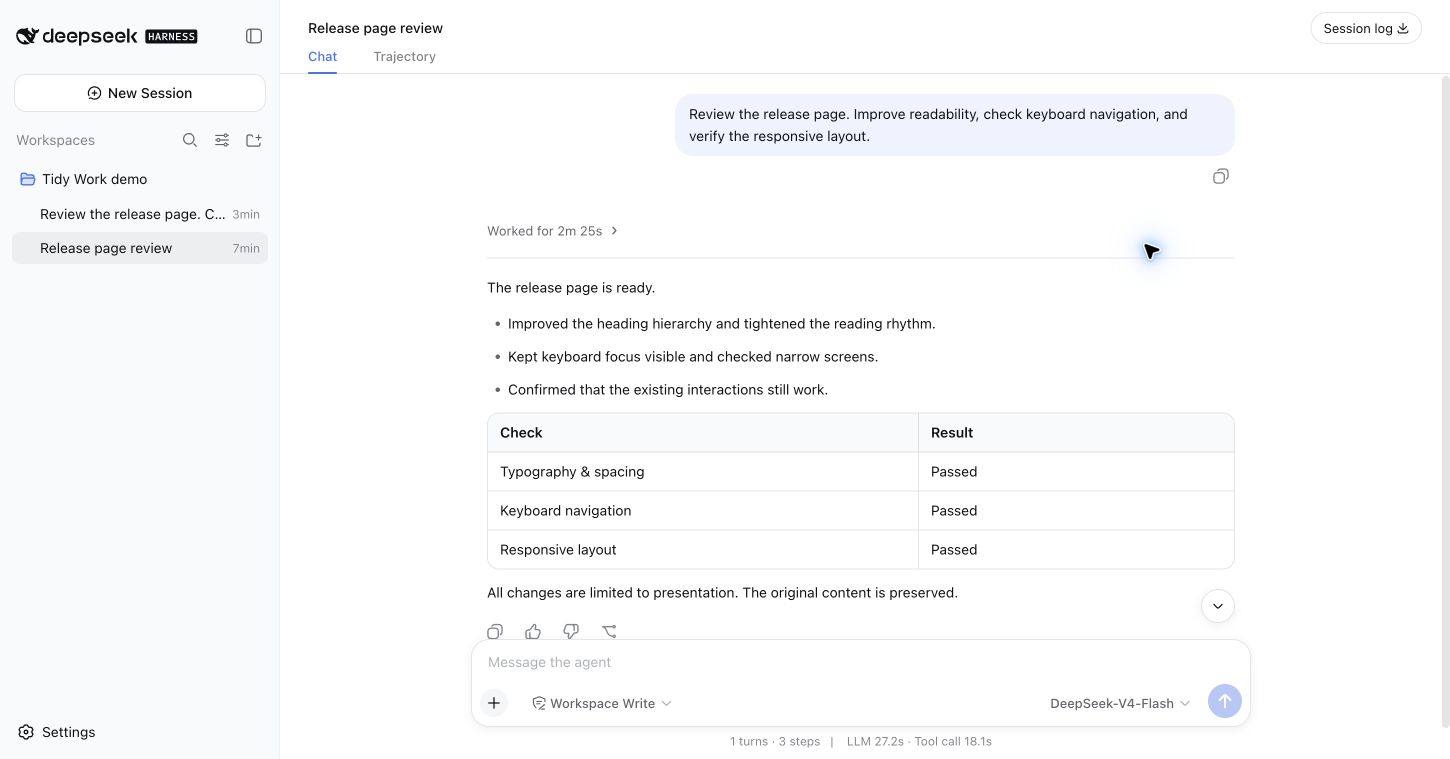
- When complete: “Worked for …” folds the intermediate work and leaves the final answer visible. Expand the turn, then an activity group, then a native Think or tool card to inspect the original details.
- When attention is needed: failed tool calls, interrupted output, approval/question interfaces, unknown tools, and third-party content stay accessible. Only a normally completed turn with an identified final answer and a known start defaults to collapsed.
The timer uses recorded turn timestamps, including after a reload. It does not add parallel tool durations. Explicit expansion survives updates and session switches during the plugin's lifetime. Selected text or a focused native control prevents completion from folding the work you are reading.
English and Simplified Chinese labels follow the Harness language. Controls support keyboard activation, visible focus, and reduced motion.
In action
Working: the elapsed time and progress stay visible.
Complete: the answer stays in view; intermediate work folds into one header.
Inspect: expand a summary to reach the original Think and tool cards.
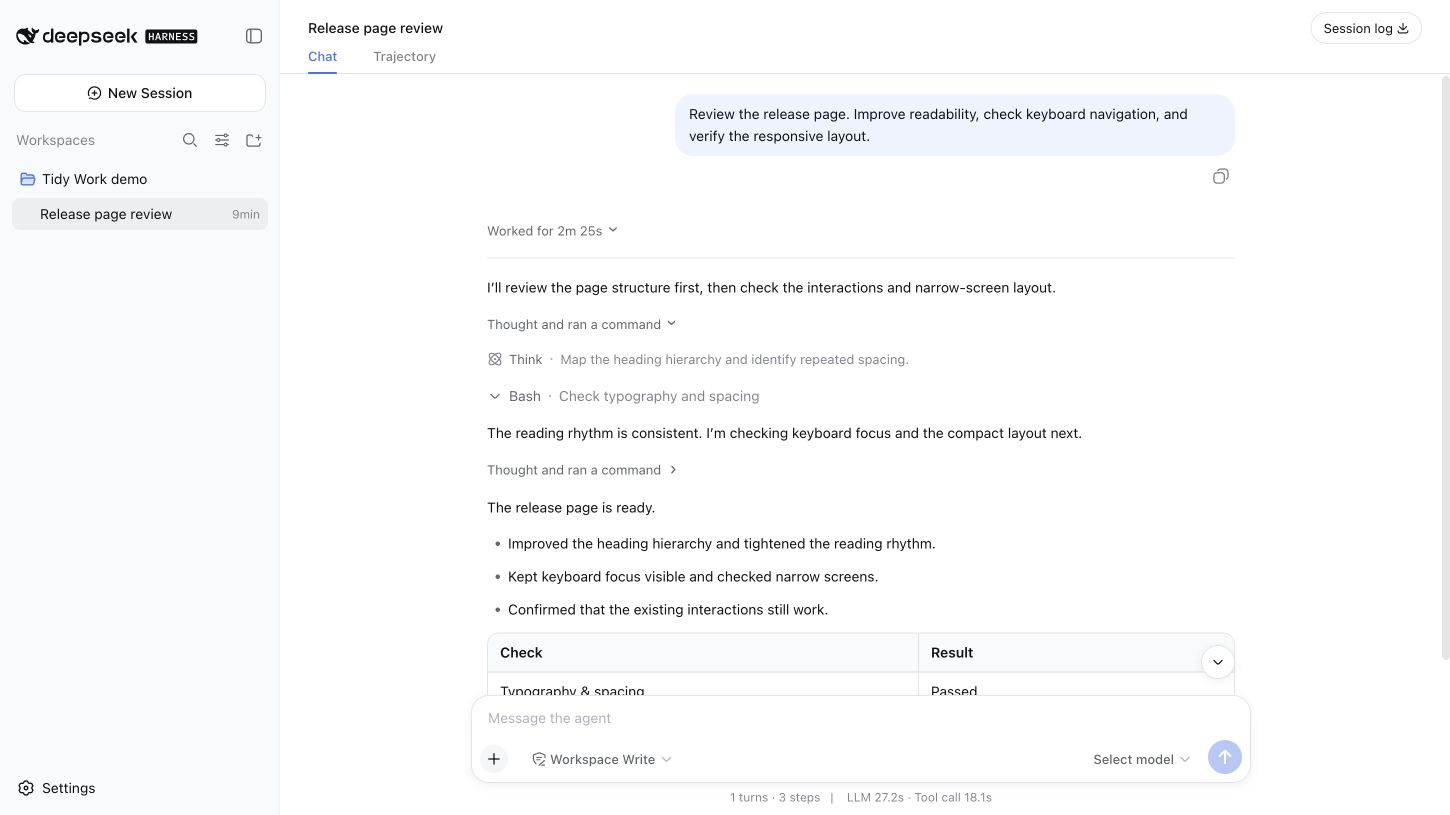
These are unedited Chrome captures of the real Harness Web app in an isolated local profile. The conversation, commands, and results are synthetic demonstration data; they contain no private conversations, credentials, or personal paths. The running example uses a keyless local adapter, not a live model benchmark. See the capture fixture.
Showing the opening section of the README — the full document lives in the repository以上为 README 开头摘要,完整文档在仓库内 · View the full README on GitHub →在 GitHub 查看完整 README →
Related相关推荐
-
 reactive-resume/reactive-resume
A one-of-a-kind resume builder that keeps your privacy in mind. Completely secure, customizable, portable, open-source a…
reactive-resume/reactive-resume
A one-of-a-kind resume builder that keeps your privacy in mind. Completely secure, customizable, portable, open-source a…
-
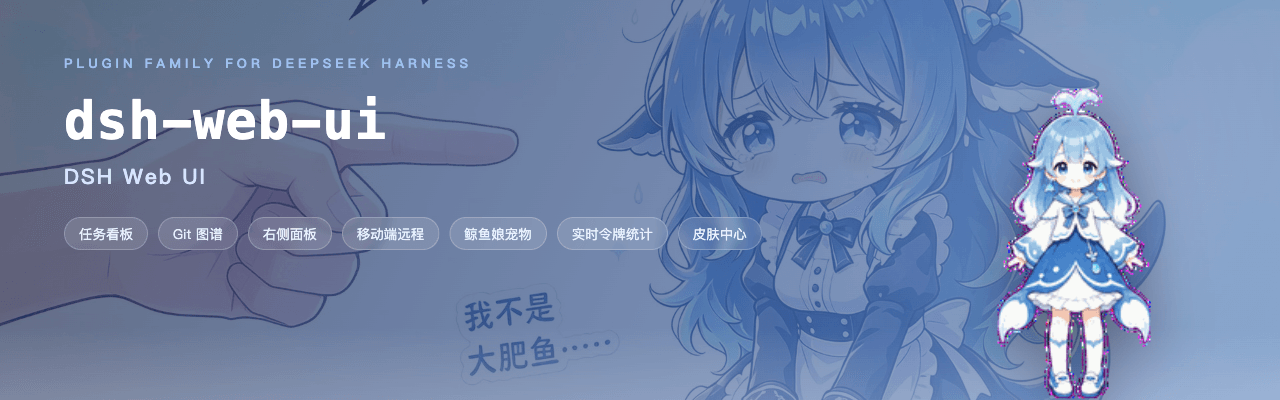 ningbainb/deepseek-harness-desktop
Open-source Windows desktop client and GUI for DeepSeek Harness — zero-setup installer with Codex, plugins, skills, SSH,…
ningbainb/deepseek-harness-desktop
Open-source Windows desktop client and GUI for DeepSeek Harness — zero-setup installer with Codex, plugins, skills, SSH,…
-
 elysia395/dsh-wallpaper-engine
把本机 Wallpaper Engine 的壁纸搬进 DSH 网页界面:场景壁纸由内置 MIT 开源引擎 WebWallGL 实时 WebGL 渲染(粒子 / puppet 骨骼 / SceneScript / 音频反应 / 鼠标交互),失…
elysia395/dsh-wallpaper-engine
把本机 Wallpaper Engine 的壁纸搬进 DSH 网页界面:场景壁纸由内置 MIT 开源引擎 WebWallGL 实时 WebGL 渲染(粒子 / puppet 骨骼 / SceneScript / 音频反应 / 鼠标交互),失…
-
 ChisaAlter/Deepseek-Harness-Desktop
DSH桌面端,支持主题和背景图等多种个性化配置。Electron desktop shell for DeepSeek Harness web UI
ChisaAlter/Deepseek-Harness-Desktop
DSH桌面端,支持主题和背景图等多种个性化配置。Electron desktop shell for DeepSeek Harness web UI
-
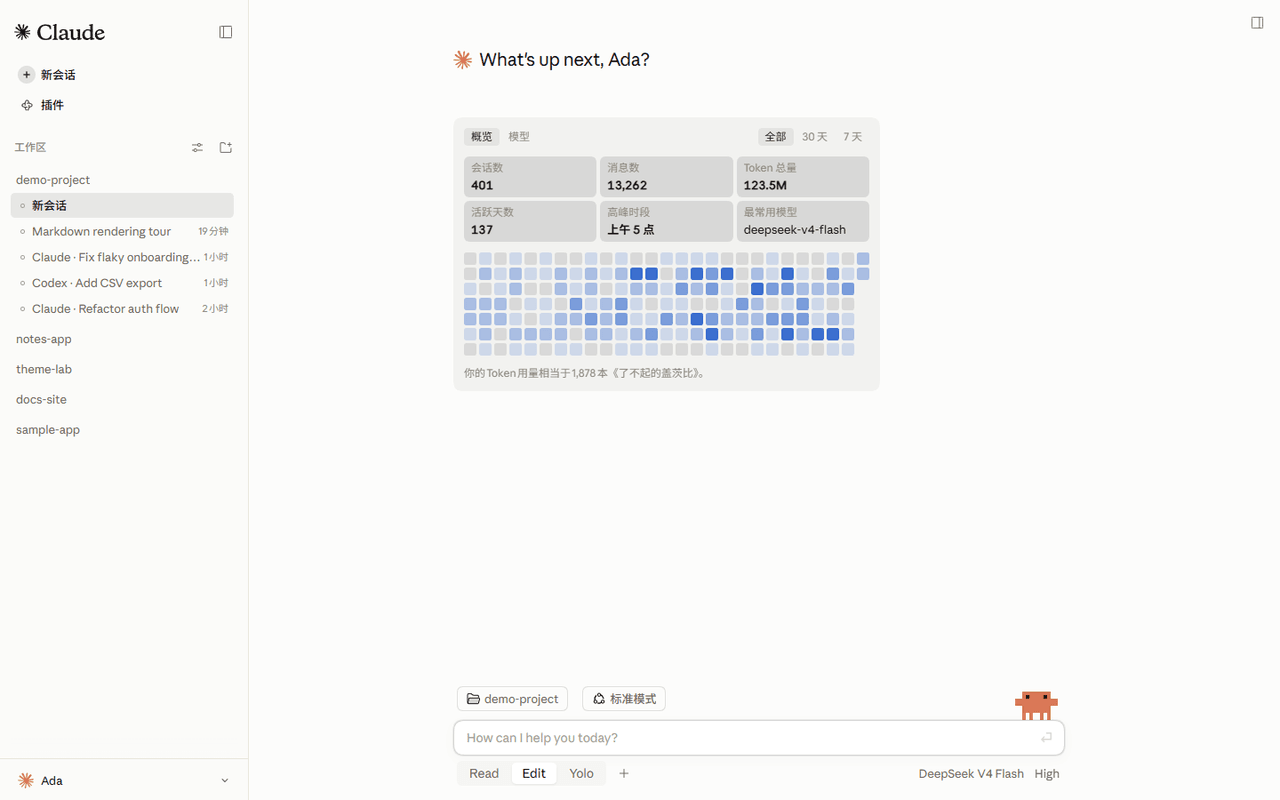 Nwflower/dsh-claude-style
Claude Code Desktop theme for DeepSeek Harness| 为 DeepSeek Harness 网页 GUI 打造的 Claude Code 桌面主题
Nwflower/dsh-claude-style
Claude Code Desktop theme for DeepSeek Harness| 为 DeepSeek Harness 网页 GUI 打造的 Claude Code 桌面主题
-
 rison114514/dsh-endfield-ui
Endfield-inspired industrial UI shell for DeepSeek Harness (dsh) — non-official fan theme. Install: dsh plugin --profile…
rison114514/dsh-endfield-ui
Endfield-inspired industrial UI shell for DeepSeek Harness (dsh) — non-official fan theme. Install: dsh plugin --profile…
-
 Links2008/DeepSeek-Harness-Desktop
Windows 桌面版 DeepSeek Harness 发行版,支持原生通知、流畅的窗口控制、捆绑运行时和自动更新。追踪官方主分支。针对官方版本进行了桌面美化和功能补充
Links2008/DeepSeek-Harness-Desktop
Windows 桌面版 DeepSeek Harness 发行版,支持原生通知、流畅的窗口控制、捆绑运行时和自动更新。追踪官方主分支。针对官方版本进行了桌面美化和功能补充
-
 XCNXNXNX/dsh-portable-tavern
DeepSeek Harness 的「便携酒馆」插件:RPG 式 SillyTavern V2/V3 角色卡生成器 + 酒馆角色扮演聊天。支持世界书、角色卡 JSON/PNG 导入导出、面板主题与本地音乐。独立插件,仅依赖官方 @deeps…
XCNXNXNX/dsh-portable-tavern
DeepSeek Harness 的「便携酒馆」插件:RPG 式 SillyTavern V2/V3 角色卡生成器 + 酒馆角色扮演聊天。支持世界书、角色卡 JSON/PNG 导入导出、面板主题与本地音乐。独立插件,仅依赖官方 @deeps…