Civitasv/dsh-plugin-diff-review
Codex-style diff review inside DeepSeek Harness
项目介绍Project Overview
dsh-plugin-diff-review 是一款面向 DeepSeek Harness 的 Codex 风格 diff 评审插件,在会话页头点击“变动”即可在右侧工作台查看并处理当前工作区的 Git 改动。它支持单栏/双栏切换、文件树浏览、可编辑文件页签、图片与代码预览,还能暂存、丢弃、提交与推送改动,并支持行内评论与评审摘要。可在需要集中审查改动、撰写评论并交给 AI 代理处理的场景使用。注意:需先安装 dsh-plugin-open-editor,并在 web profile 的 cordis 补丁文件中注册后才能加载。
dsh-plugin-diff-review is a Codex-style diff review plugin for DeepSeek Harness. Click "变动" in the session header to open a right-side review workbench for viewing and managing Git changes in the current workspace. It supports single/dual-pane diffs, file tree browsing, editable file tabs, image and code previews, staging, discarding, committing and pushing changes, plus inline comments and review summaries. Use it when you need to review code changes, leave comments, and hand them to the AI agent. Note: it requires dsh-plugin-open-editor to be installed and registered in the web profile's cordis patch file.
请帮我了解并安装插件:【dsh-plugin-diff-review】【https://github.com/Civitasv/dsh-plugin-diff-review】把上面这条消息直接发给当前会话里的 DSH,让它帮你了解并安装。安装命令不一定准确,发给 DSH 更稳。Send this message to DSH in your current session. CLI install commands may not be accurate across systems — DSH will figure it out for you.
或使用命令行安装(适合开发者)Or use CLI install (for developers)
命令行安装CLI Install
dsh plugin --profile web add github:Civitasv/dsh-plugin-diff-review#v0.1.2把 Civitasv/dsh-plugin-diff-review 加入你的 DSH 配置(web profile)即可启用。
READMEREADME
Codex-style diff review inside DeepSeek Harness
在 DSH 中查看、处理和评审当前工作区改动。点击会话页头的 变动 即可打开右侧评审工作台。
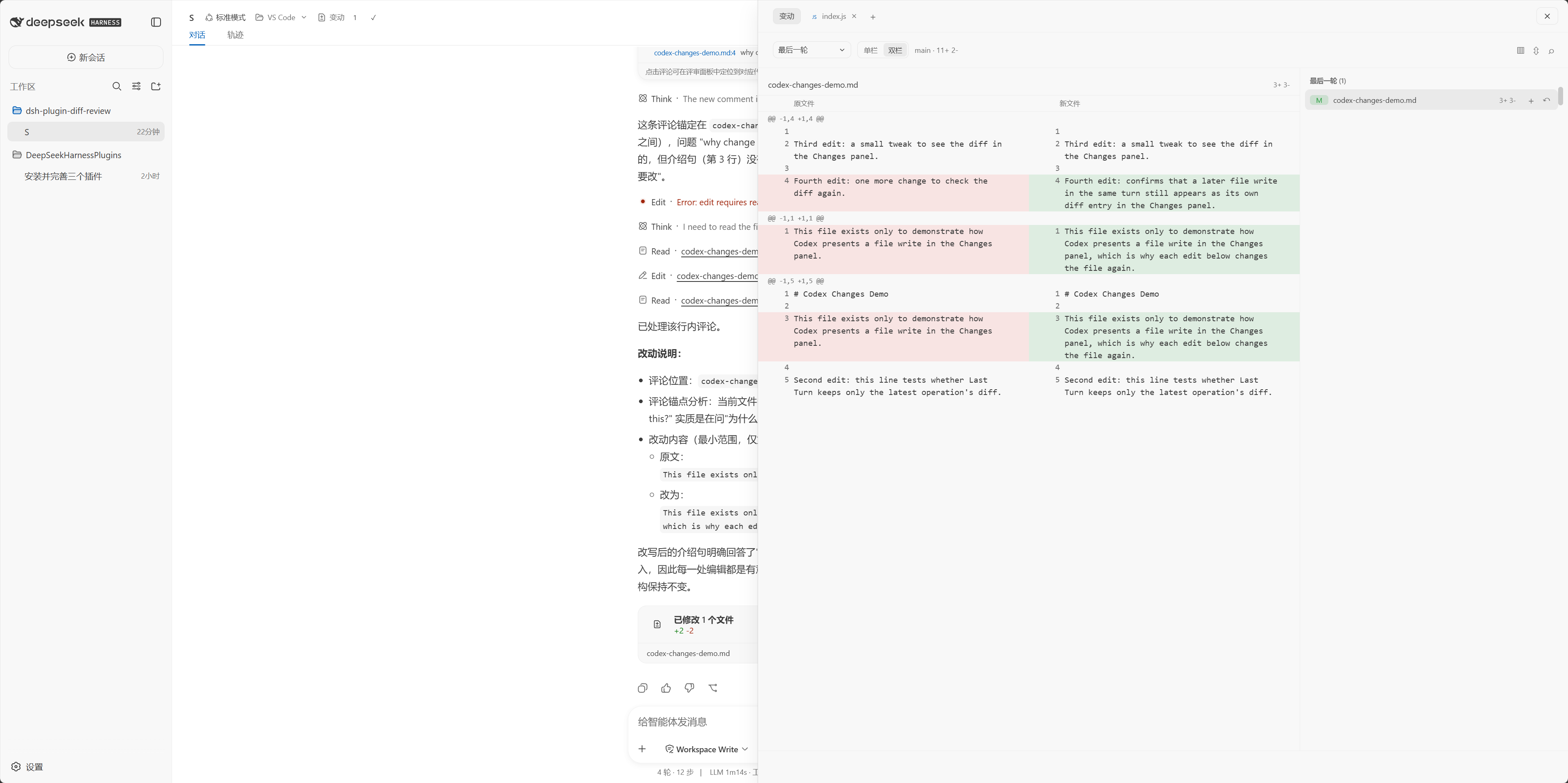
中文文档:本文件 · English docs: README.en.md
安装
本插件依赖 dsh-plugin-open-editor,请一并安装:
dsh plugin --profile web add github:Civitasv/dsh-plugin-open-editor#main
dsh plugin --profile web add github:Civitasv/dsh-plugin-diff-review#v0.1.2
上面两条 dsh plugin add 命令负责安装包,但 DSH 只会加载在 web profile 的补丁文件中注册的插件,因此还需在 ~/.dsh/profiles/web/cordis.patch.yml 中列出它们:
- insert:
    - id: open-editor
      name: dsh-plugin-open-editor
    - id: diff-review
      name: dsh-plugin-diff-review
重启 DSH 后即可使用。更新时重新执行两条安装命令。
本地开发安装
# macOS / Linux
bash install.sh

# Windows PowerShell
powershell -ExecutionPolicy Bypass -File install.ps1
脚本会安装并注册 dsh-plugin-open-editor,并将当前目录链接到 profile;安装后重启 DSH。
查看改动
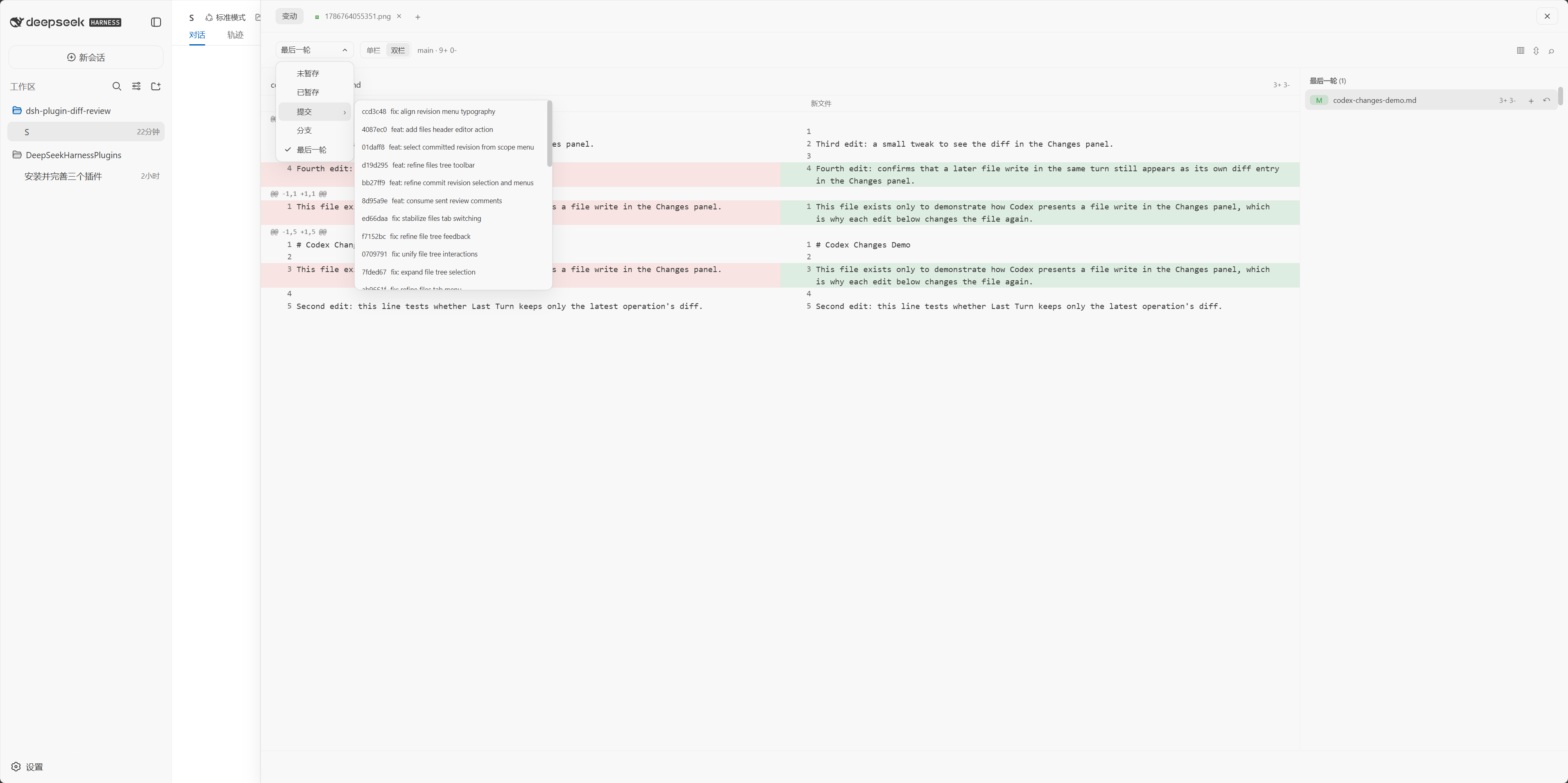
在 变动 中选择范围:最后一轮、未暂存、已暂存、提交 revision 或分支。点击文件可查看 diff;标题栏可切换单栏/双栏、跳转文件、收起 diff,以及显示或隐藏文件树。
选择 提交 后,在子菜单选择具体 revision 才会打开其 diff。
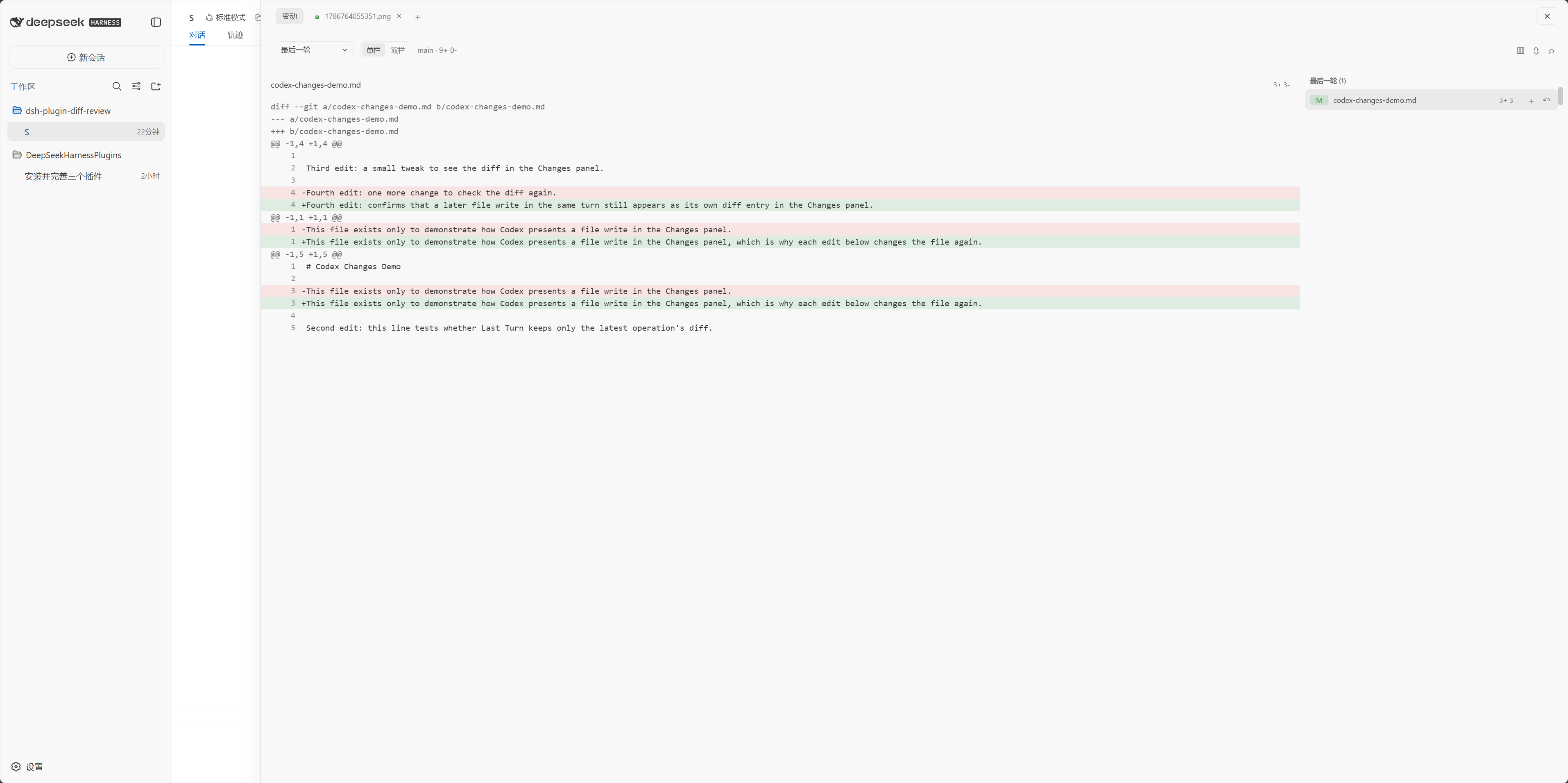
文件树
文件树可搜索、展开目录、拖拽调整宽度,并会定位当前打开的文件。右键文件可在编辑器中打开、复制路径或添加到当前对话。
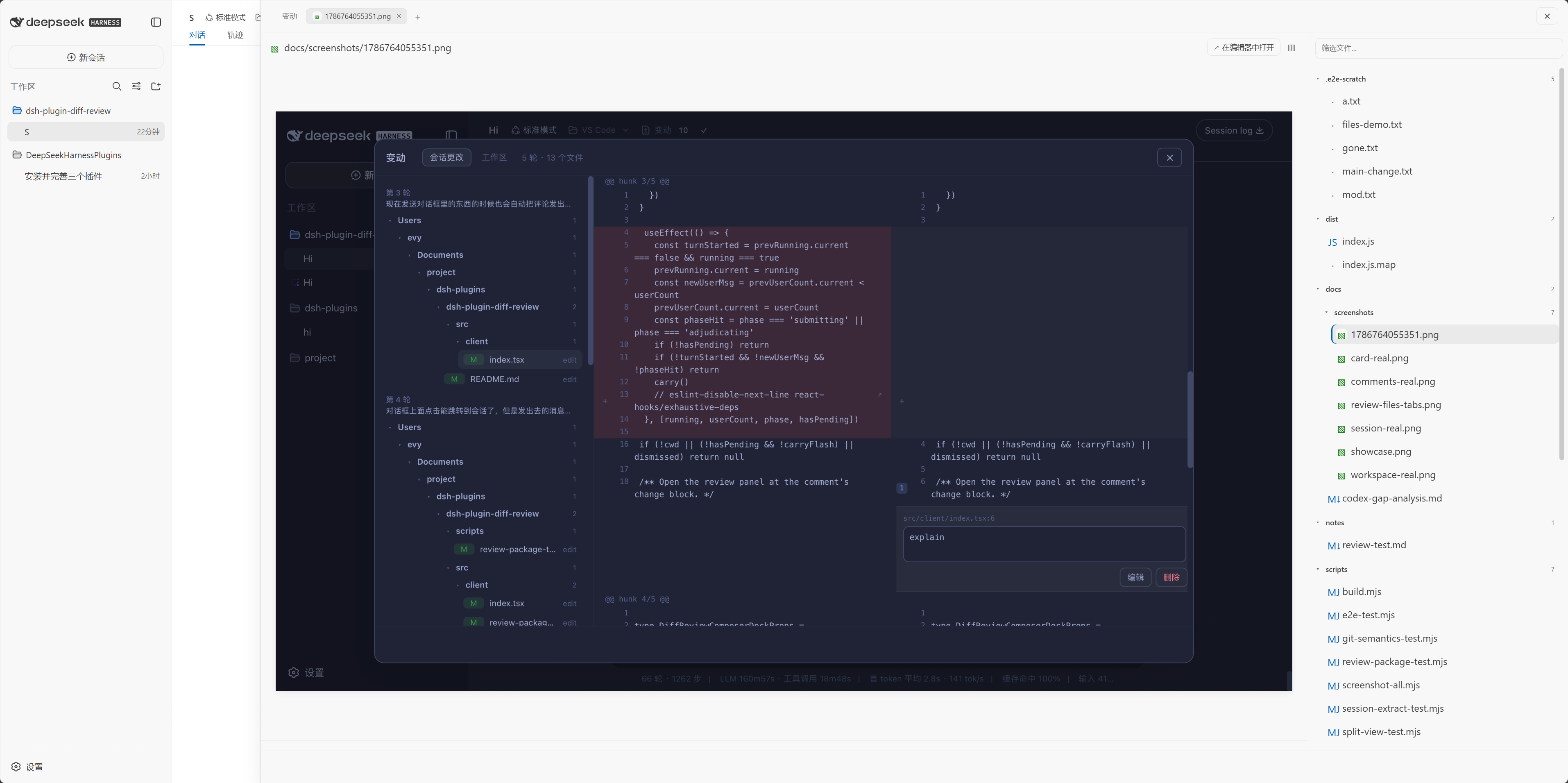
文件页签
在文件树中选择文件,或从 Review 打开文件,会创建可关闭的文件页签。文本文件可直接编辑并自动保存;支持图片预览与常见代码/文档格式的高亮显示。
引用助手回复到对话
在 DeepSeek 助手回复中选中一段文字,会浮出 添加到对话 按钮;点击即可将该内容追加到当前会话输入框,方便继续追问。
处理与提交
- 使用文件或 hunk 旁的按钮暂存、取消暂存或丢弃改动。
- 点击 提交,填写说明后选择提交、提交并推送或推送。
评论与摘要
在 diff 行旁添加评论,集中确认后发送给代理;成功发送后,评论会从待处理列表移除。
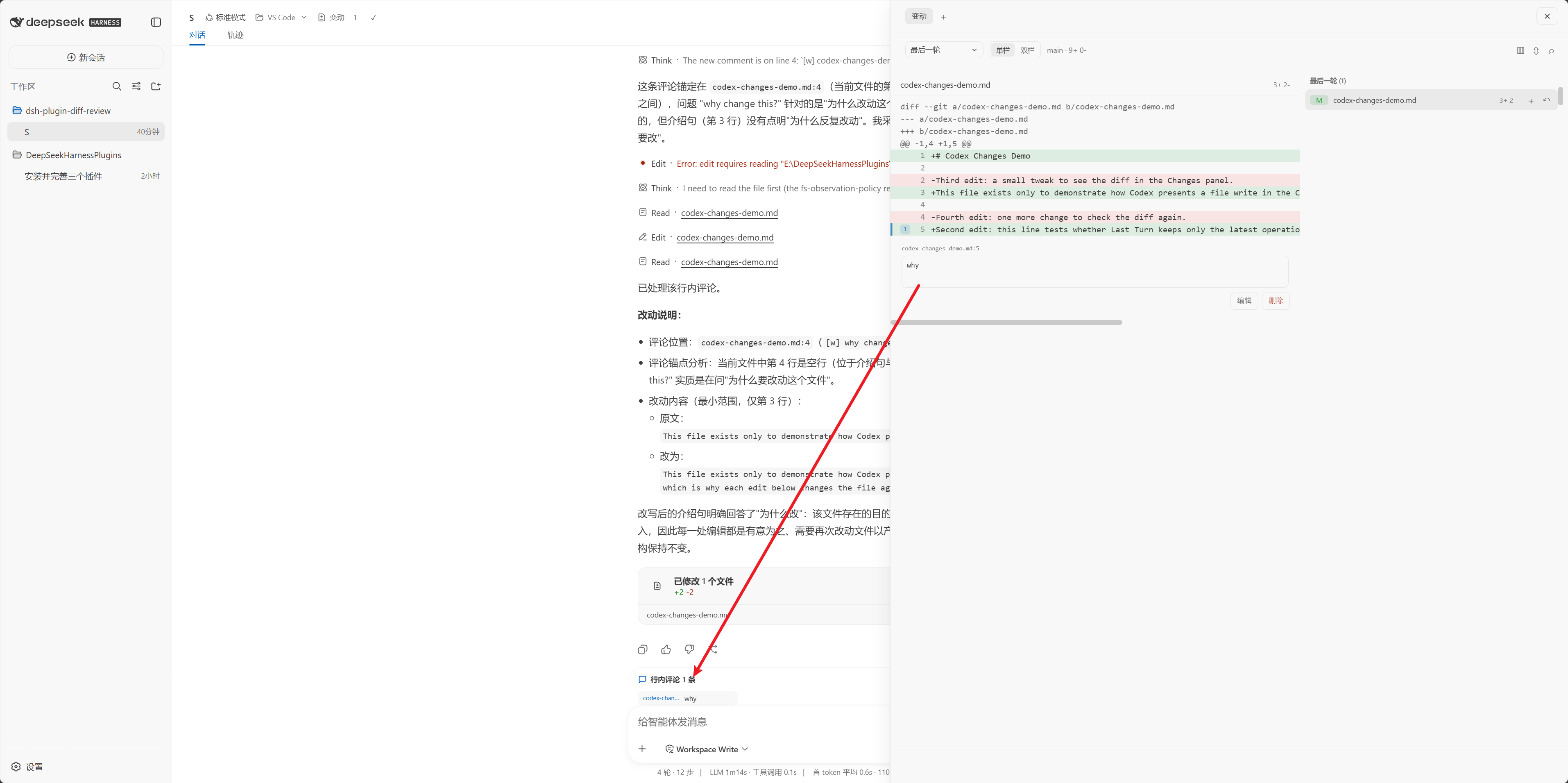
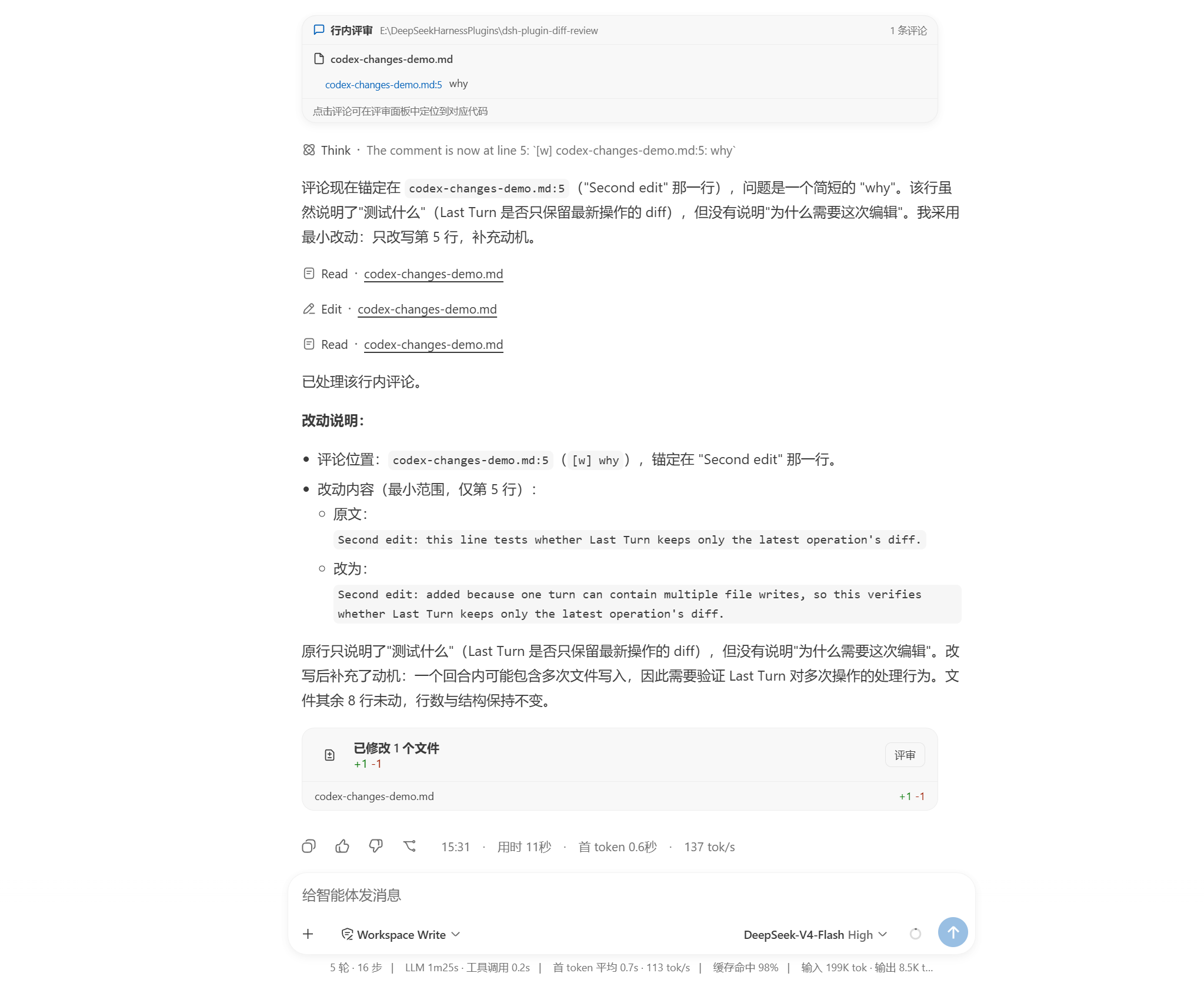
代理处理评论后,会在回复下方显示评审结果卡和本次文件改动摘要,可直接进入 Review 查看对应 diff。
常见问题
- 最后一轮没有文件:终端命令直接修改的文件不会进入会话记录;请切换到未暂存或已暂存范围查看 Git 改动。
- 在编辑器中打开失败:确认
dsh-plugin-open-editor已安装并启用,并确认目标编辑器可以从 PATH 启动。
License
MIT
相关推荐Related
-
 nexu-io/open-design
🎨 Best DeepSeek Harness Design Plugin. The open-source Claude Design alternative. 🖥️ Local-first desktop app. 🖼️ Your…
nexu-io/open-design
🎨 Best DeepSeek Harness Design Plugin. The open-source Claude Design alternative. 🖥️ Local-first desktop app. 🖼️ Your…
-
 ruvnet/ruflo
🌊 The original agent meta-harness. Deploy intelligent multi-player swarms, coordinate autonomous workflows, and build c…
ruvnet/ruflo
🌊 The original agent meta-harness. Deploy intelligent multi-player swarms, coordinate autonomous workflows, and build c…
-
 amruthpillai/reactive-resume
A one-of-a-kind resume builder that keeps your privacy in mind. Completely secure, customizable, portable, open-source a…
amruthpillai/reactive-resume
A one-of-a-kind resume builder that keeps your privacy in mind. Completely secure, customizable, portable, open-source a…
-
 esengine/DeepSeek-Reasonix
DeepSeek-native AI coding agent for your terminal. Engineered around prefix-cache stability — leave it running.
esengine/DeepSeek-Reasonix
DeepSeek-native AI coding agent for your terminal. Engineered around prefix-cache stability — leave it running.
-
 volcengine/OpenViking
Self-evolving Context Database for AI Agents. Unify Agent Memory, Knowledge RAG and Skills.
volcengine/OpenViking
Self-evolving Context Database for AI Agents. Unify Agent Memory, Knowledge RAG and Skills.
-
 Molunerfinn/PicGo
:rocket: The Ultimate Image Uploader for Efficient Creators. Supports Obsidian, Typora, VS Code etc. and 60+ image hosti…
Molunerfinn/PicGo
:rocket: The Ultimate Image Uploader for Efficient Creators. Supports Obsidian, Typora, VS Code etc. and 60+ image hosti…
-
 titanwings/colleague-skill
将冰冷的离别化为温暖的 Skill,欢迎加入数字生命1.0!Transforming cold farewells into warm skills? It's giving rebirth era. Welcome to Digital …
titanwings/colleague-skill
将冰冷的离别化为温暖的 Skill,欢迎加入数字生命1.0!Transforming cold farewells into warm skills? It's giving rebirth era. Welcome to Digital …
-
 nocobase/nocobase
NocoBase is an open-source AI + no-code platform for building business systems fast. Instead of generating everything fr…
nocobase/nocobase
NocoBase is an open-source AI + no-code platform for building business systems fast. Instead of generating everything fr…