damozhang/dsh-herdr-bridge
项目介绍Project Overview
herdr-bridge 是一个 DSH 插件,把 DeepSeek Harness 的 web 会话桥接到本机 Herdr。它提供列出、启动、提示、观察 Herdr 代理(pi、claude、codex 等)及在窗格执行命令、关闭工作区的工具,适合在 dsh web UI 内调度多代理协作。注意:dsh web 进程必须带 HERDR_ENV=1(建议在 Herdr 窗格内启动),否则技能门控会拒绝操作。
herdr-bridge is a DSH plugin that bridges a DeepSeek Harness web session to local Herdr. It exposes tools to list, start, prompt, and observe Herdr-managed agents (pi, claude, codex, …), run shell commands in panes, and close workspaces—useful for orchestrating multi-agent collaboration from the dsh web UI. Caveat: the dsh web process must run with HERDR_ENV=1 (ideally inside a Herdr pane), or the skill gate refuses Herdr actions.
请帮我了解并安装插件:【dsh-herdr-bridge】【https://github.com/damozhang/dsh-herdr-bridge】把上面这条消息直接发给当前会话里的 DSH,让它帮你了解并安装。安装命令不一定准确,发给 DSH 更稳。Send this message to DSH in your current session. CLI install commands may not be accurate across systems — DSH will figure it out for you.
或使用命令行安装(适合开发者)Or use CLI install (for developers)
命令行安装CLI Install
dsh plugin --profile web add dsh-herdr-bridge把 damozhang/dsh-herdr-bridge 加入你的 DSH 配置(web profile)即可启用。
READMEREADME
herdr-bridge
A dsh plugin that bridges a DeepSeek Harness web session to Herdr, letting the dsh agent discover, start, prompt, and observe other agents (pi, claude, codex, ...) running under Herdr — all from inside the dsh web UI.
Requirements
- dsh (npx
@deepseek-ai/dshor a local build) with thewebprofile - Herdr running on the same machine (
herdrCLI on PATH, socket at~/.config/herdr/herdr.sock) - Node.js >= 20
Install
From GitHub (published source):
dsh plugin --profile web add github:damozhang/dsh-herdr-bridge
From npm (once published):
dsh plugin --profile web add dsh-herdr-bridge
From a local checkout (development):
dsh plugin --profile web add /path/to/herdr-bridge
Then restart the dsh web server so the bundle is loaded. To update to a newer version, run add again with the same source (pnpm caches; remove first if you switch sources). For active development, link the local checkout — source edits take effect on the next server restart — and switch back to the GitHub source to validate what others will install.
Starting dsh so Herdr integration works (important)
Herdr's own skill refuses to act when the agent process is not Herdr-managed: it checks HERDR_ENV=1 in the environment and stops otherwise. The dsh web process must therefore run with HERDR_ENV=1 set, otherwise the dsh agent will refuse to touch Herdr even though this plugin is installed.
Option A — recommended: run dsh web inside a Herdr pane
Herdr automatically injects HERDR_ENV=1 (and HERDR_SOCKET_PATH/HERDR_PANE_ID) into every pane it manages. Create a pane bound to your usual working directory and run:
npx @deepseek-ai/dsh web
The web server inherits the Herdr environment, the skill gate passes, and the server's own output stays observable in that pane.
Option B — run in a plain terminal with exported environment
If you prefer the web server outside Herdr, export the markers first:
export HERDR_ENV=1
export HERDR_SOCKET_PATH="$HOME/.config/herdr/herdr.sock"
npx @deepseek-ai/dsh web
This satisfies the skill check but is less "native" than running inside a Herdr pane.
Verify
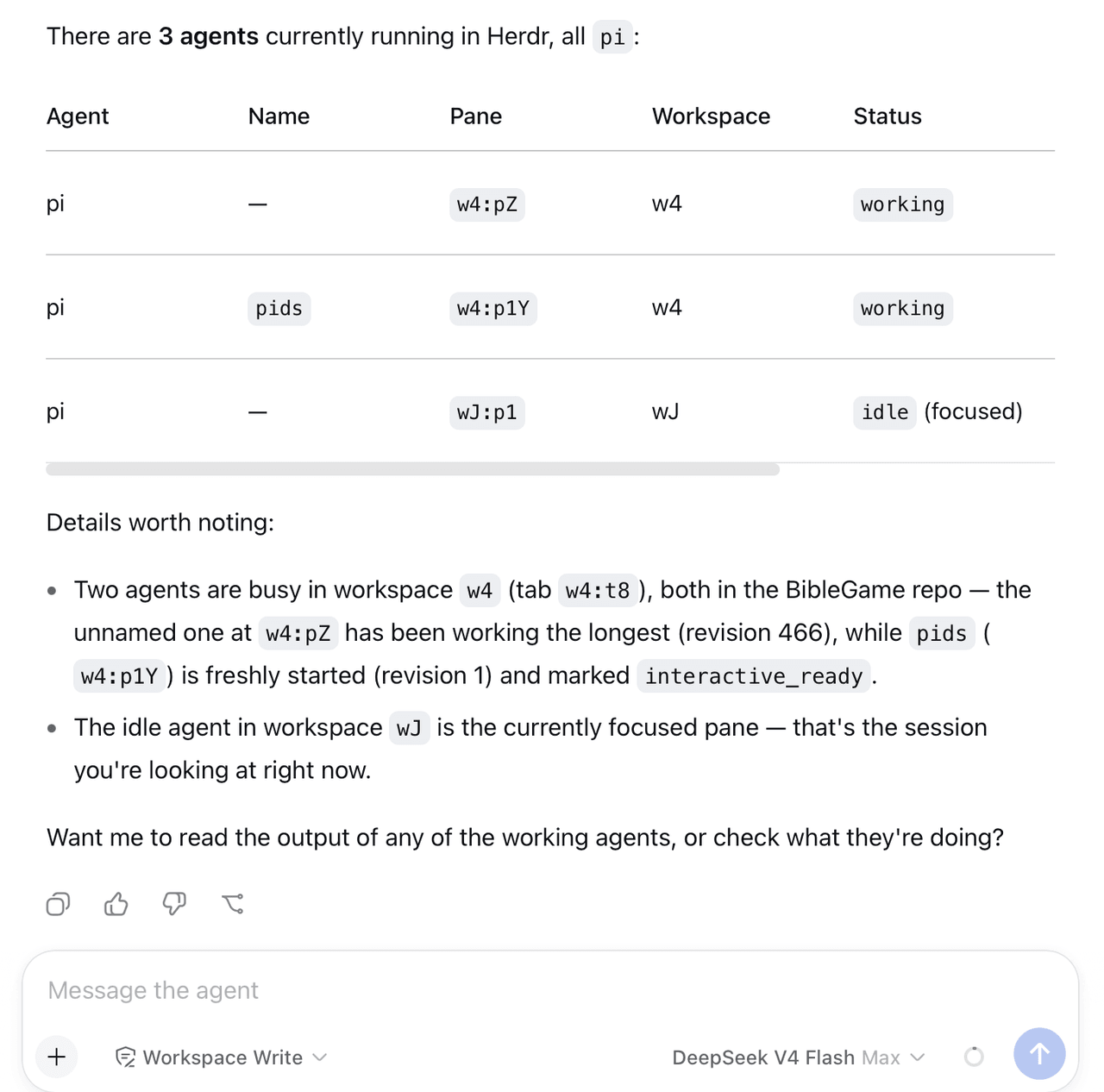
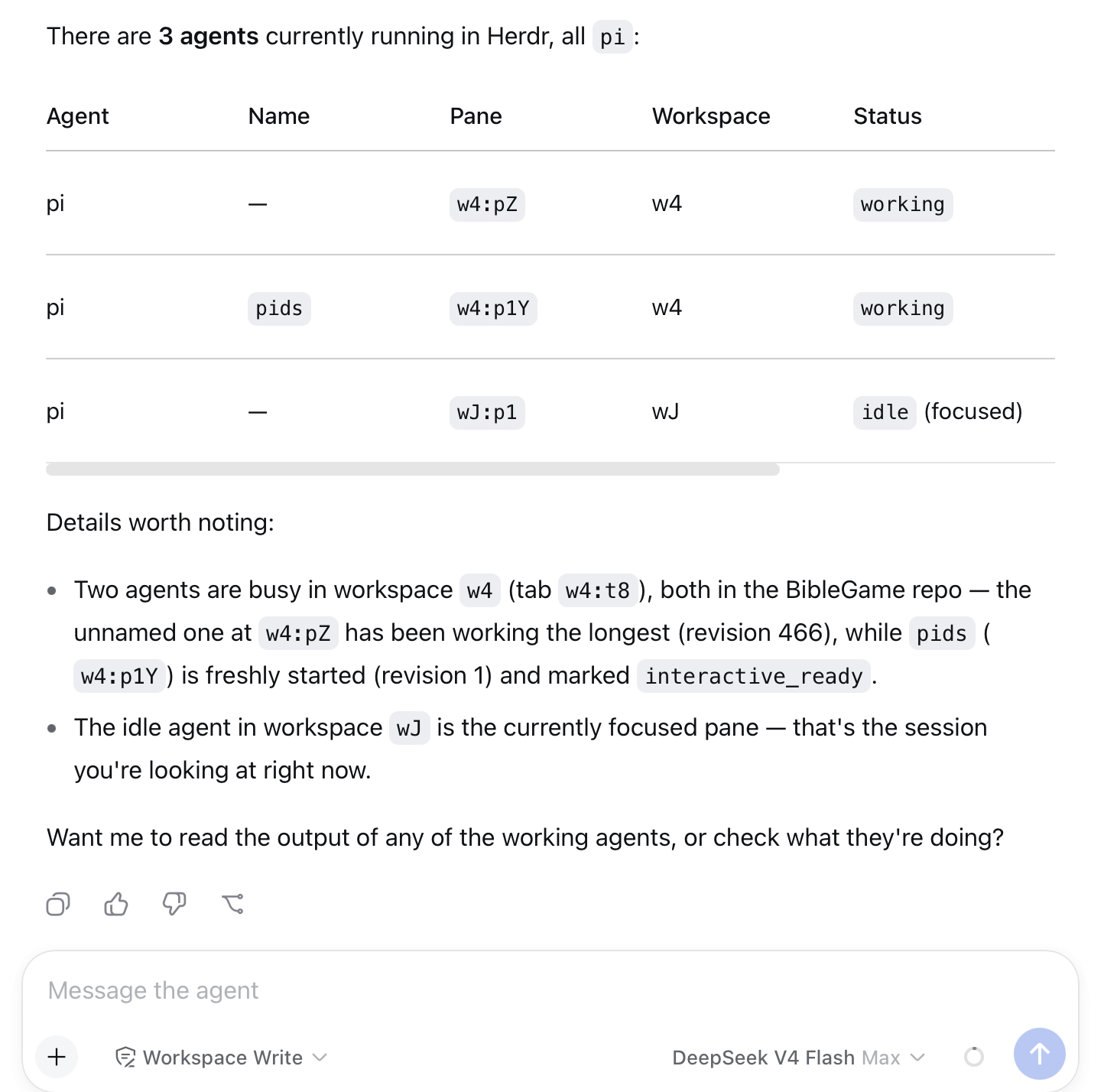
Open the dsh web UI and ask the agent to herdr_agent_list. If it returns the live Herdr agents (with pane ids), the bridge is working. If the agent refuses with a Herdr environment error, the server was started without HERDR_ENV=1.
The plugin's tools also set HERDR_ENV=1 and a default socket path on every spawned herdr CLI call, so tool execution itself is resilient; the process-level variable is what the skill gate checks.
Tools
| Tool | Purpose |
|---|---|
herdr_agent_list |
List Herdr agents (pane id, status, cwd) to discover collaboration targets |
herdr_agent_start |
Create a workspace and start an agent (kind: pi, claude, codex, ...; optional model) |
herdr_agent_prompt |
Send a message to an agent by pane id, wait for completion, return its output |
herdr_delegate |
One-shot: start agent → submit task → wait → return output (optional cleanup) |
herdr_pane_run |
Run a shell command in any pane and read its output (optional match-wait) |
herdr_workspace_close |
Close a workspace to clean up its agents and panes |
Examples
Ask the dsh web agent:
herdr_delegate: review /path/to/code with model opencode-go/deepseek-v4-pro
or compose primitives:
herdr_agent_list
herdr_agent_start pi in /path with model opencode-go/deepseek-v4-pro
herdr_agent_prompt <paneId> "implement feature X and run the tests"
herdr_workspace_close <workspaceId>
Development
pnpm install        # installs devDependencies
pnpm run build      # compile src/ to dist/ — required before committing a source change
dsh plugin --profile web add /abs/path/to/this/repo
dist/ is committed on purpose. The plugin ships compiled JavaScript: main points at dist/index.js, never at src/index.ts, because Node refuses to strip types from any .ts file resolved under node_modules — and dsh plugin add always installs into node_modules. The build cannot be deferred to install time either: pnpm rejects a git-hosted package that carries a prepare (or any build) script unless the consumer allowlists it in pnpm-workspace.yaml, which would break dsh plugin add github:... for everyone. Committing the build is what keeps all three install sources working with no consumer configuration.
So: run pnpm run build and commit dist/ in the same commit as any src/ change, or installers will get the previous build.
@deepseek-ai/dsh-tools is a peerDependency, not a regular dependency, so the plugin binds to the single copy the host dsh runtime already loaded instead of pulling a second, possibly stale one into the profile.
Schema notes: the dsh value-schema DSL is stricter than JSON Schema — required lives per-field, and object schemas must declare additionalProperties explicitly.
License
MIT
相关推荐Related
-
 nexu-io/open-design
🎨 Best DeepSeek Harness Design Plugin. The open-source Claude Design alternative. 🖥️ Local-first desktop app. 🖼️ Your…
nexu-io/open-design
🎨 Best DeepSeek Harness Design Plugin. The open-source Claude Design alternative. 🖥️ Local-first desktop app. 🖼️ Your…
-
 freestylefly/awesome-gpt-image-2
Prompt as Code | GPT-Image2 工业级提示词引擎与模板库,530+ 个案例逆向工程,20+ 套工业级模板,并提炼出Skills,持续更新中
freestylefly/awesome-gpt-image-2
Prompt as Code | GPT-Image2 工业级提示词引擎与模板库,530+ 个案例逆向工程,20+ 套工业级模板,并提炼出Skills,持续更新中
-
 anywhere-labs/dsh-desktop
为 DeepSeek Harness (DSH) 插件生态打造的现代化桌面端解决方案。万物皆「插件」,桌面本身也是「插件」。
anywhere-labs/dsh-desktop
为 DeepSeek Harness (DSH) 插件生态打造的现代化桌面端解决方案。万物皆「插件」,桌面本身也是「插件」。
- Nagi-ovo/voyager Enhancement suite for Gemini, AI Studio, Claude & ChatGPT — plus a prompt manager for any web UI, DeepSeek Harness inclu…
-
 walkinglabs/learn-harness-engineering
Harness engineering beginner tutorial, from 0 to 1
walkinglabs/learn-harness-engineering
Harness engineering beginner tutorial, from 0 to 1
-
 awesome-dsh-plugin/awesome-dsh-plugin
A curated list of plugins for DeepSeek Harness (dsh) · DeepSeek Harness 插件精选列表
awesome-dsh-plugin/awesome-dsh-plugin
A curated list of plugins for DeepSeek Harness (dsh) · DeepSeek Harness 插件精选列表
-
 MemTensor/MemOS
Self-evolving memory OS for LLM & AI Agents: ultra-persistent memory, hybrid-retrieval, and cross-task skill reuse, with…
MemTensor/MemOS
Self-evolving memory OS for LLM & AI Agents: ultra-persistent memory, hybrid-retrieval, and cross-task skill reuse, with…
- yjh051108/dsh-routing-suite dsh-routing-suite — injector + router-standard kit: install the runtime injector first, then the task-aware reasoning-mo…