dawsondx/dsh-custom-logo
DSH web plugin: replace branding (favicon + sidebar logo) with your own images via an in-app upload panel
项目介绍Project Overview
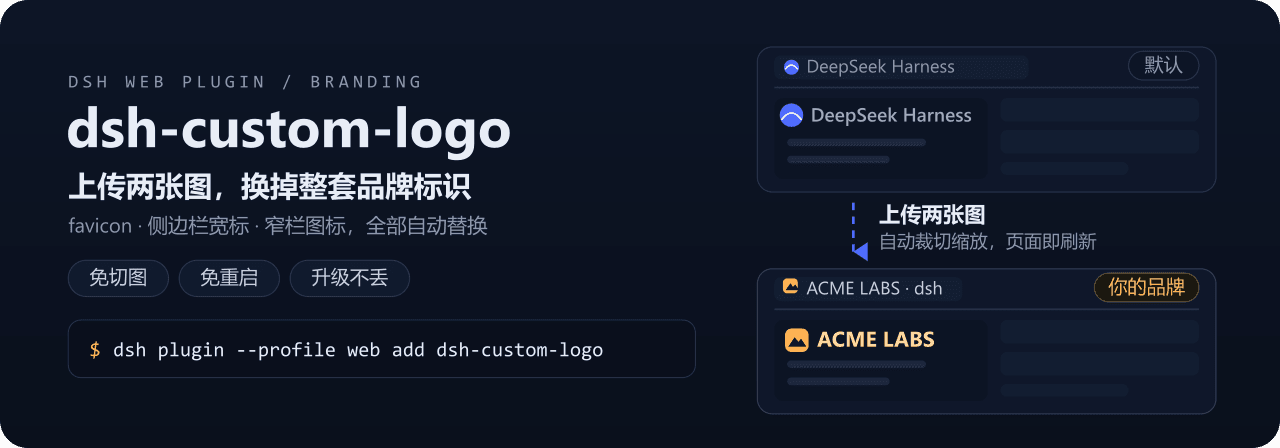
dsh-custom-logo 是面向 DeepSeek Harness 的品牌替换插件。它在设置面板新增「品牌设置」分区,上传一张方形图和一张横向宽图后,前端通过 canvas 自动裁切缩放并提交给服务端,写入用户目录的 branding 目录,动态重写 favicon 与侧边栏 Logo。适合需要把内网 dsh 实例换成自家品牌或团队标识的使用者。零依赖、免重启、升级不丢失。需注意首次上传后请硬刷新一次(Ctrl+Shift+R)让新图标立即生效;服务端仅监听回环端口,局域网用户无法替你改图。
dsh-custom-logo is a branding plugin for DeepSeek Harness. After installation, a new "Branding" section appears in the settings modal. Upload one square image and one wide image; the client uses canvas to crop, resize, and POST them to the local dsh service, which writes PNGs into the user's branding directory and dynamically rewrites the favicon and sidebar logo with cache-busting query strings. Use it to replace default branding on internal dsh deployments. Note: a hard refresh (Ctrl+Shift+R) is recommended after the first upload. Upload endpoints are restricted to loopback connections, so LAN users cannot change your branding.
请帮我了解并安装插件:【dsh-custom-logo】【https://github.com/dawsondx/dsh-custom-logo】把上面这条消息直接发给当前会话里的 DSH,让它帮你了解并安装。安装命令不一定准确,发给 DSH 更稳。Send this message to DSH in your current session. CLI install commands may not be accurate across systems — DSH will figure it out for you.
或使用命令行安装(适合开发者)Or use CLI install (for developers)
命令行安装CLI Install
dsh plugin --profile web add dsh-custom-logo把 dawsondx/dsh-custom-logo 加入你的 DSH 配置(web profile)即可启用。
READMEREADME
上传两张图,换掉 DeepSeek Harness 整套品牌标识




English · 简体中文
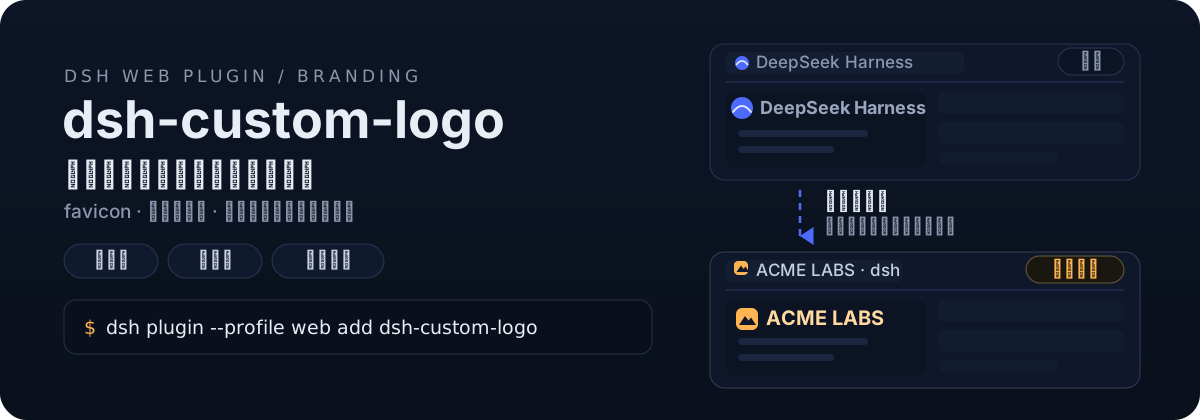
给 DeepSeek Harness(dsh)换上你自己的品牌:安装后在设置弹窗里多一个「品牌设置」分区(与「通用 / 模型 / 插件」并列),选一张方形图、一张横向宽图,插件自动裁切缩放并替换 favicon 与侧边栏 Logo——免切图、免重启、升级不丢。
两张图,三处生效
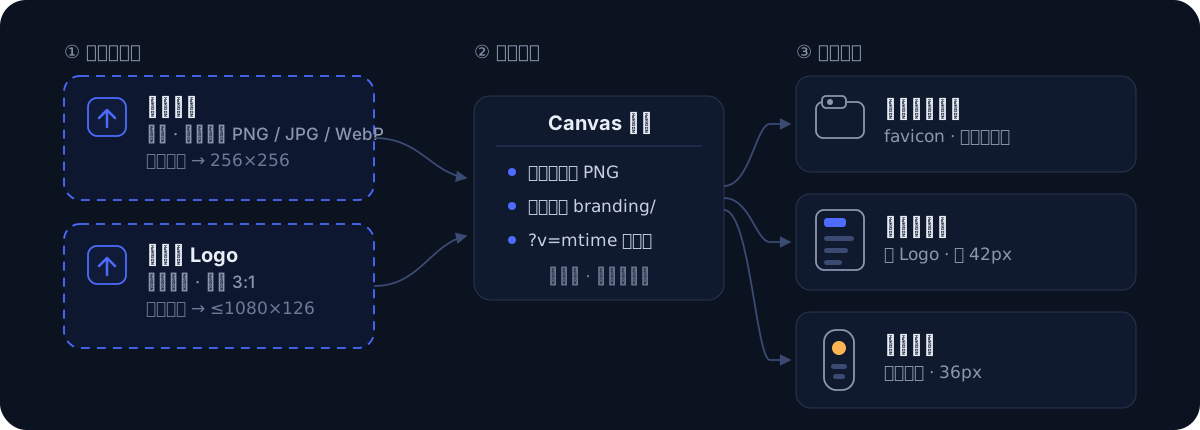
- 浏览器标签页 — 方形图居中裁切为 favicon,收藏夹图标同步更新
- 展开侧边栏 — 横向宽图等比缩放,以 42px 高度替换原生文字标
- 折叠窄栏 — 方形图缩为 36px 圆形图标
图片处理全部在浏览器端完成,上传后页面自动刷新生效,不需要重启服务,也不需要手动准备任何尺寸的切图。
安装
方式一:从 npm 安装(推荐)
dsh plugin --profile web add dsh-custom-logo
方式二:直接从 GitHub 添加
dsh plugin --profile web add github:dawsondx/dsh-custom-logo
方式三:clone 后安装(审阅源码 / 参与贡献)
git clone https://github.com/dawsondx/dsh-custom-logo.git
dsh plugin --profile web add ./dsh-custom-logo
安装后重启 dsh(dsh start --profile web 或你的启动脚本),设置弹窗即出现「品牌设置」分区。
使用
- 打开设置弹窗,在左侧导航选择「品牌设置」
- 「网页图标」卡片 → 选择图片 → 自动处理并刷新
- 「侧边栏 Logo」卡片 → 选择图片 → 自动处理并刷新
- 不满意随时重传;想回原版点「恢复默认」
两张卡片的当前图会以缩略图预览;面板支持中英文,跟随 dsh 界面语言。
工作原理
- 客户端把选中的图片用 canvas 缩放为标准 PNG(方形 256×256 居中裁切;宽图 ≤1080×126 等比),POST 到本机 dsh 服务
- 服务端写入
<DSH_HOME>/branding/(logo-128.png/logo-64.png/logo-wide.png),原子落盘 - 每次 index 请求时动态注入:favicon
<link>重写 + CSS 隐藏原生 SVG(按稳定的viewBox属性匹配,不受构建哈希/类名顺序影响)、以背景图绘制自定义 Logo,URL 带?v=<mtime>自动破缓存 - 图片保存在 dsh 用户目录而非插件包内,插件升级不丢品牌图;dsh 升级也不覆盖本插件(patch 层挂载在用户 profile)
安全性
- 上传/重置接口仅接受 loopback 来源(校验 peer socket 地址,非可伪造的 Host 头),局域网访问者无法改你的品牌图
- 仅接受 PNG(魔数校验),单次上传上限 8MB,文件名白名单,不接受任意路径写入
常见问题
上传后没变化? 硬刷新一次(Ctrl+Shift+R)。注入 URL 已带版本号,一般普通刷新即可。
宽图比例多少合适? 侧边栏品牌区高 42px,3:1(如 126×42、540×180)最饱满;更宽的图会按高度等比缩窄,不会变形。
折叠窄栏的图标好小? 窄栏是 36px 圆形位,方形图会被缩到这个尺寸,建议主体图形不要太贴边。
怎么卸载? dsh plugin --profile web remove dsh-custom-logo,再删掉 ~/.dsh/branding/ 下的 logo-*.png 即完全还原。
升级 dsh 后还生效吗? 插件通过用户 profile 的 patch 层挂载,dsh 自身升级不覆盖;CSS 锚点使用稳定属性,小版本 UI 更新通常无需跟进。若 dsh 大改版重画了品牌区,欢迎提 issue。
开发
git clone https://github.com/dawsondx/dsh-custom-logo.git
cd dsh-custom-logo
npm run check   # 语法检查 lib/index.js 与 lib/client.js
无构建步骤:lib/index.js(服务端,ESM)与 lib/client.js(浏览器,手写 __ModuleLoader__ bundle)均为单文件、零第三方依赖。
致谢
- 灵感与交互模式参考 dsh-token-data 的侧边栏面板实现
许可证
相关推荐Related
-
 nexu-io/open-design
🎨 Best DeepSeek Harness Design Plugin. The open-source Claude Design alternative. 🖥️ Local-first desktop app. 🖼️ Your…
nexu-io/open-design
🎨 Best DeepSeek Harness Design Plugin. The open-source Claude Design alternative. 🖥️ Local-first desktop app. 🖼️ Your…
-
 ruvnet/ruflo
🌊 The original agent meta-harness. Deploy intelligent multi-player swarms, coordinate autonomous workflows, and build c…
ruvnet/ruflo
🌊 The original agent meta-harness. Deploy intelligent multi-player swarms, coordinate autonomous workflows, and build c…
-
 amruthpillai/reactive-resume
A one-of-a-kind resume builder that keeps your privacy in mind. Completely secure, customizable, portable, open-source a…
amruthpillai/reactive-resume
A one-of-a-kind resume builder that keeps your privacy in mind. Completely secure, customizable, portable, open-source a…
-
 volcengine/OpenViking
Self-evolving Context Database for AI Agents. Unify Agent Memory, Knowledge RAG and Skills.
volcengine/OpenViking
Self-evolving Context Database for AI Agents. Unify Agent Memory, Knowledge RAG and Skills.
-
 Molunerfinn/PicGo
:rocket: The Ultimate Image Uploader for Efficient Creators. Supports Obsidian, Typora, VS Code etc. and 60+ image hosti…
Molunerfinn/PicGo
:rocket: The Ultimate Image Uploader for Efficient Creators. Supports Obsidian, Typora, VS Code etc. and 60+ image hosti…
-
 titanwings/colleague-skill
将冰冷的离别化为温暖的 Skill,欢迎加入数字生命1.0!Transforming cold farewells into warm skills? It's giving rebirth era. Welcome to Digital …
titanwings/colleague-skill
将冰冷的离别化为温暖的 Skill,欢迎加入数字生命1.0!Transforming cold farewells into warm skills? It's giving rebirth era. Welcome to Digital …
-
 nocobase/nocobase
NocoBase is an open-source AI + no-code platform for building business systems fast. Instead of generating everything fr…
nocobase/nocobase
NocoBase is an open-source AI + no-code platform for building business systems fast. Instead of generating everything fr…
-
 Tencent/WeKnora
Open-source LLM knowledge platform: turn raw documents into a queryable RAG, an autonomous reasoning agent, and a self-m…
Tencent/WeKnora
Open-source LLM knowledge platform: turn raw documents into a queryable RAG, an autonomous reasoning agent, and a self-m…