destr-z/dsh-web-portable
非官方的 DSH(DeepSeek Harness)Web 界面 Windows 便携版,面向 AI 短剧/AI 视频的剧本工作流:自带「剧本批注」(小说→剧本)与「提示词对照」(剧本→视频提示词)两个成对的改稿工作台,划词写批注交给 AI 改稿。主程序走 Releases。
Project Overview项目介绍
This repository is an unofficial, Windows-only portable launcher for DSH Web, built specifically for AI short drama and AI video script workflows. It is not an official DeepSeek release, and only provides the launcher, packaging scripts and documentation, while the main DSH executable comes from the official deepseek-ai/deepseek-harness open source repository. It is designed for users who do not want to install Node.js or run command line tools. To use it, you just download the packaged zip from Releases, unzip it fully to any location on your Windows machine, and double click the launch batch file to open DSH in your browser a few seconds later.
This portable build comes with 5 pre-installed plugins, two of which are core script workbenches tailored for the most error-prone and time-consuming step of AI video production: manual revision and alignment. The first workbench, dsh-novel-script, lets users compare original novel text and generated script line by line, add annotations on selected text, and send the annotations to AI to revise the script. The second, dsh-prompt-compare, does the same for aligned script and generated video prompts. Starting from v1.5.0, the script annotation tool supports direct in-interface editing of original text, saving new versions without overwriting old ones, and keeps a change log for the AI agent to reference.
The launcher only supports Windows, and requires Windows 10 1803 or newer, as it relies on the built-in tar utility and PowerShell 5.1 or higher. It uses port 3099 by default, and will exit and report if the port is already used by another process, instead of automatically scanning for an open port. All user data including conversation history, settings and API keys are stored locally in %LOCALAPPDATA%\DSH-Web, separate from the program folder, so upgrading just requires replacing the program folder without losing any data. Plugins are not sandboxed and run inside the DSH process, so users should only install plugins from sources they trust. All code in this repository, including launcher scripts, documentation and self-built plugins, are licensed under MIT.
这是一个面向AI短剧、AI视频剧本工作流的非官方DeepSeek Harness(DSH)Web界面Windows便携启动器,不是DeepSeek官方发行版,主程序本体来自官方开源仓库,本仓库仅提供启动器、打包脚本和说明文档。它为不想安装Node.js、不想敲命令行的用户设计,解压后双击即可在浏览器中使用DSH完整功能,预打包了5个插件,其中两个核心插件针对AI视频生产的改稿工序优化。
它的核心功能围绕AI视频制作中最耗时耗力的逐段核对改稿工序设计,自带两个成对的剧本文本工作台:第一个用于小说转剧本环节,支持逐集对照原文和剧本,划词添加批注后发送给AI改稿;第二个用于剧本转视频提示词环节,对照剧本和提示词做批注改稿。从v1.5.0版本开始,剧本批注支持直接在界面修改原文,保存时新增小版本而非覆盖旧版,同时保留改动记录供AI参考。
本项目仅支持Windows系统,依赖Win10 1803+自带的tar和PowerShell 5.1+,默认端口3099,用户数据存在本地%LOCALAPPDATA%\DSH-Web目录,升级替换程序文件夹不会丢失数据。本仓库代码、启动器、自带插件均采用MIT许可,主程序遵循DeepSeek官方的MIT许可,插件运行在DSH进程中没有沙箱,用户仅需安装可信插件。
请帮我安装这个 DSH 插件。安装前先完成【兼容性检查 + 安全性检查】,检查通过再动手。

插件:dsh-web-portable(destr-z/dsh-web-portable)
仓库:https://github.com/destr-z/dsh-web-portable
本站详情页:https://www.yhbd.top/plugins/destr-z-dsh-web-portable/
本站登记:类型 client · 归类 原生 DSH 插件 · 许可证 MIT · ⭐ 2 · 最近提交 2026-09-28 · 主语言 JavaScript · 未检测到 DSH 插件清单

按下面顺序执行,每步先把结论告诉我,再进入下一步:

【1 兼容性检查】
① 我这边:DSH 版本、Node 版本、操作系统、当前 profile(web / desktop)。
② 读它的 README、package.json、插件 manifest,列出它要求的 DSH 版本 / Node 版本 / 操作系统 / 外部依赖 / 需要另外先装的运行时。
③ 逐条比对,结论只写「满足 / 不满足 / 未知」三种;不满足的给出可行替代方案。
④ 检查是否和我已装的插件冲突:命令名重复、skill / tool 重名、端口占用、重复注册的 MCP server。

【2 安全性检查】
① 仓库可信度:和上面「本站登记」是否一致;star / fork 数、创建时间、最近提交,是否归档或长期停更。
② 安装脚本:逐行看 package.json 的 preinstall / install / postinstall,以及 install.sh、setup.ps1 之类脚本。出现 curl|bash、下载后直接执行、混淆代码、访问与插件功能无关的域名,立刻停下来告诉我,不要继续装。
③ 依赖:列出新增依赖,标出无人维护、或与知名包拼写近似的可疑包(typosquatting)。
④ 权限与副作用:它会读写哪些目录、访问哪些域名、需要哪些 DSH 权限(filesystem / network / shell / clipboard 等),以及怎么卸载和回滚。
⑤ 如果它要求 sudo / 管理员权限,或权限明显超出功能所需,先停下来问我。

【3 安装】
上面两步没有「不满足」和「高危项」时才执行;用官方推荐方式安装,不要自行提权。

【4 汇报】
用表格输出:检查项 / 结论 / 依据 / 是否需要我决策。拿不准的一律写「未知」并说明要我怎么确认——不要猜,也不要替我决定。
Send this message to DSH in your current session: it verifies compatibility and security first (answering met / not met / unknown item by item) and only installs once everything checks out — it will stop and ask you if it finds a high-risk item. The box scrolls; the copy is the full prompt. CLI install commands may not be accurate across systems, so DSH is the safer route.把上面这条消息直接发给当前会话里的 DSH:它会先核对兼容性与安全性(逐条给「满足 / 不满足 / 未知」),确认没问题再安装,有高危项会停下来问你。框内可滚动,复制到的是完整提示词;安装命令不一定准确,发给 DSH 更稳。
- Only 2 stars - very few users, little community feedback星标只有 2,几乎没人在用,遇到问题缺少社区反馈
- No DSH plugin manifest detected - it may only carry the dsh-plugin topic, so the install method must be confirmed on the spot未检测到 DSH 插件清单:可能只是打了 dsh-plugin 话题,安装方式要现场确认
DSH walks through these 9 checksDSH 会逐条核对这 9 项
Compatibility兼容性
- DSH, Node, OS and profile requirementsDSH 版本 / Node 版本 / 操作系统 / profile 是否满足要求
- External dependencies and runtimes (Electron / Python / Docker, ...)外部依赖与运行时(Electron / Python / Docker 等)是否齐备
- Conflicts with installed plugins: command names, skill / tool names, ports, duplicate MCP registration与已装插件是否冲突:命令名、skill / tool 重名、端口占用、重复 MCP 注册
Security安全性
- Repo matches the facts registered here; archived or abandoned?仓库是否与页面登记一致,是否归档或长期停更
- Safety of preinstall / install / postinstall and install.sh / setup.ps1preinstall / install / postinstall 与 install.sh、setup.ps1 是否安全
- curl|bash, download-then-execute, obfuscation, unrelated domains → stop immediatelycurl|bash、下载即执行、混淆代码、无关域名 → 立刻停止
- Typosquatting or unmaintained packages among the new dependencies新增依赖里有没有 typosquatting 或无人维护的包
- Requested permissions vs. what the feature actually needs申请了哪些权限、是否超出功能所需(filesystem / network / shell / clipboard)
- Any sudo / admin requirement, plus uninstall and rollback是否要求 sudo / 管理员权限,以及卸载与回滚方式
Anything uncertain must be marked unknown with a note on how to confirm it. This site's signal screen is a static snapshot, not a security audit.拿不准的必须标「未知」并说明要我怎么确认。本站的信号筛查是静态快照,不能替代安全审计。
Or use CLI install (for developers)或使用命令行安装(适合开发者)
CLI Install命令行安装
dsh plugin --profile web add github:destr-z/dsh-web-portable把 destr-z/dsh-web-portable 加入你的 DSH 配置(web profile)即可启用。
READMEREADME
DSH Web 便携版(Windows)· 面向 AI 短剧 / AI 视频的剧本工作流
非官方(unofficial)。 这是个人打包的 DSH(DeepSeek Harness)Web 界面 Windows 便携启动器,不是 DeepSeek 官方发行版。主程序来自官方开源仓库 deepseek-ai/deepseek-harness(MIT), 本仓库只提供启动器、随包说明和打包脚本。
给不想装 Node、不想敲命令的人用:解压 → 双击 → 浏览器里用。
它不是通用插件合集,而是为 AI 视频生产里"改稿"这一步做的。 自带插件里有两个成对的 剧本文本工作台,把 AI 短剧 / AI 视频制作中最费人的两段核对工序搬到了界面上:
| 阶段 | 干什么 | 对应插件 |
|---|---|---|
| ① 小说 → 剧本 | 逐集对照原文和剧本,划词写批注,点「下发」让 AI 改剧本 | 剧本批注 dsh-novel-script |
| ② 剧本 → 视频提示词 | 剧本定稿后,逐集对照剧本和视频提示词(分镜/生视频用的那种),划词写批注,点「下发」让 AI 改提示词 | 提示词对照 dsh-prompt-compare |
两段工序都是"左边是锚点、右边是作业区、右边划词写批注、批注写完整理成指令交回对话里的 agent" —— 因为逐集逐块人肉核对"这一版和上一版哪儿不一样、这一块来自剧本哪几行", 是 AI 视频流水线上最容易出错、也最耗时间的一环。
剧本批注从 v1.5.0 起还能直接在界面上改正文:保存不动老版本,而是新增一个 "小版本"(正文 / 清单 / 批注 / 改动记录四份一起生成),改了什么还留一份记录给 agent 看。
- 默认端口 3099,数据(对话记录、设置、密钥)存在
%LOCALAPPDATA%\DSH-Web, 和程序文件夹分开,所以升级只要替换程序文件夹,记录不会丢。 - 界面上能正常用
dsh的全部能力;另有 3 个通用插件(人设切换、皮肤、余额挂件)。
这个仓库里有什么 / 没什么
| 有 | 启动器与诊断脚本、使用说明、版本更新记录、5 个自带插件、打包与校验脚本、许可证与第三方声明 |
| 没有 | deepseek-harness.exe(232 MB)、deepseek-harness-rg.exe、以及整包 zip |
超过 100 MB 的单个文件 GitHub 直接拒收,而且每次重新打包 exe 的哈希都会变, 塞进 Git 历史会迅速把仓库撑爆。所以:
- 程序本体和整包 zip 在 Releases 里下载,不进仓库;
- 仓库里的东西加起来只有几百 KB,是"能被 git 跟踪、能被 review"的那部分。
下载与校验
最新版:v2.0.2
→ DSH-Web-v2.0.2.zip(88.0 MB)
DSH-Web-v2.0.2.zip            SHA256  3CC7E449C760A98AFAE7408BD7F240459A2D5FE1290CE2A7D230B29864B873E2
程序\deepseek-harness.exe     SHA256  BE46218EB287F0855747BD827BF643AD584FA789DD411E2B1341E031C491C358
v2.0.x 换的是内置内核:0.1.5-rc.2 → 0.1.7-rc.2(跨两个 rc)。第一次启动会把老数据 往上迁移(会话格式 v4),升级前建议先复制一份数据目录(
%LOCALAPPDATA%\DSH-Web)。 同一批换上来的还有两个通用插件(人设切换 / 皮肤),它们要跟着新内核的表单服务走。v2.0.2 修的是两处「会丢东西」的问题: ① 你在界面里配的模型渠道不再被启动器覆盖 —— 模型渠道(中转站那几条)、默认模型、主题、 各插件配置都存在 profile 的
cordis.patch.yml里,而旧启动器每次启动都整份重写它, 配好的渠道下次启动就没了。现在该文件已存在就只补启动器自己缺的几段、其它一个字节不动, 补写前还会留一份cordis.patch.yml.bak-launcher-<时间戳>(保留最近 3 份)。 ② 打开已有会话不再报resume failed—— 单文件 exe 里 worker 线程读不到快照路径 (Cannot find module 'C:\snapshot\…\dsh-session-persistence-jsonl\lib\worker.cjs'); 现在 worker 起不来就退回进程内验证(算法一致,只少了"新 isolate"这层加固)。 旧版已经抹掉的渠道可以从开发版 profile 的llm-pi-ai段整段拷回来(见包内版本记录 v2.0.2 节)。v2.0.1 修的是打包层的四处缺陷: ① 内核里三个实验性插件(智能体团队 / 自动授权审查 / 语音输入)的
icon.svg没被烤进 单文件 exe,插件页因此各显示一行「元信息错误」红字(只影响显示,不影响启用); ② 随包的 5 个插件此前不出现在插件面板里 —— 启动器只把它们登记成"参与装配的层" (bundles),没登记成 profile 的依赖,而面板按依赖判定"装过没有"; ③ 「人设切换」「皮肤」两个插件的宿主半边在便携版里根本没激活(failed to import, 面板显示「未运行」、皮肤不生效)—— 它们 import 的是 registry 裸名schemastery/ 没把@deepseek-ai/schemastery声明成 peer,而便携版只按"声明的 peer + 内核的名字"提供依赖; ④ 打开后不再自动弹出网页 —— 单文件 exe 里"打开默认浏览器"会静默失败(连失败信息都不打), 启动器原来的兜底又只在读到那句话时才动手;现在改由启动器自己打开(给 exe 传--no-open)。 现在:红字消失、5 个插件出现在「已安装」组里、两个通用插件正常激活 (body上会出现data-dsh-ui-skin,皮肤真的生效)、打开即自动弹出界面。
Showing the opening section of the README — the full document lives in the repository以上为 README 开头摘要,完整文档在仓库内 · View the full README on GitHub →在 GitHub 查看完整 README →
Related相关推荐
-
 EthanYoQ/AI-Novel-Writer
AI 小说创作软件:把灵感、角色、世界观、大纲、章节写作、审稿和修稿组织成可控流程;提供 Windows/macOS 桌面版,支持本地和在线模型。AI Novel Writing Software: Organizes inspiratio…
EthanYoQ/AI-Novel-Writer
AI 小说创作软件:把灵感、角色、世界观、大纲、章节写作、审稿和修稿组织成可控流程;提供 Windows/macOS 桌面版,支持本地和在线模型。AI Novel Writing Software: Organizes inspiratio…
-
 nexu-io/open-design
🎨 Best DeepSeek Harness Design Plugin. The open-source Claude Design alternative. 🖥️ Local-first desktop app. 🖼️ Your…
nexu-io/open-design
🎨 Best DeepSeek Harness Design Plugin. The open-source Claude Design alternative. 🖥️ Local-first desktop app. 🖼️ Your…
-
 Devin-AXIS/iPolloWork
Enterprise-grade, local-first Agent Workbench for people and agent teams. A unified multi-engine workspace for Codex Har…
Devin-AXIS/iPolloWork
Enterprise-grade, local-first Agent Workbench for people and agent teams. A unified multi-engine workspace for Codex Har…
-
 tong-io/tongflow
Modality-First GenAI Platform
tong-io/tongflow
Modality-First GenAI Platform
-
 fufankeji/deepseek-harness-studio
DeepSeek Harness 零代码桌面端|一键启动,支持 Windows 与 macOS;内置插件发现、热点插件推送、一键安装与管理、AI 智能推荐和视觉增强。
fufankeji/deepseek-harness-studio
DeepSeek Harness 零代码桌面端|一键启动,支持 Windows 与 macOS;内置插件发现、热点插件推送、一键安装与管理、AI 智能推荐和视觉增强。
-
 shanliuling/dsh-image-gen
AI image studio for DeepSeek Harness — generate, edit & compare images in chat, with 500+ prompts, gallery, multi-model …
shanliuling/dsh-image-gen
AI image studio for DeepSeek Harness — generate, edit & compare images in chat, with 500+ prompts, gallery, multi-model …
-
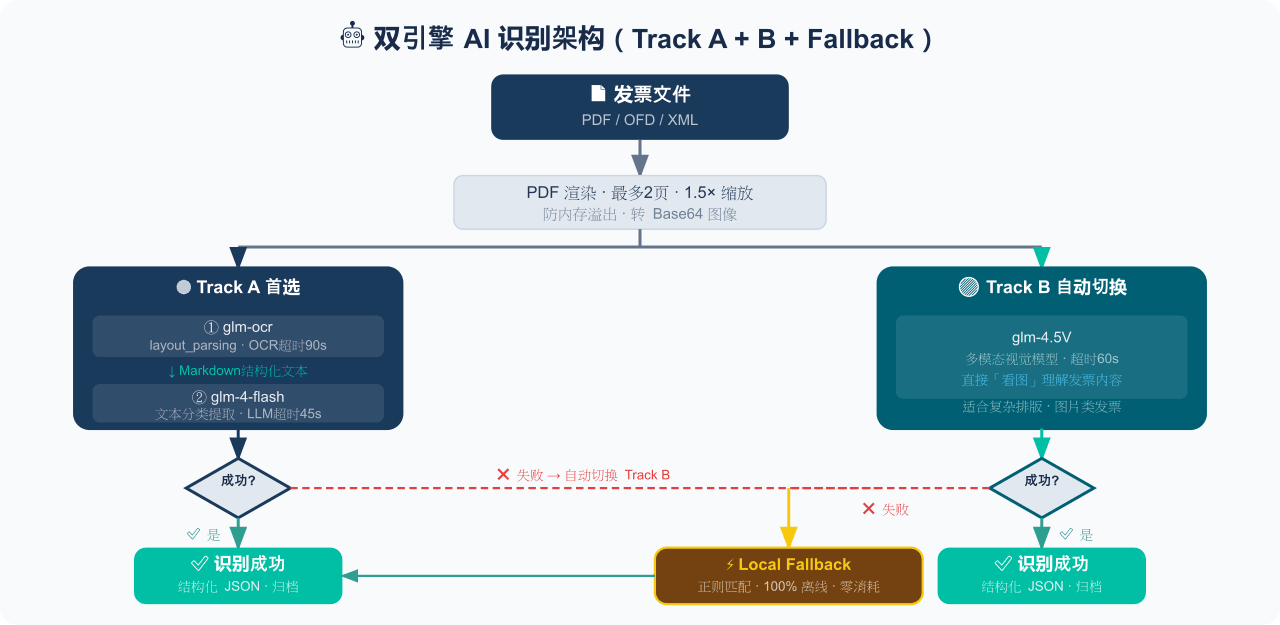 EthanYoQ/Invoice-Downloader
电子发票整理与报销准备工具:从邮箱批量收集 PDF/OFD/XML 发票,OCR 识别、分类归档并生成 Excel 汇总;提供 Windows/macOS 桌面版与 DSH 插件。
EthanYoQ/Invoice-Downloader
电子发票整理与报销准备工具:从邮箱批量收集 PDF/OFD/XML 发票,OCR 识别、分类归档并生成 Excel 汇总;提供 Windows/macOS 桌面版与 DSH 插件。
-
 Clarklevis1995/dsh-mobile
DeepSeek Harness Mobile 是一个面向 DeepSeek Harness 的原生 iOS 客户端。它通过 dsh-plugin-mobile-gateway 与 Harness 建立 WebSocket 连接,将工作区、…
Clarklevis1995/dsh-mobile
DeepSeek Harness Mobile 是一个面向 DeepSeek Harness 的原生 iOS 客户端。它通过 dsh-plugin-mobile-gateway 与 Harness 建立 WebSocket 连接,将工作区、…