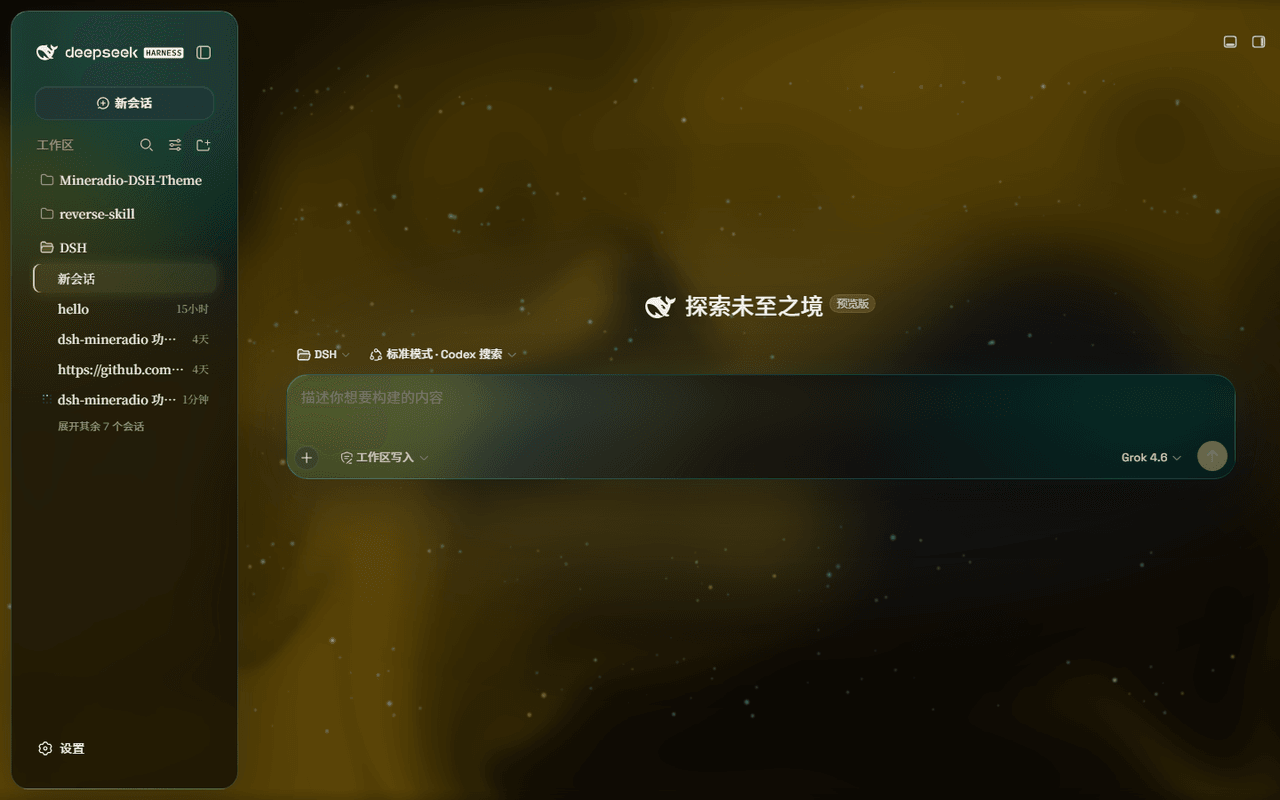
dhicoc/dsh-theme-mineradio
A cinematic visual-radio glass theme for DeepSeek Harness (DSH) Desktop — port of the Mineradio music player's champagne-glass aesthetic. Fluid or wallpaper backdrop, light-glass panels, custom knobs, and the drifting-glow cursor treatment.
项目介绍Project Overview
Mineradio 是 DeepSeek Harness 网页界面的电影感玻璃拟态主题,复刻 Mineradio 视觉身份。核心能力:香槟金配色、流体背景、Mica 与兼容模式、粒子装饰。适合追求沉浸式视觉风格时使用。注意:需通过 npm 或插件市场安装,避免 git 源。关闭后完全还原默认界面。
Mineradio is a cinematic glassmorphism theme for the DeepSeek Harness web UI, re-skinning the Mineradio visual identity. Core capabilities include champagne-gold palette, fluid or wallpaper backdrops, Mica and compatibility modes, and toggleable particle decor. Use it when you want an immersive, studio-like aesthetic. Caveat: install via npm or the plugin market, not a git spec, to avoid build-script issues. Disabling restores the stock UI exactly.
请帮我了解并安装插件:【dsh-theme-mineradio】【https://github.com/dhicoc/dsh-theme-mineradio】把上面这条消息直接发给当前会话里的 DSH,让它帮你了解并安装。安装命令不一定准确,发给 DSH 更稳。Send this message to DSH in your current session. CLI install commands may not be accurate across systems — DSH will figure it out for you.
或使用命令行安装(适合开发者)Or use CLI install (for developers)
命令行安装CLI Install
dsh plugin --profile web add dsh-theme-mineradio把 dhicoc/dsh-theme-mineradio 加入你的 DSH 配置(web profile)即可启用。
READMEREADME
dsh-theme-mineradio

English | 中文
Mineradio is a cinematic glassmorphism theme for the DeepSeek Harness web UI — a faithful re-skin of the Mineradio "private visual radio" identity. The header, sidebar, composer, stats line, and trajectory view become panes of warm champagne glass over a near-black studio backdrop. You can put a video as wallpaper and switch it off and the stock UI comes back exactly, with no source changes to DSH itself.
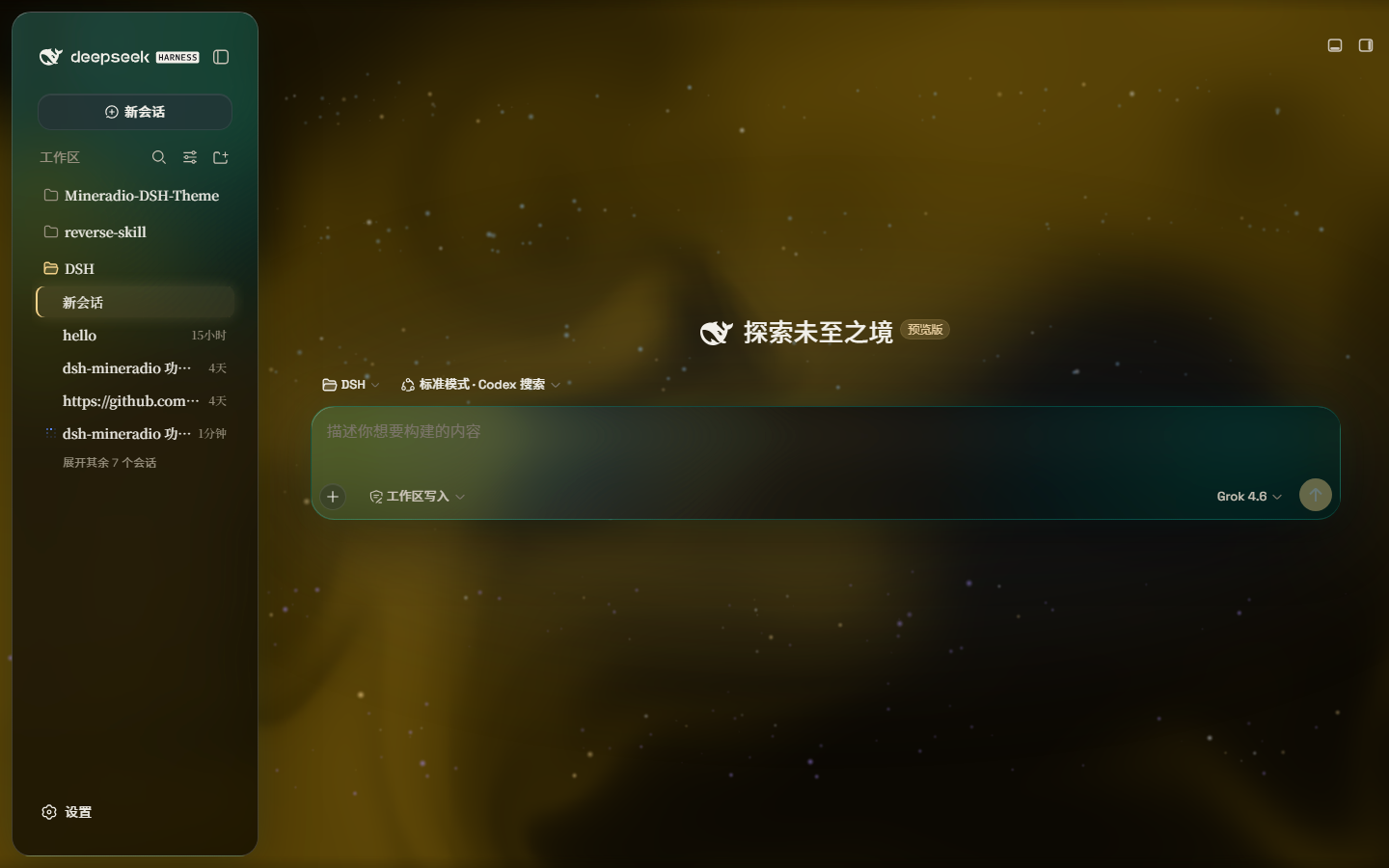
Dark studio: teal glass over a champagne pour. The prompt floats in the liquid.
Screenshots
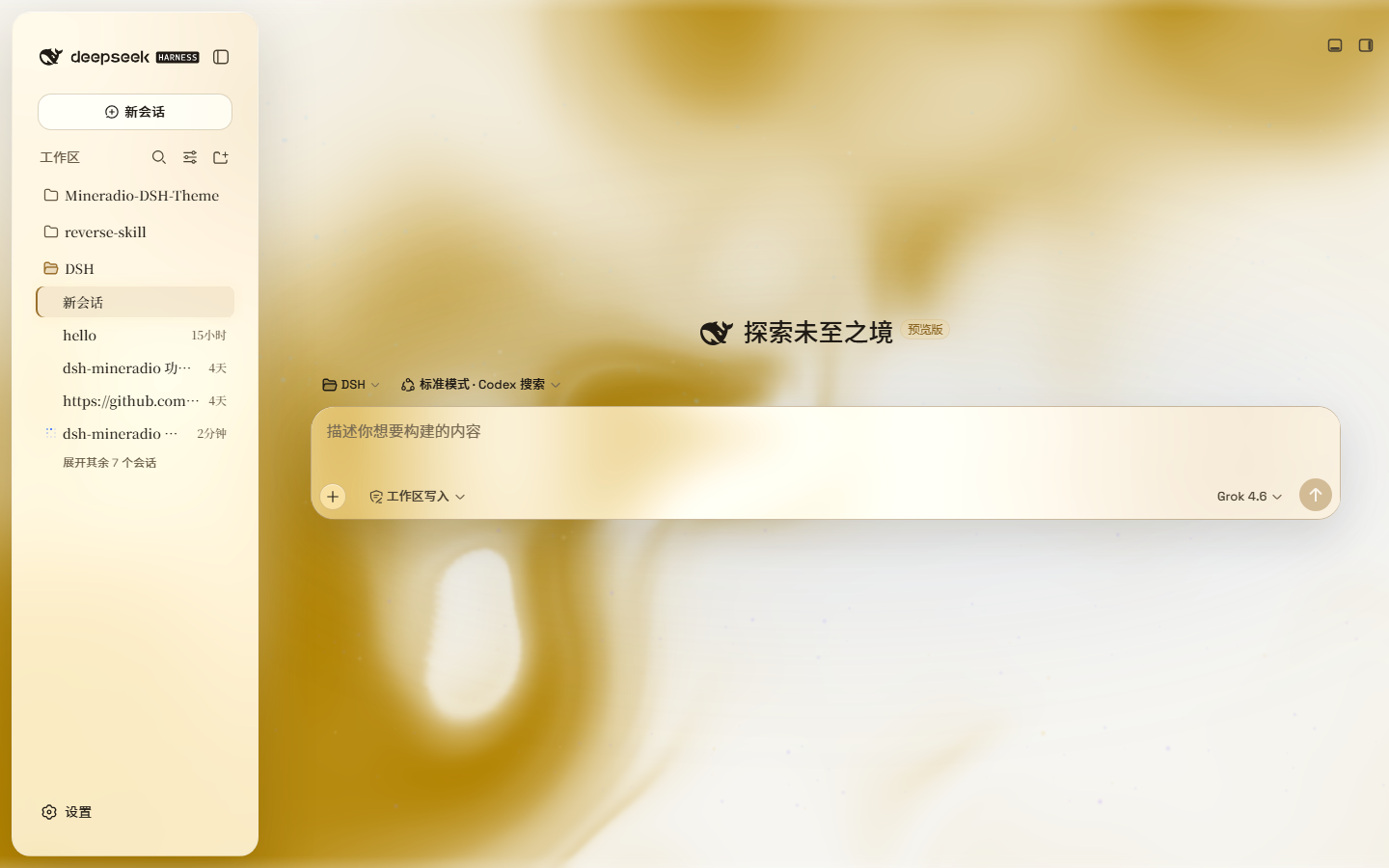
Live captures of 2.2.x on DeepSeek Harness — hero, paper-white, and the Looks panel (scenes / performance / mica):
| Dark studio | Light paper |
|---|---|
|
 |
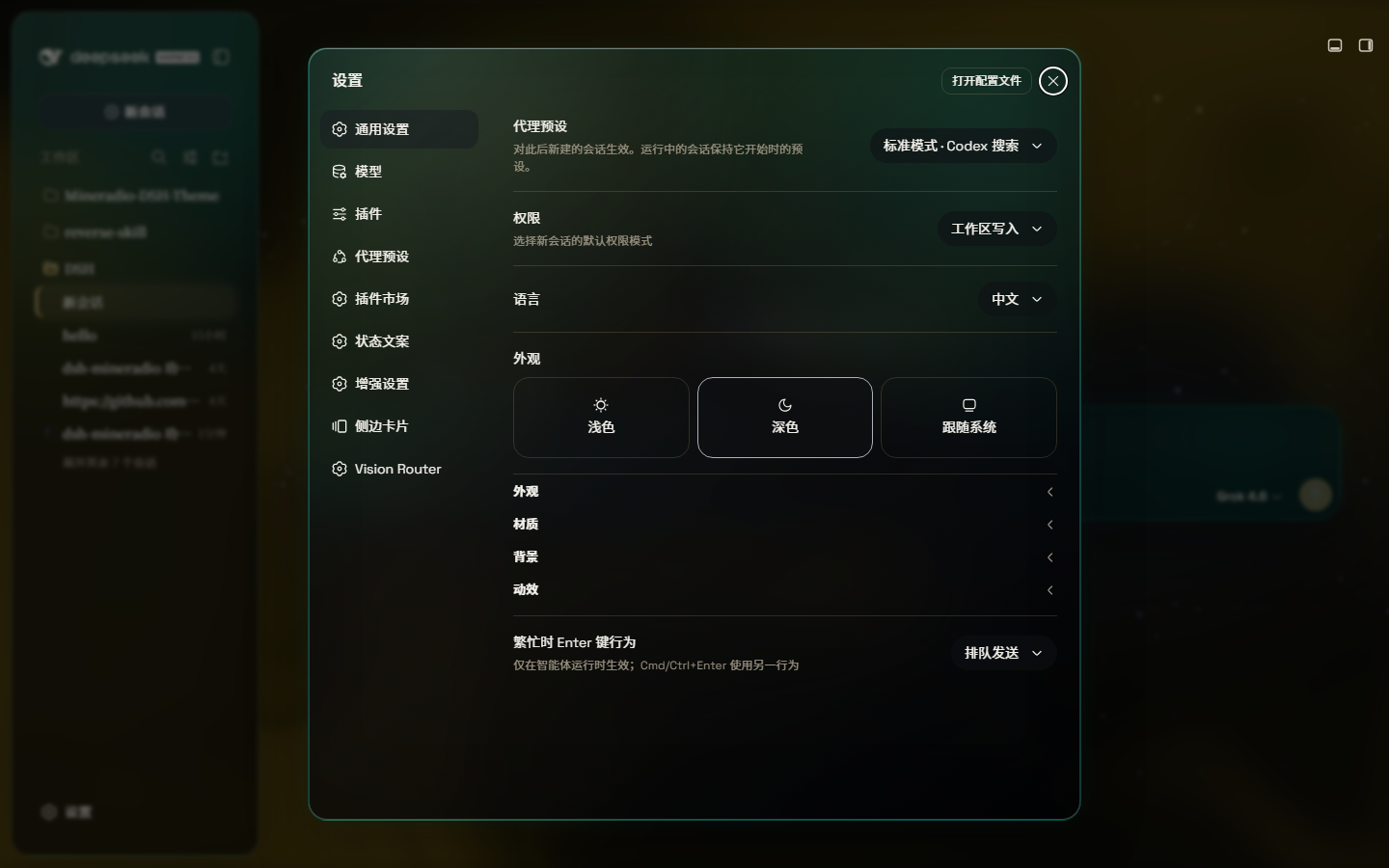
Looks: Studio / Deep sea / Midnight / Mist / Rainbow, plus Performance / Balanced / Vivid — one click, same glass family.
A full-size gallery is also hosted at https://dhicoc.github.io/dsh-theme-mineradio/.
What ports from Mineradio
- Champagne-gold identity — the signature palette (
#f4d28achampagne,#7ad7c2mint,#ff5367ember rose over a warm near-black#08090B) drives every alias token: surfaces, hairline strokes, text ink, buttons, scrollbars, and warm-tinted shadows with a gold bloom. - Typography — Inter + Noto Sans SC for the UI, self-hosted so there's no shell/fontsource dependency.
- Cinematic glow — a champagne-gold ambient bloom sits behind the glass; the spotlight hue knob sweeps it from warm amber to mint while keeping the brand warm.
- Fluid backdrop — a living fluid board (hue + depth adjustable, defaults to warm gold) or your own wallpaper (image or video) with its own blur and frost.
Features
- Two modes: Mica restyles the layout into floating glass cards (blur and frost adjustable), while Compatibility Mode keeps the stock layout byte-for-byte and only swaps the material to generic glass — other plugins' UI gets the same treatment automatically
- Free backdrop: a living fluid board (hue adjustable) or your own wallpaper (fills the page, aspect preserved, with its own blur and frost); light wallpapers look best in light mode, dark wallpapers in dark mode
- Background brightness: follows the resolved scheme — dark mode darkens (0–50), light mode brightens (50–100), 50 is unchanged
- Ambient decor: particle whale in the chat center, star particles, and an interactive dot-grid mesh — all toggleable
- Champagne glow: a pointer-tracking glow over the glass panes, plus a hover press-down for tactile depth
- One switch: off restores the stock UI exactly, and every effect is removed with the plugin
Installation
Windows (one command)
powershell -ExecutionPolicy Bypass -Command "Invoke-WebRequest 'https://github.com/dhicoc/dsh-theme-mineradio/raw/main/install.ps1' -OutFile install.ps1; .\install.ps1"
Installs the latest release by default. No git needed — the installer falls back to a plain zip download. It links the plugin into the profile's node_modules and registers ui-mineradio in cordis.patch.yml (idempotent — safe to run again). Reload the web UI and it is on.
Pin a version or track the dev branch:
.\install.ps1 -Version 'v1.0.0'   # a specific release
.\install.ps1 -Version 'main'     # the development branch
Plugin market / npm (recommended)
dsh plugin --profile web add dsh-theme-mineradio
Or search dsh-theme-mineradio in Settings → Plugin market. That installs the prebuilt npm package (lib/ already bundled). There is no prepare / postinstall script.
Do not install with github:dhicoc/dsh-theme-mineradio or dsh plugin add https://github.com/dhicoc/dsh-theme-mineradio. A git / tarball spec makes pnpm block "build scripts", and market updates then fail. If you already have the git spec, switch to npm:
dsh plugin --profile web add dsh-theme-mineradio@latest
The dsh.bundle manifest registers ui-mineradio automatically, so no manual patch is needed. (The installer adds this equivalent entry for source installs:)
- insert:
    - id: ui-mineradio
      name: 'dsh-theme-mineradio'
Restart the web UI. To turn it off: Settings → Plugins → Mineradio.
License
MIT. Mineradio visual identity (palette, typography, glow aesthetic) is a faithful re-skin of the Mineradio project by XxHuberrr, whose original is licensed GPL-3.0.
相关推荐Related
-
 nexu-io/open-design
🎨 Best DeepSeek Harness Design Plugin. The open-source Claude Design alternative. 🖥️ Local-first desktop app. 🖼️ Your…
nexu-io/open-design
🎨 Best DeepSeek Harness Design Plugin. The open-source Claude Design alternative. 🖥️ Local-first desktop app. 🖼️ Your…
-
 freestylefly/awesome-gpt-image-2
Prompt as Code | GPT-Image2 工业级提示词引擎与模板库,530+ 个案例逆向工程,20+ 套工业级模板,并提炼出Skills,持续更新中
freestylefly/awesome-gpt-image-2
Prompt as Code | GPT-Image2 工业级提示词引擎与模板库,530+ 个案例逆向工程,20+ 套工业级模板,并提炼出Skills,持续更新中
-
 anywhere-labs/dsh-desktop
为 DeepSeek Harness (DSH) 插件生态打造的现代化桌面端解决方案。万物皆「插件」,桌面本身也是「插件」。
anywhere-labs/dsh-desktop
为 DeepSeek Harness (DSH) 插件生态打造的现代化桌面端解决方案。万物皆「插件」,桌面本身也是「插件」。
- Nagi-ovo/voyager Enhancement suite for Gemini, AI Studio, Claude & ChatGPT — plus a prompt manager for any web UI, DeepSeek Harness inclu…
-
 walkinglabs/learn-harness-engineering
Harness engineering beginner tutorial, from 0 to 1
walkinglabs/learn-harness-engineering
Harness engineering beginner tutorial, from 0 to 1
-
 awesome-dsh-plugin/awesome-dsh-plugin
A curated list of plugins for DeepSeek Harness (dsh) · DeepSeek Harness 插件精选列表
awesome-dsh-plugin/awesome-dsh-plugin
A curated list of plugins for DeepSeek Harness (dsh) · DeepSeek Harness 插件精选列表
-
 MemTensor/MemOS
Self-evolving memory OS for LLM & AI Agents: ultra-persistent memory, hybrid-retrieval, and cross-task skill reuse, with…
MemTensor/MemOS
Self-evolving memory OS for LLM & AI Agents: ultra-persistent memory, hybrid-retrieval, and cross-task skill reuse, with…
- yjh051108/dsh-routing-suite dsh-routing-suite — injector + router-standard kit: install the runtime injector first, then the task-aware reasoning-mo…