duntansen/dsh-update-checker
DSH web plugin: check DeepSeek Harness updates from Settings (dsh --version vs npm latest/next)
项目介绍Project Overview
DSH 网页插件,在设置页一键自检 DeepSeek Harness 是否为最新版本。核心能力:读取本地 dsh --version,与 npm @deepseek-ai/dsh 的 latest/next 标签比对,发现新版本时可一键执行 npx -y @deepseek-ai/dsh@latest 并实时显示安装进度。适用于想随时确认本地 DSH 版本、便捷升级的使用者。注意:自动检测仅在设置页打开时每 6 小时运行一次,关闭页面后停止。
A DSH web plugin that checks whether your local DeepSeek Harness is up to date from the Settings page. It reads the local dsh --version and compares it against the npm @deepseek-ai/dsh latest and next dist-tags, offering a one-click update via npx -y @deepseek-ai/dsh@latest with live progress, a recent-versions timeline, and check history. Use it to confirm your local DSH version and upgrade in place. Caveat: automatic rechecks only run every 6 hours while the Settings page is open, and stop when the page is closed.
请帮我了解并安装插件:【dsh-update-checker】【https://github.com/duntansen/dsh-update-checker】把上面这条消息直接发给当前会话里的 DSH,让它帮你了解并安装。安装命令不一定准确,发给 DSH 更稳。Send this message to DSH in your current session. CLI install commands may not be accurate across systems — DSH will figure it out for you.
或使用命令行安装(适合开发者)Or use CLI install (for developers)
命令行安装CLI Install
dsh plugin --profile web add github:duntansen/dsh-update-checker把 duntansen/dsh-update-checker 加入你的 DSH 配置(web profile)即可启用。
READMEREADME
dsh-update-checker
A DeepSeek Harness (DSH) web plugin that checks whether your local Harness is up to date — right from Settings.
English: Check DeepSeek Harness updates from Settings (local
dsh --versionvs npmlatest/next).中文: 在设置页一键自检 DeepSeek Harness 是否有新版本(本地
dsh --versionvs npm 最新版)。
Features
- Update check: reads the local version via
dsh --version, compares it with the npm registrylatest/nextdist-tags of@deepseek-ai/dsh - One-click update: when a new version is found, click a button to run
npx -y @deepseek-ai/dsh@latestand watch the live install progress in the page - Version timeline: shows the most recent 8 published versions with release dates, highlighting your current version
- Auto-check & notifications: re-checks every 6 hours while the Settings page is open; a browser system notification fires when a new version is detected
- Check history: the last 10 checks are saved to
~/.dsh/dsh-update-checker-history.jsonand shown in the page - Semantic version comparison (handles
rcprerelease segments correctly)
Install
From GitHub:
dsh plugin --profile web add github:duntansen/dsh-update-checker
Then restart dsh web and open the GUI. Open Settings → Update Check to use it.
Usage
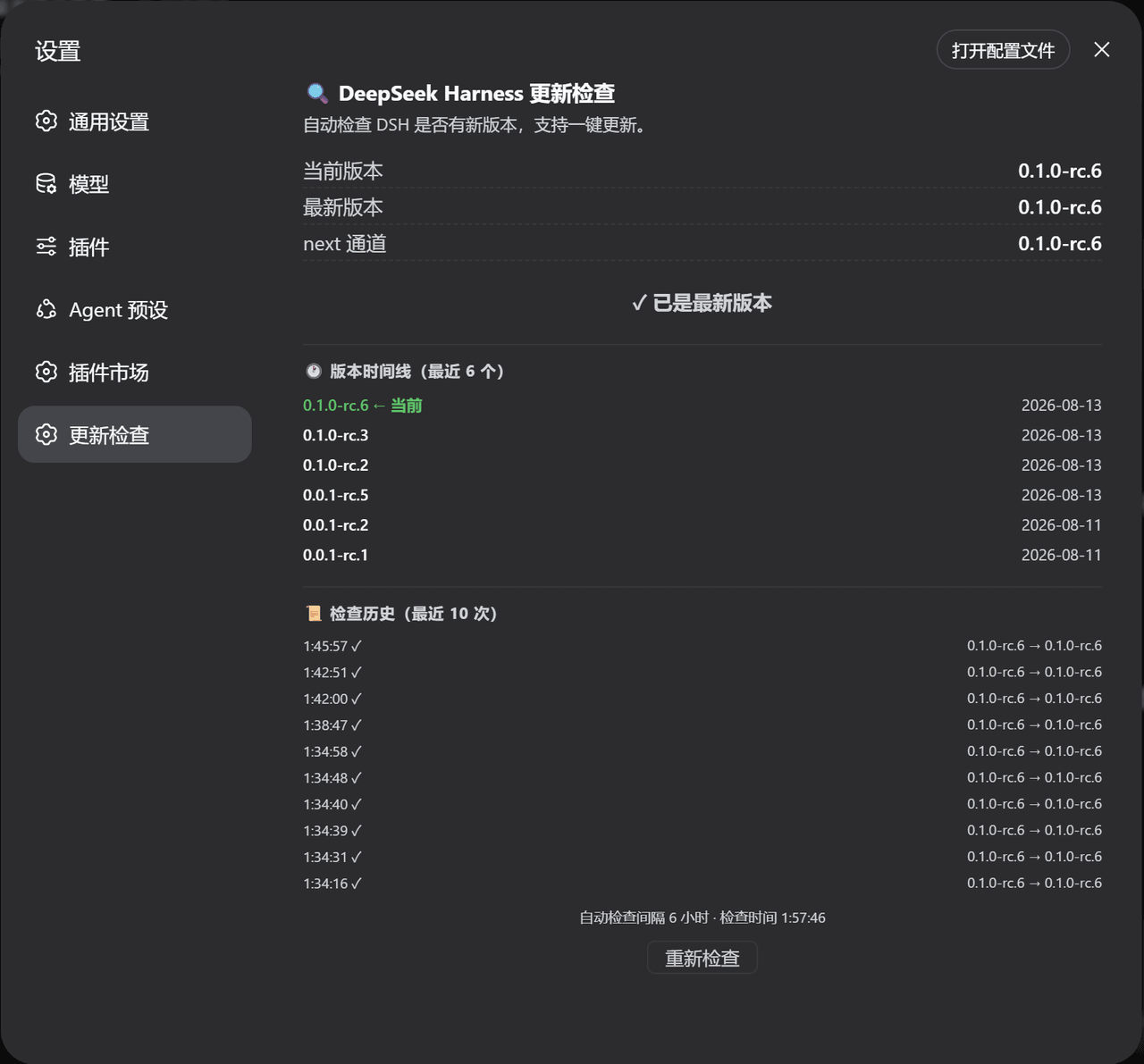
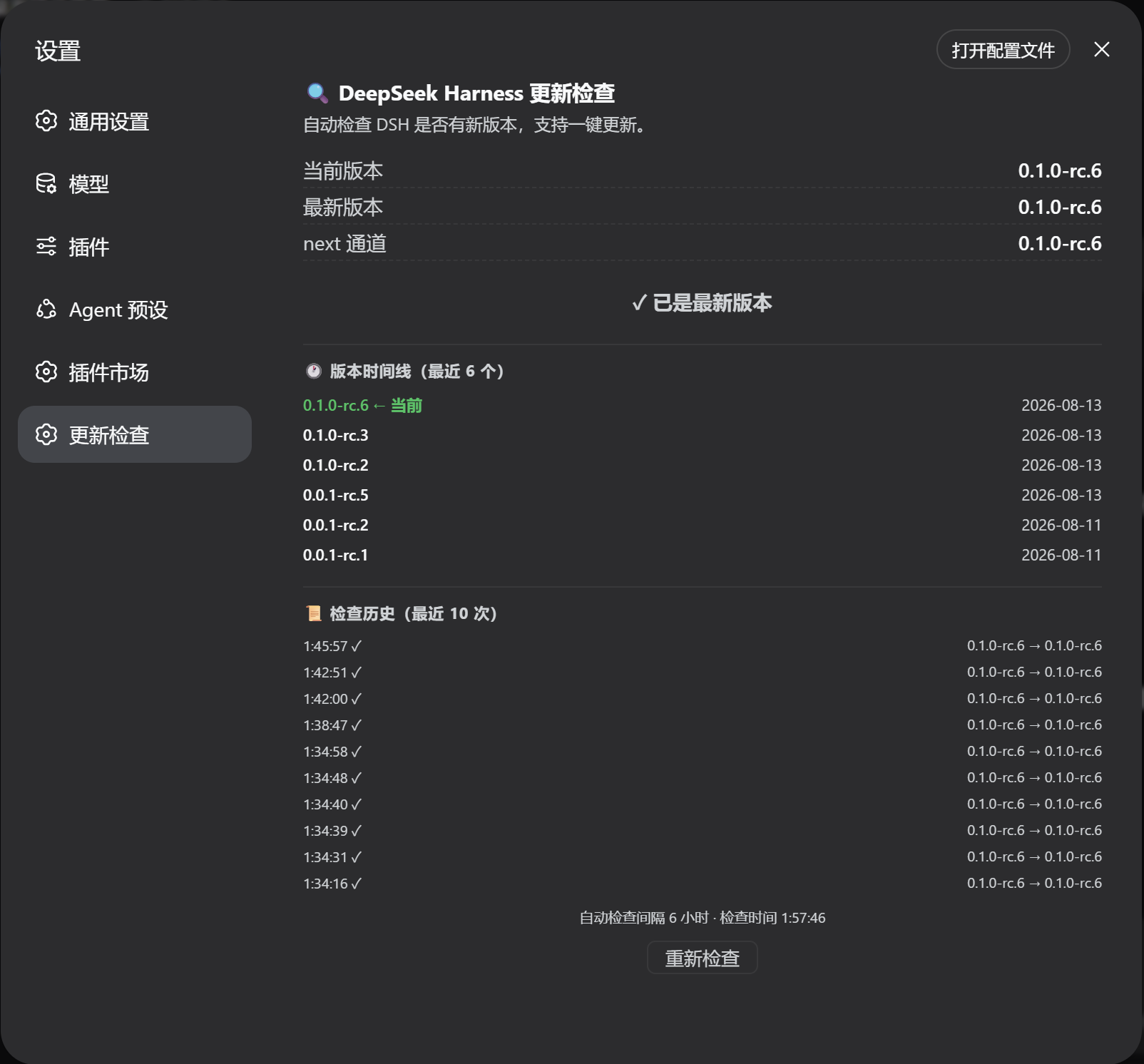
Open Settings → Update Check — a full page with all features:
The page shows:
- Current / latest / next versions and a status badge (
✓ up to date/⬆ update available) - One-click update button (
⬇ Update to x.y.z) when an update is available — shows live terminal output, then prompts to restartdsh webwhen done - Version timeline: the most recent 8 releases with dates, your current version highlighted in green
- Check history: recent check times and version transitions
- Re-check button and the last check time
Auto-check: the plugin checks when the Settings page opens and then every 6 hours while it stays open. When a new version is detected, a browser notification is fired (the first time, the browser asks for notification permission).
How it works
- Host: registers HTTP routes via the
webServerservice:GET /dsh-update-check— local version + npm latest/next + timeline + historyGET /dsh-update-check/status— live update task output (polled)POST /dsh-update-check/update— start the update (same-origin protected, single instance)
- Local version is read with
dsh --version; npm registry data via globalfetch. Commands run cross-platform (Windowscmd.exe/ POSIX/bin/sh). - Client: a
settings.sectionentry (__ModuleLoader__CJS bundle, no build step) that calls the routes above and renders the page.
Project layout
dsh-update-checker/
├── package.json        # dsh bundle patch + web client declaration
├── cordis.patch.yml    # inserts the plugin row into a profile layer stack
├── assets/
│   └── screenshot.png  # README screenshot
└── lib/
    ├── index.js        # host entry: HTTP routes + version comparison
    └── client.js       # client entry: Settings page
License
MIT
相关推荐Related
-
 nexu-io/open-design
🎨 Best DeepSeek Harness Design Plugin. The open-source Claude Design alternative. 🖥️ Local-first desktop app. 🖼️ Your…
nexu-io/open-design
🎨 Best DeepSeek Harness Design Plugin. The open-source Claude Design alternative. 🖥️ Local-first desktop app. 🖼️ Your…
-
 ruvnet/ruflo
🌊 The original agent meta-harness. Deploy intelligent multi-player swarms, coordinate autonomous workflows, and build c…
ruvnet/ruflo
🌊 The original agent meta-harness. Deploy intelligent multi-player swarms, coordinate autonomous workflows, and build c…
-
 amruthpillai/reactive-resume
A one-of-a-kind resume builder that keeps your privacy in mind. Completely secure, customizable, portable, open-source a…
amruthpillai/reactive-resume
A one-of-a-kind resume builder that keeps your privacy in mind. Completely secure, customizable, portable, open-source a…
-
 esengine/DeepSeek-Reasonix
DeepSeek-native AI coding agent for your terminal. Engineered around prefix-cache stability — leave it running.
esengine/DeepSeek-Reasonix
DeepSeek-native AI coding agent for your terminal. Engineered around prefix-cache stability — leave it running.
-
 volcengine/OpenViking
Self-evolving Context Database for AI Agents. Unify Agent Memory, Knowledge RAG and Skills.
volcengine/OpenViking
Self-evolving Context Database for AI Agents. Unify Agent Memory, Knowledge RAG and Skills.
-
 Molunerfinn/PicGo
:rocket: The Ultimate Image Uploader for Efficient Creators. Supports Obsidian, Typora, VS Code etc. and 60+ image hosti…
Molunerfinn/PicGo
:rocket: The Ultimate Image Uploader for Efficient Creators. Supports Obsidian, Typora, VS Code etc. and 60+ image hosti…
-
 titanwings/distilly
Distilly — Distill how they think into reusable Skills for any Agent or Bot. Formerly Colleague Skill(原同事 Skill).
titanwings/distilly
Distilly — Distill how they think into reusable Skills for any Agent or Bot. Formerly Colleague Skill(原同事 Skill).
-
 titanwings/colleague-skill