Elave-66/dsh-blue-sea-launcher
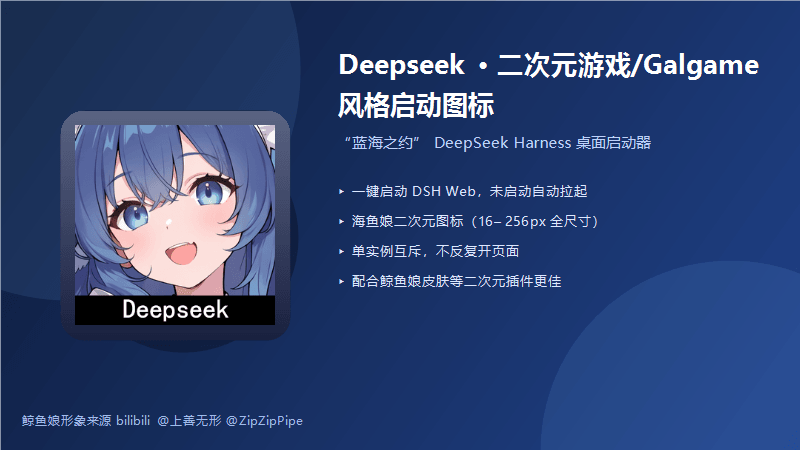
Deepseek 二次元游戏/Galgame 风格启动图标。鲸鱼娘形象来源bilibili@上善无形 @ZipZipPipe,适合重度二次元使用,配合鲸鱼娘皮肤等二次元插件使用更佳!
项目介绍Project Overview
蓝海之约是一款 DSH 桌面启动器插件,安装后在桌面生成鲸鱼娘二次元图标快捷方式,一键启动并打开 DeepSeek Harness Web。核心能力:服务器未运行时自动通过 npx dsh web --no-open 拉起,已运行则直接打开浏览器;采用单实例互斥与端口就绪轮询,避免重复开页;图标提供 16–256px 多尺寸 ICO,快捷方式名、URL、端口可在配置中修改。适用场景:希望为 DSH Web 增添二次元入口的用户,需配合鲸鱼娘等二次元皮肤使用更佳。注意:卸载插件不会删除已生成的桌面快捷方式,需手动清理;若手动终端启动 DSH 而未加 --no-open,会触发原生自动开页。
Blue Sea Launcher is a DSH desktop launcher plugin that creates an anime-style whale-girl shortcut icon on the desktop, enabling one-click startup and browser launch of DeepSeek Harness Web. Core capabilities: automatically spawns the server via npx dsh web --no-open when not running, or directly opens the browser if already running; uses single-instance mutex plus port readiness polling (up to 30s) to prevent duplicate pages; provides multi-size ICO icons (16–256px) and configurable shortcut name, URL, and port. Use it when you want a themed, single-click entry point for DSH Web. Caveat: uninstalling the plugin does not remove the created desktop shortcut—delete it manually.
请帮我了解并安装插件:【dsh-blue-sea-launcher】【https://github.com/Elave-66/dsh-blue-sea-launcher】把上面这条消息直接发给当前会话里的 DSH,让它帮你了解并安装。安装命令不一定准确,发给 DSH 更稳。Send this message to DSH in your current session. CLI install commands may not be accurate across systems — DSH will figure it out for you.
或使用命令行安装(适合开发者)Or use CLI install (for developers)
命令行安装CLI Install
dsh plugin --profile web add github:Elave-66/dsh-blue-sea-launcher把 Elave-66/dsh-blue-sea-launcher 加入你的 DSH 配置(web profile)即可启用。
READMEREADME
Deepseek 二次元游戏/Galgame 风格启动图标「蓝海之约」
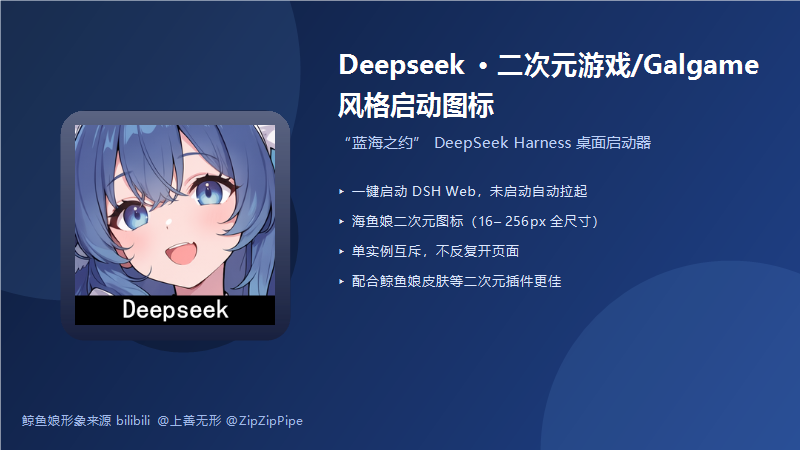
鲸鱼娘形象来源 bilibili @上善无形 @ZipZipPipe,适合重度二次元使用,配合鲸鱼娘皮肤等二次元插件使用更佳!
一款 DeepSeek Harness(DSH)桌面启动器插件:装载后在桌面生成 「蓝海之约」 快捷方式, 一键启动/打开 DeepSeek Harness Web,图标为鲸鱼娘二次元立绘(16–256px 全尺寸透明底图标)。
- 🐋 一键启动:服务器未运行 → 自动
npx --verbose @deepseek-ai/dsh web拉起(带--no-open); 已运行 → 直接打开浏览器,绝不重复开页 - 🎯 仪表盘级图标:打包内多尺寸 ICO(16/24/32/48/64/128/256px),高分屏也清晰
- 🔒 单实例互斥:双击/重复点击只生效一次,不重复启动服务器、不重复开标签页
- ⏳ 就绪后打开:轮询端口(最多 30 秒)确认服务真正可用后再打开浏览器
- 🎨 高度定制:快捷方式名、URL、端口均可通过插件配置修改
快速开始
# 本地安装(仓库根目录执行)
dsh plugin --profile web add link:.\dsh-blue-sea-launcher

# 或直接使用 Releases 中的安装包 zip
dsh plugin --profile web add link:<解压后的 dsh-blue-sea-launcher 目录>
安装后重启 dsh web,桌面即出现「蓝海之约」。
效果预览
| 效果图 | 桌面快捷方式 |
|---|---|
|
带鲸鱼娘图标的一键启动入口 |
配置
在 profile 的 cordis.patch.yml 中覆盖默认值:
- insert:
    - id: dsh-blue-sea-launcher
      name: dsh-blue-sea-launcher
      config:
        shortcutName: 蓝海之约        # 快捷方式名
        url: http://127.0.0.1:3080     # 打开地址
        port: 3080                     # 检活端口
卸载
dsh plugin --profile web remove dsh-blue-sea-launcher
卸载不会删除已生成的桌面快捷方式(它先于 DSH 启动,是入口),手动删除即可。
常见问题
- 点一次开了两个页面:v0.1.1 已修复——启动服务器时给 dsh web 传
--no-open, 只由启动器打开一次。注意:若你自己在终端运行npx --verbose @deepseek-ai/dsh web(不带--no-open),DSH 会按原生行为自动开一次浏览器。 - 快捷方式没出现:
dsh --profile web --dump-config | Select-String blue-sea应能看到该层; 确认重启过dsh web。 - 图标没变:桌面按 F5 / 重启 explorer / 注销一次刷新图标缓存。
致谢
- 鲸鱼娘形象:bilibili @上善无形 @ZipZipPipe(署名保留,勿删除)
- 基于 DeepSeek Harness 插件体系开发
License
MIT
相关推荐Related
-
 ruvnet/ruflo
🌊 The original agent meta-harness. Deploy intelligent multi-player swarms, coordinate autonomous workflows, and build c…
ruvnet/ruflo
🌊 The original agent meta-harness. Deploy intelligent multi-player swarms, coordinate autonomous workflows, and build c…
-
 amruthpillai/reactive-resume
A one-of-a-kind resume builder that keeps your privacy in mind. Completely secure, customizable, portable, open-source a…
amruthpillai/reactive-resume
A one-of-a-kind resume builder that keeps your privacy in mind. Completely secure, customizable, portable, open-source a…
-
 volcengine/OpenViking
Self-evolving Context Database for AI Agents. Unify Agent Memory, Knowledge RAG and Skills.
volcengine/OpenViking
Self-evolving Context Database for AI Agents. Unify Agent Memory, Knowledge RAG and Skills.
-
 Molunerfinn/PicGo
:rocket: The Ultimate Image Uploader for Efficient Creators. Supports Obsidian, Typora, VS Code etc. and 60+ image hosti…
Molunerfinn/PicGo
:rocket: The Ultimate Image Uploader for Efficient Creators. Supports Obsidian, Typora, VS Code etc. and 60+ image hosti…
-
 titanwings/colleague-skill
将冰冷的离别化为温暖的 Skill,欢迎加入数字生命1.0!Transforming cold farewells into warm skills? It's giving rebirth era. Welcome to Digital …
titanwings/colleague-skill
将冰冷的离别化为温暖的 Skill,欢迎加入数字生命1.0!Transforming cold farewells into warm skills? It's giving rebirth era. Welcome to Digital …
-
 nocobase/nocobase
NocoBase is an open-source AI + no-code platform for building business systems fast. Instead of generating everything fr…
nocobase/nocobase
NocoBase is an open-source AI + no-code platform for building business systems fast. Instead of generating everything fr…
-
 Tencent/WeKnora
Open-source LLM knowledge platform: turn raw documents into a queryable RAG, an autonomous reasoning agent, and a self-m…
Tencent/WeKnora
Open-source LLM knowledge platform: turn raw documents into a queryable RAG, an autonomous reasoning agent, and a self-m…
- Nagi-ovo/voyager Enhancement suite for Gemini, AI Studio, Claude & ChatGPT — plus a prompt manager for any web UI, DeepSeek Harness inclu…