eric-song-dev/dsh-ikun-pet
- Only fills the deep-dive dock: registered at conversation.input.dock — the full row directly below DSH's "Deep diving..." status line, between the conversation and the composer. Visible only while a session is running (deep diving); completely invisible the rest of the time.
catalog descriptioncatalog 简介 / catalog description:🐤 DeepSeek Harness(DSH)永久插件:Deep diving 回答期间用坤宠动图填满深潜状态行下方区块——进度条 0%→100%,每 20% 切换动作与文案,完成时系统级播放「你干嘛~哎哟」
Project Overview项目介绍
This is a native fun plugin built exclusively for DeepSeek Harness (DSH). It adds an interactive ikun pet progress bar to the full row under DSH’s “Deep diving...” status line, visible only when a deep dive conversation session is running. The plugin tracks deep dive progress in real time, switching animations and text prompts every 20% progress. When the task hits 100% completion, it plays a system audio cue of “你干嘛~哎哟” to celebrate. Users can choose from three different install methods: cloning the repository, installing via remote one-liner, or pulling the prebuilt package from npm.
The plugin uses a layered adaptive progress model that adjusts pacing based on task length, approval waits, and streaming activity. It never fakes 100% completion, giving users an accurate sense of how long their deep dive task will take. It is targeted at DSH users who enjoy meme culture and want to add a little lighthearted fun to their AI coding workflow. The ikun pet walks across the progress bar with a frame-by-frame sprite animation, and each 20% progress stage has unique text that matches the current deep dive state. After installation, restart DSH web and refresh your browser to verify assets load correctly.
The plugin is released under the open source MIT license, so you can use, modify, and redistribute it freely per license terms. All core UI and progress features work cross-platform on macOS, Windows, and Linux, with the full experience tested on macOS. The completion audio cue works out of the box on macOS via the built-in afplay command. If you run the plugin on Windows or Linux, you need to update the playCommand configuration to use PowerShell or ffplay. You can disable audio, disable the entire plugin, or customize asset paths. Uninstall via the standard DSH plugin remove command.
这是一个专为DeepSeek Harness(DSH)开发的原生趣味插件,会在DSH对话深潜状态下,在“Deep diving...”状态栏下方整行位置添加一只iKun桌面宠物进度条,仅深潜运行时可见。它会实时显示深潜进度,每20%进度切换专属动画和提示文本,任务完成时播放系统音效“你干嘛~哎哟”,为开发交互增加趣味。
它支持三种主流安装方式,用户可通过克隆本地仓库、远程仓库一键安装或拉取npm预构建包完成安装,安装后会写入DSH的配置文件,每次启动DSH都会自动加载。它适合喜欢玩梗、想要给DSH添加交互趣味的iKun用户,还能提供自适应进度计算带来的直观深潜状态反馈。
插件使用MIT许可证,可免费使用和修改,UI动画和进度条原生兼容全平台macOS/Windows/Linux,只有完成提示音在macOS经过完整测试,Windows和Linux需要用户手动调整播放命令。插件支持配置禁用、静音语音和自定义资源路径,也可随时卸载或更新。
请帮我安装这个 DSH 插件。安装前先完成【兼容性检查 + 安全性检查】,检查通过再动手。

插件:dsh-ikun-pet(eric-song-dev/dsh-ikun-pet)
仓库:https://github.com/eric-song-dev/dsh-ikun-pet
本站详情页:https://www.yhbd.top/plugins/eric-song-dev-dsh-ikun-pet/
本站登记:类型 plugin · 归类 原生 DSH 插件 · 许可证 NOASSERTION · ⭐ 10 · 最近提交 2026-08-15 · 主语言 JavaScript

按下面顺序执行,每步先把结论告诉我,再进入下一步:

【1 兼容性检查】
① 我这边:DSH 版本、Node 版本、操作系统、当前 profile(web / desktop)。
② 读它的 README、package.json、插件 manifest,列出它要求的 DSH 版本 / Node 版本 / 操作系统 / 外部依赖 / 需要另外先装的运行时。
③ 逐条比对,结论只写「满足 / 不满足 / 未知」三种;不满足的给出可行替代方案。
④ 检查是否和我已装的插件冲突:命令名重复、skill / tool 重名、端口占用、重复注册的 MCP server。

【2 安全性检查】
① 仓库可信度:和上面「本站登记」是否一致;star / fork 数、创建时间、最近提交,是否归档或长期停更。
② 安装脚本:逐行看 package.json 的 preinstall / install / postinstall,以及 install.sh、setup.ps1 之类脚本。出现 curl|bash、下载后直接执行、混淆代码、访问与插件功能无关的域名,立刻停下来告诉我,不要继续装。
③ 依赖:列出新增依赖,标出无人维护、或与知名包拼写近似的可疑包(typosquatting)。
④ 权限与副作用:它会读写哪些目录、访问哪些域名、需要哪些 DSH 权限(filesystem / network / shell / clipboard 等),以及怎么卸载和回滚。
⑤ 如果它要求 sudo / 管理员权限,或权限明显超出功能所需,先停下来问我。

【3 安装】
上面两步没有「不满足」和「高危项」时才执行;用官方推荐方式安装,不要自行提权。

【4 汇报】
用表格输出:检查项 / 结论 / 依据 / 是否需要我决策。拿不准的一律写「未知」并说明要我怎么确认——不要猜,也不要替我决定。
Send this message to DSH in your current session: it verifies compatibility and security first (answering met / not met / unknown item by item) and only installs once everything checks out — it will stop and ask you if it finds a high-risk item. The box scrolls; the copy is the full prompt. CLI install commands may not be accurate across systems, so DSH is the safer route.把上面这条消息直接发给当前会话里的 DSH:它会先核对兼容性与安全性(逐条给「满足 / 不满足 / 未知」),确认没问题再安装,有高危项会停下来问你。框内可滚动,复制到的是完整提示词;安装命令不一定准确,发给 DSH 更稳。
- 10 stars - an early-stage project星标 10,属于早期项目
DSH walks through these 9 checksDSH 会逐条核对这 9 项
Compatibility兼容性
- DSH, Node, OS and profile requirementsDSH 版本 / Node 版本 / 操作系统 / profile 是否满足要求
- External dependencies and runtimes (Electron / Python / Docker, ...)外部依赖与运行时(Electron / Python / Docker 等)是否齐备
- Conflicts with installed plugins: command names, skill / tool names, ports, duplicate MCP registration与已装插件是否冲突:命令名、skill / tool 重名、端口占用、重复 MCP 注册
Security安全性
- Repo matches the facts registered here; archived or abandoned?仓库是否与页面登记一致,是否归档或长期停更
- Safety of preinstall / install / postinstall and install.sh / setup.ps1preinstall / install / postinstall 与 install.sh、setup.ps1 是否安全
- curl|bash, download-then-execute, obfuscation, unrelated domains → stop immediatelycurl|bash、下载即执行、混淆代码、无关域名 → 立刻停止
- Typosquatting or unmaintained packages among the new dependencies新增依赖里有没有 typosquatting 或无人维护的包
- Requested permissions vs. what the feature actually needs申请了哪些权限、是否超出功能所需(filesystem / network / shell / clipboard)
- Any sudo / admin requirement, plus uninstall and rollback是否要求 sudo / 管理员权限,以及卸载与回滚方式
Anything uncertain must be marked unknown with a note on how to confirm it. This site's signal screen is a static snapshot, not a security audit.拿不准的必须标「未知」并说明要我怎么确认。本站的信号筛查是静态快照,不能替代安全审计。
Or use CLI install (for developers)或使用命令行安装(适合开发者)
CLI Install命令行安装
dsh plugin add "$PWD" --profile web把 eric-song-dev/dsh-ikun-pet 加入你的 DSH 配置(web profile)即可启用。
READMEREADME
🐤 dsh-ikun-pet · ikun Desktop Pet





📖 中文文档:README.zh.md
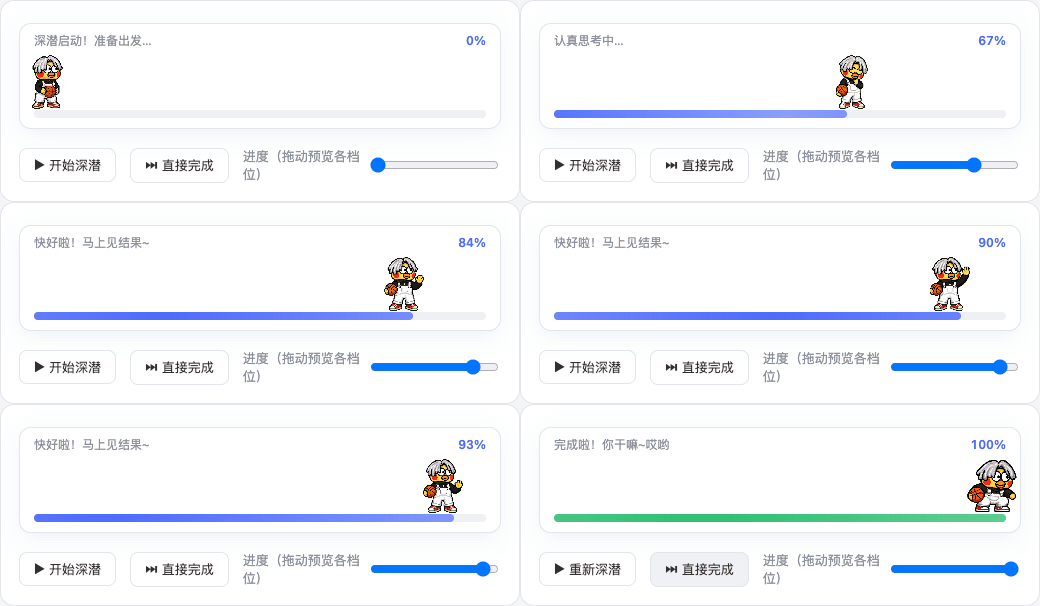
A DeepSeek Harness (DSH) plugin that fills the full row under the "Deep diving..." status line with an ikun pet during every reply: a
0% → 100%progress bar, a new animation and text every 20%, and a jump celebration with a system-level "你干嘛~哎哟" voice cue at completion 🏀
✨ Features
- Only fills the deep-dive dock: registered at
conversation.input.dock— the full row directly below DSH's "Deep diving..." status line, between the conversation and the composer. Visible only while a session isrunning(deep diving); completely invisible the rest of the time. - The pet walks the progress bar: the ikun pet walks from 3% to 97%, playing frame-by-frame on top of the progress bar (8 columns × 9 rows sprite-sheet contract).
- A new stage every 20%: six stages at 0/20/40/60/80/100, each switching both the animation and the text (see docs/PROGRESS-STAGES.md).
- Universal adaptive progress: a layered estimation model — real anchors (0% start / 100% done) + real goal-round progress + self-calibration from this session's turn durations + activity pacing for tools/streaming/approval-waiting + a shrinking reserve. Short tasks run fast, long tasks run slow, waiting for your approval slows it down honestly, and it never fakes 100% (details in docs/PROGRESS-STAGES.md).
- Completion heard system-wide: at 100% the host process plays "你干嘛~哎哟" (
assets/voice.mp3) with a system command — audible from any window and any session, independent of browser mute (tested on macOS). - Permanent plugin form: written into the DSH composition (
cordis.patch.yml) and auto-loaded on every DSH start — install once, works in every session. Dynamic-plugin sources (src/) are kept as an alternative for session-level installs.
Showing the opening section of the README — the full document lives in the repository以上为 README 开头摘要,完整文档在仓库内 · View the full README on GitHub →在 GitHub 查看完整 README →
Related相关推荐
-
 MemTensor/memmy-agent
🍙 A personal AI agent & local memory hub for all AI agents, gives every AI one shared, fully controlled memory and per…
MemTensor/memmy-agent
🍙 A personal AI agent & local memory hub for all AI agents, gives every AI one shared, fully controlled memory and per…
-
 OpenPetsHQ/openpets
Local first, desktop companion platform with animated pets, plugin SDK and coding-agent integrations.
OpenPetsHQ/openpets
Local first, desktop companion platform with animated pets, plugin SDK and coding-agent integrations.
-
 PC2005-cloud/dsh-pet
DSH 桌面宠物:一行命令装好即用的透明动画小桌宠,支持多开、大小位置随心配置;还内置 DIY 素材链,能用 AI 视频自造专属宠物
PC2005-cloud/dsh-pet
DSH 桌面宠物:一行命令装好即用的透明动画小桌宠,支持多开、大小位置随心配置;还内置 DIY 素材链,能用 AI 视频自造专属宠物
-
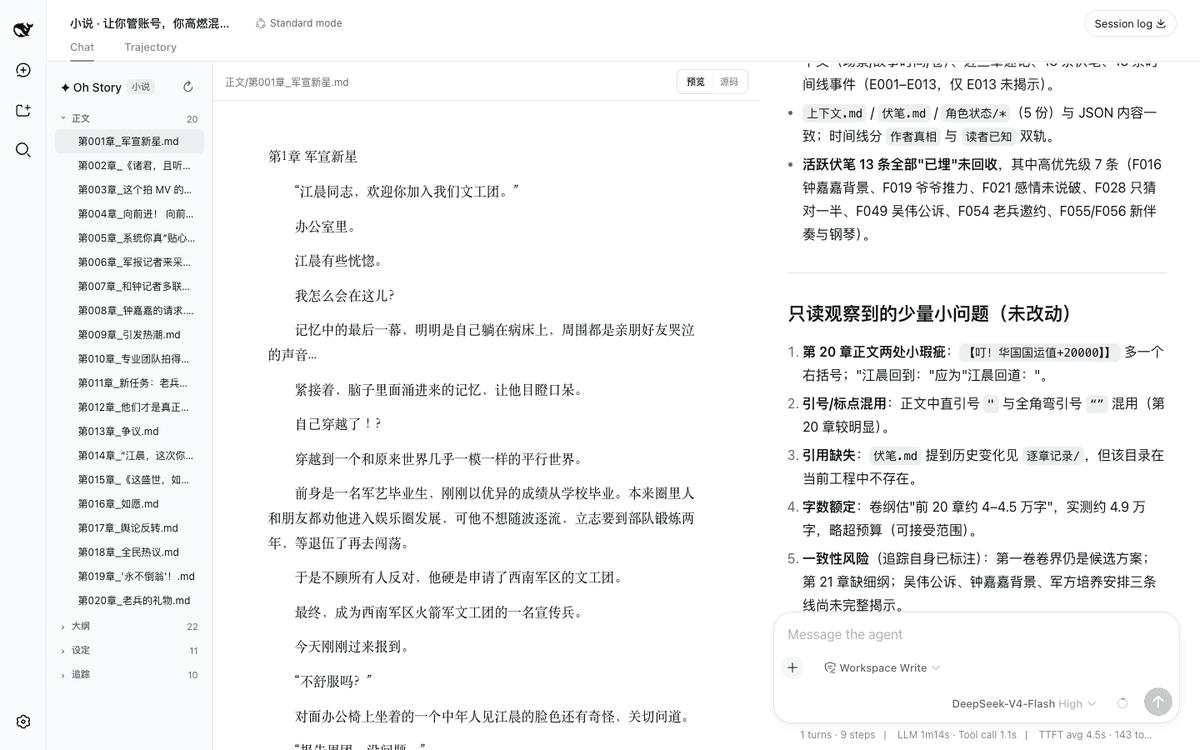 zenstory-ai/oh-story-dsh
DeepSeek 写网文/小说的工作流插件:DeepSeek Harness 社区插件,内置小说、短剧、游戏、视频解说四个工作台 | Community DeepSeek Harness plugin with novel, short-d…
zenstory-ai/oh-story-dsh
DeepSeek 写网文/小说的工作流插件:DeepSeek Harness 社区插件,内置小说、短剧、游戏、视频解说四个工作台 | Community DeepSeek Harness plugin with novel, short-d…
-
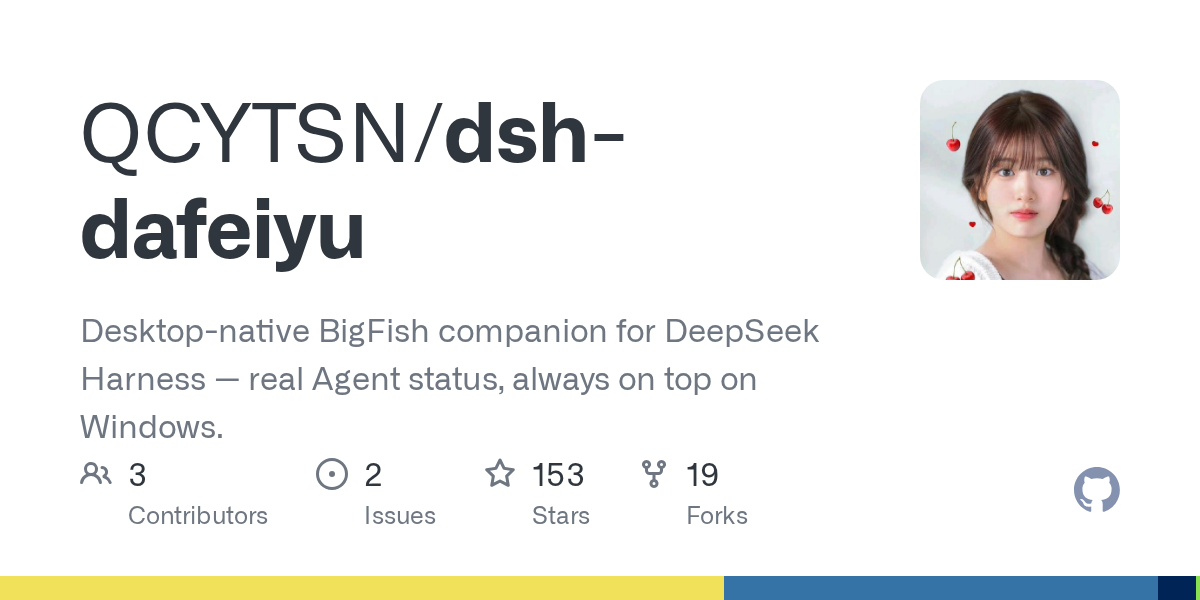 QCYTSN/dsh-dafeiyu
Desktop-native BigFish companion for DeepSeek Harness — real Agent status, always on top on Windows.
QCYTSN/dsh-dafeiyu
Desktop-native BigFish companion for DeepSeek Harness — real Agent status, always on top on Windows.
-
 vlln/whale-girl
DSH Web GUI 桌面宠物插件(QQ 宠物形态):右下角悬浮、可拖拽/投喂/玩耍的积累型伙伴。
vlln/whale-girl
DSH Web GUI 桌面宠物插件(QQ 宠物形态):右下角悬浮、可拖拽/投喂/玩耍的积累型伙伴。
-
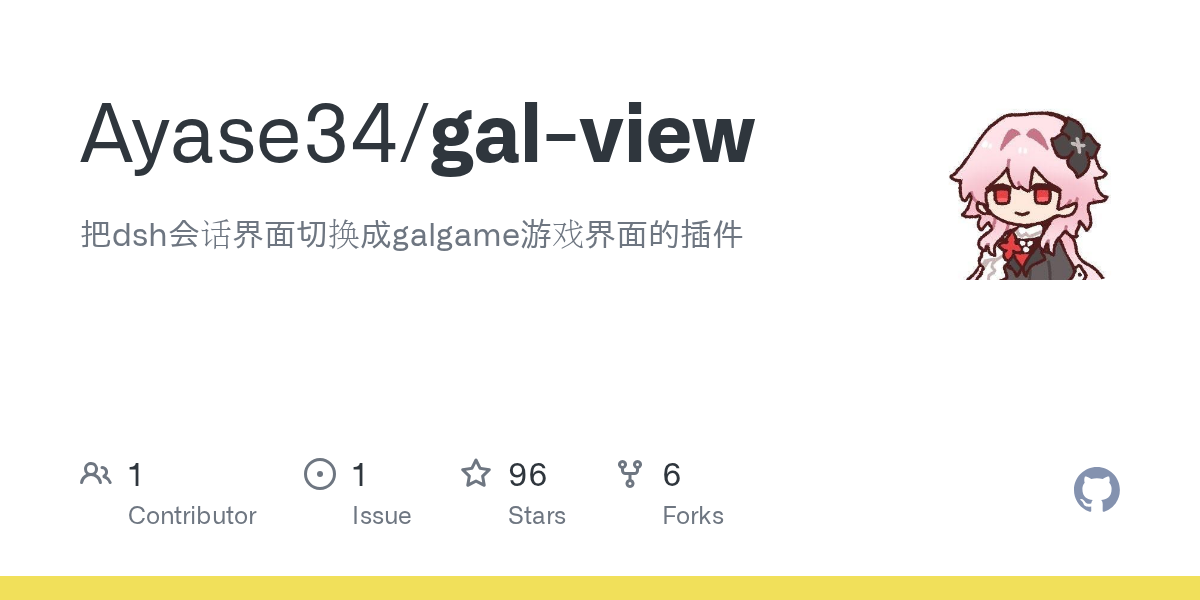 Ayase34/gal-view
把dsh会话界面切换成galgame游戏界面的插件
Ayase34/gal-view
把dsh会话界面切换成galgame游戏界面的插件
-
 ChisaAlter/WhaleIsle
鲸屿 Whale Isle · DeepSeek Harness 社区增强桌面版:官方核心功能齐备,扩展主题壁纸、鲸鱼娘桌宠、用量统计与手机远程连接。Community-enhanced DeepSeek Harness desktop c…
ChisaAlter/WhaleIsle
鲸屿 Whale Isle · DeepSeek Harness 社区增强桌面版:官方核心功能齐备,扩展主题壁纸、鲸鱼娘桌宠、用量统计与手机远程连接。Community-enhanced DeepSeek Harness desktop c…