etony668/dsh-task-board
DSH 项目任务看板插件:会话「任务看板」视图 + 父子任务树工具与技能 + 本地 JSON 存储(CodexFF 移植)
项目介绍Project Overview
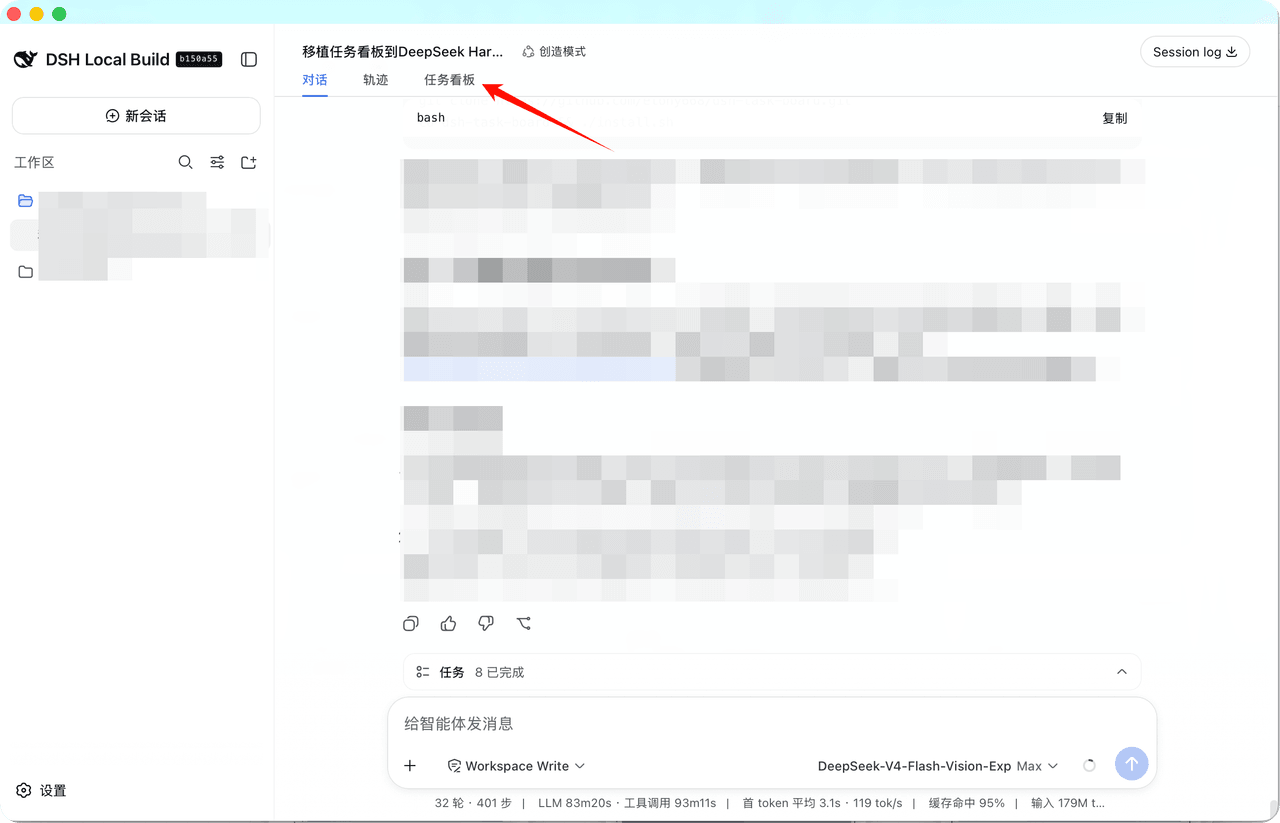
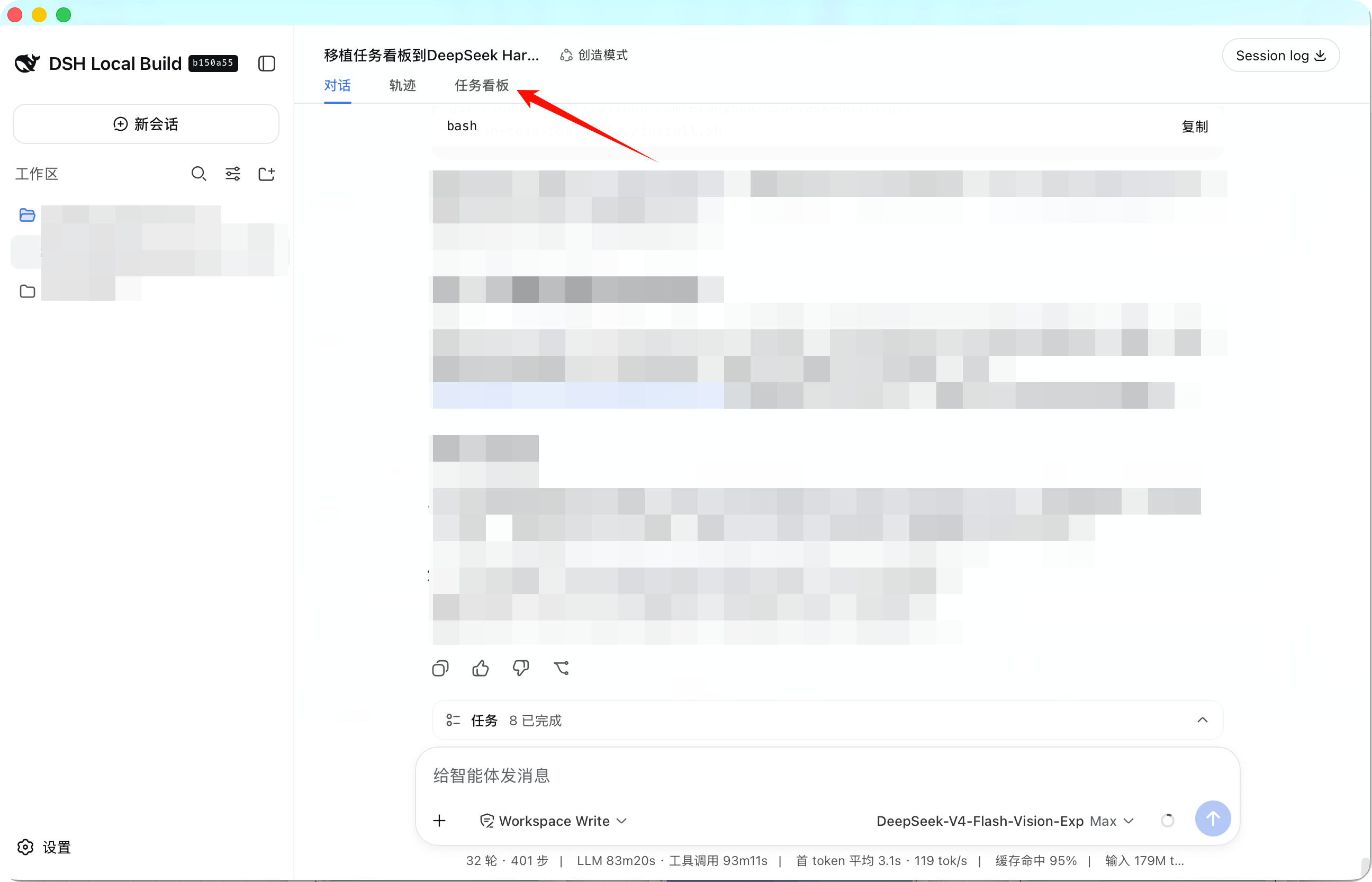
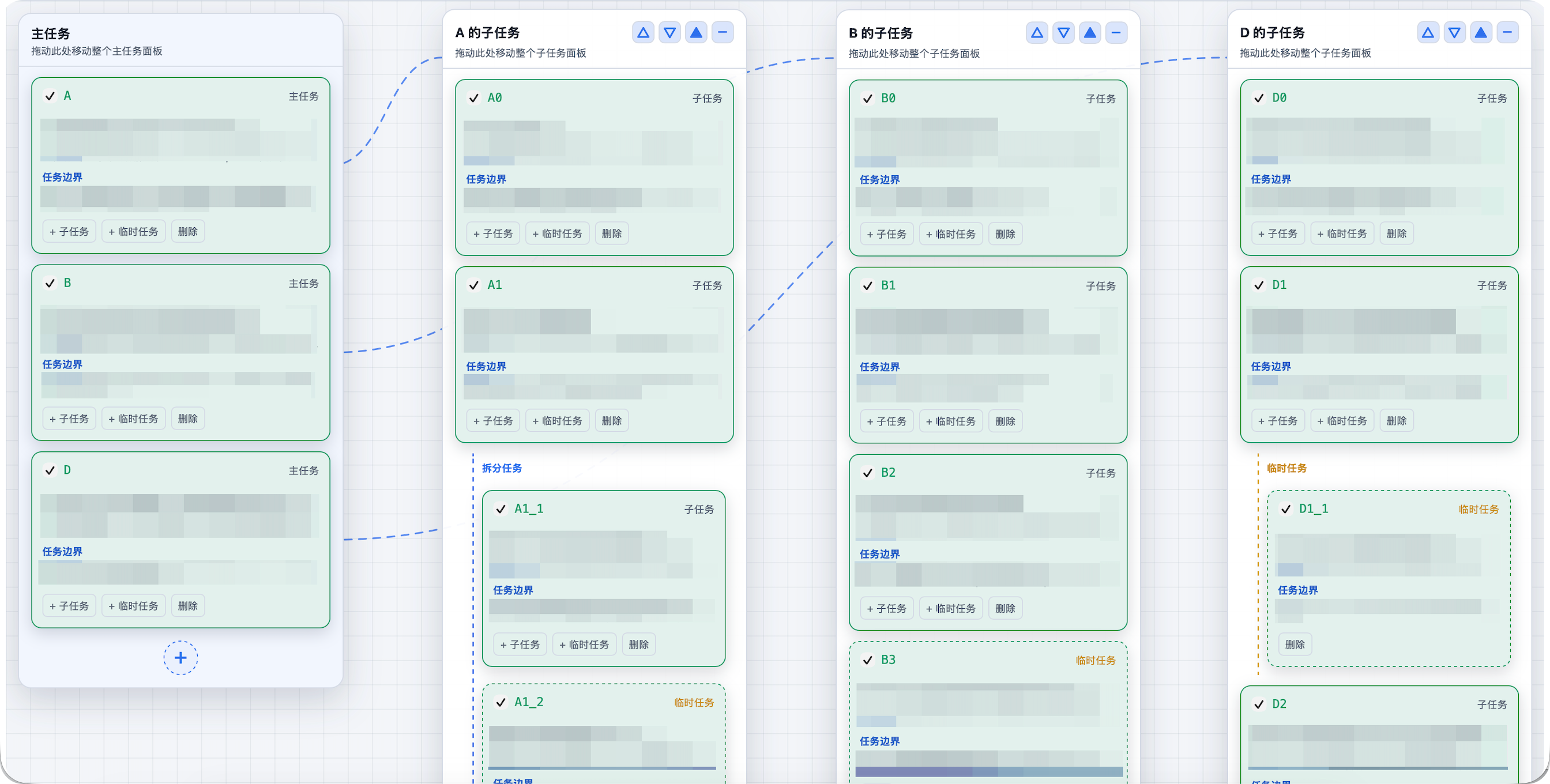
DSH 任务看板插件,在会话视图新增“任务看板”标签页,提供可拖拽画布面板、父子任务树、目标/范围/验收边界与勾选完成,并提供 board_get、board_sync 等代理工具和自动加载的同步技能;数据按项目存为本地 JSON,无外部服务。适合拆分和跟踪多步骤代理任务。注意:看板内无返回按钮,需用顶部 Chat 标签或 Tab/Esc 切回。
The DSH Task Board plugin adds a Task Board tab to the conversation view with draggable canvas panels, parent/child task trees, goal/scope/acceptance boundaries, checkboxes, agent tools such as board_get and board_sync, and an auto-loaded sync skill. It stores one local JSON file per project and uses no external services. Use it to split and track multi-step agent work. Note: the board has no back button; use the Chat tab or Tab/Esc.
请帮我了解并安装插件:【dsh-task-board】【https://github.com/etony668/dsh-task-board】把上面这条消息直接发给当前会话里的 DSH,让它帮你了解并安装。安装命令不一定准确,发给 DSH 更稳。Send this message to DSH in your current session. CLI install commands may not be accurate across systems — DSH will figure it out for you.
或使用命令行安装(适合开发者)Or use CLI install (for developers)
命令行安装CLI Install
dsh plugin --profile web add @etony668/dsh-task-board把 etony668/dsh-task-board 加入你的 DSH 配置(web profile)即可启用。
READMEREADME
English | 中文
DSH Task Board plugin (dsh-task-board)
A port of the CodexFF project task board for DeepSeek Harness (DSH): a new
Chat → Trajectory → Task Board tab in the conversation view, canvas-style
draggable panels, agent tools and a sync skill, with local JSON storage and no
external services.
Features
- Conversation view tab:
Chat → Trajectory → Task Board(conversation.view, order 20). - Canvas board: one child panel per main task; panels are draggable with snap alignment (25px base gap, top-row alignment, auto horizontal centering for vertical stacks), collapsible; temporary tasks are color-marked.
- Task model: parent/child task tree, task boundaries (goal / scope / out of scope / acceptance), checkbox completion; a parent task auto-closes when all its subtasks are complete, and adding an incomplete child reopens all of its ancestors.
- Agent tools (same semantics as the CodexFF MCP server):
board_get/board_revision— read the board and its revisionboard_sync— batch create/update tasks (supportskeyreferences in one call)task_create/task_update/task_delete— single task operations
- Skill:
dsh-task-board(task splitting and sync discipline), auto-loaded by the agent. - Storage:
$DSH_HOME/taskboards/<sha256(project path)>.json, CodexFF-compatible format; one atomically written JSON file per project.
Installation
Option 1: One command (recommended)
dsh plugin --profile web add @etony668/dsh-task-board
Then open or refresh the DSH web UI — the Task Board tab appears after
Trajectory. The plugin is also listed in the plugin market (workflow category).
Option 2: Clone from GitHub (backup)
macOS / Linux (bash)
git clone https://github.com/etony668/dsh-task-board.git
cd dsh-task-board
./install.sh
Windows (PowerShell)
git clone https://github.com/etony668/dsh-task-board.git
cd dsh-task-board
.\install.ps1
Windows users can also run
./install.shfrom Git Bash (same result).
Then refresh the DSH page (or restart DSH) to see the Task Board tab.
If the tab does not appear after a refresh, restart DSH once — the patch always
applies at startup.
Option 1b: One-click install from the plugin market
This plugin has been submitted for listing on
awesome-dsh-plugin (category workflow; takes
effect once merged). With the
dsh-market plugin installed, open
DSH Settings → Plugin Market, search for task-board and install with one
click — no manual clone needed.
Option 2: Manual install
Put this repository's contents into
~/.dsh/plugins/dsh-task-board/(or any directory).Run
./reinstall.sh— it copies the package into the current runtime'snode_modules/@etony668/dsh-task-board/and creates the profile fallback symlink.Make sure
~/.dsh/cordis.patch.ymlcontains (create it if missing):- insert: - id: task-board name: '@etony668/dsh-task-board'
reinstall.sh/reinstall.ps1auto-detect common DSH runtime directories on macOS / Windows / Linux. If detection fails, specify the path explicitly:
- bash:
DSH_TASK_BOARD_RUNTIME="/path/to/runtime" ./reinstall.sh- PowerShell:
.\reinstall.ps1 -RuntimeRoot "C:\path\to\runtime"
Usage
- Switch to the board via the top tab; there is no back button inside the
board — go back with the top
Chattab, or via keyboardTab/Esc(not hijacked while focus is in an input). - The bottom message composer is hidden on the board view to avoid overlap.
- After task changes, the agent appends a clickable “view task board” link that switches to the board tab without a page refresh.
Upgrade
A DSH upgrade creates a new runtime version directory; the node_modules copy
and the profile symlink must be rebuilt:
cd ~/.dsh/plugins/dsh-task-board && ./reinstall.sh
Windows:
cd $env:USERPROFILE\.dsh\plugins\dsh-task-board
.\reinstall.ps1
cordis.patch.yml lives in ~/.dsh and is unaffected by upgrades.
Uninstall
# 1) Remove the plugin row from the patch (edit ~/.dsh/cordis.patch.yml, drop the - insert: part)
# 2) Delete the source and runtime copies
rm -rf ~/.dsh/plugins/dsh-task-board
rm -rf <runtime>/versions/*/node_modules/@etony668/dsh-task-board
rm -f  ~/.dsh/profiles/node_modules/@etony668/dsh-task-board
# 3) Data (optional): ~/.dsh/taskboards/*.json
Repository layout
index.js        package root entry (loader resolves <pkg>/index.js; re-exports lib/index.js)
lib/index.js    host plugin (node ESM): storage + tools + skill + /api/task-board route
lib/client.js   web plugin bundle (hand-built __ModuleLoader__, react only)
package.json    dsh.client: { platform: web }, exports ./client; dsh.bundle patch
install.sh      one-click install (copy + install + patch write; macOS/Linux bash)
install.ps1     one-click install (Windows PowerShell)
reinstall.sh    reinstall into runtime node_modules + profile fallback symlink (bash)
reinstall.ps1   reinstall (Windows PowerShell)
Development
The plugin follows the DSH dual-end structure: the host side (Node ESM) provides
storage/tools/skill/route, and the client side (browser bundle) registers the
conversation.view tab and renders the board. After changes, run ./install.sh
and refresh the page; host-side changes need a DSH restart.
License
相关推荐Related
-
 nexu-io/open-design
🎨 Best DeepSeek Harness Design Plugin. The open-source Claude Design alternative. 🖥️ Local-first desktop app. 🖼️ Your…
nexu-io/open-design
🎨 Best DeepSeek Harness Design Plugin. The open-source Claude Design alternative. 🖥️ Local-first desktop app. 🖼️ Your…
-
 freestylefly/awesome-gpt-image-2
Prompt as Code | GPT-Image2 工业级提示词引擎与模板库,530+ 个案例逆向工程,20+ 套工业级模板,并提炼出Skills,持续更新中
freestylefly/awesome-gpt-image-2
Prompt as Code | GPT-Image2 工业级提示词引擎与模板库,530+ 个案例逆向工程,20+ 套工业级模板,并提炼出Skills,持续更新中
-
 anywhere-labs/dsh-desktop
为 DeepSeek Harness (DSH) 插件生态打造的现代化桌面端解决方案。万物皆「插件」,桌面本身也是「插件」。
anywhere-labs/dsh-desktop
为 DeepSeek Harness (DSH) 插件生态打造的现代化桌面端解决方案。万物皆「插件」,桌面本身也是「插件」。
- Nagi-ovo/voyager Enhancement suite for Gemini, AI Studio, Claude & ChatGPT — plus a prompt manager for any web UI, DeepSeek Harness inclu…
-
 walkinglabs/learn-harness-engineering
Harness engineering beginner tutorial, from 0 to 1
walkinglabs/learn-harness-engineering
Harness engineering beginner tutorial, from 0 to 1
-
 awesome-dsh-plugin/awesome-dsh-plugin
A curated list of plugins for DeepSeek Harness (dsh) · DeepSeek Harness 插件精选列表
awesome-dsh-plugin/awesome-dsh-plugin
A curated list of plugins for DeepSeek Harness (dsh) · DeepSeek Harness 插件精选列表
-
 MemTensor/MemOS
Self-evolving memory OS for LLM & AI Agents: ultra-persistent memory, hybrid-retrieval, and cross-task skill reuse, with…
MemTensor/MemOS
Self-evolving memory OS for LLM & AI Agents: ultra-persistent memory, hybrid-retrieval, and cross-task skill reuse, with…
- yjh051108/dsh-routing-suite dsh-routing-suite — injector + router-standard kit: install the runtime injector first, then the task-aware reasoning-mo…