Fayelin12/dsh-office
Agent-office dashboard for DeepSeek Harness (DSH): workspaces, sessions, token usage & subagents in a 6-column sprite office — plus Agent Mail, Feishu/Lark messages, meetings, transcripts & office logs. DeepSeek Harness「办公室」插件:工作区/会话/token/子代理 + 邮箱/飞书消息/会议/逐字稿/日志一屏总览,一眼看穿每个 Agent 在忙什么。
Project Overview项目介绍
dsh-office is a native floating office dashboard plugin built exclusively for DeepSeek Harness (DSH). It can be installed directly from npm with the simple command dsh plugin --profile web add dsh-office, after which you only need to restart your DSH web instance to activate the plugin. Once activated, it renders all your DSH workspaces, sessions, per-session and cumulative token usage, and subagents into a 6-column visual dashboard, letting you check the status of every running agent at a glance without opening each session individually.
This plugin is designed for DSH users who regularly work with multiple agents and sessions, solving common pain points that come with managing a large fleet of agents. It organizes agent status with intuitive visual cues: idle agents stand, working agents walk, busy agents run, and agents waiting for your approval raise their hands to get your attention. It also includes built-in support for Agent Mail, Feishu/Lark messages, meeting schedules, todos, and daily AI insights, putting all your workflow tools in one accessible place.
dsh-office is released under the permissive MIT open source license, and the core plugin itself has no external dependencies. However, some optional features require additional external CLI tools to work: Feishu-related features require Node.js 22.5 or higher to use the built-in node:sqlite module, plus the @larksuite/cli for API access, and Agent Mail requires the @tencent-qqmail/agently-cli. First-time users need to follow the official configuration guide linked in the README to set up authorization for third-party services before using those extended features.
dsh-office 是专为 DeepSeek Harness (DSH) 开发的原生悬浮办公室面板插件,以 6 列精灵布局可视化展示 DSH 的工作区、会话、token 用量、子代理等核心信息。它还内置了 Agent 邮箱收发、飞书消息同步、会议日程展示与待办看板功能,让用户一眼就能看清所有代理的运行状态,无需逐个打开单独会话查看详情。
对于日常使用多代理工作流的 DSH 用户来说,这款插件解决了多会话状态难分辨、token 用量不可见、待办事项易遗漏、子代理混入主列表产生噪声等多个痛点,将原本需要用户主动识别的关注信息转化为直观的可视化信号。用户安装后可直接在面板内完成所有操作,无需跳转到多个外部工具来回切换。
该插件采用 MIT 许可证开源,可通过 npm 一键安装,插件本体无额外依赖,但部分功能需要安装外部 CLI 工具,使用飞书相关功能需要 Node.js 22.5 及以上版本,以支持内置的 node:sqlite 模块。用户可按照官方配置指南完成飞书授权等初始设置。
请帮我安装这个 DSH 插件。安装前先完成【兼容性检查 + 安全性检查】,检查通过再动手。

插件:dsh-office(Fayelin12/dsh-office)
仓库:https://github.com/Fayelin12/dsh-office
本站详情页:https://www.yhbd.top/plugins/fayelin12-dsh-office/
本站登记:类型 plugin · 归类 原生 DSH 插件 · 许可证 MIT · ⭐ 6 · 最近提交 2026-09-05 · 主语言 JavaScript

按下面顺序执行,每步先把结论告诉我,再进入下一步:

【1 兼容性检查】
① 我这边:DSH 版本、Node 版本、操作系统、当前 profile(web / desktop)。
② 读它的 README、package.json、插件 manifest,列出它要求的 DSH 版本 / Node 版本 / 操作系统 / 外部依赖 / 需要另外先装的运行时。
③ 逐条比对,结论只写「满足 / 不满足 / 未知」三种;不满足的给出可行替代方案。
④ 检查是否和我已装的插件冲突:命令名重复、skill / tool 重名、端口占用、重复注册的 MCP server。

【2 安全性检查】
① 仓库可信度:和上面「本站登记」是否一致;star / fork 数、创建时间、最近提交,是否归档或长期停更。
② 安装脚本:逐行看 package.json 的 preinstall / install / postinstall,以及 install.sh、setup.ps1 之类脚本。出现 curl|bash、下载后直接执行、混淆代码、访问与插件功能无关的域名,立刻停下来告诉我,不要继续装。
③ 依赖:列出新增依赖,标出无人维护、或与知名包拼写近似的可疑包(typosquatting)。
④ 权限与副作用:它会读写哪些目录、访问哪些域名、需要哪些 DSH 权限(filesystem / network / shell / clipboard 等),以及怎么卸载和回滚。
⑤ 如果它要求 sudo / 管理员权限,或权限明显超出功能所需,先停下来问我。

【3 安装】
上面两步没有「不满足」和「高危项」时才执行;用官方推荐方式安装,不要自行提权。

【4 汇报】
用表格输出:检查项 / 结论 / 依据 / 是否需要我决策。拿不准的一律写「未知」并说明要我怎么确认——不要猜,也不要替我决定。
Send this message to DSH in your current session: it verifies compatibility and security first (answering met / not met / unknown item by item) and only installs once everything checks out — it will stop and ask you if it finds a high-risk item. The box scrolls; the copy is the full prompt. CLI install commands may not be accurate across systems, so DSH is the safer route.把上面这条消息直接发给当前会话里的 DSH:它会先核对兼容性与安全性(逐条给「满足 / 不满足 / 未知」),确认没问题再安装,有高危项会停下来问你。框内可滚动,复制到的是完整提示词;安装命令不一定准确,发给 DSH 更稳。
- Only 6 stars - very few users, little community feedback星标只有 6,几乎没人在用,遇到问题缺少社区反馈
DSH walks through these 9 checksDSH 会逐条核对这 9 项
Compatibility兼容性
- DSH, Node, OS and profile requirementsDSH 版本 / Node 版本 / 操作系统 / profile 是否满足要求
- External dependencies and runtimes (Electron / Python / Docker, ...)外部依赖与运行时(Electron / Python / Docker 等)是否齐备
- Conflicts with installed plugins: command names, skill / tool names, ports, duplicate MCP registration与已装插件是否冲突:命令名、skill / tool 重名、端口占用、重复 MCP 注册
Security安全性
- Repo matches the facts registered here; archived or abandoned?仓库是否与页面登记一致,是否归档或长期停更
- Safety of preinstall / install / postinstall and install.sh / setup.ps1preinstall / install / postinstall 与 install.sh、setup.ps1 是否安全
- curl|bash, download-then-execute, obfuscation, unrelated domains → stop immediatelycurl|bash、下载即执行、混淆代码、无关域名 → 立刻停止
- Typosquatting or unmaintained packages among the new dependencies新增依赖里有没有 typosquatting 或无人维护的包
- Requested permissions vs. what the feature actually needs申请了哪些权限、是否超出功能所需(filesystem / network / shell / clipboard)
- Any sudo / admin requirement, plus uninstall and rollback是否要求 sudo / 管理员权限,以及卸载与回滚方式
Anything uncertain must be marked unknown with a note on how to confirm it. This site's signal screen is a static snapshot, not a security audit.拿不准的必须标「未知」并说明要我怎么确认。本站的信号筛查是静态快照,不能替代安全审计。
Or use CLI install (for developers)或使用命令行安装(适合开发者)
CLI Install命令行安装
dsh plugin --profile web add dsh-office把 Fayelin12/dsh-office 加入你的 DSH 配置(web profile)即可启用。
READMEREADME
🏢 dsh-office
一眼看穿你的每个 Agent 在忙什么。 The agent-office dashboard for DeepSeek Harness (DSH): workspaces, sessions, token usage, subagents, Agent Mail, Feishu/Lark messages, meeting schedules & transcripts, visualized as a living 6-column sprite office — every agent, at a glance.
Aha moment: open the panel and the whole agent fleet is one screen — who's working, who's waiting for you, how many tokens each session burned, what tools they just called — plus your Feishu messages & upcoming meetings, without opening a single session.
📧 内置 Agent 邮箱 / 💬 飞书消息流 / 📅 会议日程 + 妙记逐字稿 / 🪵 办公室日志, 全部在面板内完成,不离开办公室。
DeepSeek Harness「办公室」插件:工作区 / 会话 / token 用量 / 子代理一屏总览, 内置 Agent 邮箱收发、飞书消息、会议日程与妙记逐字稿,每个 agent 在忙什么,一眼就知道。




📈 日均 50+ 次下载(npm,持续增长)—— 别看 GitHub star 少,真实用户每天都在装。
What is dsh-office? / 这是什么
dsh-office is a floating office panel for DeepSeek Harness. It turns your workspaces, sessions, token usage, subagents, Agent Mail, Feishu/Lark messages and meetings into a 6-column sprite office, so you can see what every agent is doing at a glance — without opening each session.
dsh-office 是 DeepSeek Harness 的一个悬浮「办公室」面板,把工作区、会话、 token 用量、子代理、Agent 邮箱、飞书消息、会议日程变成一屏 6 列精灵办公室, 一眼看清每个 agent 在忙什么,不用逐个点开会话。
- Workspace / 工作区:6 列布局,一眼总览。
- Session / 会话:活跃 / 待确认 / 已完成状态,彩色边框区分。
- Token / token 用量:单次输入 vs 累计,活跃会话实时、历史会话冷读。
- Subagent / 子代理:自动过滤子代理会话,父会话聚合显示「有子代理在跑」。
- Mail / 邮箱:内置 Agent 邮箱页签,收件箱 / 已发送 / 读信 / 写信 / 回复,不离开面板。
- Feishu / 飞书:本机飞书消息流会话卡片(群聊/私聊),一屏查看 + 同步。
- Meetings / 会议:日程卡片 + 倒计时提醒 + 妙记/纪要 + 逐字稿一键保存。
Features / 特性
- 📧 Agent 邮箱页签 / Agent Mail tab(收件箱 / 已发送 / 读信 / 写信 / 回复,基于
agently-cli,不离开面板) - 💬 飞书消息流 / Feishu messages(本机消息库会话卡片流:群聊/私聊、新增徽标、最近 3 条预览、消息弹窗、同步/定时增量/提到我悬浮提示)
- 📅 会议日程视图 + ⏰ 悬浮提醒 / Meetings & reminders(与飞书消息共用 lark-cli 授权,提前 1 小时提醒、每 5 分钟刷新倒计时,已开完会议自动关联妙记/纪要)
- 📋 待办看板 + 会议日程 / Todo board & meetings(「📋 日程」tab:待办看板按项目分组 + 备注 + 截止日逾期标红 + 完成归档 + 日历/时间轴/今天视图,外加会议日程视图 + 倒计时提醒)
- 📄 妙记逐字稿 + 一键保存 / Transcripts(自动拉取已结束会议逐字稿到本地缓存,卡片提醒「逐字稿已生成」,点【保存】移动到目标目录)
- 💡 每日洞察 / Daily insights(飞书日报:LLM 通读当天消息生成要点式日报 + 待办 + 未回复 + 值得回顾的讨论)
- 🪵 办公室日志 / Office logs(帮助弹窗内 tab:实时查看加载 / 调用 / 同步等全部动作,排查问题)
- 🏢 6-column sprite office / 6 列精灵办公室
- 🔵 悬浮入口 + 一键开关 / floating FAB + toggle
- 🧠 MBTI 角色 + 个性化气泡 / MBTI characters + idle bubble texts
- 🔢 token 单次 vs 累计口径 / per-input vs cumulative token
- 🤖 子代理识别与过滤 / subagent detection & filtering
Showing the opening section of the README — the full document lives in the repository以上为 README 开头摘要,完整文档在仓库内 · View the full README on GitHub →在 GitHub 查看完整 README →
Related相关推荐
-
 ZSeven-W/dsh-crew
DeepSeek Harness (DSH) plugin: dispatch work to DSH agents from Claude Code / Codex — native subagent progress, in-host …
ZSeven-W/dsh-crew
DeepSeek Harness (DSH) plugin: dispatch work to DSH agents from Claude Code / Codex — native subagent progress, in-host …
-
 Devin-AXIS/iPolloWork
Enterprise-grade, local-first Agent Workbench for people and agent teams. A unified multi-engine workspace for Codex Har…
Devin-AXIS/iPolloWork
Enterprise-grade, local-first Agent Workbench for people and agent teams. A unified multi-engine workspace for Codex Har…
-
 liustack/modlens
The first vision plugin for DeepSeek Harness, and the vision bridge for every text-only coding agent. Paste an image, ge…
liustack/modlens
The first vision plugin for DeepSeek Harness, and the vision bridge for every text-only coding agent. Paste an image, ge…
-
 EthanYoQ/AI-Novel-Writer
AI 小说创作软件:把灵感、角色、世界观、大纲、章节写作、审稿和修稿组织成可控流程;提供 Windows/macOS 桌面版,支持本地和在线模型。AI Novel Writing Software: Organizes inspiratio…
EthanYoQ/AI-Novel-Writer
AI 小说创作软件:把灵感、角色、世界观、大纲、章节写作、审稿和修稿组织成可控流程;提供 Windows/macOS 桌面版,支持本地和在线模型。AI Novel Writing Software: Organizes inspiratio…
-
 tong-io/tongflow
Modality-First GenAI Platform
tong-io/tongflow
Modality-First GenAI Platform
-
 shanliuling/dsh-image-gen
AI image studio for DeepSeek Harness — generate, edit & compare images in chat, with 500+ prompts, gallery, multi-model …
shanliuling/dsh-image-gen
AI image studio for DeepSeek Harness — generate, edit & compare images in chat, with 500+ prompts, gallery, multi-model …
-
 Clarklevis1995/dsh-mobile
DeepSeek Harness Mobile 是一个面向 DeepSeek Harness 的原生 iOS 客户端。它通过 dsh-plugin-mobile-gateway 与 Harness 建立 WebSocket 连接,将工作区、…
Clarklevis1995/dsh-mobile
DeepSeek Harness Mobile 是一个面向 DeepSeek Harness 的原生 iOS 客户端。它通过 dsh-plugin-mobile-gateway 与 Harness 建立 WebSocket 连接,将工作区、…
-
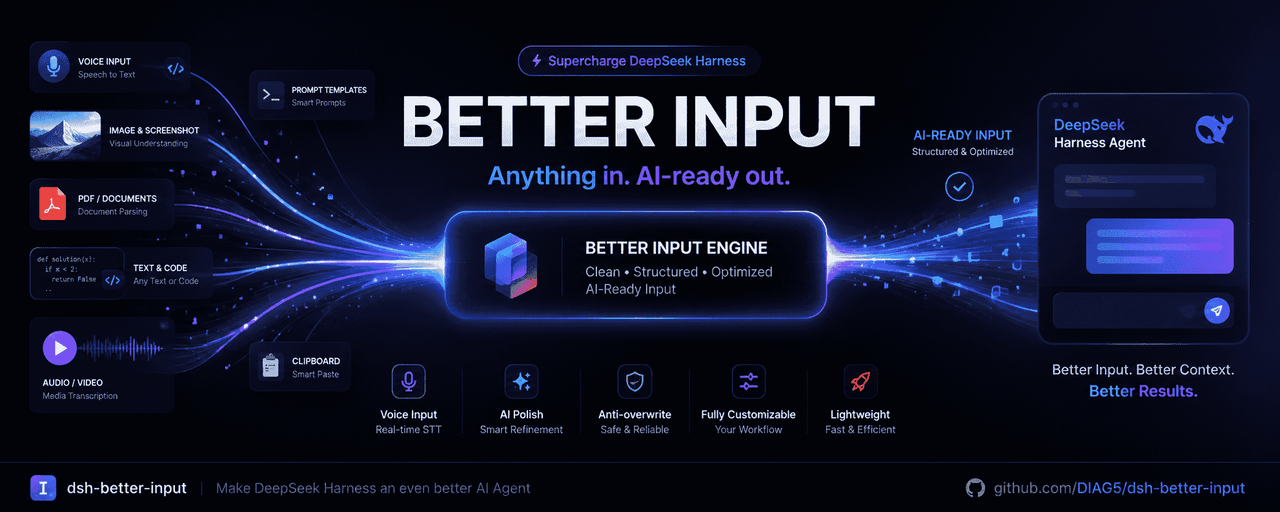 DIAG5/dsh-better-input
BetterInput是一套输入增强套件:语音识别、提示词优化、输入更多文件类型,各类文件转Md,交互体验优化等——把每一种喂给智能体的输入都变得更好。BetterInput is an input-enhancement suite — …
DIAG5/dsh-better-input
BetterInput是一套输入增强套件:语音识别、提示词优化、输入更多文件类型,各类文件转Md,交互体验优化等——把每一种喂给智能体的输入都变得更好。BetterInput is an input-enhancement suite — …