fb0sh/dsh-pentester
基于 DeepSeek Harness 的多 Agent PTES 渗透测试编排插件,支持自动化侦察、漏洞分析、验证与报告,使用 Docker/Kali 隔离工具箱 | Multi-agent PTES penetration testing plugin for DeepSeek Harness with automated recon, vulnerability analysis, validation, reporting, and Docker/Kali toolbox
Project Overview项目介绍
This is a native penetration testing plugin built exclusively for the DeepSeek Harness (DSH) platform, following DSH's native plugin specification and installable via DSH's official plugin command line tool. It ships 962 pre-built penetration testing skills, split into 6 bundles and 6 standalone skills, covering a full range of use cases from Kali tool invocation, all PTES penetration stages, CTF challenges, reverse engineering, vulnerability knowledge base management, and final report generation. To install the plugin, you first need to have DSH installed globally via npm, then pull the pre-built Kali Docker image before adding the plugin through the DSH CLI.
The plugin includes 19 built-in expert agents that are pre-organized by PTES penetration stages, and supports three MCP server transport protocols: STDIO for local processes, Streamable HTTP for modern remote servers, and Legacy SSE for compatibility with older servers like PortSwigger Burp MCP. Notably, the Legacy SSE implementation supports direct connection to PortSwigger Burp MCP without an intermediate proxy, which simplifies the setup process for users who already use Burp Suite for penetration testing. The core architecture follows a root orchestrator pattern, where the root agent coordinates multiple parallel child worker agents to handle different tasks across penetration stages.
All built-in skill packs are distributed as separate GitHub release assets, and are not included in the npm package that you install via the DSH CLI. When you run the plugin for the first time, you need to navigate to the plugin's settings panel and download the skill packs manually. Users can add their own custom skills by creating a new folder with a SKILL.md file in the specified custom skills directory, and the changes take effect immediately without requiring a full DSH restart. All tool execution relies on Docker to run the Kali toolbox, so you need to have Docker running locally or remotely to use the plugin.
dsh-pentester 是专门为 DeepSeek Harness 开发的原生 PTES 渗透测试编排插件,符合 DSH 原生插件打包规范,可通过 DSH 插件命令直接安装。它内置 962 个渗透测试技能,分为 6 个技能包和 6 个独立技能,覆盖 Kali 工具调用、PTES 全渗透阶段、CTF、逆向工程、漏洞知识库和报告生成。
插件内置 19 个按 PTES 阶段分工的专家代理,支持 STDIO、可流式 HTTP、Legacy SSE 三种 MCP 传输协议,其中 Legacy SSE 可直连 PortSwigger Burp MCP 服务端无需中转。它采用 Root 编排 + 多子代理并行任务的架构,所有交付结果按阶段和任务分类存储在工作空间中。
技能运行时完全融入 DSH 原生技能生态,内置技能包作为独立 Release 资产分发,首次使用需在插件设置中下载安装。用户可添加自定义技能,存放在指定目录即可热更新生效,无需重启 DSH 服务。依赖 Docker 运行 Kali 工具集,需要提前拉取对应镜像。
请帮我安装这个 DSH 插件。安装前先完成【兼容性检查 + 安全性检查】,检查通过再动手。

插件:dsh-pentester(fb0sh/dsh-pentester)
仓库:https://github.com/fb0sh/dsh-pentester
本站详情页:https://www.yhbd.top/plugins/fb0sh-dsh-pentester/
本站登记:类型 plugin · 归类 原生 DSH 插件 · 许可证 NOASSERTION · ⭐ 36 · 最近提交 2026-09-21 · 主语言 TypeScript

按下面顺序执行,每步先把结论告诉我,再进入下一步:

【1 兼容性检查】
① 我这边:DSH 版本、Node 版本、操作系统、当前 profile(web / desktop)。
② 读它的 README、package.json、插件 manifest,列出它要求的 DSH 版本 / Node 版本 / 操作系统 / 外部依赖 / 需要另外先装的运行时。
③ 逐条比对,结论只写「满足 / 不满足 / 未知」三种;不满足的给出可行替代方案。
④ 检查是否和我已装的插件冲突:命令名重复、skill / tool 重名、端口占用、重复注册的 MCP server。

【2 安全性检查】
① 仓库可信度:和上面「本站登记」是否一致;star / fork 数、创建时间、最近提交,是否归档或长期停更。
② 安装脚本:逐行看 package.json 的 preinstall / install / postinstall,以及 install.sh、setup.ps1 之类脚本。出现 curl|bash、下载后直接执行、混淆代码、访问与插件功能无关的域名,立刻停下来告诉我,不要继续装。
③ 依赖:列出新增依赖,标出无人维护、或与知名包拼写近似的可疑包(typosquatting)。
④ 权限与副作用:它会读写哪些目录、访问哪些域名、需要哪些 DSH 权限(filesystem / network / shell / clipboard 等),以及怎么卸载和回滚。
⑤ 如果它要求 sudo / 管理员权限,或权限明显超出功能所需,先停下来问我。

【3 安装】
上面两步没有「不满足」和「高危项」时才执行;用官方推荐方式安装,不要自行提权。

【4 汇报】
用表格输出:检查项 / 结论 / 依据 / 是否需要我决策。拿不准的一律写「未知」并说明要我怎么确认——不要猜,也不要替我决定。
Send this message to DSH in your current session: it verifies compatibility and security first (answering met / not met / unknown item by item) and only installs once everything checks out — it will stop and ask you if it finds a high-risk item. The box scrolls; the copy is the full prompt. CLI install commands may not be accurate across systems, so DSH is the safer route.把上面这条消息直接发给当前会话里的 DSH:它会先核对兼容性与安全性(逐条给「满足 / 不满足 / 未知」),确认没问题再安装,有高危项会停下来问你。框内可滚动,复制到的是完整提示词;安装命令不一定准确,发给 DSH 更稳。
- 36 stars - an early-stage project星标 36,属于早期项目
DSH walks through these 9 checksDSH 会逐条核对这 9 项
Compatibility兼容性
- DSH, Node, OS and profile requirementsDSH 版本 / Node 版本 / 操作系统 / profile 是否满足要求
- External dependencies and runtimes (Electron / Python / Docker, ...)外部依赖与运行时(Electron / Python / Docker 等)是否齐备
- Conflicts with installed plugins: command names, skill / tool names, ports, duplicate MCP registration与已装插件是否冲突:命令名、skill / tool 重名、端口占用、重复 MCP 注册
Security安全性
- Repo matches the facts registered here; archived or abandoned?仓库是否与页面登记一致,是否归档或长期停更
- Safety of preinstall / install / postinstall and install.sh / setup.ps1preinstall / install / postinstall 与 install.sh、setup.ps1 是否安全
- curl|bash, download-then-execute, obfuscation, unrelated domains → stop immediatelycurl|bash、下载即执行、混淆代码、无关域名 → 立刻停止
- Typosquatting or unmaintained packages among the new dependencies新增依赖里有没有 typosquatting 或无人维护的包
- Requested permissions vs. what the feature actually needs申请了哪些权限、是否超出功能所需(filesystem / network / shell / clipboard)
- Any sudo / admin requirement, plus uninstall and rollback是否要求 sudo / 管理员权限,以及卸载与回滚方式
Anything uncertain must be marked unknown with a note on how to confirm it. This site's signal screen is a static snapshot, not a security audit.拿不准的必须标「未知」并说明要我怎么确认。本站的信号筛查是静态快照,不能替代安全审计。
Or use CLI install (for developers)或使用命令行安装(适合开发者)
CLI Install命令行安装
dsh plugin --profile web add github:fb0sh/dsh-pentester把 fb0sh/dsh-pentester 加入你的 DSH 配置(web profile)即可启用。
READMEREADME
dsh-pentester
面向 DeepSeek Harness 的最小化 Root-Orchestrator PTES 渗透测试插件。
内置 962 个渗透测试 Skill(6 个 bundle + 6 个 standalone),覆盖 Kali 工具、PTES 全阶段、CTF、逆向、漏洞知识库与报告生成。
19 个内置专家 Agent 按 PTES 阶段编排;MCP 集成支持 STDIO / Streamable HTTP / Legacy SSE 三种 transport(Legacy SSE 可直连 PortSwigger Burp MCP Server,无需代理中转)。PTES 阶段可为该阶段所有 Worker 共享 Skills / MCP server,也可配置跨阶段的 Global Worker 共享能力。
唯一事实来源是 docs/plan.md;架构视图见 docs/architecture.md,磁盘布局见 docs/workspace.md,领域术语见 CONTEXT.md。Skill 能力运行时见 docs/skill-runtime-v4.md(Native DSH Skill 集成)。
Builtin Skill Pack 独立分发:上述 Builtin Skills 作为独立 GitHub Release Asset 分发,不随 npm package 安装。首次使用时在 Settings → Pentester → Skills → 初始化 Builtin Skills 点击下载安装。Custom Skills 放在
$DSH_HOME/dsh-pentester/skills/,与 Builtin Skill Pack 完全隔离。
Skill Runtime V4:Worker 的 Skill 加载已完全融入 DeepSeek Harness 原生 Skill 生态 —— Delegation 创建时冻结 grant(Host-private snapshot + manifest),Worker 以官方
skill({name})工具按需加载,catalog 与会话记录由官方dsh-tool-skill产生, 前端直接用官方 Skill Row 渲染。旧pentester_skill_search/pentester_skill_load已退役(历史会话仍可回放)。
欢迎提交issues和PR。
详细英文文档见 docs/README.md。
心智模型
User ⇄ DSH Root Session(pentester persona preset)
   → Root 是唯一 Orchestrator:判断缺口、派发 Delegation、决定推进/回溯阶段
   → Root 工具面 5 个:pentester_run / pentester_delegate /
     pentester_cancel_delegation / pentester_advance_stage / pentester_rollback_stage
   → pentester_run 是唯一生命周期入口(action: start | stop | resume | restart | status)
   → Root 每次 reasoning 前注入 compact run state(target/branch/stage/delegations)
Delegation(并行多个)= 各一个 DSH continuable child session(AgentProfile + 不可变 task_prompt)
   → Worker 工具:pentester_exec(Runtime 无关)+ 官方 skill tool(child-scoped frozen SkillProvider,Root 不可见)
   → Runtime:Docker 或 SSH,每个 PentestRun 创建时冻结(Settings → Runtimes)
   → Worker 的 Skill catalog 由 Harness 官方注入(frozen grant 精确边界)
   → Worker 写/更新 result.md 作为当前可交付结果(continuable child 跨轮持续)
Deliverable = 文件(workspace/stages/<NN>-<stage>/delegations/D-00N/)
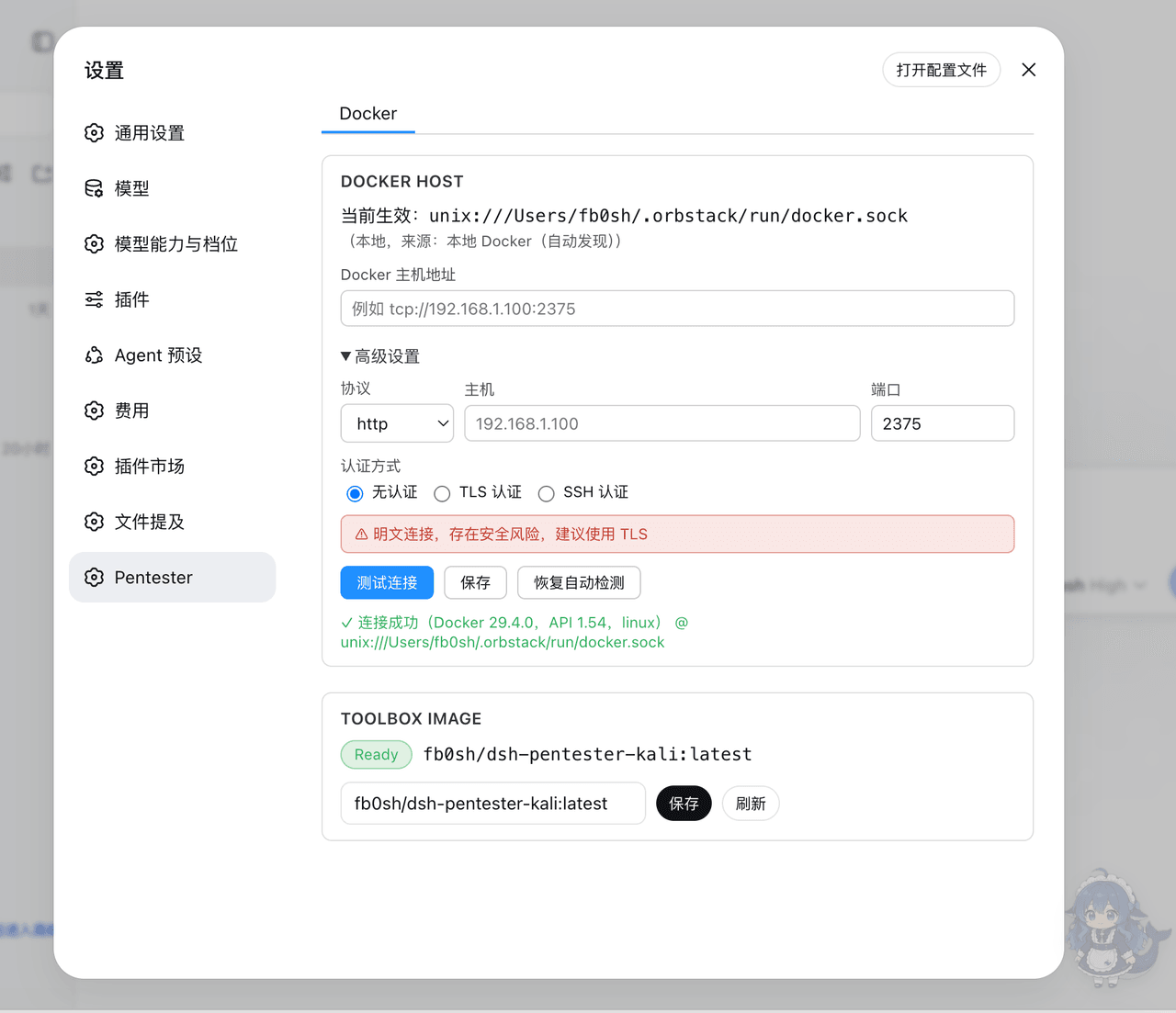
docker based toolbox
设置界面
Showing the opening section of the README — the full document lives in the repository以上为 README 开头摘要,完整文档在仓库内 · View the full README on GitHub →在 GitHub 查看完整 README →
Related相关推荐
-
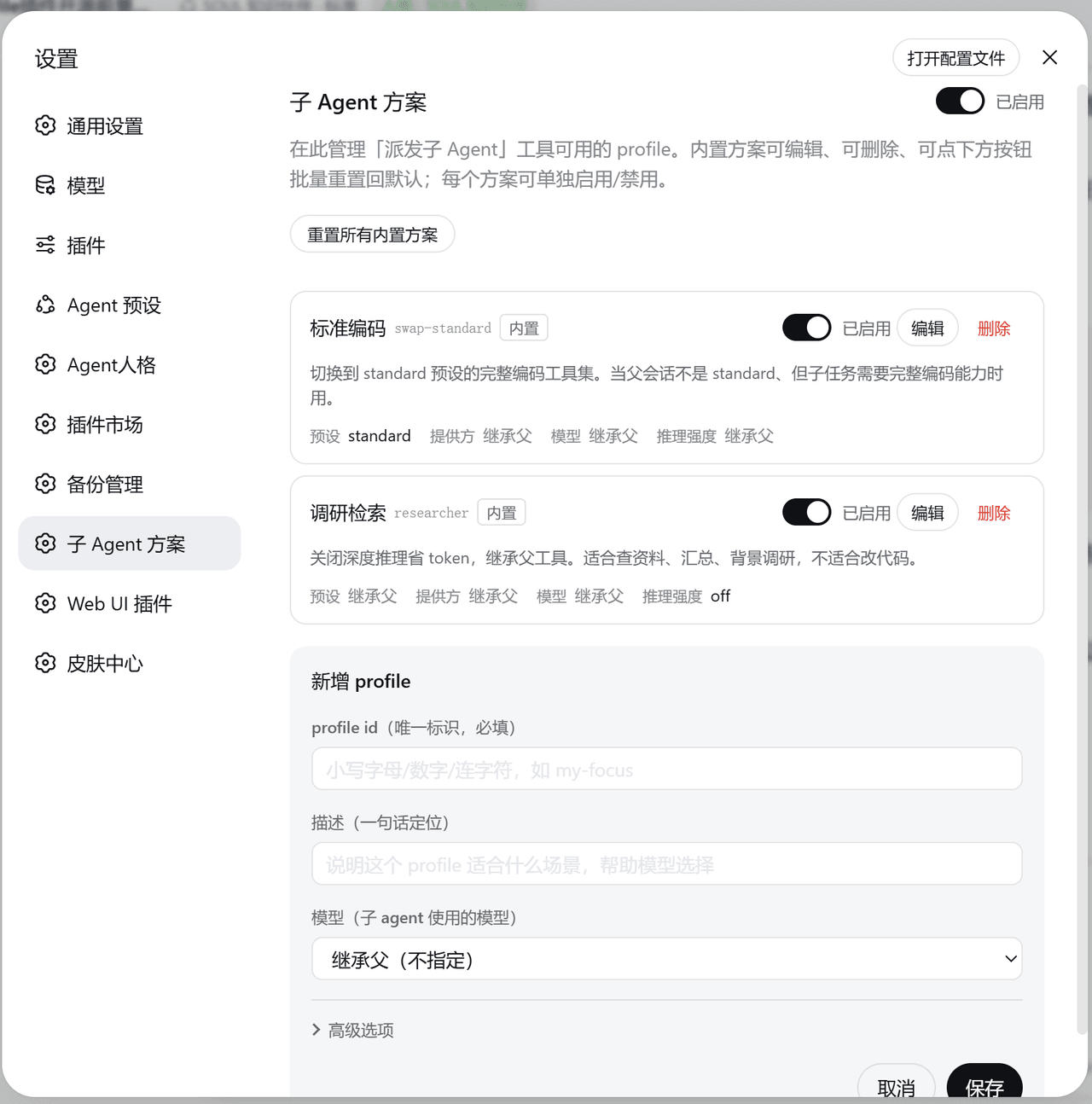 muzyLink/dsh-subagent-profile
DeepSeek Harness 子 Agent 派发插件:按任务为子代理选模型、推理强度与工具范围,常用组合存成命名方案随时复用;内置安全检查、成本估算与节省分析、完整派发决策台账。
muzyLink/dsh-subagent-profile
DeepSeek Harness 子 Agent 派发插件:按任务为子代理选模型、推理强度与工具范围,常用组合存成命名方案随时复用;内置安全检查、成本估算与节省分析、完整派发决策台账。
-
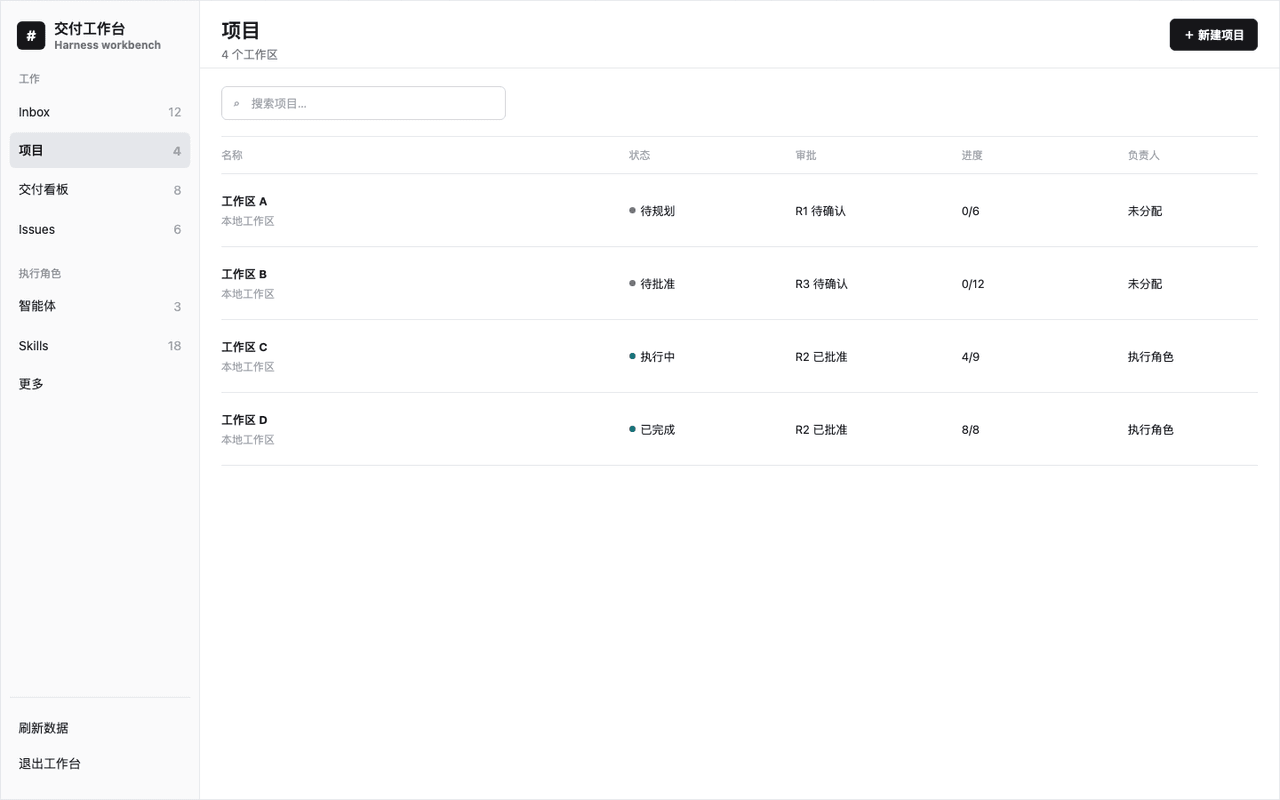 zhangz-2018/dsh-project-orchestrator
Local-first AI project orchestration workbench and CLI plugin for DeepSeek Harness: approval-gated planning, Git worktre…
zhangz-2018/dsh-project-orchestrator
Local-first AI project orchestration workbench and CLI plugin for DeepSeek Harness: approval-gated planning, Git worktre…
- cyzlmh/dsh-cyber-sec Authorized security-assessment profile for DeepSeek Harness: scoped network tools, container-backed shell, authorization…
- february2015/dsh-taskswarm TaskSwarm (蜂群) — DeepSeek Harness 上的多智能体任务编排插件:waves/lanes 并行执行、git worktree 隔离、任务包与跨模型评审、崩溃可恢复 | Multi-agent task orche…
-
 hoyyang/dsh-plan-board
思维导图式项目规划可视 + 最强防跑偏:计划→模块→任务树/DAG、执行序号、Agent GPS 站位、改图人审门、git 交叉核对、阻断级漂移防护(DeepSeek Harness 插件)
hoyyang/dsh-plan-board
思维导图式项目规划可视 + 最强防跑偏:计划→模块→任务树/DAG、执行序号、Agent GPS 站位、改图人审门、git 交叉核对、阻断级漂移防护(DeepSeek Harness 插件)
-
 kenryu42/cc-safety-net
A pre-execution guard for AI coding agents. It blocks destructive Git and file system commands, plus common attempts to …
kenryu42/cc-safety-net
A pre-execution guard for AI coding agents. It blocks destructive Git and file system commands, plus common attempts to …
-
 hyhmrright/brooks-lint
AI code reviews grounded in 12 classic engineering books — decay risk diagnostics with book citations, severity labels, …
hyhmrright/brooks-lint
AI code reviews grounded in 12 classic engineering books — decay risk diagnostics with book citations, severity labels, …
-
 PerryLink/dsh-auto-review
Second-model AI auto-review for DeepSeek Harness approval requests: a read-only reviewer subagent returns structured all…
PerryLink/dsh-auto-review
Second-model AI auto-review for DeepSeek Harness approval requests: a read-only reviewer subagent returns structured all…