Final-LX/dsh-ui-customizer
DeepSeek Harness自定义主题插件
项目介绍Project Overview
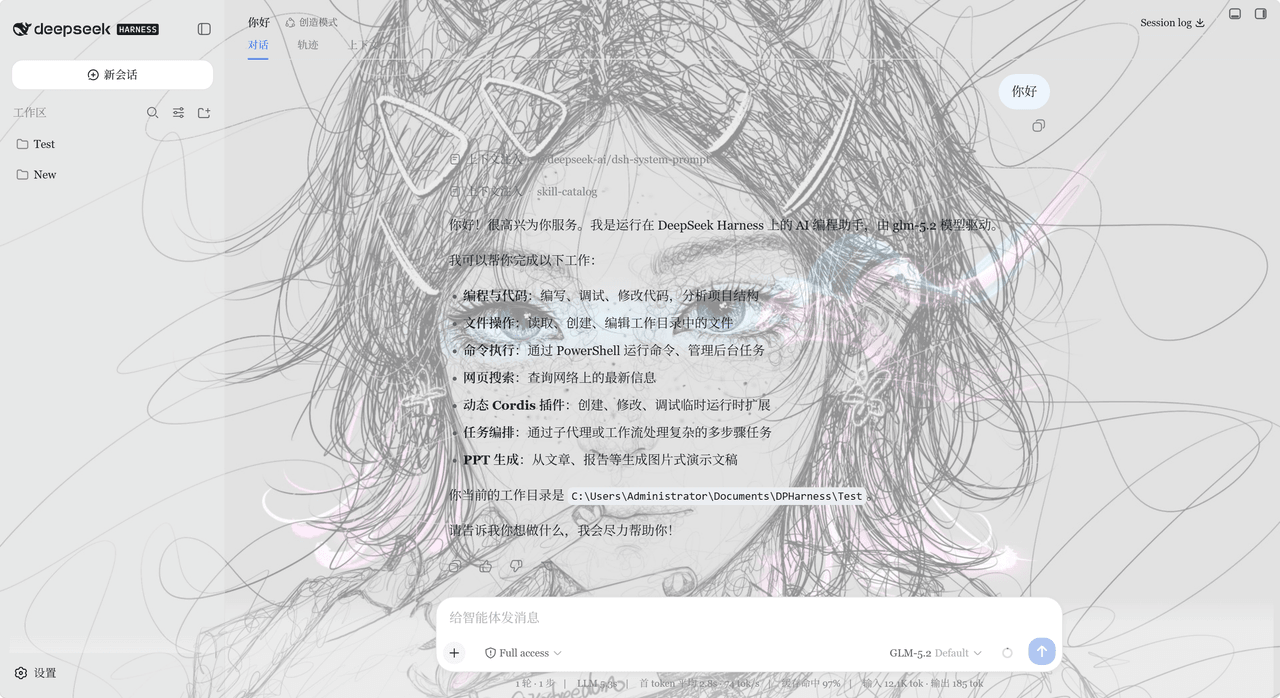
dsh-ui-customizer 是 DSH Web 的可视化无代码主题插件,可在“设置→DIY主题”面板调整颜色、字体、缩放、背景图、毛玻璃、圆角与阴影,并保存多套方案即时生效。适合想个性化界面且不改代码的场景。配置仅存浏览器本地;高模糊/大图耗性能,DSH 升级可能导致样式令牌失效。
dsh-ui-customizer is a no-code visual theme plugin for DSH Web. From Settings → DIY Theme, users can adjust colors, fonts, zoom, background images, glass blur, shadows, border radius, and save reusable schemes, with changes applied instantly. Use it when personalizing the DSH interface without editing code. Settings stay in the browser; heavy blur or images may reduce performance, and DSH updates can break style tokens.
请帮我了解并安装插件:【dsh-ui-customizer】【https://github.com/Final-LX/dsh-ui-customizer】把上面这条消息直接发给当前会话里的 DSH,让它帮你了解并安装。安装命令不一定准确,发给 DSH 更稳。Send this message to DSH in your current session. CLI install commands may not be accurate across systems — DSH will figure it out for you.
或使用命令行安装(适合开发者)Or use CLI install (for developers)
命令行安装CLI Install
dsh plugin --profile web add "git+https://github.com/Final-LX/dsh-ui-customizer"把 Final-LX/dsh-ui-customizer 加入你的 DSH 配置(web profile)即可启用。
READMEREADME


dsh-ui-customizer — a visual, no-code theme customizer for DeepSeek Harness (DSH) Web. Change colors, fonts, background and component style from the Settings → DIY Theme panel and watch it apply instantly.
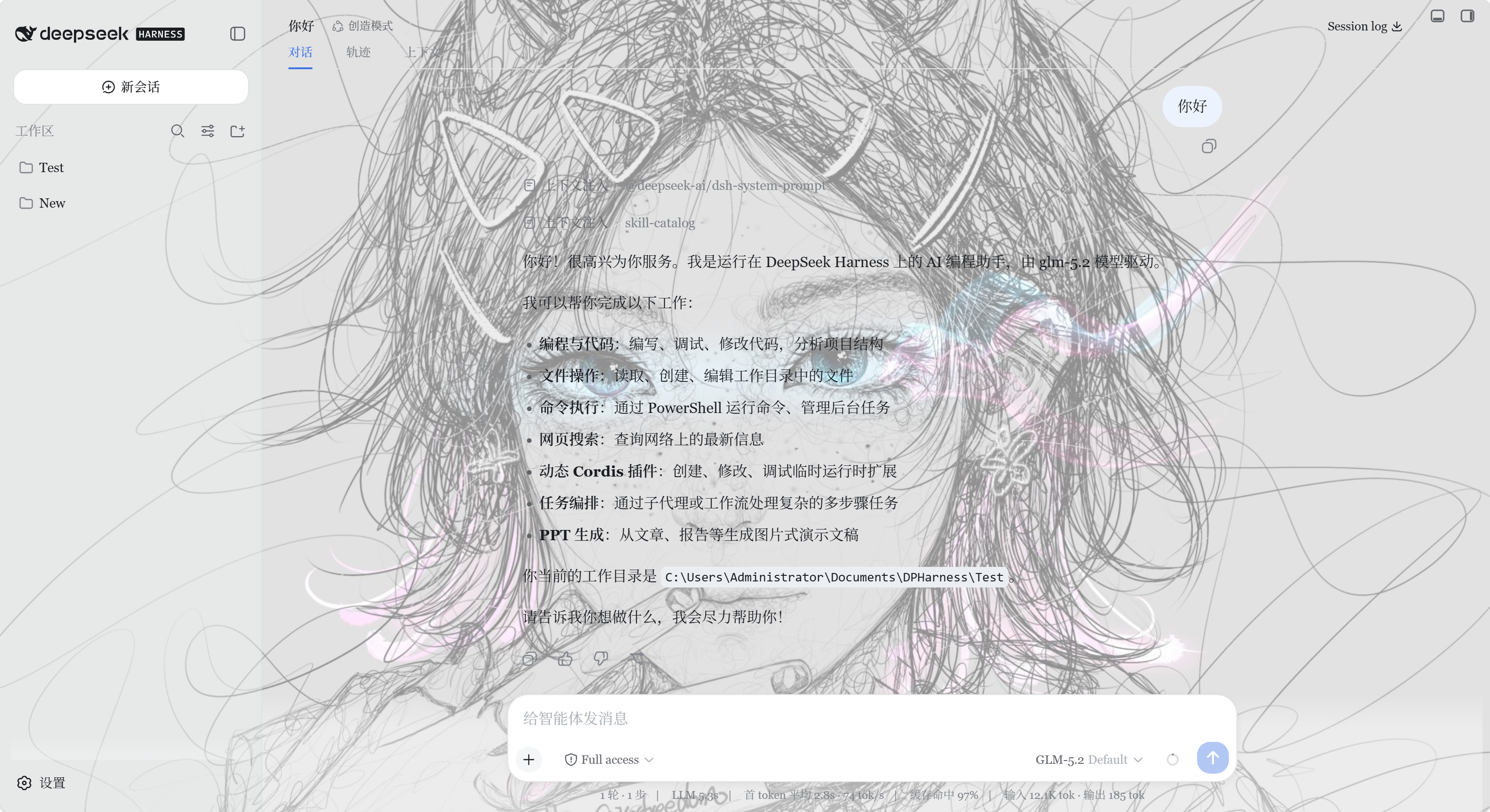
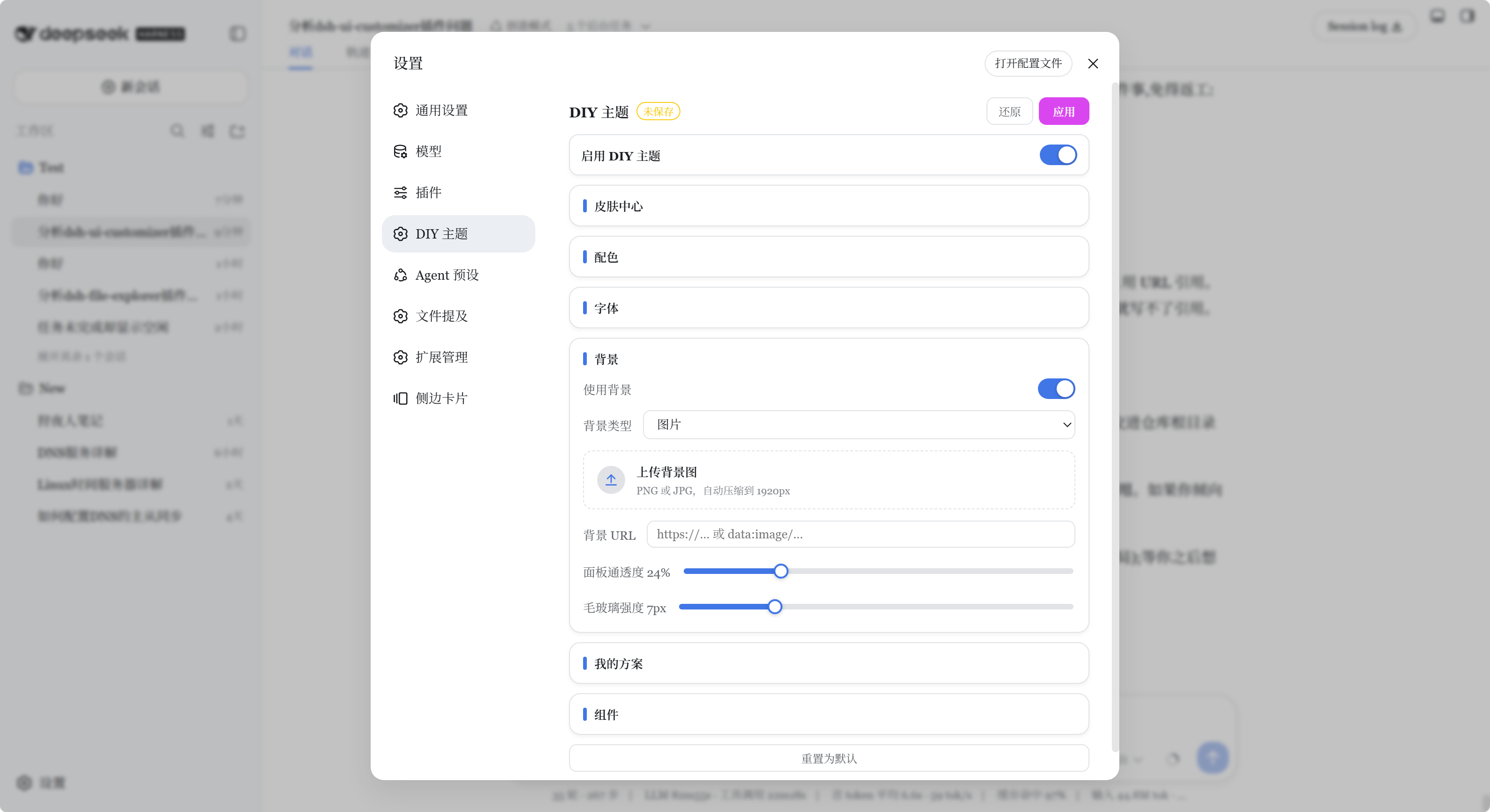
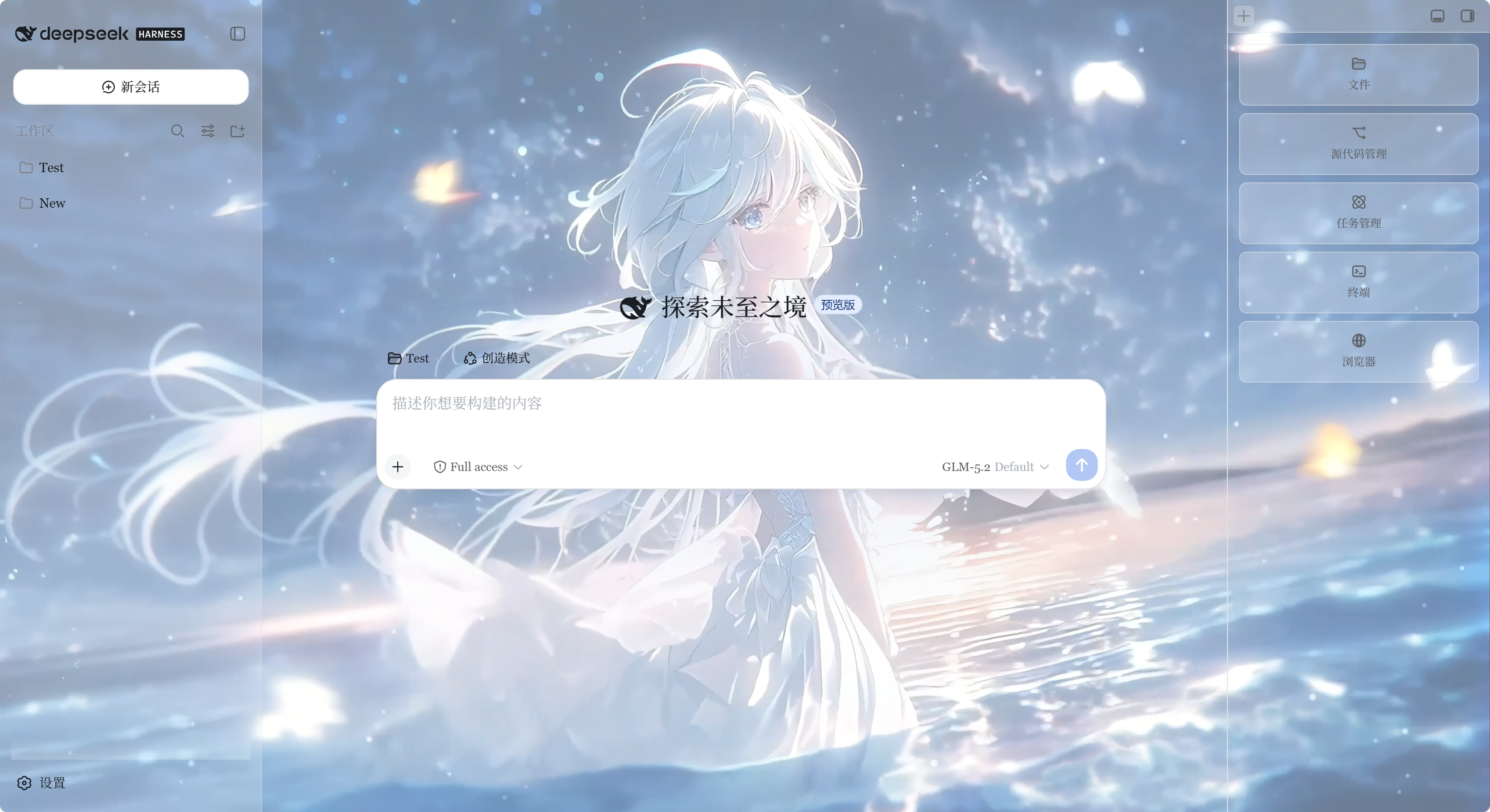
▶️ Demo video: click the cover above to open and play it in a new tab.
Languages: English · 简体中文 · 繁體中文 · 日本語
✨ Features
| Group | What you can change | Notes |
|---|---|---|
| Master switch | Enable / disable the DIY theme | Turning it off removes every override |
| Skin center | 8 one-click presets | You can keep fine-tuning after picking a preset |
| Colors | Brand, accent, success, warning, error | Color picker + hex |
| Colors | Neutral tone direction | Blue‑grey, cool grey, warm grey, graphite |
| Fonts | UI font and code font | Preset font stacks |
| Fonts | Overall zoom (80–140%) and text scale (80–130%) | Two independent controls |
| Background | Image URL (http(s): or data:) |
Kept in the browser |
| Background | Panel translucency & glass blur | High values cost more GPU/CPU |
| Components | Shadow level and border radius | Adjust depth and roundness |
| My schemes | Save & switch full theme presets | Name your setups and recall them |
The plugin is readability‑first: environment surfaces (main background, sidebar) become transparent with your translucency setting, while overlays (dialogs, menus, inputs, tooltips) stay ~94% opaque so text inside pop‑ups always remains readable.
🚀 Quick Start
You need Node.js (with
npx) to run a DSH Web profile. No git or pnpm is required for the simplest path.
Option A — install script (only Node.js needed)
Download this repo as a ZIP and extract it.
In PowerShell,
cdinto the extracted folder and run:.\install-web.ps1Start DSH Web:
npx @deepseek-ai/dsh webOpen Settings → DIY Theme in the browser.
The script copies the plugin into ~\.dsh\profiles\web\node_modules\dsh-ui-customizer and registers it in cordis.patch.yml. It is safe to re‑run.
Execution policy error? If PowerShell says the script "cannot be loaded / is not digitally signed", that is the default execution policy blocking an unsigned script. Bypass it for just this window (safe, resets when the window closes):
Set-ExecutionPolicy -Scope Process -ExecutionPolicy Bypass
.\install-web.ps1
or run it in one line:
powershell -ExecutionPolicy Bypass -File .\install-web.ps1
Option B — DSH plugin command (git + pnpm available)
dsh plugin --profile web add "git+https://github.com/Final-LX/dsh-ui-customizer"
If dsh is not on your PATH:
npx @deepseek-ai/dsh plugin --profile web add "git+https://github.com/Final-LX/dsh-ui-customizer"
dsh plugin add only installs the dependency — this plugin is a classic bundle
(activated via a loader row, not dsh.bundle), so you must register the loader
manually for it to appear. Edit:
%USERPROFILE%\.dsh\profiles\web\cordis.patch.yml
Make sure it contains:
- insert:
    - id: ui-customizer
      name: dsh-ui-customizer
Then fully restart DSH Web (npx @deepseek-ai/dsh web) and refresh the page.
If you only run dsh plugin add without the loader row, the panel will not show up.
🤖 Install via AI (copy & paste)
Prefer to let an AI agent (e.g. DeepSeek Harness, Claude, ChatGPT) set it up for you? Copy one of the prompts below and paste it to your AI. Both are self-contained.
English prompt:
Help me install the dsh-ui-customizer theme plugin into my DeepSeek Harness (DSH) Web.
Steps:
1. Make sure I have Node.js (with npx).
2. Start DSH Web with: npx @deepseek-ai/dsh web  (this initializes the "web" profile on first run).
3. Install the plugin from git:  npx @deepseek-ai/dsh plugin --profile web add "git+https://github.com/Final-LX/dsh-ui-customizer"
4. This plugin is a classic bundle (no dsh.bundle), so dsh plugin add will NOT activate it on its own.
   Open %USERPROFILE%\.dsh\profiles\web\cordis.patch.yml and make sure it contains:
     - insert:
         - id: ui-customizer
           name: dsh-ui-customizer
5. Fully restart DSH Web (stop and run "npx @deepseek-ai/dsh web" again), then refresh the browser.
6. Open Settings -> DIY Theme to confirm the panel appears.
If anything fails, show me the error and the contents of cordis.patch.yml, and tell me how to fix it.
中文提示词:
帮我把 dsh-ui-customizer 主题插件安装到 DeepSeek Harness(DSH)Web 里。
步骤:
1. 确认本机已装 Node.js(含 npx)。
2. 启动 DSH Web:npx @deepseek-ai/dsh web(首次运行会初始化 web profile)。
3. 从 git 安装插件:npx @deepseek-ai/dsh plugin --profile web add "git+https://github.com/Final-LX/dsh-ui-customizer"
4. 本插件是 classic bundle(没有 dsh.bundle),dsh plugin add 不会自动激活它。
   打开 %USERPROFILE%\.dsh\profiles\web\cordis.patch.yml,确认包含:
     - insert:
         - id: ui-customizer
           name: dsh-ui-customizer
5. 完全重启 DSH Web(先停掉,再跑 npx @deepseek-ai/dsh web),然后刷新浏览器。
6. 打开「设置 -> DIY 主题」确认面板出现。
如果失败,把报错和 cordis.patch.yml 的内容给我看,并告诉我怎么修。
🖼️ First run & how the panel works
- Start DSH and finish the built‑in model / API‑key onboarding.
- Open Settings (top‑right) → DIY Theme.
- Everything you change is previewed live (“try on”).
- Click Apply to save, Revert to undo unsaved changes, Reset to default to restore factory values.
🔒 Data, security & compatibility
- Your theme config and schemes are stored in
localStorage; uploaded media (if any) live in IndexedDB. Nothing is uploaded to the DSH server. - Remote image URLs load subject to the scheme, browser security policy, and the server's CORS / Referrer response.
- DSH is evolving quickly — official tokens, slots and page structure may change and affect compatibility. If a setting stops working after a DSH upgrade, re‑run the tests and report the mismatch.
❓ FAQ
Why isn't my theme synced between browsers? Theme data belongs to the browser (localStorage/IndexedDB). Different browsers/profiles keep their own copy; DSH server session data is shared because it lives on the server.
I changed something but nothing happened. Changes are applied on Apply. If even Apply has no effect, your DSH version may have drifted from the plugin's token set — update the plugin or report the token mismatch (see Troubleshooting).
Can I share a scheme?
Not directly — schemes are stored locally. You can Export… (via your browser's storage tools) or just note the color/scale values and recreate them.
🛠️ Troubleshooting
| Symptom | Likely cause / fix |
|---|---|
| Panel missing after install | DSH not fully restarted, or the loader row is missing in cordis.patch.yml. Restart dsh web after editing, then refresh. |
| Theme applies but some colors look off | Official tokens changed across DSH versions. npm test (which runs tools/test-tokens.cjs) will surface the mismatch; file an issue with the listed tokens. |
| Heavy blur / large images feel slow | Lower panel translucency / glass strength, or use a smaller background image. |
| Background URL doesn't load | Check the URL scheme (http(s) only), and the remote server's CORS / Referrer policy. |
👩💻 For developers
dsh-ui-customizer/
├── lib/client.js                 # browser-side classic bundle (theme logic + settings UI)
├── lib/index.js                  # host-side entry (no-op for this browser-only plugin)
├── package.json                  # plugin metadata + dsh.client config
├── tools/                        # tests
├── docs/                         # screenshots & introduction
├── install-web.ps1               # Node.js-only web install script
└── README.md                     # this file (+ other languages)
Run the tests:
npm test
which runs test-client, test-render, test-idb, and test-tokens. The last one requires an installed @deepseek-ai/dsh (it compares the plugin's whitelisted tokens against the official dist CSS); with no DSH installed it is skipped rather than failing, so npm test always works. CI runs it against latest and a pinned version to catch token drift early.
Key plugin contracts:
package.jsonmust export./package.jsonso DSH can readdsh.client.- The client bundle registers via
window.__ModuleLoader__.load({...}). dsh.clientdeclaresplatform: "web",immediately: trueand theinjectservices.
📄 License
MIT — © 2025 Final-LX. Contributions (issues, PRs, stars) are welcome!
相关推荐Related
-
 nexu-io/open-design
🎨 Best DeepSeek Harness Design Plugin. The open-source Claude Design alternative. 🖥️ Local-first desktop app. 🖼️ Your…
nexu-io/open-design
🎨 Best DeepSeek Harness Design Plugin. The open-source Claude Design alternative. 🖥️ Local-first desktop app. 🖼️ Your…
-
 freestylefly/awesome-gpt-image-2
Prompt as Code | GPT-Image2 工业级提示词引擎与模板库,530+ 个案例逆向工程,20+ 套工业级模板,并提炼出Skills,持续更新中
freestylefly/awesome-gpt-image-2
Prompt as Code | GPT-Image2 工业级提示词引擎与模板库,530+ 个案例逆向工程,20+ 套工业级模板,并提炼出Skills,持续更新中
-
 anywhere-labs/dsh-desktop
为 DeepSeek Harness (DSH) 插件生态打造的现代化桌面端解决方案。万物皆「插件」,桌面本身也是「插件」。
anywhere-labs/dsh-desktop
为 DeepSeek Harness (DSH) 插件生态打造的现代化桌面端解决方案。万物皆「插件」,桌面本身也是「插件」。
- Nagi-ovo/voyager Enhancement suite for Gemini, AI Studio, Claude & ChatGPT — plus a prompt manager for any web UI, DeepSeek Harness inclu…
-
 walkinglabs/learn-harness-engineering
Harness engineering beginner tutorial, from 0 to 1
walkinglabs/learn-harness-engineering
Harness engineering beginner tutorial, from 0 to 1
-
 awesome-dsh-plugin/awesome-dsh-plugin
A curated list of plugins for DeepSeek Harness (dsh) · DeepSeek Harness 插件精选列表
awesome-dsh-plugin/awesome-dsh-plugin
A curated list of plugins for DeepSeek Harness (dsh) · DeepSeek Harness 插件精选列表
-
 MemTensor/MemOS
Self-evolving memory OS for LLM & AI Agents: ultra-persistent memory, hybrid-retrieval, and cross-task skill reuse, with…
MemTensor/MemOS
Self-evolving memory OS for LLM & AI Agents: ultra-persistent memory, hybrid-retrieval, and cross-task skill reuse, with…
- yjh051108/dsh-routing-suite dsh-routing-suite — injector + router-standard kit: install the runtime injector first, then the task-aware reasoning-mo…