frankxxxxue/dsh-photo-skins
A DeepSeek Harness plugin that turns your photos into Web GUI skins — auto-extracted accent colors, all files stay local.
项目介绍Project Overview
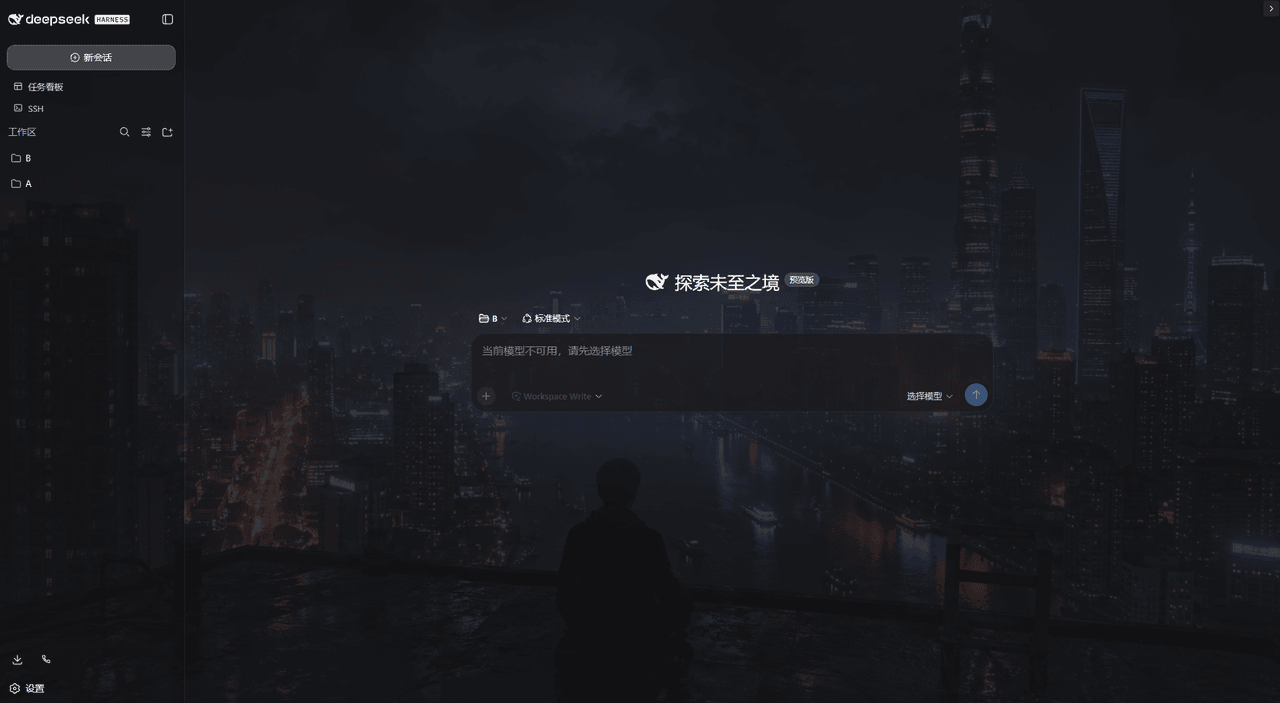
dsh-photo-skins 是 DSH Web GUI 的照片皮肤插件:导入 PNG/JPG/WebP/GIF 照片作为界面背景,自动提取主色生成强调色与明暗遮罩,并支持填充、模糊、压暗等渲染调节。适合想自定义界面外观时使用;照片仅本地存储,单文件限 25MB,不支持 SVG。
dsh-photo-skins is a DSH Web GUI plugin that turns imported photos into interface skins. It sets the photo as the backdrop, extracts a dominant accent color, generates photo-tinted readability veils, and provides fit, blur, dim, and auto-accent controls. Use it to personalize the Web GUI with local PNG, JPG, WebP, or GIF images. Files stay local, are limited to 25MB, and SVG is unsupported.
请帮我了解并安装插件:【dsh-photo-skins】【https://github.com/frankxxxxue/dsh-photo-skins】把上面这条消息直接发给当前会话里的 DSH,让它帮你了解并安装。安装命令不一定准确,发给 DSH 更稳。Send this message to DSH in your current session. CLI install commands may not be accurate across systems — DSH will figure it out for you.
或使用命令行安装(适合开发者)Or use CLI install (for developers)
命令行安装CLI Install
dsh plugin --profile web add dsh-photo-skins把 frankxxxxue/dsh-photo-skins 加入你的 DSH 配置(web profile)即可启用。
READMEREADME
🪄 dsh-photo-skins
中文 | English
Import once. Auto-accent once. Turn any photo into a skin for the DSH Web GUI.
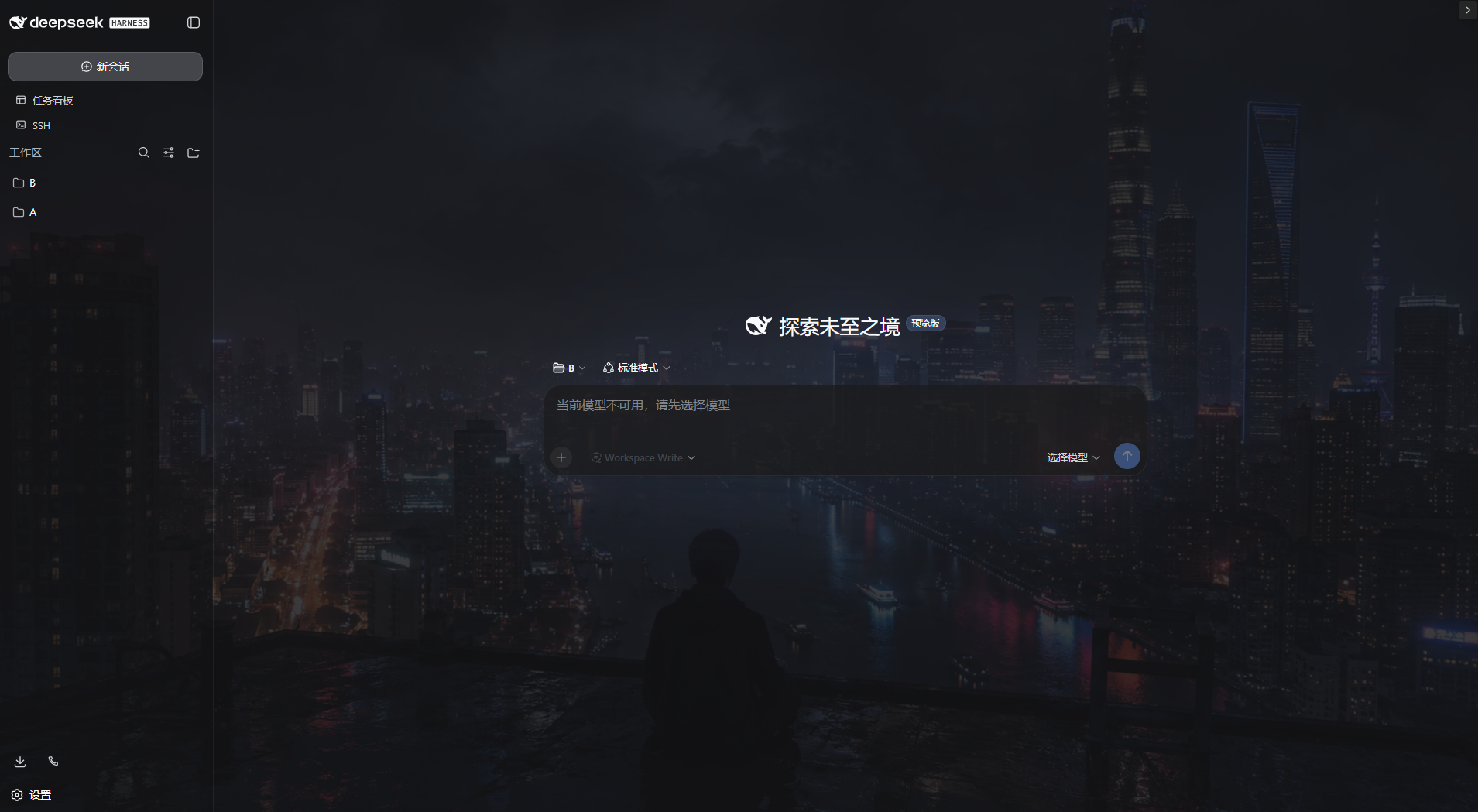 Photo skins for the DSH Web GUI: import your own photos and turn them into
the interface skin. The photo paints the backdrop behind the GUI, and the
accent colors are extracted from the photo automatically (dominant color as
the accent, photo-tinted light/dark readability veils). Rendering controls:
fit (cover/contain), blur (0-100px, global or split empty/content), dim
(0-100%) and the auto-accent toggle.
Photo skins for the DSH Web GUI: import your own photos and turn them into
the interface skin. The photo paints the backdrop behind the GUI, and the
accent colors are extracted from the photo automatically (dominant color as
the accent, photo-tinted light/dark readability veils). Rendering controls:
fit (cover/contain), blur (0-100px, global or split empty/content), dim
(0-100%) and the auto-accent toggle.
A standalone cordis plugin: settings card + host routes + settings namespace + client layer controller.
✨ Core Feature
📥 Import photos three ways
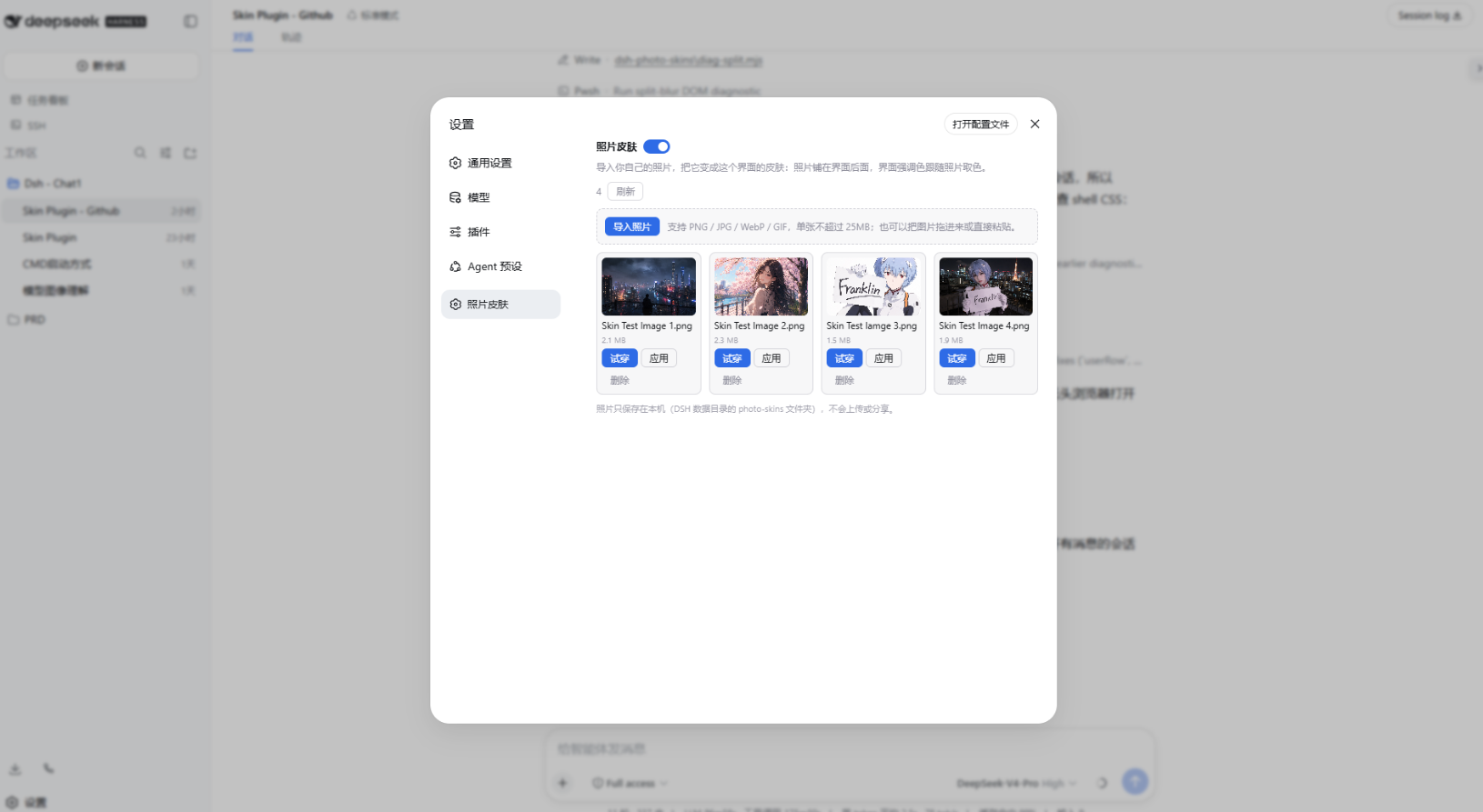
- File picker, drag-and-drop, or paste — pick whichever you like
- Supports PNG / JPG / WebP / GIF, up to 25MB each
👗 Try on / apply / remove
- Manage everything from the first-level "Photo skins" settings section
- "Try on" previews temporarily without touching the applied photo
- "Apply" writes the skin in one click; "Remove" clears the local copy
🎨 Automatic accent extraction
- The photo's dominant color becomes the interface accent
- Derives light/dark scrim tints so the readability veils pick up the photo's own tone
- Exposes CSS variables
--dsw-photo-accent/--dsw-photo-accent-soft/--dsw-photo-accent-contrast
🖼️ Rendering controls
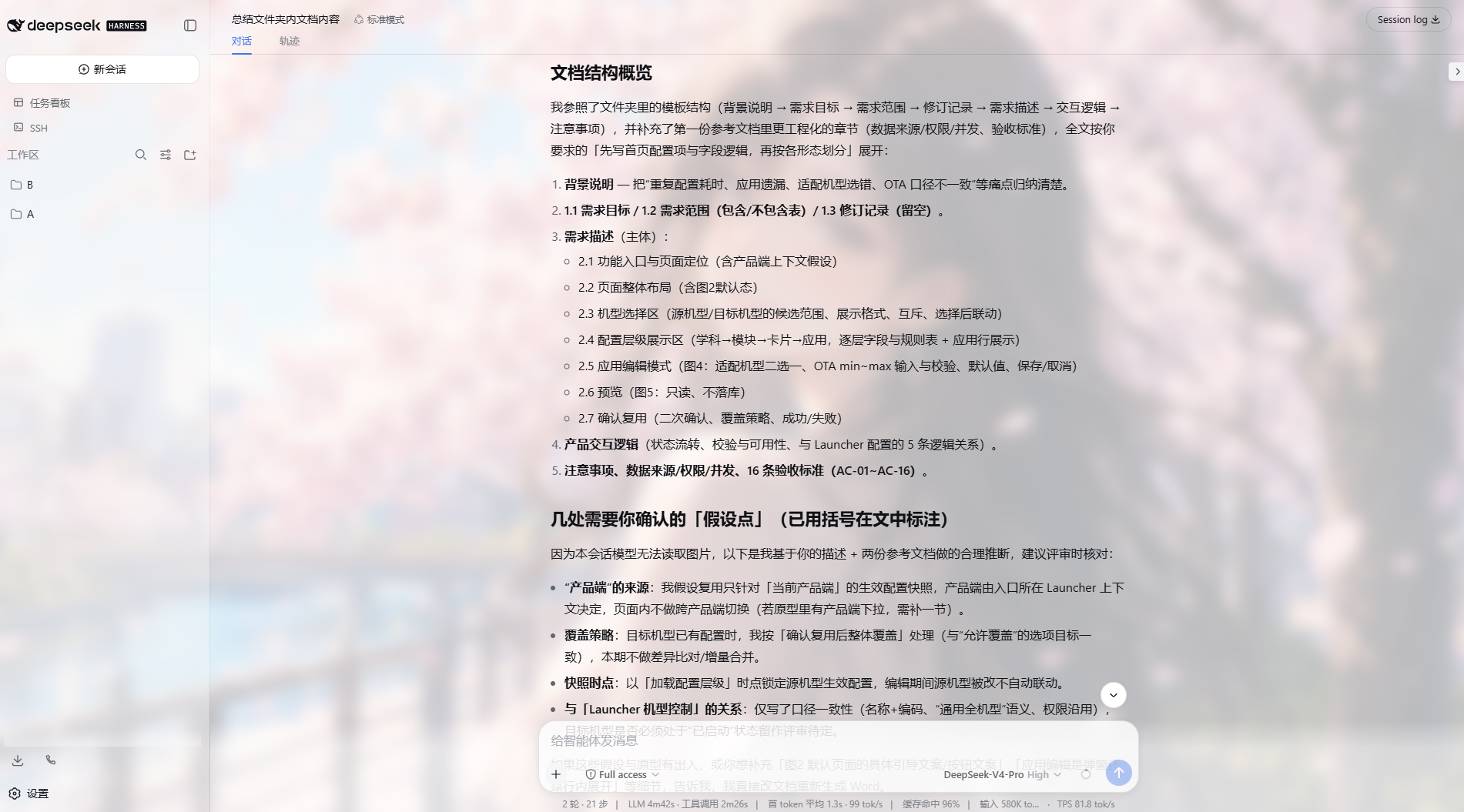
- Fit: cover / contain
- Blur: 0–100px, global or split
- Dim: 0–100%, keeping foreground content readable
- Accent-from-photo: toggle on/off anytime
💾 Local persistence
- The applied photo persists through the
photo-skinssettings namespace and survives reloads - Files stay on this machine — nothing is uploaded or shared
🚀 Install
From npm:
dsh plugin --profile web add dsh-photo-skins
From this repository (development):
pnpm install && pnpm build
dsh plugin --profile web add link:.
Then refresh the running Web GUI (restart dsh web if the new section does
not appear).
Storage
Photos are stored under <DSH_HOME>/photo-skins/<id>/ (original.<ext> plus
a manifest.json with the display name, type, size and import time). Nothing
is uploaded or shared; removal deletes the local copy.
🔒 Security model
- All routes (
/api/photo-skins/*) sit behind a same-origin fence (Sec-Fetch-Site / Origin): cross-site webpages cannot read, import or delete your photos. - Uploads are validated by file magic bytes, not by name or declared content-type — a renamed SVG or executable is rejected (415). SVG is deliberately unsupported (script risk).
- Uploads are capped at 25MB (413) and written atomically (tmp + rename).
- Stored ids are generated and validated against a whitelist regex, so no path can escape the store directory.
🛠️ Development
Requirements: Node.js ^22.19 || >=24, pnpm
pnpm install
pnpm typecheck   # tsc --noEmit
pnpm test        # vitest run
pnpm build       # tsdown -> lib/ (host) + lib/client.js (browser bundle)
License
BSD-3-Clause. See THIRD_PARTY_NOTICES.md for attribution of incorporated portions.
相关推荐Related
-
 nexu-io/open-design
🎨 Best DeepSeek Harness Design Plugin. The open-source Claude Design alternative. 🖥️ Local-first desktop app. 🖼️ Your…
nexu-io/open-design
🎨 Best DeepSeek Harness Design Plugin. The open-source Claude Design alternative. 🖥️ Local-first desktop app. 🖼️ Your…
-
 freestylefly/awesome-gpt-image-2
Prompt as Code | GPT-Image2 工业级提示词引擎与模板库,530+ 个案例逆向工程,20+ 套工业级模板,并提炼出Skills,持续更新中
freestylefly/awesome-gpt-image-2
Prompt as Code | GPT-Image2 工业级提示词引擎与模板库,530+ 个案例逆向工程,20+ 套工业级模板,并提炼出Skills,持续更新中
-
 anywhere-labs/dsh-desktop
为 DeepSeek Harness (DSH) 插件生态打造的现代化桌面端解决方案。万物皆「插件」,桌面本身也是「插件」。
anywhere-labs/dsh-desktop
为 DeepSeek Harness (DSH) 插件生态打造的现代化桌面端解决方案。万物皆「插件」,桌面本身也是「插件」。
- Nagi-ovo/voyager Enhancement suite for Gemini, AI Studio, Claude & ChatGPT — plus a prompt manager for any web UI, DeepSeek Harness inclu…
-
 walkinglabs/learn-harness-engineering
Harness engineering beginner tutorial, from 0 to 1
walkinglabs/learn-harness-engineering
Harness engineering beginner tutorial, from 0 to 1
-
 awesome-dsh-plugin/awesome-dsh-plugin
A curated list of plugins for DeepSeek Harness (dsh) · DeepSeek Harness 插件精选列表
awesome-dsh-plugin/awesome-dsh-plugin
A curated list of plugins for DeepSeek Harness (dsh) · DeepSeek Harness 插件精选列表
-
 MemTensor/MemOS
Self-evolving memory OS for LLM & AI Agents: ultra-persistent memory, hybrid-retrieval, and cross-task skill reuse, with…
MemTensor/MemOS
Self-evolving memory OS for LLM & AI Agents: ultra-persistent memory, hybrid-retrieval, and cross-task skill reuse, with…
- yjh051108/dsh-routing-suite dsh-routing-suite — injector + router-standard kit: install the runtime injector first, then the task-aware reasoning-mo…