FraYoshi/dsh-ui-models-invert-selection
A DeepSeek Harness client plugin that adds an "Invert selection" button to the Models → Fetch / Add models dialog.
catalog descriptioncatalog 简介 / catalog description:Invert selection in Deepseek Harness for when we are selecting models
Project Overview项目介绍
This DSH plugin adds an "invert selection" button to the model addition interface, enabling users to check only the models they already own by inverting the current selection. It is useful when quickly filtering an auto-fetched provider list to identify already added models. Note that pnpm install must be run as the dshuser account and the service restarted for changes to take effect.
此 DSH 插件在添加模型列表界面新增"反选"按钮,一键勾选已拥有模型并取消未添加项。适用于从提供商自动抓取模型时需快速筛选已存在模型的场景。需注意安装后必须以 dshuser 身份运行 pnpm install,重启服务后生效。
请帮我了解并安装插件:【dsh-ui-models-invert-selection】【https://github.com/FraYoshi/dsh-ui-models-invert-selection】Send this message to DSH in your current session. CLI install commands may not be accurate across systems — DSH will figure it out for you.把上面这条消息直接发给当前会话里的 DSH,让它帮你了解并安装。安装命令不一定准确,发给 DSH 更稳。
Or use CLI install (for developers)或使用命令行安装(适合开发者)
CLI Install命令行安装
dsh plugin --profile web add @furayoshi/dsh-ui-models-invert-selection把 FraYoshi/dsh-ui-models-invert-selection 加入你的 DSH 配置(web profile)即可启用。
READMEREADME
@furayoshi/dsh-ui-models-invert-selection
A DeepSeek Harness client plugin that adds an "Invert selection" button to the Models → Fetch / Add models dialog.
The shipped dialog pre-checks every fetched row that is not already in your model list. On a second "fetch + add" pass you usually want the inverse — keep the rows you already have, drop the rest. This plugin adds a single button that flips every checkbox at once.
Compatibility
| DSH version | min version |
|---|---|
0.1.2-rc.1 |
1.0.0 |
0.1.1-rc.2 |
1.0.0 |
NOTE: as at the current state, this packages has been heavily vibecoded, including most of this README. I might rewrite it at the later date, but you have been warned :)

Install
DSH's plugin command handles the install and bundle registration automatically.
From npmjs (recommended)
dsh plugin --profile web add @furayoshi/dsh-ui-models-invert-selection
From GitHub (pinned version)
# Specific tag
dsh plugin --profile web add @furayoshi/dsh-ui-models-invert-selection@github:FraYoshi/dsh-ui-models-invert-selection#v1.0.0

# Branch
dsh plugin --profile web add @furayoshi/dsh-ui-models-invert-selection@github:FraYoshi/dsh-ui-models-invert-selection#main

# Specific commit
dsh plugin --profile web add @furayoshi/dsh-ui-models-invert-selection@github:FraYoshi/dsh-ui-models-invert-selection#a1b2c3d4
From local source (for hacking)
dsh plugin --profile web add @furayoshi/dsh-ui-models-invert-selection@file:/home/<you>/work/dsh-ui-models-invert-selection
After editing lib/client.js, re-link inside the profile:
rm -rf node_modules/@furayoshi && pnpm install
Then restart DSH.
Verify
Open the Web UI → Settings → Models → Fetch / Add models. You should see a new "Invert selection" button next to the existing action button. Click it — every checkbox in the candidate list flips once.
To confirm the bundle loaded:
dsh web --dump-config | grep -i "invert-selection\|furayoshi"
Update / Remove
# Update to latest
pnpm update @furayoshi/dsh-ui-models-invert-selection

# Remove
dsh plugin --profile web remove @furayoshi/dsh-ui-models-invert-selection
License
MIT — see LICENSE.
For maintainers and agents: detailed technical documentation lives in AGENTS.md.
Related相关推荐
-
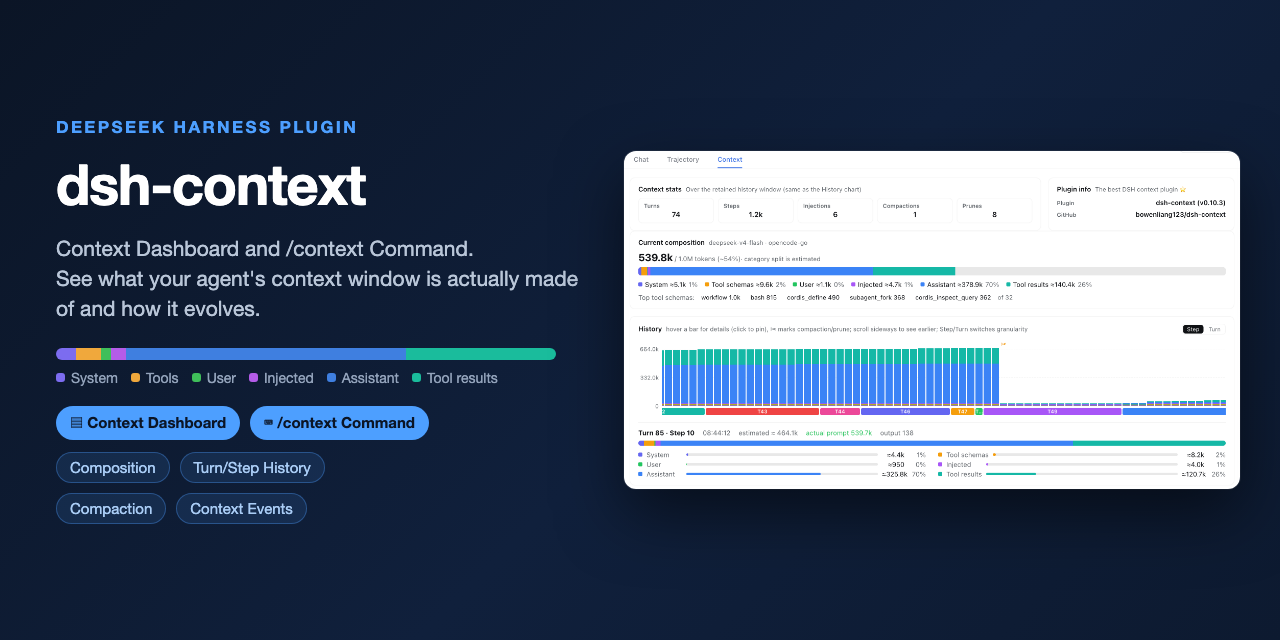 bowenliang123/dsh-context
The best DeepSeek Harness plugin for context insight and management, with context dashboard / browser / sidebar and cont…
bowenliang123/dsh-context
The best DeepSeek Harness plugin for context insight and management, with context dashboard / browser / sidebar and cont…
-
 omdsh-dev/dsh-genui
GenUI for DeepSeek Harness: interactive UI components rendered inline in assistant replies via the dsh-ui fence — layout…
omdsh-dev/dsh-genui
GenUI for DeepSeek Harness: interactive UI components rendered inline in assistant replies via the dsh-ui fence — layout…
-
 e2mcc/dsh-popout-sidebar
A sidebar can pop out a separate browser tab (drag it to another monitor)
e2mcc/dsh-popout-sidebar
A sidebar can pop out a separate browser tab (drag it to another monitor)
-
 KinGao294/dsh-skin
Skin switcher + custom wallpaper for DeepSeek Harness (dsh): curated --dsw-alias-* palettes, translucent wallpaper with …
KinGao294/dsh-skin
Skin switcher + custom wallpaper for DeepSeek Harness (dsh): curated --dsw-alias-* palettes, translucent wallpaper with …
- DevourerM/dsh-naiwa-theme 为deepseek harness构建的奶蛙主题,可是我觉得很神圣呀。(素材来自互联网)
-
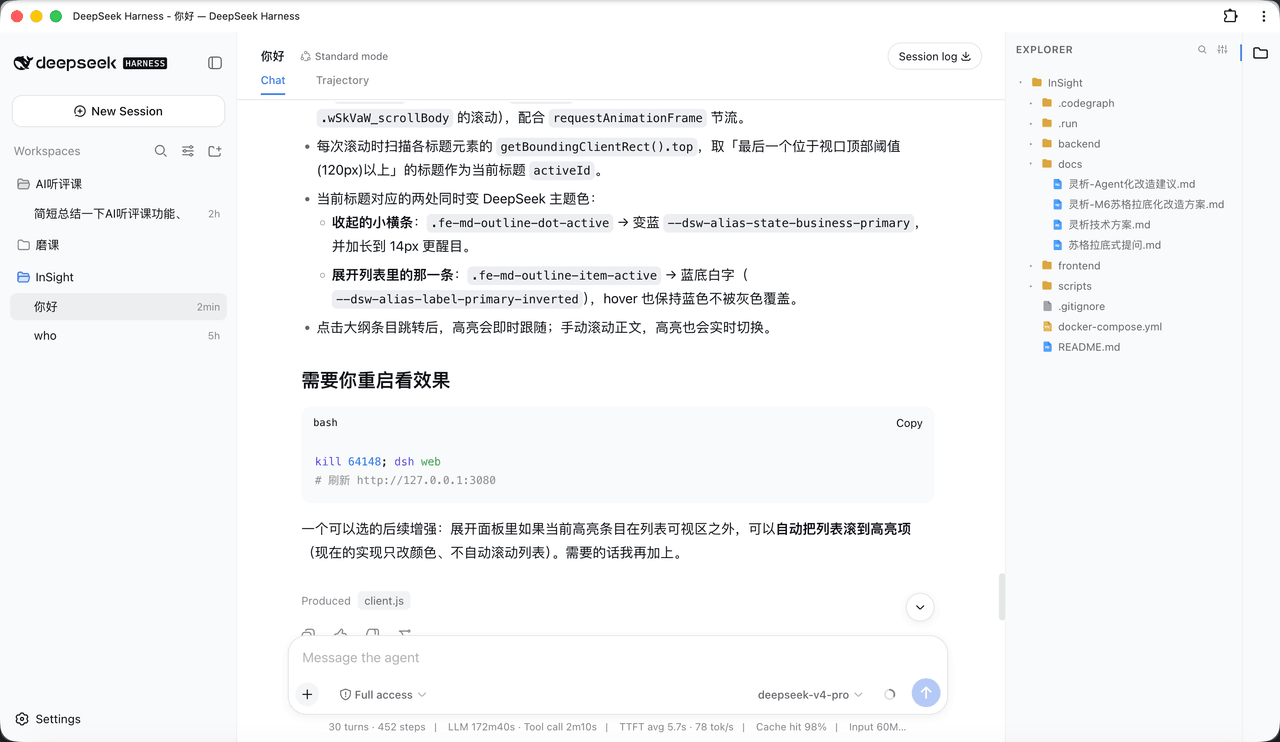 bearllfleed/Dsh-FileExplorer
给 DeepSeek Harness (DSH) Web 界面加一个 VS Code 风格的工作区文件浏览器:右侧文件树 + 可编辑标签页 + Markdown 阅读/编辑/分屏 + 悬浮大纲 + Quick Open 搜索。
bearllfleed/Dsh-FileExplorer
给 DeepSeek Harness (DSH) Web 界面加一个 VS Code 风格的工作区文件浏览器:右侧文件树 + 可编辑标签页 + Markdown 阅读/编辑/分屏 + 悬浮大纲 + Quick Open 搜索。
-
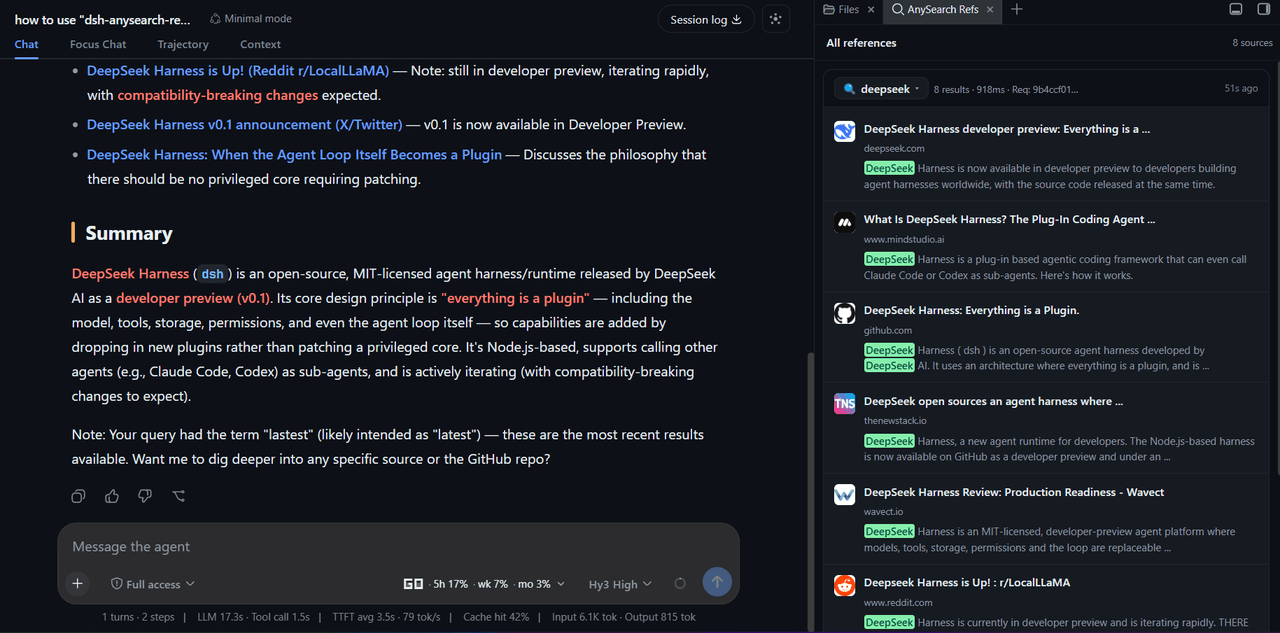 v587d/dsh-anysearch-refs
A DSH sidebar plugin that shows AnySearch references as cards, with the search query, source snippets and highlighted ke…
v587d/dsh-anysearch-refs
A DSH sidebar plugin that shows AnySearch references as cards, with the search query, source snippets and highlighted ke…
-
 waknow/dsh-web-icon-indicator
DSH browser tab favicon reflecting session state: idle / running / asking / done. · DSH 标签页 favicon 实时反映会话状态:待机 / 运行中 / …
waknow/dsh-web-icon-indicator
DSH browser tab favicon reflecting session state: idle / running / asking / done. · DSH 标签页 favicon 实时反映会话状态:待机 / 运行中 / …