genesis-agents/dsh-plugins
Plugins for DeepSeek Harness: a source library that reads 72 feeds and publishes podcasts, digests and reports, plus web search over Serper, Tavily and Brave
项目介绍Project Overview
dsh-plugins 是 DeepSeek Harness 的插件集合,核心能力包括 dsh-agents-swarm(72 个源定时采集、转写、翻译并生成播客/摘要)、dsh-web-search(Serper/Tavily/Brave 可切换后端的网页搜索)、dsh-brand-mine(侧边栏与对话头部的品牌标识)以及 dsh-agent-presets(启动时同步 Git 中的智能体预设)。需要 DeepSeek Harness 0.1.1-rc.2 与 Node 24 及以上,并通过 profile 的 package.json 与 bundles 列表挂载使用。注意:bundle 按声明顺序加载,先出现的补丁会被后加载的同名配置覆盖。
dsh-plugins is a set of packages for DeepSeek Harness. Core capabilities include dsh-agents-swarm (scheduled collection from 72 feeds, with transcripts, translation, and podcast/digest output), dsh-web-search (web search across Serper, Tavily, and Brave backends), dsh-brand-mine (brand mark and wordmark in the sidebar and conversation hero slots), and dsh-agent-presets (presets synced from git on boot). Use it to extend a harness with content pipelines, search, branding, or shared agent presets. It requires Harness 0.1.1-rc.2 and Node 24, and bundles are applied in the order listed, so earlier patches can be overwritten by later ones.
请帮我了解并安装插件:【dsh-plugins】【https://github.com/genesis-agents/dsh-plugins】把上面这条消息直接发给当前会话里的 DSH,让它帮你了解并安装。安装命令不一定准确,发给 DSH 更稳。Send this message to DSH in your current session. CLI install commands may not be accurate across systems — DSH will figure it out for you.
或使用命令行安装(适合开发者)Or use CLI install (for developers)
命令行安装CLI Install
dsh plugin --profile web add github:genesis-agents/dsh-plugins把 genesis-agents/dsh-plugins 加入你的 DSH 配置(web profile)即可启用。
READMEREADME
dsh-plugins
Plugins for DeepSeek Harness.
One directory per plugin; each is a self-contained package with its own
package.json.
| Plugin | On npm | What it does |
|---|---|---|
dsh-agents-swarm |
@ai4gensteam/dsh-agents-swarm |
A source library — 72 feeds on an hourly timer, a reader with transcripts and translation, and a publisher that turns what it collects into a podcast, a digest or a report |
dsh-web-search-serper |
@ai4gensteam/dsh-web-search |
Web search for the ctx.web seam over interchangeable backends: Serper, Tavily, Brave |
dsh-brand-mine |
— | A brand mark and wordmark in the sidebar and conversation hero slots |
dsh-agent-presets |
— | Agent presets kept in git, published into the writable preset root at boot |
The directory name and the package name differ for the search plugin: the
directory kept -serper from when Serper was the only backend, the package did
not. What the harness resolves is always the package name.
Install
You need a harness first — these are plugins for one, not programs:
npm install -g @deepseek-ai/dsh
dsh --version                  # verified against 0.1.1-rc.2
Then add the plugins to the profile's package.json and let the harness mount
them:
{
  "dependencies": {
    "@ai4gensteam/dsh-agents-swarm": "^0.3.2",
    "@ai4gensteam/dsh-web-search": "^0.3.2"
  },
  "dsh": {
    "profile": {
      "bundles": [
        "@deepseek-ai/dsh-base",
        "@deepseek-ai/dsh-web-app",
        "@ai4gensteam/dsh-agents-swarm",
        "@ai4gensteam/dsh-web-search"
      ]
    }
  }
}
cd ~/.dsh/profiles/web && npm install
dsh web --no-open        # then open http://127.0.0.1:3080
Bundle order is load order: a patch only sees what was applied before it, so a bundle placed ahead of the one it customises gets overwritten by it.
Node 24 or newer — dsh-agents-swarm uses node:sqlite unguarded.
Each plugin's own README covers its settings and the keys it needs. Nothing works without them, and none of them are in this repository.
Develop against a checkout
git clone https://github.com/genesis-agents/dsh-plugins
cd dsh-plugins && ./deploy/setup.sh
setup.sh links every plugin into ~/.dsh/profiles/web and installs their
dependencies. It is idempotent, safe to re-run after a pull, and it merges —
plugins in your profile that this repo does not own are left alone.
One argument, the only genuinely per-machine choice, is where the source library lives:
./deploy/setup.sh                                # this machine owns it
./deploy/setup.sh https://box.tailnet.ts.net     # proxy to the machine that does
./deploy/setup.sh /srv/data/swarm-sources.sqlite # own one at a chosen path
Then ./deploy/doctor.sh to check the result, and ./deploy/release-check.sh
before trusting anything that was published.
Why lib/ is committed
A git install fetches sources, not build output, so a consumer running
dsh plugin add github:... would otherwise receive a package that cannot load.
The alternative is a self-contained prepare script — see
docs/user/develop/basic/publish.md in the harness repository and the
turtle-ui example.
Documentation
- Architecture — what runs where, the pipeline, the data, the seams, and a table of failures that do not announce themselves
- 洞察 — a landing plan — the design for the stage between collecting and publishing, and what the comparable systems taught it
- Running it on a Mac mini — a migration that was actually carried out, including the steps whose first draft was wrong
deploy/— setup, health check, self-update, release
License
MIT
相关推荐Related
-
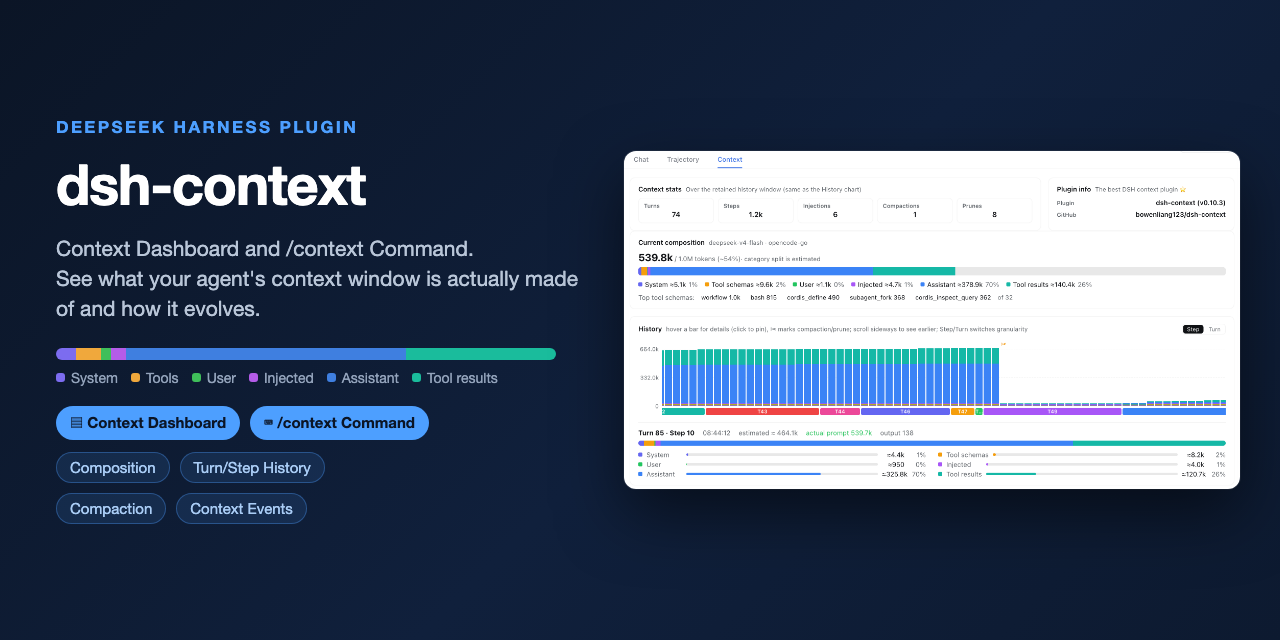 bowenliang123/dsh-context
The best DeepSeek Harness plugin for context insight and management, with context dashboard / browser and context comman…
bowenliang123/dsh-context
The best DeepSeek Harness plugin for context insight and management, with context dashboard / browser and context comman…
-
 omdsh-dev/dsh-genui
GenUI for DeepSeek Harness: interactive UI components rendered inline in assistant replies via the dsh-ui fence — layout…
omdsh-dev/dsh-genui
GenUI for DeepSeek Harness: interactive UI components rendered inline in assistant replies via the dsh-ui fence — layout…
-
 anysearch-team/anysearch-dsh
AnySearch web search provider and advanced search tools for DeepSeek Harness (DSH)
anysearch-team/anysearch-dsh
AnySearch web search provider and advanced search tools for DeepSeek Harness (DSH)
-
 liustack/modsearch
🥇 The strongest free web search plugin for DeepSeek Harness, and the search bridge for every model without native web a…
liustack/modsearch
🥇 The strongest free web search plugin for DeepSeek Harness, and the search bridge for every model without native web a…
-
 csyangwen/dsh-memory-evolve
为 DeepSeek Harness 带来「跨会话长期记忆 + 后台自我进化」能力的纯插件实现:五轨记忆 · git 分支感知 · 回合内自我审查 · 技能自我进化与技能管理器 · 四轨待办 · COI 调度 · 会话广播 · 会话搜索 ·…
csyangwen/dsh-memory-evolve
为 DeepSeek Harness 带来「跨会话长期记忆 + 后台自我进化」能力的纯插件实现:五轨记忆 · git 分支感知 · 回合内自我审查 · 技能自我进化与技能管理器 · 四轨待办 · COI 调度 · 会话广播 · 会话搜索 ·…
-
 Nagi-ovo/dsh-find-plugins
帮 DSH 搜索、安装并验证插件的 Skill|A DSH skill that finds, installs, and verifies GitHub plugins
Nagi-ovo/dsh-find-plugins
帮 DSH 搜索、安装并验证插件的 Skill|A DSH skill that finds, installs, and verifies GitHub plugins
-
 cocofhu/anime-find
DeepSeek Harness 搜番插件:对话内多源搜索番剧,卡片展示 Bangumi 评分与详情,支持复制磁力。
cocofhu/anime-find
DeepSeek Harness 搜番插件:对话内多源搜索番剧,卡片展示 Bangumi 评分与详情,支持复制磁力。
-
 e2mcc/dsh-popout-sidebar
A sidebar can pop out a separate browser tab (drag it to another monitor)
e2mcc/dsh-popout-sidebar
A sidebar can pop out a separate browser tab (drag it to another monitor)