godchen520/dsh-web-remote
DSH手机/外网远程访问插件:Cloudflare Quick Tunnel公网隧道 + token鉴权 + gzip压缩 + 局域网HTTPS直连 + 手机图标面板 + QQ机器人取链接
Project Overview项目介绍
dsh-web-remote is a native plugin built exclusively for DeepSeek Harness (DSH) that enables remote access to your local DSH instance from mobile devices or any external network. There are two easy installation methods: you can either send a single instruction to your DSH agent to handle the entire installation automatically, or run the CLI command dsh plugin --profile web add github:godchen520/dsh-web-remote then restart DSH Web to complete setup. It supports both public network access via Cloudflare Quick Tunnel (no public IP or registration required) and direct local area network connection with zero manual configuration needed out of the box.
This plugin is designed for DSH users who need to access and control their local DSH instance anywhere, anytime when they are away from their home computer. After installation and the first launch, a mobile icon will stay pinned to the bottom left corner of your DSH web interface, even after page refresh. Clicking this icon opens the remote control panel, where you can switch between public and local network modes, copy the access link or scan a QR code to open DSH directly on your mobile browser. It also supports controlling DSH via WeChat or Feishu bots, letting you run commands to manage services and sessions remotely.
dsh-web-remote is released under the permissive MIT open-source license, so it is free to use, modify, and distribute. Most configuration options are optional, and the plugin works out of the box without any manual changes, but advanced users can customize settings like ports, certificate paths, and cache directories in the cordis.patch.yml file. On first run, the plugin will automatically download the 10MB cloudflared tool if it is not detected on your system; if the automatic download fails, you can manually place it in the configured cache directory. When accessing via a self-signed HTTPS certificate, browsers will show a security warning, which is expected, just select "proceed anyway" to access.
这是一个专为 DeepSeek Harness(DSH)开发的原生远程访问插件,核心功能是帮助用户实现手机或外网对本地DSH实例的远程访问与控制。用户无需公网IP,可直接通过Cloudflare Quick Tunnel快速创建公网隧道,缺失cloudflared工具时插件会自动下载,也支持填写自定义公网URL(如自有ngrok地址)。插件同时支持局域网直连模式,自动生成自签名HTTPS证书,零配置即可开箱使用,还支持自定义端口与端口占用检测。
这款插件适合需要在外随时控制本地DSH的用户,典型使用流程非常简洁。安装完成启动插件后,DSH页面左下角会常驻一个手机快捷图标,点击即可打开远程控制面板,面板中可切换公网/局域网模式,一键复制访问链接或扫码直接打开访问。支持通过微信或飞书机器人直接控制DSH,发送命令即可获取链接、开关服务、监听会话,也能直接管理会话、切换模型和发起AI对话。
该插件采用MIT许可证开源,可免费使用修改,大部分配置项均为可选,不配置即可开箱即用,高级用户可在cordis.patch.yml中自定义端口、证书路径、缓存目录等参数。首次使用需要联网下载约10MB的cloudflared工具,下载失败可手动放入指定缓存目录。使用自签名证书访问公网链接时,浏览器提示不安全是正常现象,选择继续访问即可,Edge需关闭增强安全性选项。
请帮我安装这个 DSH 插件。安装前先完成【兼容性检查 + 安全性检查】,检查通过再动手。

插件:dsh-web-remote(godchen520/dsh-web-remote)
仓库:https://github.com/godchen520/dsh-web-remote
本站详情页:https://www.yhbd.top/plugins/godchen520-dsh-web-remote/
本站登记:类型 plugin · 归类 原生 DSH 插件 · 许可证 MIT · ⭐ 11 · 最近提交 2026-10-03 · 主语言 JavaScript

按下面顺序执行,每步先把结论告诉我,再进入下一步:

【1 兼容性检查】
① 我这边:DSH 版本、Node 版本、操作系统、当前 profile(web / desktop)。
② 读它的 README、package.json、插件 manifest,列出它要求的 DSH 版本 / Node 版本 / 操作系统 / 外部依赖 / 需要另外先装的运行时。
③ 逐条比对,结论只写「满足 / 不满足 / 未知」三种;不满足的给出可行替代方案。
④ 检查是否和我已装的插件冲突:命令名重复、skill / tool 重名、端口占用、重复注册的 MCP server。

【2 安全性检查】
① 仓库可信度:和上面「本站登记」是否一致;star / fork 数、创建时间、最近提交,是否归档或长期停更。
② 安装脚本:逐行看 package.json 的 preinstall / install / postinstall,以及 install.sh、setup.ps1 之类脚本。出现 curl|bash、下载后直接执行、混淆代码、访问与插件功能无关的域名,立刻停下来告诉我,不要继续装。
③ 依赖:列出新增依赖,标出无人维护、或与知名包拼写近似的可疑包(typosquatting)。
④ 权限与副作用:它会读写哪些目录、访问哪些域名、需要哪些 DSH 权限(filesystem / network / shell / clipboard 等),以及怎么卸载和回滚。
⑤ 如果它要求 sudo / 管理员权限,或权限明显超出功能所需,先停下来问我。

【3 安装】
上面两步没有「不满足」和「高危项」时才执行;用官方推荐方式安装,不要自行提权。

【4 汇报】
用表格输出:检查项 / 结论 / 依据 / 是否需要我决策。拿不准的一律写「未知」并说明要我怎么确认——不要猜,也不要替我决定。
Send this message to DSH in your current session: it verifies compatibility and security first (answering met / not met / unknown item by item) and only installs once everything checks out — it will stop and ask you if it finds a high-risk item. The box scrolls; the copy is the full prompt. CLI install commands may not be accurate across systems, so DSH is the safer route.把上面这条消息直接发给当前会话里的 DSH:它会先核对兼容性与安全性(逐条给「满足 / 不满足 / 未知」),确认没问题再安装,有高危项会停下来问你。框内可滚动,复制到的是完整提示词;安装命令不一定准确,发给 DSH 更稳。
- 11 stars - an early-stage project星标 11,属于早期项目
DSH walks through these 9 checksDSH 会逐条核对这 9 项
Compatibility兼容性
- DSH, Node, OS and profile requirementsDSH 版本 / Node 版本 / 操作系统 / profile 是否满足要求
- External dependencies and runtimes (Electron / Python / Docker, ...)外部依赖与运行时(Electron / Python / Docker 等)是否齐备
- Conflicts with installed plugins: command names, skill / tool names, ports, duplicate MCP registration与已装插件是否冲突:命令名、skill / tool 重名、端口占用、重复 MCP 注册
Security安全性
- Repo matches the facts registered here; archived or abandoned?仓库是否与页面登记一致,是否归档或长期停更
- Safety of preinstall / install / postinstall and install.sh / setup.ps1preinstall / install / postinstall 与 install.sh、setup.ps1 是否安全
- curl|bash, download-then-execute, obfuscation, unrelated domains → stop immediatelycurl|bash、下载即执行、混淆代码、无关域名 → 立刻停止
- Typosquatting or unmaintained packages among the new dependencies新增依赖里有没有 typosquatting 或无人维护的包
- Requested permissions vs. what the feature actually needs申请了哪些权限、是否超出功能所需(filesystem / network / shell / clipboard)
- Any sudo / admin requirement, plus uninstall and rollback是否要求 sudo / 管理员权限,以及卸载与回滚方式
Anything uncertain must be marked unknown with a note on how to confirm it. This site's signal screen is a static snapshot, not a security audit.拿不准的必须标「未知」并说明要我怎么确认。本站的信号筛查是静态快照,不能替代安全审计。
Or use CLI install (for developers)或使用命令行安装(适合开发者)
CLI Install命令行安装
dsh plugin --profile web add github:godchen520/dsh-web-remote把 godchen520/dsh-web-remote 加入你的 DSH 配置(web profile)即可启用。
READMEREADME
dsh-web-remote




中文 | English
手机 / 外网远程访问 DeepSeek Harness(DSH)的插件。随时随地通过浏览器,或微信 / 飞书 / Telegram / QQ官方 机器人控制你的 DSH。
✨ 功能亮点
| 功能 | 说明 |
|---|---|
| 🌐 公网访问 | Cloudflare Quick Tunnel,无需公网 IP、无需注册,cloudflared 缺失时自动下载 |
| 🖥️ 官方桌面版 | 支持 DSH 官方桌面版(dsh-app://):按钮注入走官方结构化通道,目标端口自动探测 |
| 📡 局域网直连 | HTTP + HTTPS 并列两条链接:HTTP 免证书直接可开,HTTPS 自签名(点「继续前往」即可) |
| 🔒 安全认证 | 每次启动生成随机令牌;HttpOnly Cookie;局域网可免 token |
| ⚡ 性能加速 | 反向代理自动 gzip 压缩,大历史会话加载更快 |
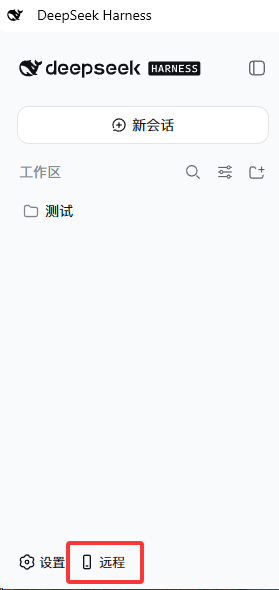
| 📱 侧边栏图标 | 手机快捷按钮常驻左下角,刷新不消失 |
| 🔗 自定义公网链接 | 支持填写自定义公网 URL(如 ngrok),面板编辑/清除,重启后生效 |
| 🔌 自定义端口 | HTTP / HTTPS 端口可分别自定义,带同端口冲突拦截与占用检测 |
| 🤖 微信机器人 | iLink 协议直连微信,支持 AI 对话、会话控制、模型切换 |
| 💬 飞书机器人 | WebSocket 长连接,支持命令控制、会话监听通知 |
| ✈️ Telegram 机器人 | 长轮询收发消息,支持 HTTP 代理、命令控制、监听推送 |
| 🐧 QQ 官方机器人 | QQ 开放平台官方接入,WebSocket 长连接,无需额外 QQ 号 / 公网入口 |
| 🔔 钉钉机器人 | 企业内部应用 + Stream 模式长连接,不需要公网地址,被动回复 + OpenAPI 主动推送 |
| 👁️ 会话监听 | /监听 命令,Agent 思考完毕自动推送到已绑定通道 |
| 🩺 通道健康监测 | 微信/飞书/Telegram/QQ官方/钉钉 独立监测,连续 3 次失败自动告警并停止,红点直达 + 一键重连 |
⚡ 一句话安装
复制下面这句话给你的 DSH,它自己会装好一切:
请帮我安装 dsh-web-remote 远程访问插件(https://github.com/godchen520/dsh-web-remote),装完告诉我如何重启 DSH Web。
不想麻烦 Agent?命令行一条:
dsh plugin --profile web add github:godchen520/dsh-web-remote && dsh web
📸 截图
快捷按钮(页面左下角):
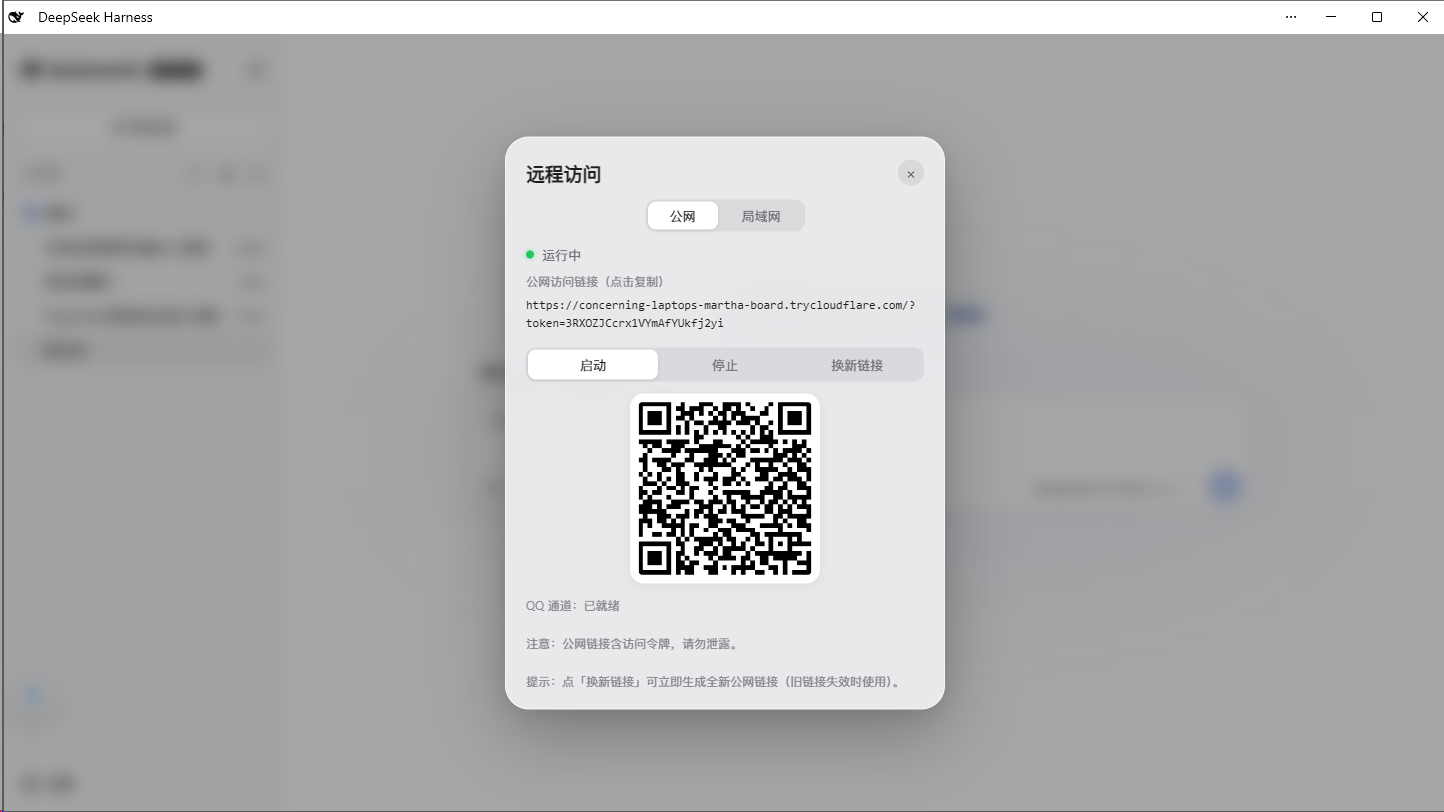
远程面板(公网 / 局域网切换、一键复制链接、二维码、启动 / 停止):
📋 安装方式
方式一:GitHub 直接安装(推荐)
cd $DSH_HOME/profiles/web
pnpm add github:godchen520/dsh-web-remote
在 package.json 的 dsh.profile.bundles 数组中添加 "dsh-web-remote",重启 DSH。
Showing the opening section of the README — the full document lives in the repository以上为 README 开头摘要,完整文档在仓库内 · View the full README on GitHub →在 GitHub 查看完整 README →
Related相关推荐
-
 shaobeichen/dsh-pocket
把 DeepSeek Harness 装进你的口袋:电脑上跑 dsh web,手机扫码即同步访问(局域网 + 公网,实时同屏)Put DeepSeek Harness in your pocket: run dsh web on your …
shaobeichen/dsh-pocket
把 DeepSeek Harness 装进你的口袋:电脑上跑 dsh web,手机扫码即同步访问(局域网 + 公网,实时同屏)Put DeepSeek Harness in your pocket: run dsh web on your …
-
 ningbainb/deepseek-harness-desktop
Open-source Windows desktop client and GUI for DeepSeek Harness — zero-setup installer with Codex, plugins, skills, SSH,…
ningbainb/deepseek-harness-desktop
Open-source Windows desktop client and GUI for DeepSeek Harness — zero-setup installer with Codex, plugins, skills, SSH,…
-
 chokwinlee/deepseek-harness-desktop
Compact DeepSeek Harness desktop host with a native SwiftUI iPhone Remote source preview.
chokwinlee/deepseek-harness-desktop
Compact DeepSeek Harness desktop host with a native SwiftUI iPhone Remote source preview.
-
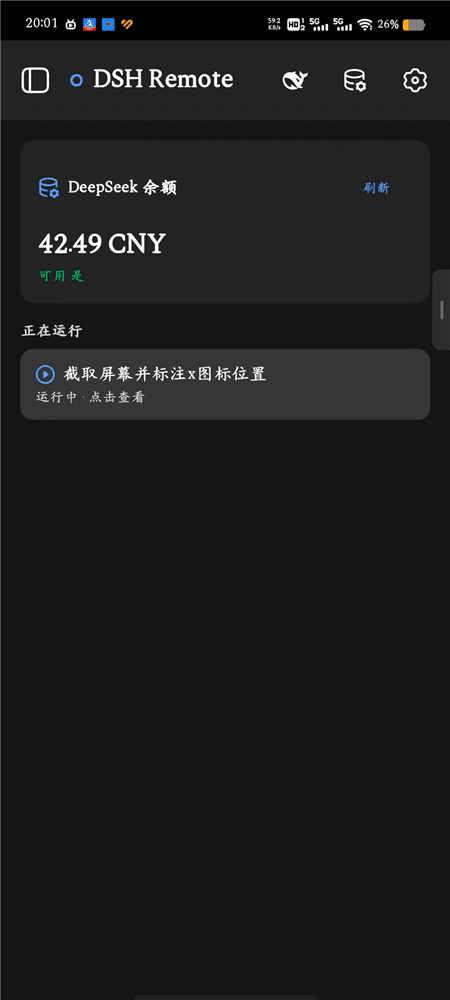 SCSpotato/dsh-remote
Native Android client to remotely control DeepSeek Harness (DSH) from your phone
SCSpotato/dsh-remote
Native Android client to remotely control DeepSeek Harness (DSH) from your phone
-
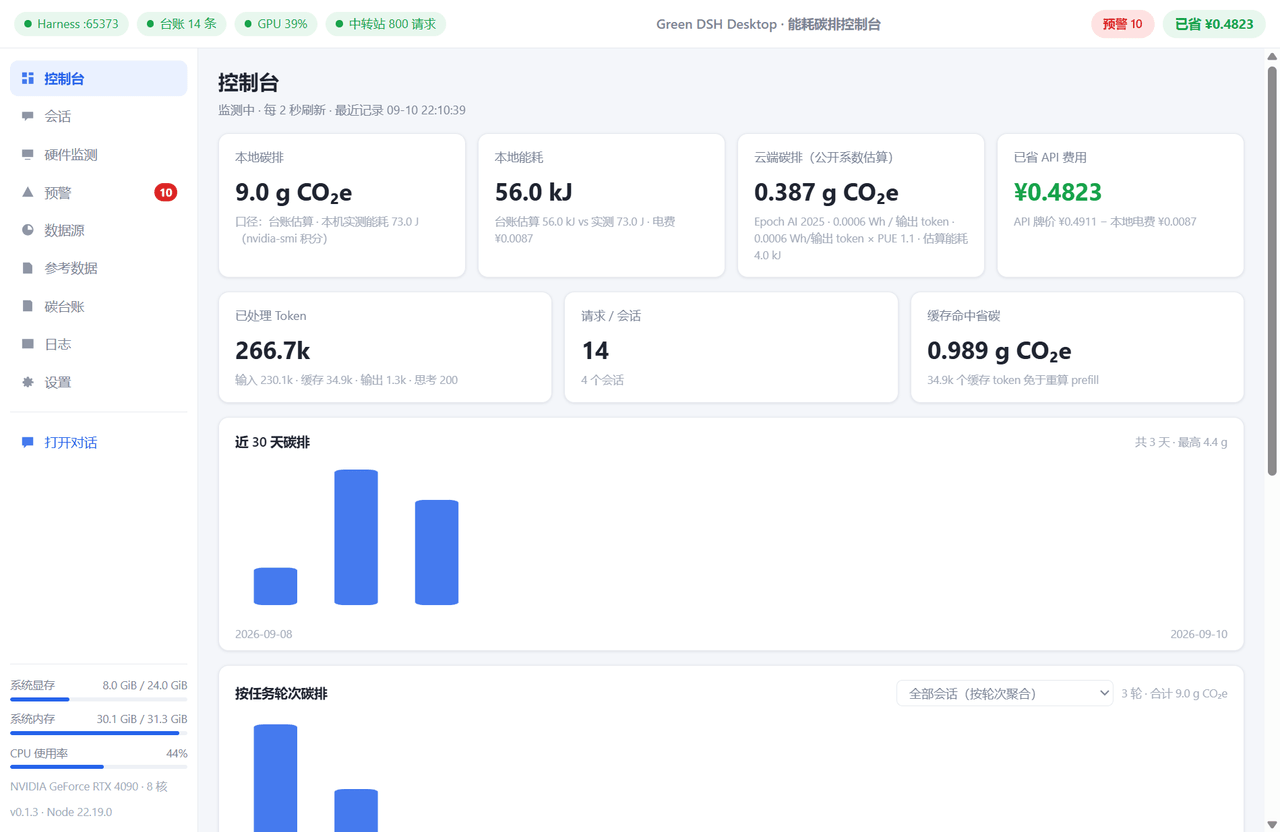 dclichang2022/dsh-green-meter
Desktop app for DeepSeek Harness with a live energy/carbon console: measure local GPU inference, estimate cloud APIs via…
dclichang2022/dsh-green-meter
Desktop app for DeepSeek Harness with a live energy/carbon console: measure local GPU inference, estimate cloud APIs via…
-
 omdsh-dev/dsh-notification
Desktop notifications for DeepSeek Harness turn completions, with per-outcome controls and include/exclude keyword rules…
omdsh-dev/dsh-notification
Desktop notifications for DeepSeek Harness turn completions, with per-outcome controls and include/exclude keyword rules…
-
 mrRisega/dsh-remote
公网远程控制 DeepSeek Harness(dsh web):安装即得专属加密地址,人在外面也能用手机远程访问,无需同一局域网/WiFi、无内网穿透,可选自建服务。Remote control DeepSeek Harness (dsh…
mrRisega/dsh-remote
公网远程控制 DeepSeek Harness(dsh web):安装即得专属加密地址,人在外面也能用手机远程访问,无需同一局域网/WiFi、无内网穿透,可选自建服务。Remote control DeepSeek Harness (dsh…
-
 Clarklevis1995/dsh-plugin-mobile-gateway
以websocket为通信方式的dsh网关插件,支持在同一网域内移动端的接入,实现移动端的dsh app
Clarklevis1995/dsh-plugin-mobile-gateway
以websocket为通信方式的dsh网关插件,支持在同一网域内移动端的接入,实现移动端的dsh app