GooDAnDReaDY/dsh-tts
Multi-Provider Text-to-Speech Voice Synthesis with Local Neural Engines, Sub-300ms Streaming, IT Dictionary & Messenger Integration for DeepSeek Harness
catalog descriptioncatalog 简介 / catalog description:Natural speech synthesis plugin for DeepSeek Harness (TTS, multi-engine, sanitizer)
Project Overview项目介绍
This is a text-to-speech plugin for DeepSeek Harness. It supports a multi-provider fallback chain including local offline neural engines, delivers sub-300ms latency streaming audio, with built-in text scrubbing and IT terminology dictionary, and messenger integration. Use it to convert assistant replies to speech. Restart DSH Web UI after installation for it to work properly.
这是DeepSeek Harness的文本转语音插件,支持多提供商回退链,包含本地离线神经引擎,可实现低于300毫秒延迟的流式语音合成,内置智能文本清洗和IT术语发音词典,支持即时通讯工具集成。需要将助手回复转语音时使用,安装后需重启DSH网页端才能生效。
请帮我了解并安装插件:【dsh-tts】【https://github.com/GooDAnDReaDY/dsh-tts】Send this message to DSH in your current session. CLI install commands may not be accurate across systems — DSH will figure it out for you.把上面这条消息直接发给当前会话里的 DSH,让它帮你了解并安装。安装命令不一定准确,发给 DSH 更稳。
Or use CLI install (for developers)或使用命令行安装(适合开发者)
CLI Install命令行安装
dsh plugin --profile web add @goodandready/dsh-tts把 GooDAnDReaDY/dsh-tts 加入你的 DSH 配置(web profile)即可启用。
READMEREADME
📦 @goodandready/dsh-tts
Multi-Provider Text-to-Speech Voice Synthesis with Local Neural Engines, Sub-300ms Streaming, IT Dictionary & Messenger Integration for DeepSeek Harness





🇬🇧 English • 🇷🇺 Русский • 🇨🇳 中文说明
|
⭐ If you like this plugin, please star it on GitHub — it shows me that the plugin is useful to you and motivates me to keep developing it.
🐛 If you find a bug or would like to request a feature, open a GitHub issue in any language — I will review your proposal and implement useful suggestions in a future plugin version. |
⚡ Overview
dsh-tts provides robust, lifelike spoken voice synthesis for assistant replies in the DeepSeek Harness Web UI. When Speak agent replies is enabled, each finished assistant turn or real-time streaming chunk is synthesized on the host and streamed directly to the browser.
API keys never reach client browsers: synthesis is executed entirely on the host backend across independent multi-provider fallback chains, including local system engines (Edge TTS, Piper, eSpeak). Kokoro-82M and F5-TTS weights can be downloaded for future runtime support, but neural inference is not bundled in this package — those providers fail honestly and the chain continues.
graph LR
    subgraph Input [Assistant Message]
        Reply[💬 Agent Reply Text] --> Scrub[Smart Text Scrubbing & IT Dictionary]
    end

    subgraph Stream [Low-Latency Streaming]
        Scrub --> SSE[SSE /dsh-tts/stream]
        SSE --> Worklet[AudioWorklet PCM Processor]
    end

    subgraph Cache [Performance Layer]
        Scrub --> LRU{Disk LRU Cache}
        LRU -->|Cache Hit| Play[Immediate Audio Playback]
    end

    subgraph Fallback [TTS Provider Fallback Chain]
        LRU -->|Cache Miss| Chain{Active Chain}
        Chain -->|Offline| P1[Edge TTS / Piper / eSpeak]
        Chain -.->|Cloud Neural| P2[OpenAI / ElevenLabs / Google / Azure / Groq]
        Chain -.->|OpenAI-compatible| P3[SiliconFlow / DeepInfra / Fireworks / OpenRouter]
        Chain -.->|Other| P4[MiMo / MiniMax / Custom]
    end

    subgraph Output [Delivery & Integrations]
        P1 --> Store[Save to Cache]
        P2 --> Store
        P3 --> Store
        P4 --> Store
        Store --> Play
        Store --> Msg[Telegram / Discord via dsh-messenger-gateway]
    end

    style Input fill:#1e1e2e,stroke:#89b4fa,stroke-width:2px,color:#cdd6f4
    style Stream fill:#181825,stroke:#89dceb,stroke-width:2px,color:#cdd6f4
    style Cache fill:#181825,stroke:#cba6f7,stroke-width:2px,color:#cdd6f4
    style Fallback fill:#11111b,stroke:#a6e3a1,stroke-width:2px,color:#cdd6f4
    style Output fill:#181825,stroke:#f38ba8,stroke-width:2px,color:#cdd6f4
🚀 Key Features
1. 📴 Offline system engines + optional future neural runtimes
- Edge TTS / Piper / eSpeak: fully offline or free local/system synthesis without cloud API keys (Edge needs the
edge-ttsCLI). - Kokoro-82M / F5-TTS: weight download and status UI only. Neural inference is not bundled in this package — those providers fail with a clear reason and the fallback chain continues. Do not enable them expecting speech until a supported runtime is wired.
- ModelManager UI: Direct manual installation in settings with real-time download progress bar, SHA-256 validation, and deletion. No silent or automatic multi-gigabyte downloads.
2. ⚡ Real-Time Streaming Audio (< 300 ms Latency)
- AudioWorklet (
TTSWorklet): High-performance Web Audio Worklet processor playing seamless Float32Array PCM chunks at 24 kHz without audible clicks or buffer underruns. - Server-Sent Events (SSE): Dedicated
/dsh-tts/streamroute delivering synthesized chunks to connected browsers instantly.
3. 🎙️ Voice Duplex & VAD Barge-In (with @goodandready/dsh-voice)
- Full-Duplex Conversation: Automatic voice reply synthesis upon completion of speech dictation.
- VAD Barge-In: Immediately mutes assistant speech playback when user voice activity is detected.
- Installation Guard: If
@goodandready/dsh-voiceis not present, settings controls are disabled with an explicit instruction banner (dsh plugin --profile web add @goodandready/dsh-voice).
4. 📚 Built-in IT Terminology Pronunciation Dictionary
- Pre-configured Lexicon: Correct phonetic pronunciation for common technical abbreviations and developer terms:
SQL$\rightarrow$ "сиквел"Nginx$\rightarrow$ "энджинкс"Kubernetes/K8s$\rightarrow$ "кубернетис"Docker$\rightarrow$ "докер",API$\rightarrow$ "апи",JSON$\rightarrow$ "джейсон",YAML$\rightarrow$ "ямл"GUI,CLI,CI/CD,PR,Regex,OAuth,HTTP,HTTPS,CPU,GPU,RAM
- Interactive UI Editor: Edit rules, preview phonetic substitutions with the ▶ Listen button, and populate standard IT terms with one click.
5. 👥 Multi-Agent Personas & Subagent Voice Overrides
- Assign distinct voices, providers, models, and audio chimes to individual subagents (e.g.
coder,reviewer,planner,tester). - Subagent Auto-Detection: With
autoDetectSubagentenabled, incoming turns automatically match subagents by message metadata (subagent,agent,author,name) and dynamically apply voice, rate, and SSML style presets.
6. 💾 Audio Clip Export & Speech History
- Export any spoken utterance directly to an audio file (
.wav/.mp3) viaexportAudioClip(text). - Instant download buttons (
⤓) integrated directly into the input dock speaker control and recent utterances dropdown list.
7. 💬 Messenger Voice Notes Integration (with @goodandready/dsh-messenger-gateway)
- Generates voice audio for Telegram and Discord bot replies via
POST /dsh-tts/speak. - Protective dependency check with installation hint when gateway plugin is missing.
8. 🌐 Canonical English & Chinese Localization (EN + ZH)
- Complete built-in English (
en) and Chinese (zh) UI and speech template dictionaries. - Centralized Russian localization provided via
@goodandready/dsh-russian-langthrough Gitea issue tracking. - Smart boundary tokenizer supporting CJK full-width punctuation (
。!?), abbreviations, file extensions, and IP/version numbers.
🛠️ Complete Supported Providers Matrix (18 Backends)
| Provider Key | Service Backend | Default Model | Default Voice | Credential Ref | Features & Notes |
|---|---|---|---|---|---|
kokoro |
Local Kokoro-82M ONNX | hexgrad/Kokoro-82M |
af_bella |
None | Weights downloadable; ONNX inference not bundled — fails honestly |
f5 |
Local F5-TTS GPU Daemon | F5-TTS |
Default | None | Daemon ping only; GPU inference not bundled — fails honestly |
elevenlabs |
ElevenLabs API | eleven_multilingual_v2 |
Rachel |
ELEVENLABS_API_KEY |
Ultra-realistic, emotional nuance |
openai |
OpenAI Audio | gpt-4o-mini-tts / tts-1 |
alloy |
OPENAI_API_KEY |
High-quality industry standard |
edge |
Microsoft Edge Online | ru-RU-SvetlanaNeural |
ru-RU-SvetlanaNeural |
None | Free, high-fidelity neural TTS without API keys |
siliconflow |
SiliconFlow CosyVoice | FunAudioLLM/CosyVoice2-0.5B |
Default | SILICONFLOW_API_KEY |
State-of-the-art CosyVoice2 neural engine |
deepinfra |
DeepInfra Kokoro | hexgrad/Kokoro-82M |
Default | DEEPINFRA_API_KEY |
Fast open-weights Kokoro synthesis |
fireworks |
Fireworks AI | kokoro |
Default | FIREWORKS_API_KEY |
Ultra-low latency Kokoro inference |
minimax |
MiniMax Speech | speech-01-turbo |
Default | MINIMAX_API_KEY |
High-expressiveness neural voice |
mimo |
Xiaomi MiMo Audio | mimo-v2.5-tts |
Default | MIMO_API_KEY |
Low-latency streaming TTS |
google |
Google Cloud TTS | gemini-2.5-flash-preview-tts |
Language default | GEMINI_API_KEY |
Multilingual Google Gemini voice synthesis |
azure |
Azure Cognitive Speech | en-US-JennyNeural |
Region default | AZURE_SPEECH_KEY |
Enterprise neural synthesis |
deepgram |
Deepgram Aura | aura-asteria-en |
asteria |
DEEPGRAM_API_KEY |
Ultra-low latency voice output |
groq |
Groq TTS | playai-tts |
default |
GROQ_API_KEY |
Near-instant inference speed |
openrouter |
OpenRouter Audio | openai/gpt-4o-mini-tts |
alloy |
OPENROUTER_API_KEY |
Unified router access |
custom |
Custom OpenAI-compatible | Configurable | Configurable | CUSTOM_TTS_API_KEY |
Any /v1/audio/speech endpoint |
piper |
Local Piper ONNX | Local ONNX weights | Model default | None | 100% offline neural engine |
espeak |
Local eSpeak NG | System synth | ru / en |
None | 100% offline lightweight fallback |
🧹 Smart Text Scrubbing & Formatting Engine
Before text reaches speech synthesizers, dsh-tts intelligently sanitizes and filters the message so the assistant doesn't read out syntax noise:
- Fenced Code Blocks: Spoken as "code block, N lines" / "блок кода, N строк".
- Markdown Tables: Spoken as "table, N rows" / "таблица, N строк".
- Summary Intros: Spoken as "Summary of the reply" / "Пересказ ответа".
- Narration Filters: Skip asterisk actions (
*smiles*), narrate quotes only, and apply custom regex removal.
📦 Quick Installation
dsh plugin --profile web add @goodandready/dsh-tts
[!IMPORTANT] Restart DSH Web UI after installation (
systemctl --user restart dsh-web) and refresh your browser tab.
⚙️ Configuration Recipes (settings.yaml)
dsh-tts:
  speakReplies: true
  enableLocalEngines: true
  kokoroEnabled: true
  streamingEnabled: true
  enableItDictionary: true
  voiceDuplexEnabled: true
  vadBargeIn: true
  messengerTtsEnabled: true
  cache: true
  cacheMaxMb: 150
  autoDetect: true
  chain:
    - provider: edge
    - provider: espeak
      voice: ru-RU-SvetlanaNeural
    - provider: openai
      model: tts-1
      voice: alloy
  roles:
    coder:
      provider: openai
      voice: onyx
    reviewer:
      provider: edge
      voice: ru-RU-DmitryNeural
Settings UI coverage
The plugin settings card (Settings → Plugins → Plugin settings) exposes every user-facing schema field, including an Advanced block for maxChars, sentenceChars, timeoutMs, maxQueue, openaiBaseUrl, mimoBaseUrl, mimoFormat, and minimaxBin.
Provider API keys are never stored in plugin settings. Paste them in the chain editor; values go to the DSH credential store via PUT /dsh-tts/credential.
Config-only (not in the card): *KeyEnv fields (openaiKeyEnv, elevenlabsKeyEnv, …). They only rename the credential slot the plugin looks up. Change them in settings.yaml if you must rebind a key name; the defaults match the usual environment variable names.
The sidebar settings.section entry is a fallback and is registered only when settings.plugin.item is missing from the build.
🤖 HTTP Endpoints Reference
GET /dsh-tts/stream— Real-time Server-Sent Events (SSE) audio streaming.POST /dsh-tts/speak—{ text, voice?, model? }→ Returns synthesized audio.POST /dsh-tts/preview—{ provider, model, voice, text? }→ Test voice playback in UI.GET /dsh-tts/models/status— Reports Kokoro/F5 weight installation states (download only; inference not bundled).POST /dsh-tts/models/install—{ engine: 'kokoro' | 'f5' }→ Starts HuggingFace model download.DELETE /dsh-tts/models/delete—{ engine: 'kokoro' | 'f5' }→ Removes local model files.GET /dsh-tts/integrations— Status of sibling plugins (dsh-voice,dsh-messenger-gateway).GET /dsh-tts/status— Returns active chain state, cache statistics, and engine readiness.
📄 License
MIT © GooDAnDReaDY
Related相关推荐
-
 nexu-io/open-design
🎨 Best DeepSeek Harness Design Plugin. The open-source Claude Design alternative. 🖥️ Local-first desktop app. 🖼️ Your…
nexu-io/open-design
🎨 Best DeepSeek Harness Design Plugin. The open-source Claude Design alternative. 🖥️ Local-first desktop app. 🖼️ Your…
-
 Devin-AXIS/iPolloWork
Enterprise-grade, local-first Agent Workbench for people and agent teams. A unified multi-engine workspace for Codex Har…
Devin-AXIS/iPolloWork
Enterprise-grade, local-first Agent Workbench for people and agent teams. A unified multi-engine workspace for Codex Har…
-
 liustack/modlens
The first vision plugin for DeepSeek Harness, and the vision bridge for every text-only coding agent. Paste an image, ge…
liustack/modlens
The first vision plugin for DeepSeek Harness, and the vision bridge for every text-only coding agent. Paste an image, ge…
-
 ysr666/dsh-vision-router
Eyes for text-only DeepSeek Harness agents: built-in free vision chain (no key) + pixel-level vision tools (Q&A, groundi…
ysr666/dsh-vision-router
Eyes for text-only DeepSeek Harness agents: built-in free vision chain (no key) + pixel-level vision tools (Q&A, groundi…
-
 EthanYoQ/AI-Novel-Writer
AI 小说创作软件:把灵感、角色、世界观、大纲、章节写作、审稿和修稿组织成可控流程;提供 Windows/macOS 桌面版,支持本地和在线模型。AI Novel Writing Software: Organizes inspiratio…
EthanYoQ/AI-Novel-Writer
AI 小说创作软件:把灵感、角色、世界观、大纲、章节写作、审稿和修稿组织成可控流程;提供 Windows/macOS 桌面版,支持本地和在线模型。AI Novel Writing Software: Organizes inspiratio…
-
 Anionex/dsh-vision-toolkit
[dsh]为纯文本模型设计更强大的视觉工具箱:一行安装使用、粘贴图片直接识别、多张图片问答、截图到前端UI 还原等|DeepSeek Harness-native integration for agent-vision-toolkit: …
Anionex/dsh-vision-toolkit
[dsh]为纯文本模型设计更强大的视觉工具箱:一行安装使用、粘贴图片直接识别、多张图片问答、截图到前端UI 还原等|DeepSeek Harness-native integration for agent-vision-toolkit: …
-
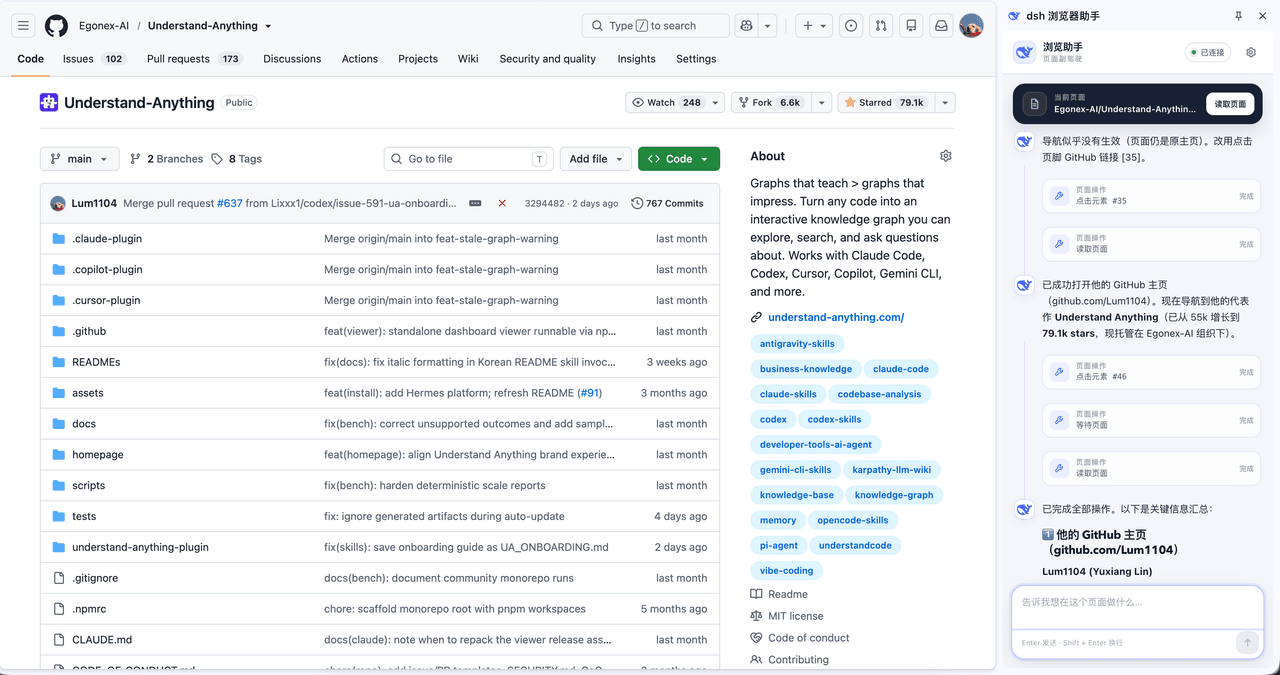 Lum1104/dsh-browser
Chrome sidebar extension that lets DeepSeek Harness operate your browser directly, no vision capabilities required. 一款 C…
Lum1104/dsh-browser
Chrome sidebar extension that lets DeepSeek Harness operate your browser directly, no vision capabilities required. 一款 C…
-
 fufankeji/deepseek-harness-studio
DeepSeek Harness 零代码桌面端|一键启动,支持 Windows 与 macOS;内置插件发现、热点插件推送、一键安装与管理、AI 智能推荐和视觉增强。
fufankeji/deepseek-harness-studio
DeepSeek Harness 零代码桌面端|一键启动,支持 Windows 与 macOS;内置插件发现、热点插件推送、一键安装与管理、AI 智能推荐和视觉增强。