
greenthree/ProbHub-skill
ProbHub 是一套面向 ACM/ICPC 出题人的本地工作流。它把题面、代码、数据、评测、排版和 DOMjudge 打包连接起来;你可以自己使用,也可以让 Codex、Claude Code 等 Agent 按同一套规则协作。
catalog descriptioncatalog 简介 / catalog description:算法竞赛出题自动化skill(个人出题习惯),支持完善题面、构造数据、组卷用typ编译pdf和生成domjudge题目包
Project Overview项目介绍
ProbHub is a local workflow tool for competitive programming problem setters that integrates problem statement management, code validation, test data generation, judging, PDF typesetting, and DOMjudge package export into a single standardized pipeline. It follows the cross-agent skill convention, so it works out of the box with multiple AI agent CLIs including Claude Code, Codex, and DeepSeek Harness, allowing agents to follow a unified standard to collaborate on problem development. For DSH users, an optional separate downstream plugin can be installed to enable a full-featured web-based workbench integrated with DSH's web profile.
The core ProbHub workflow starts with an idea for a new problem, which is then structured into a dedicated workspace following the project's Schema v1 specification. After the initial structuring, the problem goes through multiple validation steps including linting, base judging, stress testing, and judge quality assurance before the working version is sealed ready for final delivery. Users can choose from three verification modes (quick, normal, full) based on the problem's difficulty and complexity, and the tool is primarily designed for teams that create problems from scratch or maintain existing problem banks.
To use ProbHub for a full problem development workflow, you must have Node.js 18+ and CPython 3.10 to 3.12 pre-installed on your system, along with a C++17 compatible g++ compiler and the 0.14.2 version of Typst for PDF generation. It can be installed globally via the npm package manager, or run directly with npx without requiring a global install, and it officially supports Windows and Linux (macOS can run the tool but is not validated in CI). ProbHub is released under the open source MIT license, and it is intended only for local single-user trusted environments, as it does not provide a strong security sandbox for running untrusted code.
ProbHub 是一套面向算法竞赛出题人的本地工作流工具,原生支持多 AI 代理协作,可将题面、代码、数据、评测、排版、DOMjudge 输出包完整串联在一起。它支持从零搭建新题目、批量维护现有题库,也可让 Claude Code、Codex 等 AI 代理按照统一规范参与出题工作,用户仅需审核题意、算法和最终交付结果。DeepSeek Harness(DSH)用户可额外安装独立的下游插件获得完整前端工作台支持。
核心工作流从出题想法开始,整理为符合 Schema v1 规范的工作区,再经过 lint 检查、评测、压力测试、质量检查等多轮验证,最终冻结版本并交付完整的 PDF 试卷和 DOMjudge 压缩包。它提供快速、普通、完整三种验证模式,适配不同难度的题目,支持差分测试、变异测试、特殊题目检查等功能。主要面向需要自己出题或维护题库的竞赛出题团队。
它需要预先安装 Node.js 18+ 和 CPython 3.10-3.12,还依赖 g++ 和特定版本的 Typst 才能完成完整工作流。可通过 npm 全局安装,也支持 npx 直接调用,支持 Windows 和 Linux,macOS 一般可运行但未做 CI 验证。它采用 MIT 许可证,仅适用于本地单用户可信环境,不是强安全沙箱。
请帮我安装这个 DSH 插件。安装前先完成【兼容性检查 + 安全性检查】,检查通过再动手。

插件:ProbHub-skill(greenthree/ProbHub-skill)
仓库:https://github.com/greenthree/ProbHub-skill
本站详情页:https://www.yhbd.top/plugins/greenthree-probhub-skill/
本站登记:类型 plugin · 归类 多平台兼容工具(非 DSH 原生) · 许可证 MIT · ⭐ 10 · 最近提交 2026-09-25 · 主语言 Python

按下面顺序执行,每步先把结论告诉我,再进入下一步:

【1 兼容性检查】
① 我这边:DSH 版本、Node 版本、操作系统、当前 profile(web / desktop)。
② 读它的 README、package.json、插件 manifest,列出它要求的 DSH 版本 / Node 版本 / 操作系统 / 外部依赖 / 需要另外先装的运行时。
③ 逐条比对,结论只写「满足 / 不满足 / 未知」三种;不满足的给出可行替代方案。
④ 检查是否和我已装的插件冲突:命令名重复、skill / tool 重名、端口占用、重复注册的 MCP server。

【2 安全性检查】
① 仓库可信度:和上面「本站登记」是否一致;star / fork 数、创建时间、最近提交,是否归档或长期停更。
② 安装脚本:逐行看 package.json 的 preinstall / install / postinstall,以及 install.sh、setup.ps1 之类脚本。出现 curl|bash、下载后直接执行、混淆代码、访问与插件功能无关的域名,立刻停下来告诉我,不要继续装。
③ 依赖:列出新增依赖,标出无人维护、或与知名包拼写近似的可疑包(typosquatting)。
④ 权限与副作用:它会读写哪些目录、访问哪些域名、需要哪些 DSH 权限(filesystem / network / shell / clipboard 等),以及怎么卸载和回滚。
⑤ 如果它要求 sudo / 管理员权限,或权限明显超出功能所需,先停下来问我。

【3 安装】
上面两步没有「不满足」和「高危项」时才执行;用官方推荐方式安装,不要自行提权。

【4 汇报】
用表格输出:检查项 / 结论 / 依据 / 是否需要我决策。拿不准的一律写「未知」并说明要我怎么确认——不要猜,也不要替我决定。
Send this message to DSH in your current session: it verifies compatibility and security first (answering met / not met / unknown item by item) and only installs once everything checks out — it will stop and ask you if it finds a high-risk item. The box scrolls; the copy is the full prompt. CLI install commands may not be accurate across systems, so DSH is the safer route.把上面这条消息直接发给当前会话里的 DSH:它会先核对兼容性与安全性(逐条给「满足 / 不满足 / 未知」),确认没问题再安装,有高危项会停下来问你。框内可滚动,复制到的是完整提示词;安装命令不一定准确,发给 DSH 更稳。
- 10 stars - an early-stage project星标 10,属于早期项目
- Not DSH-native: a multi-platform tool that may require Node / Electron or another runtime first非 DSH 原生,是多平台兼容工具:可能要先装 Node / Electron 等运行时
DSH walks through these 9 checksDSH 会逐条核对这 9 项
Compatibility兼容性
- DSH, Node, OS and profile requirementsDSH 版本 / Node 版本 / 操作系统 / profile 是否满足要求
- External dependencies and runtimes (Electron / Python / Docker, ...)外部依赖与运行时(Electron / Python / Docker 等)是否齐备
- Conflicts with installed plugins: command names, skill / tool names, ports, duplicate MCP registration与已装插件是否冲突:命令名、skill / tool 重名、端口占用、重复 MCP 注册
Security安全性
- Repo matches the facts registered here; archived or abandoned?仓库是否与页面登记一致,是否归档或长期停更
- Safety of preinstall / install / postinstall and install.sh / setup.ps1preinstall / install / postinstall 与 install.sh、setup.ps1 是否安全
- curl|bash, download-then-execute, obfuscation, unrelated domains → stop immediatelycurl|bash、下载即执行、混淆代码、无关域名 → 立刻停止
- Typosquatting or unmaintained packages among the new dependencies新增依赖里有没有 typosquatting 或无人维护的包
- Requested permissions vs. what the feature actually needs申请了哪些权限、是否超出功能所需(filesystem / network / shell / clipboard)
- Any sudo / admin requirement, plus uninstall and rollback是否要求 sudo / 管理员权限,以及卸载与回滚方式
Anything uncertain must be marked unknown with a note on how to confirm it. This site's signal screen is a static snapshot, not a security audit.拿不准的必须标「未知」并说明要我怎么确认。本站的信号筛查是静态快照,不能替代安全审计。
Or use CLI install (for developers)或使用命令行安装(适合开发者)
CLI Install命令行安装
dsh plugin --profile web add github:greenthree/ProbHub-skill把 greenthree/ProbHub-skill 加入你的 DSH 配置(web profile)即可启用。
READMEREADME





ProbHub 是什么
ProbHub 是一套面向 ACM/ICPC 出题人的本地工作流。它把题面、代码、数据、评测、排版和 DOMjudge 打包连接起来;你可以自己使用,也可以让 Codex、Claude Code 等 Agent 按同一套规则协作。
它适合从零设题、批量维护题面与数据,或希望让 Agent 参与出题而仍保留可审查、可复现交付结果的队伍。ProbHub 面向本地单用户、可信环境,会控制时间、内存、输出和进程树,但不是运行敌意代码的安全容器。
一眼看懂
| 你想完成的事 | ProbHub 提供的帮助 |
|---|---|
| 整理一道题 | Schema v1 工作区、题面模板、配置和源码目录 |
| 确认题目真的能判 | Validator、标程、暴力、错解、样例和无缓存 Judge |
| 找到隐藏反例 | stress 差分测试、反例重放、数据组职责和 std 变异测试 |
| 检查特殊 Judge | Checker/Interactor fixture、鲁棒性探针和隔离 Judge QA |
| 组卷与发题 | Typst 全卷与单题 PDF、DOMjudge ZIP、深度验包和 Manifest |
| 让 Agent 参与 | 全局 Skill、快速/普通/完整验证模式和交接标准 |
flowchart LR
    Idea["题目想法"] --> Source["题面 + 配置 + 代码 + 数据"]
    Source --> Verify["lint / Judge / stress / Judge QA"]
    Verify --> Freeze["seal:冻结可复现版本"]
    Freeze --> Preview["完整试卷预览"]
    Freeze --> Build["正式 build"]
    Build --> Delivery["PDF + DOMjudge ZIP + Manifest"]
快速开始
1. 安装 Skill
先确认 Node.js 18+(含 npm),以及 Windows/Linux x86_64 上的 CPython 3.10、3.11 或 3.12。Ubuntu 的系统 Python 还需要 python3-pip。ProbHub 不要求创建虚拟环境,也不推荐把依赖写入系统 Python 的全局目录。
Showing the opening section of the README — the full document lives in the repository以上为 README 开头摘要,完整文档在仓库内 · View the full README on GitHub →在 GitHub 查看完整 README →
Related相关推荐
-
 GoalfyAI/goalfydata
A shared data backend for AI agents and authorized teams.
GoalfyAI/goalfydata
A shared data backend for AI agents and authorized teams.
-
 TencentCloudBase/CloudBase-AI-Toolkit
Backend for AI coding agents on CloudBase — database, auth, functions via Plugin, Skills & MCP.
TencentCloudBase/CloudBase-AI-Toolkit
Backend for AI coding agents on CloudBase — database, auth, functions via Plugin, Skills & MCP.
-
 youdotcom-oss/agent-skills
You.com skills and plugins for web search, content extraction, research, finance, and integration discovery, helping AI …
youdotcom-oss/agent-skills
You.com skills and plugins for web search, content extraction, research, finance, and integration discovery, helping AI …
-
 MiaoQichuan/new-litigation-visualization
把法律画出来 · Make the Law Visible —— 给法律人的诉讼可视化工具集:把凌乱的诉讼图重画成能进材料的图,直接读案件材料画准一张时间轴,并提供庭前三大法宝(大事记表、庭审对抗图、法律关系图)。Claude Skill …
MiaoQichuan/new-litigation-visualization
把法律画出来 · Make the Law Visible —— 给法律人的诉讼可视化工具集:把凌乱的诉讼图重画成能进材料的图,直接读案件材料画准一张时间轴,并提供庭前三大法宝(大事记表、庭审对抗图、法律关系图)。Claude Skill …
- Weaxs/stock-analysis-plugin Multi-market stock analysis, screening & backtesting plugin for AI agents — 39 tools + 20 strategy skills across A/HK/US…
-
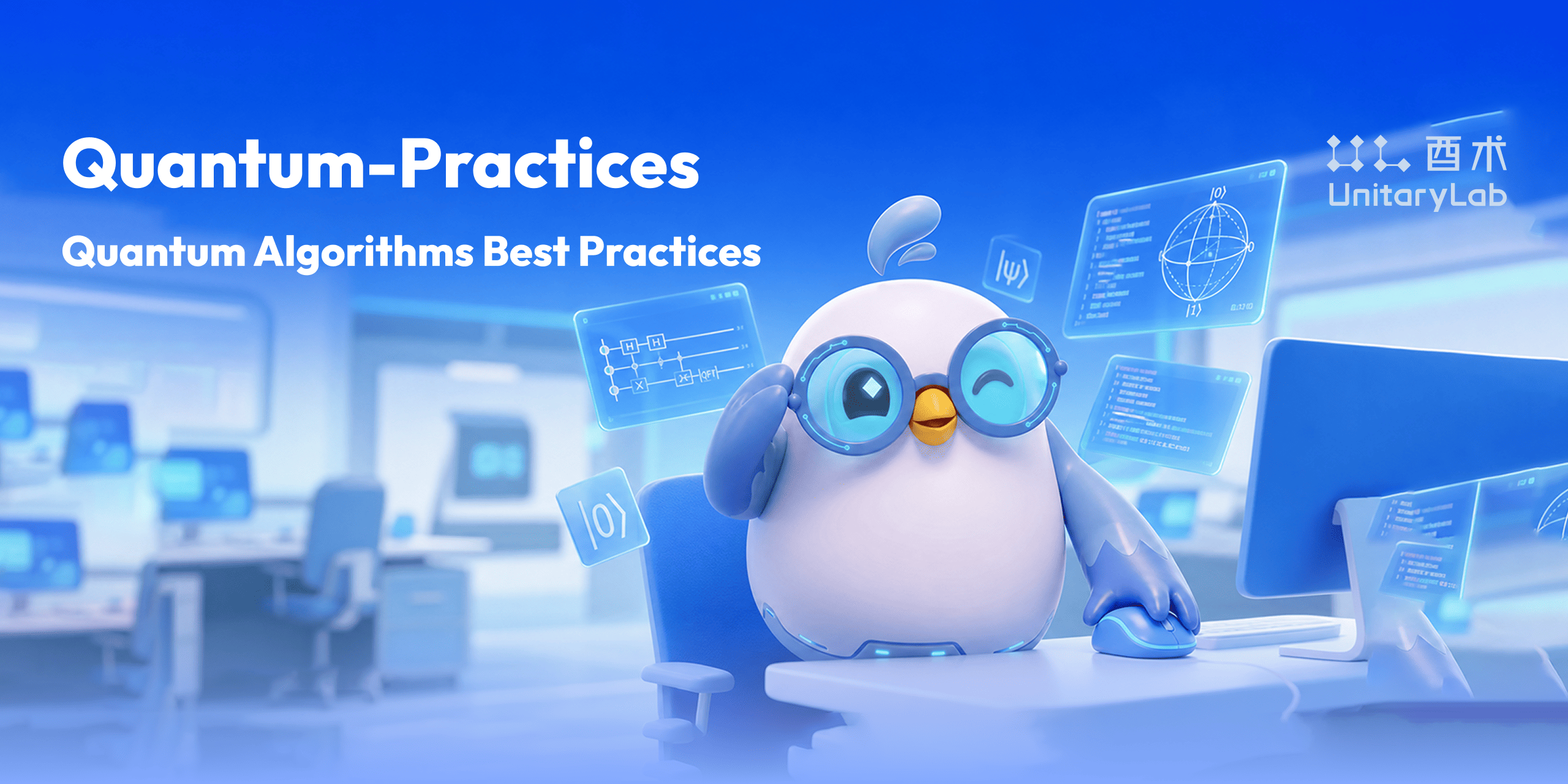 unitarylab/quantum-practices
量子计算最佳实践 Quantum Algorithms Best Practices
unitarylab/quantum-practices
量子计算最佳实践 Quantum Algorithms Best Practices
- yxy050208/multisim-mcp Unofficial MCP server for AI-driven NI Multisim circuit generation, simulation, data export, and reports
-
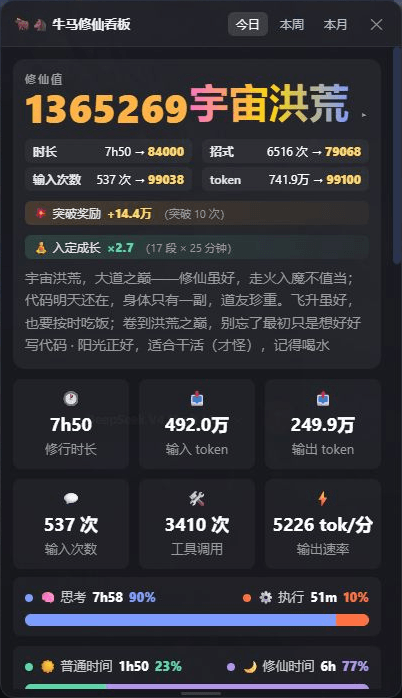 spacexun2/dsh-worktime-board
🐂🐴 牛马修仙看板:DeepSeek Harness 工时统计 × 修仙养成——把每一分钟劳动,都修成境界(日/周/月 + 学年年历,炼气→宇宙洪荒)
spacexun2/dsh-worktime-board
🐂🐴 牛马修仙看板:DeepSeek Harness 工时统计 × 修仙养成——把每一分钟劳动,都修成境界(日/周/月 + 学年年历,炼气→宇宙洪荒)