gxpppp/dsh-obsidian
dsh-obsidian is a host-only Obsidian integration for DeepSeek Harness (DSH). The main branch targets DSH 0.1.2-alpha.2 exactly. Earlier prerelease lines are preserved as immutable legacy branches and tags.
catalog descriptioncatalog 简介 / catalog description:Obsidian bridge plugin for DSH
Project Overview项目介绍
dsh-obsidian is a host-only Obsidian integration for DeepSeek Harness, targeting DSH 0.1.0-rc.8 exactly. It injects 25 obsidian_* tools into the agent whose message matches the configured trigger vocabulary, covering vault I/O, search, metadata, attachments, links, editor, and command operations. A separately installed Obsidian companion with matching major/minor version is required. DSH rc.8 is a prerelease with an incompatible SQLite session format; back up DSH data before upgrading.
dsh-obsidian 是 DeepSeek Harness 的主机端 Obsidian 集成,仅适用于 DSH 0.1.0-rc.8。它向触发词汇匹配的代理注入 25 个 obsidian_* 工具,覆盖 vault 读写、搜索、元数据、附件、链接、编辑器及命令,需配合同版本 companion 插件使用。安装时需使用 @next 标签或精确版本,并重启对应 profile。rc.8 的 SQLite 会话存储不兼容旧版,升级前请备份 DSH 数据。
请帮我了解并安装插件:【dsh-obsidian】【https://github.com/gxpppp/dsh-obsidian】Send this message to DSH in your current session. CLI install commands may not be accurate across systems — DSH will figure it out for you.把上面这条消息直接发给当前会话里的 DSH,让它帮你了解并安装。安装命令不一定准确,发给 DSH 更稳。
Or use CLI install (for developers)或使用命令行安装(适合开发者)
CLI Install命令行安装
dsh plugin --profile web add @deepseek-ai/dsh-client-ui-obsidian@0.4.0把 gxpppp/dsh-obsidian 加入你的 DSH 配置(web profile)即可启用。
READMEREADME
dsh-obsidian
dsh-obsidian is a host-only Obsidian integration for DeepSeek Harness (DSH). The main branch targets DSH 0.1.2-alpha.2 exactly. Earlier prerelease lines are preserved as immutable legacy branches and tags.
The plugin exposes 25 obsidian_* tools. Tools, guidance, and approval policy are injected only into the agent whose message matches the configured trigger vocabulary; unrelated agents do not receive the schemas.
Current release line: dsh-obsidian-v0.4.0, built for DSH dsh-v0.1.2-alpha.2. DSH alpha.2 is published under npm dist-tag alpha; latest and next still resolve to 0.1.1-rc.2. Use the exact version for reproducible installations.
Capabilities
Vault tools, available without Obsidian:
obsidian_status · obsidian_list · obsidian_stat · obsidian_read · obsidian_write · obsidian_edit · obsidian_append · obsidian_mkdir · obsidian_copy · obsidian_move · obsidian_delete
The filesystem layer uses vault-relative paths, canonical realpath containment, protected dot directories, atomic writes, serialized appends, SHA-256 revisions, optimistic if_match conflicts, binary size limits, cancellation, and internal trash by default.
Knowledge and Obsidian semantic tools:
obsidian_search · obsidian_metadata · obsidian_frontmatter_update · obsidian_link_resolve · obsidian_links · obsidian_link_insert
Search is bounded and paginated. Metadata, frontmatter processing, backlinks, unresolved links, and Obsidian-generated links use the companion's native APIs when available.
Attachments:
obsidian_attachment_add · obsidian_attachment_read
Attachments accept an alpha.2 durable image reference or a vault-relative source path. Host absolute paths, URLs, dot directories, unbounded binary payloads, and raw binary model output are rejected.
Editor and command tools, requiring the companion:
obsidian_active · obsidian_inline_edit · obsidian_open · obsidian_commands_list · obsidian_command · obsidian_notice
Inline edits carry the active path, document revision, selection offsets, and expected text. A concurrent user edit or note switch returns a conflict instead of overwriting content.
Install
First install DSH 0.1.2-alpha.2 explicitly. Do not rely on npm latest or next for this line:
npm install --global @deepseek-ai/dsh@0.1.2-alpha.2 pnpm@11.7.0
Install the host package into the profile that runs the agent:
# Preferred: prebuilt tarball attached to the GitHub Release
dsh plugin --profile <profile> add "https://github.com/gxpppp/dsh-obsidian/releases/download/dsh-obsidian-v0.4.0/deepseek-ai-dsh-client-ui-obsidian-0.4.0.tgz"

# Exact GitHub tag; requires a build-capable npm environment
dsh plugin --profile <profile> add "github:gxpppp/dsh-obsidian#dsh-obsidian-v0.4.0"

# npm registry, after publication by an account authorized for @deepseek-ai
dsh plugin --profile <profile> add @deepseek-ai/dsh-client-ui-obsidian@0.4.0

# Local development checkout
dsh plugin --profile <profile> add "link:E:\\path\\to\\dsh-obsidian"
Replace <profile> with the profile you actually boot, such as web or headless. Alpha.2 profiles record dsh.profile.patchReload: web uses live; shipped headless, acp, sdk, and sdk-minimal profiles use startup. Restart startup-only profiles after adding or changing the plugin.
Verify the composed tree without booting:
dsh --profile <profile> --dump-config
The output must contain the ui-obsidian row.
The host package and Obsidian companion are separate artifacts. Install the companion from a checkout or unpacked host tarball:
node scripts/install-companion.mjs --vault "C:\\path\\to\\vault"
A standalone dsh-obsidian-bridge-0.4.0.zip is attached to the GitHub Release. Extract only main.js and manifest.json into <vault>/.obsidian/plugins/dsh-obsidian-bridge/, enable the plugin, and reload Obsidian. Verify hashes against SHA256SUMS before installation.
The companion stores its random token in local plugin data.json. The host reads it automatically only when vaultPath resolves to the same canonical vault. Host and companion major/minor versions must match; IPC protocol remains version 1.
Configuration
The obsidian settings namespace applies live when the optional DSH settings provider is mounted:
obsidian:
  vaultPath: 'C:\\path\\to\\vault'
  mode: auto                 # auto | fs | companion
  companionEndpoint: ''      # optional named-pipe/socket override
  protectedPaths: [.obsidian, .trash, .git, .claudian]
  maxTextBytes: 5242880
  attachmentFolder: Attachments
  maxAttachmentBytes: 26214400
  approvalMode: dangerous    # none | dangerous | writes | all
  commandPolicy: approval    # deny | allowlist | approval
  commandAllowlist: []
  announceToAgent: true
  autoActivate: true
  triggerKeywords: [obsidian, vault, 笔记, 日记, 知识库, 当前笔记, 选中文本]
  enabled: true
Alpha.2 settings integration uses ctx.inject(['settings']) and settings.installSection(...); without a provider the plugin keeps using its profile entry configuration. Secret fields stay write-only on redacted settings surfaces.
Development
Requirements: Node.js ^22.19.0 || >=24.0.0 (Node 23 is unsupported), npm >=11, TypeScript 5.7, DSH 0.1.2-alpha.2, Cordis 4.0.2, and Obsidian desktop.
npm install --ignore-scripts --registry=https://registry.npmjs.org/
npm run typecheck
npm run check:companion
npm test
npm run build
npm run verify:release
npm run smoke:dsh-profile
npm run install:companion -- --vault "C:\\path\\to\\vault"
npm run smoke:companion -- --vault "C:\\path\\to\\vault"
The suite contains 43 tests across activation, alpha.2 attachment contracts, IPC, editor context, Vault security, revisions, size limits, cancellation, and path normalization. CI runs the static/build/package gates on Node 22.19 and 24; release assets are built only after both jobs pass.
Architecture and alpha.2 changes
src/index.ts: optional alpha.2 settings service wiring, runtime lifecycle, skill facade, and per-agent activation.src/activation.ts: trigger matching, 25-tool scoped injection, approval policy, and reversible disposers.src/vault/: canonical path boundary and persistentVaultFs.src/bridge/: authenticated JSON Lines IPC, version-line enforcement, and vault identity verification.companion/: desktop-only Obsidian plugin using a Windows named pipe or Unix socket.src/tools/: Vault, knowledge, attachment, link, editor, and command definitions.
Alpha.2 retains execute(args, exec), exec.signal, scoped agent.ctx, tools/pre-execute, skills.register, and systemPrompt.section. It moves settings installation onto ctx.settings, moves JsonValue to @deepseek-ai/dsh-util-values, renames tool presentation code mode to ptc, and removes API Proxy. This plugin uses neither presentation-mode names nor API Proxy, so those changes require no compatibility shim.
See ARCHITECTURE.md, MIGRATION.md, SECURITY.md, and CHANGELOG.md.
Compatibility
| dsh-obsidian | DSH host | Companion | Obsidian | Status |
|---|---|---|---|---|
0.4.x / dsh-obsidian-v0.4.0 |
0.1.2-alpha.2 |
0.4.x |
Desktop >=1.4.0 |
Supported |
0.3.x / dsh-obsidian-v0.3.1 |
0.1.0-rc.8 |
0.3.x |
Desktop >=1.4.0 |
legacy/dsh-rc8 |
0.2.x / dsh-obsidian-v0.2.0 |
0.1.0-rc.7 |
0.2.x |
Desktop >=1.4.0 |
legacy/dsh-rc7 |
0.1.x / v0.1.0 |
rc.6 line | 0.1.x |
Desktop >=1.4.0 |
legacy/dsh-rc6 |
| any other cross-line combination | unsupported | unsupported | any | Unsupported |
DSH alpha.2 operational warnings
- Optional SQLite session persistence uses schema 20. It rejects every other schema and ships no migration. Back up DSH home/session data and use a fresh database or explicit persistence-API export/import. This does not affect Obsidian vault files.
- The official DeepSeek adapter enables
dsh_plugin_packagesby default, sending the active Loader-backed package names and versions outside model messages to the configured official DeepSeek endpoint. Disable theplugin-package-inventory-deepseekprofile row if deployment policy forbids that inventory. The pi-ai adapter does not use this extension. dsh_session_logis a separate extension and is not enabled by this plugin.- API Proxy removal is implemented in alpha.2.
dsh-obsidianhas never used API Proxy orctx.remote.
Publishing and ecosystem
Community discovery uses the GitHub topic dsh-plugin. This plugin uses annotated tags dsh-obsidian-v<version>; core tags such as dsh-v0.1.2-alpha.2 belong to DeepSeek Harness.
Every release synchronizes package, lockfile, companion manifest, runtime, smoke expectation, documentation, and tag versions. verify:release checks the complete DSH lock closure, official registry origins, required tarball contents, and forbidden secret/log/config paths. The tag workflow publishes a host tarball, a two-file companion ZIP, and SHA256SUMS. npm publication is not automatic and requires authorized @deepseek-ai scope access.
Security
The companion never requests a URL. It listens only on OS-local IPC, requires a random 32-byte token, uses constant-time comparison, caps messages at 1 MiB, and verifies canonical vault identity before operations. Vault tools fail closed on traversal, absolute paths, control characters, protected dot directories, symlink/junction escapes, stale revisions, oversized payloads, unauthorized commands, and cancellation.
License
Related相关推荐
-
 sandbaseai/sandbase-harness
Local-first, self-hosted AI agent runtime and MCP bridge with sandboxed sessions, memory, credentials, audit/replay, and…
sandbaseai/sandbase-harness
Local-first, self-hosted AI agent runtime and MCP bridge with sandboxed sessions, memory, credentials, audit/replay, and…
-
 1na-ko/dsh-hdc-bridge
DSH 原生鸿蒙开发助手:hdc 设备闭环调试 + 设备面板(官方 client 插件形态)+ 离线官方知识层(Tier-1 随包)+ DevEco CLI 构建/签名/模拟器控制 / DSH-native HarmonyOS dev as…
1na-ko/dsh-hdc-bridge
DSH 原生鸿蒙开发助手:hdc 设备闭环调试 + 设备面板(官方 client 插件形态)+ 离线官方知识层(Tier-1 随包)+ DevEco CLI 构建/签名/模拟器控制 / DSH-native HarmonyOS dev as…
-
 YYTbit/dsh-plugin-claude-bridge
Bridge Claude Code memory, skills, and config into DeepSeek Harness
YYTbit/dsh-plugin-claude-bridge
Bridge Claude Code memory, skills, and config into DeepSeek Harness
- ccch713/deepddw DSH for Teams — Deploy DSH once on your LAN; memory, knowledge base & document search included. Team-ready, up to ~20 us…
-
 Edge-Echo/dsh-mcp-bridge
Curated, verified MCP server bundle for DeepSeek Harness (dsh): one install brings demo, memory, filesystem, GitHub, Pla…
Edge-Echo/dsh-mcp-bridge
Curated, verified MCP server bundle for DeepSeek Harness (dsh): one install brings demo, memory, filesystem, GitHub, Pla…
-
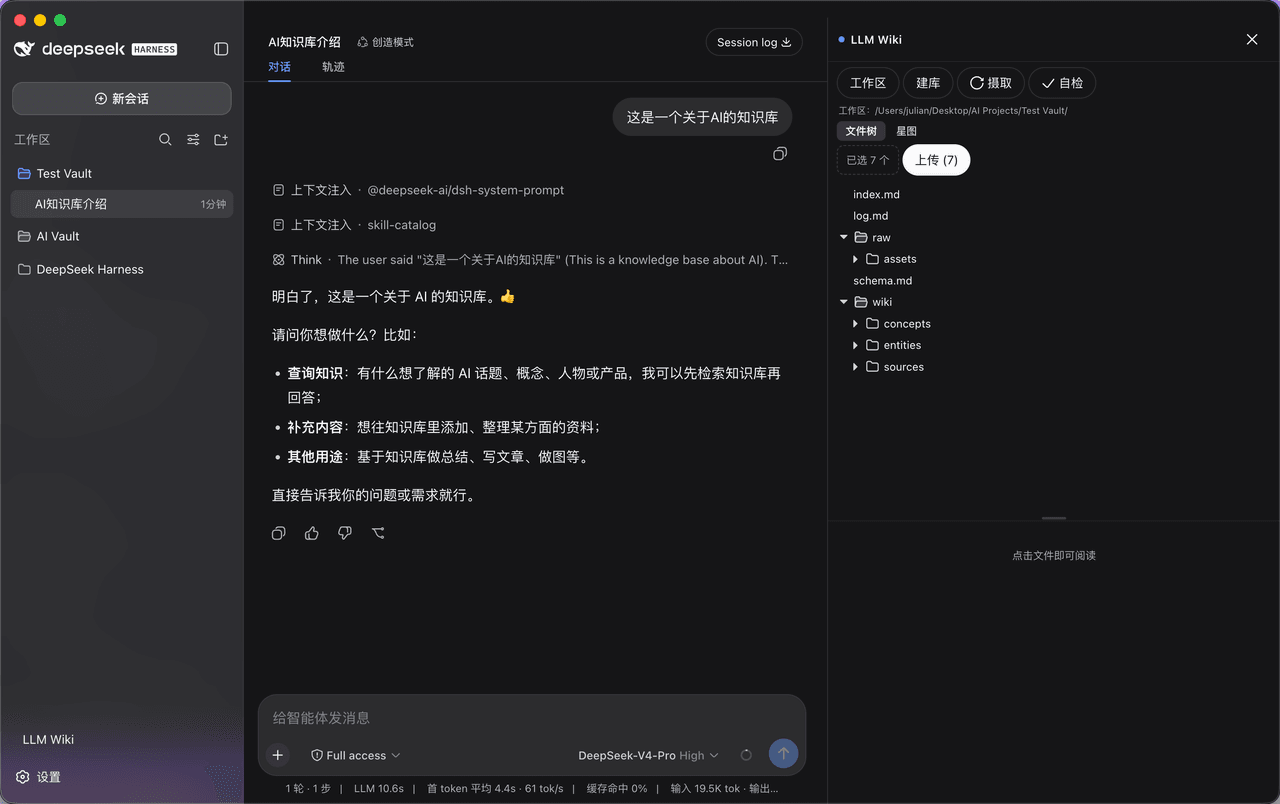 Vesna-Strivozha/DSH-LLM-wiki-plugin
基于Karpathy的wiki方法论搭建的插件,让你的DSH直接变身成LLM wiki,不需要Obsidian+Claudian插件,国内网络友好
Vesna-Strivozha/DSH-LLM-wiki-plugin
基于Karpathy的wiki方法论搭建的插件,让你的DSH直接变身成LLM wiki,不需要Obsidian+Claudian插件,国内网络友好
- says693/dsh-log-memory 一个抽象娱乐性插件,许多功能是错误的,但有点乐子,故此发出,主要功能是在dsh每次开启时,与使用中,隔一段时间提醒保存当前聊天记录,鱼话版主要考虑到跨设备办公,可以直接将另外一台设备的聊天记录直接喂给另外一台设备,人话版主要是想做
-
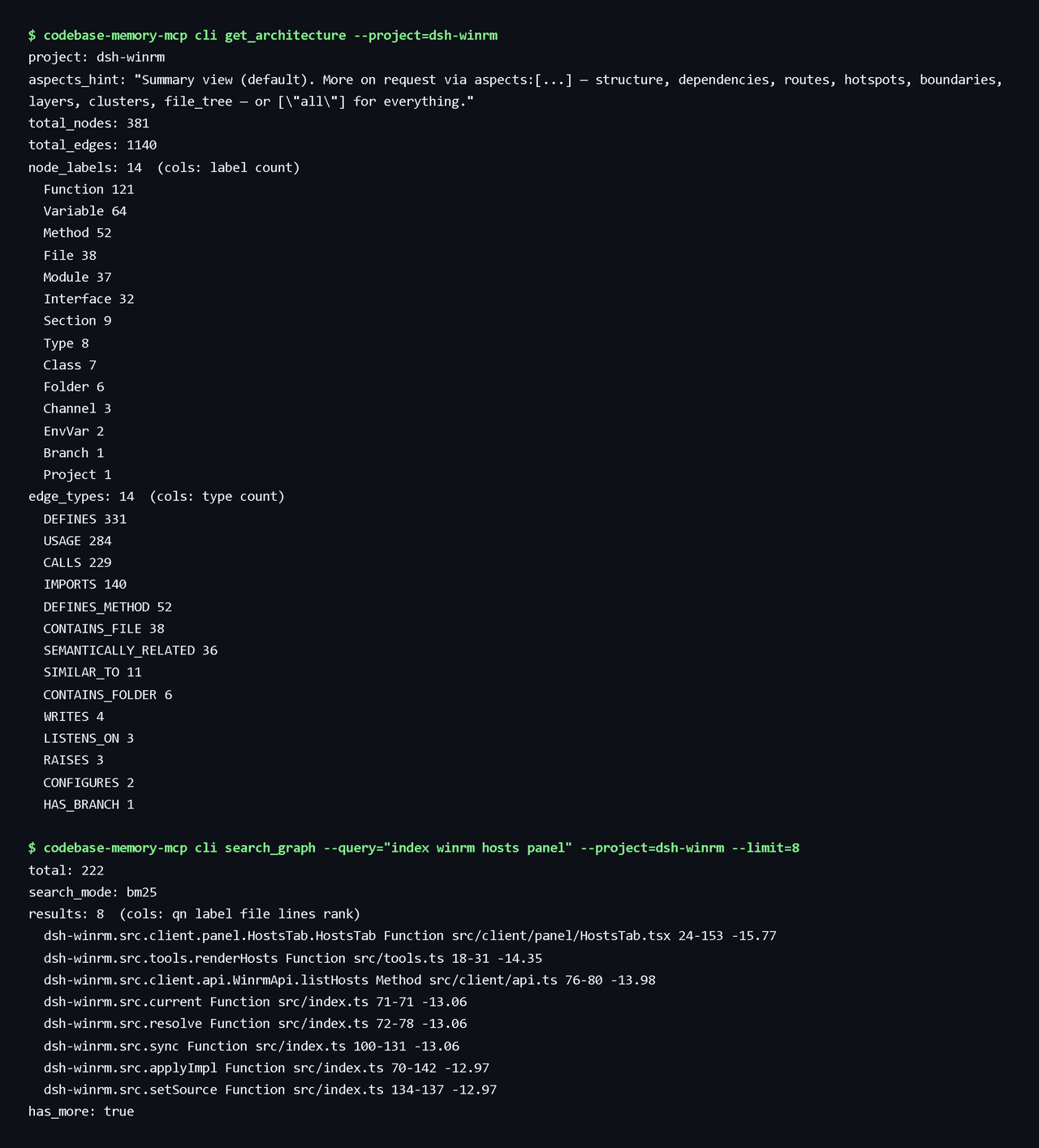 andyfan1094/dsh-codebase-memory
DSH bundle that bridges the Codebase Memory MCP code knowledge graph into DSH via the official @deepseek-ai/dsh-mcp-clie…
andyfan1094/dsh-codebase-memory
DSH bundle that bridges the Codebase Memory MCP code knowledge graph into DSH via the official @deepseek-ai/dsh-mcp-clie…