harryopo/dsh-remote-ide
DeepSeek Harness 的 SSH 远程 IDE:通过 SSH 连接,IDE 即转为远程模式——资源管理器浏览服务器,编辑器通过 SFTP 读写,终端为实时 SSH PTY。双面 DSH 插件。
项目介绍Project Overview
dsh-remote-ide 是 DSH 远程 IDE 插件,通过 SSH 将 Web GUI 切换到远程服务器:文件管理器浏览服务端目录树,编辑器经 SFTP 读写文件,终端是实时 SSH PTY。服务器无需部署代理或额外配置,仅需 SSH 凭据即可使用。在本地工作流、代码或生产环境位于远端时,可在 DSH 内一站式浏览、编辑和执行。注意:远程文件读取上限 2 MB,且不支持二进制文件,密码以明文存于本地 0600 权限文件中,建议优先使用密钥认证。
dsh-remote-ide is a DSH plugin that turns the web GUI into a remote IDE over SSH: the file explorer browses the server's directory tree, the editor reads and writes files via SFTP, and the terminal is a live SSH PTY. No agent is installed on the server; only SSH credentials are needed. Use it when code, data, or production lives on a remote box and you want browsing, editing, and shell access inside DSH. Note: remote file reads cap at 2 MB and binary files are refused; passwords are stored plaintext in a local 0600 file, so key-based auth is recommended.
请帮我了解并安装插件:【dsh-remote-ide】【https://github.com/harryopo/dsh-remote-ide】把上面这条消息直接发给当前会话里的 DSH,让它帮你了解并安装。安装命令不一定准确,发给 DSH 更稳。Send this message to DSH in your current session. CLI install commands may not be accurate across systems — DSH will figure it out for you.
或使用命令行安装(适合开发者)Or use CLI install (for developers)
命令行安装CLI Install
dsh plugin --profile web add dsh-remote-ide把 harryopo/dsh-remote-ide 加入你的 DSH 配置(web profile)即可启用。
READMEREADME
dsh-remote-ide


SSH Remote IDE for DeepSeek Harness (DSH) — connect to a server over SSH and the IDE goes remote: the file explorer browses the server's directory tree, the editor reads/writes files over SFTP, and the terminal is a live SSH PTY. No agent installed on the server, nothing to configure remotely — just SSH.
中文版:README.zh-CN.md
Why
DeepSeek Harness is a powerful coding agent, but its web GUI works on local files. When your code, data or production box lives on a remote server, you either SSH in separately or fight with sync tools. dsh-remote-ide brings the whole IDE into the harness:
┌──────────────────────────── dsh web GUI ────────────────────────────┐
│  sidebar: [远程 IDE] → opens the right-side IDE workbench           │
│  ┌─────────── conversation (kept) ────────────┬───────────────────┐  │
│  │  agent chat keeps running while you work  │  REMOTE IDE       │  │
│  │                                            │  ┌─────────────┐ │  │
│  │                                            │  │ remote tree │ │  │
│  │                                            │  ├─────────────┤ │  │
│  │                                            │  │ editor tabs  │ │  │
│  │                                            │  │ (SFTP read/  │ │  │
│  │                                            │  │  write)      │ │  │
│  │                                            │  ├─────────────┤ │  │
│  │                                            │  │ xterm SSH    │ │  │
│  │                                            │  │ terminal     │ │  │
│  │                                            │  └─────────────┘ │  │
│  └────────────────────────────────────────────┴───────────────────┘  │
│                    │                    ↑                            │
│                    └── dsh host process ┘  ssh2 connection pool      │
└──────────────────────────────────────────────────────────────────────┘
Features
- SSH host manager — password / private-key auth (with passphrase), ProxyJump chains, import from
~/.ssh/config, connection testing. Credentials stay in~/.dsh/dsh-remote-ide.json(0600), secrets never reach the browser. - Remote file explorer — lazy-loading tree over SFTP with per-directory caching, refresh, inline rename/delete, new file/folder.
- Remote editor — CodeMirror 6 with language support (TS/JS/Python/JSON/HTML/CSS/SQL/XML/Markdown); open reads the file via SFTP, Ctrl/Cmd+S saves it back to the server; binary sniff and 2 MB read cap keep the editor safe.
- Remote terminal — xterm.js over a WebSocket-tunneled SSH PTY with resize, reconnect-safe input buffering and backpressure handling.
- Agent tools (roadmap) — remote read/write/exec tools so the DSH agent itself can operate the connected server.
- better-sidebar integration — when dsh-better-sidebar is installed, a "Remote IDE" tab appears in its workbench (additive; the standalone panel still works without it).
- i18n — zh / en, follows the DSH language.
Install
Requires DSH (rc.6+) with a web profile, Node ≥ 22.
dsh plugin --profile web add dsh-remote-ide
dsh web
Restart dsh web after install (host-half change). The sidebar then shows a 远程 IDE / Remote IDE entry.
From source (development)
git clone https://github.com/<you>/dsh-remote-ide.git
cd dsh-remote-ide
pnpm install
pnpm build
dsh plugin --profile web add link:$(pwd)     # or link:C:\path\to\repo on Windows
dsh web
Quick start
- Open the Remote IDE panel from the sidebar.
- Add host (alias / host / port / user / auth) — or import from ~/.ssh/config.
- Click Connect. The explorer switches to the server's home directory.
- Browse, click a file to edit,
Ctrl+Sto save to the server. - + New terminal opens an SSH shell in the panel.
How it works
A dual-face DSH plugin riding only official NPM SDK packages (@deepseek-ai/dsh-*) — no dsh source changes:
- Host half (
src/index.ts, Node process):SshEngine(ssh2 connection pool, jump hosts, exec, PTY shells, SFTP CRUD), the/api/dsh-remote-ide/*REST family, and the/api/dsh-remote-ide/terminalWebSocket upgrade. Every route is loopback-fenced. - Browser half (
src/client/, web GUI): host manager, remote explorer, CodeMirror editor, xterm terminal. The sidebar entry is DOM-injected with a self-healing MutationObserver (the shell exposes no plugin slot), following the dsh-ssh precedent.
Host process                        Browser (dsh web GUI)
┌──────────────────────┐           ┌──────────────────────────────┐
│ SshEngine (ssh2)     │ REST/WS   │ sidebar entry (DOM injection) │
│  ├─ connection pool  │◄─────────►│ Remote IDE panel             │
│  ├─ exec / PTY shell │           │  ├─ host manager             │
│  ├─ SFTP CRUD        │           │  ├─ remote file tree         │
│  └─ jump hosts       │           │  ├─ CodeMirror editor        │
│ store ~/.dsh/…json   │           │  └─ xterm terminal           │
└──────────────────────┘           └──────────────────────────────┘
Security notes
- All API routes are loopback-only (127.0.0.1 / localhost + same-origin check). A LAN-exposed dsh web does not expose the remote-exec surface.
- Passwords are stored plaintext in a 0600 user file (
~/.dsh/dsh-remote-ide.json) — same model as dsh-ssh; prefer key auth. - The browser never receives stored secrets (summaries only).
- Remote file reads are capped at 2 MB; binary files are refused with a clear error.
Roadmap
- Host manager + ssh-config import
- Remote explorer (SFTP tree)
- Remote editor (CodeMirror + SFTP read/write)
- Remote terminal (WebSocket SSH PTY)
- Agent tools (per the official
defineToolcontract):remote_read/remote_write/remote_execwith typed parameter schemas,output.schema+ purepresentCall/presentResultrender intents, andrun_in_backgroundlong ops viactx.jobs.start— the DSH agent then operates the connected server from chat. - Conversation-node integration (the official external-UI path): the host emits a durable
SessionEventMapfamily (remote-ide/*), the browser half registers aConversationNodeDefinition+ keyed Chat renderer throughctx.conversationEvents.register+ctx.slots.inject('conversation.chat.node'), so remote-exec results render as replayable rows in the chat flow. - Remote Git panel (status / diff / commit over SSH)
- File search + upload/download with progress
- Tunnel (local port forwarding)
Acknowledgements
This plugin stands on the shoulders of the DSH plugin ecosystem:
- dsh-ssh (Apache-2.0) — the SSH engine architecture, WebSocket terminal protocol and DOM-injection patterns this project builds on.
- dsh-better-sidebar (MIT) — the local IDE workbench whose service API this plugin integrates with.
- ssh2 (MIT), xterm.js (MIT), CodeMirror (MIT) — the underlying libraries.
License
相关推荐Related
-
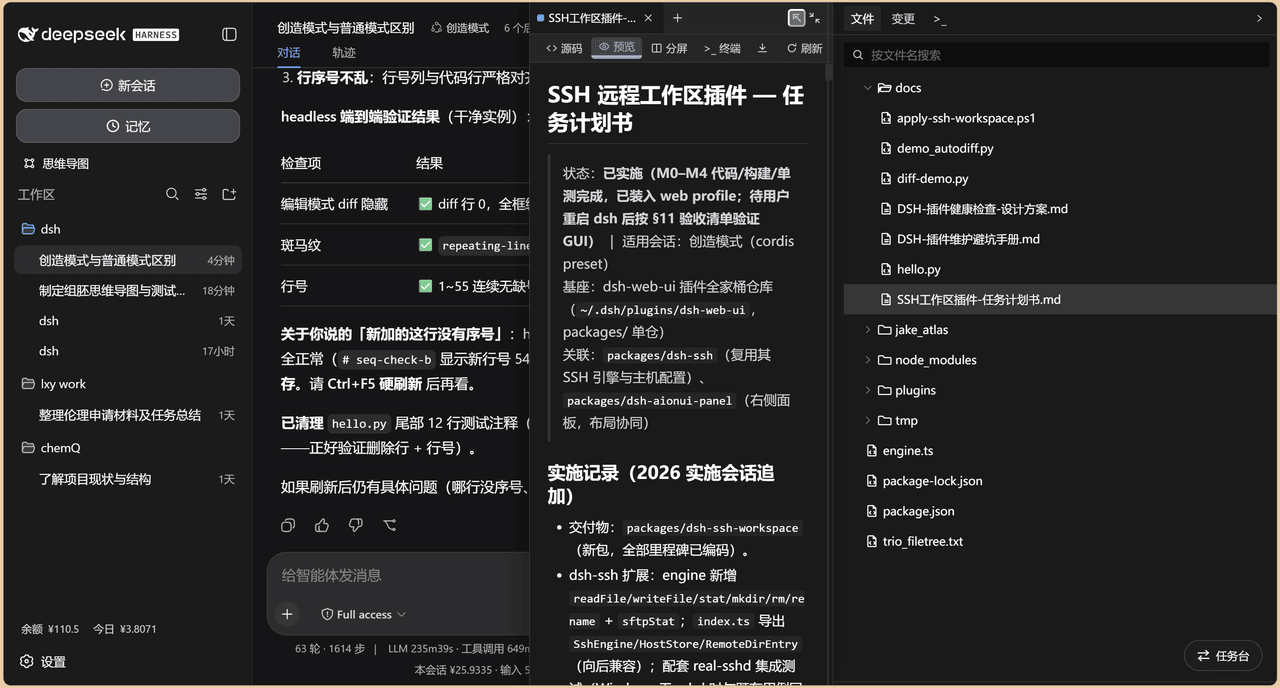 chenw2759-wq/dsh-IDE
dsh-IDE 把 DeepSeek Harness(DSH)网页版升级成一站式 IDE:JupyterLab 式文件树、带语法高亮的代码编辑、多格式预览、Trae 风格红绿 diff 和内置终端,再加上「本地大脑、远程手脚」的 SSH 远…
chenw2759-wq/dsh-IDE
dsh-IDE 把 DeepSeek Harness(DSH)网页版升级成一站式 IDE:JupyterLab 式文件树、带语法高亮的代码编辑、多格式预览、Trae 风格红绿 diff 和内置终端,再加上「本地大脑、远程手脚」的 SSH 远…
-
 lzszq/dsh-scholar
dsh-scholar
lzszq/dsh-scholar
dsh-scholar
-
 taichuy/deepseek-harness-auth
DeepSeek Harness auth插件
taichuy/deepseek-harness-auth
DeepSeek Harness auth插件
- klarkxy/zhihu-search 知乎开放平台接口,官方Zhihu Cli开源平替。
-
 caoyiwei850/dsh-ssh-ops
DeepSeek Harness SSH 运维插件:主对话驱动 SSH,带高危命令保护与右侧终端。
caoyiwei850/dsh-ssh-ops
DeepSeek Harness SSH 运维插件:主对话驱动 SSH,带高危命令保护与右侧终端。
-
 Jesse-njx/dsh-chatnode-wechat
Chat with, monitor, and approve your DSH agents from WeChat — an iLink gateway + conversation node bundle for DeepSeek H…
Jesse-njx/dsh-chatnode-wechat
Chat with, monitor, and approve your DSH agents from WeChat — an iLink gateway + conversation node bundle for DeepSeek H…
- ZhangFengshun/dsh-remote-ssh DSH web plugin: VSCode Remote-SSH-like remote development (SSH, remote workspace, file explorer, integrated terminal)
- huoxue1/harness-lark Lark/飞书(Feishu)渠道插件,为 [DeepSeek Harness](https://github.com/deepseek-ai/deepseek-harness) 提供飞书通信能力