HIT-HTML/dsh-ENHANCED
The everyday upgrades DeepSeek Harness (DSH) lacks out of the box — bundled into one plugin. Free multi-engine web search with automatic fallbacks, persistent skill and MCP management, guarded session cleanup, and themes — all wired into a single Settings tab and one model tool. Ships prebuilt, so there's no build step between install and working; and it phones home to no one.
catalog 简介 / catalog descriptioncatalog description:One plugin, every upgrade DeepSeek Harness lacks out of the box: multi-engine web search, skills & MCP managers, per-profile plugin toggles, session cleanup with hover-delete, one-click restart/shutdown, themes. Single tool surface, no telemetry.
项目介绍Project Overview
dsh-enhanced 是 DeepSeek Harness 的增强插件,提供多引擎免费网页搜索与自动回退、技能与 MCP 服务器持久管理、插件开关、会话移入回收站、自动压缩调节、实例重启和主题。适合想在一个设置页统一管理搜索、技能、MCP 与会话清理时使用。注意它依赖已安装的 DSH,安装后需重启配置文件生效;删除会话先干跑并需确认令牌。
dsh-enhanced is a DeepSeek Harness plugin that adds multi-engine free web search with fallbacks, persistent skill and MCP management, plugin toggles, guarded session cleanup, auto-compact tuning, instance controls, and themes through one Settings tab and a model tool. Use it when you want unified management of search, skills, MCP servers, plugins, and sessions. It requires an existing DSH installation and a profile restart; session deletion is dry-run-first and confirmation-gated.
请帮我了解并安装插件:【dsh-ENHANCED】【https://github.com/HIT-HTML/dsh-ENHANCED】把上面这条消息直接发给当前会话里的 DSH,让它帮你了解并安装。安装命令不一定准确,发给 DSH 更稳。Send this message to DSH in your current session. CLI install commands may not be accurate across systems — DSH will figure it out for you.
或使用命令行安装(适合开发者)Or use CLI install (for developers)
命令行安装CLI Install
dsh plugin add https://github.com/HIT-HTML/dsh-ENHANCED把 HIT-HTML/dsh-ENHANCED 加入你的 DSH 配置(web profile)即可启用。
READMEREADME
dsh-enhanced


The everyday upgrades DeepSeek Harness (DSH) lacks out of the box — bundled into one plugin. Free multi-engine web search with automatic fallbacks, persistent skill and MCP management, guarded session cleanup, and themes — all wired into a single Settings tab and one model tool. Ships prebuilt, so there's no build step between install and working; and it phones home to no one.
✨ What you get
- 🔍 Free web search that keeps going — a vendored multi-engine provider: DuckDuckGo ×2, Bing, AnySearch, SearXNG and SearXNG-compatible gateways, plus keyed engines (Exa, Tavily, Keenable, Perplexity, DeepSeek) waiting in the fallback chain when a free engine rate-limits you. Configured entirely from a Settings tab: live health checks for self-hosted instances, per-engine exclusions, failure cooldowns that survive restarts, and endpoint overrides for proxy setups.
- 🧩 Skills manager — install, edit, and remove agent
SKILL.mdskills persistently. Installs accept a single skill or a folder of skills (disk path or browser folder-picker alike), keep bundledscripts/executable (browsers drop permission bits; shebang files are restored to 0755), and report per-skill results so one bad bundle never blocks the rest. - 🔌 MCP server manager — manage
@deepseek-ai/dsh-mcp-clientrows across profiles from one place. - 🎛️ Plugin manager — enable/disable any mounted plugin per profile by writing disable rows into the profile's patch file; boots watch that file and recompose live, so a toggle lands without a restart. Core plugins (
dsh-base,dsh-web-app,dsh-enhanced) are hard-refused, and disabling an official@deepseek-ai/*plugin requires an explicit confirm. - 🗑️ Session housekeeping you can trust — move whole session directories from
~/.dsh/sessions/into the operating system's own trash: macOS Finder Trash (~/.Trash), the FreeDesktop Trash on Linux (with.trashinfometadata so desktops offer Restore), and the Recycle Bin on Windows (via PowerShell). Deletion is dry-run first (plan + token), refuses sessions open in this process or active in the last 15 minutes (another window may still hold them), and if a native move fails, nothing is deleted — you get the exact error instead. Restore is just dragging the folder back under~/.dsh/sessions/. In the sidebar itself, every session row grows a small trash-can icon on hover next to its ⋯ menu; it drives the same guarded pipeline. - 🧠 Auto-compact tuner — clamp the context-compaction trigger below the harness default, within a validated safe range.
- 🔄 Instance controls — one-click shutdown/restart of the GUI process via icon buttons beside Settings in the sidebar foot.
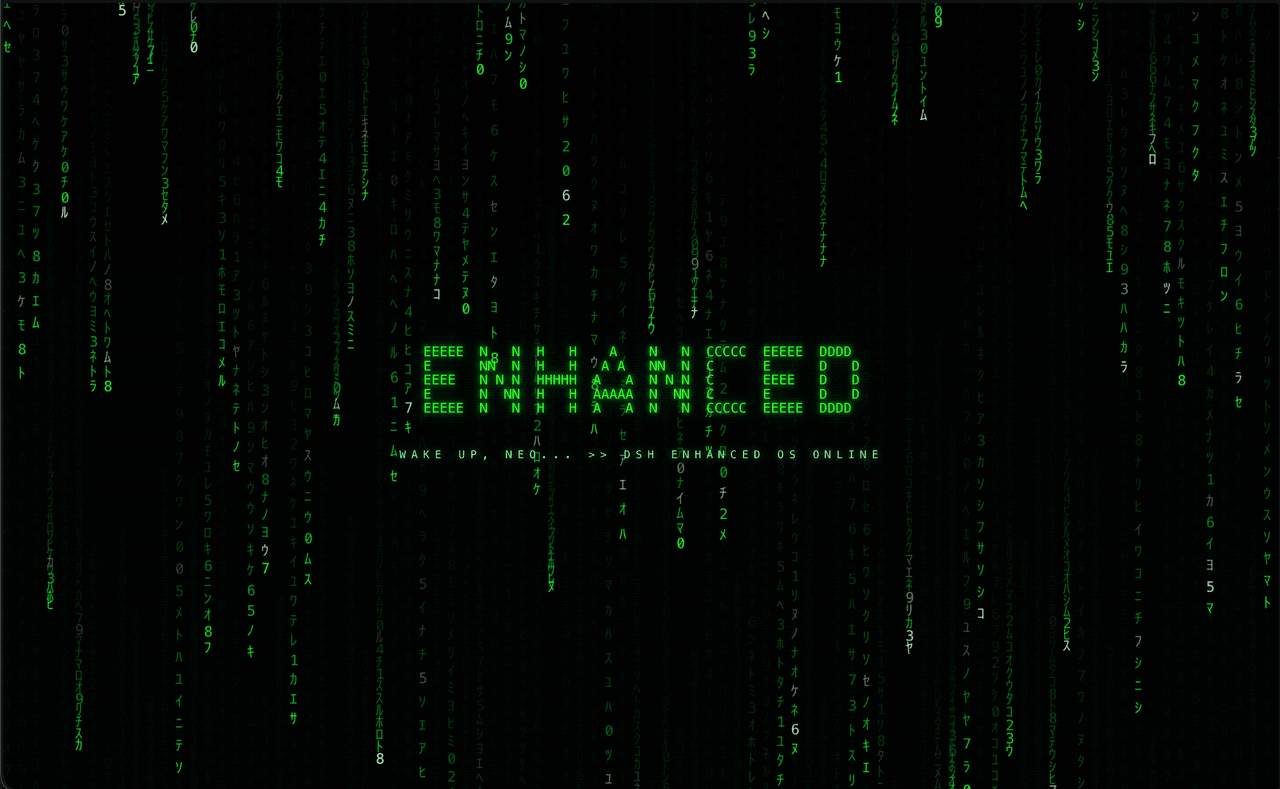
- 🎨 Themes — original ENHANCED theme (phosphor-green terminal look, digital-rain boot intro) and a Cyberpunk 2077 theme ported from the community theme.
One host composition plugin (cordis.patch.yml row), one model tool surface (manage_skills_mcps), one browser card (Settings → Plugins). No telemetry, no external services beyond the search engines themselves. Secrets get the same discipline: keys are written owner-only (0600) and never echoed back, action errors pass secret redaction before reaching the model, the UI, or a log, and destructive flows run dry-run-first behind confirm tokens — with a framework-free selfcheck suite gating every release in CI.
📦 Install & first run
Prerequisite: a working DeepSeek Harness installation — this is a DSH plugin, not a standalone app.
1. Install (one command):
dsh plugin add https://github.com/HIT-HTML/dsh-ENHANCED
The repo ships prebuilt dist/ and client.js, so no build step is needed to install. To develop instead, see Development.
Manual alternative — clone and add the row yourself
Clone the repo anywhere you like, then add this row to the profile's cordis.patch.yml (usually written for you by dsh plugin add):
- id: dsh-enhanced
  name: dsh-enhanced
  config:
    mcpProfiles: ["default", "web"]   # whose cordis.patch.yml receives managed rows
    allowRestart: false               # opt-in for supervisor-assisted restarts
2. Restart the profile so the new composition row loads (plugins mount at boot).
3. Verify it's alive:
- The web GUI grows a Settings → Plugins card with sections for search, skills, MCP, plugins, sessions and themes.
- Your agent gains one new model tool:
manage_skills_mcps. - Optional smoke test: open Settings → Plugins → Search, pick an engine, hit Save, then ask your agent to run a web search.
That's it — and note web search needs zero configuration: fresh installs default to the keyless Bing engine, so your agent can search the moment the profile boots. Visiting Settings → Plugins → Search is purely opt-in — for keyed engines, self-hosted SearXNG instances, exclusions, or cooldown tuning.
🏗️ Architecture
Two halves, standard DSH plugin shape:
┌─ HOST (Node, src/*.ts → dist/) ─────────────────────────────┐
│ index.ts   composition root: registers the model tool,      │
│            browser RPC channel, settings anchor, boots the  │
│            vendored search engine                           │
│ shared.ts  paths, managed-block surgery, Env/Handler types  │
│ skills.ts  mcp.ts  plugins.ts  sessions.ts  compact.ts      │
│            instance.ts  search.ts  cooldown.ts — feature    │
│            modules, each owns its actions end-to-end        │
│ free-search-vendor.ts   vendored engine (see below)         │
└──────────────┬──────────────────────────────────────────────┘
               │ package-private JSON RPC (browser → host)
┌─ CLIENT (browser, client/** → client.js bundle) ────────────┐
│ core.js            draft/save pipeline, sections registry     │
│ main.js            boot, saved-theme activation               │
│ sections/*         one card per feature (skills, mcp, plugins,│
│                    sessions, compact, search, theme)          │
│ session-delete.js  hover trash-can delete for native sidebar  │
│                    rows (fiber-resolved, guarded RPC)         │
│ themes/*           matrix, cyberpunk2077 (+ boot intro)       │
└─────────────────────────────────────────────────────────────┘
Persistence is deliberately boring: every host feature writes marker-delimited
"managed blocks" into <profile>/cordis.patch.yml (and ~/.dsh/skills/ for skills).
No database, no state file — the user's config tree is the state, readable by eye:
# >>> dsh-enhanced:mcp >>>     …rows…      # <<< dsh-enhanced:mcp <<<
# >>> dsh-enhanced:plugins >>> …rows…      # <<< dsh-enhanced:plugins <<<
# >>> dsh-enhanced:compact >>> …row…       # <<< dsh-enhanced:compact <<<
# >>> dsh-enhanced:search >>>  …row…       # <<< dsh-enhanced:search <<<
shared.ts owns the split/merge (splitBlock, splitInner); feature modules never regex the file themselves.
The action-core pattern (how everything stays in sync)
The GUI and the model tool call the same handlers, so they can't drift:
- A feature module exports
X_ACTIONS(string list) +handleX: Handler. index.tsconcatenates all action lists into themanage_skills_mcpstool schema and lines all handlers up inHANDLERS.- Dispatch = first handler to return non-null wins; unknown action ⇒ error.
- Browser RPC reuses the same
performActioncore over a package-private channel.
To add a feature: new src/<feature>.ts exporting ACTIONS + Handler, two lines in index.ts, one section file under client/sections/. That's the whole integration story.
📋 Feature reference
| Module | Actions | Writes to |
|---|---|---|
| skills | list_skills, read_skill, add_skill, edit_skill, remove_skill, install_skill, install_skill_files |
~/.dsh/skills/<name>/SKILL.md |
| mcp | list_mcps, mcp_status, add_mcp, remove_mcp, enable_mcp, disable_mcp |
managed :mcp: block |
| compact | compact_status, set_compact |
managed :compact: block |
| instance | shutdown_instance, restart_instance |
process control only |
| plugins | list_plugins, set_plugin_enabled |
managed :plugins: block |
| sessions | list_sessions, delete_sessions |
moves session dirs to trash |
| search | list_search, set_search |
managed :search: block |
Client-side, each feature is a section plugged into three registries in core.js:
DRAFT_SHAPES (form state), DIRTY_CHECKS (unsaved chip), SAVE_STEPS (replay on Save).
Sections self-fetch on expand and stage edits locally; Save replays steps in order and
a mid-batch failure keeps exactly the unapplied part staged.
Secrets (API keys) are never echoed back: list_search reports hasKey.<field> booleans,
key inputs start blank meaning "unchanged", and only non-blank values are written. Two more
guards: once a key is stored the patch file is written owner-only (0600), and every action
error passes shape-based secret redaction before reaching the model, the UI, or a log —
so a gateway echoing your key back inside an error message gets masked.
🌐 Search subsystem
Provenance
The engine is vendored from dsh-free-search
v0.4.12 (MIT, © DDDMUC) into src/free-search-vendor.ts. We vendor rather than depend because
upstream's peerDependencies aren't published to npm — fresh installs of the standalone plugin
can fail outright. Upstream fixes do not propagate automatically; re-port when adopting them.
Local adaptations vs upstream (all collision-safety or de-branding):
| What | Upstream | Here |
|---|---|---|
| settings namespace | free-search |
enhanced-free-search |
| bridge prefix | /api/dsh-free-search-settings |
/api/dsh-enhanced-free-search |
| search provider id | ddg |
enhanced-free |
| settings UI section | installed its own card | removed — our Search tab owns config UX |
| self-update machinery | check-update + pnpm add upgrade routes |
removed — a vendored copy must not reinstall upstream over itself |
| agent-visible strings | "Settings > Plugins > Free Search" | point at this plugin's Search section |
Boot flow
profile cordis.patch.yml          dsh-enhanced host boot
:search: managed block ─┐
                        ├─► index.ts: readSearchConfig(profiles[0])
Settings→Search tab ────┘         │
                                  ▼
                    ctx.inject(["web"], scope => freeSearch.apply(scope, cfg))
                                  │
                    registers provider id "enhanced-free",
                    agent tools, system-prompt section, bridge routes
                                  │
                                  ▼
              harness web_search / advanced_search route through it
Config is read once at boot — after saving in the tab, restart the profile to apply.
If the standalone dsh-free-search is also installed somewhere, nothing clashes:
distinct namespace/prefix/provider-id, and each registration is guarded.
Engines and the fallback chain
Preferred engine = your Provider dropdown. On failure/empty results the chain walks on:
paid (only if keyed):  exa → tavily → keenable → perplexity → deepseek-official
free, always:          bing → anysearch → ddg → ddg-lite → searxng
Time filtering (advanced_search) is honored by engines that support it and skips the rest.
Results are cached per query (LRU ~50, TTL ≤5 min, configurable).
Exclusions, cooldowns, endpoint overrides
- Exclude engines (
excludedEngines): a CSV string or array of engine ids removed from the chain entirely — typos are rejected, excluding every engine is rejected. Saved in the:search:block; takes effect after a profile restart. - Failure cooldowns with memory (
src/cooldown.ts): quota-exhaustion failures put an engine on a 12 h cooldown, 429/rate-limit wordings on 15 min. State persists to disk (~/.dsh/dsh-enhanced/cooldown-state.json), so restarts don't re-burn dead quota; generic network errors and missing keys never cool anything down. Saving search config wipes stale verdicts (your keys or endpoints changed). - Endpoint overrides (
exaBaseUrl,tavilyBaseUrl,keenableBaseUrl): point keyed engines at a self-hosted or proxy gateway; http/https only, blank clears. - Fallbacks are visible: a result that landed on a non-preferred engine carries a structured
_fallback {from, to, reason}twin alongside the human-readable Note.
SearXNG instances (self-hosted path)
Public SearXNG instances rate-limit the JSON API to death; run your own:
mkdir -p ~/.searxng && cat > ~/.searxng/settings.yml <<'EOF'
use_default_settings: true
server:
  secret_key: "pick-any-random-string"
  limiter: false
search:
  formats:
    - html
    - json        # required — without this every API query gets 403
EOF
docker run -d --name searxng -p 8888:8080 -v ~/.searxng:/etc/searxng searxng/searxng
Paste http://127.0.0.1:8888 into the Search tab (SearXNG provider). Saved URLs are normalized
at the parser in src/search.ts (set_search): missing scheme ⇒ http://, trailing slashes
stripped, comma/space/newline separators, multiple URLs tried in order. A bad URL can never break
searching — dead instances are skipped and the chain falls through.
Health checks: whenever the Search tab loads (and right after Save), list_search probes each
saved URL (2.5 s cap, parallel) and renders one line per instance:
✓ ok— real SearXNG JSON answered⚠ misconfigured— reachable but JSON API off (the missing-formats: jsonmistake)⚠ down— nothing listening
Probe lives in probeInstances() (src/search.ts); statuses ride the list_search response as
instanceStatus[].
Surfaces
| Surface | Where | Notes |
|---|---|---|
| Config tab | Settings → Plugins → Search | provider/region/market/keys/instances |
dsh_search tool |
ours, thin | delegates to active provider, fails clearly if none |
web_search, advanced_search, platform_search, free_search_test |
vendored | standard + time-filtered + per-platform + engine-doctor tools |
| Test bridge | POST /api/dsh-enhanced-free-search/raw-search |
loopback-only; body {query, maxResults?, engine?, timeRange?} — handy for curl smoke tests |
🛠️ Development
npm install
npm run build        # tsc → dist/, then client/** → client.js (+ node --check)
npm run selfcheck    # offline end-to-end test, no frameworks
selfcheck (test/selfcheck.mjs) builds a temp $DSH_HOME, runs the real handlers against a
stubbed plugin context (captured registrations instead of live services), and asserts disk output:
managed-block round-trips, block-surgery edge cases (torn blocks, CRLF, rewrite cycles), secret
preservation, YAML shapes, name validation, provider registration, the full session-delete flow
(guards, token, trash), and a smoke render of the built browser bundle.
It is the regression gate — extend it when you add behavior.
CI (.github/workflows/ci.yml): every push to main and every PR runs frozen install → build →
selfcheck on Node 22, gating the shipped prebuilt artifacts.
Lab bench (second live GUI without touching your main one):
echo $'webserver:\n  port: 3090' > /tmp/lab-port.yml
dsh --profile lab --patch /tmp/lab-port.yml
Serves the workspace client live (cache-control: no-cache), so client edits show on refresh;
host edits need a lab restart. Never point this at your main profile.
Adding an engine (search)
src/free-search-vendor.ts:const X_URL,async function searchX(query, maxResults, options, signal)returning{ sources: [{url,title?,snippet?}], truncated:false }— reusefetchHtmlWithRetry,stripTags,uniqueSources.- Add the id to
FREE_ENGINES/ALL_ENGINES, thefreeEngineschain array insideprovider.search, and acaseinrunEngineTest. client/sections/search.js: onePROVIDER_METAentry (free: trueunless it needs a key).- Smoke-test through the bridge:
curl -X POST .../raw-search -d '{"engine":"x","query":"hi"}'.
Adding a feature module
Copy the shape of src/compact.ts (smallest full example): actions const, Handler switch,
managed block via splitBlock/writeFile, guard-rails server-side. Then one handleX line +
X_ACTIONS spread in index.ts, and a section file registering into the client registries.
Release checklist
-
npm run build && npm run selfcheck - Lab bench smoke: bridge query with preferred engine + one fallback
-
dist/andclient.jsare committed artifacts here — make sure they're fresh - No machine-specific paths or secrets in tracked files (
git grep -E "/Users/|sk-[A-Za-z0-9]") - Bump
package.jsonversion, tagvX.Y.Zmatching it, push commits + tag together
🔒 Privacy & security notes
- No telemetry. The only outbound traffic is the searches you (or your agent) run.
- API keys are stored in the profile's
cordis.patch.ymland never sent back to the browser (blank field = unchanged;hasKeybooleans only). - The test bridge accepts loopback requests only (
isLoopbackRequestguard) and redacts secrets. - Strings like
EXA123in tests are deliberate fixtures, not credentials.
📄 License
MIT — see LICENSE. Contains code vendored from dsh-free-search (MIT, © DDDMUC) and theme work originating from the Cyberpunk 2077 community theme; both attributed in-file.
相关推荐Related
-
 nexu-io/open-design
🎨 Best DeepSeek Harness Design Plugin. The open-source Claude Design alternative. 🖥️ Local-first desktop app. 🖼️ Your…
nexu-io/open-design
🎨 Best DeepSeek Harness Design Plugin. The open-source Claude Design alternative. 🖥️ Local-first desktop app. 🖼️ Your…
-
 freestylefly/awesome-gpt-image-2
Prompt as Code | GPT-Image2 工业级提示词引擎与模板库,530+ 个案例逆向工程,20+ 套工业级模板,并提炼出Skills,持续更新中
freestylefly/awesome-gpt-image-2
Prompt as Code | GPT-Image2 工业级提示词引擎与模板库,530+ 个案例逆向工程,20+ 套工业级模板,并提炼出Skills,持续更新中
-
 anywhere-labs/dsh-desktop
为 DeepSeek Harness (DSH) 插件生态打造的现代化桌面端解决方案。万物皆「插件」,桌面本身也是「插件」。
anywhere-labs/dsh-desktop
为 DeepSeek Harness (DSH) 插件生态打造的现代化桌面端解决方案。万物皆「插件」,桌面本身也是「插件」。
- Nagi-ovo/voyager Enhancement suite for Gemini, AI Studio, Claude & ChatGPT — plus a prompt manager for any web UI, DeepSeek Harness inclu…
-
 walkinglabs/learn-harness-engineering
Harness engineering beginner tutorial, from 0 to 1
walkinglabs/learn-harness-engineering
Harness engineering beginner tutorial, from 0 to 1
-
 awesome-dsh-plugin/awesome-dsh-plugin
A curated list of plugins for DeepSeek Harness (dsh) · DeepSeek Harness 插件精选列表
awesome-dsh-plugin/awesome-dsh-plugin
A curated list of plugins for DeepSeek Harness (dsh) · DeepSeek Harness 插件精选列表
-
 MemTensor/MemOS
Self-evolving memory OS for LLM & AI Agents: ultra-persistent memory, hybrid-retrieval, and cross-task skill reuse, with…
MemTensor/MemOS
Self-evolving memory OS for LLM & AI Agents: ultra-persistent memory, hybrid-retrieval, and cross-task skill reuse, with…
- yjh051108/dsh-routing-suite dsh-routing-suite — injector + router-standard kit: install the runtime injector first, then the task-aware reasoning-mo…