hkkz9522/dsh-session-manager
DeepSeek Harness 的会话管理器:在确认后删除对话并管理存档。
Project Overview项目介绍
dsh-session-manager is a native web plugin built exclusively for DeepSeek Harness (DSH) that adds extended session management capabilities to the DSH client. It is listed in the official dsh-market and the awesome-dsh-plugin directory, so users can install it directly from the built-in Plugin Marketplace inside DSH with a single click. For users who prefer command line installation, you can run the dsh plugin command to add it from npm or the GitHub repository, then restart DSH Web and force refresh the browser to activate the plugin.
Once installed, users get quick access to common operations right in the title area of the current session, with one-click buttons to archive, unarchive, move, or delete the open session. For bulk management, you can open the dedicated session manager panel in the sidebar footer, which lists all active and archived sessions and lets you run operations on any individual entry. The most useful feature for many users is agent preset migration, which repairs broken sessions that can’t resume because their original preset was renamed or removed, making it ideal for any DSH user that manages multiple long-running sessions.
This plugin is released under the open source MIT license, so it is free to use, modify, and distribute. All delete operations are permanent, so the UI always prompts for confirmation to prevent accidental data loss. Move and preset migration operations do not terminate live sessions or agents, they keep in-memory state intact and update stored metadata directly, so no manual refresh of the chat panel is required. Subagent sessions and temporary blank placeholders are excluded from all modification operations, and the plugin has a peer dependency on Cordis version 4.x.
dsh-session-manager 是一款专门为 DeepSeek Harness (DSH) 开发的原生网页端会话管理插件,提供会话归档/取消归档、删除、跨工作区移动以及代理预设迁移等核心功能。该插件已上架 DSH 官方插件市场和 awesome-dsh-plugin 收录列表,用户可直接在 DSH 内的插件市场搜索安装,也可通过 DSH CLI 命令行从 npm 或 GitHub 源添加安装,安装后重启 DSH Web 即可启用功能。
普通用户可在会话标题区域右侧找到快速操作入口,支持一键归档/取消归档、移动会话到目标工作区或删除当前会话。也可在侧边栏底部找到会话管理器面板,浏览所有活跃和已归档会话,对任意会话执行打开、归档、移动、迁移预设或删除操作。当原代理预设被重命名或移除导致会话无法恢复时,用户可通过预设迁移功能修复会话,非常适合需要整理大量会话、维护会话上下文的 DSH 日常用户使用。
本插件采用 MIT 许可开源免费使用,删除操作不可逆,UI 会弹出二次确认防止误删。移动和预设迁移操作不会终止当前活跃的代理或会话,会保留内存中的会话状态,直接更新存储内容,无需手动刷新聊天界面。子代理会话和临时空白会话占位符不支持删除、移动和迁移操作,当前已验证适配多个 DSH 版本,依赖 Cordis 4.x 及以上版本运行。
请帮我安装这个 DSH 插件。安装前先完成【兼容性检查 + 安全性检查】,检查通过再动手。

插件:dsh-session-manager(hkkz9522/dsh-session-manager)
仓库:https://github.com/hkkz9522/dsh-session-manager
本站详情页:https://www.yhbd.top/plugins/hkkz9522-dsh-session-manager/
本站登记:类型 plugin · 归类 原生 DSH 插件 · 许可证 MIT · ⭐ 26 · 最近提交 2026-10-01 · 主语言 JavaScript

按下面顺序执行,每步先把结论告诉我,再进入下一步:

【1 兼容性检查】
① 我这边:DSH 版本、Node 版本、操作系统、当前 profile(web / desktop)。
② 读它的 README、package.json、插件 manifest,列出它要求的 DSH 版本 / Node 版本 / 操作系统 / 外部依赖 / 需要另外先装的运行时。
③ 逐条比对,结论只写「满足 / 不满足 / 未知」三种;不满足的给出可行替代方案。
④ 检查是否和我已装的插件冲突:命令名重复、skill / tool 重名、端口占用、重复注册的 MCP server。

【2 安全性检查】
① 仓库可信度:和上面「本站登记」是否一致;star / fork 数、创建时间、最近提交,是否归档或长期停更。
② 安装脚本:逐行看 package.json 的 preinstall / install / postinstall,以及 install.sh、setup.ps1 之类脚本。出现 curl|bash、下载后直接执行、混淆代码、访问与插件功能无关的域名,立刻停下来告诉我,不要继续装。
③ 依赖:列出新增依赖,标出无人维护、或与知名包拼写近似的可疑包(typosquatting)。
④ 权限与副作用:它会读写哪些目录、访问哪些域名、需要哪些 DSH 权限(filesystem / network / shell / clipboard 等),以及怎么卸载和回滚。
⑤ 如果它要求 sudo / 管理员权限,或权限明显超出功能所需,先停下来问我。

【3 安装】
上面两步没有「不满足」和「高危项」时才执行;用官方推荐方式安装,不要自行提权。

【4 汇报】
用表格输出:检查项 / 结论 / 依据 / 是否需要我决策。拿不准的一律写「未知」并说明要我怎么确认——不要猜,也不要替我决定。
Send this message to DSH in your current session: it verifies compatibility and security first (answering met / not met / unknown item by item) and only installs once everything checks out — it will stop and ask you if it finds a high-risk item. The box scrolls; the copy is the full prompt. CLI install commands may not be accurate across systems, so DSH is the safer route.把上面这条消息直接发给当前会话里的 DSH:它会先核对兼容性与安全性(逐条给「满足 / 不满足 / 未知」),确认没问题再安装,有高危项会停下来问你。框内可滚动,复制到的是完整提示词;安装命令不一定准确,发给 DSH 更稳。
- 26 stars - an early-stage project星标 26,属于早期项目
DSH walks through these 9 checksDSH 会逐条核对这 9 项
Compatibility兼容性
- DSH, Node, OS and profile requirementsDSH 版本 / Node 版本 / 操作系统 / profile 是否满足要求
- External dependencies and runtimes (Electron / Python / Docker, ...)外部依赖与运行时(Electron / Python / Docker 等)是否齐备
- Conflicts with installed plugins: command names, skill / tool names, ports, duplicate MCP registration与已装插件是否冲突:命令名、skill / tool 重名、端口占用、重复 MCP 注册
Security安全性
- Repo matches the facts registered here; archived or abandoned?仓库是否与页面登记一致,是否归档或长期停更
- Safety of preinstall / install / postinstall and install.sh / setup.ps1preinstall / install / postinstall 与 install.sh、setup.ps1 是否安全
- curl|bash, download-then-execute, obfuscation, unrelated domains → stop immediatelycurl|bash、下载即执行、混淆代码、无关域名 → 立刻停止
- Typosquatting or unmaintained packages among the new dependencies新增依赖里有没有 typosquatting 或无人维护的包
- Requested permissions vs. what the feature actually needs申请了哪些权限、是否超出功能所需(filesystem / network / shell / clipboard)
- Any sudo / admin requirement, plus uninstall and rollback是否要求 sudo / 管理员权限,以及卸载与回滚方式
Anything uncertain must be marked unknown with a note on how to confirm it. This site's signal screen is a static snapshot, not a security audit.拿不准的必须标「未知」并说明要我怎么确认。本站的信号筛查是静态快照,不能替代安全审计。
Or use CLI install (for developers)或使用命令行安装(适合开发者)
CLI Install命令行安装
dsh plugin --profile web add github:hkkz9522/dsh-session-manager把 hkkz9522/dsh-session-manager 加入你的 DSH 配置(web profile)即可启用。
READMEREADME
dsh-session-manager — session manager for DeepSeek Harness
English | 中文




0 Overview
DeepSeek Harness session manager: delete, archive, move sessions across workspaces, migrate presets, favorites, review-later, search, filter, sort, prioritize, add tags and notes, and batch-manage sessions.
Verified with the current official DSH Web UI and Desktop app. Both environments use the same plugin's Host/client functionality; environment-specific installation notes are documented below.
1 Features
1.1 Session lifecycle management
- Delete is irreversible and always asks for confirmation. Subagent sessions and transient blank placeholders (no persisted artifact) cannot be deleted.
- Archive / Unarchive moves a session in and out of the active list without touching its disk content.
- Move to workspace keeps history, title, archive state and derived-session relationships intact, rewrites the session's
cwdto the target workspace, and updates the live writer's header in place so any pending tool calls keep landing on the new path. - Migrate Agent preset rewrites the latest
agent-preset/selectedevent (or the session header if no such event exists) so a session whose preset was renamed or removed can resume. Message history is never altered.
1.2 Session shortcuts
- Favorites / Review-later are manual flags that survive archive and session end; neither is cleared automatically.
- Search matches title, session ID, note and tags case-insensitively, trims whitespace, and never reads chat history.
- Filters and sorting combine a workspace selector (All / Ungrouped / specific) with an archive filter (All / Active / Archived), then layer favorites / review, tag and priority filters on top. Sort by recently updated (default), least recently updated, newest created, oldest created, or priority (1 → 5).
- Priority is a dropdown 1 Highest, 2 High, 3 Normal, 4 Low, 5 Lowest, default 3 (Normal); legacy
nullpriorities are normalized to 3. - Tags / Notes: up to 20 tags per session (≤ 32 characters each) and a 2000-character note. Both English
,and Chinese,are separators, whitespace is trimmed, duplicate tags are merged case-insensitively. - AI-assisted tagging is manual and opt-in: Copy Prompt writes a structured prompt (Chinese or English, matched to the active UI) to the clipboard; Import parses the clipboard JSON (tolerating Markdown fences, conversational wrappers, smart quotes, stray backslashes and a leading BOM), validates it against the same limits, and populates the editor fields. Neither button calls a model automatically.
- Annotations live in plain text under the DSH home (
dsh-session-manager/annotations.v1.json), keyed by session ID. Same-origin client instances stay in sync viaBroadcastChannel. Saves are durable across crashes; revision conflicts surface a "load latest" prompt.
Showing the opening section of the README — the full document lives in the repository以上为 README 开头摘要,完整文档在仓库内 · View the full README on GitHub →在 GitHub 查看完整 README →
Related相关推荐
-
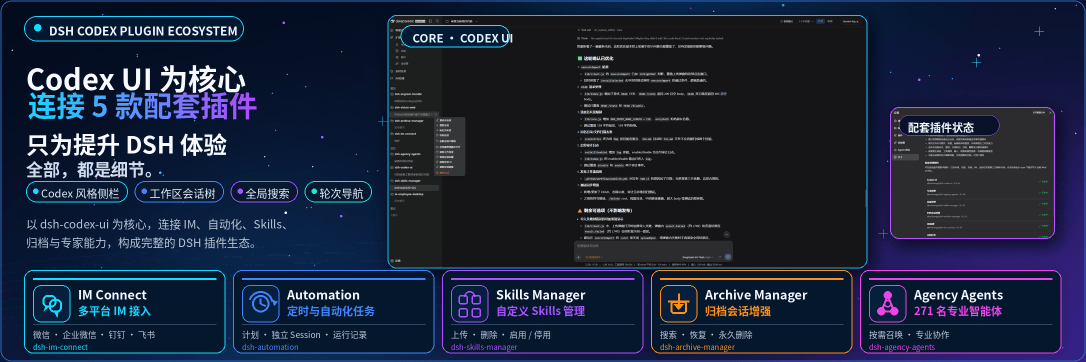 MichengAI/dsh-codex-ui
DSH Codex UI — 为 DeepSeek Harness Web 提供 Codex 风格侧栏、工作区会话树、全局搜索和轮次导航 · A Codex-style sidebar, workspace session tree, gl…
MichengAI/dsh-codex-ui
DSH Codex UI — 为 DeepSeek Harness Web 提供 Codex 风格侧栏、工作区会话树、全局搜索和轮次导航 · A Codex-style sidebar, workspace session tree, gl…
-
 Renzic-Stone/DSH-EasyRewrite
DSH Web内目前最无感的消息撤回、重编辑插件,原版体验,兼容性强,功能简单可开关,设置丰富,现代化轻量ui框架。The most seamless message recall & re-edit plugin for DSH Web …
Renzic-Stone/DSH-EasyRewrite
DSH Web内目前最无感的消息撤回、重编辑插件,原版体验,兼容性强,功能简单可开关,设置丰富,现代化轻量ui框架。The most seamless message recall & re-edit plugin for DSH Web …
-
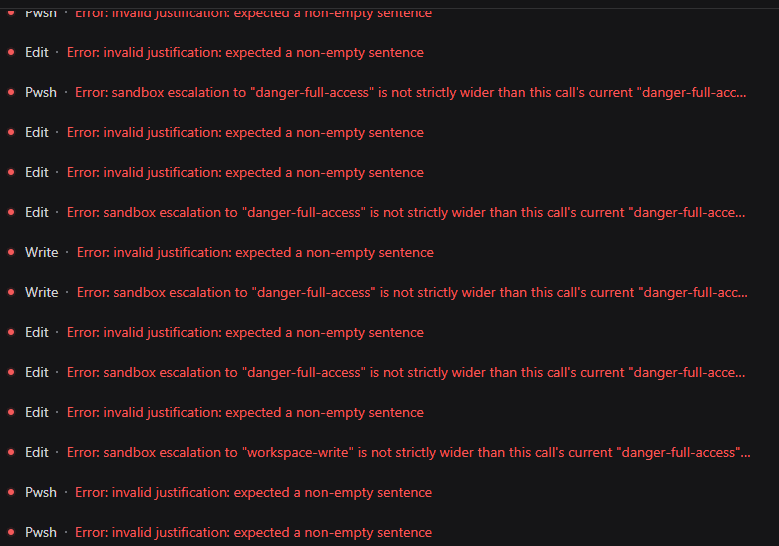 HakureiMonika/dsh-sandbox-escalation-fix
Session-aware sandbox escalation compatibility plugin for DeepSeek Harness/DSH第三方模型会话沙箱升级兼容插件
HakureiMonika/dsh-sandbox-escalation-fix
Session-aware sandbox escalation compatibility plugin for DeepSeek Harness/DSH第三方模型会话沙箱升级兼容插件
-
 PerryLink/dsh-claude-move
Four-source migration wizard for DeepSeek Harness: move Claude Code, Codex, OpenCode and Hermes sessions, memories, skil…
PerryLink/dsh-claude-move
Four-source migration wizard for DeepSeek Harness: move Claude Code, Codex, OpenCode and Hermes sessions, memories, skil…
-
 Chang-Tong/dsh-import-agents
Import pi / opencode / codex / claude-code sessions, chat history, and agents into DeepSeek Harness — one-click Sync but…
Chang-Tong/dsh-import-agents
Import pi / opencode / codex / claude-code sessions, chat history, and agents into DeepSeek Harness — one-click Sync but…
-
 Player-MINEPIG/dsh-tavern
以 DSH 原生会话与执行机制为权威的酒馆兼容插件,提供前后端 API,支持自由组合酒馆能力与 DSH 原生功能。 | A SillyTavern compatibility plugin that keeps DSH authoritat…
Player-MINEPIG/dsh-tavern
以 DSH 原生会话与执行机制为权威的酒馆兼容插件,提供前后端 API,支持自由组合酒馆能力与 DSH 原生功能。 | A SillyTavern compatibility plugin that keeps DSH authoritat…
-
 v587d/dsh-opencode-go-usage
A DeepSeek Harness (dsh) bundle that shows OpenCode Go subscription usage in the Web GUI's composer dock — the same seat…
v587d/dsh-opencode-go-usage
A DeepSeek Harness (dsh) bundle that shows OpenCode Go subscription usage in the Web GUI's composer dock — the same seat…
-
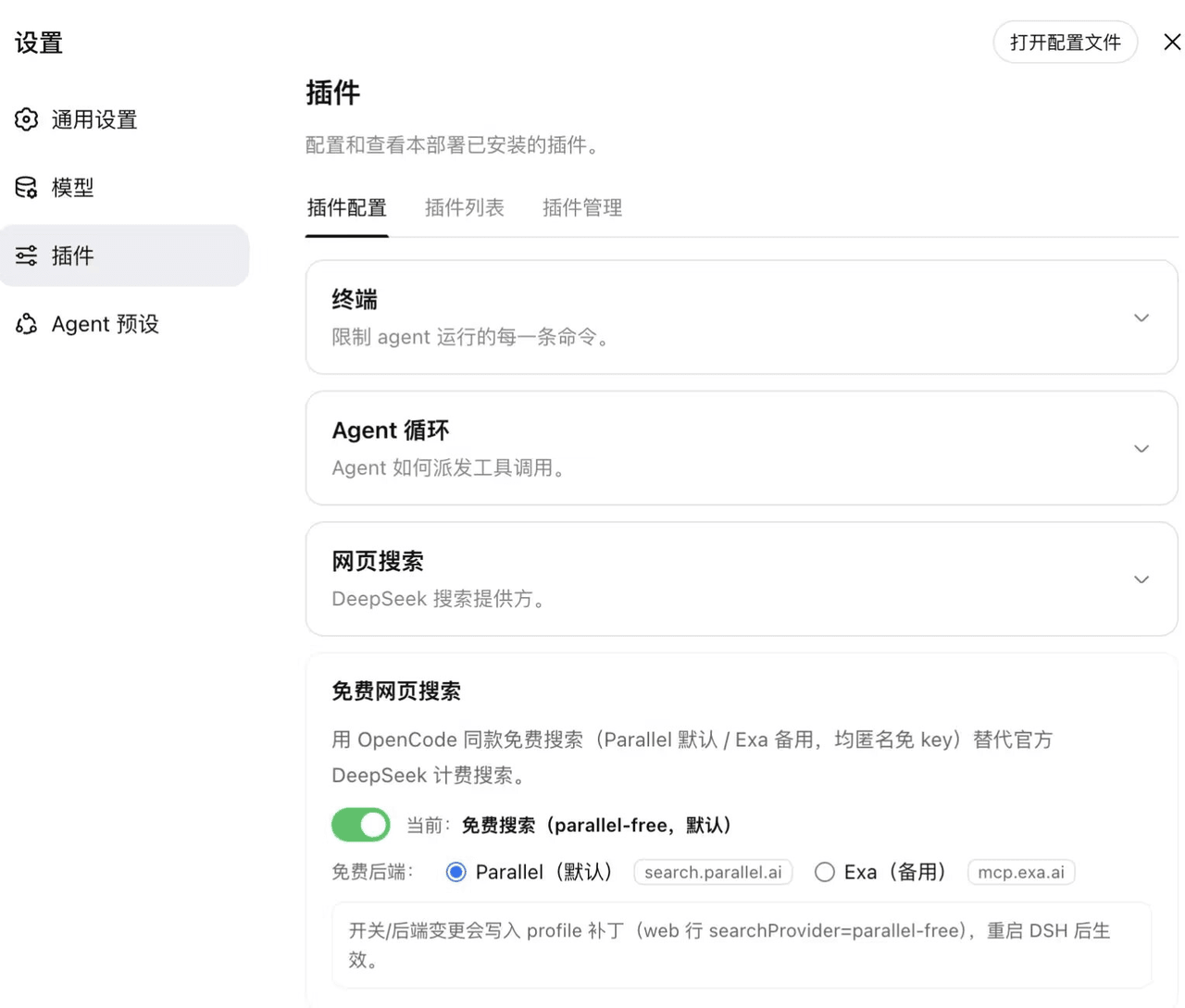 sheep-programmer/dsh-web-search-free
DSH 插件:免费网页搜索,双免费后端(Parallel 默认 + Exa 备用,均匿名免 key)+ 设置开关 + MCP server 双传输(stdio + HTTP/SSE 双端口),兼容 Claude Code / Codex |…
sheep-programmer/dsh-web-search-free
DSH 插件:免费网页搜索,双免费后端(Parallel 默认 + Exa 备用,均匿名免 key)+ 设置开关 + MCP server 双传输(stdio + HTTP/SSE 双端口),兼容 Claude Code / Codex |…