ht719/dsh-session-categories
Session categories plugin for DeepSeek Harness
Project Overview项目介绍
dsh-session-categories is a dsh plugin that adds user-managed category trees to the sidebar. Each Workspace maintains its own hierarchy, and each session can belong to at most one category. It supports drag-and-drop, nested collapsible containers, child category creation, and rename or delete actions. Deleting a category recursively archives its sessions and durable logs with idempotent retries. Use it when you need to organize dsh sessions by topic or project. Note: the plugin targets prerelease dsh plugin APIs, so dsh and this plugin must be updated together since pre-release compatibility is not guaranteed.
dsh-session-categories 是面向 dsh 的插件,为侧边栏添加用户管理的分类树。每个 Workspace 维护独立的分类层级,每个会话最多属于一个分类,支持拖拽、嵌套折叠、子分类创建与重命名。删除分类会递归归档会话及其日志,操作带幂等重试。适用于需要在 dsh 中按主题或项目组织会话的用户。注意事项:该插件基于 dsh 预发布版插件 API,与 dsh 核心版本需同步升级,跨版本兼容性不受保证。
请帮我了解并安装插件:【dsh-session-categories】【https://github.com/ht719/dsh-session-categories】Send this message to DSH in your current session. CLI install commands may not be accurate across systems — DSH will figure it out for you.把上面这条消息直接发给当前会话里的 DSH,让它帮你了解并安装。安装命令不一定准确,发给 DSH 更稳。
Or use CLI install (for developers)或使用命令行安装(适合开发者)
CLI Install命令行安装
dsh plugin --profile web add dsh-session-categories把 ht719/dsh-session-categories 加入你的 DSH 配置(web profile)即可启用。
READMEREADME
dsh-session-categories
English | 中文
Session Categories adds user-managed category trees to the dsh sidebar. Each Workspace keeps its own categories, and each session can belong to at most one category.
The package includes the Host entry, Web client bundle, and Cordis profile patch. No separate Client or Bundle package is required.
What it looks like
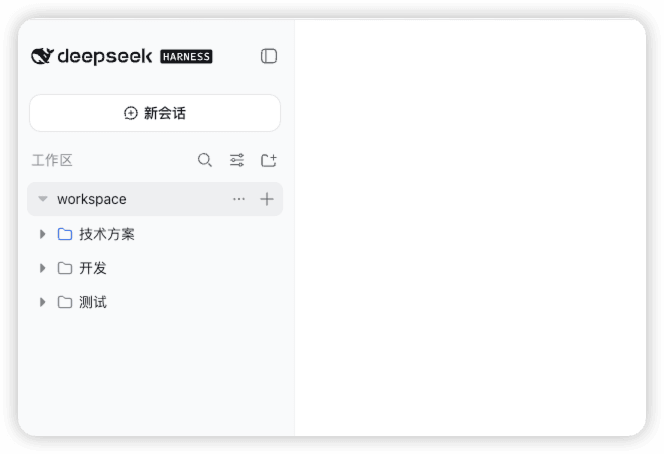
The sidebar groups sessions inside clear, collapsible category containers. The screenshot shows the Workspace, category, and session hierarchy in the current plugin layout.
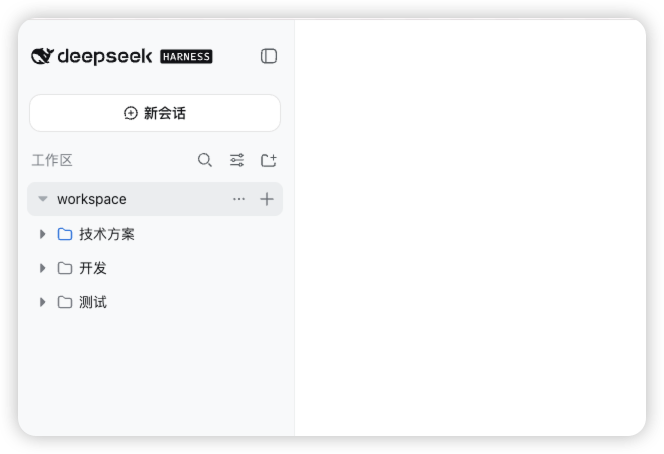
Within a Workspace, you can:
- create a session directly inside a category;
- expand or collapse categories without losing their hierarchy;
- drag a session into another category;
- create a top-level category from the Workspace actions menu;
- create a child category, or rename and delete the current category, from the category actions menu;
- move a session with the folder icon on the Move to category action.
Expanded categories use nested containers with a fixed inset at each depth. Sessions receive one additional inset beyond their category, and drag targets highlight without changing row dimensions. Collapsed Workspace rows show a hierarchy icon when they contain categories or sessions.
Install from GitHub
The dsh command must be available in your shell. Install the prebuilt package directly into an unmodified dsh Web profile:
dsh plugin --profile web add dsh-session-categories
dsh --profile web
If you are running dsh from a source checkout, use its package launcher instead:
pnpm dsh plugin --profile web add dsh-session-categories
pnpm dsh --profile web
The repository includes generated runtime files, so a separate plugin build is not required.
For the unreleased GitHub version, install directly from the repository:
dsh plugin --profile web add github:ht719/dsh-session-categories
Behavior and data
Deleting a category recursively archives its sessions; it never deletes their durable logs. Archive operations are retried with the same operation id and recover after a restart. Mutations reject stale revisions, cross-Workspace session ids, descendant moves, and assignments to unknown categories.
Compatibility
The plugin targets the current dsh prerelease plugin APIs and is intended to work with an unmodified dsh installation. dsh does not promise pre-release compatibility across versions, so update dsh and this plugin together when upgrading.
Source layout
The repository root is the installable prebuilt package. Source packages are retained under packages/workspace/session-categories/, packages/client/ui-session-categories/, and packages/bundle/session-categories/.
The plugin is composed as an ordinary Cordis row. It does not require changes to ui-workspace, ui-slots, api-remotes, or other core dsh packages.
Related相关推荐
-
 liangmianya/dsh-synapse
A visual, non-linear conversation workspace plugin for DeepSeek Harness ; A canvas-based session explorer and branching …
liangmianya/dsh-synapse
A visual, non-linear conversation workspace plugin for DeepSeek Harness ; A canvas-based session explorer and branching …
-
 alaliqing/claude-paper
📖 Cross-agent research paper toolkit for Claude Code, Codex, OpenCode, and DeepSeek Harness—quick summaries, deep study…
alaliqing/claude-paper
📖 Cross-agent research paper toolkit for Claude Code, Codex, OpenCode, and DeepSeek Harness—quick summaries, deep study…
-
 omdsh-dev/dsh-annotation
DSH Web 选中批注插件:选文字→批注→回车随消息发送;气泡隐藏批注块(零闪烁);回复按 Annotation N 逐条对照(可悬浮芯片)。官方 bundle,零核心改动
omdsh-dev/dsh-annotation
DSH Web 选中批注插件:选文字→批注→回车随消息发送;气泡隐藏批注块(零闪烁);回复按 Annotation N 逐条对照(可悬浮芯片)。官方 bundle,零核心改动
-
 Anionex/dsh-turn-rewind
deepseek harness对话和代码状态回退插件 | DSH — rewind conversation and workspace state, powered by a persistent Change Ledger
Anionex/dsh-turn-rewind
deepseek harness对话和代码状态回退插件 | DSH — rewind conversation and workspace state, powered by a persistent Change Ledger
-
 hanshenmesen/dsh-turn-delete
Delete one complete turn from a DeepSeek Harness session without deleting the session
hanshenmesen/dsh-turn-delete
Delete one complete turn from a DeepSeek Harness session without deleting the session
-
 qkycir-123/dsh-run2skill
Automatically turn successful DeepSeek Harness sessions into reusable, reviewable Agent Skills.
qkycir-123/dsh-run2skill
Automatically turn successful DeepSeek Harness sessions into reusable, reviewable Agent Skills.
-
 Tyan66666/billion-context-dsh
Model-driven context management (Active Context Pruning / ACP) for the DeepSeek Harness — the model decides when and wha…
Tyan66666/billion-context-dsh
Model-driven context management (Active Context Pruning / ACP) for the DeepSeek Harness — the model decides when and wha…
-
 PKUfudawei/dsh-capability-menu
Unified capability menu for DeepSeek Harness: manage exposure level (context footprint) and execution mode of MCP tools …
PKUfudawei/dsh-capability-menu
Unified capability menu for DeepSeek Harness: manage exposure level (context footprint) and execution mode of MCP tools …