huangrx6/dsh-plugin
DeepSeek Harness (DSH) 插件合集:Skill 管理(导入/详情/多格式文件预览)、MCP 服务器管理(补丁层读写/测试连接/工具明细)、布局设置
项目介绍Project Overview
DSH 插件合集为 DeepSeek Harness Web 端提供 8 个独立插件,涵盖个人空间 launcher、页面布局材质、Skill/MCP 导入与管理、Tailscale 远程访问、全局 Agent 规则、订阅额度监控与归档会话管理;每款均以宿主 + Web 客户端双形态加载,无需修改平台代码。适用于希望扩展 DSH 工作流、跨设备访问与统一管理 Skill、MCP、订阅与历史会话的用户。注意:升级必须使用版本化 release 链接,且宿主侧改动需重启 dsh web 才能生效。
The DSH plugins bundle delivers 8 independent add-ons for DeepSeek Harness Web: personal-space launcher, layout/material theming, Skill and MCP import and management, Tailscale remote access, global Agent rules, subscription quota monitoring, and archive session handling. Each plugin ships as a host plus web-client pair that loads alongside DSH Web without touching platform code. Use them to extend workflows, access the instance remotely, and centralize Skill, MCP, quota, and history management. Note: upgrades require versioned release URLs, and host-side changes only take effect after restarting dsh web.
请帮我了解并安装插件:【dsh-plugin】【https://github.com/huangrx6/dsh-plugin】把上面这条消息直接发给当前会话里的 DSH,让它帮你了解并安装。安装命令不一定准确,发给 DSH 更稳。Send this message to DSH in your current session. CLI install commands may not be accurate across systems — DSH will figure it out for you.
或使用命令行安装(适合开发者)Or use CLI install (for developers)
命令行安装CLI Install
dsh plugin --profile web add https://github.com/huangrx6/dsh-plugin/releases/download/0.1.0/dsh-launcher.tgz把 huangrx6/dsh-plugin 加入你的 DSH 配置(web profile)即可启用。
READMEREADME
DSH Plugins
DeepSeek Harness(DSH)Web 端插件合集。所有插件均为「宿主 + Web 客户端」双形态,随 DSH Web 一起加载,无需侵入平台代码。
插件导航
| 插件 | 一句话 | 详细文档 |
|---|---|---|
dsh-launcher |
个人空间:侧栏底部 launcher 按钮 + 浮层面板 + 全屏工作区(覆盖视图),集成 Skill / MCP 市场,左菜单 + 右侧卡片化内容,H5 自适应 | → dsh-launcher/README.md |
dsh-layout |
页面布局与材质:一张磨砂材质覆盖整页,全局(圆角/背景/弹窗/边距)+ 对话排版(阅读宽度/收笔/气泡/轨迹/统计) | → dsh-layout/README.md |
dsh-skill-manager |
Skill 导入(URL / GitHub / zip)与详情查看,连同 launcher 内的 Skill 市场(多源 / 模糊筛选 / 一键安装) | → dsh-skill-manager/README.md |
dsh-mcp-manager |
MCP 服务器全生命周期管理:增删改、启停、测试连接、工具明细,连同 launcher 内的 MCP 市场 | → dsh-mcp-manager/README.md |
dsh-remote-access |
远程访问:Tailscale Serve 把本机 dsh 暴露为 HTTPS 地址 + 切换官方 browse 目录选择器,手机扫码即用 | → dsh-remote-access/README.md |
dsh-agent-rules |
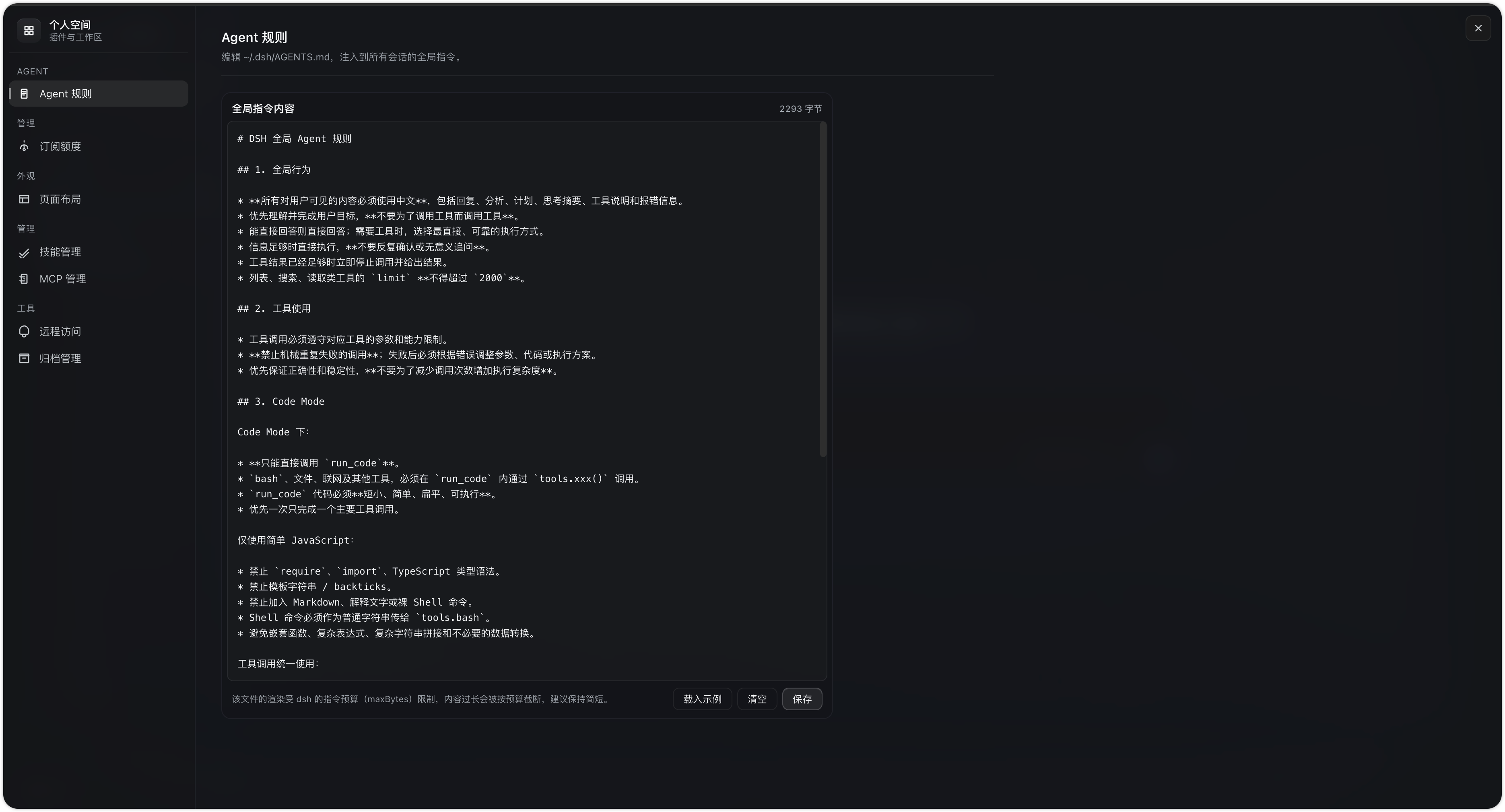
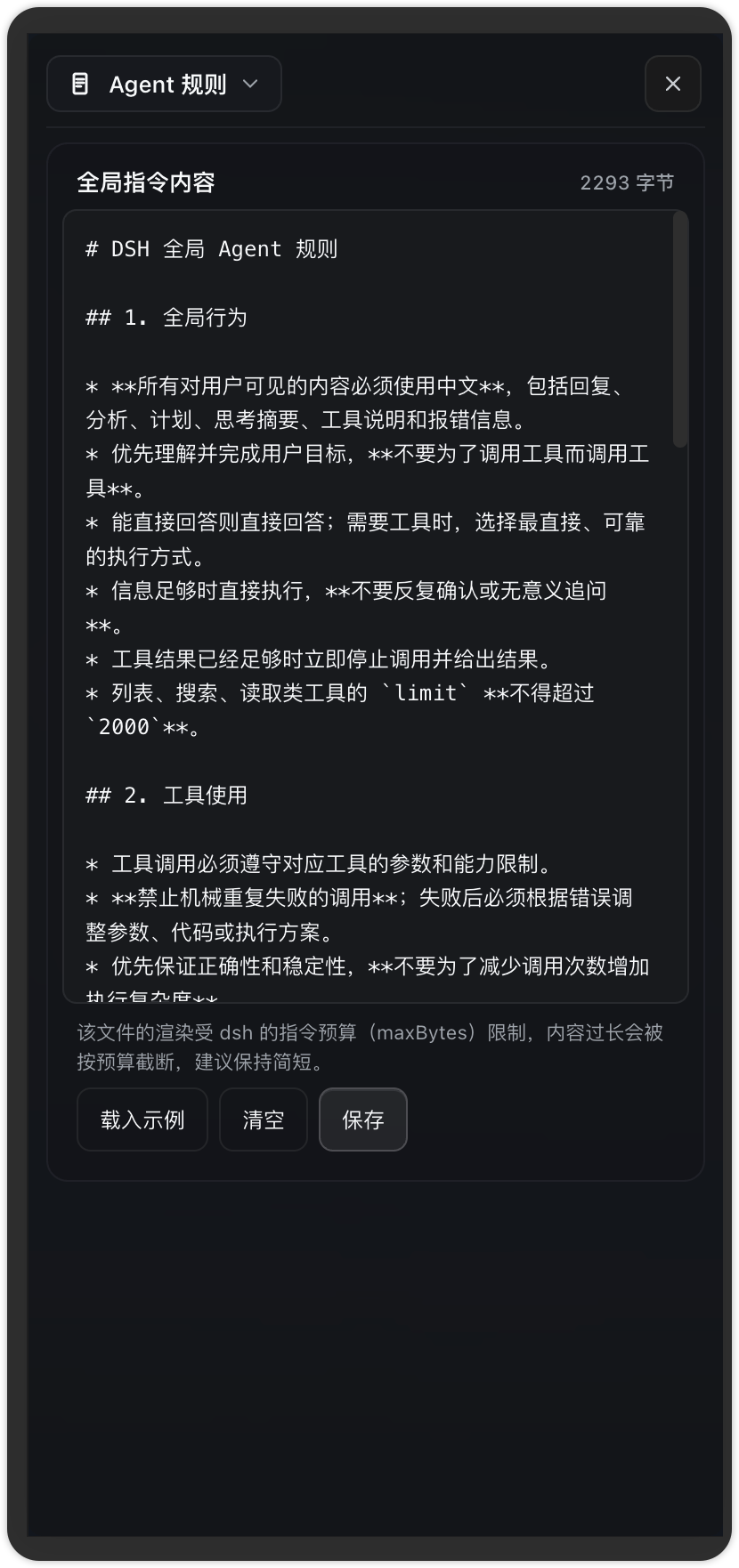
全局 Agent 指令:编辑 ~/.dsh/AGENTS.md,注入每个会话的持久基准规则(Code Mode、工具调用约束等) | → dsh-agent-rules/README.md |
dsh-usage |
订阅额度监控:GLM / MiniMax / Opencode 多账号额度剩余(5 小时 / 每周 / 每月),支持 env: 环境变量读取 API key | → dsh-usage/README.md |
dsh-archive-manager |
归档会话管理:列表、阅读消息、恢复工作区、导出 zip(官方 session.export)或 Markdown | → dsh-archive-manager/README.md |
截图预览
每个插件一对视图(左桌面端、右 H5),覆盖 Settings → 插件下的对应入口:
dsh-launcher
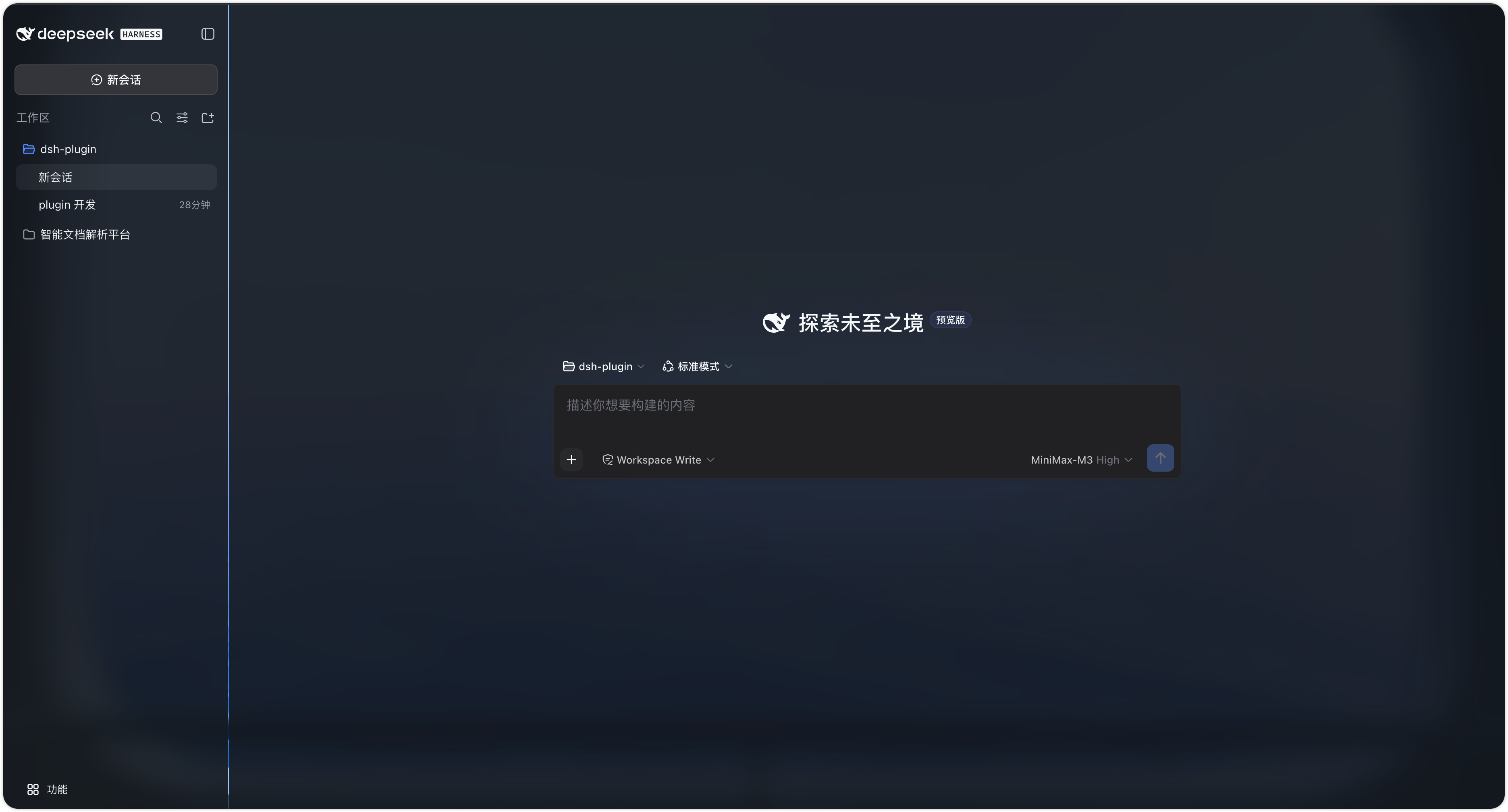
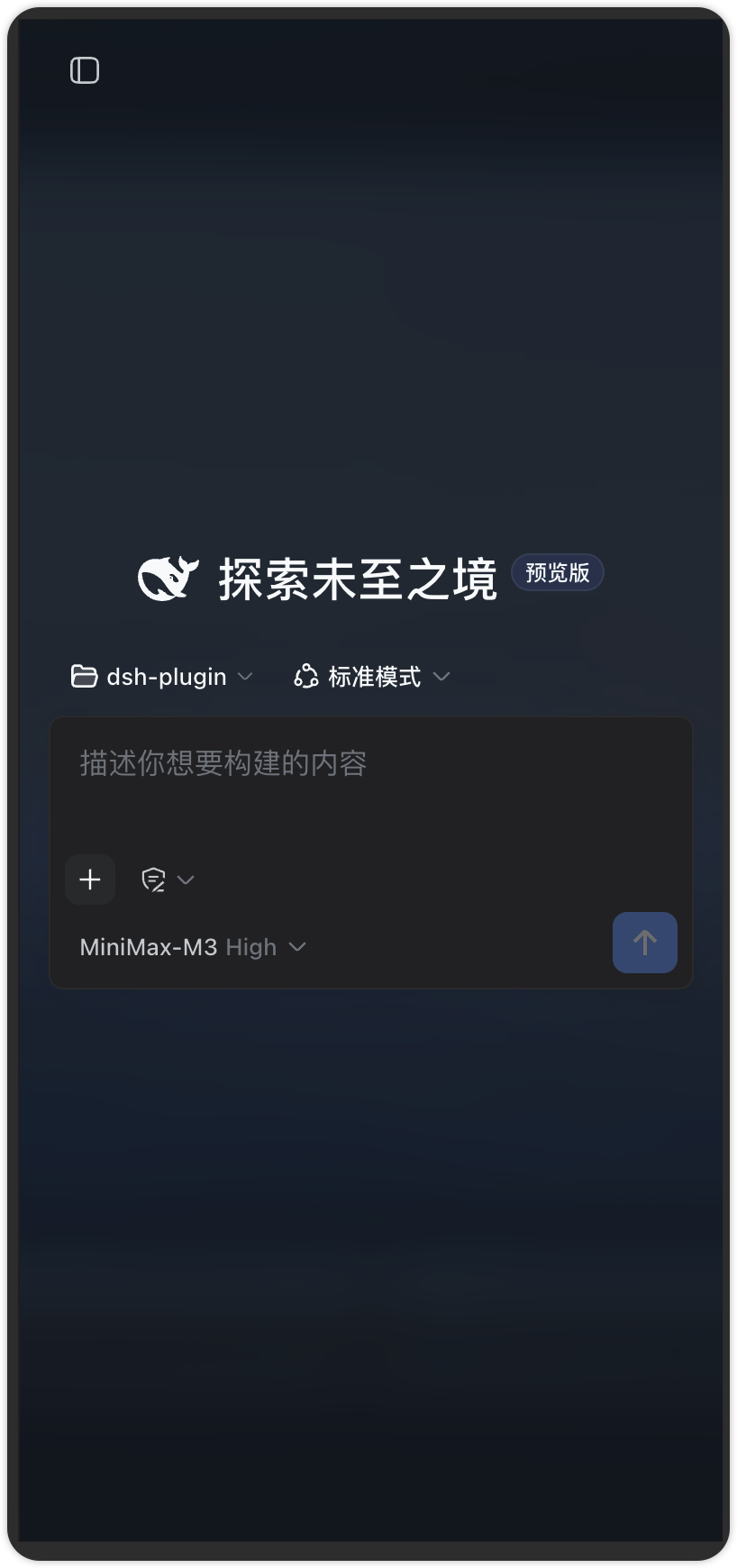
侧栏底部「更多 → 个人插件」入口
点「个人插件」后全屏工作区(左栏菜单 + 右栏卡片化内容)
dsh-layout
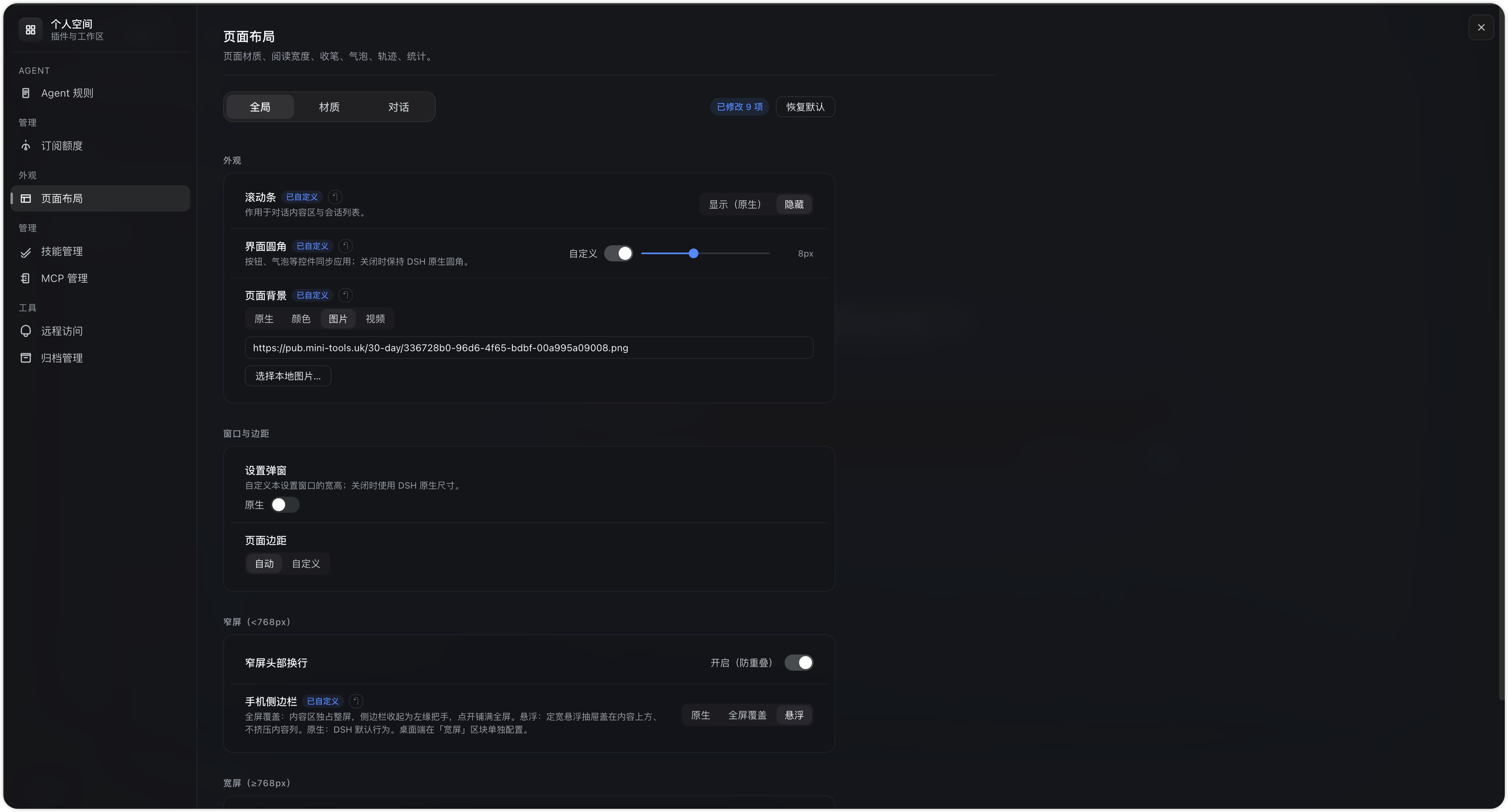
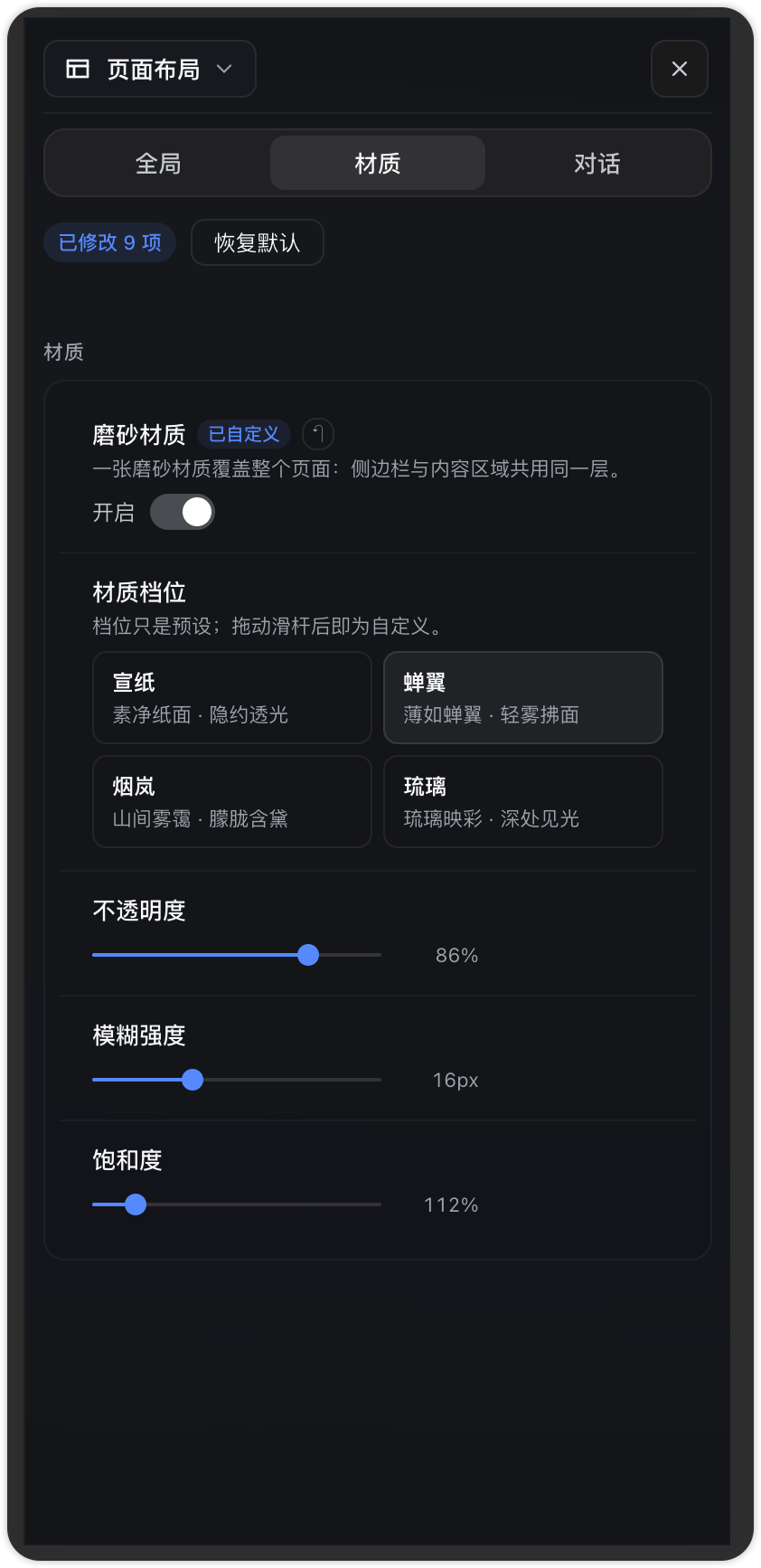
设置 → 插件 → 页面布局
dsh-skill-manager
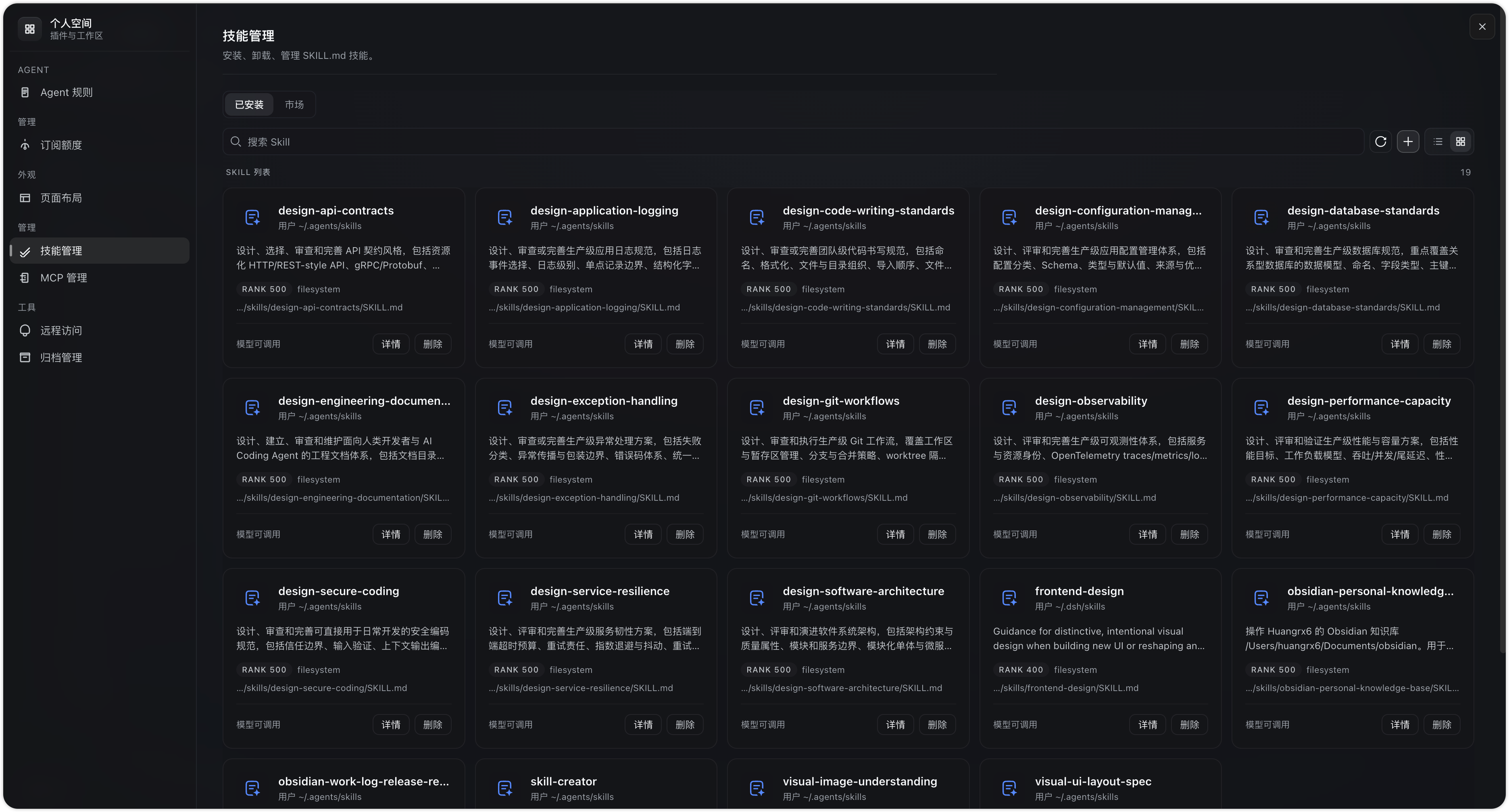
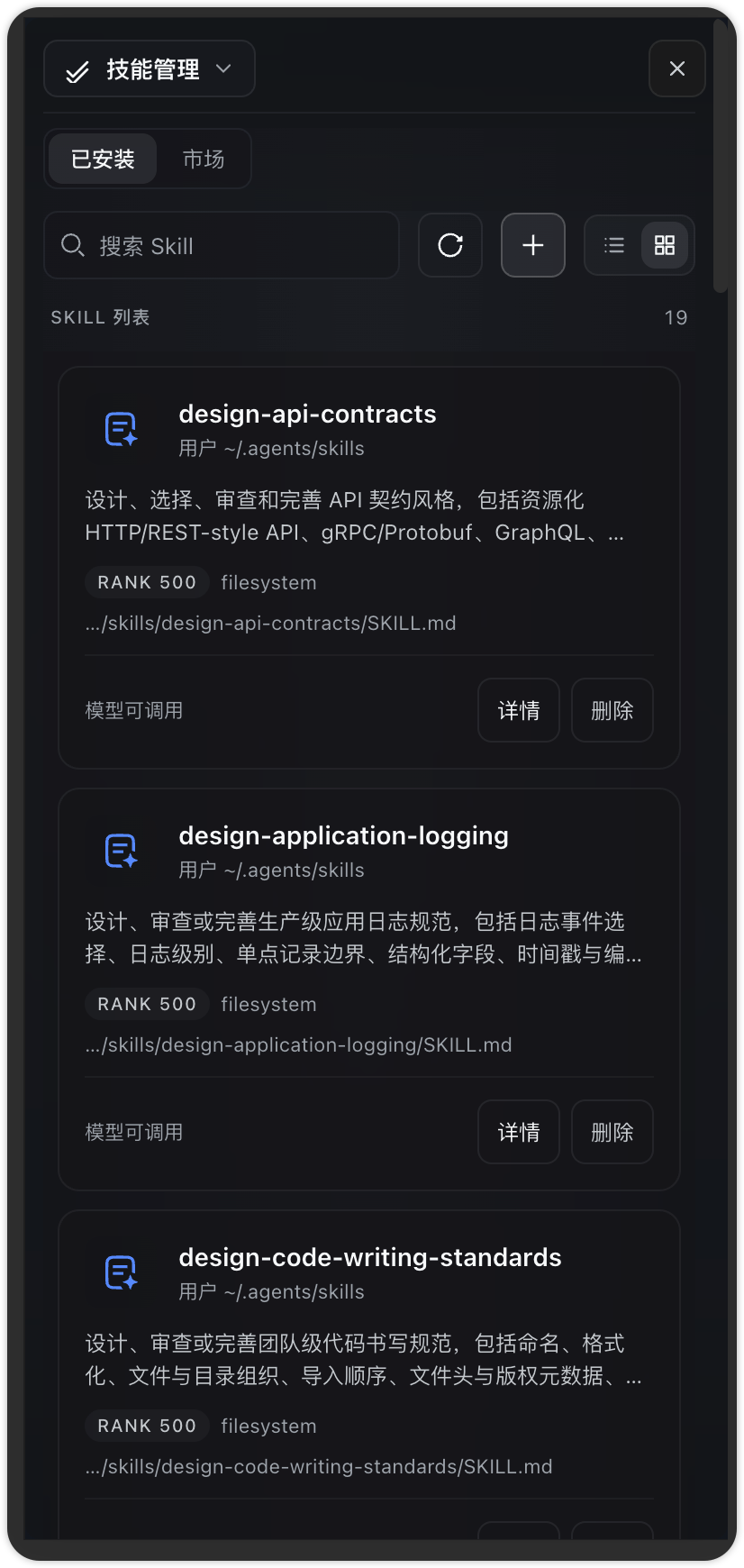
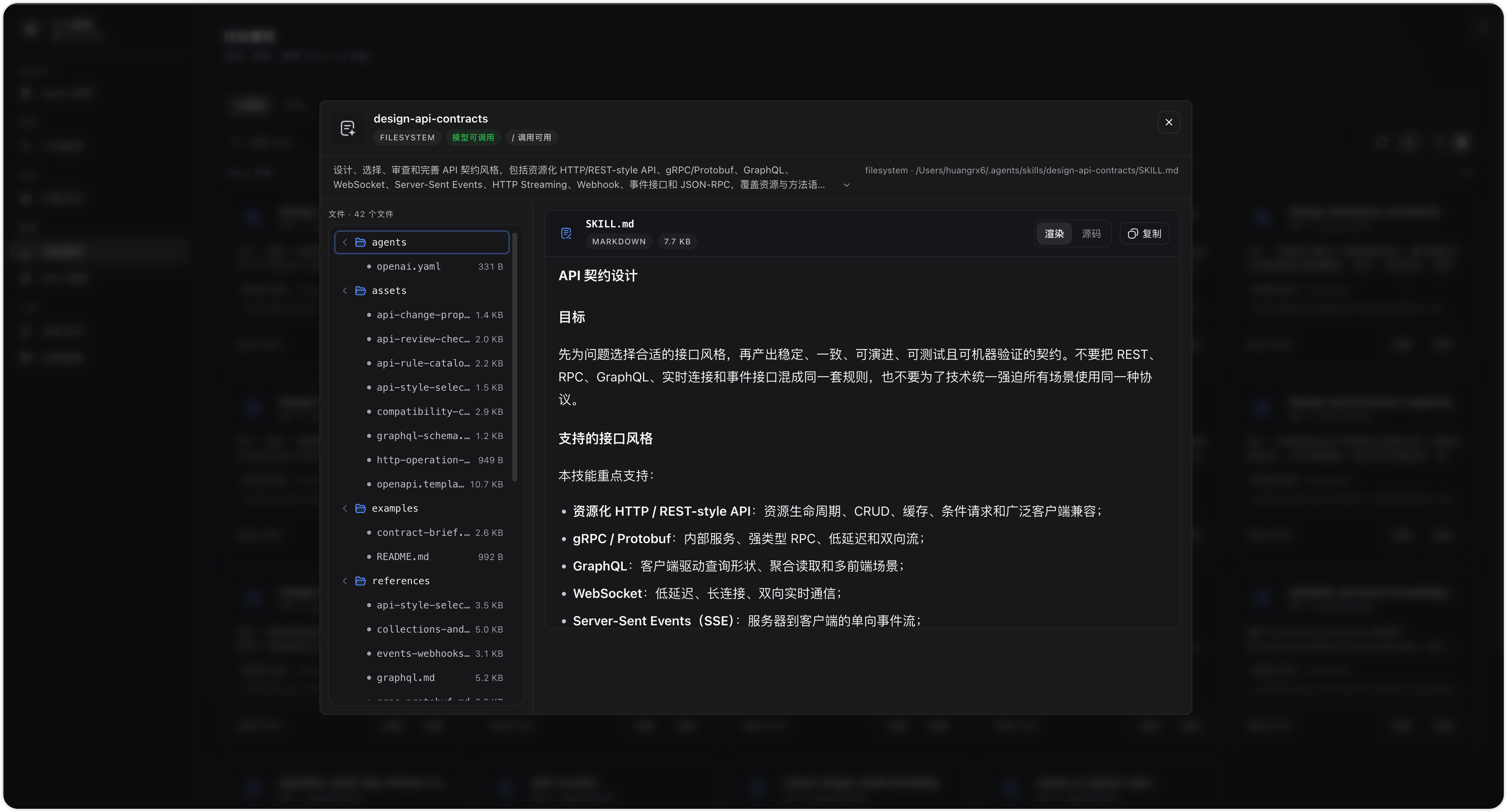
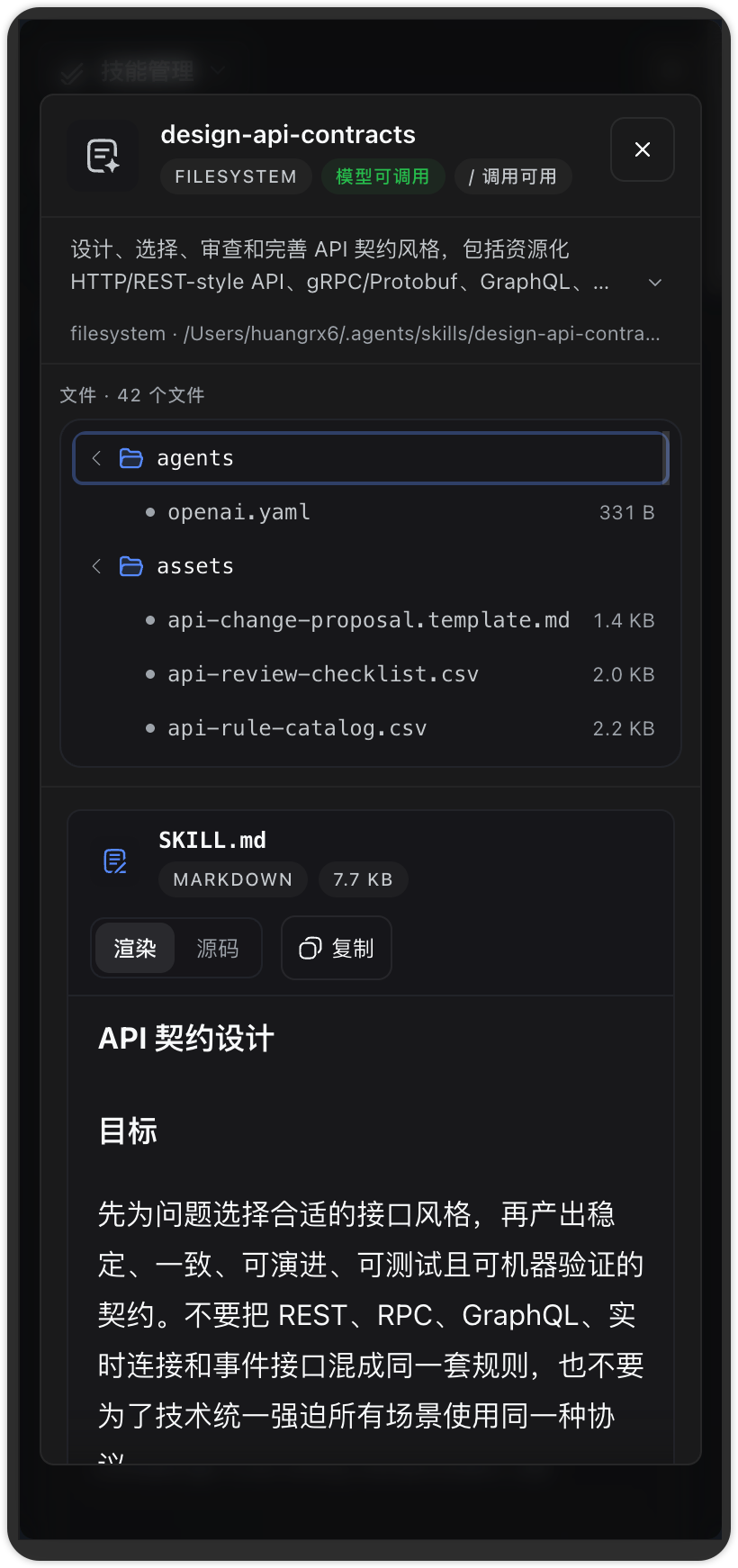
列表 + 详情:设置 → 插件 → 技能管理
dsh-mcp-manager
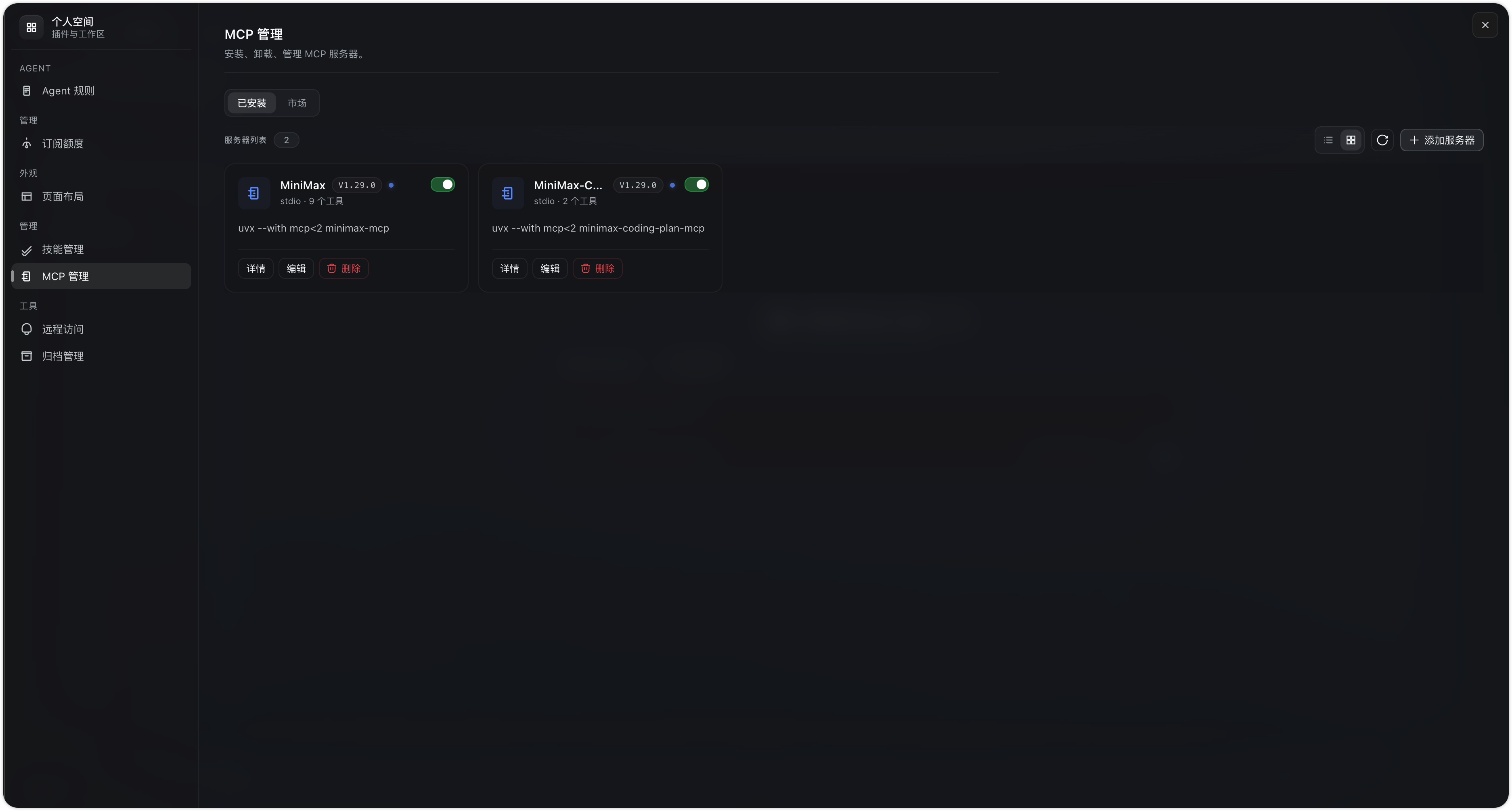
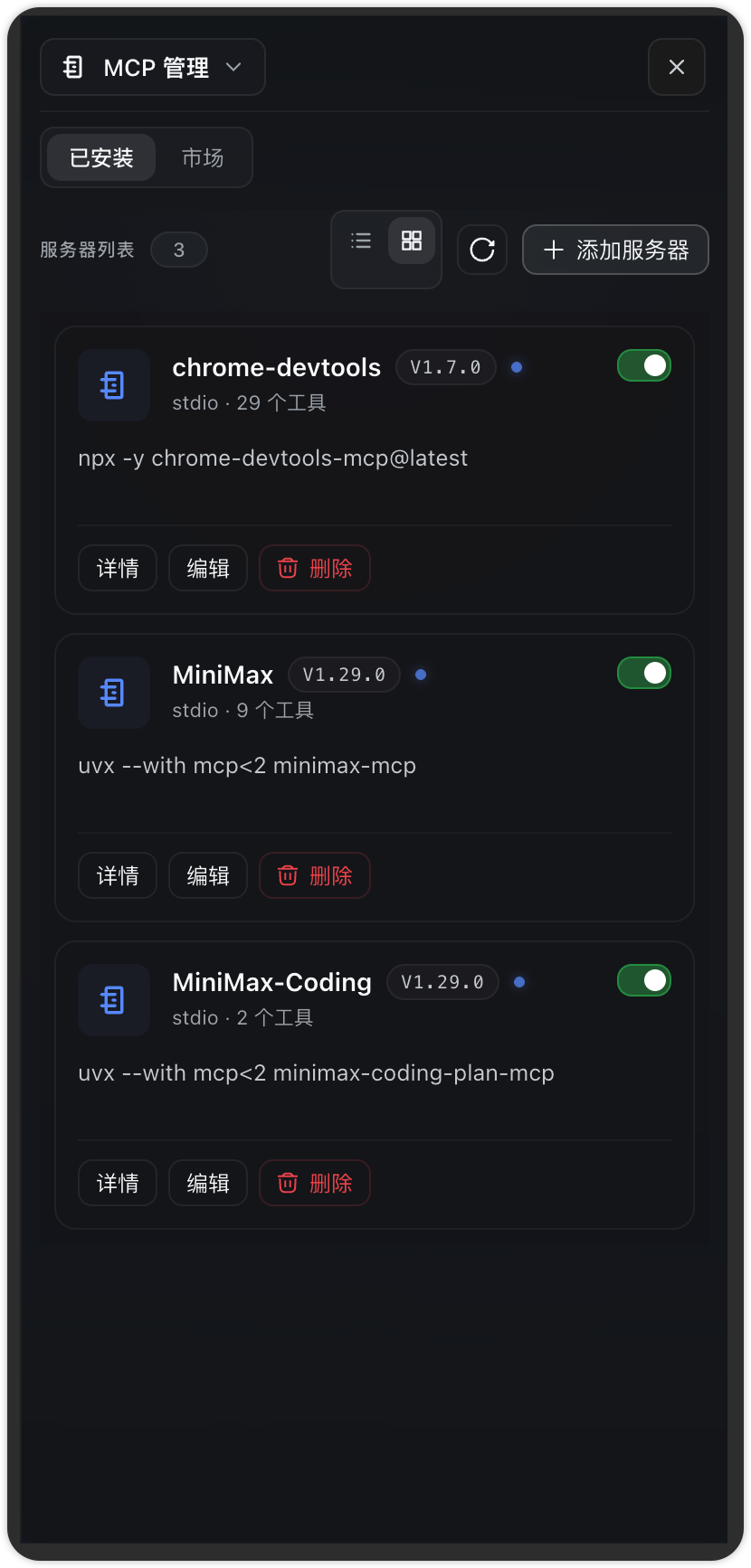
设置 → 插件 → MCP 管理
dsh-remote-access
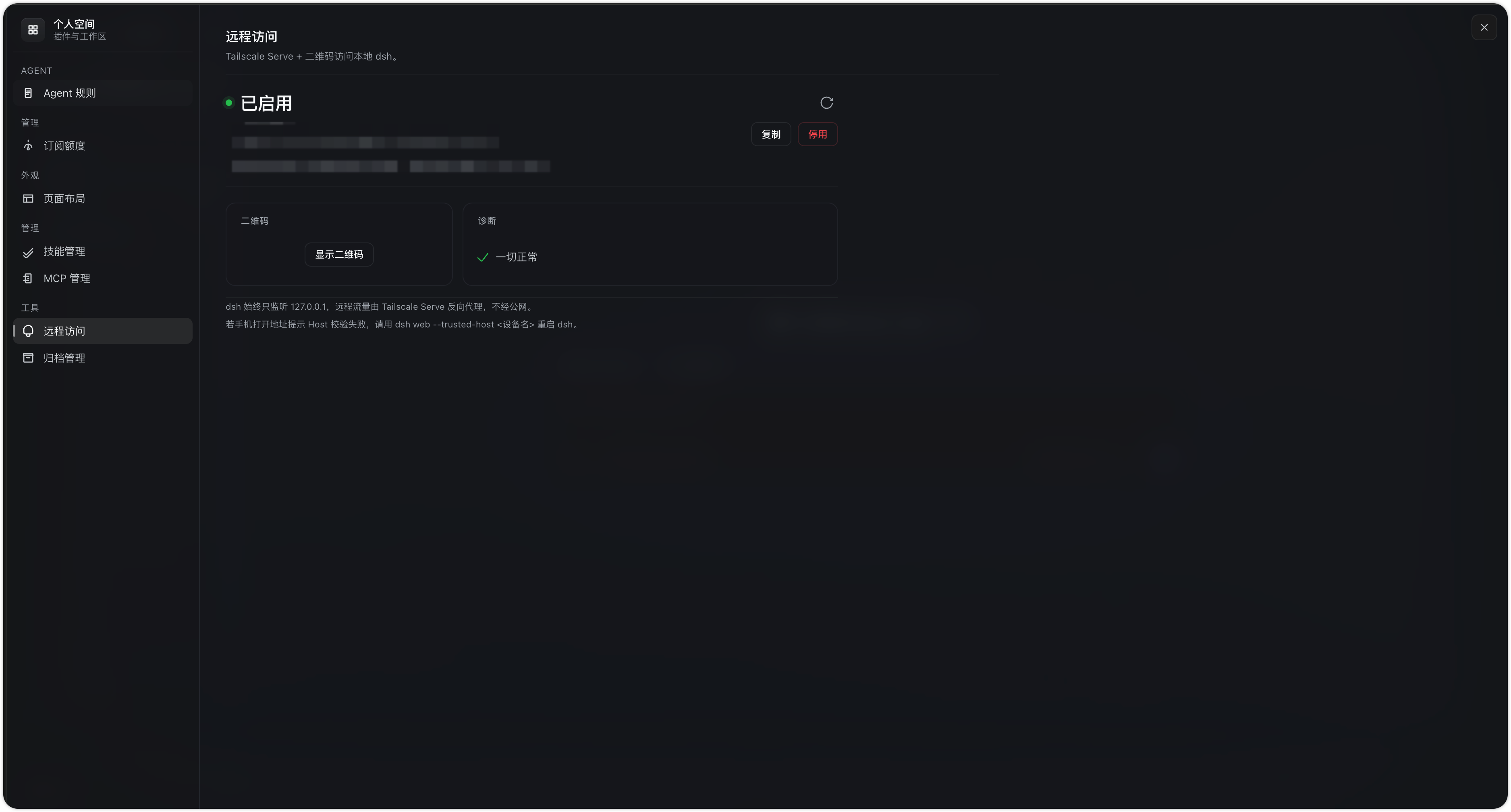
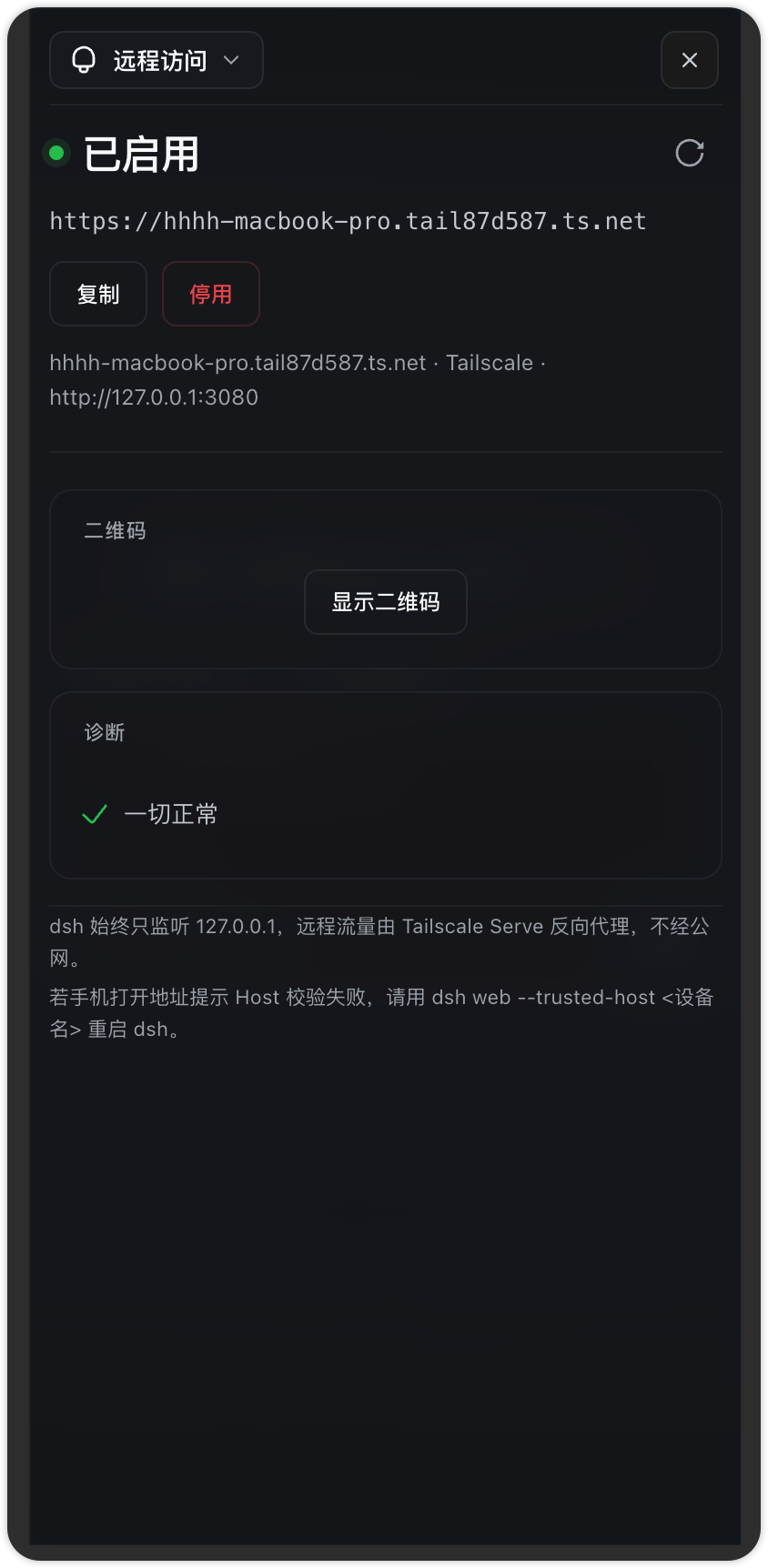
设置 → 插件 → 远程访问
dsh-agent-rules
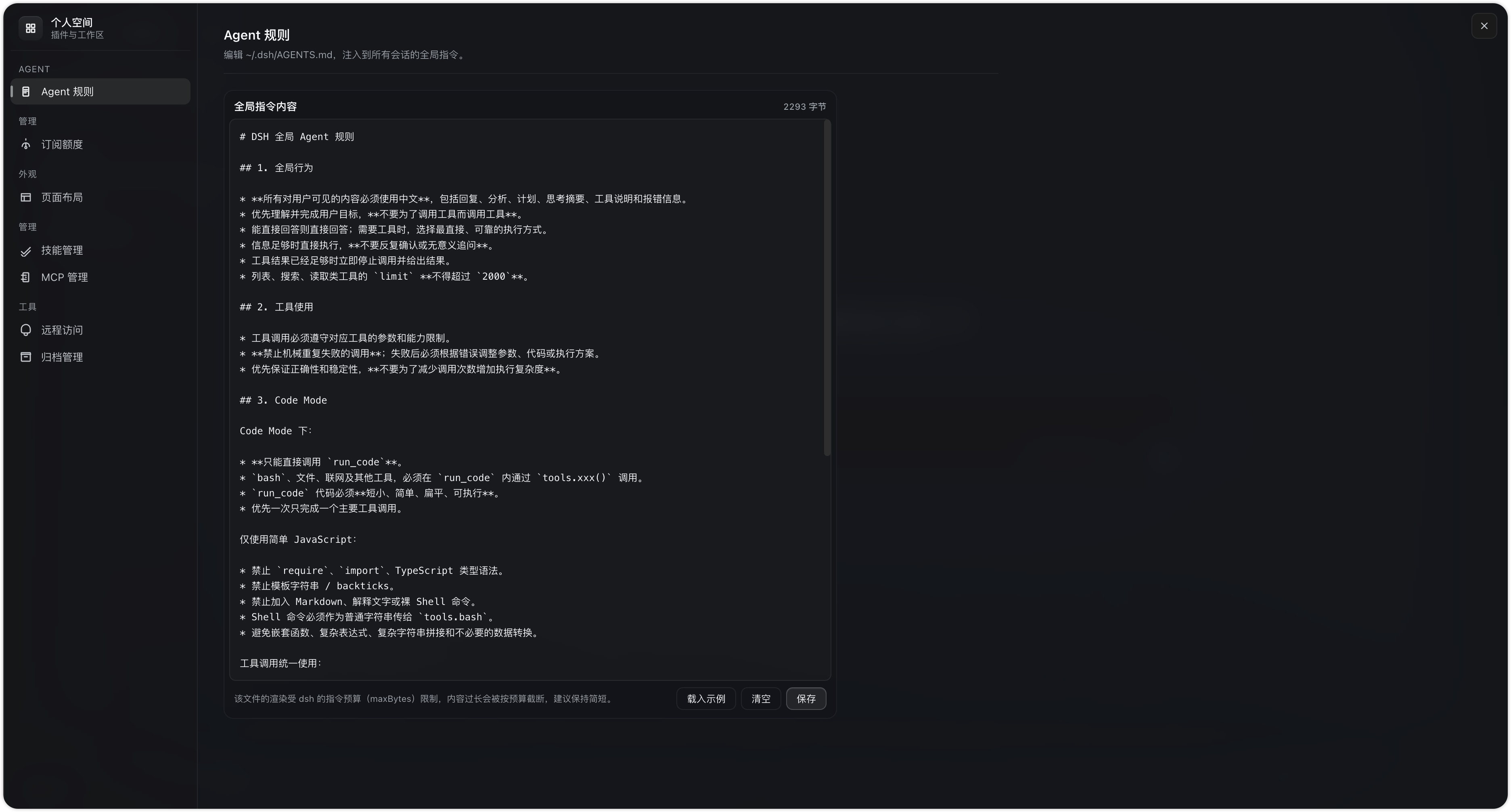
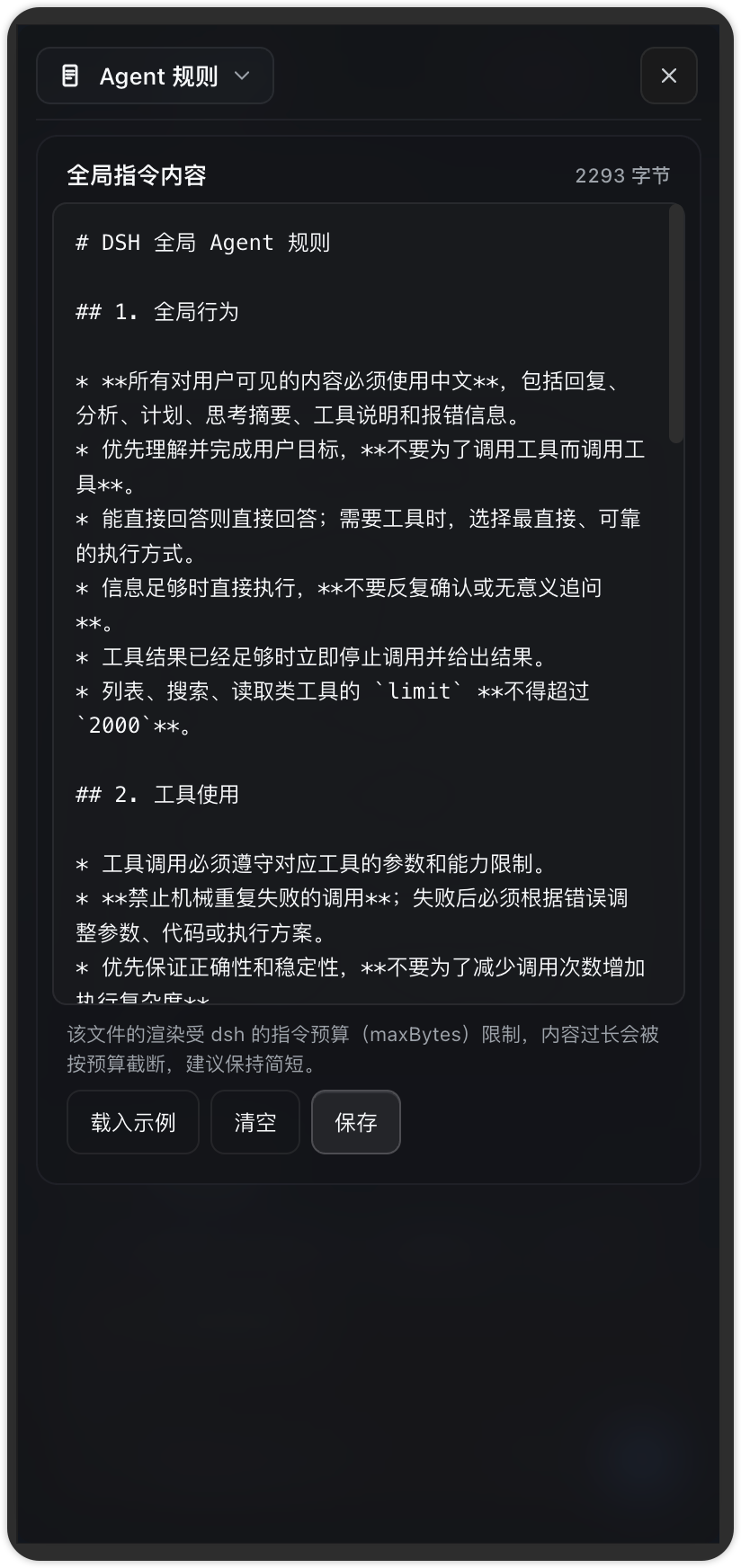
编辑 ~/.dsh/AGENTS.md,注入每个会话的持久基准规则
dsh-usage
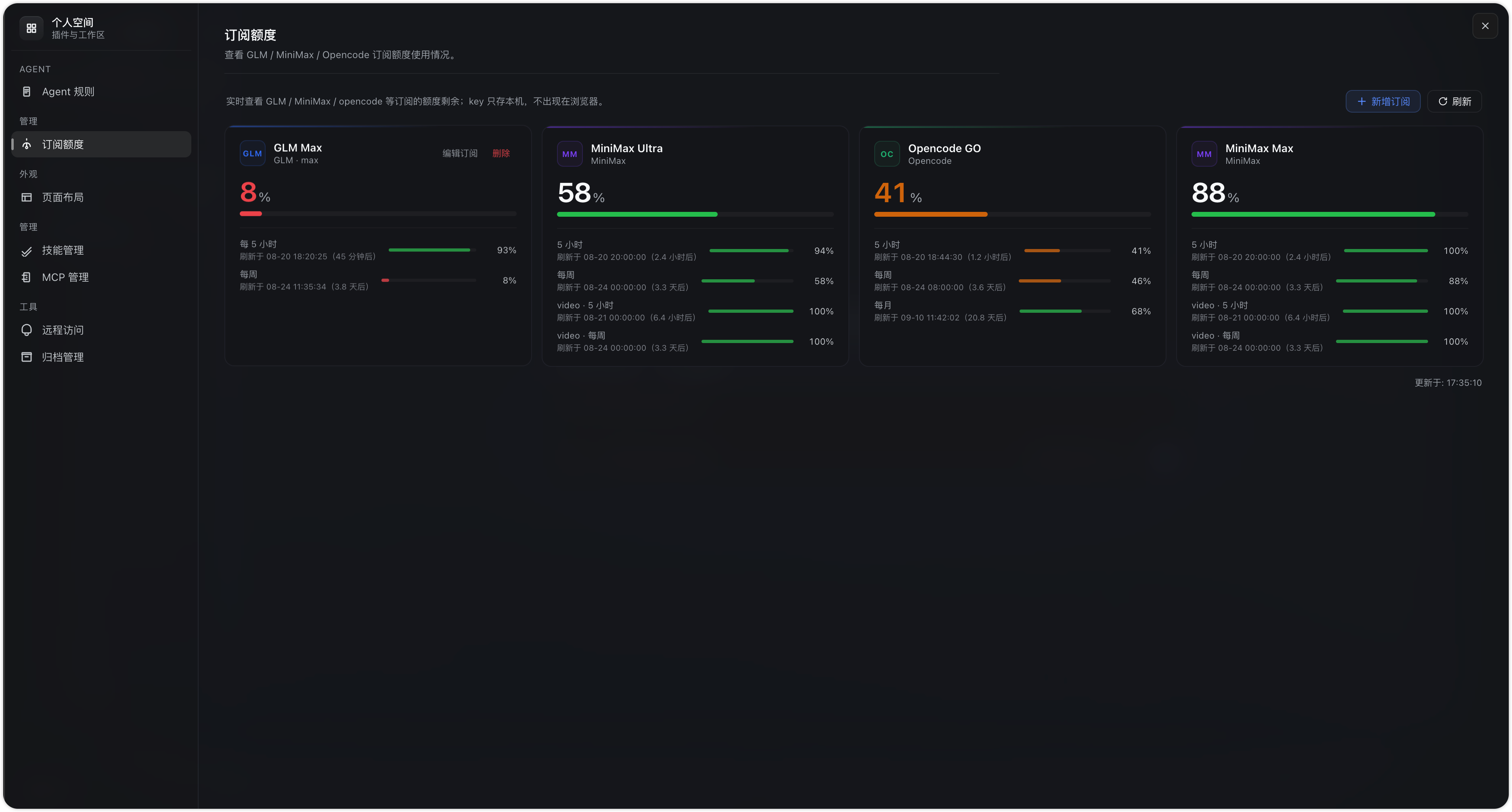
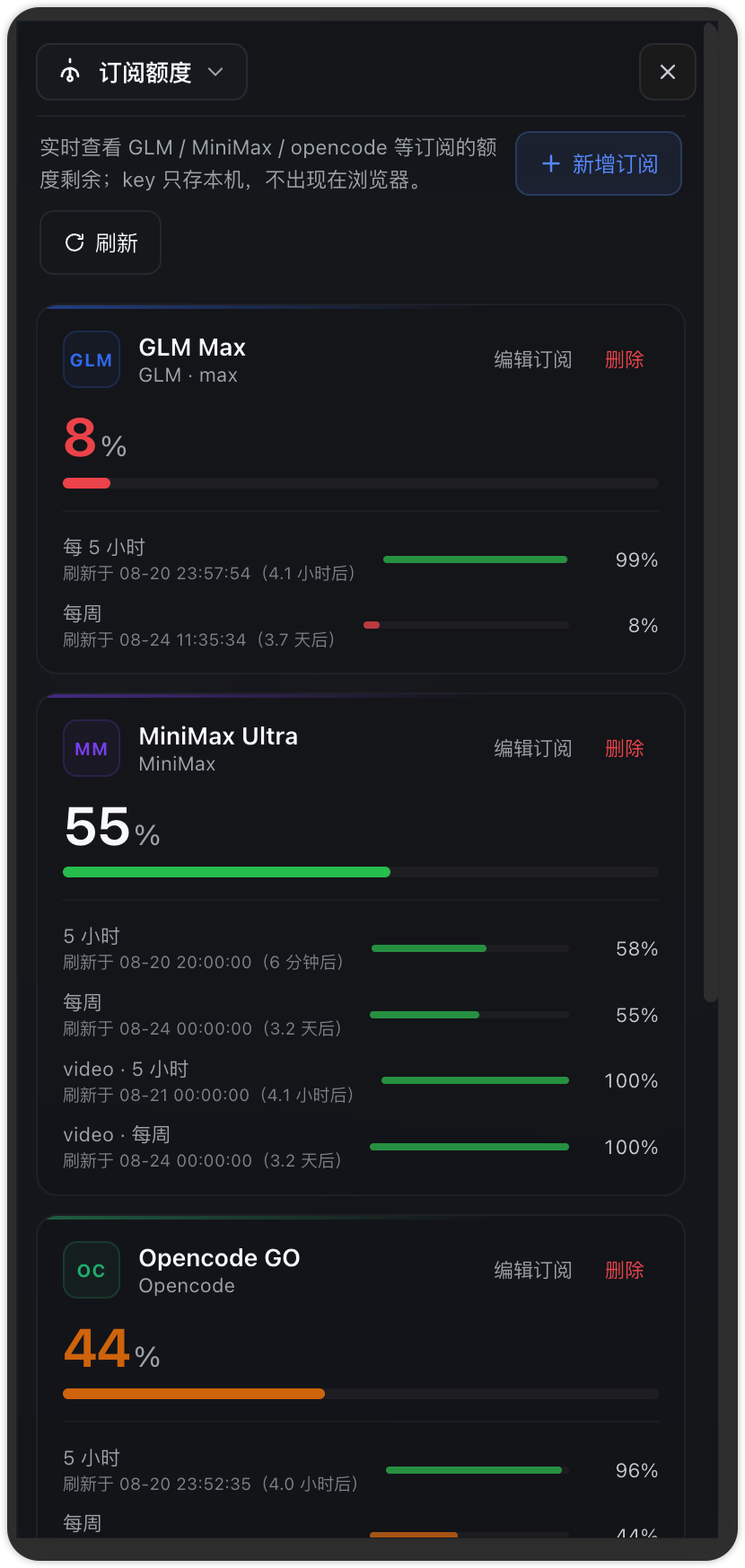
订阅额度监控(GLM / MiniMax / Opencode 多账号)
dsh-archive-manager
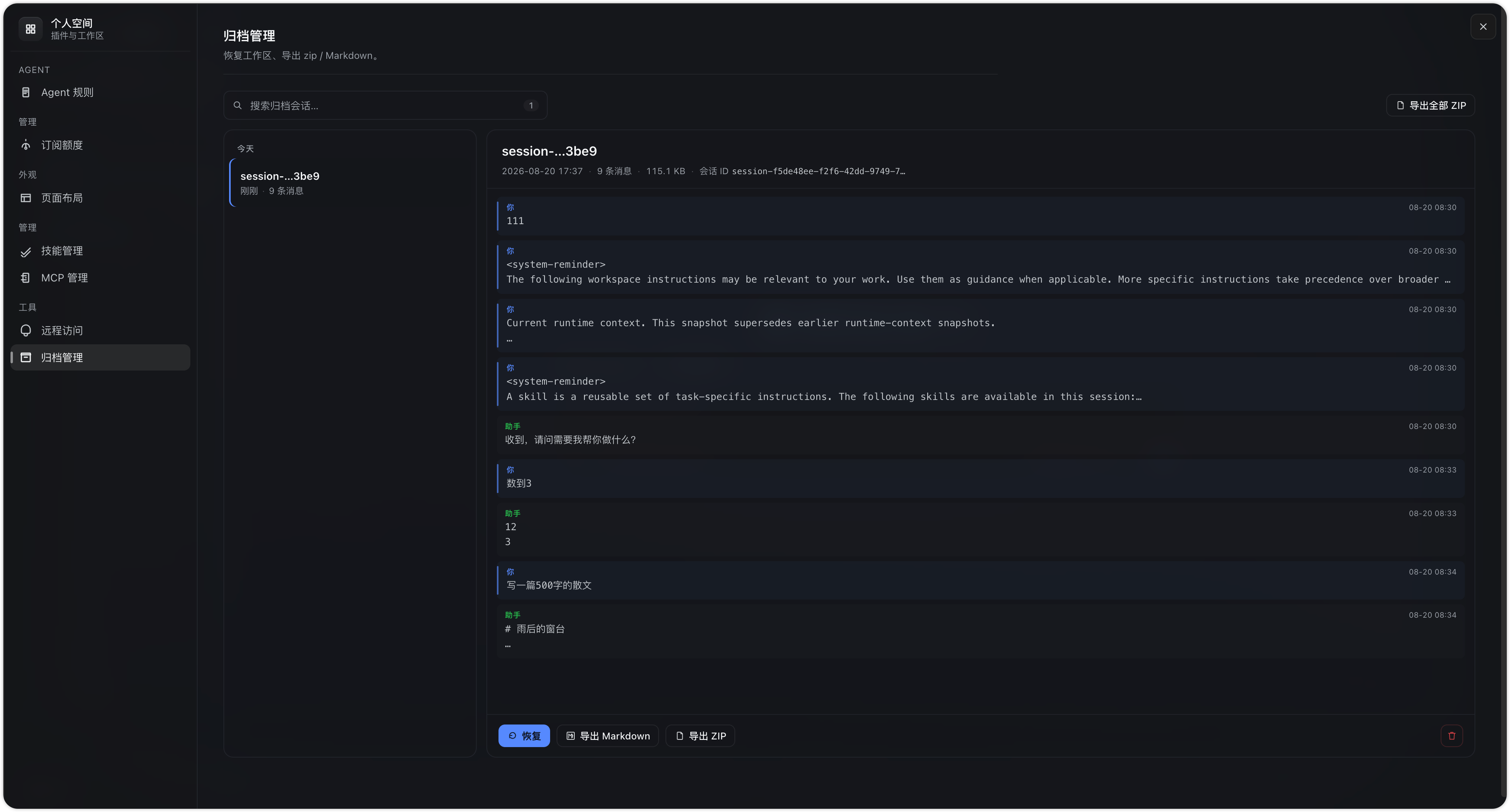
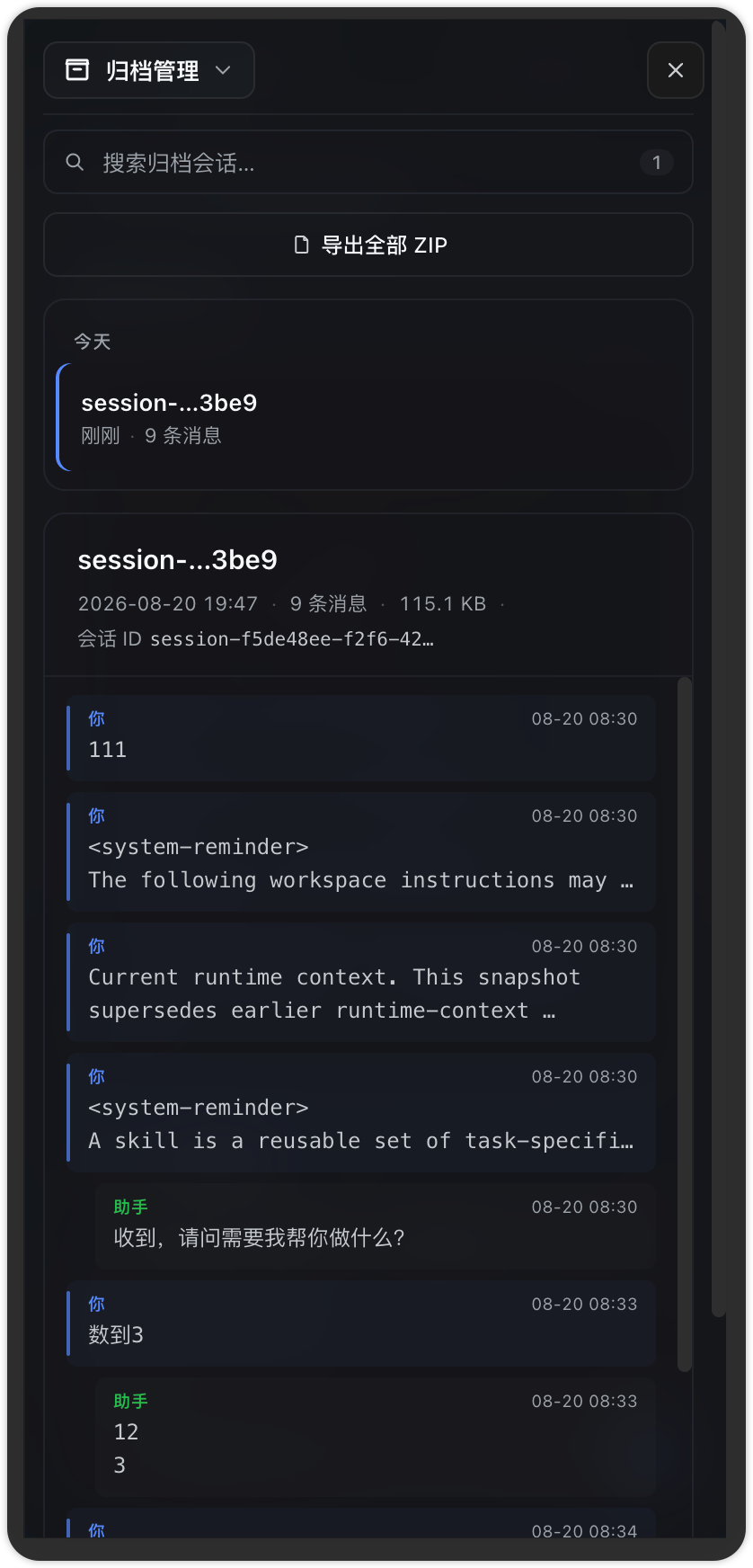
Settings → Archive manager
深入阅读:
- 插件如何与 DSH 平台协作:docs/architecture.md
- 源码解读:docs/skill-manager.md · docs/mcp-manager.md
每个插件的功能明细、使用说明、设置项对照、架构与开发指南都在各自的 README 里,本页只做概览与导航。
安装
所有插件通过 GitHub Release 预构建包安装(已含 lib/ 产物,无需本机构建)。用版本化路径(download/<version>/)——pnpm 按 URL 缓存,每次发版路径不同所以永不撞 TARBALL_INTEGRITY(这是 releases/latest/download/ 固定链接升级时的已知坑)。包内版本号 = tag 号(CI 打 tag 时自动写进各 package.json,发版只需 git tag 0.x.y && git push --tags,无需手动 bump)。以 0.1.0 为例,路径里的版本号换成 Releases 页 最新 tag(路径带版本号,文件名不带):
dsh plugin --profile web add https://github.com/huangrx6/dsh-plugin/releases/download/0.1.0/dsh-launcher.tgz
dsh plugin --profile web add https://github.com/huangrx6/dsh-plugin/releases/download/0.1.0/dsh-layout.tgz
dsh plugin --profile web add https://github.com/huangrx6/dsh-plugin/releases/download/0.1.0/dsh-skill-manager.tgz
dsh plugin --profile web add https://github.com/huangrx6/dsh-plugin/releases/download/0.1.0/dsh-mcp-manager.tgz
dsh plugin --profile web add https://github.com/huangrx6/dsh-plugin/releases/download/0.1.0/dsh-remote-access.tgz
dsh plugin --profile web add https://github.com/huangrx6/dsh-plugin/releases/download/0.1.0/dsh-agent-rules.tgz
dsh plugin --profile web add https://github.com/huangrx6/dsh-plugin/releases/download/0.1.0/dsh-usage.tgz
dsh plugin --profile web add https://github.com/huangrx6/dsh-plugin/releases/download/0.1.0/dsh-archive-manager.tgz
升级 = 换新版本号重跑(URL 变了,pnpm 缓存自动失效)。装完重启 dsh(或 /reload)。
releases/latest/download/固定链接(如.../dsh-remote-access.tgz)仅供一次性试用:内容每次发布都会变而 URL 不变,pnpm 缓存 integrity 会冲突(ERR_PNPM_TARBALL_INTEGRITY)。升级请始终用版本化路径(download/<version>/)。
没有本地 dsh 命令时用 npx @deepseek-ai/dsh plugin --profile web add ...。
本地开发(clone + link)
git clone git@github.com:huangrx6/dsh-plugin.git
cd dsh-plugin
for pkg in dsh-launcher dsh-layout dsh-skill-manager dsh-mcp-manager dsh-remote-access dsh-agent-rules dsh-usage dsh-archive-manager; do
  (cd "$pkg" && pnpm install && pnpm run build)
done
在 profile(如 ~/.dsh/profiles/web)的 package.json 里用 link: 挂载,并加入 bundles:
{
  "name": "dsh-profile-web",
  "private": true,
  "dependencies": {
    "dsh-launcher": "link:/绝对路径/dsh-plugin/dsh-launcher",
    "dsh-layout": "link:/绝对路径/dsh-plugin/dsh-layout",
    "dsh-skill-manager": "link:/绝对路径/dsh-plugin/dsh-skill-manager",
    "dsh-mcp-manager": "link:/绝对路径/dsh-plugin/dsh-mcp-manager",
    "dsh-remote-access": "link:/绝对路径/dsh-plugin/dsh-remote-access",
    "dsh-agent-rules": "link:/绝对路径/dsh-plugin/dsh-agent-rules",
    "dsh-usage": "link:/绝对路径/dsh-plugin/dsh-usage",
    "dsh-archive-manager": "link:/绝对路径/dsh-plugin/dsh-archive-manager"
  },
  "dsh": {
    "profile": {
      "bundles": [
        "@deepseek-ai/dsh-base",
        "@deepseek-ai/dsh-web-app",
        "dsh-launcher",
        "dsh-layout",
        "dsh-skill-manager",
        "dsh-mcp-manager",
        "dsh-remote-access",
        "dsh-agent-rules",
        "dsh-usage",
        "dsh-archive-manager"
      ]
    }
  }
}
然后 cd ~/.dsh/profiles/web && pnpm install,启动 npx @deepseek-ai/dsh web --host 127.0.0.1 --port 3080。
热更规律:Web 客户端(
lib/client.js)重新构建后刷新页面即生效;宿主侧(lib/index.mjs)在进程启动时载入内存,需重启dsh web。MCP 的cordis.patch.yml写入由平台 HMR 即时应用,无需重启。
环境要求
- Node.js ≥ 24
- pnpm ≥ 10
- DSH CLI(
@deepseek-ai/dsh,可npx调用)
仓库结构
dsh-plugin/
├── dsh-launcher/        # 个人空间:launcher 面板 + 全屏工作区 + 市场(详见其 README)
├── dsh-layout/          # 布局 / 材质 / 背景设置(详见其 README)
├── dsh-skill-manager/   # Skill 导入 / 详情 / 文件预览 + Skill 市场(详见其 README)
├── dsh-mcp-manager/     # MCP 服务器管理 + MCP 市场(详见其 README)
├── dsh-remote-access/   # 远程访问:Tailscale Serve + browse picker(详见其 README)
├── dsh-agent-rules/     # 全局 Agent 指令编辑器(~/.dsh/AGENTS.md)
├── dsh-usage/           # 订阅额度监控(GLM / MiniMax / Opencode)
├── dsh-archive-manager/ # 归档会话:列表 / 阅读 / 恢复 / 导出(详见其 README)
└── docs/                # 架构、开发指南、设计规范
仓库内每个包独立安装、独立构建(无根 workspace);pnpm run check = 类型检查 + 单测 + 构建全流程。
License
MIT
相关推荐Related
-
 freestylefly/awesome-gpt-image-2
Prompt as Code | GPT-Image2 工业级提示词引擎与模板库,530+ 个案例逆向工程,20+ 套工业级模板,并提炼出Skills,持续更新中
freestylefly/awesome-gpt-image-2
Prompt as Code | GPT-Image2 工业级提示词引擎与模板库,530+ 个案例逆向工程,20+ 套工业级模板,并提炼出Skills,持续更新中
- Zhiyuan-Fan/Awesome-DeepSeek-Harness-Plugins Curated DeepSeek Harness (DSH) plugins, extensions, tools, skills, clients, runtimes, integrations, and verified referen…
-
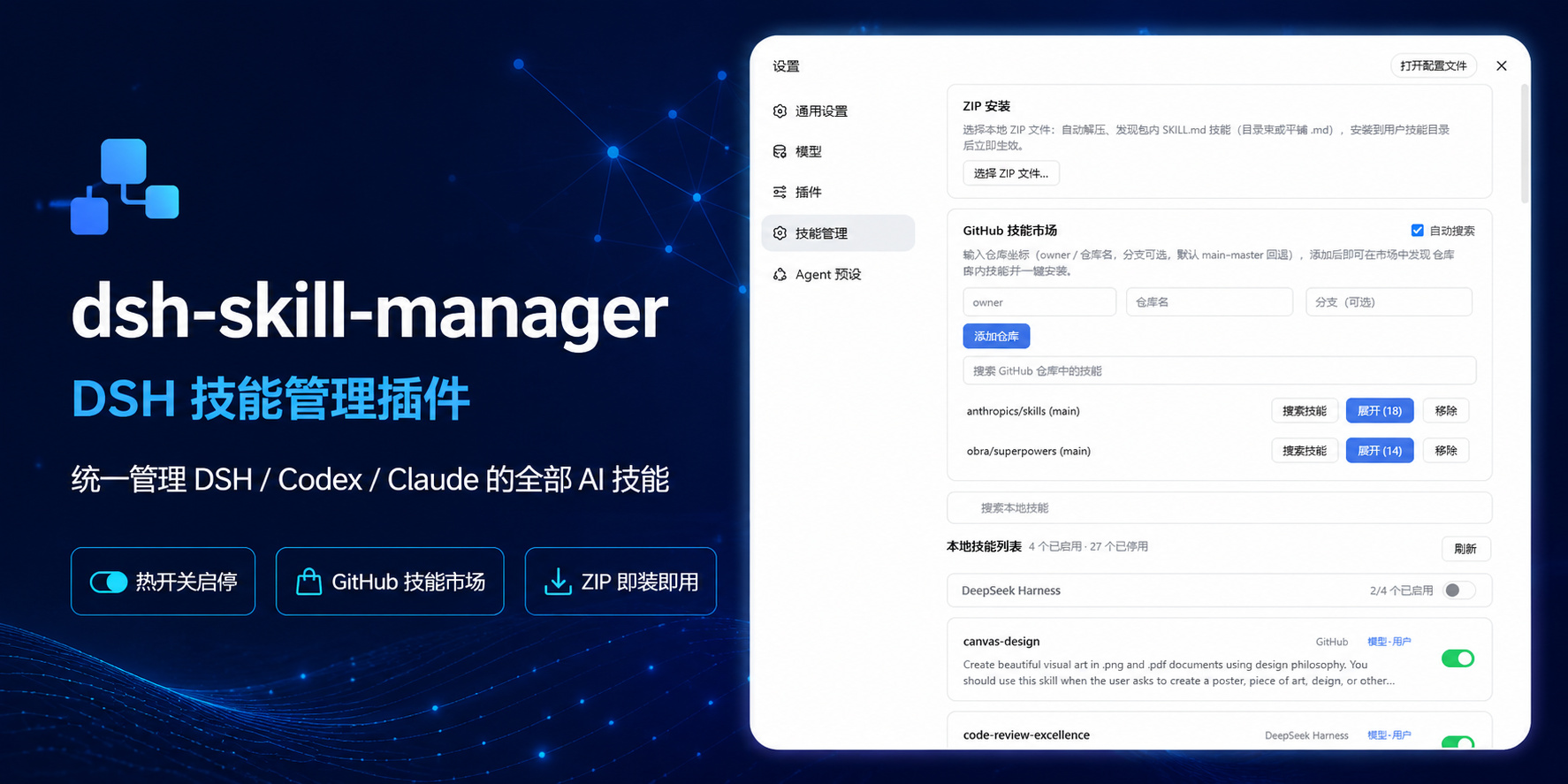 sulfide2085/dsh-skill-manager
在 DeepSeek Harness 设置页统一管理 DSH / Codex / Claude 的 AI 技能:热开关启停、GitHub 技能市场一键发现安装、本地 ZIP 导入(dsh-plugin skill hub)
sulfide2085/dsh-skill-manager
在 DeepSeek Harness 设置页统一管理 DSH / Codex / Claude 的 AI 技能:热开关启停、GitHub 技能市场一键发现安装、本地 ZIP 导入(dsh-plugin skill hub)
-
 cheshireez/dsh-skill-hub
DeepSeek Harness(dsh)Web GUI 技能中枢:浏览/搜索完整本地技能目录、启用/禁用、查看正文、排查诊断、新建技能,基于官方 ctx.skills 注册表。 In-GUI skill hub for dsh: brow…
cheshireez/dsh-skill-hub
DeepSeek Harness(dsh)Web GUI 技能中枢:浏览/搜索完整本地技能目录、启用/禁用、查看正文、排查诊断、新建技能,基于官方 ctx.skills 注册表。 In-GUI skill hub for dsh: brow…
-
 peiqi10086/dsh-skills-market
DSH(DeepSeek Harness)Skills 管理 + SkillHub 商城插件:侧边栏面板管理本地 skills(用户级/工作区项目级/内置只读),搜索并一键安装 SkillHub 公开技能,附模型工具 dsh_skillhu…
peiqi10086/dsh-skills-market
DSH(DeepSeek Harness)Skills 管理 + SkillHub 商城插件:侧边栏面板管理本地 skills(用户级/工作区项目级/内置只读),搜索并一键安装 SkillHub 公开技能,附模型工具 dsh_skillhu…
-
 duhu2000/dsh-mcp-connector
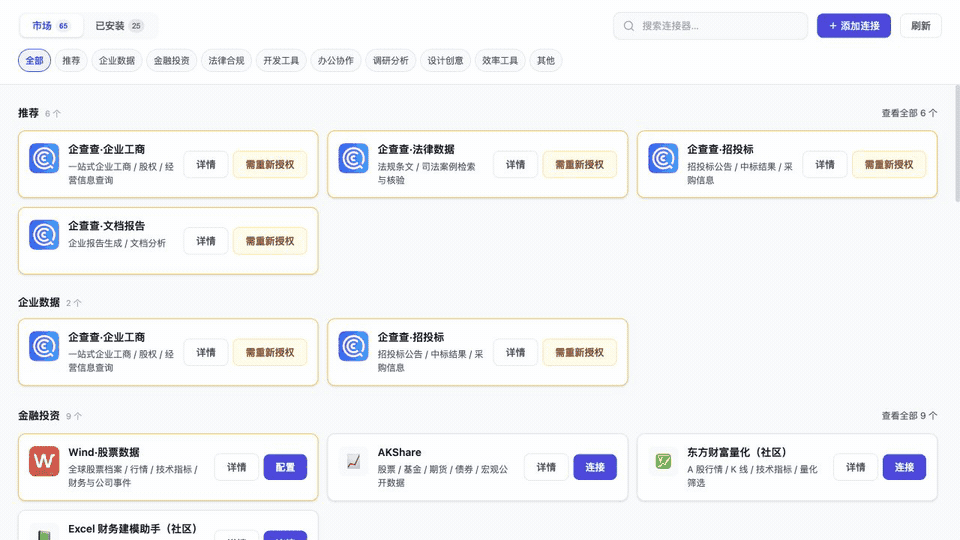
DeepSeek Harness 通用 MCP连接器、连接管理与扩展市场:连接 MCP Server,发现工具与 Prompt,扩展 AI 技能;支持 OAuth/PKCE、API Key、JSON 导入。由企查查(Qichacha/QCC…
duhu2000/dsh-mcp-connector
DeepSeek Harness 通用 MCP连接器、连接管理与扩展市场:连接 MCP Server,发现工具与 Prompt,扩展 AI 技能;支持 OAuth/PKCE、API Key、JSON 导入。由企查查(Qichacha/QCC…
- Diluka/dsh-agent-plugin-market DSH(DeepSeek Harness)插件:以 git 仓库为 agent 插件市场,安装并原地加载 Codex/Claude 格式的技能
- cccakeee/awesome-dsh-plugins A curated, evidence-led directory of DeepSeek Harness (DSH) plugins: verified loadable extensions, skills, and permissio…