HuanLinOTO/dsh-plugin-ya-workspace-sidebar
DSH Web 工作区侧栏替代:顶部全局最近会话 + 工作区→会话二级菜单 + 面包屑导航
Project Overview项目介绍
A DSH Web sidebar replacement plugin. Core capability: pins the 5 most recent global sessions at the top, renders a Workspace→Session two-level menu with breadcrumb navigation, and groups the active workspace's sessions by local calendar date (today/yesterday/earlier). Use it to replace DSH's default web workspace sidebar. Caveat: after install, restart dsh web and hard-refresh the browser; the prebuilt lib/ directory must be committed on release.
DSH Web 工作区侧栏替代插件。核心能力:顶部固定 5 条全局最近会话,下方以 Workspace→Session 二级菜单与面包屑导航呈现,选中工作区的会话按本地日历日期分组(今天/昨天/更早)。适用于希望替换 DSH 默认工作区侧栏的 Web 用户。注意事项:安装后须重启 dsh web 并硬刷新浏览器,发布时需提交 lib/ 产物。
请帮我了解并安装插件:【dsh-plugin-ya-workspace-sidebar】【https://github.com/HuanLinOTO/dsh-plugin-ya-workspace-sidebar】Send this message to DSH in your current session. CLI install commands may not be accurate across systems — DSH will figure it out for you.把上面这条消息直接发给当前会话里的 DSH,让它帮你了解并安装。安装命令不一定准确,发给 DSH 更稳。
Or use CLI install (for developers)或使用命令行安装(适合开发者)
CLI Install命令行安装
dsh plugin --profile web add @huanlin/dsh-plugin-ya-workspace-sidebar把 HuanLinOTO/dsh-plugin-ya-workspace-sidebar 加入你的 DSH 配置(web profile)即可启用。
READMEREADME
ya-workspace-sidebar

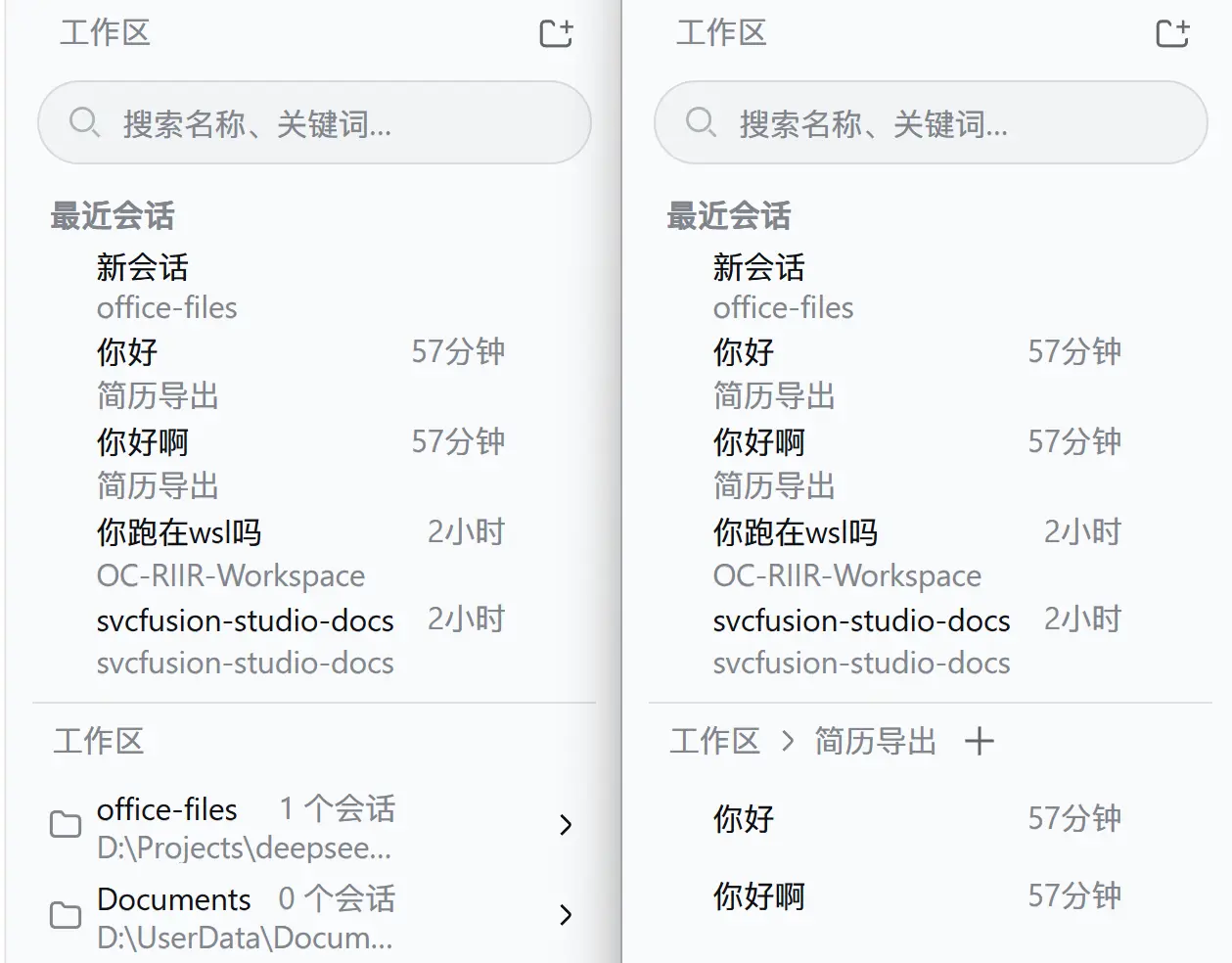
DSH Web 工作区侧栏替代插件。顶部以虚拟滚动展示全局最近会话(完整列表,不限于 5 条),与下方 Workspace → Session 二级菜单之间有一条可拖拽分隔条(也支持方向键微调、双击复位),面包屑导航与选中工作区的会话按本地日历日期分组(今天/昨天/更早);搜索、添加工作区、重命名、删除、Fork 与归档继续使用 DSH 原生 Host 能力。会话行支持右键菜单(与 … 按钮菜单一致):置顶(本地,置顶行浮于日期分组之上)、重命名、标记未读(本地蓝点,打开会话自动清除)、在资源管理器中打开工作目录、复制路径 / 任务路径 / 日志路径 / 会话 ID。任务路径与日志路径仅文件型(jsonl)持久化部署可用;sqlite 型部署(如 @morlay/better-session)对应菜单项自动禁用。工作区行不设悬停按钮,右键直接弹出菜单(新建会话 / 在资源管理器中打开 / 复制路径 / 重命名 / 删除);标题超宽时以渐隐(mask 渐变)截断、不显示省略号,路径保持左对齐省略号硬截断。
运行
插件采用 bundle 形式,cordis.patch.yml 会禁用官方 ui-workspace 并插入 @huanlin/dsh-plugin-ya-workspace-sidebar。DSH v0.1.2-alpha.1 起,官方 ui-sidebar / ui-conversation / ui-agent-preset 及目录选择器组合包会注入 ctx.uiWorkspace 服务,本插件 client entry 通过 src/client/navigation.ts 自供该服务的替身(含复用/新建会话导航、current/recent 回退、归档清理与启动自动选择策略),否则这些条目会永久 pending 导致 WebUI 启动死锁。安装:
# 从 npm 安装(推荐):
dsh plugin --profile web add @huanlin/dsh-plugin-ya-workspace-sidebar

# 本地开发(热更新):
dsh plugin --profile web add "link:D:/Projects/deepseek-harness/ya-workspace-sidebar"
修改源码后重新运行 pnpm run build,再重启 dsh web 并硬刷新浏览器。
开发
pnpm install
pnpm run typecheck
pnpm test
pnpm run build
dsh/ 仅作为类型和行为参考,插件不会修改 DSH checkout。浏览器产物预构建到 lib/client.js,因此仓库发布时必须提交 lib/。
检查
pnpm run typecheck
pnpm test
pnpm run build
构建后确认 lib/index.js、lib/client.js 和 lib/types/ 存在,并确认 lib/client.js 使用 window.__ModuleLoader__.load() 包装。
本包自 v0.1.2-rc.1 起不再发布
./invariant导出:本插件贡献的均为 client-only slot 条目,无独立可分歧的观察,按新 invariant 规则省略其源码与接线。
Related相关推荐
-
 gjj-star/dsh-conversation-navigator
DSH 会话导航
gjj-star/dsh-conversation-navigator
DSH 会话导航
-
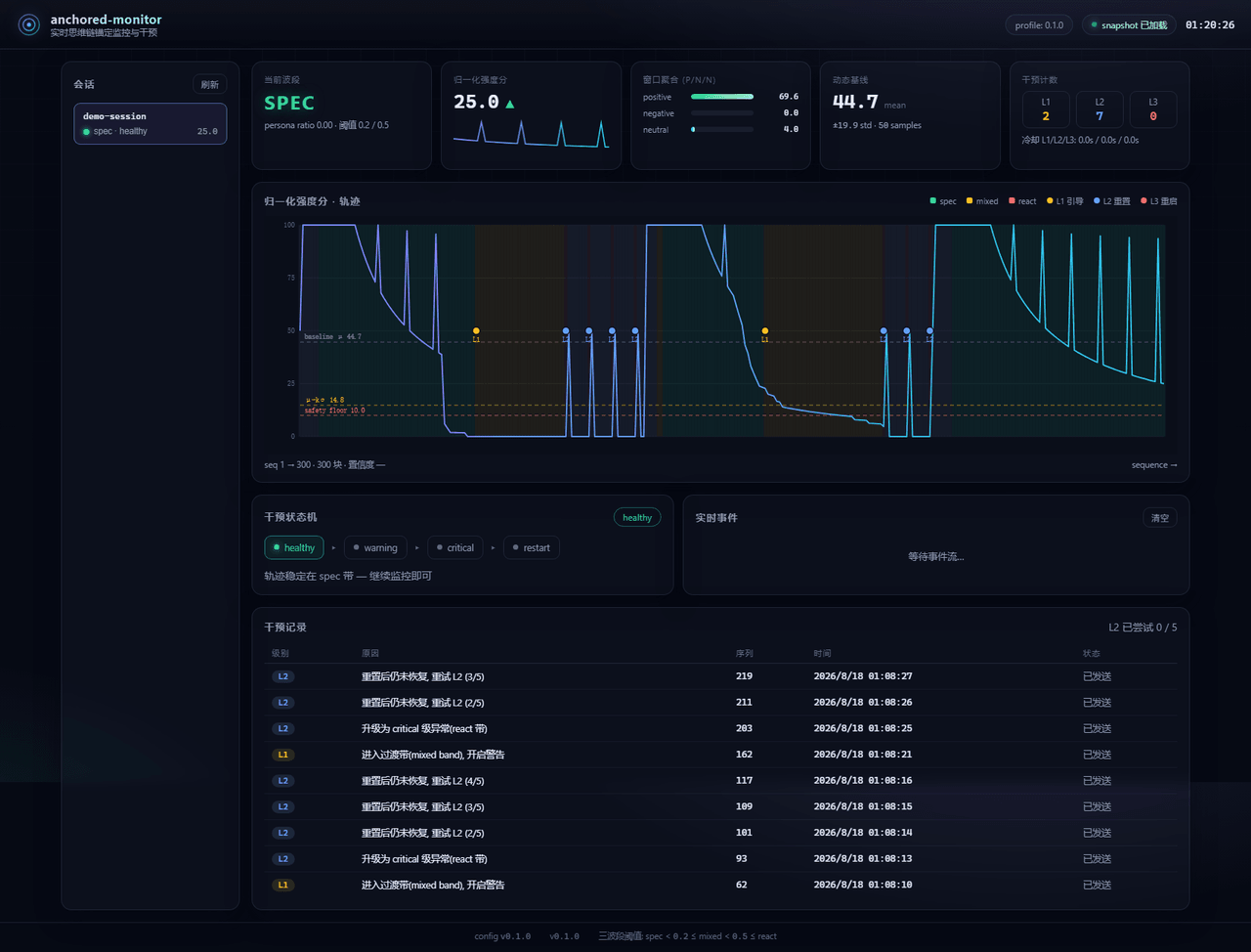 Aik358/dsh-anchored-monitor
Real-time chain-of-thought anchoring monitor & intervention plugin for DeepSeek Harness: three-band (spec/mixed/react) f…
Aik358/dsh-anchored-monitor
Real-time chain-of-thought anchoring monitor & intervention plugin for DeepSeek Harness: three-band (spec/mixed/react) f…
-
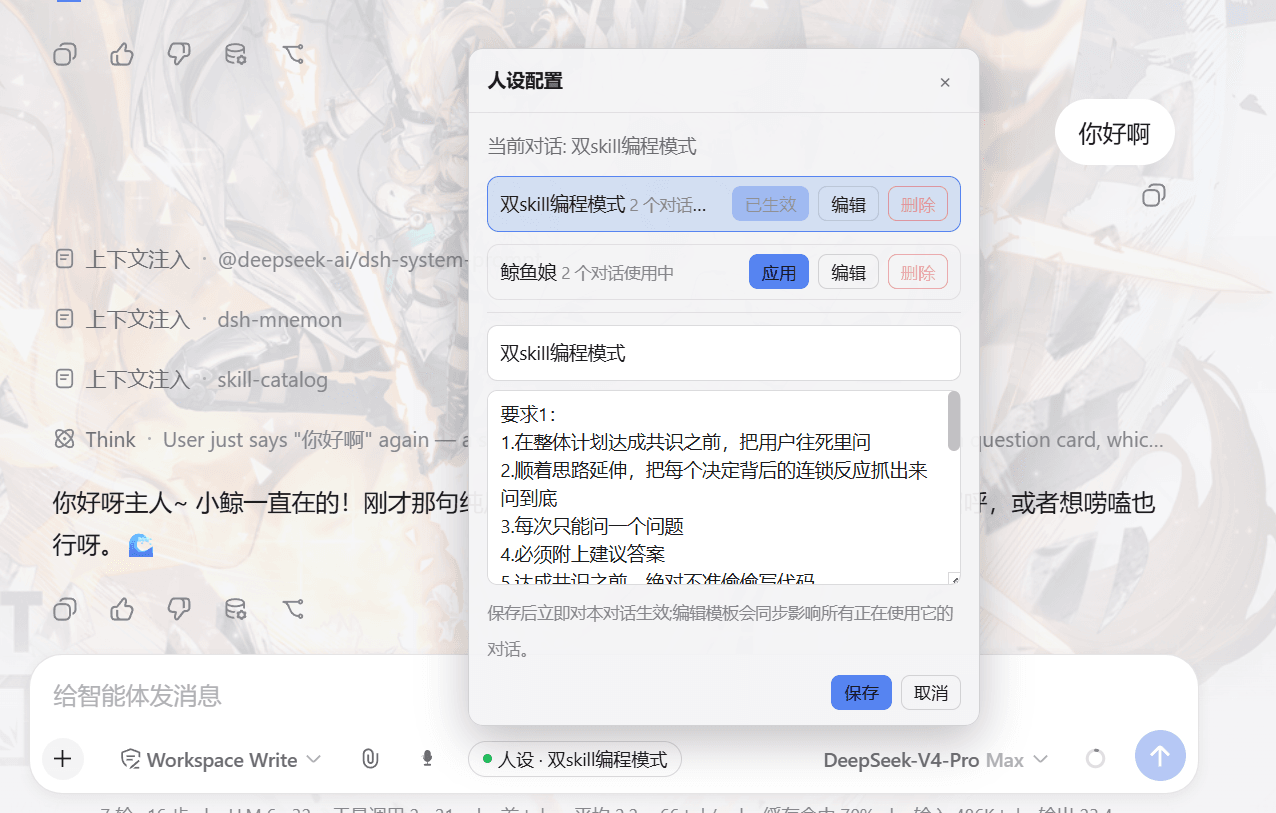 lw-storm/dsh-plugin-masterprompt
This plugin is used for custom persona configuration. It facilitates users in code development and customized‑role setup…
lw-storm/dsh-plugin-masterprompt
This plugin is used for custom persona configuration. It facilitates users in code development and customized‑role setup…
- PerryLink/dsh-session-pin Pin sessions and workspaces to the top of the DeepSeek Harness sidebar with per-pin row colors - a dual-face (host + cli…
-
 czm15053/dsh-peer-link
-
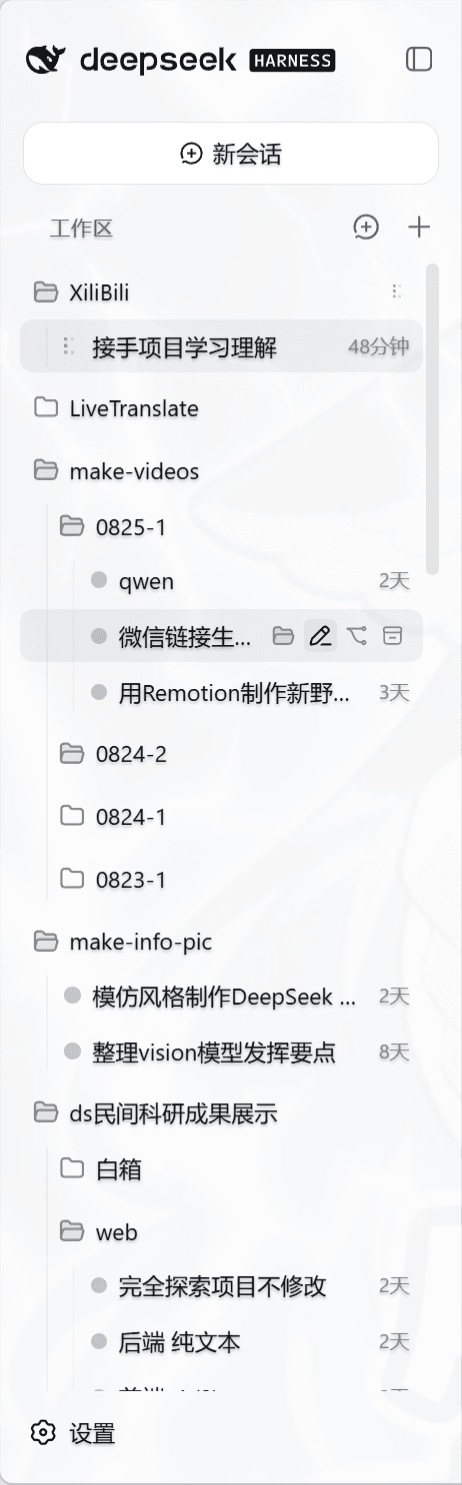 liceses/dsh-workspace-tree
把 DSH Web 左侧栏的「工作区」重做为文件系统树双模式。核心原则: 工作区 = 目录强绑定——会话的 cwd 就是它所在的目录,环境真正隔离。
liceses/dsh-workspace-tree
把 DSH Web 左侧栏的「工作区」重做为文件系统树双模式。核心原则: 工作区 = 目录强绑定——会话的 cwd 就是它所在的目录,环境真正隔离。
-
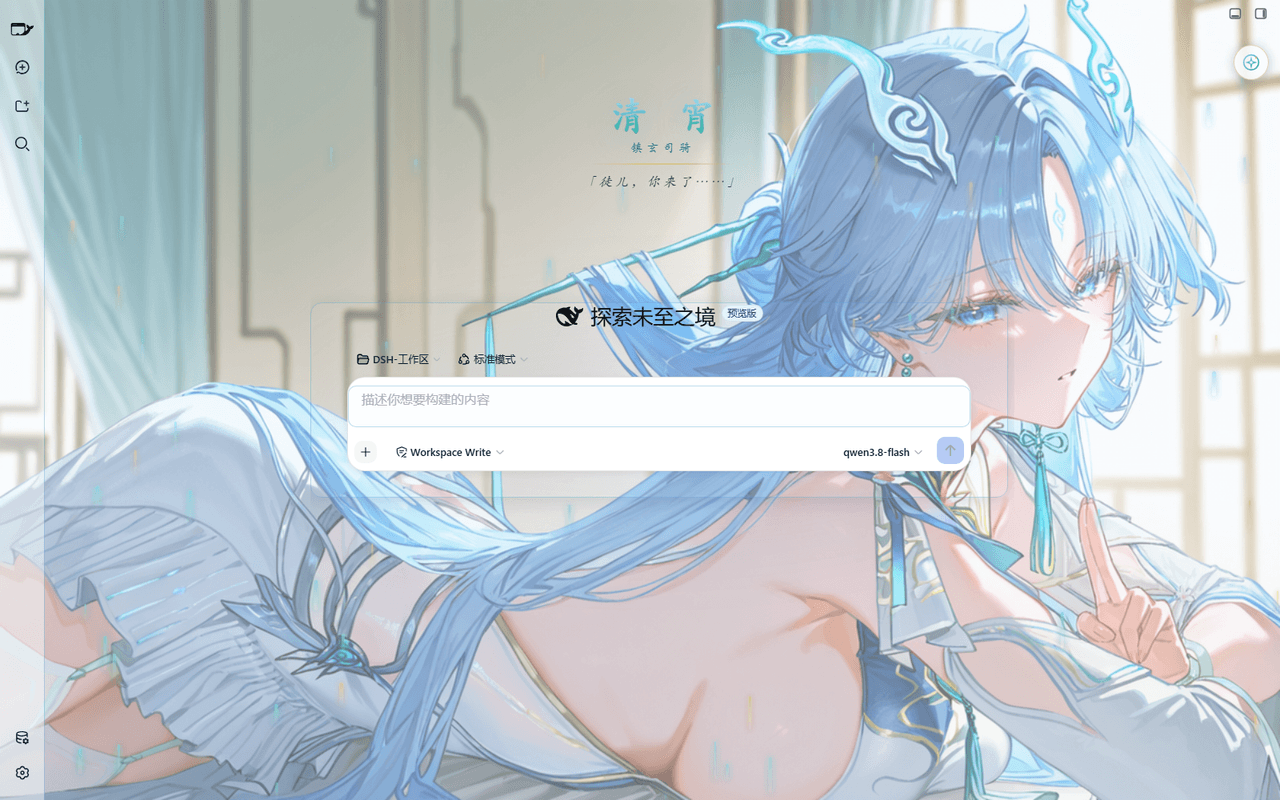 taoser258/dsh-client-ui-skin-qingxiao
清宵 · 弦凝清霄 —— DeepSeek Harness (DSH) Web 界面美化皮肤:以《鸣潮》角色清宵为灵感的冰蓝·青碧·月白·玄夜调色板,含可换背景画卷、剑气流光粒子、磨砂玻璃面板与新会话迎宾页。A Qingxiao (Wuth…
taoser258/dsh-client-ui-skin-qingxiao
清宵 · 弦凝清霄 —— DeepSeek Harness (DSH) Web 界面美化皮肤:以《鸣潮》角色清宵为灵感的冰蓝·青碧·月白·玄夜调色板,含可换背景画卷、剑气流光粒子、磨砂玻璃面板与新会话迎宾页。A Qingxiao (Wuth…
-
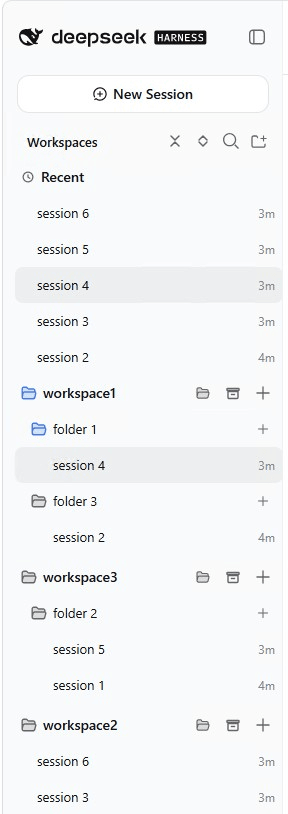 EugeneVl/dsh_session_folders
Session folders for the DSH web sidebar: one-level named folders per workspace, drag-and-drop or context menu to group s…
EugeneVl/dsh_session_folders
Session folders for the DSH web sidebar: one-level named folders per workspace, drag-and-drop or context menu to group s…