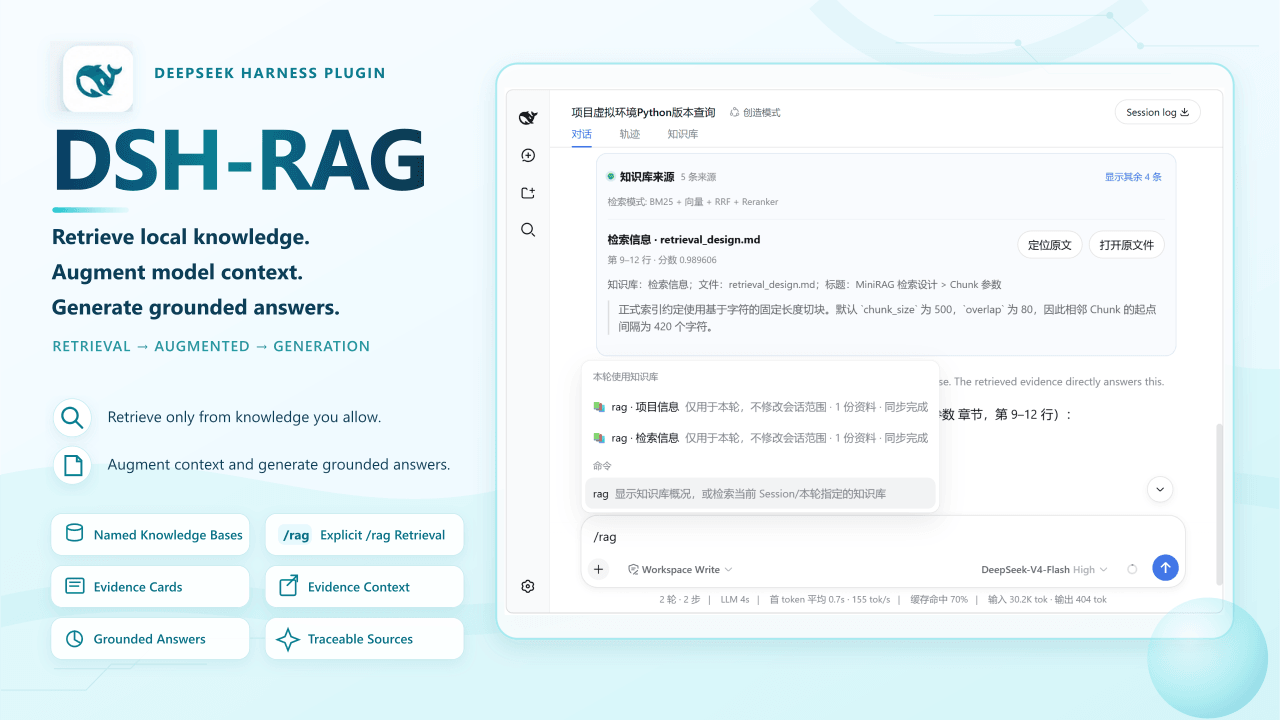
imkelt/DSH-RAG
Local knowledge bases with explicit, source-backed retrieval for DeepSeek Harness Web.
项目介绍Project Overview
DSH-RAG 是 DeepSeek Harness Web 的本地知识库插件,可将授权文件夹建为命名知识库并增量同步;仅在显式 /rag 提问时先检索、后作答,展示摘录、来源位置并支持打开文件,普通聊天不读取本地文档。适用于基于本地 PDF、DOCX、PPTX、Markdown 等资料查证;离线可用 BM25,配置 SiliconFlow 可启用向量与重排,但提取文本会发送至该服务。
DSH-RAG is a local knowledge-base plugin for DeepSeek Harness Web. It turns authorized folders into named, incrementally synced knowledge bases and runs retrieval only on explicit /rag turns before the model answers, showing excerpts, exact source locations, and open-file actions. Use it to query local PDF, DOCX, PPTX, Markdown, and text files. Regular chats never access documents; offline BM25 works, while SiliconFlow sends extracted text for embeddings or reranking.
请帮我了解并安装插件:【DSH-RAG】【https://github.com/imkelt/DSH-RAG】把上面这条消息直接发给当前会话里的 DSH,让它帮你了解并安装。安装命令不一定准确,发给 DSH 更稳。Send this message to DSH in your current session. CLI install commands may not be accurate across systems — DSH will figure it out for you.
或使用命令行安装(适合开发者)Or use CLI install (for developers)
命令行安装CLI Install
npx @deepseek-ai/dsh plugin --profile web add @kai232/dsh-rag把 imkelt/DSH-RAG 加入你的 DSH 配置(web profile)即可启用。
READMEREADME
DSH-RAG
English | 简体中文

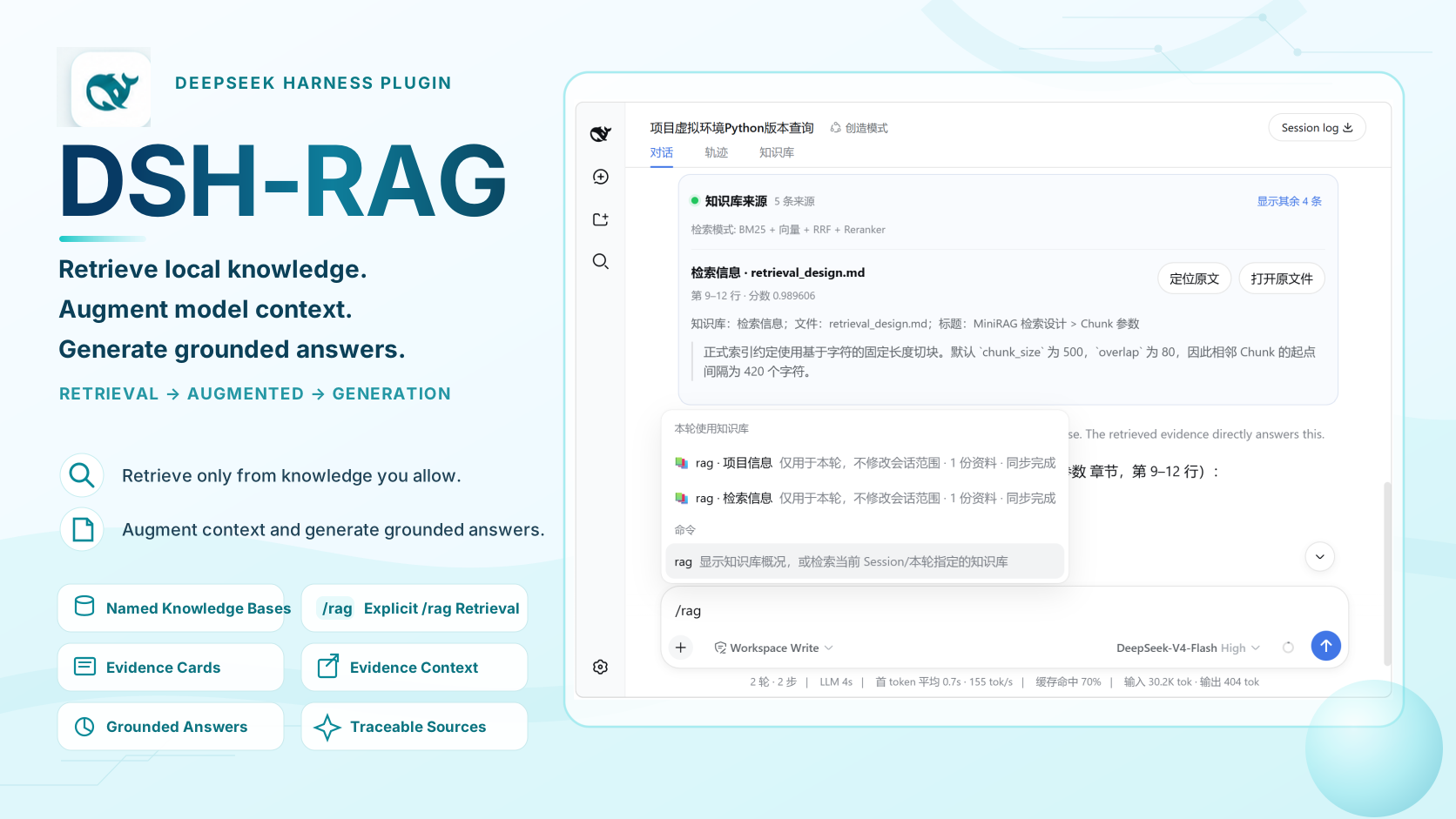
DSH-RAG is a local knowledge-base plugin for DeepSeek Harness Web. It turns explicitly authorized local folders into named, incrementally synchronized knowledge bases. When you run /rag <question>, retrieval completes before the model answers and the UI shows verifiable evidence with excerpts, exact source locations, and open-file actions.
Regular chat never accesses local documents. Retrieval runs only for explicit
/ragturns, using either the knowledge bases selected for the current Session or a one-turn@knowledge-baseoverride.
Highlights
- Named knowledge bases — Build reusable knowledge bases from one or more explicitly authorized local folders and use them across projects and Sessions.
- Explicit
/ragretrieval — Retrieval completes before the model answers instead of depending on the model to decide whether to call a tool. - Session-scoped search — Search only the knowledge bases selected for the current Session, with optional
@knowledge-baseselectors for one-turn overrides. - Verifiable evidence — Source cards show the knowledge base, file, structural context, excerpt, and exact page, slide, paragraph, or line reference.
- Hybrid retrieval with offline fallback — Local multilingual BM25 works without an API key or network; SiliconFlow can add embeddings, local vectors, RRF, and reranking.
- Local-document support — Parse PDF, DOCX, PPTX, Markdown, and UTF-8 text with incremental indexing, cancellation, file-level checkpoints, watcher debouncing, and recovery scans.
- Bilingual, theme-aware UI — Follow the DeepSeek Harness language setting and light, dark, or system appearance.
Requirements
- Node.js
^22.19.0or>=24.0.0 - pnpm available on
PATH(dsh pluginuses pnpm to manage profile packages) - DeepSeek Harness: tested with
0.1.1-rc.2
DeepSeek Harness is currently a developer preview.
0.1.1-rc.2is the version DSH-RAG has verified through package installation, startup, and removal checks; it does not mean the plugin can run only on that version. Other DSH versions may work, but are not claimed as compatible until they pass the same checks.
Quick Start
1. Install and start
If you have not installed the dsh command, the simplest option is to run DSH through npx:
npx @deepseek-ai/dsh plugin --profile web add @kai232/dsh-rag
npx @deepseek-ai/dsh web
Keep the second command running, then open the Web address printed in the terminal.
If dsh is already installed
If dsh --version works in your terminal:
dsh plugin --profile web add @kai232/dsh-rag
dsh web
Run from the DeepSeek Harness source repository
git clone https://github.com/deepseek-ai/deepseek-harness.git
cd deepseek-harness
pnpm install
pnpm run build
pnpm dsh plugin --profile web add @kai232/dsh-rag
pnpm dsh web
If you already have a local checkout, skip git clone, enter its root directory, and continue with pnpm install. The pnpm run build step prepares the source artifacts used by pnpm dsh web.
To update DSH-RAG, stop the running Web process, repeat the corresponding plugin add command, and start Web again.
2. Create and sync a knowledge base
Open Settings → Knowledge. SiliconFlow is optional: configure the Endpoint, Embedding model, Reranker model, and API key when you want hybrid retrieval. Without an API key or network, local BM25 retrieval still works.
The API key is stored in the operating-system credential vault. If the vault is unavailable, set SILICONFLOW_API_KEY before starting DSH; the plugin never falls back to a plaintext key file. Connection status is checked automatically, and Retry appears only after a failure.
Configure retrieval models
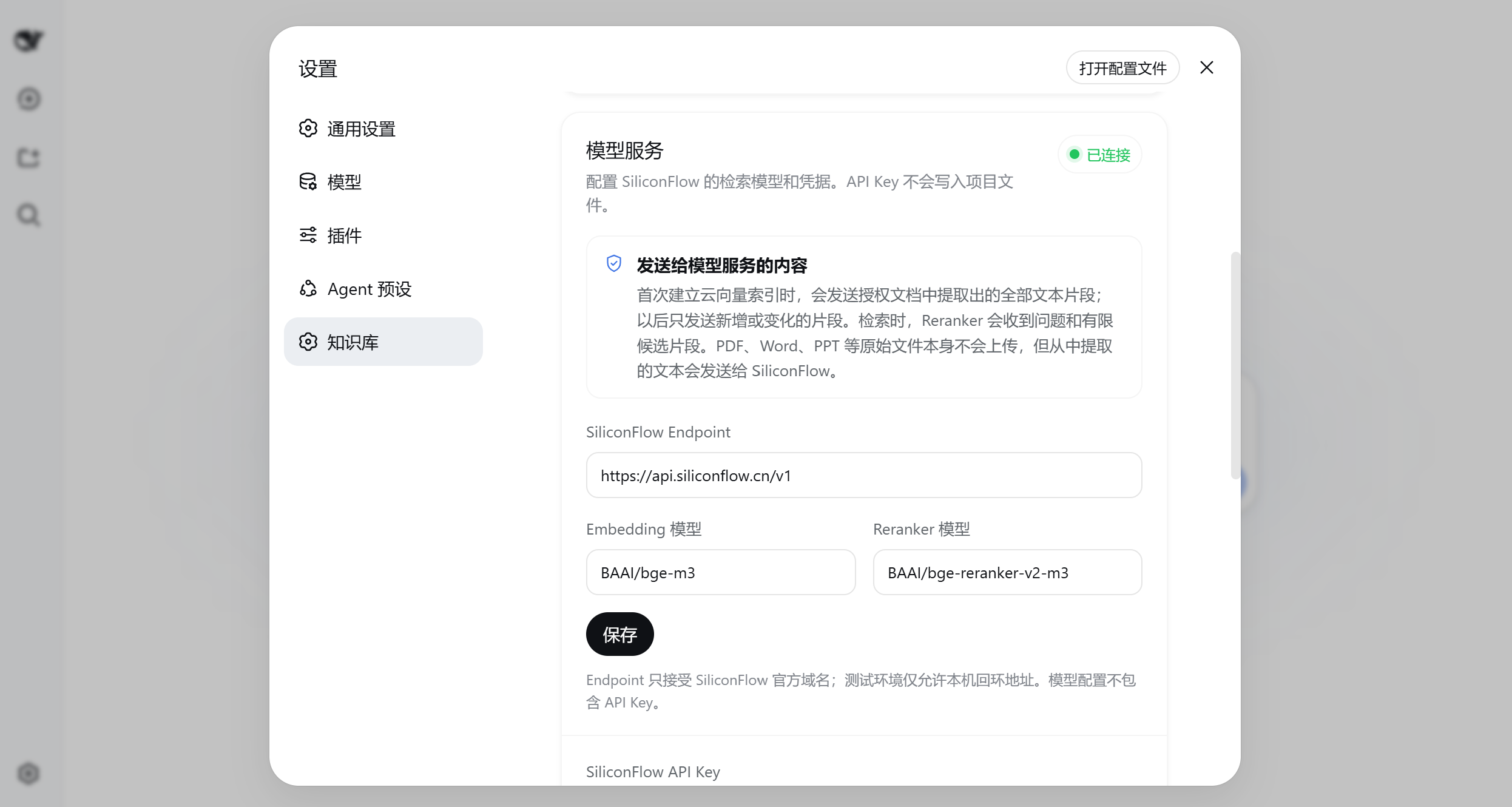
Optional: configure model services for vector retrieval and reranking.
Create and sync a knowledge base
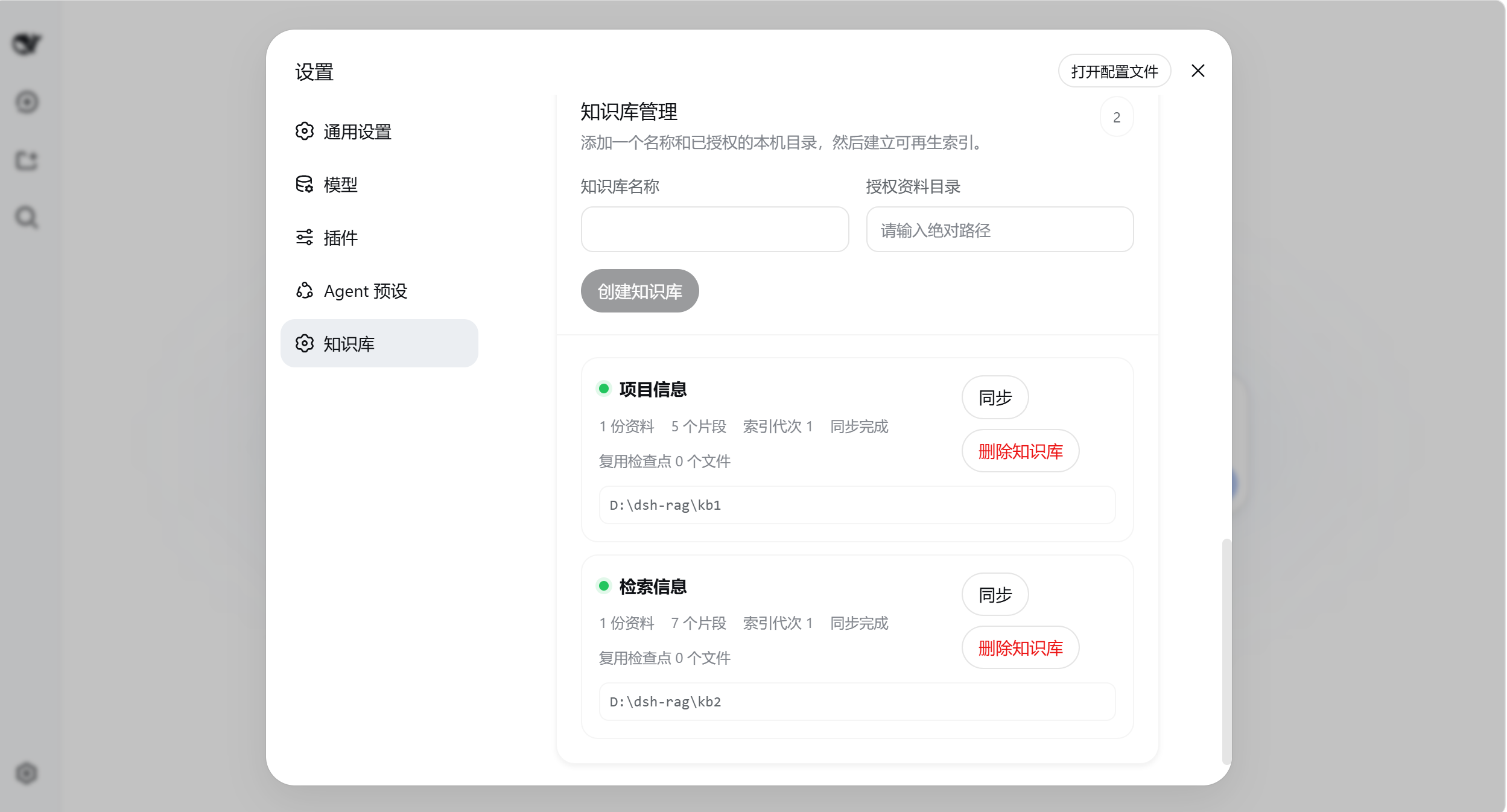
Create a knowledge base from explicitly authorized local folders, then sync it.
Knowledge-base names and file names are user data and are not translated when the interface language changes.
3. Choose the Session retrieval scope
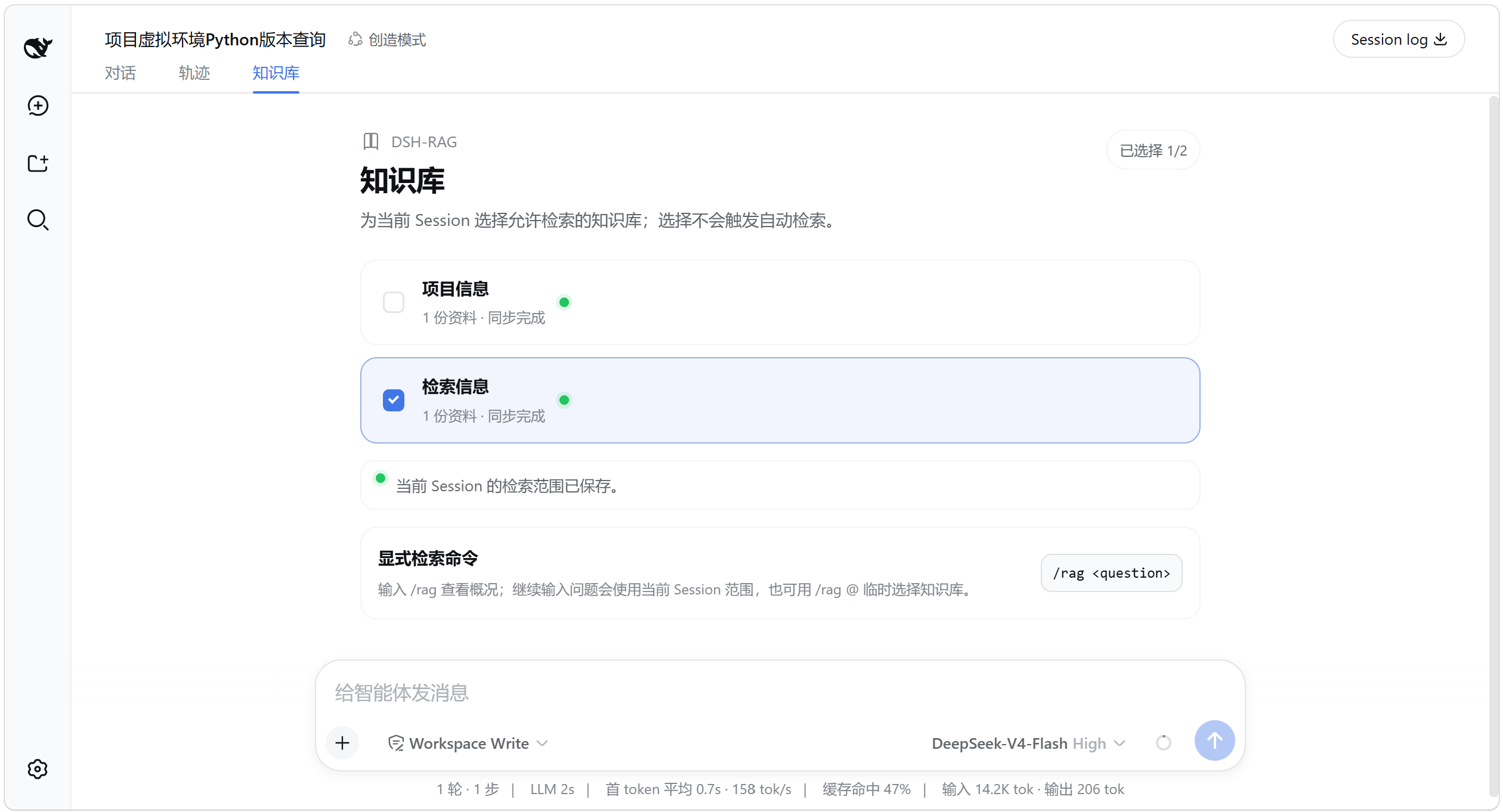
In the conversation Knowledge panel, select the knowledge bases the current Session may search. The selection becomes the saved default retrieval scope for that Session; selecting a knowledge base does not trigger automatic retrieval.
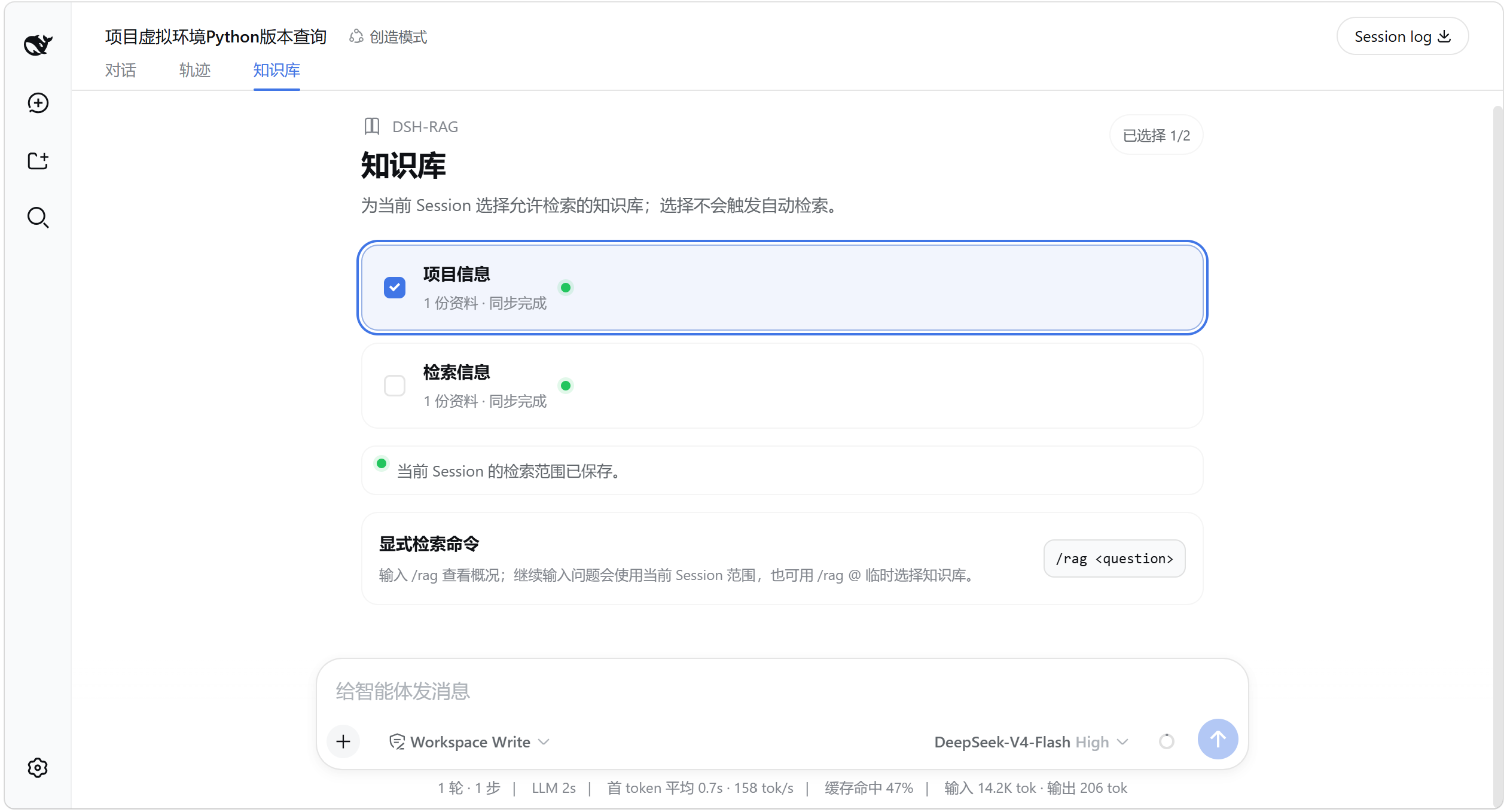
4. Use /rag
Basic command:
/rag <question>
Use the scope saved for the current Session:
/rag What does the project note say about the launch window?
Typing /rag shows the base command and one-turn variants for each knowledge base in the first menu. After entering the command, /rag @ also places knowledge bases above the general file, folder, and Session candidates; choosing one inserts a plain-text selector.
Type /rag
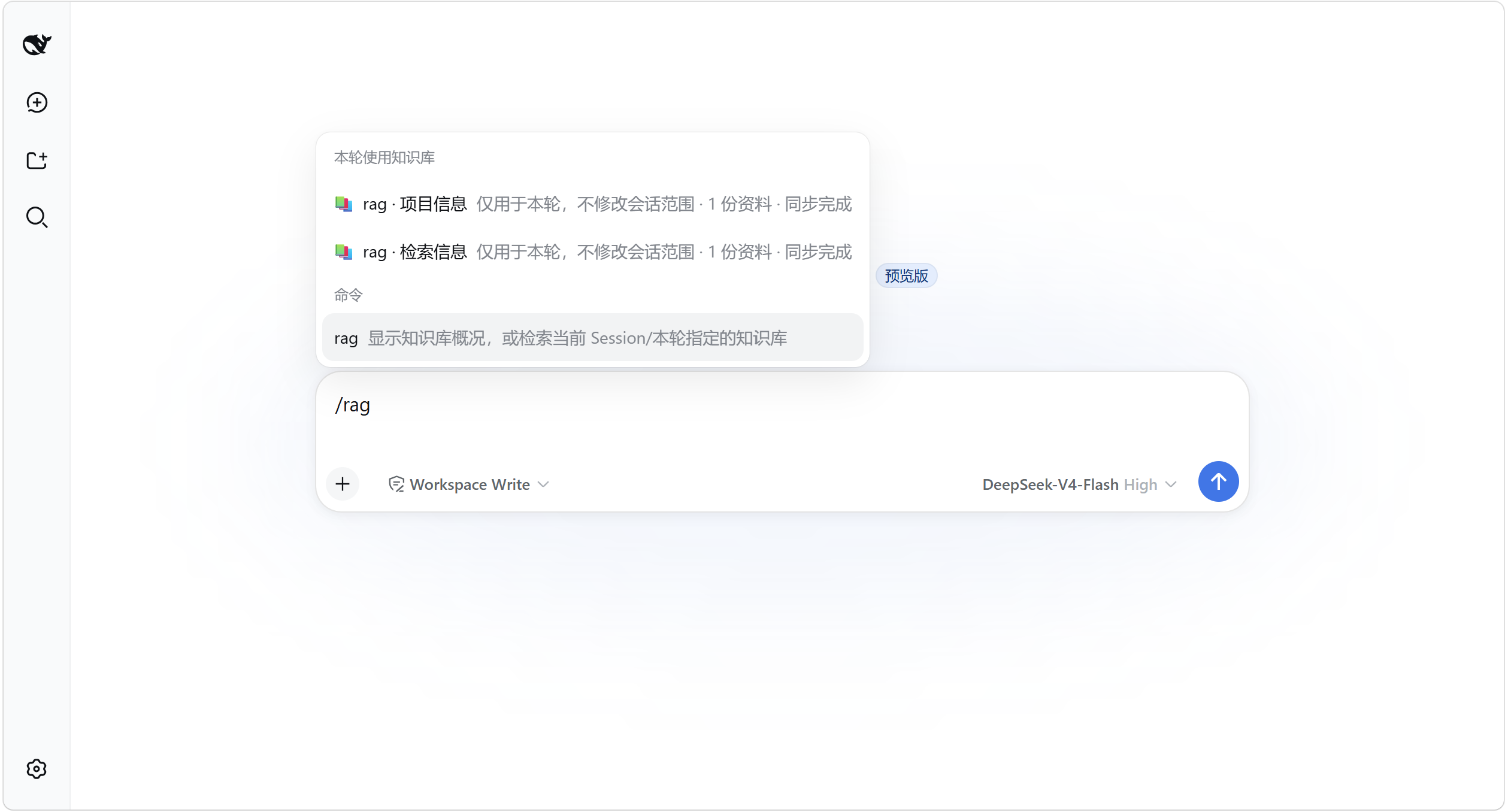
Type /rag to see the command and one-turn knowledge-base variants.
Type /rag @
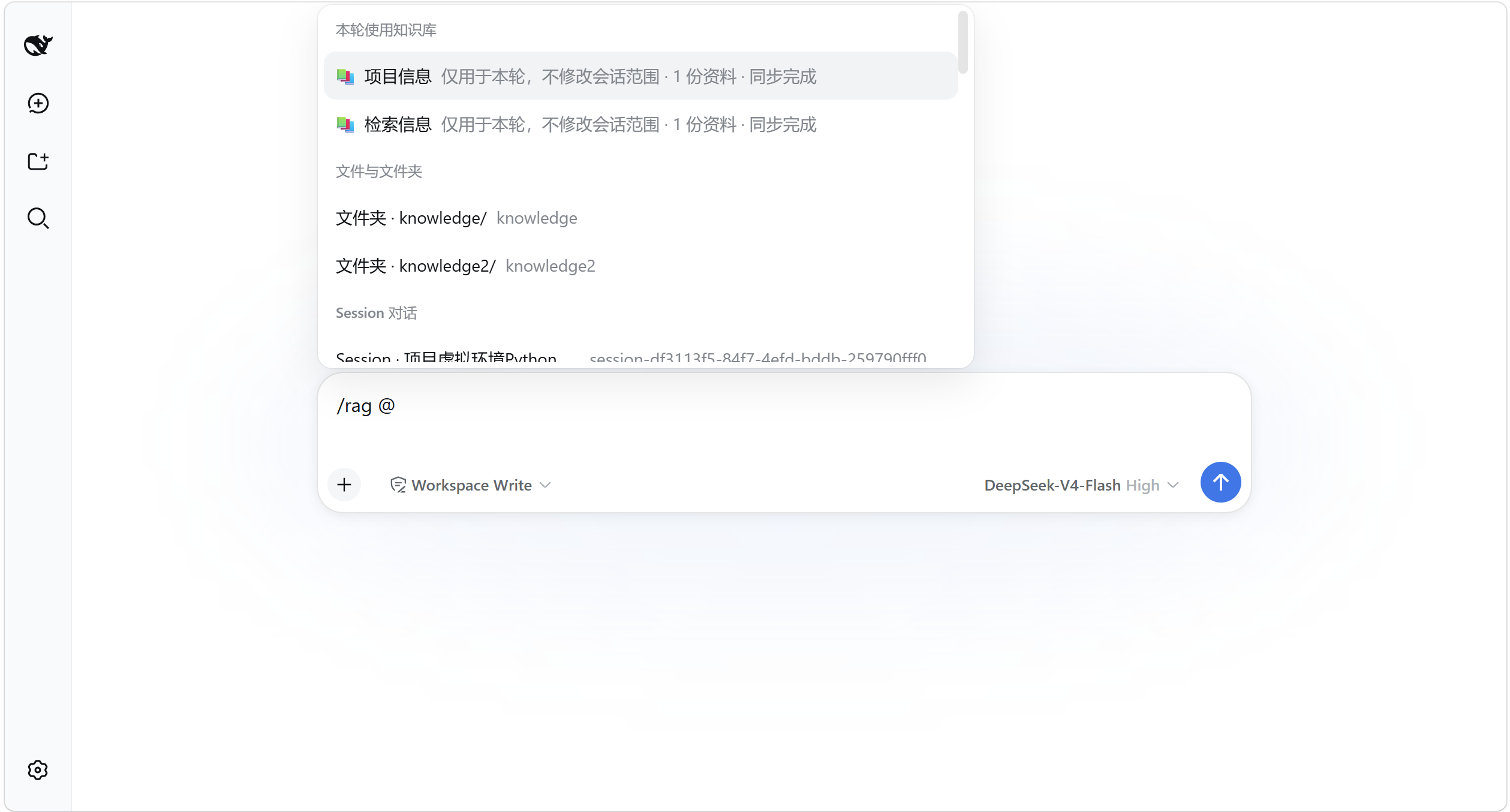
Type /rag @ to choose a temporary retrieval scope.
To override the scope for a single turn, select a knowledge base:
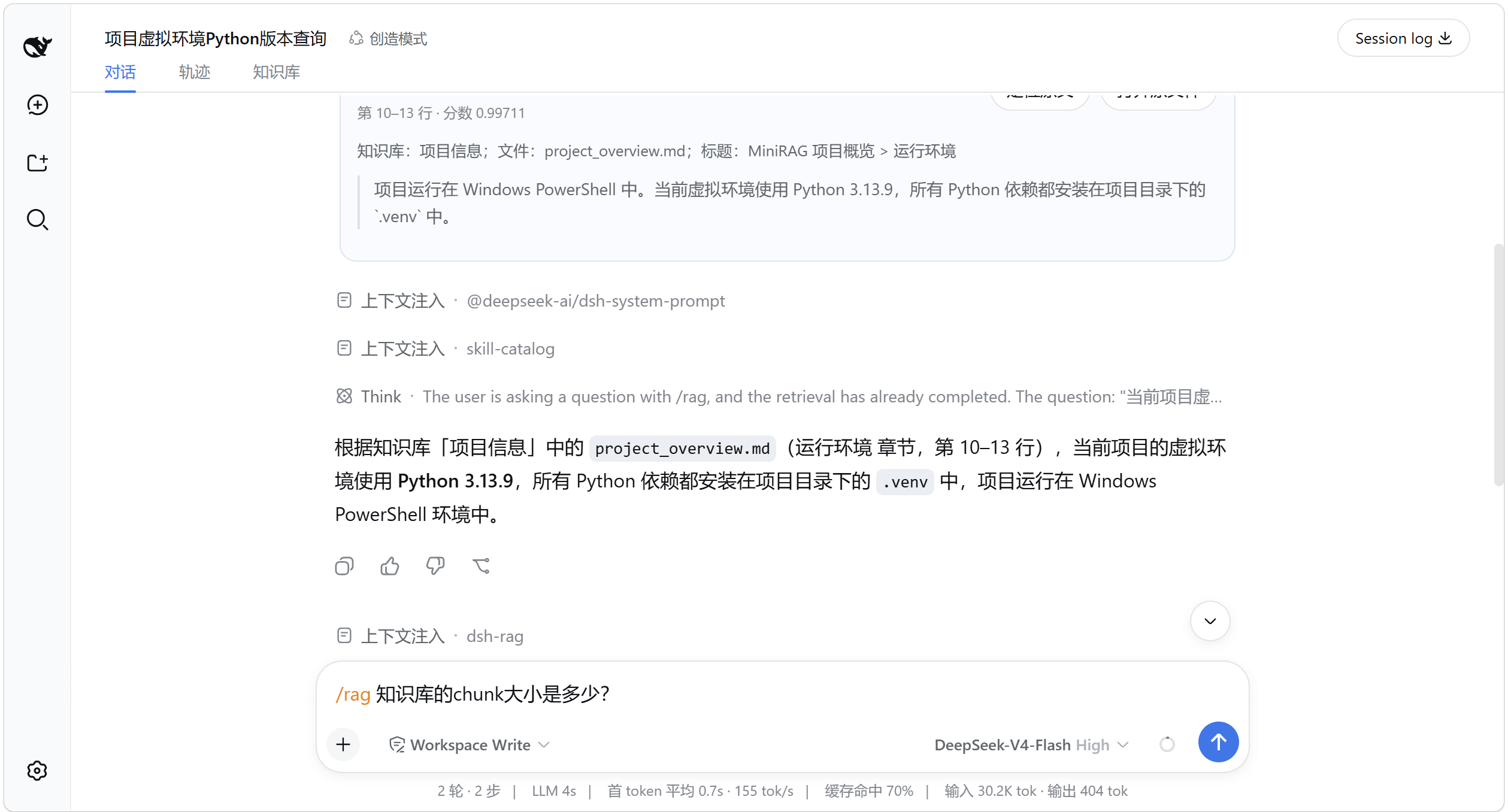
/rag @"Project notes" Which Python version does the virtual environment use?
Names without whitespace use the shorter form, such as /rag @Notes <question>. The one-turn override does not change the Session's saved selection.
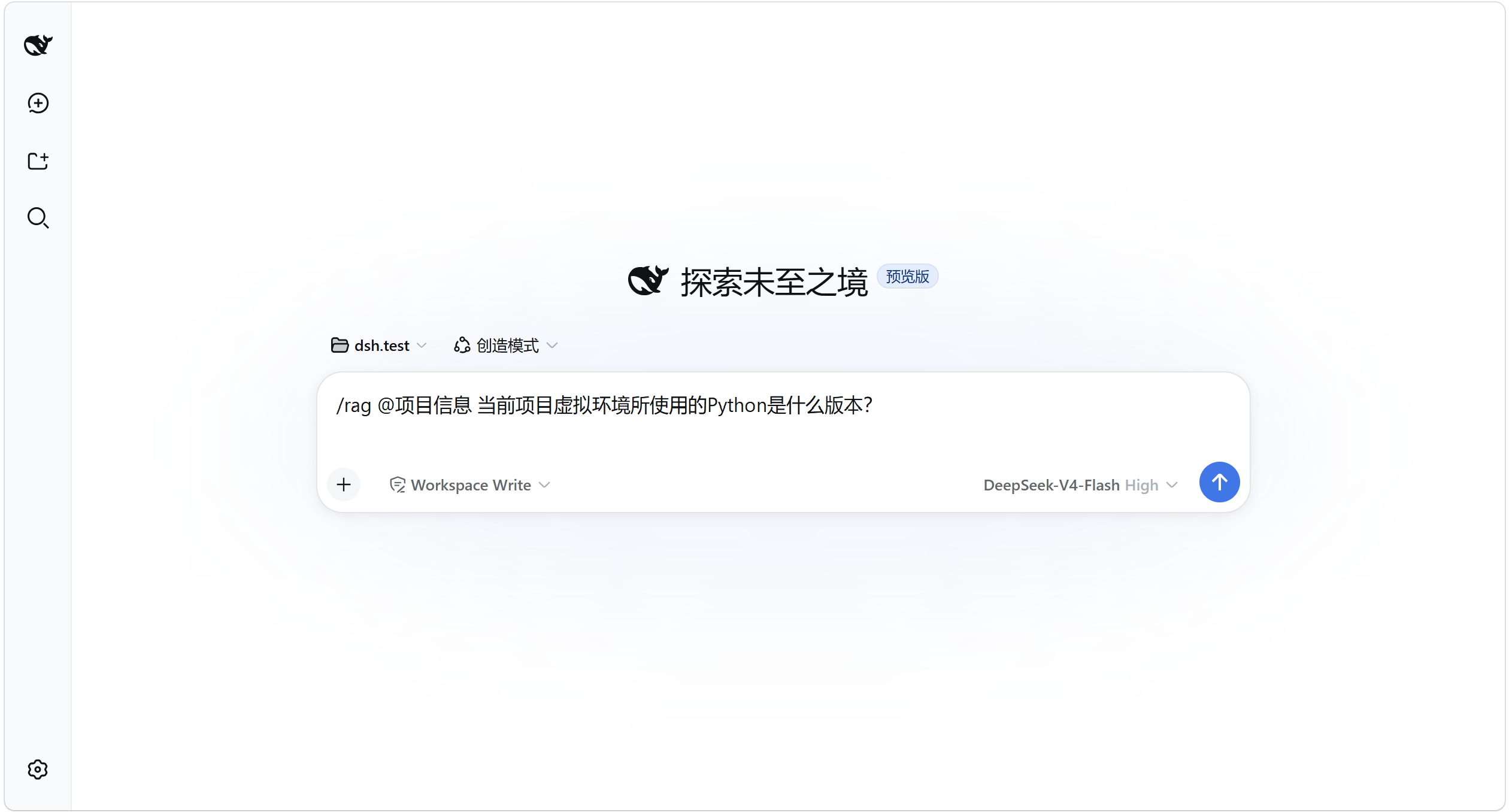
Running /rag alone shows knowledge-base statistics and usage without calling the model. If no knowledge base is selected, the plugin stops with guidance instead of searching every knowledge base.
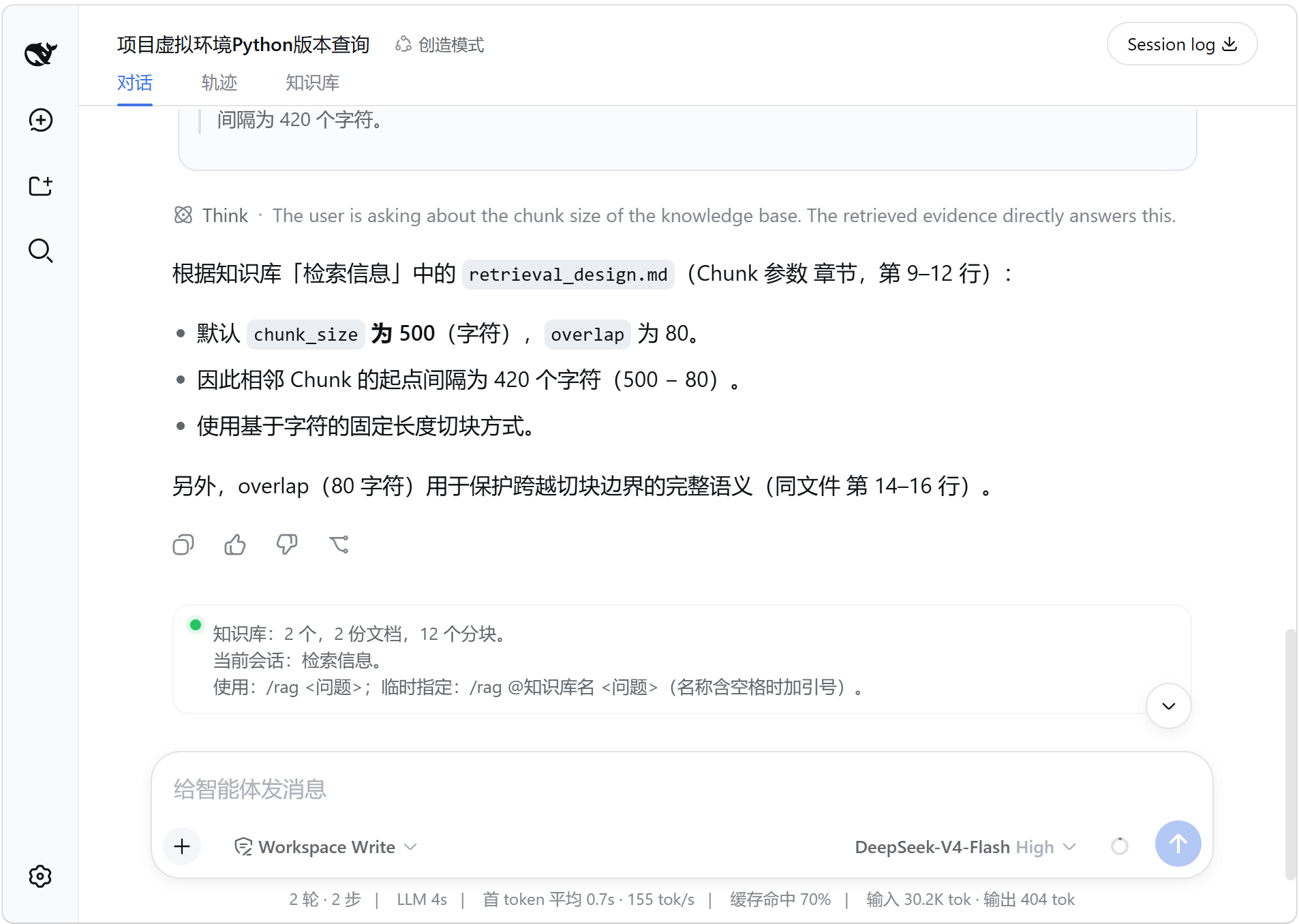
Inspect the Evidence
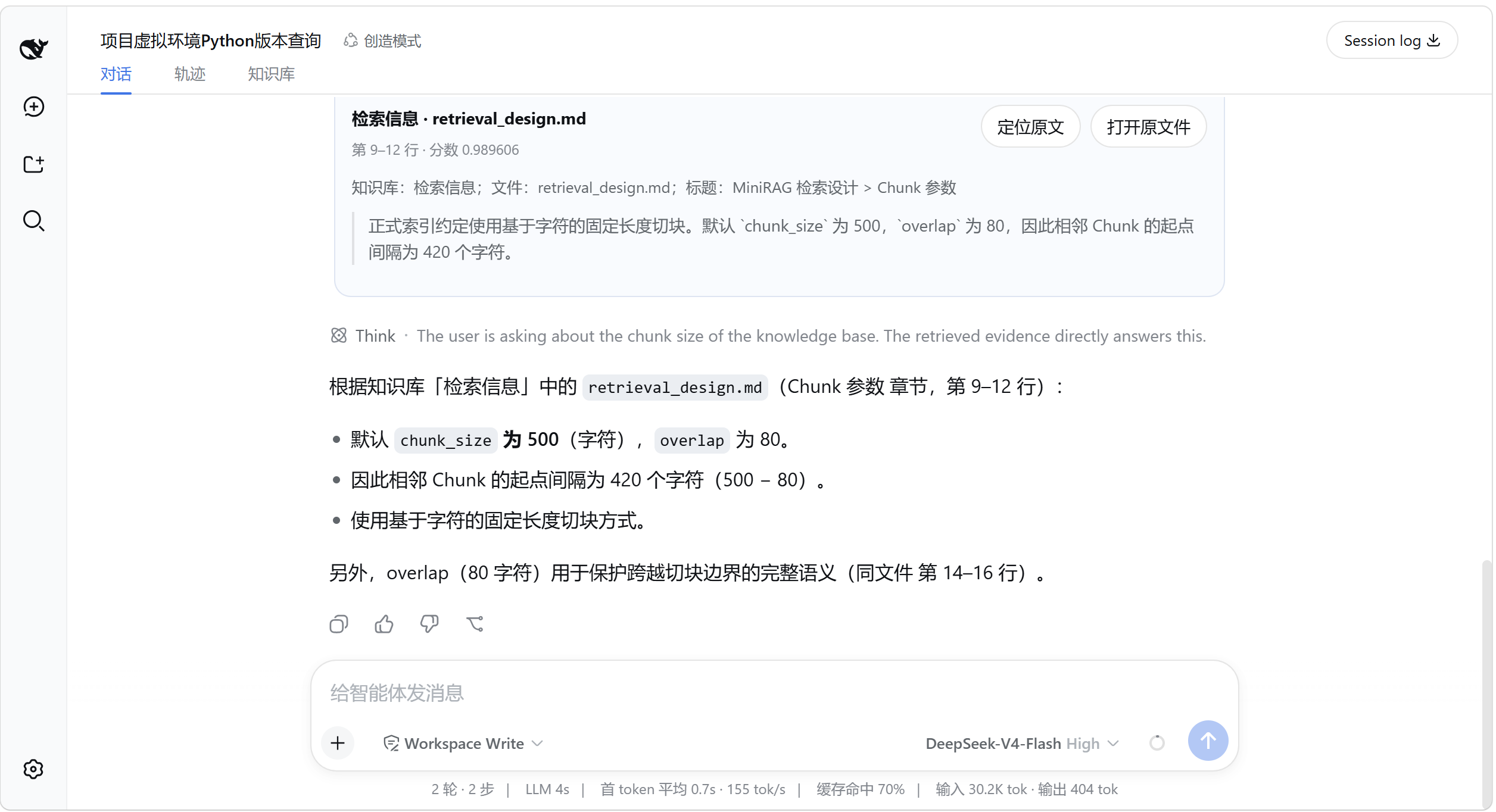
For a /rag turn, DSH-RAG completes retrieval first and only then passes the evidence to the model. Retrieval therefore does not depend on whether the model decides to call a tool.
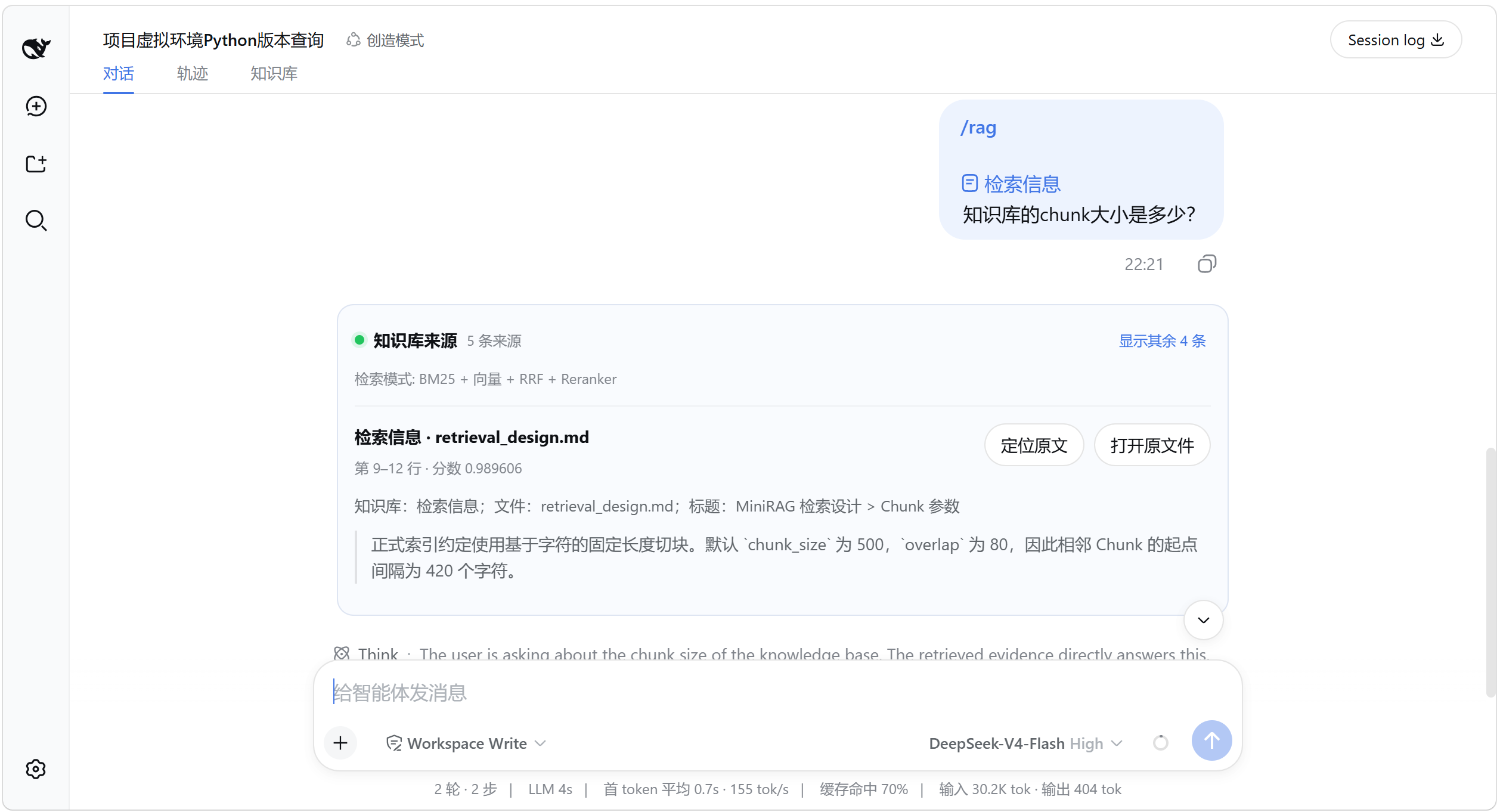
Each source card identifies the knowledge base, file, structural context, excerpt, and exact source location. The open action sends only an opaque source ID; the Host resolves and validates the path again before asking the operating system to open it.
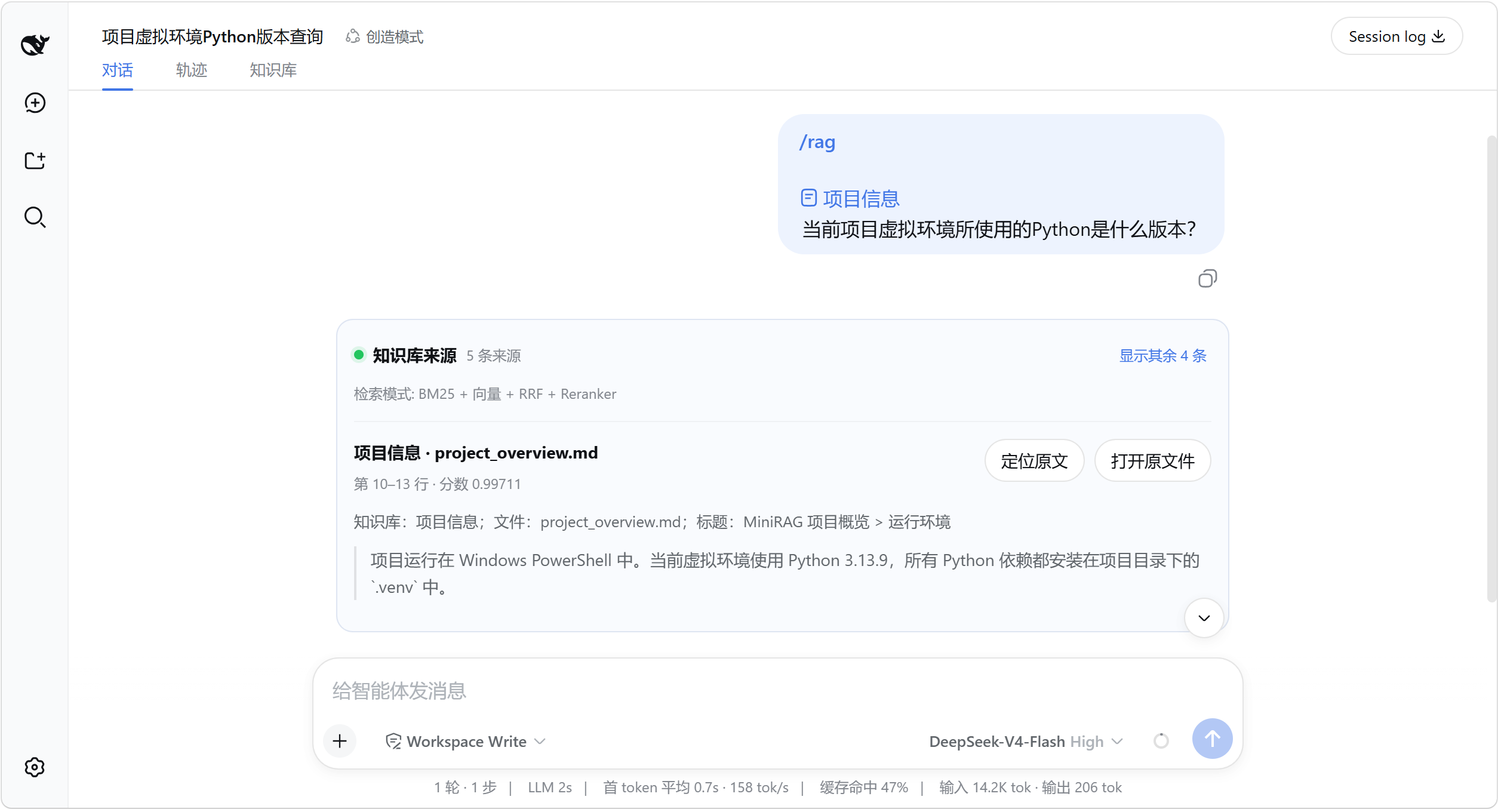
Each result exposes the knowledge base, file, exact location, score, and the excerpt used as evidence.
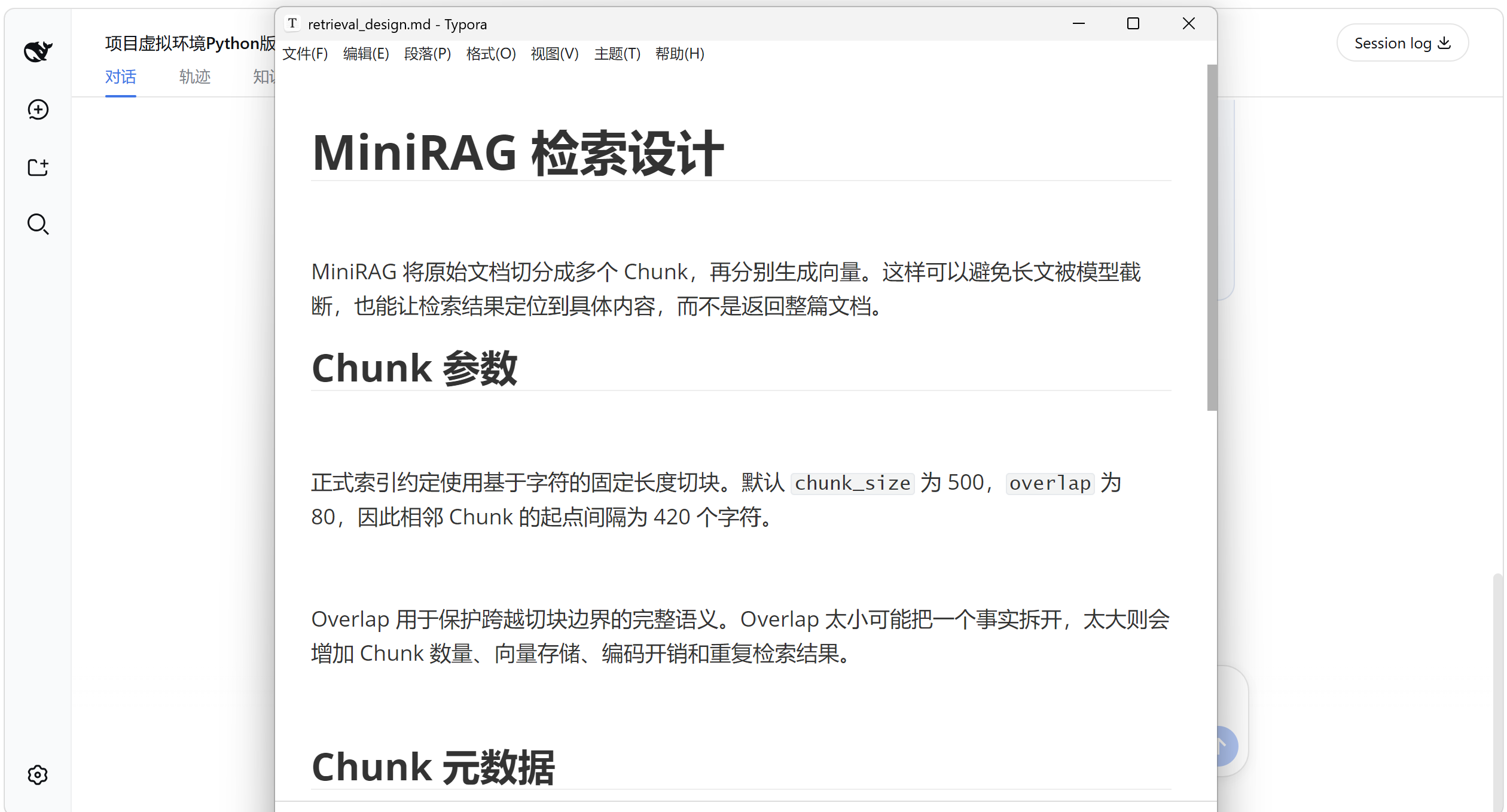
Use Locate in source or Open file to return to the original document and verify the surrounding context:
More screenshots: switch the Session scope and retrieve again
Retrieval Flow
The explicit retrieval path is:
/rag
  ↓
Resolve saved Session scope / one-turn @knowledge-base override
  ↓
Local BM25
  ↓
[With SiliconFlow configured: Embedding → local vectors → RRF → Reranker]
  ↓
Build verifiable source cards
  ↓
Pass retrieved evidence to the model
Regular messages bypass this path and never search or inject local documents.
Retrieval and Offline Behavior
With SiliconFlow configured, the first cloud vector index sends every text chunk extracted from the authorized documents. Later syncs send only new or changed chunks for Embedding. Each explicit query sends the query and a limited candidate set for Reranking. Original PDF, Word, or PowerPoint files are not uploaded, but their extracted text is sent to SiliconFlow.
If SiliconFlow or the network is unavailable, DSH-RAG reports the fallback and continues with local BM25. Existing local indexes remain available. The v0.1 release does not expose AI-generated document or section context because that experiment did not improve the frozen retrieval evaluation.
Local Data and Deletion
Derived data is stored under $DSH_HOME/dsh-rag/ by default, independent of the directory where DSH is started. Settings → Knowledge → Data location shows and opens the actual folder. Set DSH_RAG_DATA_DIR to an absolute path before starting DSH only when you need a custom location.
When the default location is empty and legacy data exists in the old launch-directory .dsh-rag folder, the plugin copies, validates, and promotes it without deleting the old folder. If both locations contain data, it leaves both unchanged and reports the conflict instead of merging automatically.
The Delete knowledge base action uses a second confirmation and removes only the knowledge-base settings and reproducible catalogs, checkpoints, and indexes. It never modifies or deletes files in the authorized source folders.
To back up derived data, stop DSH and copy the complete data directory. Indexes are reproducible and can be rebuilt from the original folders.
Security and Privacy
- Authorized paths are normalized and checked with
realpath; symbolic-link, junction, UNC, and path-escape cases are rejected. - Hidden files, common credential files, executables, active Office content, embedded objects, and unsafe archive expansion are excluded.
- Document text is treated as untrusted data, never as an Agent instruction.
- API keys are not written to project settings, logs, Sessions, browser storage, indexes, or API responses.
- Persistent keys use Windows Credential Manager, macOS Keychain, or Linux Secret Service. There is no plaintext credential-file fallback.
License
MIT
相关推荐Related
-
 nexu-io/open-design
🎨 Best DeepSeek Harness Design Plugin. The open-source Claude Design alternative. 🖥️ Local-first desktop app. 🖼️ Your…
nexu-io/open-design
🎨 Best DeepSeek Harness Design Plugin. The open-source Claude Design alternative. 🖥️ Local-first desktop app. 🖼️ Your…
-
 freestylefly/awesome-gpt-image-2
Prompt as Code | GPT-Image2 工业级提示词引擎与模板库,530+ 个案例逆向工程,20+ 套工业级模板,并提炼出Skills,持续更新中
freestylefly/awesome-gpt-image-2
Prompt as Code | GPT-Image2 工业级提示词引擎与模板库,530+ 个案例逆向工程,20+ 套工业级模板,并提炼出Skills,持续更新中
-
 anywhere-labs/dsh-desktop
为 DeepSeek Harness (DSH) 插件生态打造的现代化桌面端解决方案。万物皆「插件」,桌面本身也是「插件」。
anywhere-labs/dsh-desktop
为 DeepSeek Harness (DSH) 插件生态打造的现代化桌面端解决方案。万物皆「插件」,桌面本身也是「插件」。
- Nagi-ovo/voyager Enhancement suite for Gemini, AI Studio, Claude & ChatGPT — plus a prompt manager for any web UI, DeepSeek Harness inclu…
-
 walkinglabs/learn-harness-engineering
Harness engineering beginner tutorial, from 0 to 1
walkinglabs/learn-harness-engineering
Harness engineering beginner tutorial, from 0 to 1
-
 awesome-dsh-plugin/awesome-dsh-plugin
A curated list of plugins for DeepSeek Harness (dsh) · DeepSeek Harness 插件精选列表
awesome-dsh-plugin/awesome-dsh-plugin
A curated list of plugins for DeepSeek Harness (dsh) · DeepSeek Harness 插件精选列表
-
 MemTensor/MemOS
Self-evolving memory OS for LLM & AI Agents: ultra-persistent memory, hybrid-retrieval, and cross-task skill reuse, with…
MemTensor/MemOS
Self-evolving memory OS for LLM & AI Agents: ultra-persistent memory, hybrid-retrieval, and cross-task skill reuse, with…
- yjh051108/dsh-routing-suite dsh-routing-suite — injector + router-standard kit: install the runtime injector first, then the task-aware reasoning-mo…