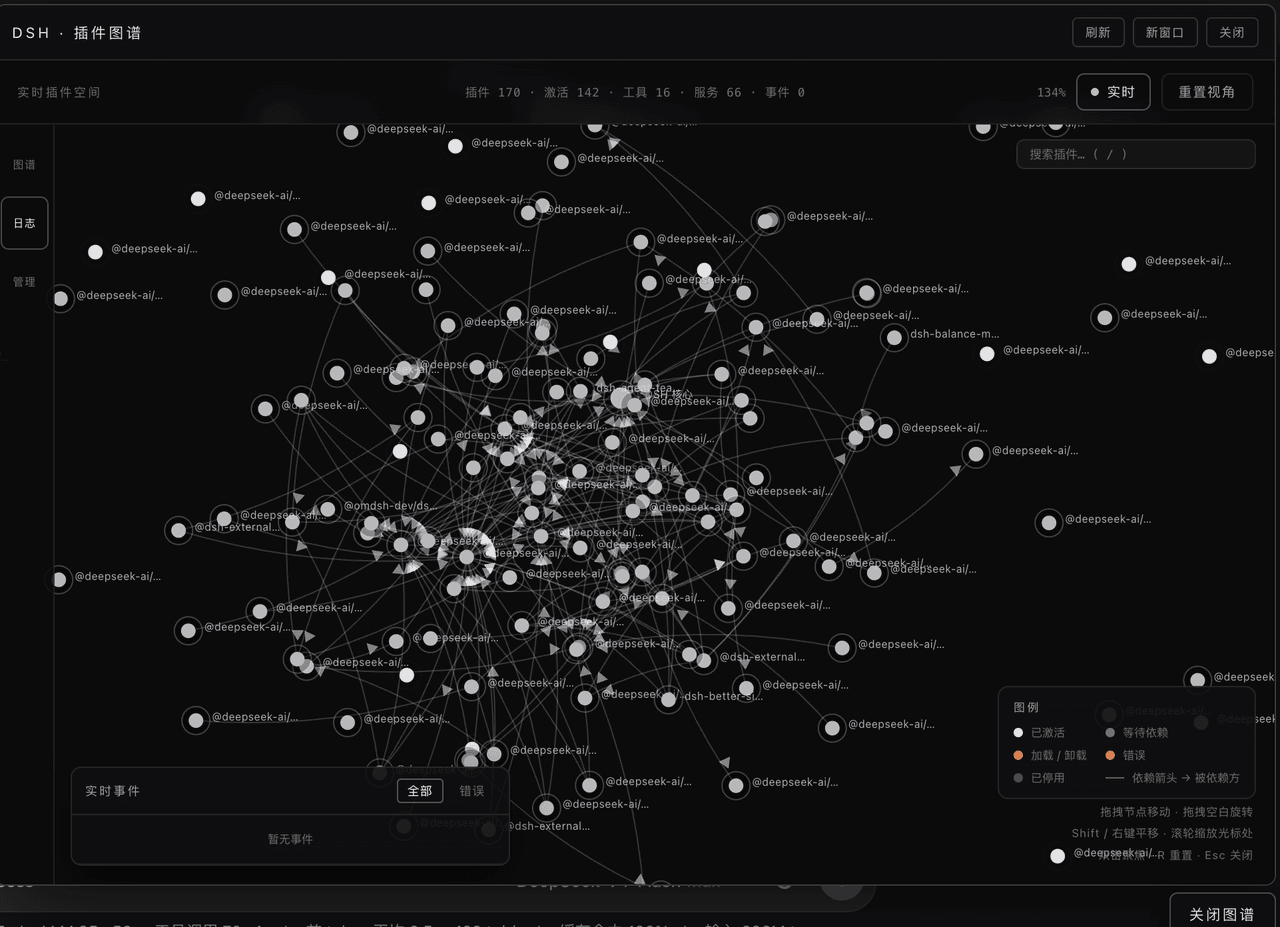
jelly-000/dsh-3d-plugin-graph
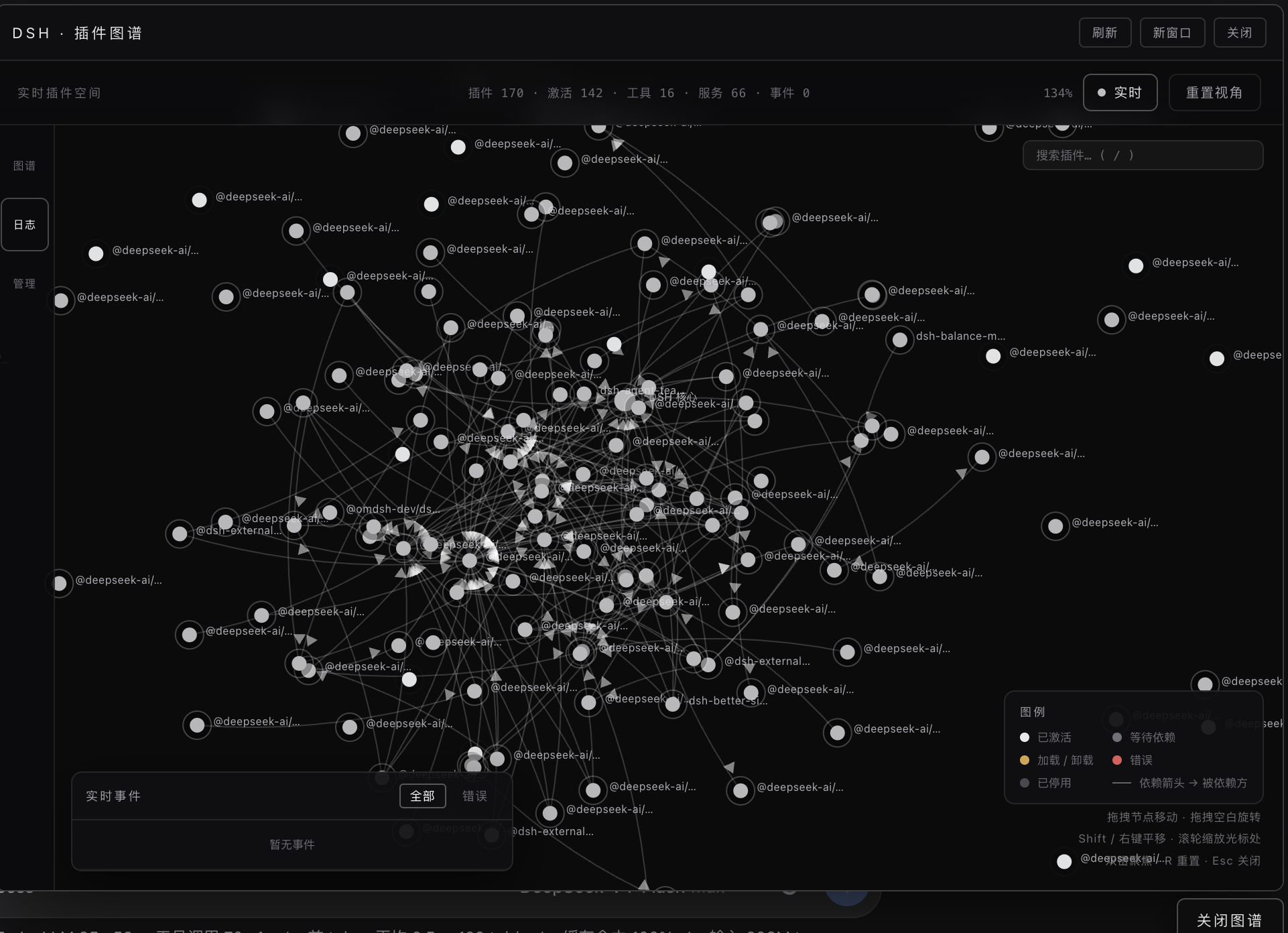
DSH (DeepSeek Harness) is itself an ecosystem of 170+ Cordis plugins. This plugin opens a window into that ecosystem: it reads the running Cordis runtime and renders the live plugin topology as an interactive 3D graph you can orbit, zoom, drag and operate.
catalog descriptioncatalog 简介 / catalog description:Live 3D visualization of the DSH plugin ecosystem - every node, edge and state is the real Cordis runtime
Project Overview项目介绍
This is a native DSH plugin that delivers interactive 3D visualization of the live DSH Cordis plugin ecosystem. All node data, dependency edges, and runtime states are pulled directly from the active Cordis runtime, no mocked data is used. To install, you first need a working DSH installation with a web profile, then run the CLI command dsh plugin --profile web add https://github.com/jelly-000/dsh-3d-plugin-graph and restart the web profile to activate it. After installation, you can access the graph UI from the floating entry in the DSH web UI or directly via the local URL.
This tool is designed for DSH plugin developers and regular users who want to inspect the plugin dependency structure and manage plugin states. When you drag nodes, it uses physics-based collision so dragged nodes push other nodes out of the way, and spring edges pull connected nodes along. Unplugging a plugin requires double confirmation, which shows you the number of affected dependent plugins and warns if the plugin is part of a dependency cycle to avoid destabilizing DSH. Re-enabling a disabled plugin only takes one click, and all runtime states update automatically on the next 2-second poll.
This plugin is released under the open-source MIT license, with no associated costs for use or modification. The 3D UI is a single HTML file with zero external dependencies, no CDN resources and no build step required to run it. Performance testing shows that with a 170-node synthetic load, the average frame gap is around 17ms, which delivers smooth interaction without noticeable lag. It also includes multiple accessibility and security measures, such as CSP configuration, XSS payload protection, prefers-reduced-motion support, and server-side guards blocking unsafe operations on core DSH infrastructure.
这是一个专为DeepSeek Harness(DSH)开发的原生插件,提供DSH Cordis插件生态系统的实时3D可视化。它直接从运行中的Cordis运行时拉取数据,将插件拓扑渲染为可交互3D图,支持轨道旋转、缩放、节点拖动和管理操作。安装需要先有DSH的web配置文件,通过DSH CLI命令安装后重启web配置即可激活使用。
面向想要了解插件依赖结构、追踪运行时状态和管理插件的DSH开发者与普通用户使用。打开3D图谱后,可搜索指定插件,拖动节点调整布局,卸载或重新启用插件时会弹出确认提示,展示操作影响的依赖链。所有状态每2秒自动刷新,工具执行活动也会在图谱中实时展示变化。
本插件采用MIT开源许可证,完全免费可供使用。UI为单HTML文件,零外部依赖,无需构建步骤,性能表现良好:170个节点仍能保持约17ms的平均帧间隔,无明显卡顿。它具备完整安全防护,包括CSP配置、XSS防护和服务端操作检查,避免误操作损坏核心基础设施。
请帮我安装这个 DSH 插件。安装前先完成【兼容性检查 + 安全性检查】,检查通过再动手。

插件:dsh-3d-plugin-graph(jelly-000/dsh-3d-plugin-graph)
仓库:https://github.com/jelly-000/dsh-3d-plugin-graph
本站详情页:https://www.yhbd.top/plugins/jelly-000-dsh-3d-plugin-graph/
本站登记:类型 plugin · 归类 原生 DSH 插件 · 许可证 MIT · ⭐ 3 · 最近提交 2026-08-19 · 主语言 JavaScript

按下面顺序执行,每步先把结论告诉我,再进入下一步:

【1 兼容性检查】
① 我这边:DSH 版本、Node 版本、操作系统、当前 profile(web / desktop)。
② 读它的 README、package.json、插件 manifest,列出它要求的 DSH 版本 / Node 版本 / 操作系统 / 外部依赖 / 需要另外先装的运行时。
③ 逐条比对,结论只写「满足 / 不满足 / 未知」三种;不满足的给出可行替代方案。
④ 检查是否和我已装的插件冲突:命令名重复、skill / tool 重名、端口占用、重复注册的 MCP server。

【2 安全性检查】
① 仓库可信度:和上面「本站登记」是否一致;star / fork 数、创建时间、最近提交,是否归档或长期停更。
② 安装脚本:逐行看 package.json 的 preinstall / install / postinstall,以及 install.sh、setup.ps1 之类脚本。出现 curl|bash、下载后直接执行、混淆代码、访问与插件功能无关的域名,立刻停下来告诉我,不要继续装。
③ 依赖:列出新增依赖,标出无人维护、或与知名包拼写近似的可疑包(typosquatting)。
④ 权限与副作用:它会读写哪些目录、访问哪些域名、需要哪些 DSH 权限(filesystem / network / shell / clipboard 等),以及怎么卸载和回滚。
⑤ 如果它要求 sudo / 管理员权限,或权限明显超出功能所需,先停下来问我。

【3 安装】
上面两步没有「不满足」和「高危项」时才执行;用官方推荐方式安装,不要自行提权。

【4 汇报】
用表格输出:检查项 / 结论 / 依据 / 是否需要我决策。拿不准的一律写「未知」并说明要我怎么确认——不要猜,也不要替我决定。
Send this message to DSH in your current session: it verifies compatibility and security first (answering met / not met / unknown item by item) and only installs once everything checks out — it will stop and ask you if it finds a high-risk item. The box scrolls; the copy is the full prompt. CLI install commands may not be accurate across systems, so DSH is the safer route.把上面这条消息直接发给当前会话里的 DSH:它会先核对兼容性与安全性(逐条给「满足 / 不满足 / 未知」),确认没问题再安装,有高危项会停下来问你。框内可滚动,复制到的是完整提示词;安装命令不一定准确,发给 DSH 更稳。
- Only 3 stars - very few users, little community feedback星标只有 3,几乎没人在用,遇到问题缺少社区反馈
DSH walks through these 9 checksDSH 会逐条核对这 9 项
Compatibility兼容性
- DSH, Node, OS and profile requirementsDSH 版本 / Node 版本 / 操作系统 / profile 是否满足要求
- External dependencies and runtimes (Electron / Python / Docker, ...)外部依赖与运行时(Electron / Python / Docker 等)是否齐备
- Conflicts with installed plugins: command names, skill / tool names, ports, duplicate MCP registration与已装插件是否冲突:命令名、skill / tool 重名、端口占用、重复 MCP 注册
Security安全性
- Repo matches the facts registered here; archived or abandoned?仓库是否与页面登记一致,是否归档或长期停更
- Safety of preinstall / install / postinstall and install.sh / setup.ps1preinstall / install / postinstall 与 install.sh、setup.ps1 是否安全
- curl|bash, download-then-execute, obfuscation, unrelated domains → stop immediatelycurl|bash、下载即执行、混淆代码、无关域名 → 立刻停止
- Typosquatting or unmaintained packages among the new dependencies新增依赖里有没有 typosquatting 或无人维护的包
- Requested permissions vs. what the feature actually needs申请了哪些权限、是否超出功能所需(filesystem / network / shell / clipboard)
- Any sudo / admin requirement, plus uninstall and rollback是否要求 sudo / 管理员权限,以及卸载与回滚方式
Anything uncertain must be marked unknown with a note on how to confirm it. This site's signal screen is a static snapshot, not a security audit.拿不准的必须标「未知」并说明要我怎么确认。本站的信号筛查是静态快照,不能替代安全审计。
Or use CLI install (for developers)或使用命令行安装(适合开发者)
CLI Install命令行安装
dsh plugin --profile web add https://github.com/jelly-000/dsh-3d-plugin-graph把 jelly-000/dsh-3d-plugin-graph 加入你的 DSH 配置(web profile)即可启用。
READMEREADME
dsh-3d-plugin-graph
A live 3D visualization of the DSH plugin ecosystem. Every node, edge and state you see is the real Cordis runtime — nothing is mocked.



What is it?
DSH (DeepSeek Harness) is itself an ecosystem of 170+ Cordis plugins. This plugin opens a window into that ecosystem: it reads the running Cordis runtime and renders the live plugin topology as an interactive 3D graph you can orbit, zoom, drag and operate.
- Nodes are real runtime plugins (loader entries / registry fibers).
- Edges are real dependency relations (service providers from the reflect store × inject declarations on each fiber; the arrow points at the dependency).
- States are the real fiber state machine (active / pending / loading / error / disabled / unloading), refreshed every 2 s — drag a node around and watch its neighbours follow; unplug a plugin from the graph itself and see the whole neighbourhood react.
- Activity streams from real
tools/resultevents — when a tool runs, white light motes travel along the affected edges in real time.
Features
Real runtime data
- Nodes / edges / services / tool surface all come from the live runtime (
ctx.loader.entries(),ctx.reflect.store,ctx.tools.schemas(),tools/resultevents); the UI merges state polls without ever moving your dragged nodes. - Graceful degradation: with no reachable source it falls back to an offline demo so the UI is never a blank page.
Interaction
- Orbit / pan / zoom: drag empty space to orbit (bounded pitch), Shift / right-drag to pan, wheel to zoom anchored at the node under the cursor (it stays glued to the cursor), double-click a node to focus,
Rto reset,Escto close. - Node dragging with physics: nodes are solid bodies — dragging one pushes others out of the way (velocity-impulse collision), and spring edges pull connected nodes along. Release and the graph settles back into balance.
- Label LOD: far away only the core label shows; labels fade in as you zoom; occluded labels hide automatically (8px type, occlusion-aware).
Showing the opening section of the README — the full document lives in the repository以上为 README 开头摘要,完整文档在仓库内 · View the full README on GitHub →在 GitHub 查看完整 README →
Related相关推荐
-
 theBigGavin/marketingdashboard
面向金融与产业研究的一屏式实时行情大屏:A股/港股/美股指数、大宗商品、美债收益率、板块热点、主力资金流、7×24 快讯、产业链自选股、AI 大模型 Token 追踪。A real-time market research cockpit …
theBigGavin/marketingdashboard
面向金融与产业研究的一屏式实时行情大屏:A股/港股/美股指数、大宗商品、美债收益率、板块热点、主力资金流、7×24 快讯、产业链自选股、AI 大模型 Token 追踪。A real-time market research cockpit …
-
 hancao97/hanai-investment-dsh
Local-first A-share research workbench for DeepSeek Harness: market dashboards, watchlists, valuation, four investor age…
hancao97/hanai-investment-dsh
Local-first A-share research workbench for DeepSeek Harness: market dashboards, watchlists, valuation, four investor age…
- PerryLink/dsh-data-quality DeepSeek Harness plugin: deterministic data profiling, cleaning, and verification (dsh-data-quality)
-
 maddogfinance/dsh-trading
Trading research workbench for DeepSeek Harness (dsh): typed market-data seam, deterministic indicators, interactive cha…
maddogfinance/dsh-trading
Trading research workbench for DeepSeek Harness (dsh): typed market-data seam, deterministic indicators, interactive cha…
- ali-meoo/meoo-cli meoo cli 是秒悟(Meoo)官方推出的命令行工具,让 Claude Code、Codex、Cursor、Qoder等本地 agent 在帮你写完前端代码后,能直接接管「数据库、用户登录、文件存储、部署上线」的所有云端工作——你只需要…
-
 lehhair/dsh-diff-viewer
DSH Web GUI PiUI-style diff viewer plugin: replaces the stock DiffBlock for write/edit tool calls via ui-tool diff-card …
lehhair/dsh-diff-viewer
DSH Web GUI PiUI-style diff viewer plugin: replaces the stock DiffBlock for write/edit tool calls via ui-tool diff-card …
- seed-forge/harness-ai-kit Package manager for AI agent assets — 42 skills, 5 CLIs, 1 plugin. Skills for AI/LLM agent engineering, eval-driven dev,…
- YottaMeta/deepseek-harness DeepSeek Harness: Everything is a Plugin.