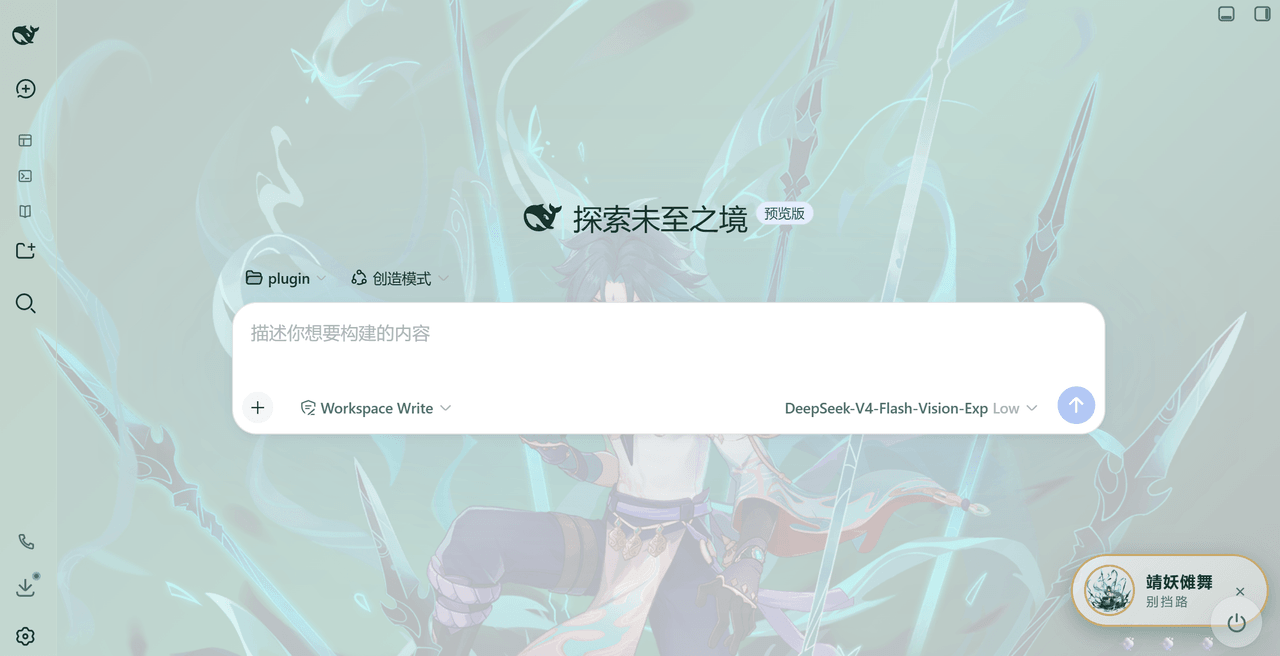
jinxlux/xiao-theme-dsh-ui-plugin
A highly customizable theme plugin for DeepSeek Harness (ships with a "Xiao" jade-green look by default). It themes the DeepSeek Harness web UI: colors, mascot badge, background, and injected voice are all configurable. The background supports static images, animated GIFs, and looping videos (MP4/WebM/MOV/M4V) — an uploaded animated GIF is auto-detected and used as a live/dynamic background, and an uploaded video is auto-detected and played as a full-screen looping background. Out of the box it's a Xiao-style jade/emerald theme, but the accent color, badge text, voice, and background are all tweakable — make it your own.
catalog descriptioncatalog 简介 / catalog description:UI plugin for deepseek harness web
Project Overview项目介绍
A highly customizable theme plugin for DeepSeek Harness, defaulting to a jade-green Xiao look. It supports accent colors, a draggable mascot badge, optional Xiao-voice prompt injection, frosted background image, and adjustable UI and sidebar opacity. Use it to give DSH Web a unified, personalized Genshin-style aesthetic. Caveat: the Xiao character likeness and assets are copyrighted by miHoYo and cannot be used commercially without permission; replace the bundled resources to avoid this restriction.
这是 DeepSeek Harness 的高度可定制主题插件,默认呈现魈玉主题外观。它支持自定义强调色、吉祥物徽章、Xiao 风格语音注入及磨砂背景透明度调节。在想让 DSH Web 拥有统一视觉风格并允许个性化调色时使用。注意:图标与角色形象版权归 miHoYo 所有,不得未经授权商用,资源可替换以规避限制。
请帮我了解并安装插件:【xiao-theme-dsh-ui-plugin】【https://github.com/jinxlux/xiao-theme-dsh-ui-plugin】Send this message to DSH in your current session. CLI install commands may not be accurate across systems — DSH will figure it out for you.把上面这条消息直接发给当前会话里的 DSH,让它帮你了解并安装。安装命令不一定准确,发给 DSH 更稳。
Or use CLI install (for developers)或使用命令行安装(适合开发者)
CLI Install命令行安装
dsh plugin --profile web add xiao-ui-theme-ts把 jinxlux/xiao-theme-dsh-ui-plugin 加入你的 DSH 配置(web profile)即可启用。
READMEREADME
xiao-ui-theme-ts
A highly customizable theme plugin for DeepSeek Harness (ships with a "Xiao" jade-green look by default). It themes the DeepSeek Harness web UI: colors, mascot badge, background, and injected voice are all configurable. The background supports static images, animated GIFs, and looping videos (MP4/WebM/MOV/M4V) — an uploaded animated GIF is auto-detected and used as a live/dynamic background, and an uploaded video is auto-detected and played as a full-screen looping background. Out of the box it's a Xiao-style jade/emerald theme, but the accent color, badge text, voice, and background are all tweakable — make it your own.
What is this
Gives the DeepSeek Harness web UI a heavily customizable theme. By default it's the jade-green "Xiao" look (jade palette + mascot badge + Xiao-style voice + frosted background), but every part is adjustable: accent color, badge text, voice toggle/language/content, background image and transparency. It also optionally injects a "Xiao-style voice" into the session — turn it on if you want the assistant to speak like Xiao, off if not. It only changes tone/style, never the substance of the answer. On top of that it ships a separate roleplay space (entertainment): an independent, tool-free agent preset for actually chatting in character, kept deliberately apart from work sessions — a work session only ever gets tone, never a character identity.
Preview
Features
- Customizable palette (jade/emerald by default): light / dark jade palettes; pick the accent with a color wheel, and toggle the theme off from settings.
- Mascot badge: a draggable, collapsible badge (bottom-right); title and subtitle can be set to any text, and the avatar image can be replaced by uploading a new one. The avatar also supports animated GIFs — an uploaded GIF plays as an animation with no separate toggle. A Reset mascot button restores the avatar path, title and subtitle to their defaults.
- Xiao-style voice (work sessions): injects a Xiao-voice instruction into the system prompt (toggleable), with Chinese / English templates or your own custom prompt. Tone only: the substance, tools and execution stay exactly the same, and no character identity is injected.
- Roleplay space (entertainment, off by default): a separate roleplay session, completely apart from the work session you actually use — nothing is installed until you switch it on, so upgrading never adds a surprise agent preset. When enabled, the plugin materializes the role system prompt as its own DSH agent preset (
~/.dsh/.agent-presets/xiao-roleplay/, shown as "角色空间(娱乐)"); start a new session and pick that preset at the top to enter character. The default role is an English Xiao card, and any full character prompt you paste replaces it. The preset's own composition mounts no file, command or task tools, so a roleplay session never gets your work tools and you never trade away a work session's real capability for it; the two sides keep separate histories. (Tools registered by profile-level plugins sit outside every preset and still appear — see the notes below.) One-click toggle — turning it off removes the preset. - Frosted background: configurable background image (relative plugin path, local absolute path, or direct upload), with adjustable blur and UI transparency. Uploading an animated GIF is auto-detected and used as a live/dynamic background; uploading an MP4 / WebM / MOV / M4V video is also auto-detected and played as a full-screen looping video background (with an optional sound toggle); static images or single-frame GIFs keep the static frosted treatment.
- UI & sidebar transparency control: UI opacity (0.3–0.9) controls the main content area; sidebar opacity (0–1) independently controls the left/right sidebars, up to 100% fully opaque while always letting part of the background through.
- Accent color: jade green by default, or pick any accent via the color wheel; the whole jade palette (panel surfaces, borders, brand color, sidebars, background gradient) shifts in sync, persisted after change. You can also reset the accent back to the default jade with one click.
- Theme management (multi-theme): save the current settings as a named theme, switch / rename / delete themes (the built-in "Xiao" theme is protected), reset the current theme back to defaults, and one-click import / export any theme as a
.jsonfile. - Upload asset manager (picker): the background / avatar upload controls open a picker window listing everything already uploaded (thumbnail, size, last-modified, which themes reference it) so you can re-select an existing file to reuse it, or upload a new one right there (auto-selected after it succeeds). An Open upload folder button opens the folder in your file manager to add / remove / rename files directly. Nothing is auto-deleted — the uploads folder is user-managed.
- Settings page: master toggle, accent color, voice (work sessions), template language, custom prompt, roleplay space (entertainment) (toggle / allow web lookup / role system prompt / apply-update preset / reset role / open preset folder / install status), avatar path, mascot title/subtitle, theme management, frosted background (on/path/upload/blur/opacity; GIF or MP4/WebM/MOV/M4V video auto-detected as a dynamic background, with a sound toggle for video), UI and sidebar opacity.
Requirements
- DeepSeek Harness (
dshavailable) — tested on0.1.1-rc.2and0.1.5-rc.1(see Version compatibility) - Node.js (≥ 18 recommended)
- pnpm
Version compatibility
Both ends of the last upgrade are supported — the previous versions and the current ones:
| Component | Tested / supported | How the theme adapts |
|---|---|---|
| DeepSeek Harness | 0.1.1-rc.2 (previous) → 0.1.5-rc.1 (current) |
Left sidebar: the sidebarCol class-name suffix. Right sidebar: the old column name detailsCol and the native panel data-sidebar-right-panel (0.1.5-rc.1) — both anchors are kept, so either DSH works. |
| better-sidebar (third-party) | 0.17.1 (previous) → 0.19.0 (current) |
0.17.1 drew its own right panel, matched through data-dsh-panel / data-dsh-pane; 0.19.0 registers its tabs into DSH's native right sidebar, matched through data-sidebar-right-panel. The newer bottom workbench panel (which also carries data-dsh-panel) is explicitly excluded and stays opaque. |
Verified on 2026-09-10 against both pairs — dsh 0.1.1-rc.2 + better-sidebar 0.17.1 and dsh 0.1.5-rc.1 + better-sidebar 0.19.0: the sidebar opacity slider drives the left and right sidebars on either pair, and every compatibility anchor is kept, so upgrading or rolling back does not break it. Older better-sidebar releases (0.14.x / 0.16.x) use the same data-dsh-panel anchor and are expected to work as well, but were not tested.
Install online (quick)
- Make sure the
dshcommand is available. - Install by package name (npm — recommended):
dsh plugin --profile web add xiao-ui-theme-ts
Or install directly from a GitHub release tarball:
dsh plugin --profile web add https://github.com/jinxlux/xiao-theme-dsh-ui-plugin/releases/latest/download/xiao-ui-theme-ts.tgz
Install from source (clone)
git clone <copied-repo-url>
cd xiao-ui-theme-ts

pnpm install       # install build dependencies
pnpm run build     # produce lib/ (ESM Host + ModuleLoader Client + declarations)
pnpm run check     # optional: verify the artifact satisfies the dsh plugin contract
Then attach it as a bundle to a DSH profile:
# relative path (run from a sibling directory)
dsh plugin --profile web add "./xiao-ui-theme-ts"
# or an absolute path
dsh plugin --profile web add "D:/.../xiao-ui-theme-ts"
dsh plugin addinstalls the package into the profile and, thanks to itsdsh.bundledeclaration, automatically hooks it into the bundle stack — no manual config needed. Refresh / restart DSH Web for the theme to take effect.
Usage & configuration
- Open DSH Web → Settings → Xiao Theme: master toggle, accent color, voice (work sessions), template language, custom prompt, roleplay space (entertainment), avatar path, mascot title/subtitle, theme management, frosted background (on / path / upload / blur / opacity; GIF or MP4/WebM/MOV/M4V video auto-detected as a dynamic background, with a sound toggle for video), UI opacity, sidebar opacity.
- Voice (work sessions): the built-in Chinese/English templates are tone only — the substance, tools and execution stay exactly the same, and no character identity is written into a work session. The custom prompt is different: it is inserted verbatim as an extra system-prompt section in every work session, so whatever you write really takes effect. Keep it tone-only — tool, permission, identity or "always refuse X" instructions there will degrade your normal sessions.
- Roleplay space (entertainment): its own settings group, deliberately kept apart from the voice prompt:
- Toggle (off by default): turning it on generates / updates the preset from the role text below; turning it off removes the preset (sessions already running on it keep running). The theme's own master switch (Enable Xiao theme) also gates it — while that is off nothing is installed and the preset is removed, so "theme off" really means off.
- Allow web lookup (off by default): when on, the roleplay preset mounts exactly one extra model-facing row — DSH's
web_search/web_fetchtools — so the character can look up the latest plot, design and lore before playing. File, command and task access stay blocked. Whatever role text you provide is used verbatim, and the plugin then appends its own short rules section after it — the tool gate for this switch plus the "never name your source" rule. Your role text cannot replace or turn that off, so don't put tool instructions in it: they would only conflict with the appended rules. (A profile-level web plugin, if installed, supplies the search provider — see the notes below.) Looked-up material is only background knowledge for the character: it stays in character and never mentions the web, a search, a source or a link. Off (the default) web lookup is simply not allowed: the role text orders the character to use no tools at all — that block lives in the prompt, not in the tool set. - Role system prompt: empty uses the built-in English Xiao card; paste any full character prompt to switch roles (saved and synced to the preset automatically).
- Apply / update preset: force a rewrite (useful after hand-editing the generated file).
- Reset to default role (Xiao) / Open preset folder: restore the role text, or open
~/.dsh/.agent-presets/xiao-roleplay/in your file manager. - How to enter character: start a new session and pick "角色空间(娱乐)" in the new-session preset chip — DSH only allows switching a preset while a session has produced nothing, so an existing session can never be turned into a roleplay one.
- Accent color: pick an accent with the color wheel (default jade green
#2E8B72); the panel surfaces, borders, brand color, sidebars and background gradient all shift in sync. Semantic state colors (error / warning / success) stay fixed and don't follow the accent. - Mascot: badge title (default "靖妖傩舞") and subtitle (default "别挡路") can be set to any text; an empty title falls back to the default. The avatar image path accepts a plugin-relative path or a local absolute path, and you can upload an image directly to replace the avatar. The avatar also supports animated GIFs — an uploaded GIF plays as an animation with no separate toggle.
- Uploads (picker): click "Choose/upload background" or "Choose/upload avatar" to open an asset window — pick an existing upload to reuse it (backgrounds re-derive the dynamic flag automatically), or upload a new one right there; the new file is auto-selected. The Open upload folder button lets you manage the files directly. The Reset theme color and Reset mascot buttons restore those fields to defaults.
- UI opacity: controls the main content area, range 0.3–0.9, capped so at least ~10% of the background stays visible.
- Sidebar opacity: independently controls the left/right sidebars, range 0–1, up to 100% fully opaque. The left is DSH's own sidebar; the right is DSH's native right-sidebar panel (stable anchor
data-sidebar-right-panel), which is also exactly where better-sidebar ≥ 0.19 mounts its tabs — so one slider covers both. Older better-sidebar releases (< 0.19) drew their own panel and are still matched throughdata-dsh-panel/data-dsh-pane. When neither is present the rules simply do nothing. - Changes take effect immediately, no DSH restart needed.
- Settings are saved to
xiao-theme.jsonunder the DSH home —~/.dshby default,$DSH_HOMEwhen that is set; uploaded background images/videos go toxiao-theme-uploads/right beside it (user-level, not shipped with the repo). An install that already has data at~/.dshkeeps using it, so upgrading never looks like a settings reset (see Notes). Uploads are streamed to disk and sized by purpose: avatars/images keep a 20MB cap, backgrounds (including videos) allow up to 200MB. Unsupported or mismatched formats are rejected with a clear message shown in the settings page (instead of silently failing).
Notes
- Switching from a local install to a remote install: if you first installed this plugin from a local path (
dsh plugin add ./xiao-ui-theme-ts, which DSH stores as alink:dependency), then later switch to a remote install (package name or tarball), remove the leftover link first — otherwise pnpm may follow it back to your localnode_modulesand fail with a symlinkEPERM(@types/node). Remove it and retry:dsh plugin --profile web remove xiao-ui-theme-ts dsh plugin --profile web add xiao-ui-theme-ts - Build before mounting:
lib/is build output, not committed. After clone, runpnpm install && pnpm run buildfirst, thendsh plugin add; adding an unbuilt directory fails becauselib/is missing. - Default avatar / background use in-package relative paths (
resource/avatar.png), readable across machines; keepresource/at the same level aslib/after building (current layout works).resource/bg.svgis legacy and no longer used. - Video background compatibility: a loop with the widest support uses H.264 (AVC) + AAC in
.mp4, or VP8/VP9 in.webm. Some browsers can't decode HEVC (H.265).mp4/.mov;.avi/.mkvaren't accepted. - The Xiao-voice prompt depends on DSH's
systemPromptassembly. If the agent preset filters the prompt down to only a persona, or uses a complete persona, the voice may not appear in that session (that's preset behavior, not a plugin bug). - "Sidebar opacity" targets DSH's own
sidebarColcolumn and the native right-sidebar panel (data-sidebar-right-panel). Older DSH releases named that columndetailsCol, and older better-sidebar releases drew their own panel taggeddata-dsh-panel/data-dsh-pane; both anchors are kept for compatibility. The newer better-sidebar bottom workbench panel also carriesdata-dsh-panel, so it is explicitly excluded (:not([data-dsh-bottom-panel])) and stays opaque. Everything is driven by CSS only (no JS geometry) — the anchors are stable data attributes / class-name suffixes, never hashed class prefixes. - Uploads are user-managed (no auto-delete): uploaded files are never deleted automatically, so the folder can grow over time. Use the picker's "Open upload folder" to add / remove / rename files yourself.
- The voice section can be dropped by a preset:
xiao-voiceis an ordinary unscoped system-prompt section, not a mode. A preset that filters assembly down to its persona (or setscomplete: trueon it) removes it — so if the tone disappears under a particular preset, that is the preset's behavior, not a broken toggle. - The roleplay space writes an agent preset: while the toggle is on, the plugin maintains
agent.cordis.ymlandpreset.ymlunder~/.dsh/.agent-presets/xiao-roleplay/(agent.cordis.ymlis generated — do not hand-edit it; change the role through the settings text box instead). Turning the toggle off deletes those two files (a non-recursive removal, so anything else you placed in that directory is left alone). The preset's persona is the complete system prompt (complete: trueplus no runtime context). Its own composition mounts no work-tool rows (no file, shell, subagent, task or plan), and Allow web lookup adds just one row (web_search/web_fetch). This governs the preset's own layer only: tools registered by profile-level plugins (host-plane rows such as a web-search plugin like modsearch, or plugin-vet) belong to no preset and appear in every session, roleplay included — the preset cannot hide them. That is a supported setup: leave such a plugin installed if you want the extra reach — its own tools work in a roleplay session, and with Allow web lookup on,web_searchuses the provider it supplies (modsearch does exactly this). Uninstall or disable it from the profile only if you would rather the roleplay session not have it. That root is resolved the way DSH resolves it at the user level — a non-blank$DSH_HOMEreplaces~/.dsh— so the preset always lands where DSH scans. The theme's own settings and uploads deliberately stay at~/.dsh, so upgrading never looks like a settings reset. - Roleplay and work sessions never affect each other: a work session keeps only the tone injection and never receives a character identity; the roleplay session inherits none of the work-session tools (files, shell, subagents, tasks, plans) and only ever searches or fetches the web when Allow web lookup is on, so "roleplay erodes real capability" cannot happen — the trade-off is that the roleplay session cannot do your work, which is exactly the boundary an entertainment mode should have. The two keep separate histories and settings.
- Roleplay content disclaimer: in a roleplay session the model improvises in character — do not treat it as technical fact or a source of truth. No copyrighted script text ships with the plugin; the role text is yours to write (the plugin still appends its own short rules section after it — see the settings above).
- This plugin does not read environment variables for configuration; settings come only from
xiao-theme.jsonand compile-time defaults. ($DSH_HOMEis read only to locate that data root, never to configure the theme.)
License & disclaimers
- Code: this repository's source is open-source under the MIT license (see
LICENSE); study, modify, and redistribute as permitted. - Images:
resource/(bg.svg, avatar.png, plus user-uploaded background images) come from public online sources, provided only for demo / customization of this theme. - Character & setting: Xiao and the Genshin Impact character likeness, names, related settings, and art assets are copyrighted by miHoYo. The MIT license covers only this repository's code and does not cover miHoYo's character likeness / setting / original art. Content including related assets (
resource/and theme showcases) may not be used commercially or repurposed without permission. To redistribute or use commercially, obtain a license from miHoYo first; removing or replacing the assets inresource/avoids this constraint. See the "Character Image & Setting Intellectual Property Notice" inLICENSE.
Related相关推荐
-
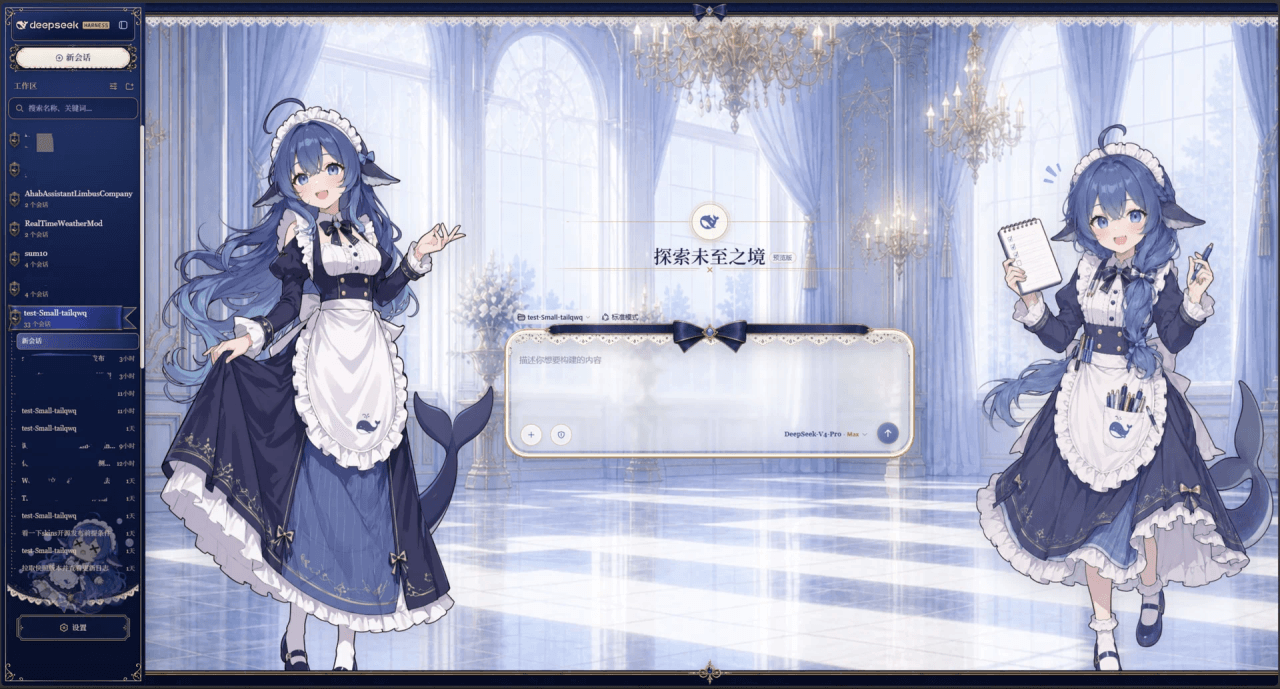 Small-tailqwq/dsh-deep-whale
Whale Girl skin series for DeepSeek Harness. 适用于 DeepSeek Harness 的,鲸鱼娘系列皮肤。
Small-tailqwq/dsh-deep-whale
Whale Girl skin series for DeepSeek Harness. 适用于 DeepSeek Harness 的,鲸鱼娘系列皮肤。
-
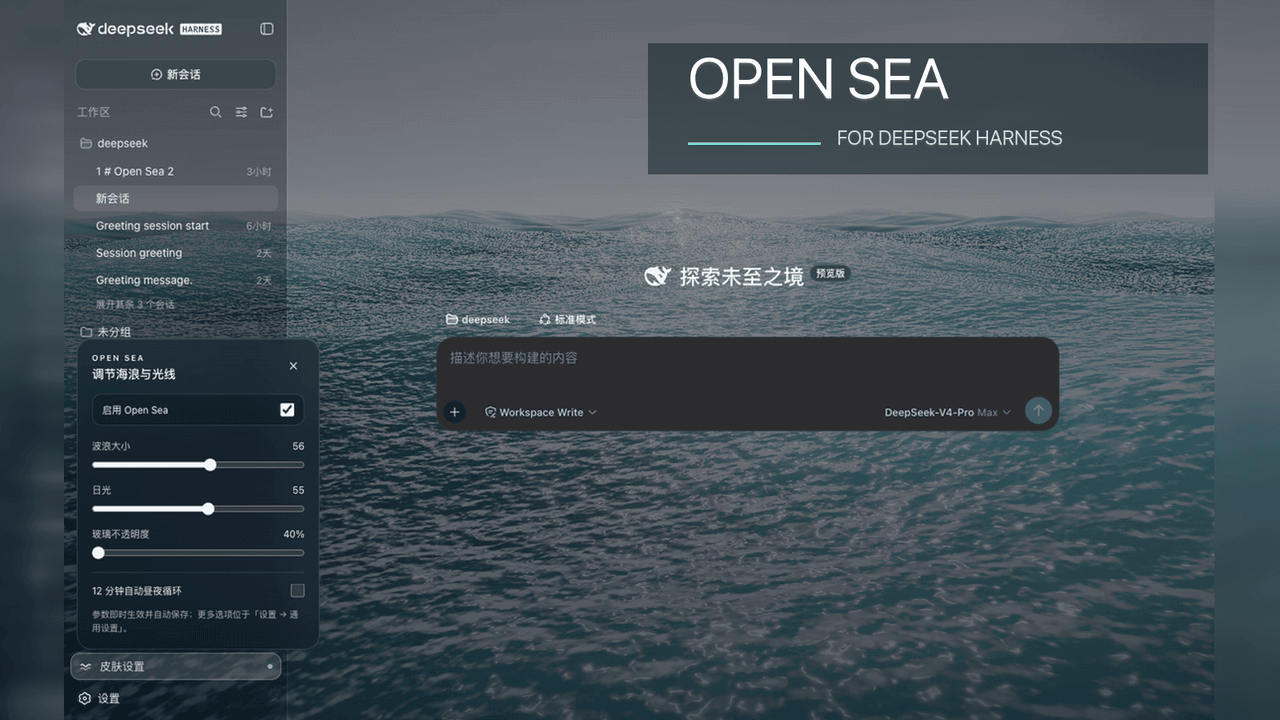 d-dev0101/open-sea-skin
🌊 DeepSeek Harness 海洋皮肤与动态主题 | Real-time ocean theme with adjustable waves, sunset & glass opacity. DSH plugin + Chrome…
d-dev0101/open-sea-skin
🌊 DeepSeek Harness 海洋皮肤与动态主题 | Real-time ocean theme with adjustable waves, sunset & glass opacity. DSH plugin + Chrome…
-
 kingOfSoySauce/dsh-liang-skin
DeepSeek Harness 滑动变阻器皮肤
kingOfSoySauce/dsh-liang-skin
DeepSeek Harness 滑动变阻器皮肤
-
 RevolutionLA/dsh-dream-skin
DeepSeek Harness 换肤 / 壁纸 / 主题包插件 (dsh-plugin) — 8 套 Mirage 主题、每用户强调色、壁纸2.0、主题包导入导出/分享链接、收藏与随机,纯原生 token 系统实现。
RevolutionLA/dsh-dream-skin
DeepSeek Harness 换肤 / 壁纸 / 主题包插件 (dsh-plugin) — 8 套 Mirage 主题、每用户强调色、壁纸2.0、主题包导入导出/分享链接、收藏与随机,纯原生 token 系统实现。
-
 Fishquito7/dsh-skill-mcp-panel
DSH Web UI plugin: skill and MCP management(Web界面的skill/MCP管理工具)
Fishquito7/dsh-skill-mcp-panel
DSH Web UI plugin: skill and MCP management(Web界面的skill/MCP管理工具)
-
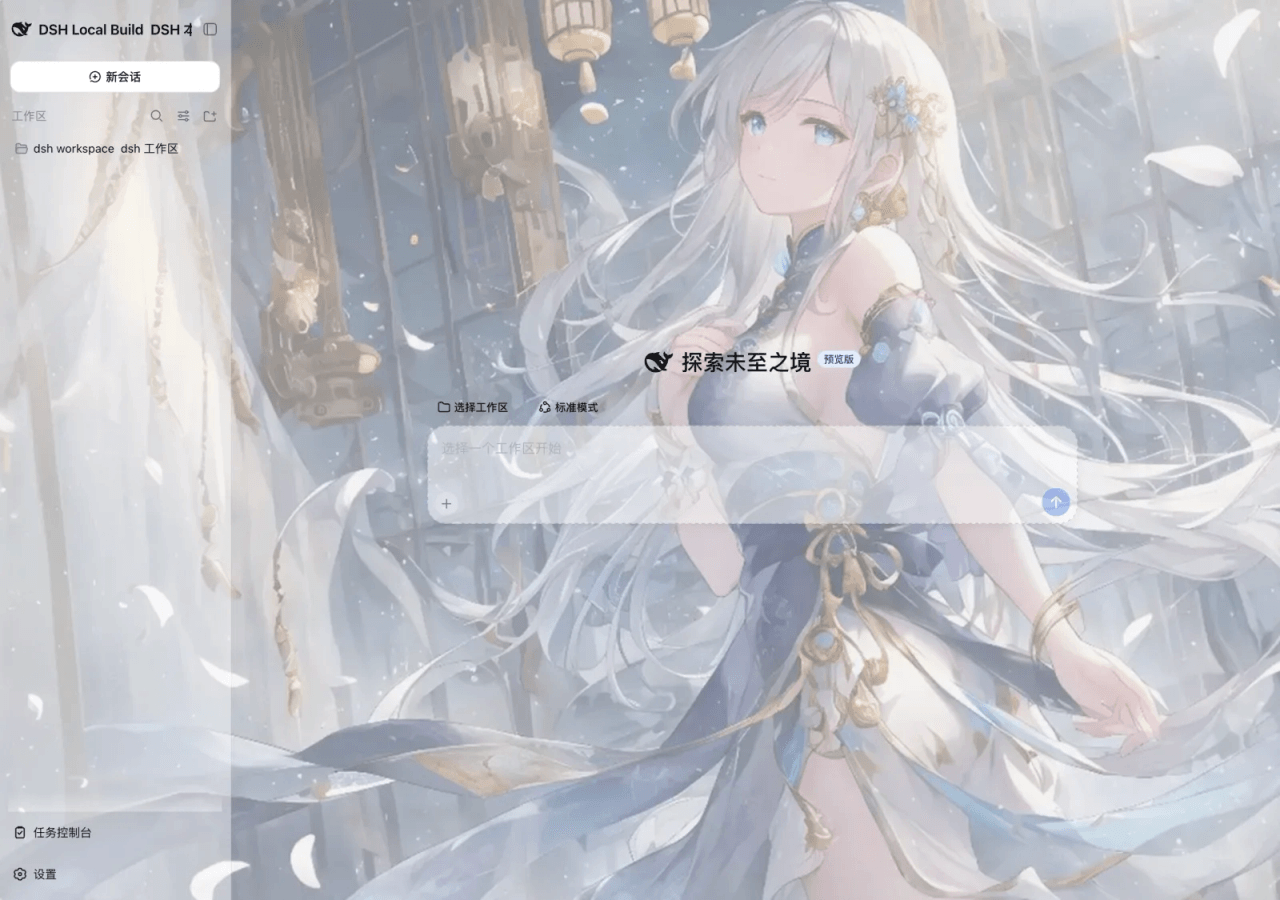 SLin-code/dsh-custom-skin
DSH自定义壁纸/皮肤插件——Custom wallpapers and translucent skins for DeepSeek Harness Web
SLin-code/dsh-custom-skin
DSH自定义壁纸/皮肤插件——Custom wallpapers and translucent skins for DeepSeek Harness Web
-
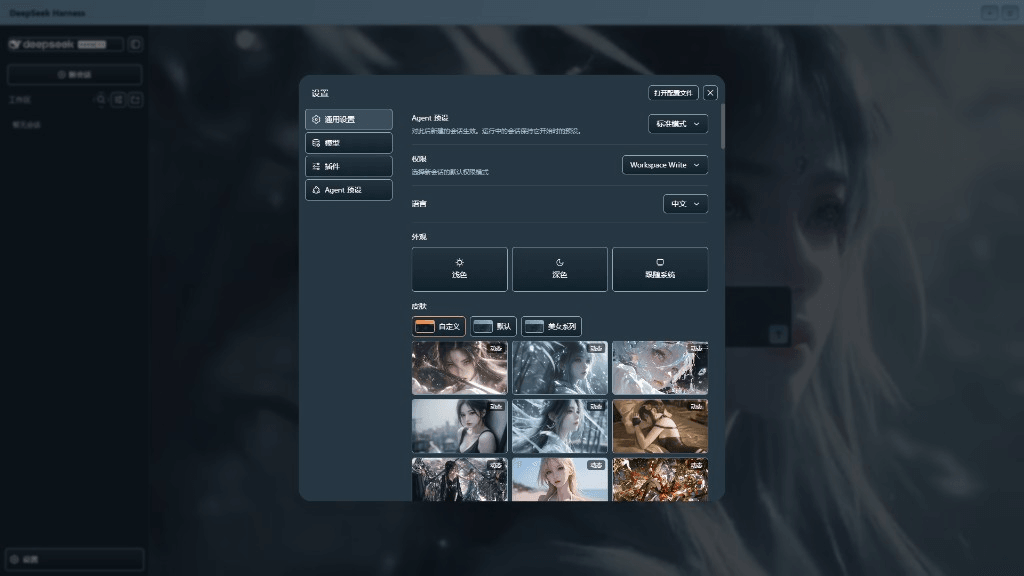 XieRW/dsh-beauty-skins
给 DeepSeek Harness 用的美女系列皮肤:设置里从 哲风壁纸 拉预览网格,点一张即应用,配色从壁纸提取。支持动态壁纸,也保留自定义选图。
XieRW/dsh-beauty-skins
给 DeepSeek Harness 用的美女系列皮肤:设置里从 哲风壁纸 拉预览网格,点一张即应用,配色从壁纸提取。支持动态壁纸,也保留自定义选图。
- ymh0000123/dsh-theme-endfield 终末地官网风格的 DSH Web 主题:奶油纸底、墨黑文字、信号黄强调、全直角工业编辑风。