jungeer/dsh-theme-stardew
项目介绍Project Overview
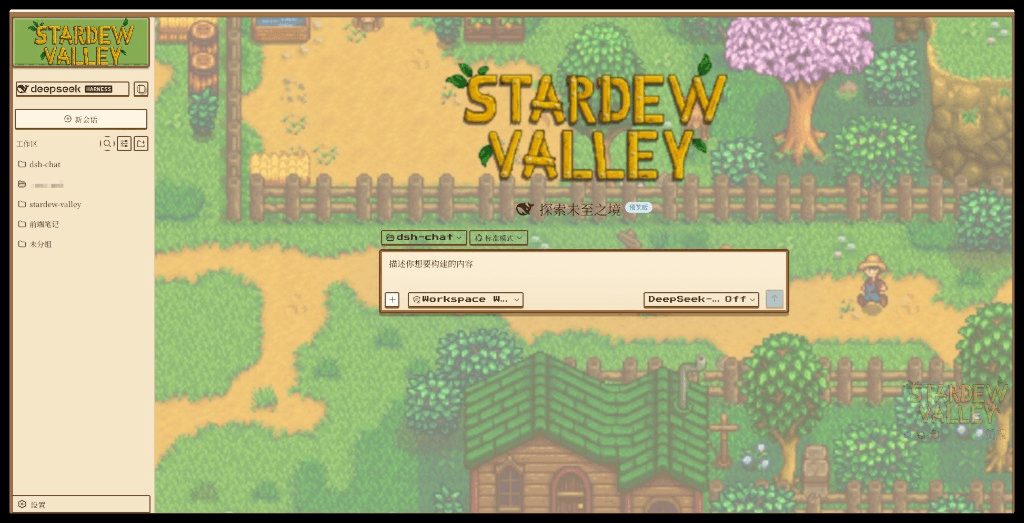
dsh-theme-stardew 是 DeepSeek Harness Web 端的《星露谷物语》主题客户端插件,运行时注入自包含样式表,将聊天气泡、侧栏、配色与昼夜场景换成像素农场风,并在设置中提供主题开关,仅改视觉不影响聊天。适合想个性化界面的非商业同人使用。注意:内含 ConcernedApe 官方美术素材,再分发需自行确认授权,默认关闭需手动开启。
dsh-theme-stardew is a Stardew Valley–themed client plugin for the DeepSeek Harness web UI. It injects a self-contained stylesheet at runtime, restyling chat bubbles, the sidebar, colors, and day/night scenes into a warm pixel-farm look, with a toggle in Settings; it changes visuals only, not chat functionality. Use it for personal, non-commercial fan customization. Caveat: it bundles official ConcernedApe art assets, so redistribution rights must be verified; it is disabled by default.
请帮我了解并安装插件:【dsh-theme-stardew】【https://github.com/jungeer/dsh-theme-stardew】把上面这条消息直接发给当前会话里的 DSH,让它帮你了解并安装。安装命令不一定准确,发给 DSH 更稳。Send this message to DSH in your current session. CLI install commands may not be accurate across systems — DSH will figure it out for you.
或使用命令行安装(适合开发者)Or use CLI install (for developers)
命令行安装CLI Install
dsh plugin --profile web add dsh-theme-stardew把 jungeer/dsh-theme-stardew 加入你的 DSH 配置(web profile)即可启用。
READMEREADME
dsh-theme-stardew
面向 DeepSeek Harness Web 端的 《星露谷物语》主题客户端插件。把整站 UI 换成温暖的像素农场风(聊天气泡、侧栏 Logo、农舍配色、代码绘制场景、昼夜氛围)——非商业同人作品。
⚠️ 素材说明 — 本包内含官方星露谷美术资源(Logo、作物/NPC 精灵图、游戏内场景截图),仅供 个人 / 非商业同人 使用。全部美术 © ConcernedApe / Stardew Valley。若计划 分发或公开发布本包,请先自行确认是否允许再分发这些素材;无法确认时,可考虑去掉
src/styles/*.png|gif,只保留代码绘制背景。
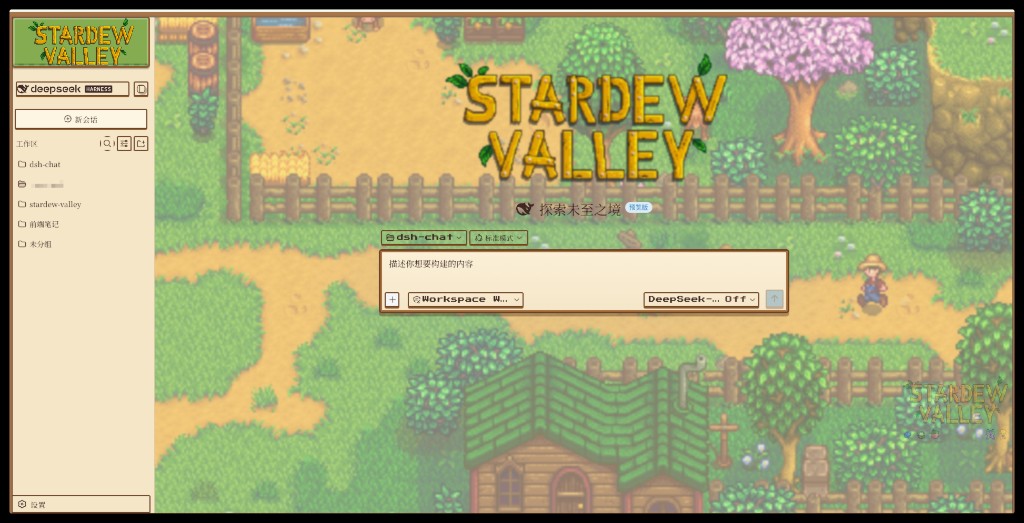
预览
白天
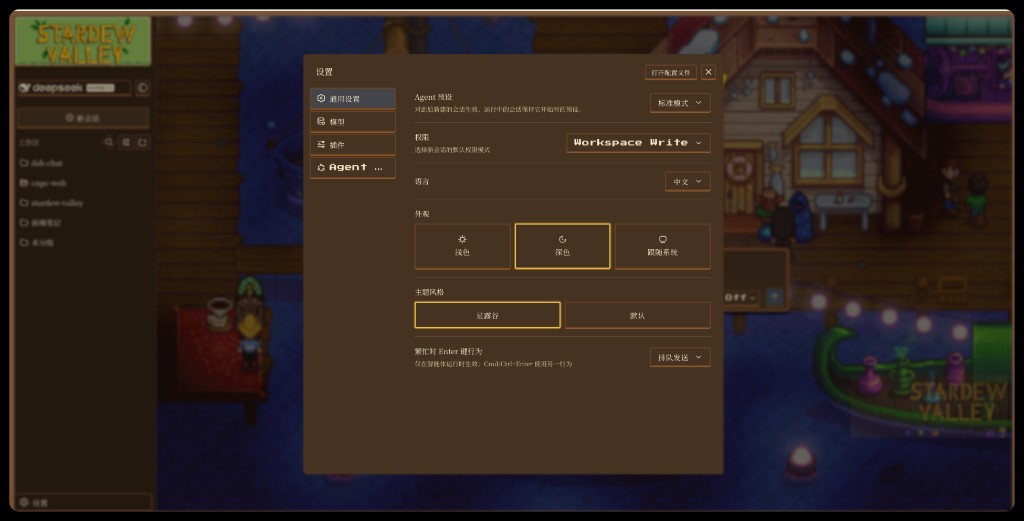
黑夜(设置 → 通用 → 外观「深色」+ 主题风格「星露谷」)
功能
- 运行时注入完整星露谷样式表(图片全部 base64 内联、自包含),无需改 shell 的
base.css - 通过文档属性
data-sd-stardew(html[data-sd-stardew])开关主题 - 在 设置 → 通用 → 主题风格 增加 星露谷 / 默认 切换行,状态写入
localStorage['dsh.ui-stardew.enabled'] - 只改视觉,不影响原有聊天功能
安装
本包既是 dsh.client 插件,也是 profile bundle(dsh.bundle)。发布到 npm(或指向 git 仓库)后,一条命令即可挂进 web profile。bundle 的 cordis.patch.yml 会插入客户端名册行,modules 的 node 半边再把 ./client 解析进 window.__DSH_BOOT__。
# 从 npm 安装
dsh plugin --profile web add dsh-theme-stardew

# 或从 git / 本地 tarball
dsh plugin --profile web add <owner>/dsh-theme-stardew
dsh plugin --profile web add ./dsh-theme-stardew-0.1.6.tgz
若国内镜像尚未同步到最新版,可指定官方源:
pnpm add dsh-theme-stardew@latest --registry https://registry.npmjs.org/
然后启动 Web,打开 设置 → 通用 → 主题风格 → 星露谷(或设置 localStorage['dsh.ui-stardew.enabled'] = 'on')。外观里的「浅色 / 深色」会分别对应白天 / 黑夜农场场景。
本独立插件默认 关闭(需手动开启;与自带 ui-theme 默认开启不同)。
手动挂载(不用 dsh plugin add)
若不希望按 profile bundle 处理,可自行在 web profile 的 patch 层(例如全局 $DSH_HOME/cordis.patch.yml)插入客户端行:
- insert:
    - id: theme-stardew
      name: 'dsh-theme-stardew'
并确保运行环境能解析到 dsh-theme-stardew。
目录结构
dsh-theme-stardew/
├─ docs/
│  ├─ preview-day.jpg    # README 白天预览
│  └─ preview-night.jpg  # README 黑夜预览
├─ lib/
│  ├─ client.js          # 浏览器插件包 (window.__ModuleLoader__.load)
│  ├─ index.js           # Node 半边空 apply(Host Cordis 需要)
│  └─ styles/            # 原始样式与素材(./styles/* 导出)
├─ src/
│  ├─ index.ts           # Node 半边 stub(export apply)
│  └─ client/            # apply()、StardewRow、store、theme-css.ts
├─ src/styles/stardew.css
├─ cordis.patch.yml      # 向 profile 名册插入客户端行
├─ README.md             # 中文(默认)
├─ README.en.md          # English
└─ package.json          # dsh.client / dsh.bundle + ./client、./styles 导出
从源码构建
src/client/theme-css.ts 内嵌了样式与内联图片(生成物)。修改 src/styles/stardew.css 后需重新生成:
# 1) 重新生成内嵌 CSS 模块
#    (把 url('./*.png|gif') base64 内联进 src/client/theme-css.ts)
python3 scripts/embed-css.py

# 2) 构建客户端包
pnpm run build   # tsdown -> lib/client.js  (并复制 src/styles -> lib/styles)
许可证
插件 代码 为 MIT — 见 LICENSE。
主题 美术不是 MIT;© ConcernedApe(《星露谷物语》),此处仅作非商业同人用途。捆绑素材的再分发风险自负。
相关推荐Related
-
 nexu-io/open-design
🎨 Best DeepSeek Harness Design Plugin. The open-source Claude Design alternative. 🖥️ Local-first desktop app. 🖼️ Your…
nexu-io/open-design
🎨 Best DeepSeek Harness Design Plugin. The open-source Claude Design alternative. 🖥️ Local-first desktop app. 🖼️ Your…
-
 freestylefly/awesome-gpt-image-2
Prompt as Code | GPT-Image2 工业级提示词引擎与模板库,530+ 个案例逆向工程,20+ 套工业级模板,并提炼出Skills,持续更新中
freestylefly/awesome-gpt-image-2
Prompt as Code | GPT-Image2 工业级提示词引擎与模板库,530+ 个案例逆向工程,20+ 套工业级模板,并提炼出Skills,持续更新中
-
 anywhere-labs/dsh-desktop
为 DeepSeek Harness (DSH) 插件生态打造的现代化桌面端解决方案。万物皆「插件」,桌面本身也是「插件」。
anywhere-labs/dsh-desktop
为 DeepSeek Harness (DSH) 插件生态打造的现代化桌面端解决方案。万物皆「插件」,桌面本身也是「插件」。
- Nagi-ovo/voyager Enhancement suite for Gemini, AI Studio, Claude & ChatGPT — plus a prompt manager for any web UI, DeepSeek Harness inclu…
-
 walkinglabs/learn-harness-engineering
Harness engineering beginner tutorial, from 0 to 1
walkinglabs/learn-harness-engineering
Harness engineering beginner tutorial, from 0 to 1
-
 awesome-dsh-plugin/awesome-dsh-plugin
A curated list of plugins for DeepSeek Harness (dsh) · DeepSeek Harness 插件精选列表
awesome-dsh-plugin/awesome-dsh-plugin
A curated list of plugins for DeepSeek Harness (dsh) · DeepSeek Harness 插件精选列表
-
 MemTensor/MemOS
Self-evolving memory OS for LLM & AI Agents: ultra-persistent memory, hybrid-retrieval, and cross-task skill reuse, with…
MemTensor/MemOS
Self-evolving memory OS for LLM & AI Agents: ultra-persistent memory, hybrid-retrieval, and cross-task skill reuse, with…
- yjh051108/dsh-routing-suite dsh-routing-suite — injector + router-standard kit: install the runtime injector first, then the task-aware reasoning-mo…